Hi @nerd ,
Thank you very much.
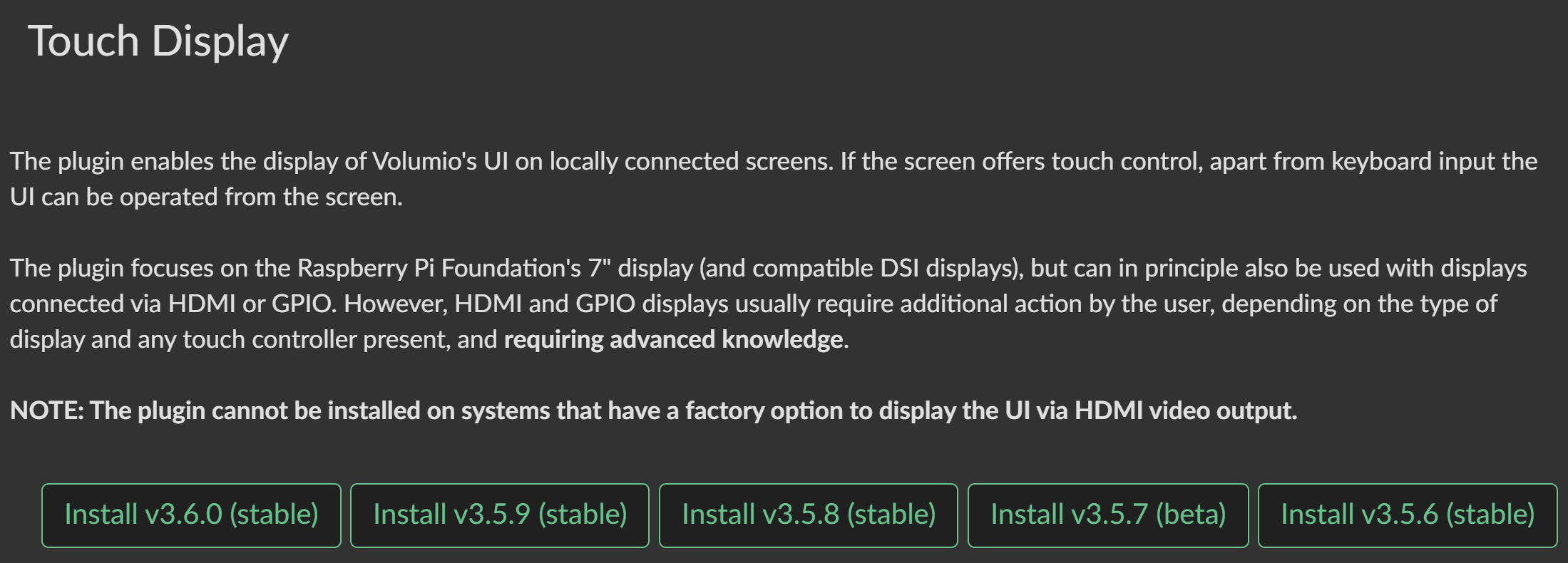
My bad as I didn’t noticed it was on beta channel  . Switched to beta, updated (OTA) and installed Touch Display Plugin without any issue.
Thanks again.
BR
Paulo
Hi @nerd ,
Thank you very much.
My bad as I didn’t noticed it was on beta channel . Switched to beta, updated (OTA) and installed Touch Display Plugin without any issue.
Thanks again.
BR
Paulo
Maybe I miss something but 4.073 is not supposed to be in beta chanel as it is mentioned in releases : https://community.volumio.com/t/volumio-changelog/1446
Regards
Select Test from <your-ip>/dev
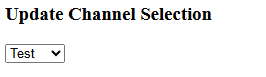
Test = Beta
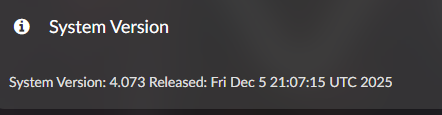
I made a fresh install to 4.073 and Touch-Display plugin does not work (volumio logo during boot and blank display after that).
Am I right in thinking that I need to install the beta version of rpi-plugin for it to work?
Wouldn’t it make sense to release the plugin as “non-beta” now that 4.xxx has been released?
First, just saying it’s not working, is not very helpfull.
Not sure to which beta you’re referring, as I see only stable releases???
Unless you found something new the “rpi-plugin”, then I am very curious to what it is.
Hey @The_Raven,
Fresh install to 4.073, Touch Display plugin not working - noted. But the rest of your post leaves me guessing.
What is “rpi-plugin beta”? That is not a term I recognize. Please clarify what you mean - are you referring to:
Before I can investigate, I need actual data:
Log link from http://volumio.local/dev - MANDATORY
Raspberry Pi identification - exact model and revision using this guide:
[GUIDE] Identifying Your Raspberry Pi Board on Volumio: A Comprehensive Guide to Revision Codes
Display identification:
Storage type (SD card, USB, NVMe)
Contents of /boot/userconfig.txt - paste the complete file
Touch Display plugin version currently installed (visible in plugin settings)
Is “Test” mode enabled for plugins at http://volumio.local/dev ?
Regarding releasing the plugin as “non-beta” - that is a question for the plugin maintainer and Volumio team, not something I can answer. Plugin release decisions depend on validation across hardware configurations and reported stability.
No log = no investigation. Ever.
Kind Regards,
I’ve been experimenting and realized that my post is nonsense.
This is how it looks:
When you install 4.073, the touch display (7") doesn’t seem to work (version 3.6.0).
Better? 
Hey @The_Raven,
Better? No. You added a screen size and a plugin version. That is not investigation material.
Let me be blunt:
“7 inch display” means nothing. There are dozens of 7 inch displays on the market:
Each requires different configuration. I cannot guess which one you have.
You are using a Raspberry Pi - which one? Pi 3B? Pi 3B+? Pi 4? Pi 5? Pi Zero 2W? Each has different display handling.
Connected how? DSI ribbon cable? HDMI? Which HDMI port if Pi 4/5?
I still need:
Log link from http://volumio.local/dev
Raspberry Pi model and revision - use the identification guide:
[GUIDE] Identifying Your Raspberry Pi Board on Volumio: A Comprehensive Guide to Revision Codes
Display - manufacturer, exact model, product page link, photos showing PCB markings
Connection method - DSI or HDMI, which port
Contents of /boot/userconfig.txt
Storage type
Without this, I am working blind. Please read the help request guidelines:
Kind Regards,
You seem a little annoyed. I’ll come back later.
Hey @The_Raven,
Not annoyed. Direct.
The requirements do not change based on when you return. Whenever you are ready to provide:
I will be here to help.
Until then, there is nothing to investigate.
Kind Regards,
We’ve consulted the tarot cards, asked the parrots for their wisdom, and even peered into the shimmering crystal ball… but alas, the vision is cloudy!
Here’s the thing: we can’t magically see what’s on your desk. We can only work with the clues you share. Right now, the cards say: “Not much info given.”
So, if you want us to predict the future (or just help you out), give us a few more details. The more you share, the clearer the prophecy becomes!
I understand that, but your approach isn’t really good. You can say that politely.
So let’s try again:
I had previously installed Volumio3 and the display was working. Today I updated to Volumio4 and the display no longer works. You see the splash screen, then it goes black and doesn’t display anything anymore.
Raspberry: Raspberry Pi 3 Model B Plus Rev 1.3
Display: Original 7" RPi-Touch-Display connected over DSI
/boot/userconfig.txt is empty.
Storage is a MicroSD
What else do you need? What do you mean with “Log link”? What log do you need? Please be more specific, because I don’t have a crystal ball either. 
That’s your lens. I don’t see it.
What do you mean with “Log link”? What log do you need? Please be more specific, because I don’t have a crystal ball either.
The instructions are right there in @nerd 's reply to you!
Hey @The_Raven,
What we have:
Clarification needed - you said “fresh install” in your first post, now you say “updated”. Which is it? OTA update from V3 to V4 is not supported - it requires a fresh flash.
Log link - how to get one:
Documentation: How to send a log link for a bug report?
Provide the log link and confirm the above.
Kind Regards,
For me, this is an “update” from v3 to v4. But i have done a fresh install of course because OTA is not supported.
I created a log, but it contains far too much personal information (IP addresses, user names, Mac addresses, share names, etc.) to share it publicly. The log is already on the server, so how can I remove it?
I’m afraid we can’t proceed without the log, so I guess that’s the end of that. I’ll restore to V3 and wait until it’s fixed (or try to fix it myself; it’s probably due to an entry in a boot file).
Thank you very much for your help.
Edit: I got it working 
Hey @The_Raven,
Let me address the log privacy concern directly.
The information you listed:
None of this information enables any attack vector from the public internet. This level of caution is blocking resolution of a straightforward display configuration issue.
Two options:
PM me the log link directly if you prefer it not be public.
Disconnect from your network shares, log out of any services, shut down Volumio for a minute, boot fresh, reproduce the display issue, then immediately generate and share the log. It will contain minimal “personal” data.
Alternatively, you can wait for someone else to report the same issue with proper diagnostics, and benefit from their effort. Or you can attempt the fix yourself - add dtoverlay=vc4-kms-v3d to /boot/userconfig.txt and see if that resolves the black screen.
Your choice.
Kind Regards,
Hey @The_Raven,
I am delighted that you got the display working with such cryptic setup.
Kind Regards,
Deleted because it is OT.
Sorry, Tony, I was trying to help someone whose touch screen was not aligned, but I really don’t know where is his message . I’m glad this could help you, but I’m not using a display like yours. I have a 7" DSI display and another 11.9" which is the one I’m using.
Regards.
@aluisperezh this may have been me.
my issue is the touch part of the screen is misaligned with the graphics.
so if I drag my finger down the screen the mouse icon aligns with my finger at the top of the screen but as I move it down it moves away. like the touch part is a bigger screen.
if I run the xinputcalibrator there are only the upper 2 cross hairs to touch the lower two are off the screen I guess so it wont complete calibration
installed volumio v4.073 same issue
orientation makes no difference
latest log http://logs.volumio.org/volumio/bbCarep.html
hope that makes sense