In English please
Hi, there are a lot of “old” people here. There are many resolutions for Peppymeter: 1920x1080, 1920x515, 1280x400 etc. Start with what monitor you have, we will answer if there are skins for this resolution
Sorry - not “old” - only “not young”
1 Like
Hi All, and thank you so much for the great job you did and do!
I’m experiencing a minor issue in screensaver With Volumio 3.758 and PeppyMeter 2.21, when using Spotify, the Spotify writing is not aligned with and is behind (partially) the bit rate info.
My resolution is 1920 x 480.
I tried to edit file meters.txt in the plugin folder,
playinfo.title.pos = 605,35,bold
playinfo.artist.pos = 605,103,light
#playinfo.album.pos = 605,163,light
playinfo.maxwidth = 1159
playinfo.center = True
playinfo.type.pos = 995,165
playinfo.type.color = 230,230,230
playinfo.type.dimension = 75,75
playinfo.samplerate.pos = 647,180,regular
but even with aberrant values no changes seems to take place.
Thanks to anyone who will try to help!
alberto

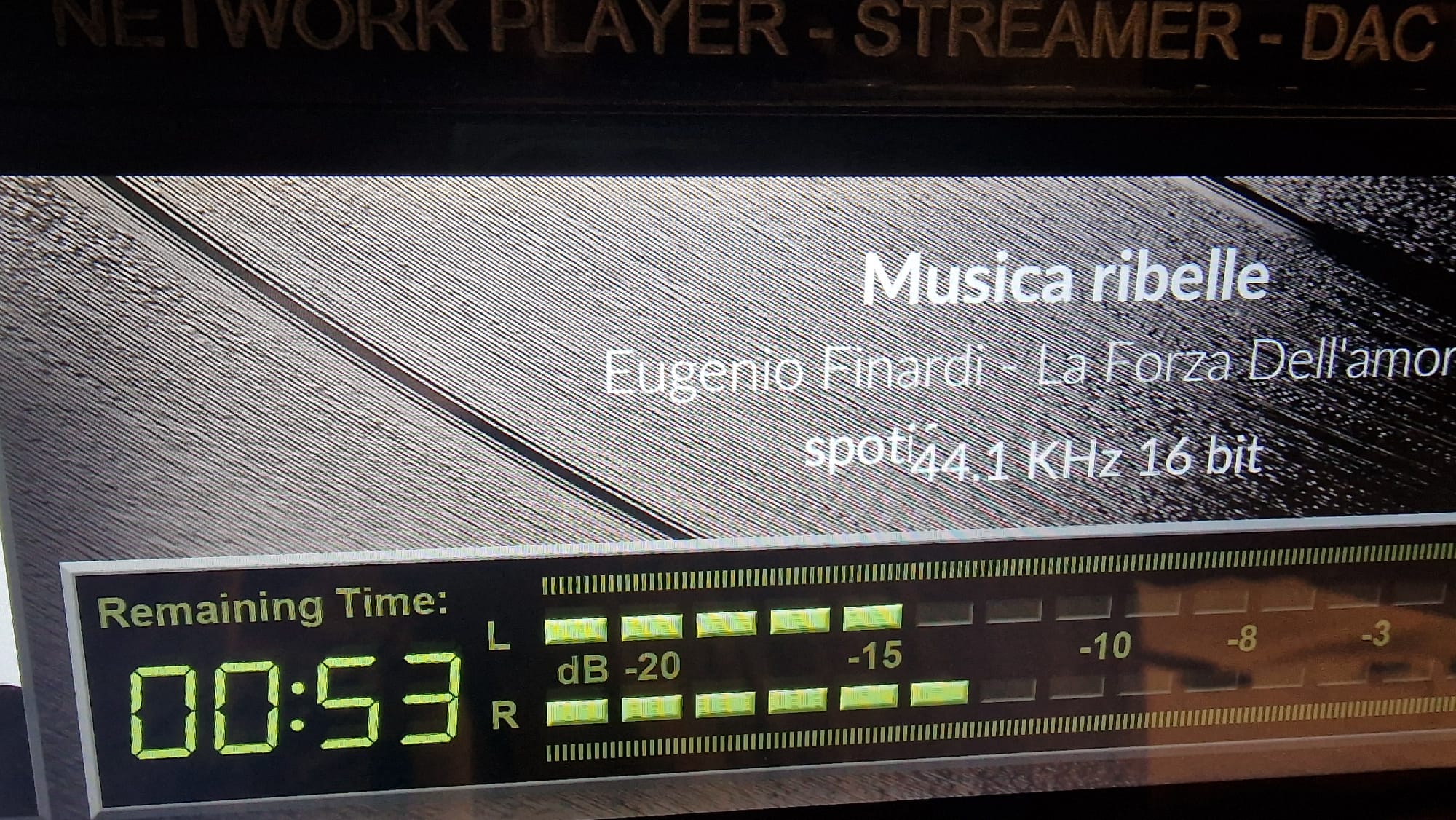
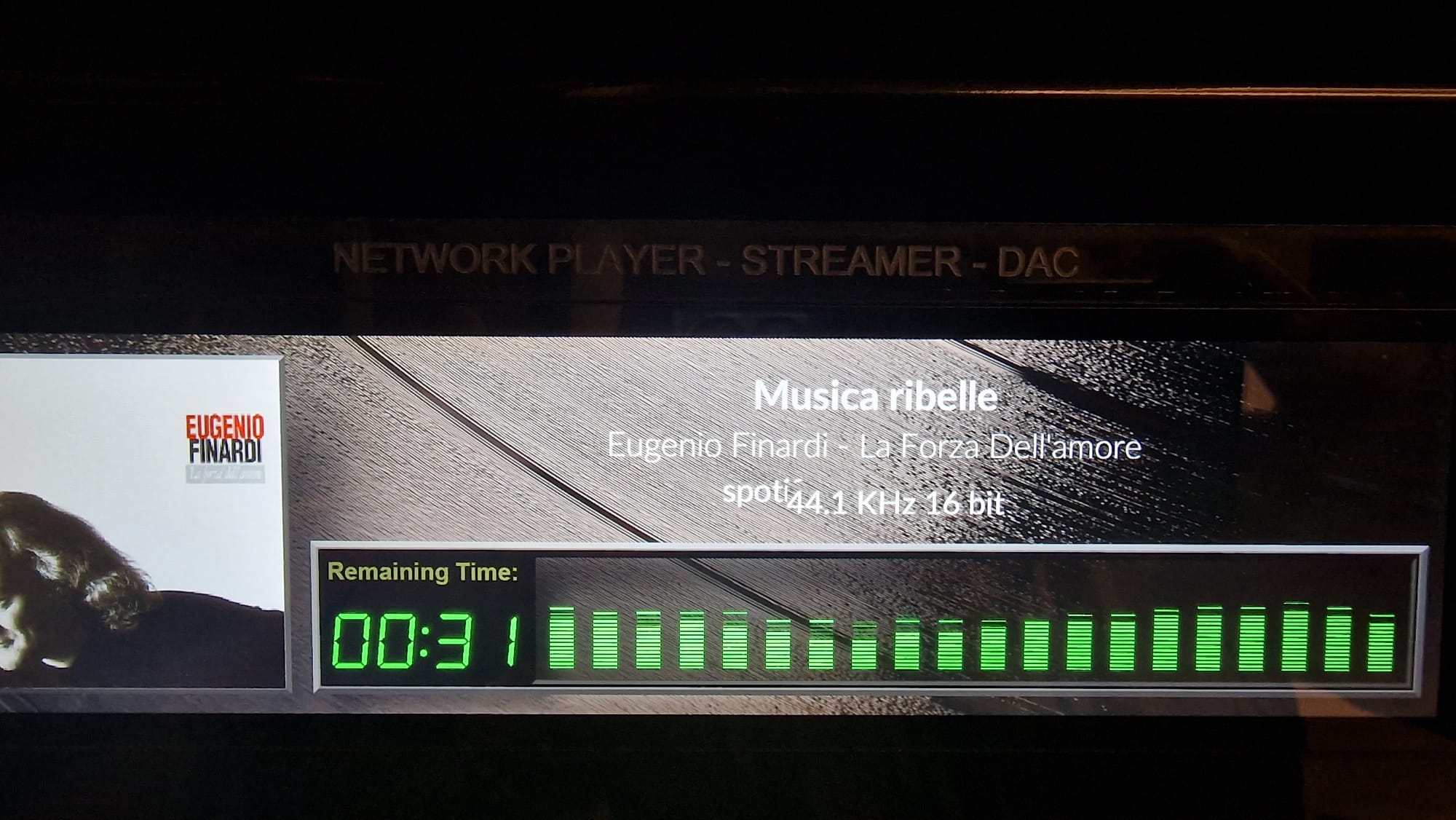
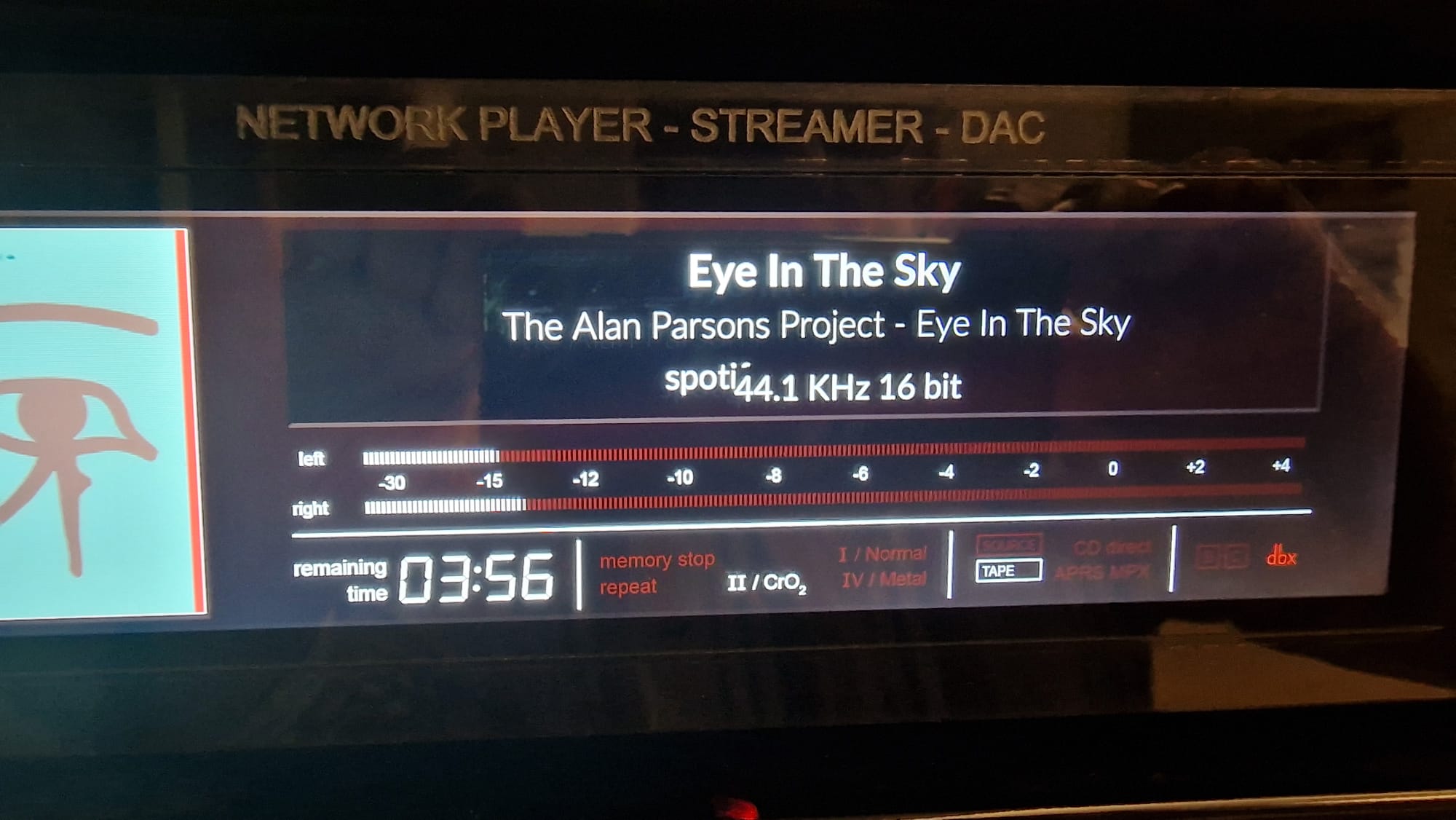
Does this happen on all skins? Or just the built-in ones?
Thanks for reply,
I’m using only “stock” find in the plugin
It does not happen in the Manifest user interface
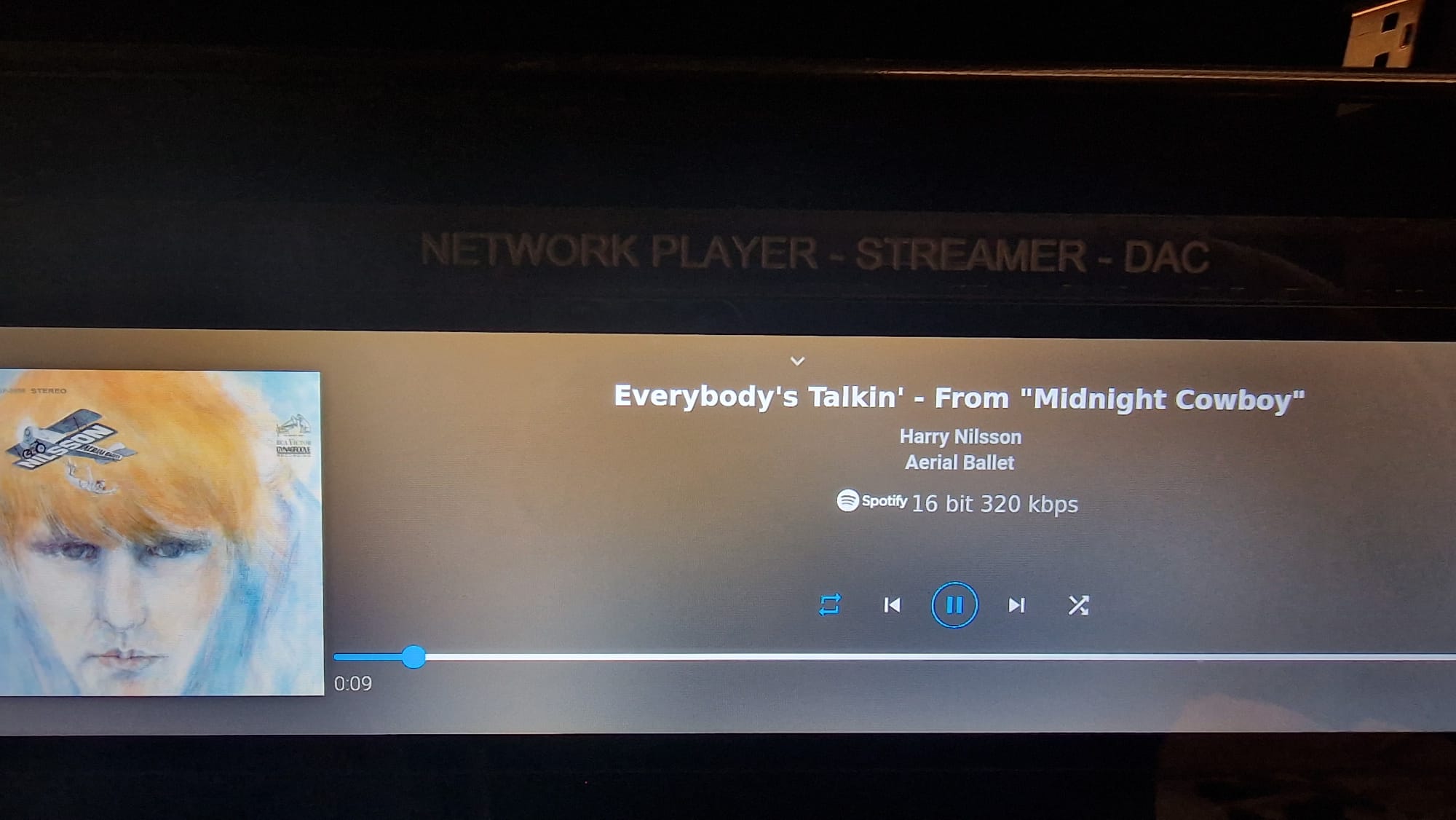
and not with all screensavers but almost, when spotify and bitrate are not on the same line
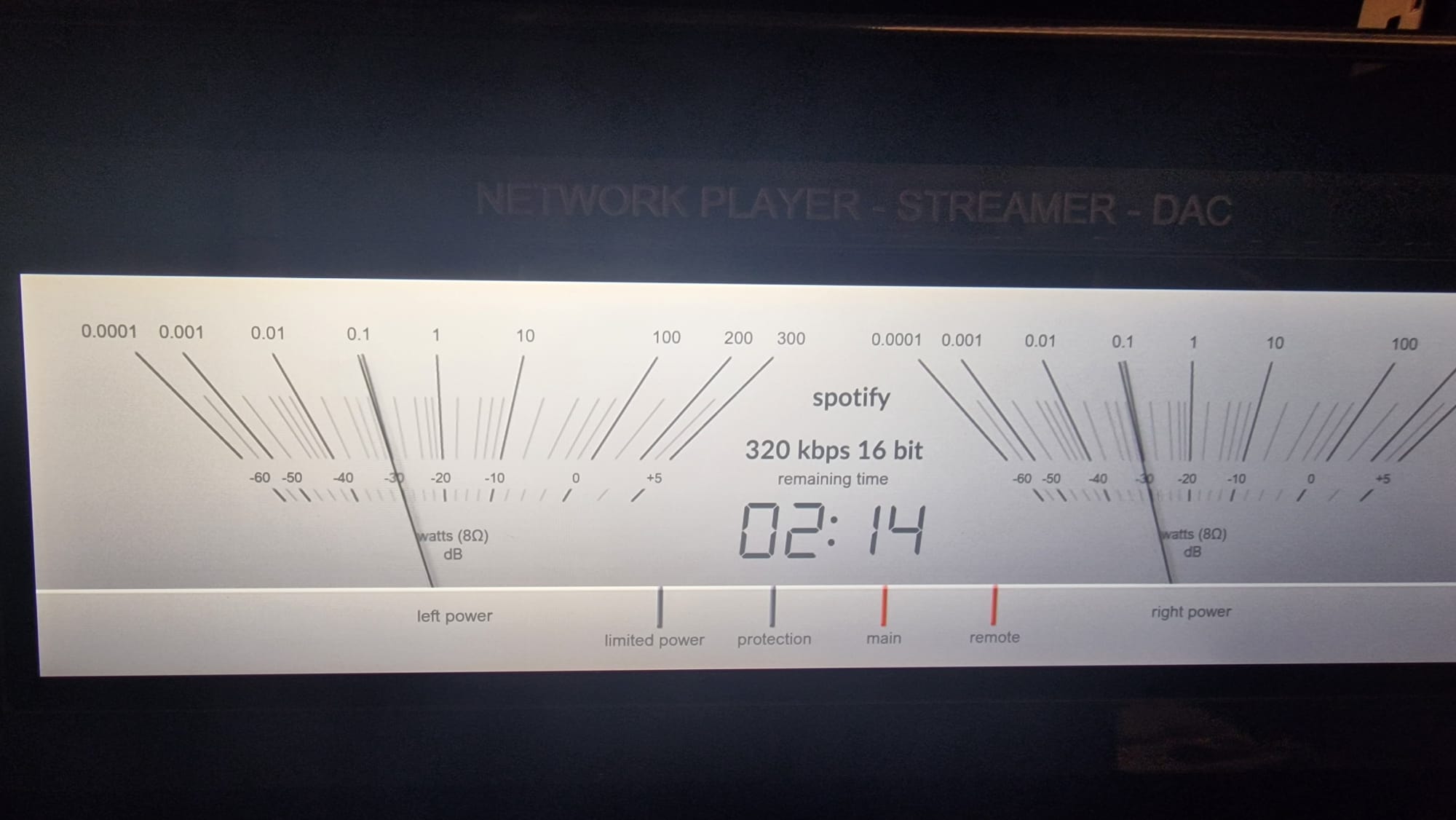
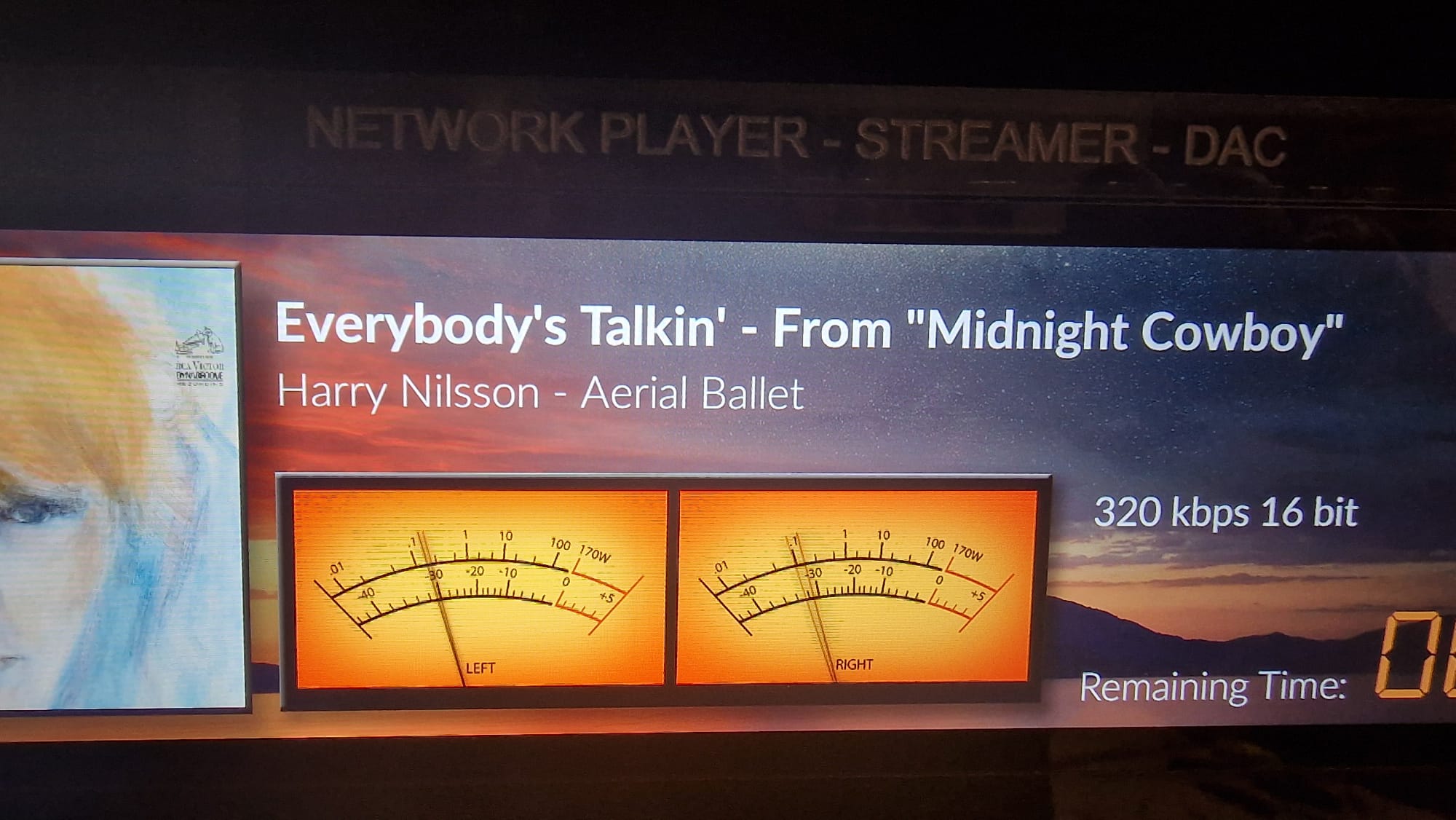
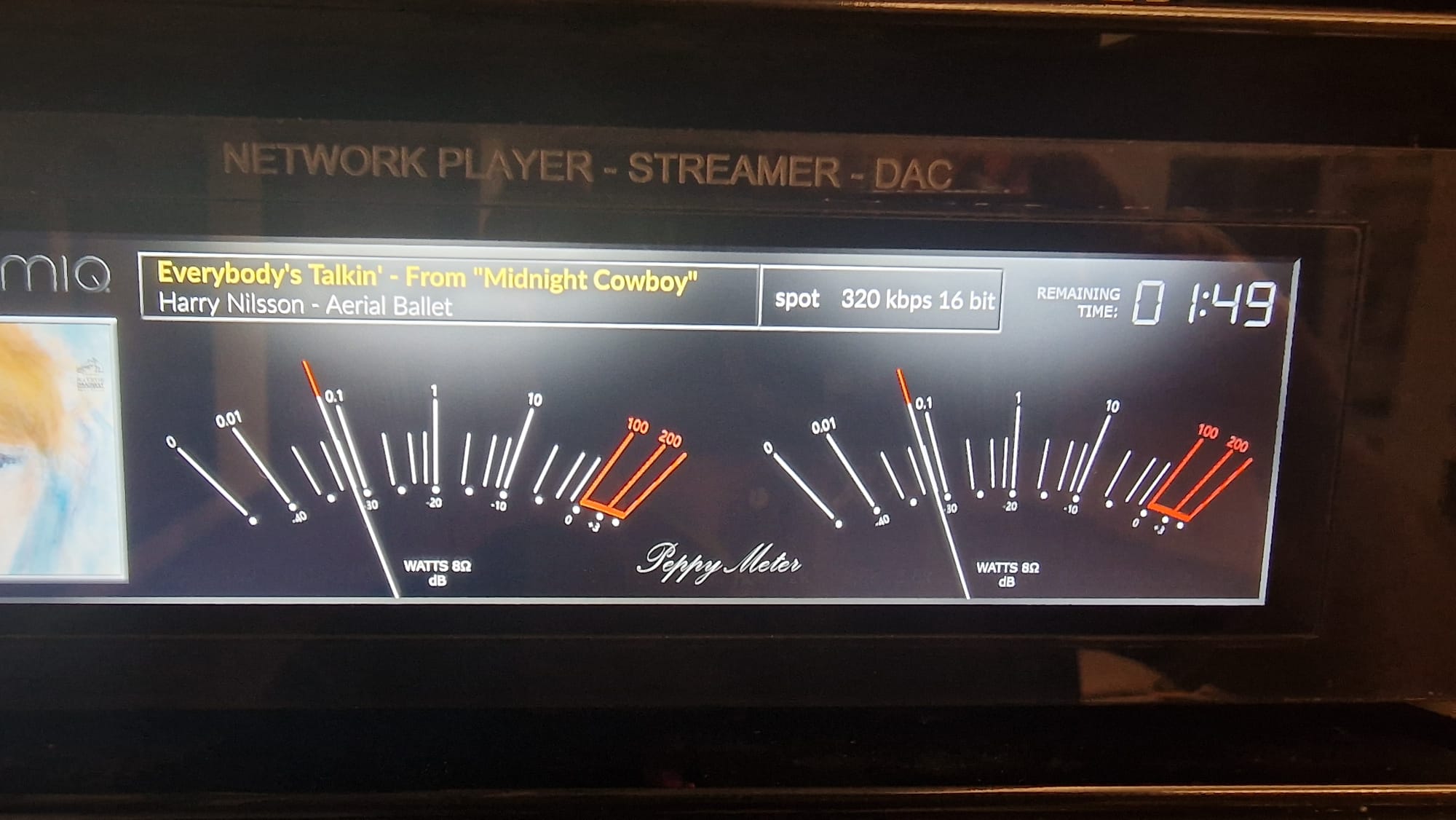
Thanks
Unfortunately, I can’t interfere with @2aCd’s work. Install mine then we’ll see if it’s a bug?
or wait for @2aCd’s opinion.
I can install yours!
could you please provide the link?
Thanks
Is there somebody that can help me with RoonBridge and Peppymeter. Is really like Roon and also Volumio. I did already the following link but this was not working.
Is there somebody that can help me ?
Click on My Avatar
Project with PeppyMeter/PeppySpectrum Screensaver Plugin for VOLUMIO - #738 by Gelo5?
Sorry
Do you mean this ? I already look at this.
this is the answer to @Ciriola
@Gelo5 sorry haha. I use your link and that was really good. Only with RoonBridge it’s not working. Do you have some advise ?
I’m sorry, I don’t use it,
but don’t give up, there are a lot of very smart forum users here. Someone will definitely give you some advice.
No problem maybe somebody else can help me.
@2aCD do you have any idea to let it working ?
Thanks, I followed all the steps, except for Balena, I used win32 disk imager
i set custom font size in normal view, Do you know if it can be the cause?
you were only supposed to add my skins… Did you add them?
thanks for your reply, i saw this 10.4inch QLED 1600x720 display, it’s nice big! it helps me for my eyesight, could it be ok?
Of course it will work, but there are no skins for this resolution (maybe 1 or 2). Consider 1920x1080, 800x480, 1024x600 - if you prefer big. If you like wide: 1920x515, 1480x320, 1280x400
Hi Gelo,
I’m working on the wrong folder I guess.
I did not installed yours but just disabled plugin then copy your skins folders (very nice) renaming existing ones
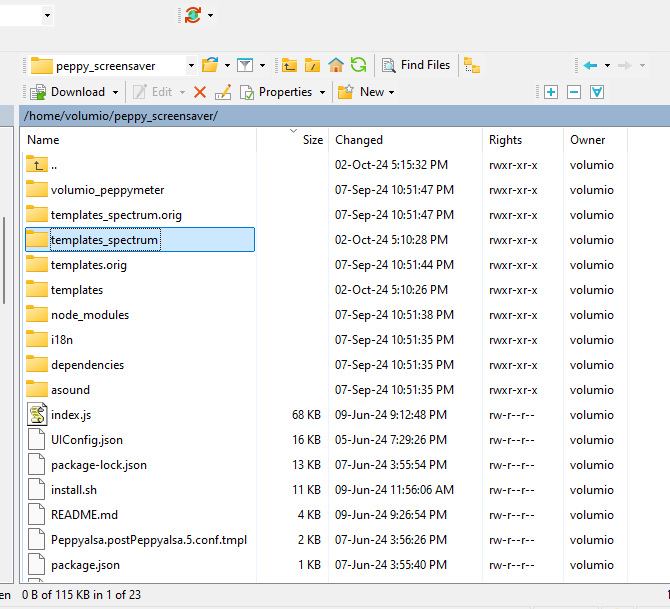
That did not work, after restarting - enabling again, the old ones still there.
I think the path where to store is different than the one I’m in…
Thanks for your help!