Is there a template pack with just VU meters and nothing else?
Yes, they are templates for Peppymeter Basic by @balbuze
1 Like
Dear Volumionauts,
Release 3.4.5 - “Connect Engine.”
A brief clinical report from the recovery ward.
@Wheaten walked into the sleep clinic a few weeks ago, dropped a prototype Spotify Soloist Connect plugin on the desk, and asked me to take a look at the metering integration. I looked. Then I kept looking. Then I could not stop looking. Forty-plus years of engineering and I still have not learned that “just take a look” is how obsessions start. The boolean flipped to on, and here we are.
What followed was a week of @Wheaten’s relentless 20-minute rule - every twenty minutes, @balbuze joined, another test, another edge case, another “what if I do this while it is doing that.” These men do not sleep. They test. Both - code and my patience. The result is a fully integrated Spotify Soloist Connect audio path that the screensaver now understands natively.
On the remote side, @Lee.Yan’s Pydroid Android work is now wired into the client behind a gated runtime check. Community-contributed, first tagged release, explicitly prototype. Read android/INSTALL.md before you touch it.
What landed in the screensaver:
Connect and Soloist - stock Spotify Connect and Soloist are exclusive. The Audio Source section shows only the active plugin’s meter switch. If someone runs both, Peppy hides both switches and refuses to rewrite either ALSA path until one is disabled. Soloist on modular ALSA runs meters through pcm.volumio with no changes needed. Soloist on DSD native gets its own pcm.spotify 4-channel meter path, named from the install marker so it survives reboots and plugin state changes.
Playback persist - Soloist sessions stay volatile for the entire session. Pause is still a genuine persist: freeze and countdown keep working, including on turntable skins. The persist file clears on volatile stop or handoff, not on pause. Progress no longer jumps on stale seek re-broadcasts.
Meter sensitivity - now goes -12 to +12 dB. Useful when a source is already hot and your needles are pinned at the right rail.
Theme gallery - portrait phones wrap correctly in two columns. Browse Theme previews refresh after you overwrite a theme without renaming anything.
ALSA and first play - meter FIFOs are held open so peppyalsa can start before the screensaver. First play should show needles without a restart.
What landed in the remote:
Client-side meter gain including negative dB, aligned with the plugin sensitivity control. Engine import path fix so PeppyMeter stays a proper package after install or update.
Android - Pydroid prototype with gated runtime support. Separate Get for Android pack tools. Install docs include PC commands, risk flags, and default to main. This is prototype territory. It works. It is not supported. If it breaks, the wrench is yours.
Upgrade notes - update the plugin first, then the remote client, both to 3.4.5. If you use Soloist, keep stock Spotify Connect disabled. After enabling Soloist integration, Apply and restart as prompted. If needles were dead on first play after boot, this is the FIFO-hold fix. Sensitivity at 0 dB is unchanged; only the range is wider.
Get it:
Remote - Release v3.4.5 - Connect Engine: Meter Gain and Android Client · foonerd/peppy_remote · GitHub
Experimental has been reset to match main for the next cycle. The head physician is still technically in recovery, but apparently the boolean does not have an off switch.
Kind Regards,
4 Likes
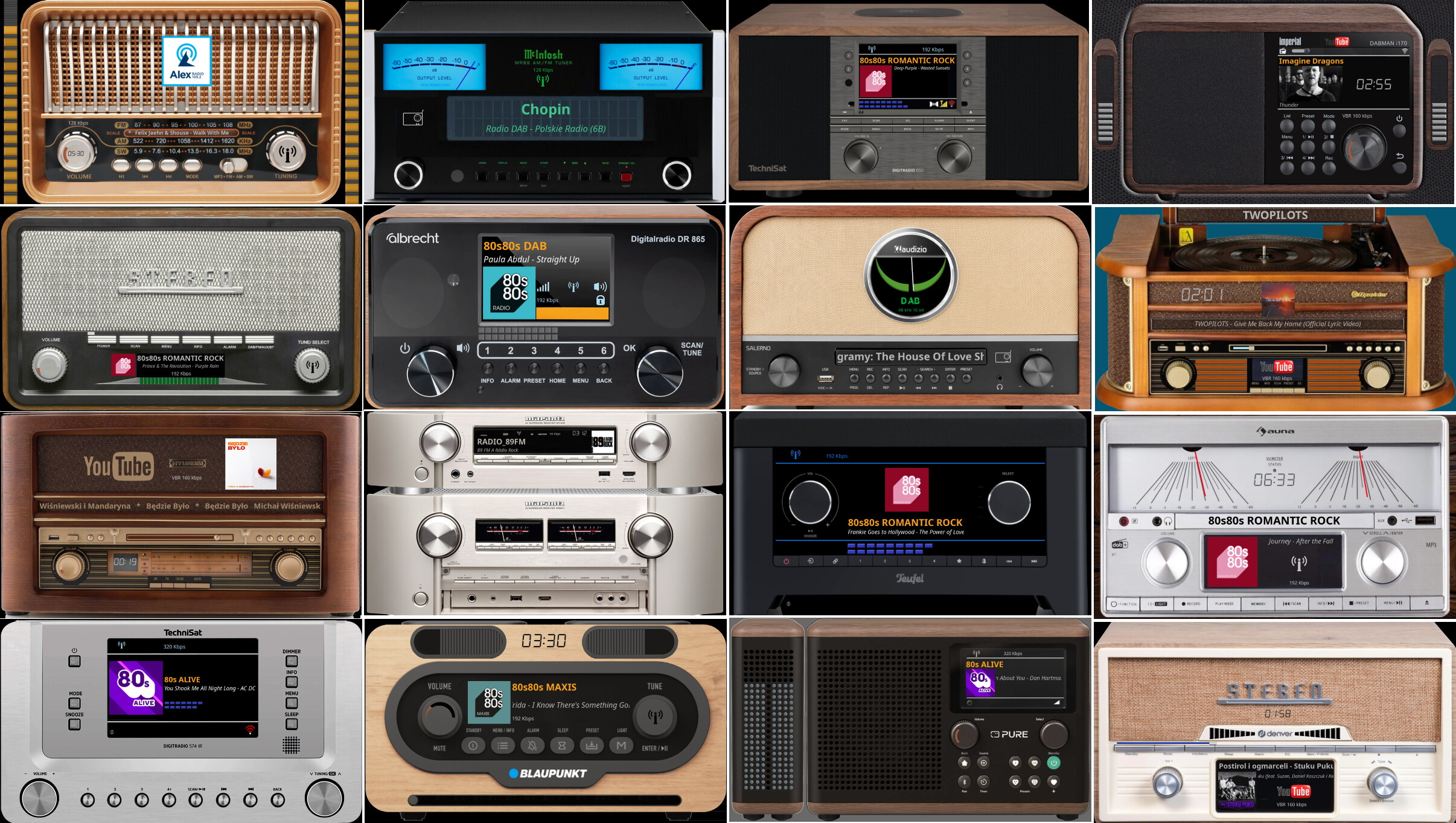
Hello, dear members! I’ve been reading your forum for days, but I’m not very good at it. Because of what I saw here, I completely fell in love with the Peppymeter plugin and the look of the smart instruments. Now I’m asking for help: tell me, has anyone finally solved the problem of installing this on a Volumio Primo V1 perpetual license device? What I want: a working Volumio Primo, with DSP and/or Housecurve running in parallel. Why it’s important: I could now buy a used Primo v1 with a perpetual license, which would also be important to me because of Tidal Connect (due to my modest financial situation, this is a better solution than an rpi4 and the annual fee for Volumio - but that’s my problem.) My idea is to use a 7"-10" display, 1280x400 or similar, I see that several people here are using something similar. (I tried an rpi4 + peppy 2 years ago, and the problem there was also the lack of Tidalt Connect. My problem now is that despite reading a lot here, it’s not clear to me whether Primo has been solved or is working?) I appreciate all the help, I can see what a great community this is.
Regards, Zoltán from Hungary
Hey @Zoli76,
Welcome, and thank you for the kind words about the project.
I have to be direct with you on the Primo V1. That device has a quad-core ARM processor at 1.8 GHz and 2 GB RAM. In computing terms, that puts it roughly in Raspberry Pi 3 territory.
PeppyMeter’s render loop needs real CPU headroom, particularly for the templates with rotating elements - vinyl, cassette reels, tonearm animation. On a Pi 5, we target under 60% CPU. On a Pi 4, it is workable with conservative frame rates. On Pi 3 class hardware, it gets tight very quickly, especially if you also want FusionDSP running alongside.
Basic meter templates without rotation - the simple VU needle skins - might survive on that hardware. But the templates you are probably admiring in the screenshots are the ones that would struggle the most.
I have not tested on a Primo V1 and it is not in my test matrix. Before you commit to the purchase, I would strongly recommend researching whether other users have run PeppyMeter on a Primo V1 successfully. The Volumio community forum and the plugin thread are good places to ask.
As for Tidal Connect - that is a Volumio platform feature tied to the perpetual license, and it works independently of any screensaver plugin. PeppyMeter is a separate layer on top.
I wish I could give you a definitive yes, but I do not test on hardware I do not have, and I do not guess.
Kind Regards,
1 Like
The first-generation Primo (Primo V1) is still running Volumio V3 (Buster), so this plugin will not work on it. Only the older plugin is compatible.
At the moment, there is no confirmation that the Primo V1 will receive the Bookworm upgrade, as several outstanding issues have yet to be resolved.
1 Like
Thanks a lot; I’ll ask in the other thread as well—I seem to recall seeing a user named “Primo” on one of the forums while browsing (though there are so many posts here…). By the way, I’m mainly interested in LED and Deprez-style meters. One thing I regret is that you can’t buy a lifetime Volumio license at a good price, or transfer one. Thanks for the guidance. Best regards, Zoli.
Ps:
Unfortunately, that topic is already closed, so I can’t ask for help there either. 
I actually read something the other day about a member named Primo V1 who finally managed to pull it off… but I can’t find it; I’m struggling with the search function—it brings up too many results.
My alternative plan was to build a standalone device—using an RPi 4 or 5—dedicated solely to running displays and VU meters, capable of cycling through, say, 30–40 different VU meter styles. It would serve as a standalone decorative unit. I could feed it an SPDIF signal; it would boot up automatically and simply be a feast for the eyes. Do you think this is feasible? I’m a beginner, so I’d need some hand-holding.
I hope I’ve phrased this well, or at least that what I’m writing with the help of the translator is understandable. 
PS2:
I’m currently using an excellent WiiM Pro Plus—it’s truly great and does everything. However, I’d love to add a Peppymeter visual display to it that could operate independently… I could feed it an SPDIF signal. But I’m not sure what hardware and software are required. Both the Pi 4B and Pi 5 are currently available in the country. A long display—styled like the HiFi Rose streamer—would make for a beautiful addition…
This is my first try on tweaking a template…
For me it has the key features and think it looks sharp, and clean…
Its on a 800x480 resolution on a Pi touch 7”

Hi,
First, big applause for creating this fantastic plugin!
I am currently in the process of setting up a Volumio/Rpi5 streamer/7.9 Waveshare Touch Screen in my car, and have run into a peculiar problem.
I am running:
Volumio 4.204
Touch Display v3.6.0
Now Playing v1.0.6
Peppymeter ScreenSaver v3.4.5
The screensaver works as expected after starting playback, it comes on after the timeout period and works perfects (both vu and spectrum).
But when the screen is touched to go back to the Now Playing screen, the screensaver goes off for a split second but turns back right on again after that without waiting for the timeout period.
On pausing playback through Volumio app on phone, the screen saver goes off and waits correctly for the timeout period after playback is resumed.
In Peppymeter settings, mouse support on or off doesnt make a difference.
The DPMS is set to 0 seconds in Touch Display Plugin and no screensaver set to on or off also makes no difference. I did a fresh reinstall but the issue persists.
I have attached the log but I am not sure if i have logged it correctly.
How can I fix this issue?
Thanks
Hey @vbhvmlk,
Nothing in the logs indicates a problem. Perhaps this is a matte of configuration. Please make backup of your configuration and share as zip here.
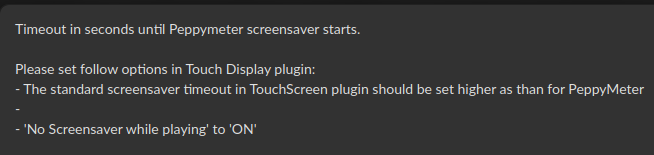
What is your “Screensaver Timeout” in Peppy plugin set to?
Kind Regards,
Hi @nerd
The screensaver timeout is set to 30 seconds.
In the Touch Display plugin the timeout is set to 120 seconds.
No screensaver while playing is ON
Peppy.zip (2.6 KB)
EDIT:
In the Live Log, when i pause playback, Touch Display Plugin makes the timeout entry
“info: peppy_screensaver: pushState - status=pause service=mpd volatile=false
info: peppy_screensaver: Genuine stop — paused
info: peppy_screensaver: pushState - status=pause service=mpd volatile=false
info: peppy_screensaver: pushState - status=pause service=mpd volatile=false
info: peppy_screensaver: pushState - status=pause service=mpd volatile=false
info: peppy_screensaver: pushState - status=pause service=mpd volatile=false
info: peppy_screensaver: pushState - status=pause service=mpd volatile=false
info: touch_display: Setting screensaver timeout to 120 seconds.
info: peppy_screensaver: Start PeppyMeter”
But when the screen is touched, that message is missing
info: CoreCommandRouter::volumioGetQueue
info: CoreStateMachine::getQueue
info: CorePlayQueue::getQueue
info: peppy_screensaver: Start PeppyMeter
info: CoreCommandRouter::volumioGetQueue
info: CoreStateMachine::getQueue
info: CorePlayQueue::getQueue
Hey @vbhvmlk,
This is interesting. With stock Touch Screen plugin - all works as designed.
My working theory is that the Now Playing kiosk service replacement is missing some trigger.
Can you take a backup of your Now Playing config and share here as zip for testing?
Kind Regards,
Please, any chance of skins for this display @1600x720?
Hey @vnman
Choose a 1920x1080 skin – I’ll try to make it.
Hey @nerd
I tried disabling the Now Playing plugin, but the trigger behavior remained the same.
Could it be that the Touch Display plugin is the source of this issue?
[REMOVED - PRIVATE TOKEN INSIDE]
it was also a symbol used by the Etruscan
I’m having the same behaviour in volumio 4.204
Touch display 3.6.0 stopped to turn of image after the timeout while nothing playing.
My bad! Should I re- upload edited file?
Done a factory reset and installed only Touch Display and screensaver never activates.