[Plugin] Spotify Soloist Connect for Volumio (incl. LossLess)

Hello everyone,

I’m happy to announce that Spotify Soloist Connect is now in beta.

0.8.0 is installed from the Volumio UI: Plugins → Music Services.

Cutting edge (fixes and work between those releases) stays on GitHub and uses the git install below. That line can be ahead of the UI package.


Spotify Soloist Connect

This plugin allows you to use Spotify Soloist on Volumio, providing an alternative Spotify Connect implementation for both Raspberry Pi and x86 systems.

This is an unofficial, community-built plugin. It is not affiliated with, endorsed by or sponsored by Spotify AB.

Features

  • Spotify Connect support via Spotify Soloist
  • Works on Raspberry Pi and x86 devices
  • No Premium Volumio subscription required
  • Automatic service management through Volumio
  • Lightweight implementation
  • Playing Lossless Spotify tracks

How it works

Spotify Soloist is designed to run on PulseAudio, while Volumio is built around ALSA. The plugin automatically creates the required audio bridge, allowing Spotify Soloist to coexist with Volumio’s audio stack.

You need a Spotify Premium account and generate an API key through the dashboard.

Tested on

  • Raspberry Pi 4
  • Raspberry Pi 5
  • x86 systems (Wyse, Intel NUC, etc.)


Installation, Plugin Store Beta 0.8.0: (25-Aug-2026)

Install from the Volumio UI: Plugins → Music Services.

New First beta.
Changed Updating the Soloist binary no longer restarts the daemon in place. The new file is staged, patched and checked before it replaces the live one. A progress modal stays up while it downloads. On success: a 15 second reboot countdown with Restart and Cancel. A failed download leaves the running binary alone.
  • Generate your Soloist API key at the Spotify for Developers dashboard (Soloist section).
  • In Volumio: Plugins → Music Services → install Spotify Soloist Connect.
  • Enable the plugin, open its settings, paste your API key, set a device name, save.
  • Reboot your device
  • Open Spotify on your phone or desktop and pick your device from the Connect list.

Treat the API key as a secret. Do not post it, and do not post unredacted logs.


Cutting edge (between releases) 0.8.2: (28-Aug-2026)

Only if you want what is on GitHub after the last UI release.

git clone --depth 1 --filter=blob:none --sparse https://github.com/foonerd/alsa_soloist_connect.git
cd alsa_soloist_connect
git sparse-checkout set soloist_connect
cd soloist_connect
volumio plugin install

That can be newer than Plugins → Music Services. Use it when you are testing a fix that is not in the UI package yet.


Special thanks to @nerd for doing the impossible over and over again.
Without him the rPi family would be very silent!!!

7 Likes

Spotify Soloist Connect - beta

Store: 0.8.0 (25 Aug 2026) - Plugins → Music Services

GitHub (cutting edge): 0.8.2 (28 Aug 2026) - repo

Turns a Volumio 4 device into a Spotify Connect endpoint using Spotify Soloist.
Not affiliated with Spotify AB.

The store package is the accepted beta. Fixes between store releases are on GitHub only (git sparse clone or alsa_soloist_connect-main.zip). Uninstall the store plugin before installing from GitHub.

Tested

Unchanged. These rows are 0.8.0 listens. 0.8.1 and 0.8.2 have no new pass/fail here.

Plugin x86 rPi3 rPi4 rPi5 PrimoV2 Primo-Plus Rivo Motivo Integro Rivo+
FusionDSP Pass tbd tbd Pass Pass Pass Pass Pass tbd tbd
Peppy Meter Basic Pass tbd tbd Pass n.a. Pass n.a. Fail n.a. n.a.
Peppy-Spectrum Pass tbd tbd Pass n.a. Pass* n.a. Fail n.a. n.a.
Peppy/Spectrum for BW (exp. branch) Pass tbd tbd Pass tbd tbd tbd Pass tbd tbd
Premium: Multiroom tbd tbd tbd tbd Pass Pass Pass Pass tbd tbd

Known issues

Issue Note
Software mixer + PCM2704 (Trends / similar 16-bit full-speed USB) 0.8.0 (store): first play aborts in alsa-lib (get_min empty interval). aplay on plug:volumio FLOAT32 period 882 dies; softvolume with the same settings plays. That chip’s Hardware PCM control does not change the analog level. 0.8.1+ (GitHub): opens softvolume when that is already pcm.volumio’s slave. Peppy and switcher boxes stay on plug:spotify / plug:volumio. Awaiting a listen on a PCM2704.
Soloist response lag 1-3 s on volume and skip. Spotify’s binary, not the plugin.
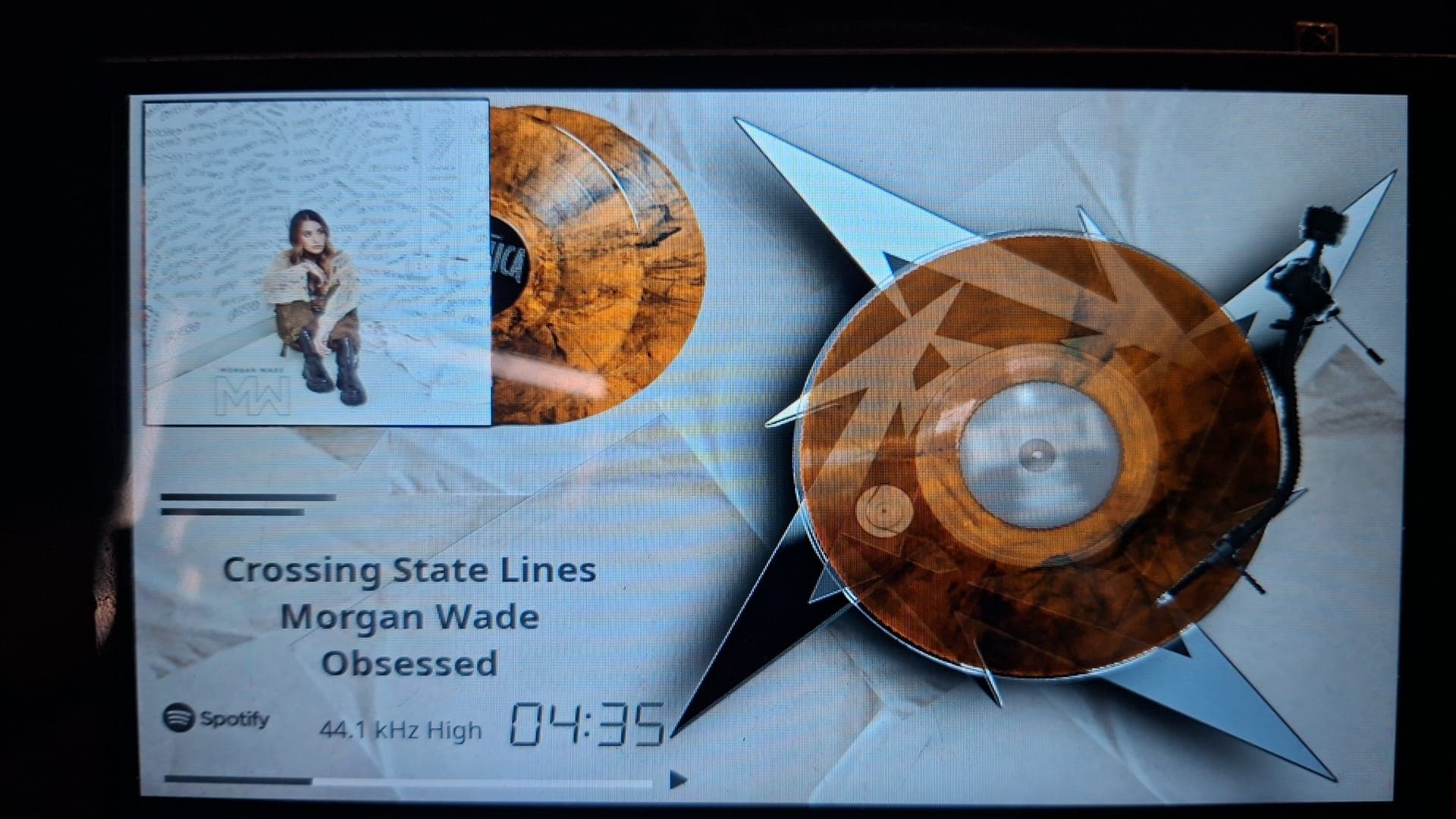
Quality 16 / 24 lossless The UI shows the Spotify tier (Low … Lossless). 16-bit vs 24-bit is not in the signal we can read without opening the playing cache, which ended the Connect session.
arm64 Built and shipped, not yet exercised at runtime.
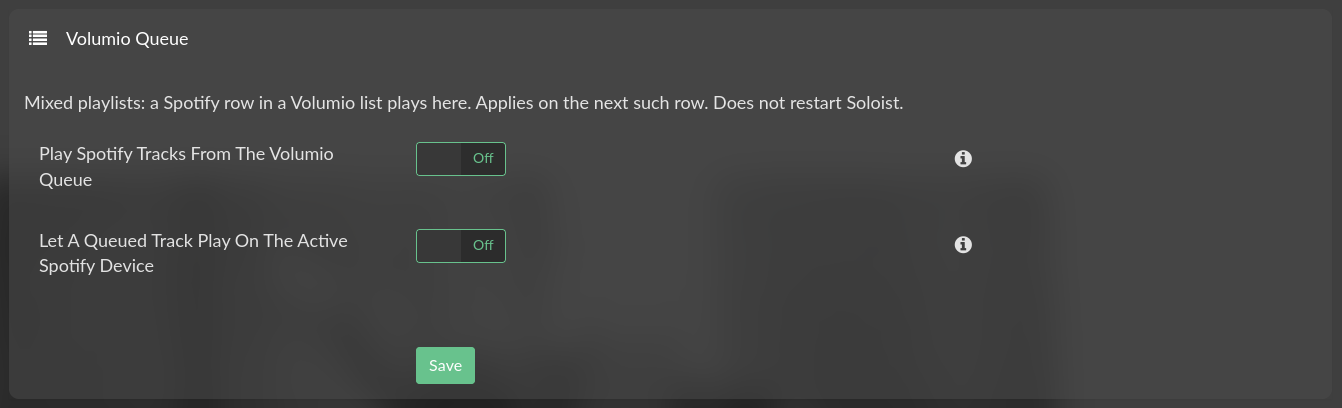
Queue playback Prototype, off by default. spop rows are skipped at play time. Convert playlist can rewrite a saved list; it is not automatic.
Spotify Queue tile Connect next-up only. No library browse or search. Shown only while queue playback is on. An open tile refreshes from events. A tap is explodeUri, not jump-to-index in Spotify’s own queue.
API key in a log From 0.7.6, ps should show nice-try-logsubmit about two seconds after Soloist starts. A log taken in that window, or on an older plugin, can still contain the real key. Revoke it if that happened. Never post spak_ strings.

Changelog

0.8.2 - 28 Aug 2026 - GitHub only
Change
soloist.service could come back at boot with the plugin disabled (WantedBy=multi-user.target) Fixed
Disable stops the daemon and unpins it from boot. Install no longer enables the unit Changed
Playback unchanged. Shim unchanged (0.2.9)
Not in the store. Install from current main
0.8.1 - 27 Aug 2026 - GitHub only
Change
Software mixer, pcm.volumio slave already softvolume: first play aborted (pcm_params.c get_min) on PCM2704 Fixed
That graph now opens softvolume (SoftMaster stays). Peppy and switcher graphs stay on plug:spotify / plug:volumio Changed
Start line always names plugin=, shim=, and the .so SOURCE_REVISION New
Not in the store. Superseded by 0.8.2 on main
0.8.0 - 25 Aug 2026 - store
Change
First beta New
UI package is Plugins → Music Services. GitHub is cutting edge between those releases Changed
Updating the Soloist binary replaced the live file, then restarted the daemon in place Fixed
Stage, patch and --version before replace. A failed download leaves the running binary Changed
Settings button: system progress modal, then a 15 s reboot countdown with Restart and Cancel Changed
Shim unchanged (0.2.9)
0.7.6 - 25 Aug 2026
Change
logsubmit / ps showed the Soloist API key on argv until the first Pulse call Fixed
The shim overwrites that slot two seconds after load (and still on the first pa_* call) Changed
Playback path unchanged
Shim 0.2.9
0.7.5 - 25 Aug 2026
Change
Convert playlist: rewrite stock Spotify (spop) track rows in a saved Volumio list to soloist_connect New
Clone is the default and leaves the original file; overwrite replaces it
Only spotify:track: rows change. Album, playlist and artist URIs stay spop
A list already saved as soloist_connect does not appear
Does not restart Soloist and does not turn on queue playback
Shim unchanged (0.2.8)
0.7.4 - 25 Aug 2026
Change
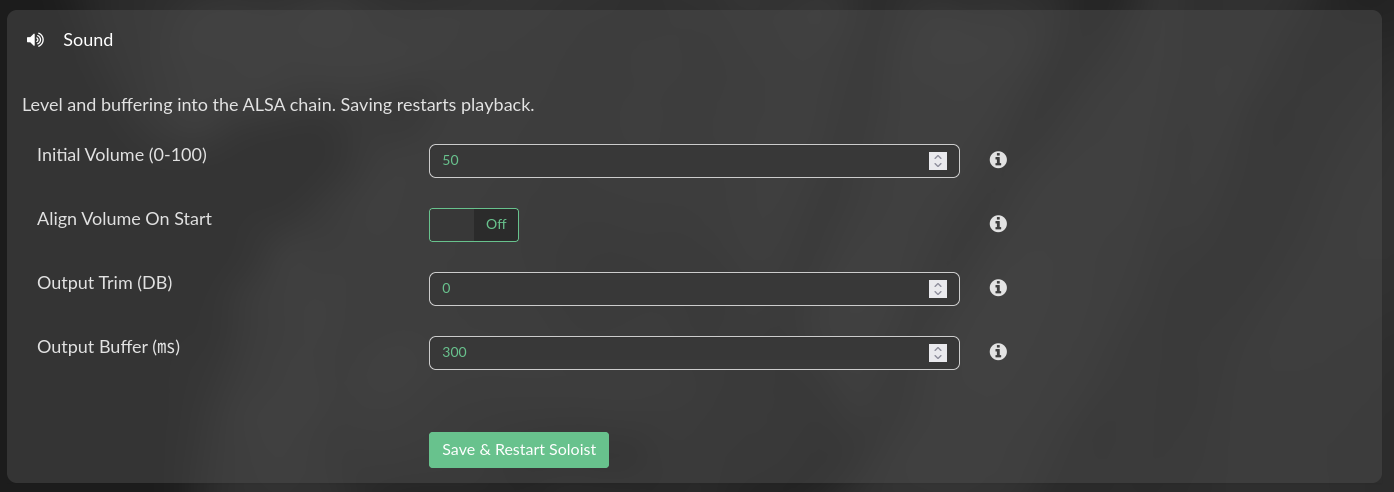
Optional Align volume on start (off by default) New
When this speaker becomes the active Connect device, Volumio’s volume is copied to Soloist instead of applying Initial Volume to the mixer
Mute becomes 0; mixer None and disableVolumeControl skip align
After that the Spotify app slider still moves the mixer
Shim unchanged (0.2.8)
0.7.3 - 25 Aug 2026
Change
An open Spotify Queue tile was a snapshot from the moment it opened Fixed
Now playing updates immediately; play next, up next, autoplay and recently played stay in those sections Changed
Those lists are refilled with a full get_queue (the unsolicited event is capped at 10)
Placeholder rows are omitted Changed
Playback paths unchanged
Shim unchanged (0.2.8)
0.7.2 - 24 Aug 2026
Change
Spotify Queue tile is registered only while Play Spotify tracks from the Volumio queue is on Changed
Off hides it, so a tap cannot skip a row and stop Connect Fixed
Saving that section adds or removes the tile without a daemon restart
Shim unchanged (0.2.8)
0.7.1 - 24 Aug 2026
Change
Spotify Queue browse tile: now playing, play next, up next, autoplay, recently played New
Source is get_queue / queue_changed. That is Spotify’s Connect list, not Volumio’s mixed playlist
Tile appears when the Soloist socket is up; home icon is a sourceicon SVG
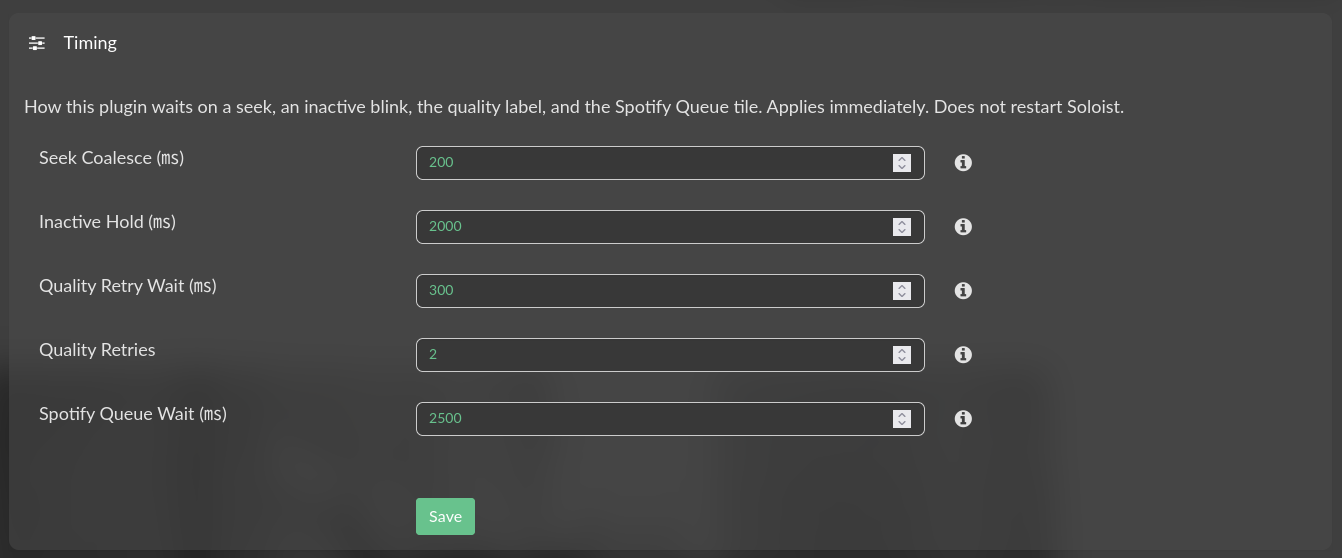
Spotify Queue wait is a Timing setting (default 2500 ms, 0-10000; 0 paints the last event immediately) New
Search is empty. Playback paths unchanged
Shim unchanged (0.2.8)
0.7.0 - 24 Aug 2026
Change
Optional queue mode: a Spotify row in a Volumio playlist or queue can play through Soloist New
Off by default. Needs a paired session (logged_in); the app does not have to be open
No session, or another device holds it: the row is skipped and the list moves on Changed
Remote-device play of a queued row is a separate switch, also off New
Queue mode is not volatile: next/prev stay with core Changed
Row ends on buffering-at-duration, idle after start, or a roll into autoplay; pause and ALSA yield before the next service Changed
Settings split by change target. A section save posts only its fields Changed
Daemon restarts only when it actually reads a changed value Changed
Shim unchanged (0.2.8)
0.6.19 - 23 Aug 2026
Change
First pcm open on a busy card was a failed open Fixed
Busy card is a wait; the first pcm open line is the success Changed
Corked connect no longer opens the PCM Changed
Tidal Connect (vtcs) is asked to release when it holds the DAC New
Shim 0.2.8
0.6.18 - 23 Aug 2026
Change
Peppy metering stored the flag but left the running process on plug:volumio after pcm.spotify appeared Fixed
Restart only when the running process device does not match plug:spotify / plug:volumio. Unreadable environ is not a mismatch Changed
Without Peppy the path is unchanged
Shim unchanged (0.2.7)
0.6.17 - 23 Aug 2026
Change
Skip kept the previous track’s quality label, or measured the last file against the new duration Fixed
Quality retry wait and Quality retries are settings (defaults 300 ms and 2; 0 disables) New
The playing cache file is not opened Changed
Shim unchanged (0.2.7)
0.6.16 - 23 Aug 2026
Change
Flush discarded and re-prepared a healthy PCM; second Motivo MultiRoom seek killed volumioOutput Fixed
Flush now drops the Pulse ring only; committed ALSA audio plays out Changed
Seek coalesce and Inactive hold are settings (defaults 200 ms and 2000 ms; 0 disables) New
Idle with an empty item published a blank now-playing line Fixed
0.6.15 - 23 Aug 2026
Change
If prepare left the switcher handle dead, flush now reopens instead of drop Fixed
Healthy graphs still dropped and prepared on flush Changed
0.6.14 - 22 Aug 2026
Change
Default 500 ms buffer dropped the tail of Soloist’s 8–32 KiB write (rush and chop) Fixed
Ring is tlength plus 64 KiB; Pulse writable_size still reports the target Changed
0.6.13 - 22 Aug 2026
Change
Writes FLOAT32 at the client rate into plug:volumio; the outer plug converts Changed
Forced S16 (0.6.10–0.6.12) set the USB/AML slave open and rushed Fixed
Exact rate or fail; I/O capped at two periods Changed
0.6.12 - 22 Aug 2026
Change
--api-key and API_KEY no longer appear in ps or logsubmit Fixed
0.6.11 - 22 Aug 2026
Change
32 KiB preroll write rejected when the ring had less room; device stayed silent Fixed
0.6.10 - 22 Aug 2026
Change
Shim converts FLOAT32 to S16 before writei Changed
Times the PCM we opened; writes are all-or-nothing Changed
0.6.9 - 22 Aug 2026
Change
Reverts 0.6.4–0.6.8. Audio path is 0.6.3 again (FLOAT32 into plug:volumio) Changed
Convert and pace matching snapped a 44.1 DAC to 88.2 k (half speed) Fixed
0.6.8 - 22 Aug 2026
Change
Ignore the first ALSA buffer before measuring pace; two agreeing 200 ms windows Changed
0.6.7 snapped a USB fill burst to 88.2 k and played 44.1 at half speed Fixed
0.6.7 - 22 Aug 2026
Change
Measure the consumer rate from frames versus wall time, including the poll wait Changed
0.6.6 - 22 Aug 2026
Change
Convert to the measured write pace when it is not the track rate Changed
ALSA yield file left behind after a hand-off; next play had no PCM Fixed
0.6.5 - 22 Aug 2026
Change
44.1 lossless played fast (Integro, with or without FusionDSP) Fixed
ALSA resample on again; float-to-S24 convert unchanged Changed
0.6.4 - 22 Aug 2026
Change
Shim converts FLOAT32 to S24_3LE (or S24_LE / S16_LE) before writei Changed
Exact sample rate; resample only if that open fails Changed
Auto-advance showed the previous track’s title Fixed
0.6.3 - 21 Aug 2026
Change
Replaced apulse with a purpose-built Pulse shim (47 symbols, ALSA only) New
Quiet wait logs, and a /proc path overflow in the shim Fixed
Retired the apulse build path Changed
0.6.2 - 21 Aug 2026
Change
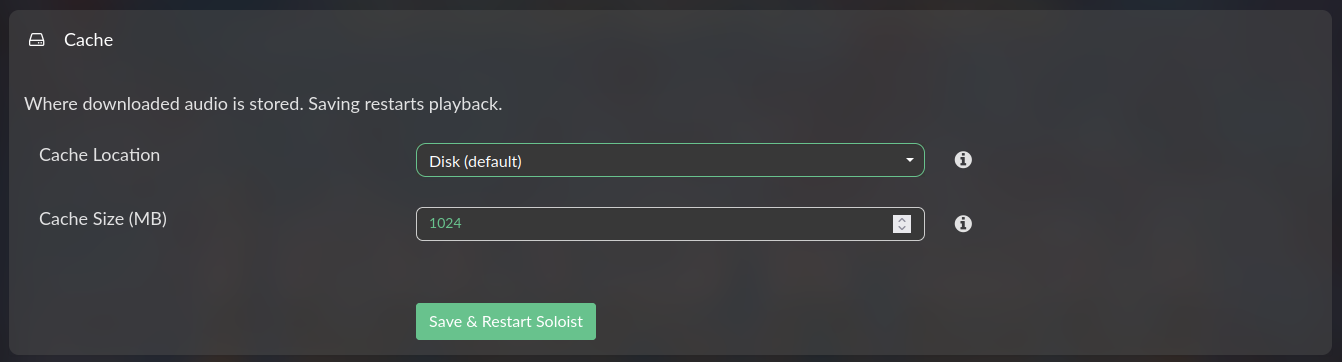
Playback cache can be placed in RAM New
Cache location selector, with the choice logged Fixed
Metadata not shown when taking the session Fixed
Diagnostics now follow the Verbose Logging setting Changed
Removed sed from every executable path Changed
0.6.1 - 21 Aug 2026
Change
Verbose logging did nothing Fixed
Seek bar: no per-second publish, which XRUN’d the DAC Fixed
ALSA format and period negotiation Fixed
Stale crashpad locks at every start Fixed
Executable bit on the launcher Fixed
0.6.0 - 20 Aug 2026
Change
PeppyMeter / Spectrum screensaver support on Bookworm New
Plays through the metered PCM when the screensaver asks New
Implausible position timestamp rejected Fixed
Seek timer no longer publishes; no yield on takeover Fixed
0.5.0 - 20 Aug 2026
Change
Output Trim, to set PeppyMeter needle deflection New
0.4.0 - 20 Aug 2026
Change
Meter deflection followed master volume Fixed
Soloist not released after closing the Spotify app Fixed
0.3.0 - 18 Aug 2026
Change
Format negotiation Fixed
Lagging response Fixed
Pre-alpha - 17 Aug 2026

First working builds on rPi4, rPi5 and x86.

Is there a significant difference architecture difference between PulseAudio and ALSA? Why would Spotify use PulseAudio and Volumio ALSA?

This is a very common linux sound architecture : PulseAudio can sit on top of ALSA and use it as the hardware backend. So Spotify may use PulseAudio for routing/mixing, while Volumio talks directly to ALSA for a simpler, more deterministic audio path.

Wheaten, really happy you found the time and motivation to code new plugins! I don’t know about you, but vibecoding really cuts the time-to-release and removes a lot of barriers :slightly_smiling_face:

Is there a way to test this already?
Last 3 weeks my volumio keeps restarting the player if i use the "old"spotify plugin even after a new install en a new power source.
Would be very happy to test this and i have a premium account for spotify.

We started the build yesterday, please give us some time to test.

1 Like

Not to rush you, greatly appreciate your work.:ok_hand:t2:
Just missing my Spotify in the shower.:smile:

pleas euninstall the version 4.4.1 and install the version 4.4.2

playback from Volumio won’t work, but Spotify Connect does

1 Like

Hi all,

I’m opening up an early alpha release of Soloist Connect, a Volumio plugin built around Spotify Soloist, the official headless Spotify Connect client that Spotify released for Linux in August 2026. The plugin turns your Volumio device into a Spotify Connect endpoint, with track metadata, cover art, seek, and transport controls synced into the Volumio UI through Soloist’s local WebSocket API.

Read this first

This is strictly for first adopters. The plugin is usable at best — expect rough edges, odd states, and the occasional restart. We’re releasing early on purpose: the interaction between Soloist, Volumio’s state machine, and the audio layer has too many device- and setup-specific corner cases to shake out on a handful of machines. A bigger testing ground is exactly what this alpha is for. If you’re not comfortable with SSH and reading logs, please wait for the beta.

What it does

  • Registers your Volumio device as a Spotify Connect endpoint (control it from any Spotify app on your network)
  • Metadata, cover art, position, and volume synced into the Volumio UI
  • Shuffle/repeat, skip, seek from both sides
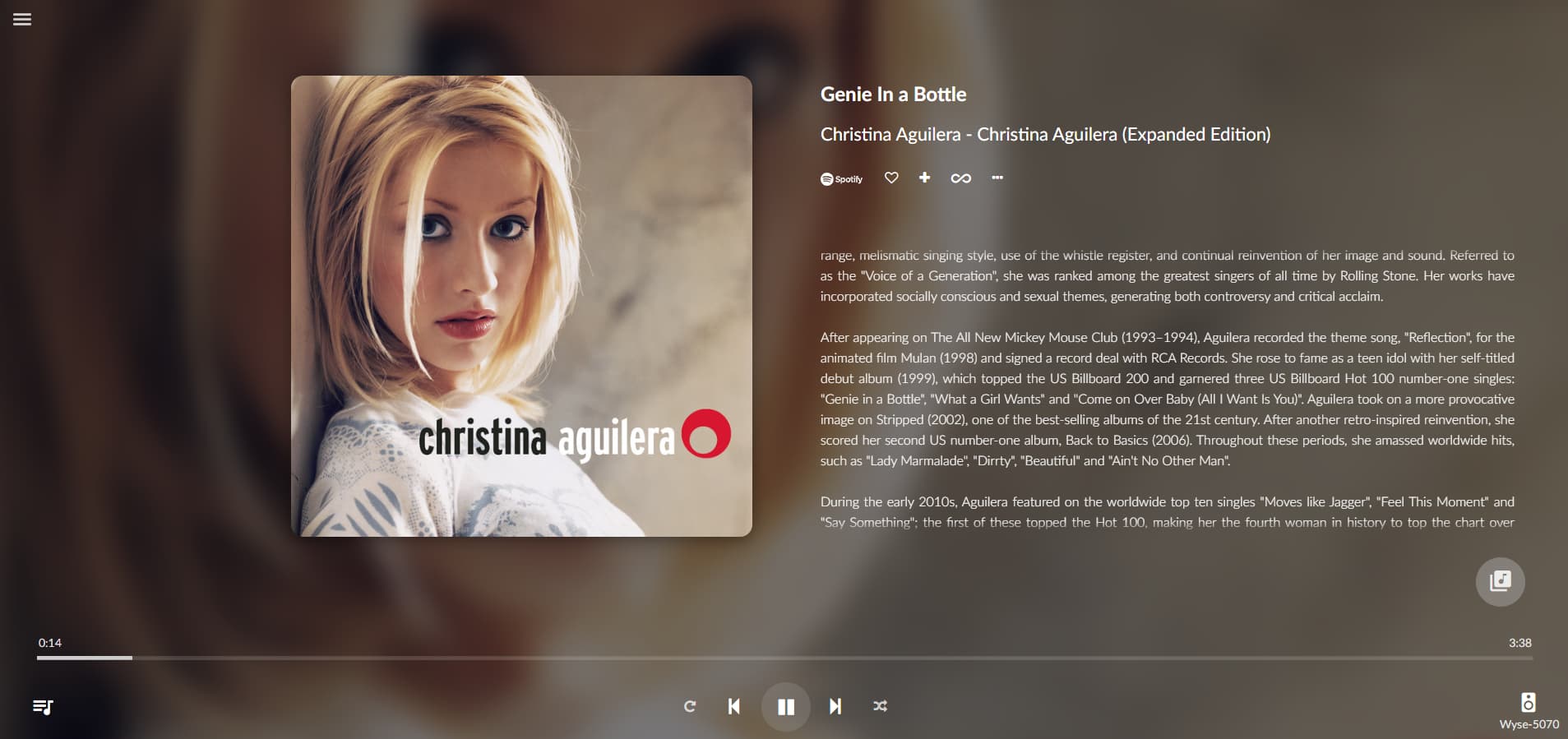
  • Stream quality tier detection (Low → Lossless), shown in the UI
  • Automatic handling of Soloist’s 90-day build expiry (auto re-download)
  • Plays nicely with other Volumio sources: yields the audio device when you switch to MPD/webradio, takes it back when you play to Connect

The audio layer (apulse)

A lot of effort in this release went into the audio path. Soloist speaks PulseAudio only, but Volumio’s world is ALSA. Rather than running a full PulseAudio system server alongside Volumio, the plugin uses apulse as a thin translation layer between Soloist’s PulseAudio calls and ALSA, feeding audio into Volumio’s shared volumio ALSA device so the normal Volumio audio pipeline (mixer, DSP, output selection) stays in charge. Getting device handover right — Soloist releasing the ALSA device when you switch sources and reclaiming it cleanly when you come back — took the bulk of the debugging time and is precisely the area where I’d like the widest testing.

Known issues

  • PeppyMeter Basic and Peppy-Spectrum respond to master volume instead of the audio signal. The meters move with the volume knob rather than with the music. This is a consequence of how the apulse→ALSA path is wired relative to the point where Peppy taps the audio, and it’s being worked on. If you rely on Peppy visualizations, this alpha will annoy you.
  • Rapid source switching (Connect → MPD → Connect) can occasionally need a play-press twice before audio returns.
  • Sample rate / bit depth shown in the UI reflect the ALSA output stream, not the source material (Soloist’s API exposes no per-track codec info; the quality tier shown is measured from the cache instead).
  • First connection after boot can take a few seconds to appear in the Spotify app’s device list.

Requirements

  • Raspberry Pi 3/4/5 or x86_64 (armv6 devices like Pi 1/Zero v1 are not supported by Soloist)
  • Volumio Rivo, PrimoV2, Motivo, Primo Plus (tested)
  • Volumio Rivo+, Integro should work (untested)
  • A Spotify Premium account to generate the Soloist API key (once running, any account on your network can play to it)
  • Volumio 4.x with SSH enabled

Installation

  • Generate your Soloist API key at the Spotify for Developers dashboard (Soloist section).
  • Open a SSH termianl to your device
  • run:
    git clone --depth 1 --filter=blob:none --sparse https://github.com/foonerd/alsa_soloist_connect.git
    cd alsa_soloist_connect
    git sparse-checkout set soloist_connect
    cd soloist_connect
    volumio plugin install
    
  • Enable the plugin, open its settings, paste your API key, set a device name, save.
  • Reboot your device
  • Open Spotify on your phone or desktop and pick your device from the Connect list.

Reporting issues

This alpha lives or dies by your reports. When something misbehaves, please post:

  • Device model, DAC/output in use, Volumio version
  • What you did, what you expected, what happened instead
  • Post a log with verbose logging on

Each user must generate their own key; please don’t share keys.

Especially valuable right now: testing on different DACs (USB, I2S HATs, HDMI), source-switching between Connect and other services, multi-room/multi-device Spotify accounts, and long play sessions.

Using Spotify Soloist means accepting the Spotify Terms and Conditions of Use.

Thanks for testing — post your findings below, the uglier the better.

2 Likes

A post was merged into an existing topic: New 2023 Spotify Plugin

Hello!
Tested v0.0.6 on Integro VOLUMIO V4.164
Lossless mode
FusionDsp enabled

Mostly good…
First track play fine, but time to time small audio hiccup about every 10sec.
Fast forward or skipping track result in sort of mix speed slowdown sound.
Using Spotify while playing Qobuz stop Qobuz : fine , Volumio UI does not reflect this state.
Bi-directionnal volume ok

:wink:

edit : lyrics are a bit out of sync, after play pause

Can this new trial plugin (soloist) sit along side the current spotify connect 1.0.0 or does the current plugin need to be removed first.
Great work people !

where is this plugin? On which system? :thinking:

You have to disable the other Spotify plugin.

Take a look at “Known limitations

Testing on a rPi5, with Spotify on Android.
From the Volumio GUI:

  • Prev, Next OK
  • Play, Pause Not OK. Once paused it won’t start again. Need to do it in the App.
  • Fast Forward/backward OK
  • Experimental Peppy/Spectrum OK

From APP (Android):

  • Sometimes need to press Play twice
  • Need to wait untill Volumio has fully booted. If I start to soon it will stutter. Pressing SKIP solves it.
  • Prev, Next, Play, Pause OK
  • Fast Forward/backward OK

Testing on a rPi5, with Spotify on Desktop (x86).
From the Volumio GUI:

  • Prev, Next OK
  • Play, Pause OK.
  • Fast Forward/backward OK
  • Experimental Peppy/Spectrum OK

From Desktop APP (x86):

  • Play, Pause OK.
  • Need to wait untill Volumio has fully booted. If I start to soon it will stutter. Pressing SKIP solves it.
  • Prev, Next, Play, Pause OK
  • Fast Forward/backward OK
2 Likes

Great Work! Works for me on a rpi with usb dac. Only with mixer type ‘hardware’. Set to ‘software’ it doesn’t work. Otherwise playback is good.

When switching mixer, stop playback from app, restart Soloist, and hit play again.
It’s tested successful with:

  • None
  • Software
  • Hardware

Thanks for the quick reply! But that does’nt help. When set to software (after stopping playback and restarting the plugin) the connection between spotify and volumio is lost as soon as i hit play. some from macbook and phone. I will check if chaging any other setting helps.

Amazing work guys! Have been testing on rpi3 with a HifiBerry DAC2 HD on top. So far I’ve been experiencing a lot of stutter, also creating noise/cracking my speakers/setup. Play/pause, skipping and starting songs is working OK. Some minor hickups sometimes, but with the instructions above it’s working fine.

Playing with the cache sizes, buffer and trim didn’t really make a difference in the suttering.

Keep up the great work guys!

Edit: Maybe it helps, albums I’ve tried are Black Sabbath - Paranoid (not 24bit) and Mad Season - Above. Stutering/cracking doesn’t happen on Very High setting, only on Lossless

More edits:
Logs show nothing abnormal to me while playing (this is when stuttering/skipping/cracking is happening)

2026-08-20 22:47:04.298: playing spotify:track:5xhQOnyRJfRywbEwpkgoTy "Wake Up" by "Mad Season" [0:40 / 7:35]
info: CoreCommandRouter::volumioGetState
info: Listing playlists
2026-08-20 22:47:14.298: playing spotify:track:5xhQOnyRJfRywbEwpkgoTy "Wake Up" by "Mad Season" [0:50 / 7:35]
info: CoreCommandRouter::volumioGetState
2026-08-20 22:47:24.297: playing spotify:track:5xhQOnyRJfRywbEwpkgoTy "Wake Up" by "Mad Season" [1:00 / 7:35]
info: CoreCommandRouter::volumioGetState
info: Listing playlists
2026-08-20 22:47:34.298: playing spotify:track:5xhQOnyRJfRywbEwpkgoTy "Wake Up" by "Mad Season" [1:10 / 7:35]
info: CoreCommandRouter::volumioGetState
2026-08-20 22:47:44.298: playing spotify:track:5xhQOnyRJfRywbEwpkgoTy "Wake Up" by "Mad Season" [1:20 / 7:35]
info: CoreCommandRouter::volumioGetState
info: Listing playlists
2026-08-20 22:47:54.298: playing spotify:track:5xhQOnyRJfRywbEwpkgoTy "Wake Up" by "Mad Season" [1:30 / 7:35]
info: CoreCommandRouter::volumioGetState
2026-08-20 22:48:04.297: playing spotify:track:5xhQOnyRJfRywbEwpkgoTy "Wake Up" by "Mad Season" [1:40 / 7:35]
info: CoreCommandRouter::volumioGetState
info: Listing playlists
2026-08-20 22:48:14.297: playing spotify:track:5xhQOnyRJfRywbEwpkgoTy "Wake Up" by "Mad Season" [1:50 / 7:35]
info: CoreCommandRouter::volumioGetState
2026-08-20 22:48:24.298: playing spotify:track:5xhQOnyRJfRywbEwpkgoTy "Wake Up" by "Mad Season" [2:00 / 7:35]
info: CoreCommandRouter::volumioGetState
info: Listing playlists
2026-08-20 22:48:36.755: playing spotify:track:5xhQOnyRJfRywbEwpkgoTy "Wake Up" by "Mad Season" [2:13 / 7:35]
info: CoreCommandRouter::volumioGetState

Please post logs.