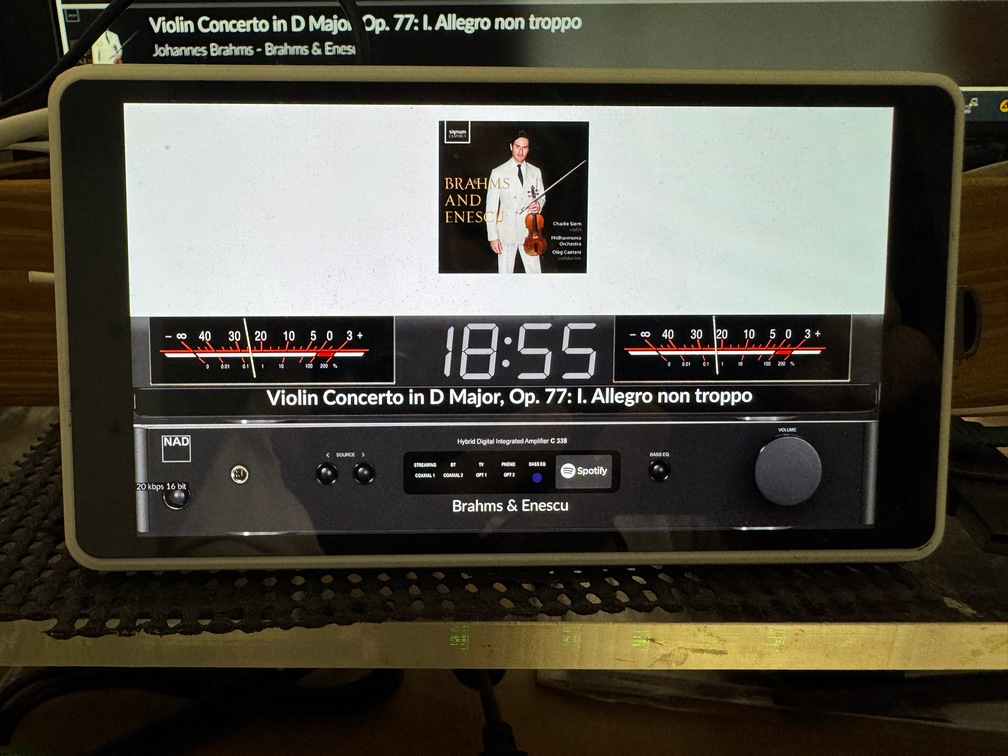
Here is our concept for the 2aCD version of Peppy_meter.
Picture us putting this together unshaven, half‑awake, and somewhere between “quick bite” and “why is this taking so long”. Pure creative chaos at its finest.
Just to be crystal clear: this is only a concept.
Forum support from us? Absolutely not. Not even with charm, snacks, or interpretive dance.
If something isn’t working or you want improvements, congratulations, you’re officially in the driver’s seat.
Open a PR, grab the tools, and make the magic happen.
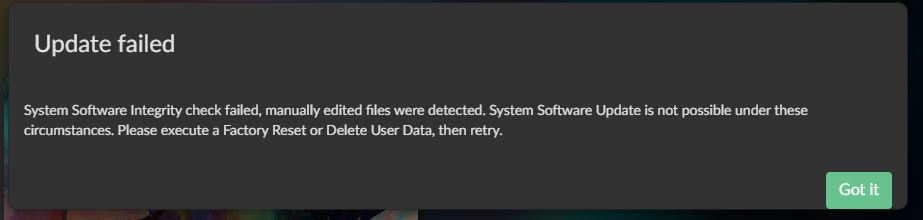
It also shares the same quirk as the original 2aCD version: you must disable Peppy before performing an OTA. It will also not run on x86 devices without tweaking.
Because of that, this will never make it into the plugin store. Ever. It’s destined to live its life as a free‑range, DIY‑only creation.
If you have already installed a previous version
Uninstall Peppy plugin first:
Next:
cd ~
rm -rf peppy_screensaver
Next:
cd ~
git clone --depth=1 https://github.com/foonerd/peppy_screensaver.git
cd peppy_screensaver
volumio plugin install
Have fun!
Screen saver:
Prep-work to make it work:
Remote Display - Win/Lin:
Disclaimer
This version of Peppy_meter (2aCD concept edition) is provided strictly as-is, with no guarantees, no warranties, and absolutely no promise that it won’t misbehave when you look at it funny. (only tested on rPi, not intended for x86)
Dear Volumionauts,
To add to what @Wheaten has already said:
This plugin is provided as-is with no maintenance or development support. It exists as a community resource for those who want to experiment with it. There is no roadmap, no bug tracking, and no commitment to future updates.
If you want to use it - you accept it in its current state.
If you want it to continue or improve - fork the repository and take ownership. The code is available for anyone willing to maintain it. Otherwise, it may simply stop working at some point.
If you need atomic updates - check the repositories. Do not expect announcements to be made.
Installation instructions have already been provided in this thread. If you cannot be bothered to scroll up a few replies and expect instructions served on a silver platter over a red carpet - you are here for a disappointment. If I can spend time writing this, you can spend some time searching for the details first.
For those who need a reliable, actively maintained solution: the PeppyMeter plugin from @balbuze is available in the Plugin Store and remains fully functional.
Kind Regards,
The PeppyMeter Screensaver plugin has a GitHub Wiki with documentation for users and template creators.
Wiki Location:
Contents:
- Installation guide
- Plugin settings reference
- meters.txt parameter reference (complete)
- Spectrum configuration
- Skin creation guide for template designers
- Community templates - where to download and how to contribute
- Troubleshooting
For Template Creators:
The wiki documents all configuration parameters including the new features:
- Vinyl turntable animation
- Cassette reel animation
- Tonearm animation
- Album art rotation
- Scrolling text
Community Templates:
Browse and download community templates from the separate repository:
Contributions welcome - see the Contributing guide in that repo.
The README in the main repo remains the quick reference. The Wiki provides expanded documentation.
 High CPU Usage Warning & Optimization Guide
Some users are reporting high CPU usage, which can cause the system to feel sluggish or unresponsive. Below is a quick guide to identify the issue and reduce CPU load.
Symptoms
- System feels slow or laggy
- CPU usage much higher than expected for your device
Recommended Solutions
If you’re experiencing high CPU usage, try the following (in order of impact):
- Reduce frame rate
- Set to 20 FPS
- For Spectrum templates, use 15 FPS
- Increase update interval to 3–4
- Increase meter timing delay to 15–20 ms
- Use a lower‑resolution skin (recommended: 800×480)
- Disable Spectrum if it’s not essential
- Disable album art rotation
- Use basic templates
- Prefer VU meters
- Avoid turntable/cassette templates if possible
Expected CPU Usage by Device & Template
| Device | VU Meters (30 FPS) | Spectrum (30 FPS) | Spectrum (15 FPS) |
|---|---|---|---|
| Raspberry Pi 5 | 15–25% | 75–80% | 45–50% |
| Raspberry Pi 4 | 20–35% | 80–90% | 50–60% |
| Raspberry Pi 3B | 35–50% |  Not recommended Not recommended |
60–70% |
| x64 Systems | 1–3% | 5–10% | 3–5% |
Important:
Spectrum templates are much heavier than meter templates.
They render ~57 animated bars per frame, compared to just 2 meter needles, which explains the significant CPU increase.
Always use 15–20 FPS for Spectrum templates.
Device Compatibility & Recommendations
| Device | Status | Notes |
|---|---|---|
| Pi 5 |  Excellent Excellent |
Best overall performance |
| Pi 4 | Good |
Recommended |
| Pi 3B / 3B+ | Minimum |
Use 800×480, avoid heavy skins |
| Pi Zero 2 W | Marginal |
Not recommended |
| x64 | Excellent |
Lowest CPU usage |
Final Notes
If you’re running older hardware or using Spectrum-heavy skins, high CPU usage is expected unless settings are tuned correctly. Adjusting FPS, disabling unnecessary animations, and choosing lighter templates can make a huge difference.
If you’re still seeing abnormal CPU usage after applying these settings, feel free to post your device, template, resolution, and FPS settings for further help.
Kind Regards,