X86 Hardware issues (Graphics, WiFi, Onboard Sound, external DACs, Disks, BIOS/UEFI Boot problems etc.)

Volumio Version:4.096
Hardware: mac mini 2010 (macmini 4,1)
Issue: no sound output, and there is only “HDMI 0” & “HDMI 1” in output devices

I can see the card seems to be correctly recognize by the system but just doesn’t have sound, I’ve also checked in alsamixer to make sure all of the output are not muted.

Below are some logs of the system hope can get some help. Thanks

Internal card name: HDA NVidia
Internal codec name: Cirrus Logic Generic
amixer -c 0
Simple mixer control 'Master',0
  Capabilities: pvolume pvolume-joined pswitch pswitch-joined
  Playback channels: Mono
  Limits: Playback 0 - 127
  Mono: Playback 95 [75%] [-16.00dB] [on]
Simple mixer control 'Headphone',0
  Capabilities: pvolume pswitch
  Playback channels: Front Left - Front Right
  Limits: Playback 0 - 127
  Mono:
  Front Left: Playback 115 [91%] [0.00dB] [on]
  Front Right: Playback 115 [91%] [0.00dB] [on]
Simple mixer control 'Speaker',0
  Capabilities: pvolume pswitch
  Playback channels: Front Left - Front Right
  Limits: Playback 0 - 127
  Mono:
  Front Left: Playback 115 [91%] [0.00dB] [on]
  Front Right: Playback 115 [91%] [0.00dB] [on]
Simple mixer control 'Line Boost',0
  Capabilities: volume
  Playback channels: Front Left - Front Right
  Capture channels: Front Left - Front Right
  Limits: 0 - 3
  Front Left: 2 [67%] [20.00dB]
  Front Right: 2 [67%] [20.00dB]
Simple mixer control 'IEC958',0
  Capabilities: pswitch pswitch-joined cswitch cswitch-joined
  Playback channels: Mono
  Capture channels: Mono
  Mono: Playback [on] Capture [off]
Simple mixer control 'IEC958 Default PCM',0
  Capabilities: pswitch pswitch-joined
  Playback channels: Mono
  Mono: Playback [on]
Simple mixer control 'IEC958',1
  Capabilities: pswitch pswitch-joined
  Playback channels: Mono
  Mono: Playback [on]
Simple mixer control 'IEC958',2
  Capabilities: pswitch pswitch-joined
  Playback channels: Mono
  Mono: Playback [on]
Simple mixer control 'IEC958',16
  Capabilities: pswitch pswitch-joined
  Playback channels: Mono
  Mono: Playback [on]
Simple mixer control 'Capture',0
  Capabilities: cvolume cswitch
  Capture channels: Front Left - Front Right
  Limits: Capture 0 - 63
  Front Left: Capture 63 [100%] [12.00dB] [on]
  Front Right: Capture 63 [100%] [12.00dB] [on]
Simple mixer control 'Auto-Mute Mode',0
  Capabilities: enum
  Items: 'Disabled' 'Enabled'
  Item0: 'Disabled'
Simple mixer control 'SoftMaster',0
  Capabilities: volume
  Playback channels: Front Left - Front Right
  Capture channels: Front Left - Front Right
  Limits: 0 - 99
  Front Left: 70 [71%]
  Front Right: 69 [70%]
aplay -l
**** List of PLAYBACK Hardware Devices ****
card 0: NVidia [HDA NVidia], device 0: Generic Analog [Generic Analog]
  Subdevices: 1/1
  Subdevice #0: subdevice #0
card 0: NVidia [HDA NVidia], device 1: Generic Digital [Generic Digital]
  Subdevices: 1/1
  Subdevice #0: subdevice #0
card 0: NVidia [HDA NVidia], device 3: HDMI 0 [HDMI 0]
  Subdevices: 1/1
  Subdevice #0: subdevice #0
card 0: NVidia [HDA NVidia], device 7: HDMI 0 [HDMI 0]
  Subdevices: 1/1
  Subdevice #0: subdevice #0
card 0: NVidia [HDA NVidia], device 8: HDMI 0 [HDMI 0]
  Subdevices: 1/1
  Subdevice #0: subdevice #0
aplay -L
null
    Discard all samples (playback) or generate zero samples (capture)
lavrate
    Rate Converter Plugin Using Libav/FFmpeg Library
samplerate
    Rate Converter Plugin Using Samplerate Library
speexrate
    Rate Converter Plugin Using Speex Resampler
bluealsa
    Bluetooth Audio
jack
    JACK Audio Connection Kit
oss
    Open Sound System
pulse
    PulseAudio Sound Server
speex
    Plugin using Speex DSP (resample, agc, denoise, echo, dereverb)
upmix
    Plugin for channel upmix (4,6,8)
vdownmix
    Plugin for channel downmix (stereo) with a simple spacialization
default
volumio
volumioOutput
hw:CARD=NVidia,DEV=0
    HDA NVidia, Generic Analog
    Direct hardware device without any conversions
hw:CARD=NVidia,DEV=1
    HDA NVidia, Generic Digital
    Direct hardware device without any conversions
hw:CARD=NVidia,DEV=3
    HDA NVidia, HDMI 0
    Direct hardware device without any conversions
hw:CARD=NVidia,DEV=7
    HDA NVidia, HDMI 0
    Direct hardware device without any conversions
hw:CARD=NVidia,DEV=8
    HDA NVidia, HDMI 0
    Direct hardware device without any conversions
plughw:CARD=NVidia,DEV=0
    HDA NVidia, Generic Analog
    Hardware device with all software conversions
plughw:CARD=NVidia,DEV=1
    HDA NVidia, Generic Digital
    Hardware device with all software conversions
plughw:CARD=NVidia,DEV=3
    HDA NVidia, HDMI 0
    Hardware device with all software conversions
plughw:CARD=NVidia,DEV=7
    HDA NVidia, HDMI 0
    Hardware device with all software conversions
plughw:CARD=NVidia,DEV=8
    HDA NVidia, HDMI 0
    Hardware device with all software conversions
sysdefault:CARD=NVidia
    HDA NVidia, Generic Analog
    Default Audio Device
front:CARD=NVidia,DEV=0
    HDA NVidia, Generic Analog
    Front output / input
surround21:CARD=NVidia,DEV=0
    HDA NVidia, Generic Analog
    2.1 Surround output to Front and Subwoofer speakers
surround40:CARD=NVidia,DEV=0
    HDA NVidia, Generic Analog
    4.0 Surround output to Front and Rear speakers
surround41:CARD=NVidia,DEV=0
    HDA NVidia, Generic Analog
    4.1 Surround output to Front, Rear and Subwoofer speakers
surround50:CARD=NVidia,DEV=0
    HDA NVidia, Generic Analog
    5.0 Surround output to Front, Center and Rear speakers
surround51:CARD=NVidia,DEV=0
    HDA NVidia, Generic Analog
    5.1 Surround output to Front, Center, Rear and Subwoofer speakers
surround71:CARD=NVidia,DEV=0
    HDA NVidia, Generic Analog
    7.1 Surround output to Front, Center, Side, Rear and Woofer speakers
iec958:CARD=NVidia,DEV=0
    HDA NVidia, Generic Digital
    IEC958 (S/PDIF) Digital Audio Output
hdmi:CARD=NVidia,DEV=0
    HDA NVidia, HDMI 0
    HDMI Audio Output
hdmi:CARD=NVidia,DEV=1
    HDA NVidia, HDMI 0
    HDMI Audio Output
hdmi:CARD=NVidia,DEV=2
    HDA NVidia, HDMI 0
    HDMI Audio Output
dmix:CARD=NVidia,DEV=0
    HDA NVidia, Generic Analog
    Direct sample mixing device
dmix:CARD=NVidia,DEV=1
    HDA NVidia, Generic Digital
    Direct sample mixing device
dmix:CARD=NVidia,DEV=3
    HDA NVidia, HDMI 0
    Direct sample mixing device
dmix:CARD=NVidia,DEV=7
    HDA NVidia, HDMI 0
    Direct sample mixing device
dmix:CARD=NVidia,DEV=8
    HDA NVidia, HDMI 0
    Direct sample mixing device
usbstream:CARD=NVidia
    HDA NVidia
    USB Stream Output
@mcc
We don’t have much experience with Mac Minis, it seems to be a bit of hit or miss with sound. I don’t have a mac mini myself and gave up on buying a pre-owned one for testing as they are heavily overpriced.

There are different mini models, so you might have to experiment with different snd-hda-intel driver settings.

snd-hda-intel model=macpro
snd-hda-intel model=mb5
snd-hda-intel model=macmini3
snd-hda-intel model=mba21
snd-hda-intel model=mbp3
snd-hda-intel model=imac24
snd-hda-intel model=imac91
snd-hda-intel model=mb31

From the above models, you will have to try one by one which one gives best result.
Start with adding

options snd-hda-intel model=mb31

to the end of file “/etc/modprobe.d/alsa-base.conf” as that might be the right model.
When that does not work, replace “model=” by one of the other model options.

There is not much more I can do to help.

Intel i226-v network card cannot be used on x86 volumio. Please help

I can only use an external USB card to smoothly start x86 volumio now

@zz-vincent Please read the very first post in this thread and supply the information we need to help you.
I suggest you boot from the usb dongle WITH the i226-v card fitted before producing the log.
When you submit the log, it will return an URL to the log file. Post it here.

Edit
After checking the kernel configuration, it appears that the GCI driver for the i225-v/i226-v cards was selected.
This means the log file is now of upmost importance.

Two improvements in Volumio 4 were particularly helpful to me:

First, the support for 5G WiFi and more WiFi cards resulted in a significant speed improvement when using NAS as a music library.

Second, USB devices can now use exFAT formatted storage.

However, there were also many problems. Firstly, I couldn’t successfully add a new SSID using the 5G WiFi interface directly in the Volumio UI. I finally managed to add it successfully by using the nmcli command in the terminal and modifying the WiFi settings.

================================================================
bash-5.2# nmcli connection edit "LivingRoom"

===| nmcli interactive connection editor |===

Editing existing '802-11-wireless' connection: 'LivingRoom'

Type 'help' or '?' for available commands.
Type 'print' to show all the connection properties.
Type 'describe [<setting>.<prop>]' for detailed property description.

You may edit the following settings: connection, 802-11-wireless (wifi), 802-11-wireless-security (wifi-sec), 802-1x, ethtool, match, ipv4, ipv6, hostname, tc, proxy
nmcli> set 802-11-wireless.band bg
Warning: 802-11-wireless.band set to 'bg', but it might be ignored in infrastructure mode
nmcli> set 802-11-wireless-security.key-mgmt wpa-psk
nmcli> save
Connection 'LivingRoom' (42d3b330-0e5c-45bf-8a03-ca28582ce577) successfully updated.
nmcli> quit
========================================================================

Secondly, the WiFi is not very stable, 2.4G and Like many 5G systems, Volumio doesn’t always connect to Wi-Fi upon startup. This results in the NAS music resources failing to mount, album art not displaying correctly in the music library, and the music wall looking disorganized. A restart is necessary until proper mounting, and album art must be updated again – a painful process.

Thirdly, for aesthetic reasons, Volumio provides system icons for most common music formats. For supported formats, you can customize icons by replacing the corresponding SVG file in /volumio/http/www4/app/assets-common/format-icons. However, for unsupported music formats, even if the corresponding SVG icon file is placed in /volumio/http/www4/app/assets-common/format-icons, Volumio’s UI will still only display the characters instead of the SVG icon (the same applies to WebUI and App UI). For example, APE format music.

Finally, a suggestion: the WiFi connection might not have connected successfully at startup, but then it did. Could you please perform the NAS resource mounting operation again in the background after a successful connection? Alternatively, you could add a button to the resource UI to manually refresh the mounting operation to resolve this issue.

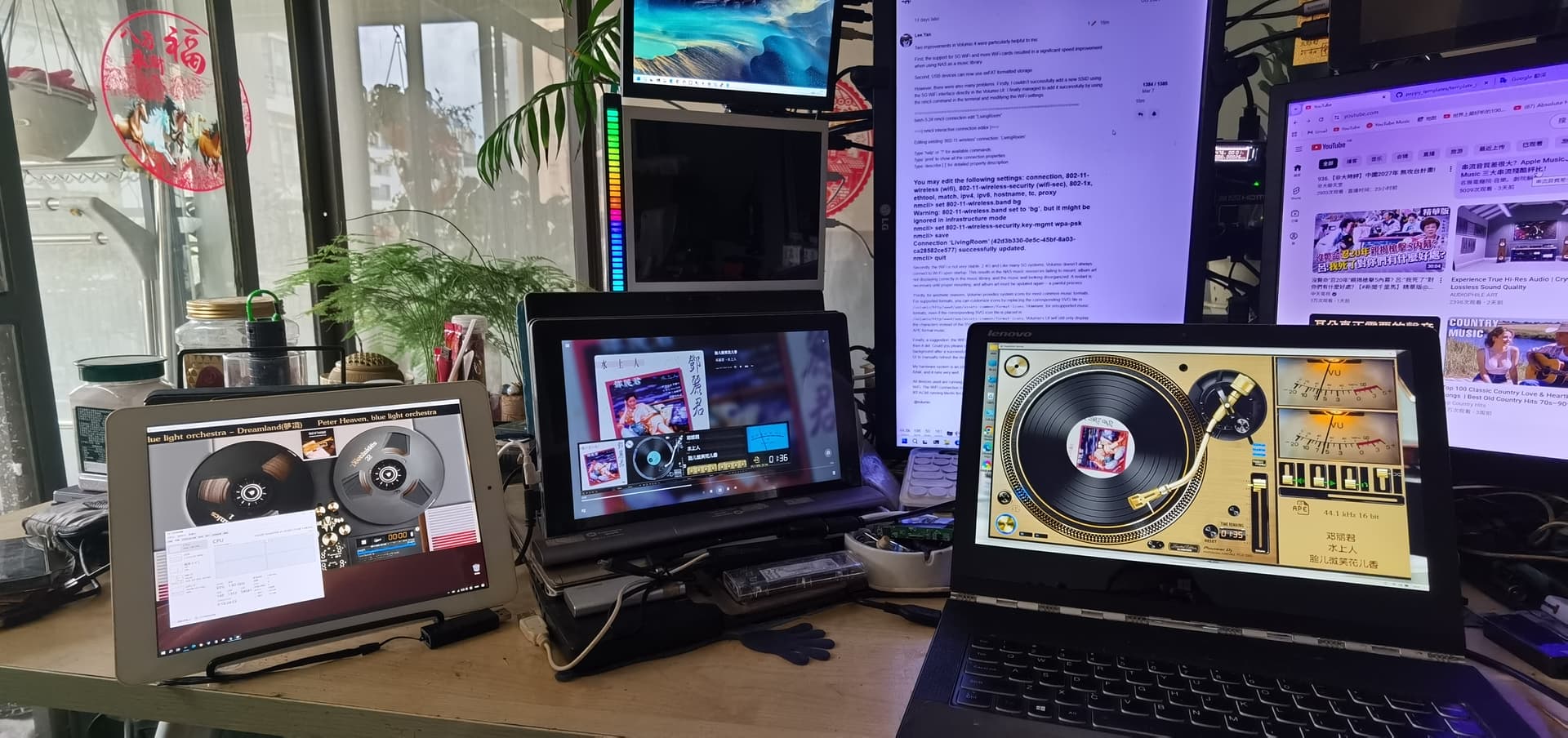
My hardware system is an x86 computer with a touchscreen, 1920x1080 resolution, and 4GB of RAM, and it runs very well.

All devices used are running Windows, and there have been no problems with the 2.4G & 5G WiFi. The WiFi connection is also very smooth on my phone and tablet. The router is an ASUS RT-AC88 running Merlin firmware.

@volumio

Sorry, your post presents a mix of issues and suggestions here, very confusing and nowhere you describe which system this running on, which exact volumio version you are running etc.
How are we supposed to help?
By guessing?
None of us is good at that.

So please tell us what you need, and before we can help troubleshooting :

  1. Read the first post in this thread in depth and locate the info we need

  2. Report the information here

  3. Make sure to include the log of the problematic device via http://volumio.local/dev > Send Log

My hardware system is an x86 computer with a touchscreen, 1920x1080 resolution, and 4GB of RAM. It runs Windows very smoothly, and there are no issues with WiFi.

I have now installed Volumio 4, updated to the latest version, but all the aforementioned problems exist in all versions of Volumio 4.

Briefly:

  1. Difficulty adding new WiFi networks; adding them through the Volumio UI network is ineffective.

  2. Adding APE music format SVG icons is ineffective (including Volumio UI, App UI, and Web UI).

/volumio/http/www4/app/assets-common/format-icons
/volumio/http/www3/app/assets-common/format-icons
/volumio/http/www/app/assets-common/format-icons

As you are not willing to provide the information we are asking for, I do not see any reason to follow up on this.

Hello everyone. Can someone tell me how to fix the problem? USB remote control G20S Pro, Volumio 4.119 x86. The PLAYPAUSE button and its duplicate OK do not work: in playback mode, when pressed, the stop icon (square) flashes briefly and playback continues. In stop playback mode, when you press these buttons, they work properly and start playback. The other buttons work as they should. This is how they are described in the audio.conf file

#PLAY PAUSE TOGGLE
KEY_PLAYPAUSE 1 /usr/local/bin/volumio toggle

#PLAY PAUSE TOGGLE
KEY_SELECT 1 /usr/local/bin/volumio toggle

I forgot to say: if you run the
sudo systemctl restart triggerhappy
command in ssh, then everything works fine, but only until the first reboot.

I currently have an ASUS NUC 13 Pro Tall Barebone with Intel 13th Gen Core i5-1340P, 500Gb NVME for Roon ROCK, 64gb SOdimm ram, and an 8Tb Samsung SSD also formatted for Roon. Wanting to move over from Roon to Volumio player on a Raspberry Pi.

I’ve ordered an LHY RPI Pro | Pro Series Raspberry Pi Strmr & Bridge Black / 4GB / 110V~120V. 500Gb Nvme with Roon

“Unlike the installing procedure of x86 IMG, by USB booting, you have to flash the SSD outside the machine. Once flashed, insert SSD and Volumio starts as default generating an hotspot network for the first configuration.”

Which SSD is it referring to? MicroSD? Nvme, Sata 8Tb SSD?

Where did you copy this piece of nonsense from I wonder?
And what are you actually wanting to achive?
Use your RPI or the Asus NUC for Volumio?

For an x86 based setup you can flash a usb stick/drive, boot from it, then use the “install-to-disk” feature from the system menu to transfer volumio to the internal disk.

For any other, I do not get what you mean with “outside the machine”, you mean RPi? Which RPi model?

@gkkpch

I thinks this is some old and abandoned writing from Volumio :astonished:

  1. Info from Volomio site
  2. LHY Rpi Pro will be my Volumio server. Should be here soon.
  3. Re: Wanting to find way(s) to utilize the Asus NUC and 8Tb SATA storage.
  4. I did not “say” outside the machine. The source was again the Volumio site.
  5. Currently using Roon, Qobuz & Audirvana Studio sw. I am the least fond of Roon and very happy with both Qobuz & Audirvana. I’ve been using Audirvana for 10+ years. Audirvana Studio impressive current version.
  6. I was intending on determining whaf was meant re SSD. I have Samsung 870 QVO SATA III Ssd 8TB 2.5" Internal Solid State Drive, and a 500Gb Nvme 2280 ssd.

just boot from a USB thimb, go to system and click the button to install it to the internal drive.

Posted before a couple days back…This Linux based player… not seeing my USB stick with music in wav file format. It’s not there. The front end is nice, what you call GUI. NOW MAKE IT SEE MY USB? on an older PC dram 2 4gb ram …boots fine, OS even transfers to HD great… just does not see any USB? Glad I uploaded the free, for not going to pay for the same…
So can anyone help. I am a former windows user coming over to Linux:) I can type commands into what is called the “TERMINAL” Come on Volumio? Simple UBS stick with GBs of music not seen? Can You Help Me? BJ

Hey @VOLUMIONETBOX,

Your setup is x86 hardware. Issues of this type belong in the dedicated x86 thread, not general Help and Support:

When you repost there, the following information is mandatory:

  • Exact Volumio version (example: 4.119) - not “latest”
  • Log link - visit http://volumio.local/dev, click Send, paste the resulting URL in your reply
  • PC brand and model
  • Output of “sudo lshw” or “inxi -Fxxxz”
  • USB stick details: size, filesystem (FAT32, exFAT, NTFS, ext4), how it was prepared
  • USB port used (front/rear, USB2/USB3)
  • What “not seen” means concretely (USB entry in Sources empty, missing entirely, or present but not scanned)
  • Steps to reproduce
Resource                        Link
------------------------------  ----------------------------------------------------------
Help request guidelines         https://community.volumio.com/t/tips-and-guidelines-to-get-faster-help/1440
Log retrieval instructions      https://help.volumio.com/help/how-to-send-a-log-link-for-a-bug-report

Missing any item means no investigation. Reply with complete details in the linked thread.

Kind Regards,