Yes,better i give up!I will install win+jriver and all ok.Volumio got so many pb on x86.
You forgot to say “in my opinion” 
Lots of people will disagree, x86 appears to be a very stable platform.
Don’t get confused by lots of manual and plugin based, unsupported Volumio customizations that not always fan out.
But if jriver suits you better, nobody will stop you.
Don’t forget to visit here later, things do get done by the community.
The plugin concept already raised some interest and may take up speed in the near future.
A bit surprised with regards to choose JRiver,
Last 5 years all development went into Video. No integration for Tidal, Qobuz etc., Good old Jim…
But yes Windows has a screensaver.
I would like to ask for your help. I have a Volumio subscription and a TIDAL subscription. Volumio is installed on an x86 mini PC and is running the latest update, meaning the system is up to date. A S.M.S.L u-1 MQA compatible DAC is connected to the PC. If I play music stored on my own SSD, everything is in the original resolution. Volumio also displays on the monitor the resolution and bit depth in which the DAC plays the music. However, if I switch to the TIDAL connector, all albums are only played at 44.1khz 16 bit. However, if I connect the DAC to a Windows PC and start the TIDAL application, everything is played in the original resolution, which the application also displays on the screen. If I very rarely come across an MQA music file, the LED indicates that the DAC is in MQA mode. My question is what and how to set it up so that my VOLUMIO streamer actually plays high-resolution music files in high resolution.
@mikldesign
Just a tip to start with, please do not mention “latest version”, instead mention “exact version” number.
Reason: if some community member follows up on your “latest” version after a week or 2 (happened to me a few times) the version might have changed and he/she is put on the wrong foot.
There are thousands different x86 configurations out there (unlike fairly limited PI version variants), so please read the OP and submit the information required, in this case just start with the log. It will carry most common info we need, we will happily follow up from there.
I will be in touch as soon as I have finished my other non-volumio projects (or most of it).
Soon, it would also involve fixing a long existing kiosk startup script, making it “customizible” from a userconfig (when existing), helping with screen resolution, rotation etc.
The system version:3.832. Please tell me exactly how I can obtain the LOG file.
what do you have selected in the Tidal playback options?
Please set to high-res, reboot and try again

I never thought of that! For me, the best possible resolution was selected. But after setting the high resolution as you suggested, Volumio works perfectly. I’ve always said it’s a great system. I wasn’t disappointed this time either! Thanks for the help.
glad that you solved your problem!
the “highest possible” option not playing higher than 44.1kHz is a known problem, unfortunately it’s caused by the Tidal SDK implementation and we could not solve it.
the workaround of selecting “high res” is anyhow effective, so it’s not a big deal
I have successfully installed Volumio 4.0.21 on my Dell Wyse 5070’s internal 128GB SSD. I realized that the 5070 also has 32GB of soldered emmc storage besides the internal SSD, so now I would like to install Volumio to the emmc storage and use the entire internal SSD to store music (labelling it iSSD for sure).
I formatted the emmc and the SSD with ext4 using a “try Ubuntu” USB stick.
Then I booted from a Volumio 4.0.21 USB stick, hoping to install to emmc from there to the emmc. The emmc drive is listed as USB 30G (I think), but trying to install there gives an error.
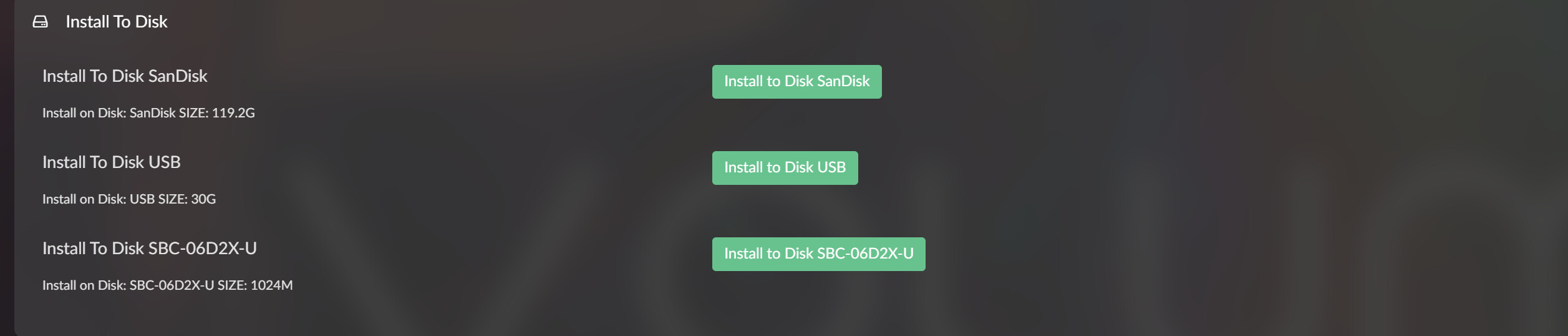
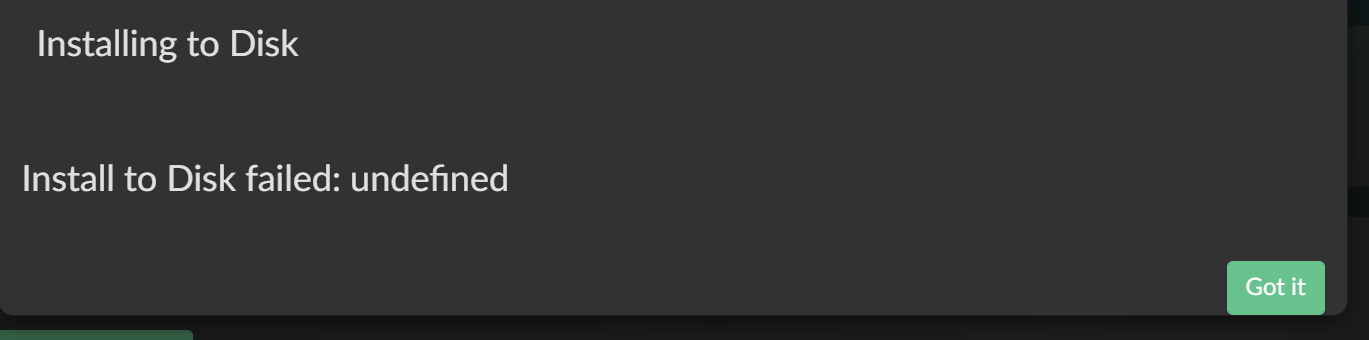
Can someone point me in the right direction how to do this? Thanks a lot
Hi Ruedi,
best to remove all partitions from emmc, I have seen this issue before and sometimes the Volumio “install-to-disk” fails to remove all partitions depending on the partition table and partition structure.
In case that does not work, I have another approach wiping the disk, which always works, but needs the device to be correctly identified correctly as /dev/mmcblk(x), where x MUST be the emmc device.
Wipe disk, simple way
wipefs -a /dev/mmcblk(x)
Where x points to your internal mmc disk number.
The rude way:
dd if=/dev/zero of=/dev/mmcblk(x) bs=1M count=1
Where x points to your internal mmc disk number.
EDIT
Both need sudo to be used (pwd volumio)
Thanks Ge
The rude method worked to clear the partitions from the emmc storage, which allowed me to transfer Volumio 4.0.21 from the USB stick to the emmc. The Wyse 5070 now starts booting from the emmc but stops with the message “Player preparing startup”.
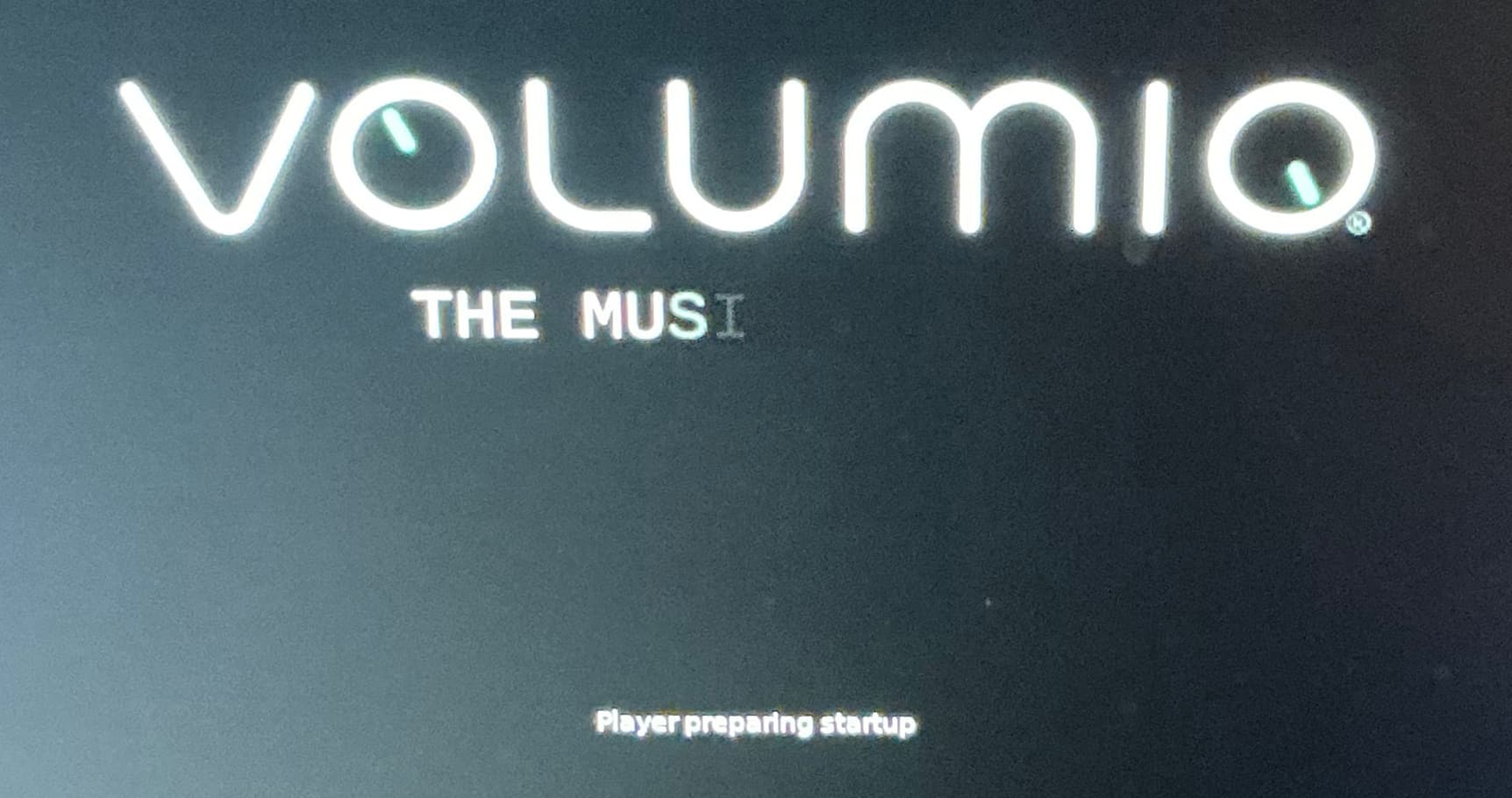
I transferred Volumio again successfully from the USB stick to the emmc, but I am getting the same result.
Ruedi
There is definitely a difference between the install to disk routines for 3.832 and 4.021.
With 3,832 I was able to transfer Volumio to the internal emmc of the Dell Wyse 5070 and Volumio booted correctly after the restart,
Using a 4.021 USB stick to install to disk there are two major differences;
- When powering off after the install to disk, Volumio hangs at the Volumio logo for around a minute before powering down.
- Dell Wyse 5070 boots to “player preparing startup” and then stops.
It seems there is something wrong with the 4.021 install to disk routine when used with the emmc of the Dell Wyse 5070.
The 4.021 routine works when installing to the internal SSD of the Dell. In that case the EFI partition gets put on the emmc and the rest of the installation on the internal SSD. The Dell Wyse 5070 always wants the EFI partition on the emmc, also with Windows.
That is a very interesting finding, thank you for that.
With v4.x the partition layout has changed. I just wonder whether this has been taking into account in the config file controlling the partition sizes with install-to- disk.
This needs to be checked, but I’m not sure whether this really causes the issue.
I do not believe the EFI partition plays a role here, we only use a boot, volumio image and data partition. The efi bootloader is in Volumio’s boot partition. The emmc needs to have the highest boot priority, then everything “should” be fine.
Checked, and the change should not be an issue, also supported by the fact that we did not have any similar reports during the v4 beta phase.
As for the difference between v3 and v4, nothing related to the boot process has changed. Could something be wrong with the 5070 bios settings?
I have now removed the M.2 SSD to exclude any conflict between the two storage media. So the 5070 should now behave like a 3040. @gkkpch have you ever tried to install 4.021 to your 3040?
I have looked at UEFI settings and cannot find anything strange. There is no option to ‘load optimized defaults’. Secure Boot is turned off. It doesn’t look like a UEFI settings issue as 3.832 installs to emmc and works fine from emmc.
When I press F2 when the screen shows “player preparing setup”, I get the following:
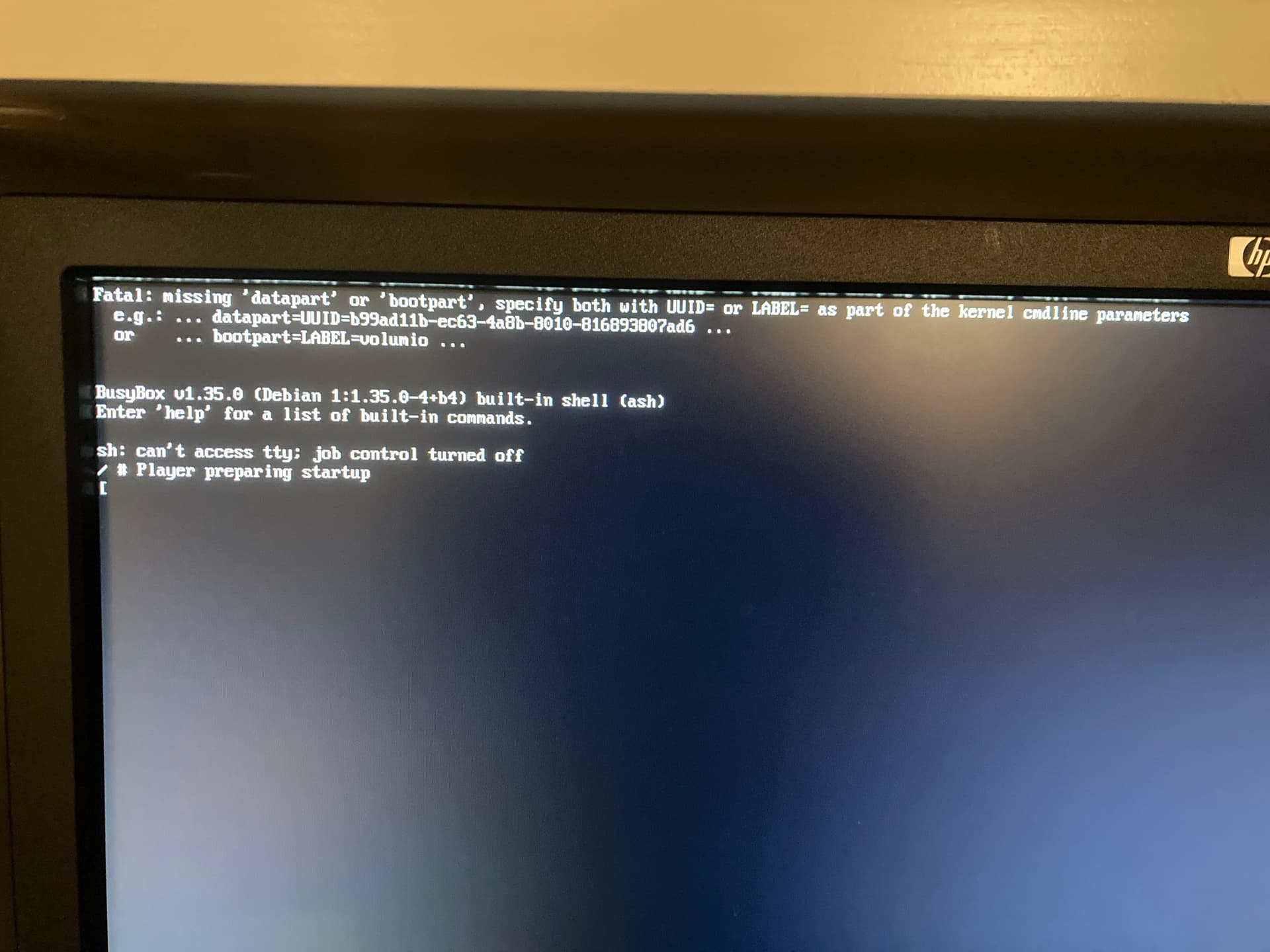
No, I did not myself, but others did install on a 3040.
Luckily the wheather turns bad for the next few says, so I might have more time to follow up. I’ll
- verify the 3040 install-to-disk, but can’t imagine this is releated
- prepare a test version with more debug info on screen
For the test version it will be a local one without any myvolumio contents, solely to debug the boot process.
Give me a day or two, I’ll contact you directly.
1 Like