Hey @Kampf_Keks_3000,
It took me a moment to understand what is the time factor being reported. Checked this five times to be sure:
From your diagnostic output:
Server: delta_sec=66588 Client: delta_sec=66562
Converting seconds to hours:
Server: 66588 seconds ÷ 3600 seconds/hour = 18.496 hours = 18 hours 30 minutes
Client: 66562 seconds ÷ 3600 seconds/hour = 18.489 hours = 18 hours 29 minutes
What this means:
The delta_sec value is calculated as: (real_time) - (system_time)
- Positive delta = system is behind real time
- Negative delta = system is ahead of real time
Your systems are 18.5 hours behind real time.
Example timeline:
If you ran the diagnostic on Nov 18 at approximately 13:00 real time:
- Real time: Nov 18, 13:00:00 UTC
- Server shows: Nov 17, 18:30:00 UTC (18.5 hours behind)
- Client shows: Nov 17, 18:31:00 UTC (18.5 hours behind)
The systems are nearly synchronized with each other (only 26 seconds apart), but both are 18.5 hours behind actual time.
When system times are wrong:
- Server timestamps chunk: “Play this at 18:30:00”
- Client receives chunk at its time: “18:30:26” (26 seconds ahead)
- Client thinks: “This chunk is 26 seconds late, skip ahead!”
- Result: gaps, stuttering, buffer chaos
Your 2000ms buffer setting is meaningless when the time offset is 26000ms (26 seconds).
Snapcast will continuously try to “catch up” or “slow down” based on the timestamp mismatch, causing the stuttering you’re experiencing.
This is not a minor drift - this is fundamental system time failure. Snapcast cannot function with this level of desynchronization. Manual sync with setdatetime-helper failed because something is blocking the watchdog from reaching external time sources.
Check network connectivity to time sources:
SSH to both devices and test:
curl -sI --max-time 3 https://time.is
curl -sI --max-time 3 https://cloudflare.com
curl -sI --max-time 3 https://google.com
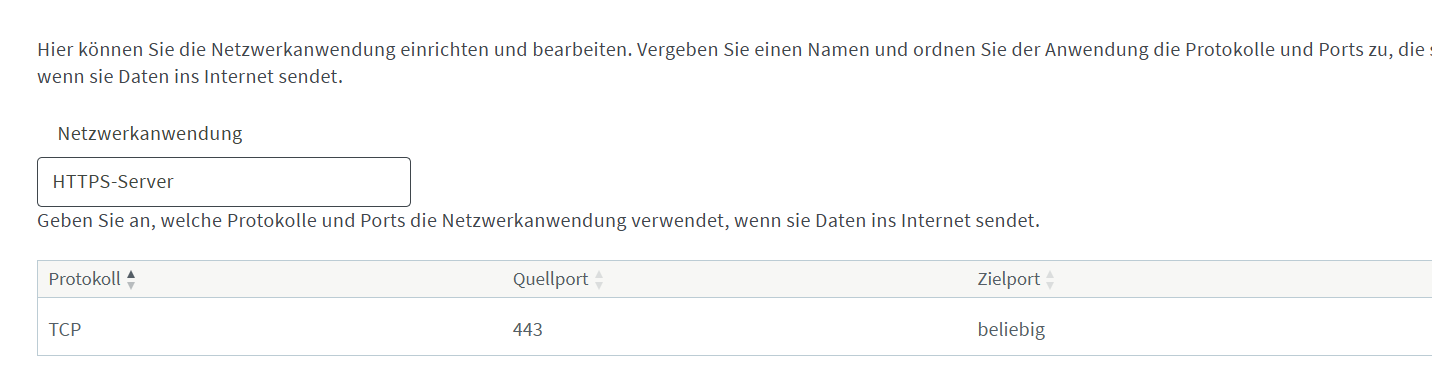
If these commands fail or timeout, your FritzBox is blocking HTTPS access to external time sources, preventing the watchdog from syncing.
If curl commands work, manually set time:
sudo date -s "2025-11-19 19:30:00"
(Adjust the date/time string to current actual time when you run it)
Verify:
date
Do this on both server and client. Without a hardware RTC, Raspberry Pi relies entirely on network time sync on every boot.
After setting correct time:
- Reboot both devices
- Wait 5 minutes for time sync to stabilize
- Verify time is still correct on both
- Test multiroom
- Submit new logs if still stuttering
The 18.5-hour time offset is why multiroom cannot work. If network access to time sources is blocked by your FritzBox, you’ll need to configure your router to allow NTP/HTTPS time sync, or this problem will persist across reboots.
Kind Regards,