Hi Darmur,
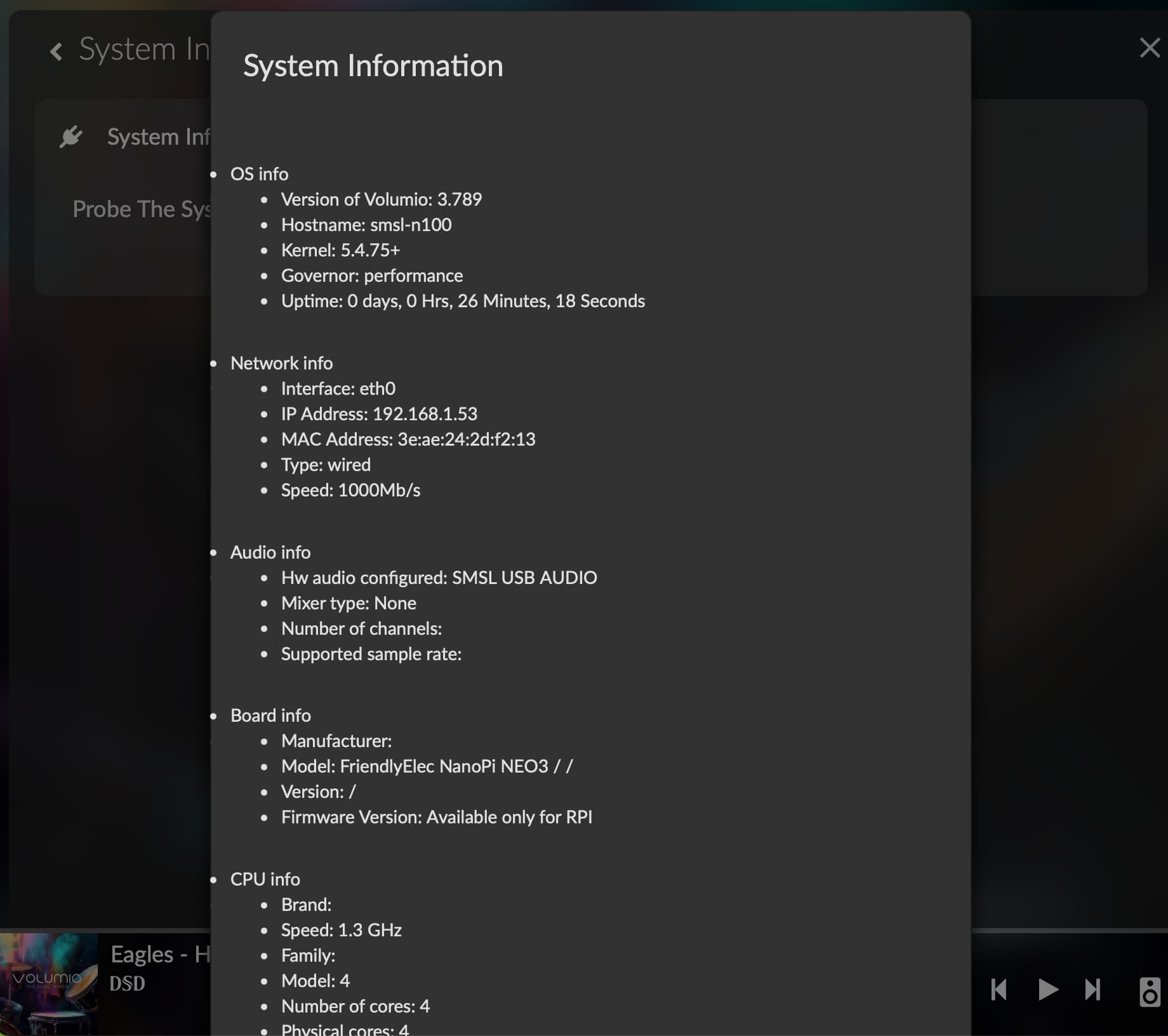
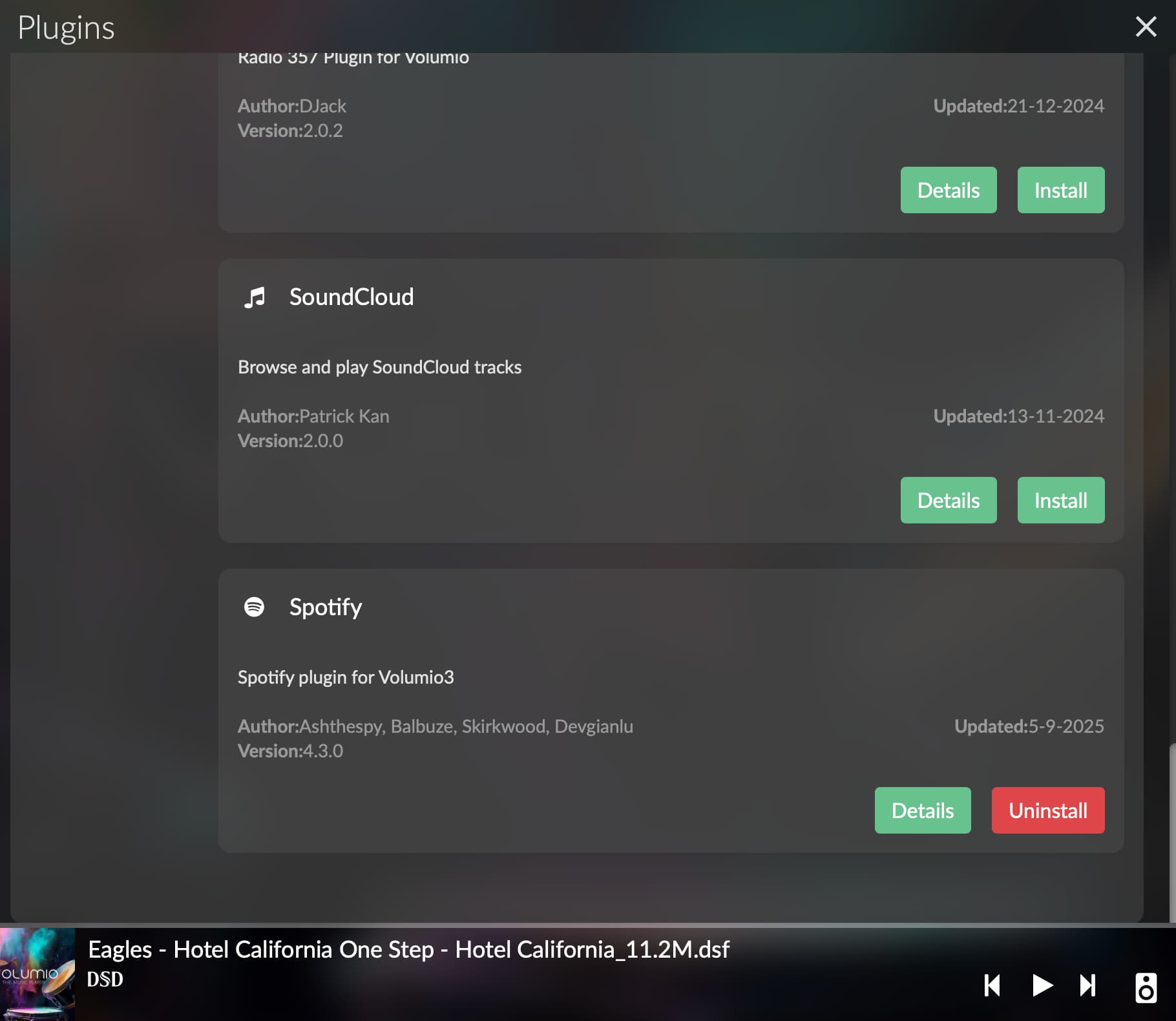
Plugins are available on SMSL N100 now - I just installed Spotify - thank you for so fast response.
I also wrote to SMSL about Qobuz Connect - will inform about their response.
Kind regards, Wada
Hi Darmur,
Plugins are available on SMSL N100 now - I just installed Spotify - thank you for so fast response.
I also wrote to SMSL about Qobuz Connect - will inform about their response.
Kind regards, Wada
Plugins on SMSL N100 just started to work today - thanks to Darmur help. Now waiting for Qobuz Connect to be enabled/verified by SMSL in Qobuz (as software 3.831 already has this functionality included) - if you are interested in this feature please ask SMSL directly - hopefuly it will expedite necesery activity on SMSL side.
After receiving the S.M.S.L. N100—a unit the manufacturer terms a “Network Streamer”—my setup process required a couple of days of troubleshooting. I consider the device a transport since it lacks a built-in Digital-to-Analog Converter (DAC).
The initial startup was straightforward. Although the menu defaulted to Chinese, I easily navigated to the settings symbol and changed the language to English.
The unit includes a Volumio Premium license, though it is notably restricted to the N100 device only. This differs from a standard Premium subscription, which typically supports up to six devices.
All available digital outputs (excluding AES, which I don’t utilize) functioned correctly. I tested connections to a Schiit Modi 3 DAC via USB and Coaxial cable, as well as routing the signal through an S.M.S.L. PO100 Pro transport before the Modi 3.
The MAJOR initial hurdle was a complete absence of plug-ins. The plug-ins menu was entirely blank. This was a critical limitation, especially since S.M.S.L.'s own website suggests compatibility with services like Pandora, which inherently require a plug-in to operate.
I spent several days attempting to resolve the plug-in issue on the S.M.S.L.-shipped image, corresponding with @nerd for technical support. While highly informative, he advised me to contact S.M.S.L. directly due to their OEM contract with Volumio.
I sent an email to S.M.S.L. and, while awaiting their reply, I attempted an alternative approach. I had previously tested an image of the standard Volumio OS (for the NanoPi NEO3) which successfully displayed all plug-ins, but regrettably disabled proprietary features like the power switch/indicator light and stripped the Premium license.
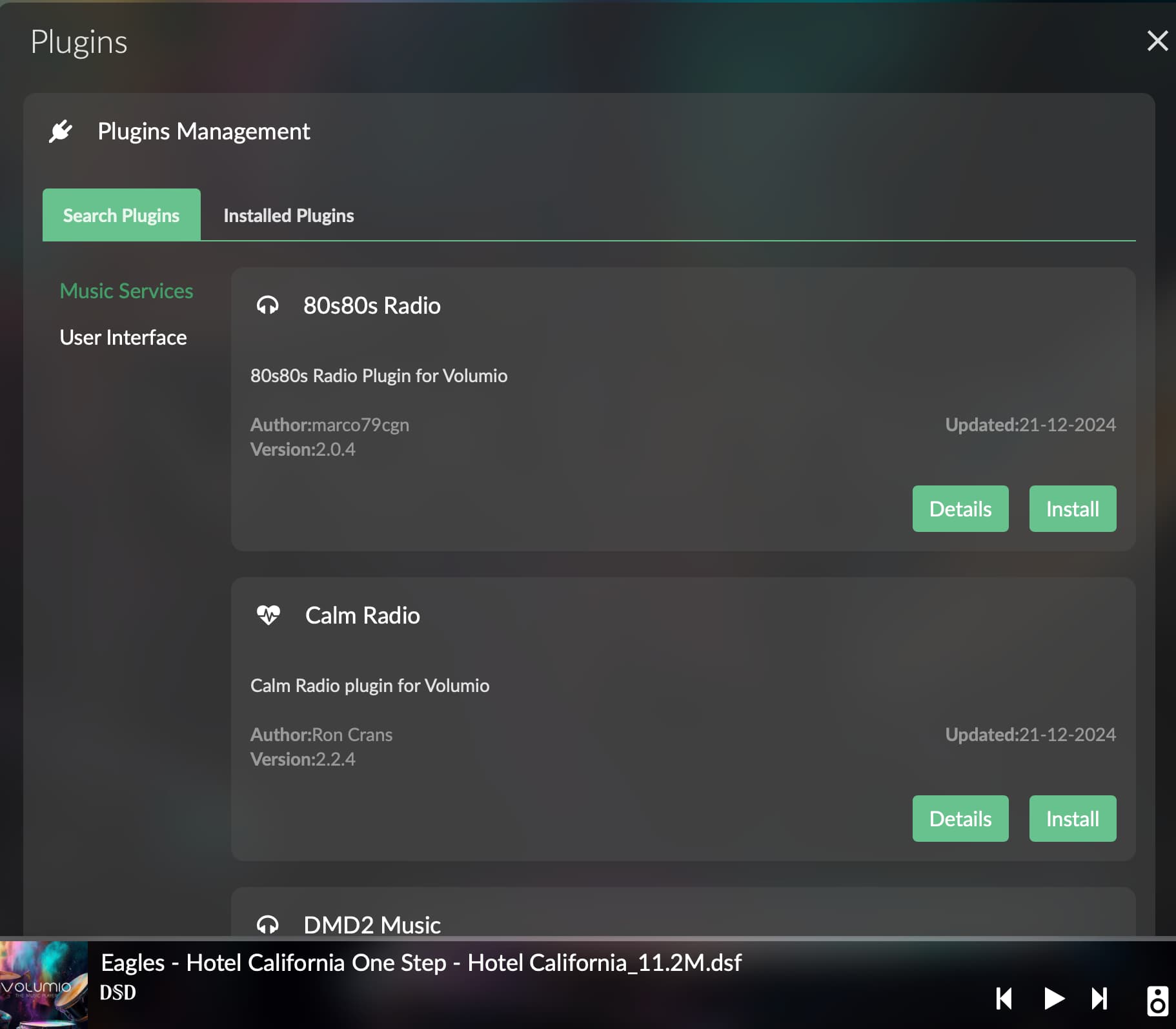
This morning, I reverted to the factory-shipped microSD card. Upon doing so, the unit automatically updated to v3.789, and I found that the PLUG-INS menu was finally populated.
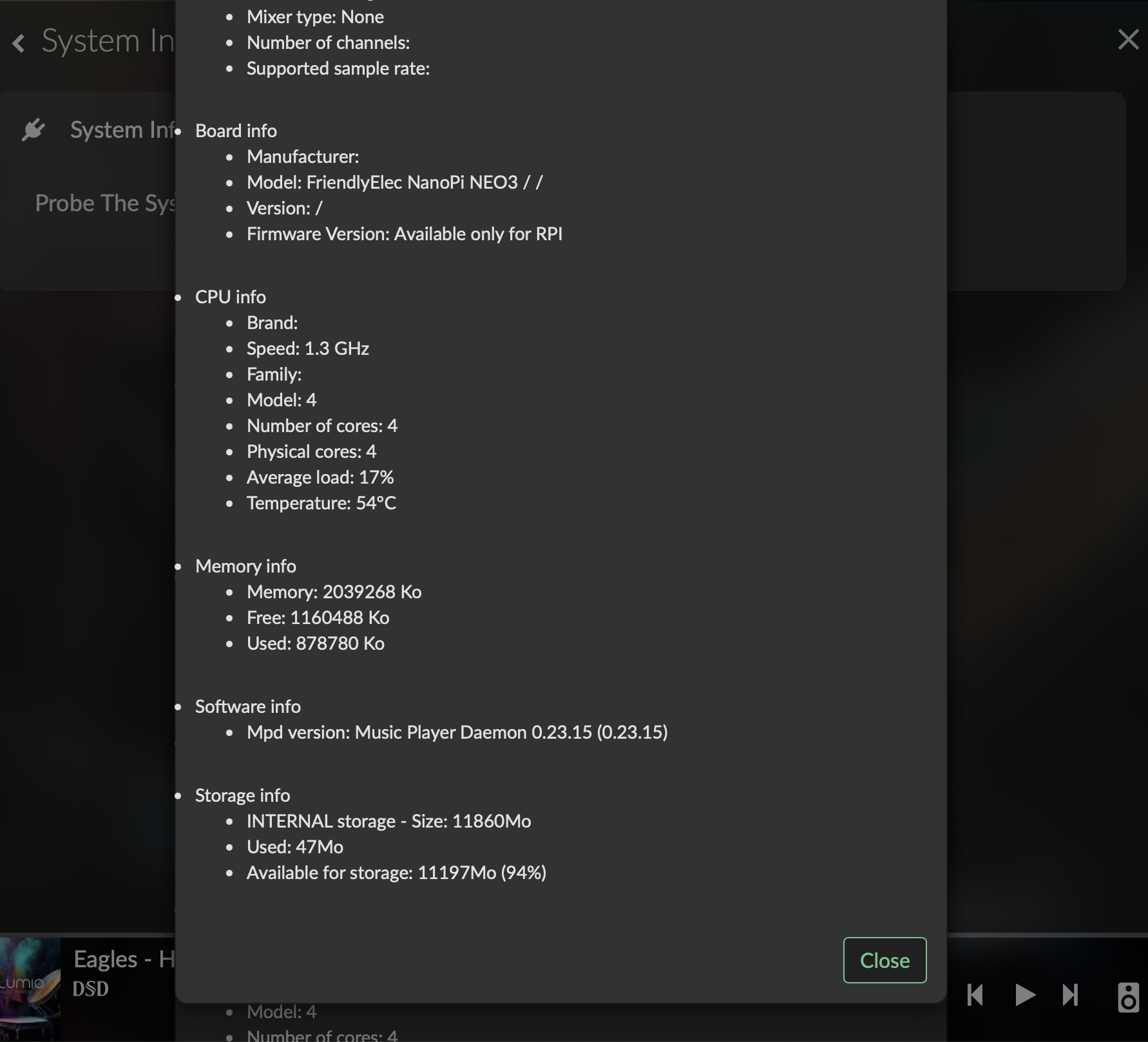
Although the full complement of third-party plug-ins is not yet available, I can now successfully install crucial services, including Spotify, Pandora, and System Information. This resolves the central issue I faced.
Good job, S.M.S.L.!
Andy
The plugin issue was solved by darmur
https://community.volumio.com/t/volumio-licensing/71614/8?u=wolfman74
Dear Volumionauts,
I’ve moved the scattered discussion into a single informative thread. This will make it easier for everyone to follow, find relevant details, and avoid duplicated conversations. Having all the information in one place helps the whole community benefit, ensures continuity, and makes future reference much simpler. I hope you’ll agree this is the right approach.
Kind Regards,
Hi Darmur,
While I’m not using Roon myself but many of us in Thailand are using Roon and play through Volumio. How about a Roon Bridge Plug-in?
Andy
please check now, you should see it
Thank you Darmur!
Hi,
My n100 native firmware has upgraded to 3.8xx (I forget exact number) after I swithched on TEST mode in /dev. A (heavily truncated) list of plugins has appeared, yes, but for me, they’re practically useless. Only Calm Radio worked. Even 80s80s doesn’t work, and most other services never broadcast in my country.
There’s no Radio Paradise plugin, MotherEarth Radio has streaming issues, and Spotify doesn’t work. I don’t know what to thank the SMSL guys for; plugins work much better on alternative firmware. Not to mention the impossibility of installing a custom plugin.
After spending about a week with the SMSL N100 and just before I unplug it to take to a friend’s house this Sunday, I wanted to report that my appreciation for this unit is growing significantly.
The N100 is a straightforward Volumio transport—you’ll need an external DAC to complete the setup as a streamer. While the underlying hardware, the NanoPi NEO3, may not be as powerful as a Raspberry Pi 5, SMSL has done an excellent job optimizing the software. Once properly set up, it truly operates like a plug-and-play device, offering a wonderful music experience via Volumio OS.
I’ve been enjoying listening to Hi-Res files stored on an external USB SSD. For streaming, Tidal Connect works flawlessly, though we are still waiting for Qobuz Connect functionality. The great news is that the key PLUG-INS are now fully functional, with System Information, Spotify, and 80s80s Radio all working as they should.
The feature I like the most is the physical ON/OFF switch. This is a huge convenience because it eliminates the need to perform a software shutdown within the Volumio interface.
The only thing I personally miss is PeppyMeter; however, I recognize many users won’t require this. Unfortunately, YouTube access is still not possible because SMSL/Volumio currently have no plans to port the latest v4.xxx (Bookworm) operating system to the N100 at this time.
Just my two cents.
Andy
ขัดเกลาให้หน่อยเป็นภาษาอังกฤษ "After spending about a week with this SMSL N100 and just about to unplug it and take it to my friend’s house on Sunday, I just want to report that I’m start to like this unit more and more. It’s such a simple Volumio transport which you need a dac to complete it as a streamer. Even the NanoPi NEO3 is not as powerful as a Raspberry Pi 5 but SMSL has done a good job to optimize it and create such a wonderful machine just to have us enjoy music through Volumio OS. Once it set up property, it’s just like a plug & play machine. I enjoy it very much to listen to the music with hi-res files store in a SSD USB, while we still wait for Qobuz Connect to work, Tidal Connect works very well. Now we have PLUG-INS!!! System Information, Spotify and 80s80s Radio plugins work as they should.
What I like the most is the ON/OFF switch which push once to turn-on (takes about 1-2 minutes) and push again to turn-off (takes about 15 seconds) and you don’t need to shut it down within the Volumio.
The only thing that I miss is a PeppyMeter (that’s me); however, many users may not need it. YouTube is still not possible because SMSL/Volumio don’t have a plan to port v4.xxx (bookworm) to the N100 at this time.
For US$419.00 plus tax at Amazon.com currently, this is a very reasonable price for a Volumio transport system which comes with a lifetime Premium plan included.
Just my two cents.
Andy
After spending about a week with the SMSL N100—and just before unplugging it to take to a friend’s house this Sunday—I wanted to report that my appreciation for this unit is growing significantly.
The N100 is designed as a simple Volumio transport; you’ll need an external DAC to complete the setup as a network streamer. While the underlying hardware, the NanoPi NEO3, isn’t as powerful as a Raspberry Pi 5, SMSL has done an excellent job with the optimization. The result is a wonderfully stable machine dedicated to enjoying music through the Volumio OS. Once properly set up, it truly operates like a plug-and-play device.
I’ve been thoroughly enjoying my Hi-Res files stored on an external USB SSD. For streaming, Tidal Connect works flawlessly, and we now have working PLUG-INS! System Information, Spotify, and 80s80s Radio all function as they should, though we are still waiting for Qobuz Connect functionality.
The feature I like the most is the physical ON/OFF switch. This is a huge convenience because it eliminates the need to perform a software shutdown within the Volumio interface:
At US$419.00 plus tax on Amazon.com currently, this is a very reasonable price, especially since it includes a lifetime Volumio Premium plan.
The only thing I personally miss is PeppyMeter; however, I recognize many users won’t require this. Unfortunately, YouTube access is still not possible because SMSL/Volumio currently have no plan to port the latest v4.xxx (Bookworm) operating system to the N100 at this time.
Just my two cents.
Andy
Hi Darmur, Is it possible to install the Touch Display plugin on a headless device like the SMSL N100? My only goal is to enable mouse/keyboard support so I can use a USB remote, not for the display feature which the N100 lacks.
Thanks,
Andy
No, it’s not possible.
Mouse/Keyboard support are not linked to the Touch Display plugin
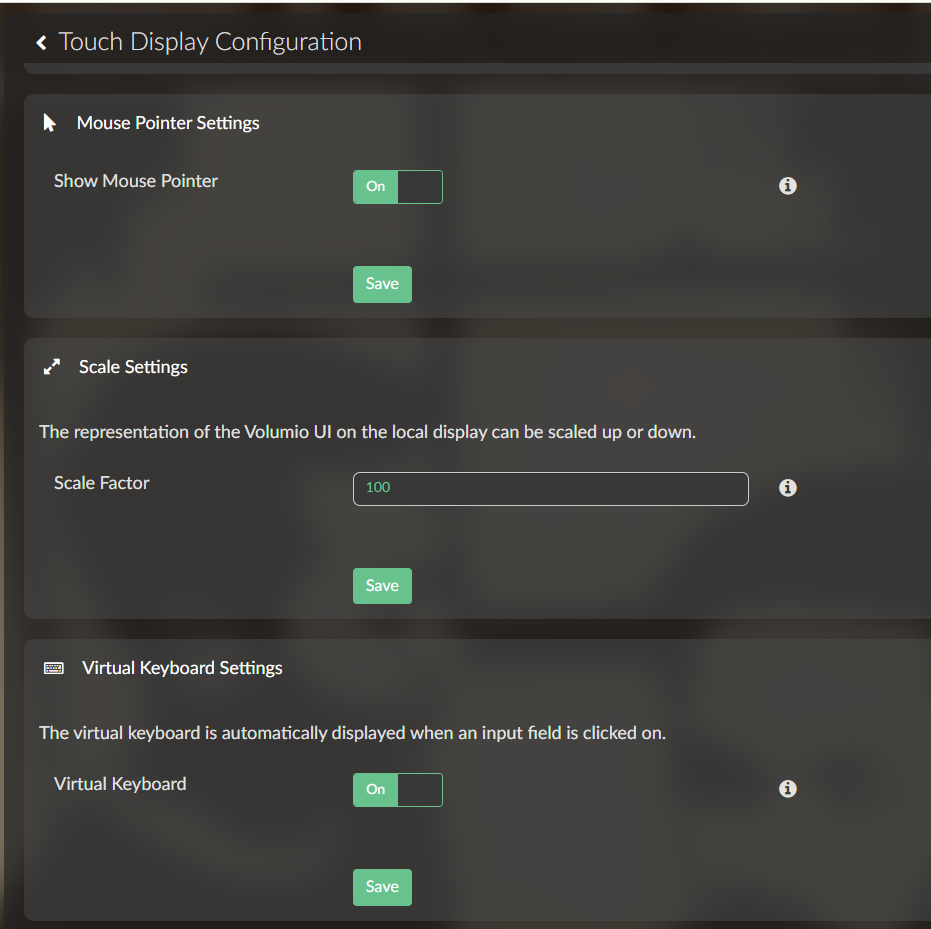
On Volumio 3.xxx & 4.xxx (non SMSL), we need to enable the “Show Mouse Pointer” and “Virtual Keyboard” in Touch Display Plugin Configuration in order to have the USB remote control works.
Please let me know if this is not possible, how to make it works without the Touch Display plugin.
what type of USB remote are you referring to?
Nothing fancy. It’s just a plug & play usb remote control that look similar to this. Without the mouse/keyboard enable in the Touch Display plugin, it wouldn’t work.
Is this IR or BT or (somewhere in the middle RF)?
It’s a 2.4G Wireless IR learning and Infrared Remote Control USB Plug and Play.
Hey @naimnatnod,
There is quite well developed and feature rich IR Remote Controller plugin. This would be my starting point as it accepts custom bindings too.
[PLUGIN] IR Remote Controller feedback thread is detailing various use scenarios.
Kind Regards,
@nerd the SMSL N100 does not have a IR receiver, the IR remote plugin is not a solution
the Touch Display plugin cannot be enabled for this device, it does not have a HDMI video output and installing the plugin will degrade the performance of the system (the NANOPI NEO3 is not powerful enough to handle it properly). Making it available on the plugin store will create confusion to the customers and create problems if installed.
That kind of remote is usually recognized as a USB keyboard by the OS, it should be possible to make it working without installing all the packages of the touch display plugin, unfortunately I don’t have a SMSL N100 and the remote, so I cannot really help here.
Okay, I did give it one last try before I give up by rebooting and now the basic functions (Play/Pause, next & previous song and volume up & down) work.