I am looking for a remote control solution to control my Raspi 3 without using a smartphone.
I just need the following:
Volume up/down
Play/Pause
toggle input between Aux in (turntable) and a predefined radio station (since you can’t get around a smartphone for dedicated streaming via Tidal anyway)
As I have seen so far, there are two solutions:
Flirc USB Infrared Dongle with a infraraed remote control
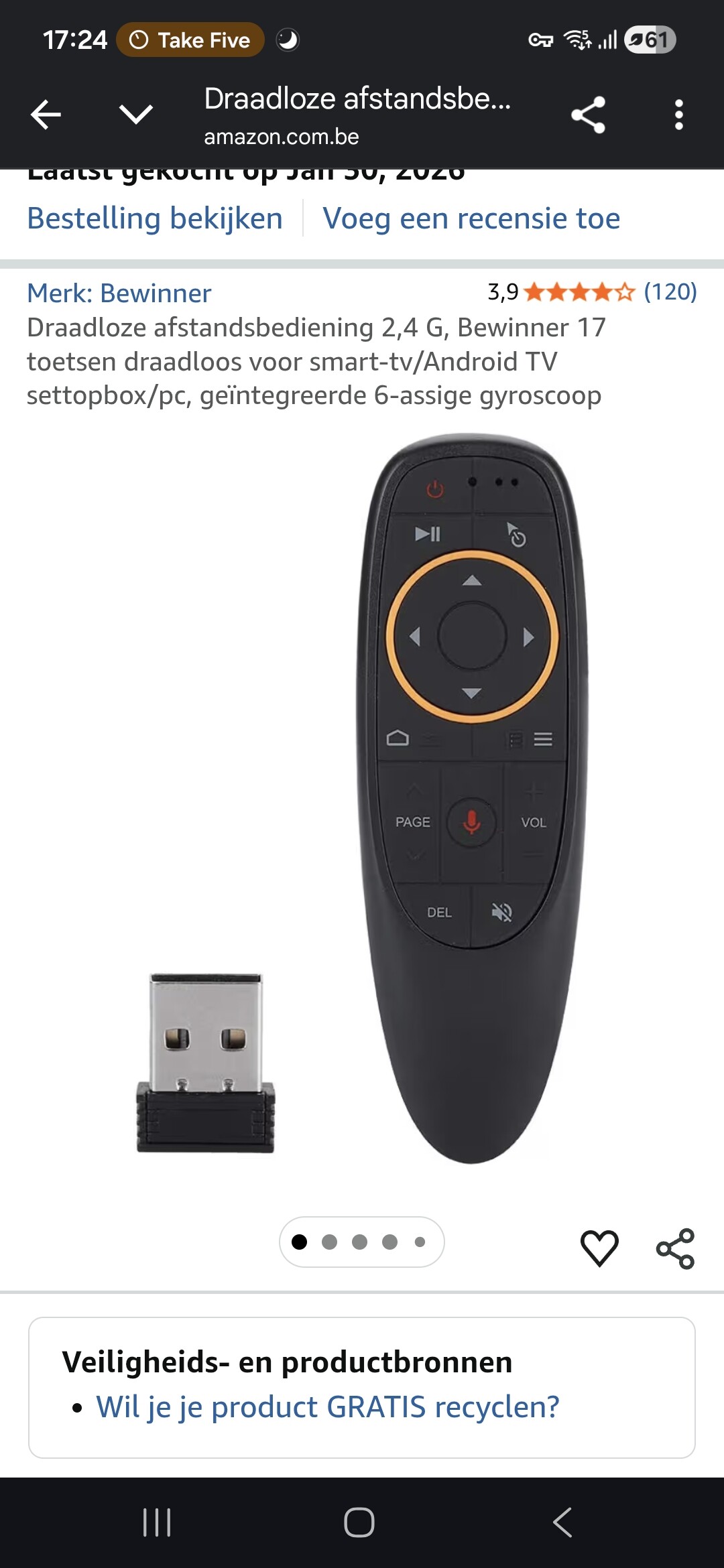
Bluetooth remote
Does anyone have experience with either solution? Which one works better/is more reliable?
Personally I prefer a BT-Remote. As with IR the receiver and sender needs to see each other.
See:
However using the IR -remote plugin is easier to implement (see link shared by @SimonE ), as the BT requires more programming.
But your case for both solutions you need to program a script to switch between AUX and Radio
Hello wheatens i am new here, mind me if you can help me how to work with IR from es9023 hifiberrydac and raspberry pi 3b+, I’m having a hard time to find a tutorials using my same devices.
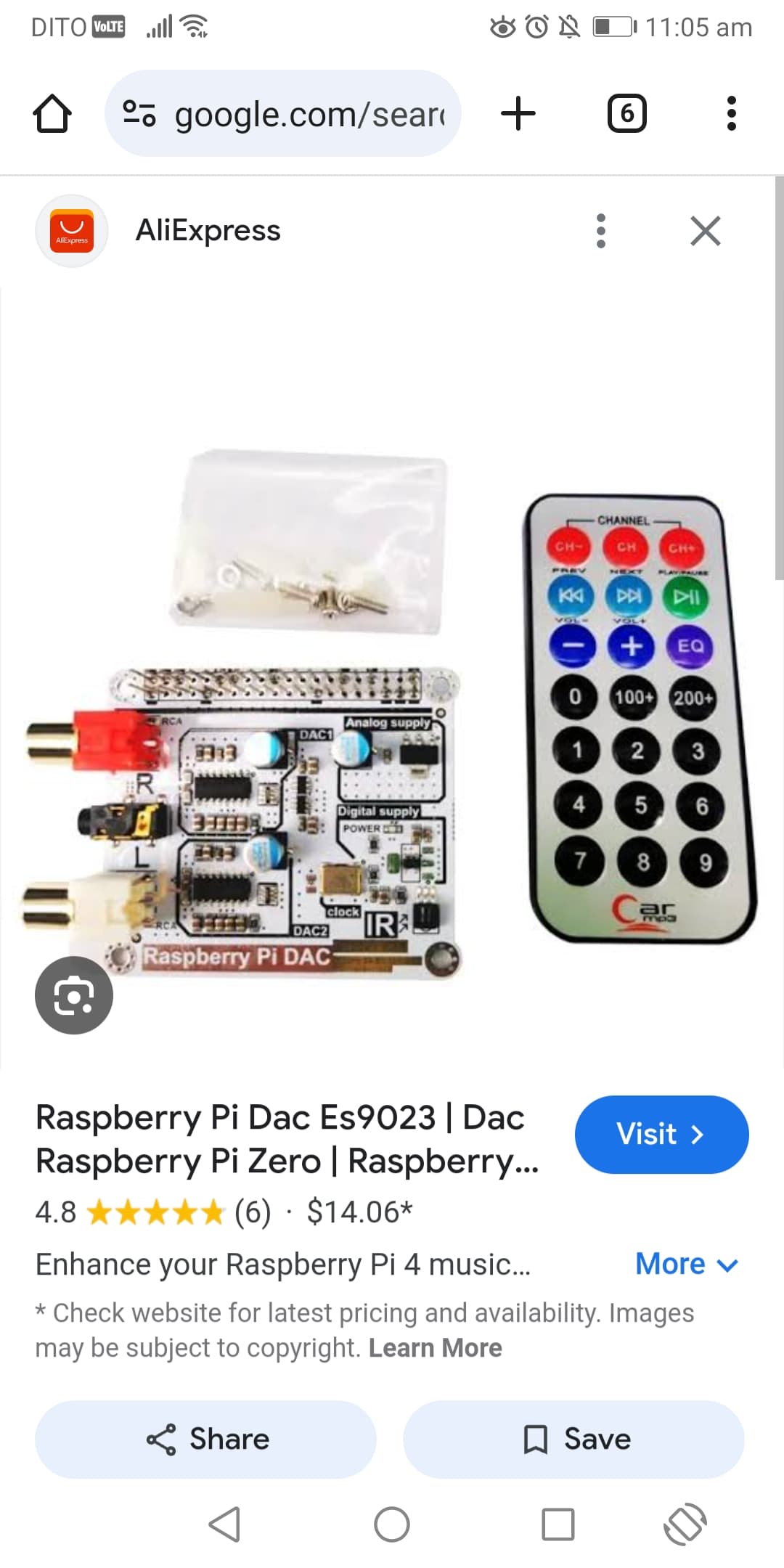
I bought an es9023 dac with remote included.
It says ir receiver pin is gpio26.
I have the same kit. Here are my files, hope they work for you. I used only the top 3 line of Buttons. The number keys are free for other options.
lircd.conf:
# Please take the time to finish this file as described in
# https://sourceforge.net/p/lirc-remotes/wiki/Checklist/
# and make it available to others by sending it to
# <lirc@bartelmus.de>
#
# This config file was automatically generated
# using lirc-0.10.1(default) on Tue Jan 28 16:35:44 2025
# Command line used: -d /dev/lirc0 /home/volumio/lircd.conf
# Kernel version (uname -r): 6.6.62-v7+
#
# Remote name (as of config file): carmp3
# Brand of remote device, the thing you hold in your hand:
# Remote device model nr:
# Remote device info url:
# Does remote device has a bundled capture device e. g., a
#     usb dongle? :
# For bundled USB devices: usb vendor id, product id
#     and device string (use dmesg or lsusb):
# Type of device controlled
#     (TV, VCR, Audio, DVD, Satellite, Cable, HTPC, ...) :
# Device(s) controlled by this remote:

begin remote

  name  carmp3
  bits           32
  flags SPACE_ENC|CONST_LENGTH
  eps            30
  aeps          100

  header       9044  4518
  one           568  1671
  zero          568   564
  ptrail        569
  repeat       9032  2248
  gap          108011
  toggle_bit_mask 0x0
  frequency    38000

      begin codes
          KEY_CHANNEL              0x00FF629D
          KEY_CHANNELDOWN          0x00FFA25D
          KEY_CHANNELUP            0x00FFE21D
          KEY_PREVIOUS             0x00FF22DD
          KEY_NEXT                 0x00FF02FD
          KEY_PLAY                 0x00FFC23D
          KEY_VOLUMEDOWN           0x00FFE01F
          KEY_VOLUMEUP             0x00FFA857
          KEY_MUTE                 0x00FF906F
          KEY_0                    0x00FF6897
          KEY_A                    0x00FF9867
          KEY_B                    0x00FFB04F
          KEY_1                    0x00FF30CF
          KEY_2                    0x00FF18E7
          KEY_3                    0x00FF7A85
          KEY_4                    0x00FF10EF
          KEY_5                    0x00FF38C7
          KEY_6                    0x00FF5AA5
          KEY_7                    0x00FF42BD
          KEY_8                    0x00FF4AB5
          KEY_9                    0x00FF52AD
      end codes

end remote
lircrc:
begin
prog = irexec
button = KEY_PLAY
config = /usr/local/bin/volumio toggle
end
begin
prog = irexec
button = KEY_VOLUMEUP
config = /usr/local/bin/volumio volume plus
delay=2
repeat=3
end
begin
prog = irexec
button = KEY_VOLUMEDOWN
config = /usr/local/bin/volumio volume minus
delay=2
repeat=3
end
begin
prog = irexec
button = KEY_CHANNELUP
config = /usr/local/bin/volumio next
end
begin
prog = irexec
button = KEY_CHANNELDOWN
config = /usr/local/bin/volumio previous
end
begin
prog = irexec
button = KEY_MUTE
config = /usr/local/bin/volumio volume toggle
end
begin
prog = irexec
button = KEY_NEXT
config = /usr/local/bin/volumio seek plus
delay=2
repeat=3
end
begin
prog = irexec
button = KEY_PREVIOUS
config = /usr/local/bin/volumio seek minus
delay=2
repeat=3
end
begin
prog = irexec
button = KEY_CHANNEL
config = /sbin/shutdown -h now
end
@ tonschmied72 Hola… estas usando el control que viene con el DAC que muestra el amigo mas arriba(@ Andeng_Makulit)?
En dónde se guardan esos archivos?
Gracias!
@tonschmied72 Hi… Are you using the controller that comes with the DAC shown by the friend above (@Andeng_Makulit)?
Where are those files saved?
Thanks!
Yes, I use that funny little remote. On some keys I used other functions than labeled (e.g. the middle CH button is used for shutdown).
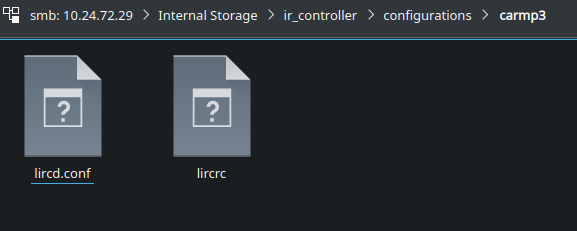
The files are located on a Samba Share called “Internal Storage”. The path is Internal Storage/ir_controller/configurations/carmp3/ - you have to create an own folder for the remote and put the files in it. In my case it is “carmp3”. Then you can select the remote control.
@tonschmied72 Hello, thank you so much for your reply, it helped me a lot!
I didn’t find the files on my system in the path you mentioned, but it helped me find the location where they should be saved. Also, I used the information you provided above and my remote control started working. The only problem is that the volume doesn’t work, but that has to do with the system, not the remote control.
Thanks again!! Good day!
Unfortunately, the next and previous buttons don’t do anything.
The volume, play/pause and power off buttons are working.
Do the next/previous button need specific programming?