Thank you for the additional details. At this point we need to establish exactly what Volumio 3.832 is seeing from the Fritzbox and compare it with 4.025. Could you please run the following tests on your Pi with Volumio 3.832 and share the results (same as you previously did for 4.025)?
1) Bound-port M-SEARCH that logs unicast replies
Pick a high UDP port and start a listener on it, then send M-SEARCH from that same port.
Commands to copy and run over SSH:
Choose a port and start the listener in background
Expected: a 200 OK reply from the Fritzbox with a LOCATION: http://<fritzbox_ip>:<port>/description.xml.
3) Fetch the description directly
Take the LOCATION URL from step 1 and run:
curl "http://<fritzbox_ip>:<port>/description.xml" | head -n 30
This should return the XML header with <deviceType>, <friendlyName>, <manufacturer>AVM</manufacturer>, etc.
3) Collect Volumio logs while browsing Media Servers
On Volumio 3.832, go to Browse → Media Servers and click the Fritzbox entry. Immediately afterwards, generate a system log from http://<volumio_ip>/dev → Send log and share the link here.
With these three data points we can see exactly what 3.832 discovers and how it parses the Fritzbox announcements, and then compare against 4.025 where nothing shows up.
From the log and your observation, the repeated restarts line up with the FM Scrobbler plugin triggering vrestart. That explains why you see the spinner, system load spike, playback cut, and the toast notification “Player Successfully restarted.”
Next steps to confirm:
Disable FM Scrobbler and retest the same web radio stream for a few minutes. If stable, we know the plugin is the cause.
Re-enable FM Scrobbler and reproduce the issue once, then generate and share a fresh log link. This will let us see the exact call sequence that triggers vrestart.
If the plugin has configuration options for web radio scrobbling, track length threshold, or auto-restart, adjust those one by one and retest to see if the unwanted restart stops.
This way we can isolate whether the fix is simply configuration, or if a code adjustment is needed in the plugin itself.
Disabled FM Scrobbler plugin and the issue did go away. I reenabled the plugin and everything seems to be now working. I let it play a few songs on the station I was listening to and all was well. I changed to a different station and still no issues. I also rebooted, made sure FM Scrobbler was enabled and ran though a few stations and all still seems well.
Thanks for the info. I think its all good on this end.
Great - that lines up perfectly. FM Scrobbler was indeed the trigger for vrestart. Disabling cleared it, and after a clean toggle cycle the plugin seems to be behaving normally again. Likely it had hung in a bad state and forcing it off/on cleared the condition.
If this keeps happening, please request further analysis and a fix in the relevant plugin’s thread (you can find it by searching the forum).
Pi4B, SD boot, Topping D10S USB DAC
Pi is connected via wifi
Tested and working:
Tidal and Tidal Connect playback
Playing local files on SD and USB SSD
Web Radio
Play here
Multiroom
Touch Display
Now Playing
IR Remote
Good wifi strength and stability
Hi,
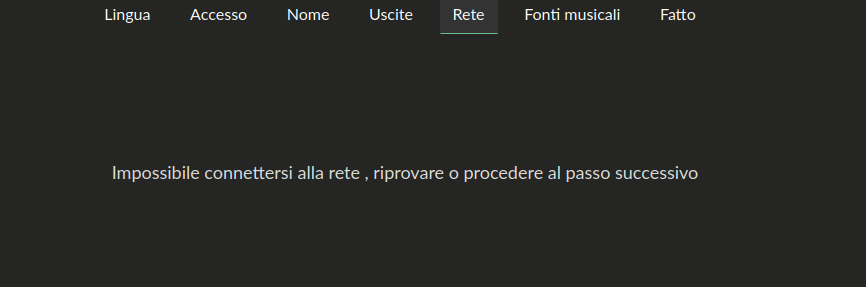
I have now try 4.026 in PI 5 but wireless during setting with static IP system freeze and can’t connect to wifi.
Also after reinstall not work during connection I have try several time
Dear @VictorDUA ,
have you seen this post ?
There is a “old” description how to connect the remote but several ideas of working devices…
May useful for you as a startingpoint…
Warmest regards,
Ralf
Thanks for sharing your test with 4.026 on Pi 5. From your description it looks like the problem appears specifically when you set up WiFi with static IP during the first setup wizard.
A couple of important clarifications:
If you want to assign WiFi a static IP, you need to provide all four fields: IP address, netmask, default gateway, and DNS server. If any of these are missing or inconsistent, the wizard can fail and appear to freeze.
To narrow this down, please try connecting first with DHCP (automatic IP) in the wizard. This will confirm that WiFi itself works normally on your Pi 5.
Once the system is up and reachable, you can then switch to static IP from the Network page in settings. This path should also give us a clearer idea whether the issue is limited to the wizard only.
I have 4.026 installed on a low power intel atom device. It does not have a wired connection socket, getting wireless to work is still a bugger of a problem on first install. Was anything new planned?
One question about the single network mode:
is it planned or is there already a way to switch the network mode once it’s set up… Let me explain: I like to configure my Volumio via Ethernet and then, once configured, switch it to Wi-Fi. Will this be possible through an option in a file or in the interface, allowing not only to choose the network mode but also to configure both networks? Earlier, I installed Volumio using Ethernet and it was impossible to start the Wi-Fi connection setup… even after a factory reset. Thanks in advance.
Otherwise, I installed version 4.026 both via OTA and as a fresh install, and everything went fine with :
Version 4.026 (Pi 5) has problems with Youtube2, Youtube Music plugins.
Can browse but cannot play music (already logged in to Youtube account).
Hope to be fixed soon.
Best regards.
At this point nothing specific has changed for first-install WiFi setup between 4.025 and 4.026, so there are no new features yet addressing your case. For headless devices without a wired fallback this remains tricky, as initial network provisioning still relies on hotspot mode to complete setup.
Are you able to confirm whether the device consistently brings up the Volumio hotspot on fresh install, or do you sometimes end up with no network at all? That would help determine if we are looking at a driver/firmware issue or just the known hotspot-to-WiFi handover path.
A quick reminder: please use the relevant plugin threads when reporting plugin related issues. Opening generic support threads only adds overhead, as I end up spending more time playing concierge and dispatch than focusing on backlog and edge cases.
When reporting plugin-related problems:
Post in the plugin’s own thread.
Include installation details (Volumio version, Buster/Bookworm, etc.).
Mention your hardware (Pi model, DAC, USB device, x86 platform, etc.).
Provide logs via http://<volumio_IP>/dev as described in the Volumio help guide.
Without this information, plugin authors (and I) will not have details to act upon.
Thanks for keeping reports structured so we can fix things faster.
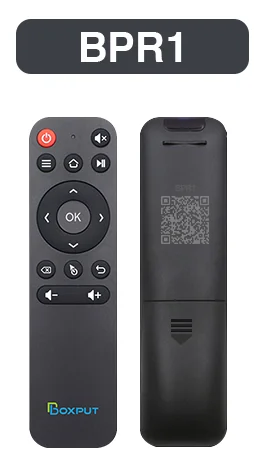
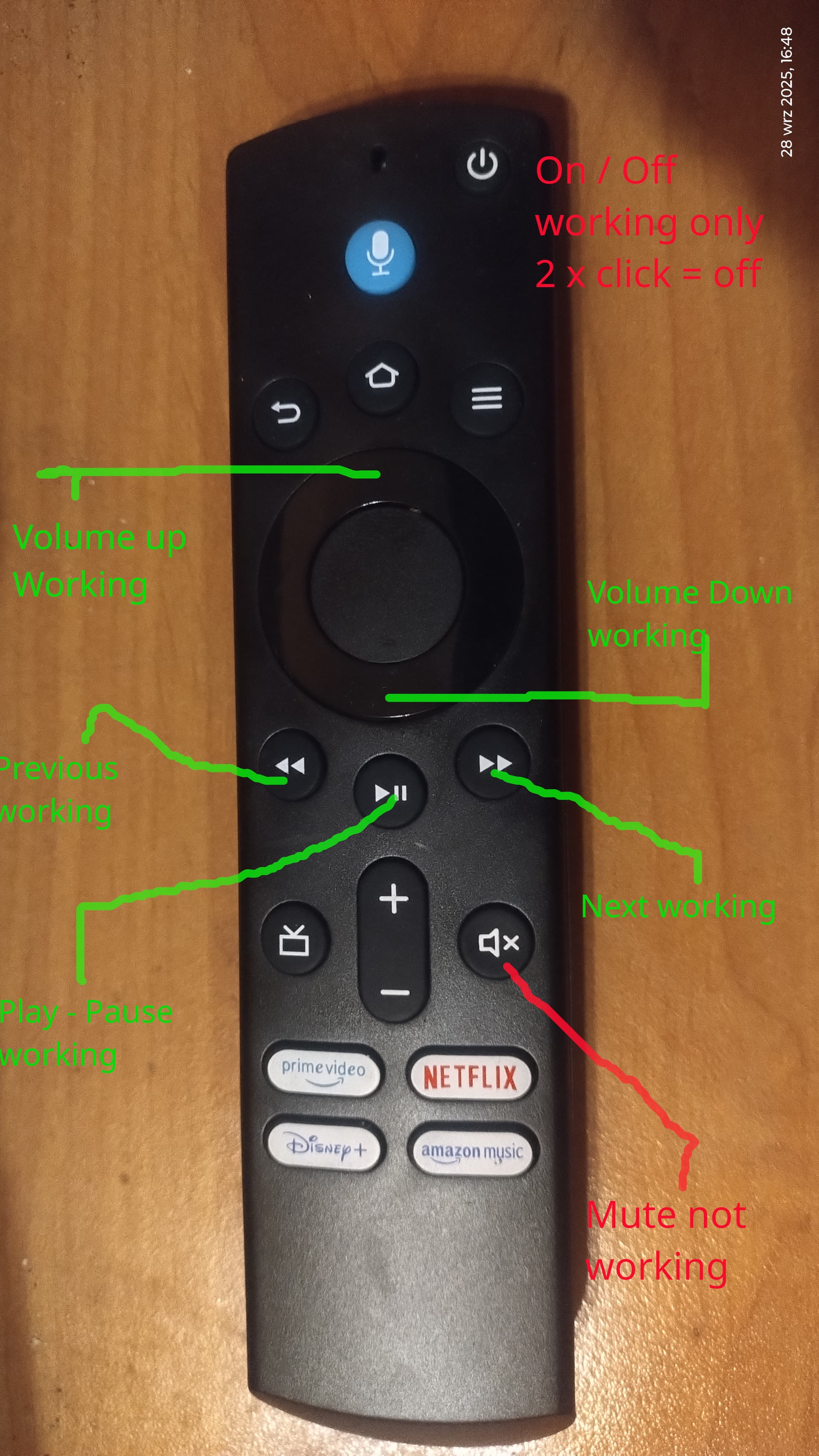
The cheapest Bluetooth remote control from AliExpress.
Works with Bluetooth Raspberry Pi 5 - 4.026 - plugin @balbuze
Play - Pause - Next - Previous working with Tidal plugin.
Hey @nerd ,
this is a fresh install and at first network WIFI settings can’t connect to my router, with past old version I don’t have this issue, also with other HW same issue I think is a bug