Public Beta Test: Audio Without Compromise - Refining the Future of Volumio on Bookworm

Hello!
After updating RPI0 2w and RPI5 from 4.0.16 to version 4.0.17, neither is visible as a Samba share.
logs after reboot for rpi5 : http://logs.volumio.org/volumio/iCZzCov.html
logs after reboot for rpi0 2w : http://logs.volumio.org/volumio/6tBLJkL.html

Using

sudo systemctl start smbd

fix the issue

I am running 4.0.17 on a RP4. Playing a DSF file from my NAS. This issue seems to still be present in Volumio 4: Playlist filesnames contain *20 instead of “blank space” - Volumio Development / Bug reports - Volumio Community
This also happens with files. The reason seems to be that Volumio at first retrieves the filename from the NAS and spaces in that filename are replaced by "20
If I click pause and then hit play, Volumio retrieves the track title ID3 tag and displays the name correctly:

When Volumio starts playing the next track, the same thing happens.

Hey @balbuze,

Thanks for your report and logs.

Interesting - I’ve confirmed this is a regression introduced in version 4.014. As part of boot-time optimizations, some systemd service timings shifted, and this has exposed a race condition affecting smbd.

Symptoms:

  • After updating to 4.017, Samba shares are no longer visible on both RPi Zero 2W and RPi 5
  • Manual sudo systemctl start smbd works as expected
  • Logs confirm smbd.service is enabled but not active post-boot

Root cause:
This is a service startup dependency issue:

  • smbd.service is not currently ordered to wait for network-online.target
  • In faster boots (especially on RPi5), smbd may start before networking is ready, leading to silent failure

Next steps:
We’ll patch the default smbd.service unit in upcoming builds to include correct dependency ordering. This ensures consistent behavior across all boards regardless of boot timing.

Kind Regards,

Hey @jacobacci,

Thanks for the detailed observation. This behavior traces back nearly a decade, but to properly address it in Volumio 4, we need to ground the report with full diagnostic context.

Summary:

  • You are running Volumio 4.0.17 on a Raspberry Pi 4.

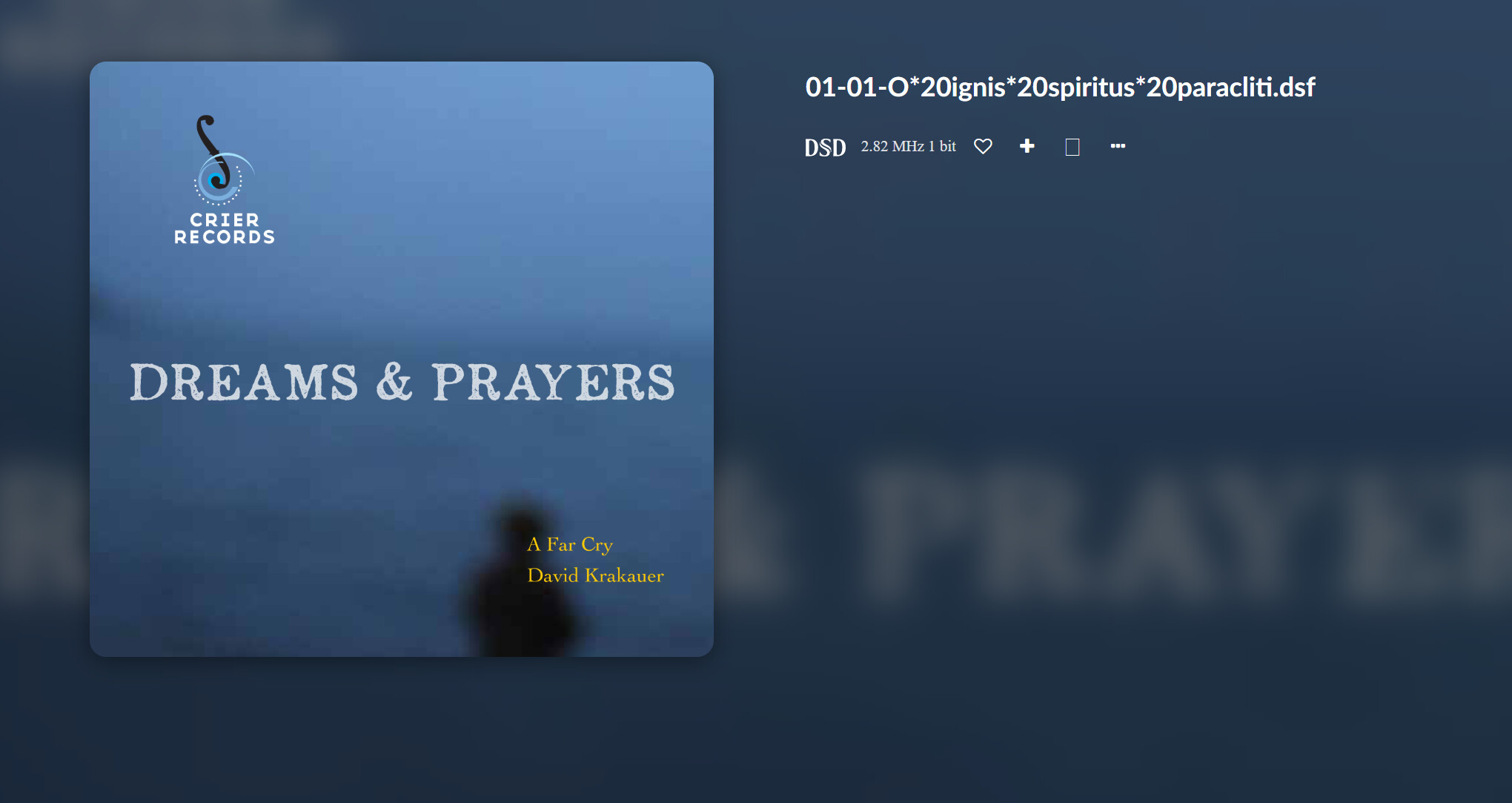
  • When playing DSF files from your NAS, the now-playing screen and playlist initially display the track name using *20 instead of spaces.

    • Example: 01-01-O*20ignis*20spiritus*20paracliti.dsf
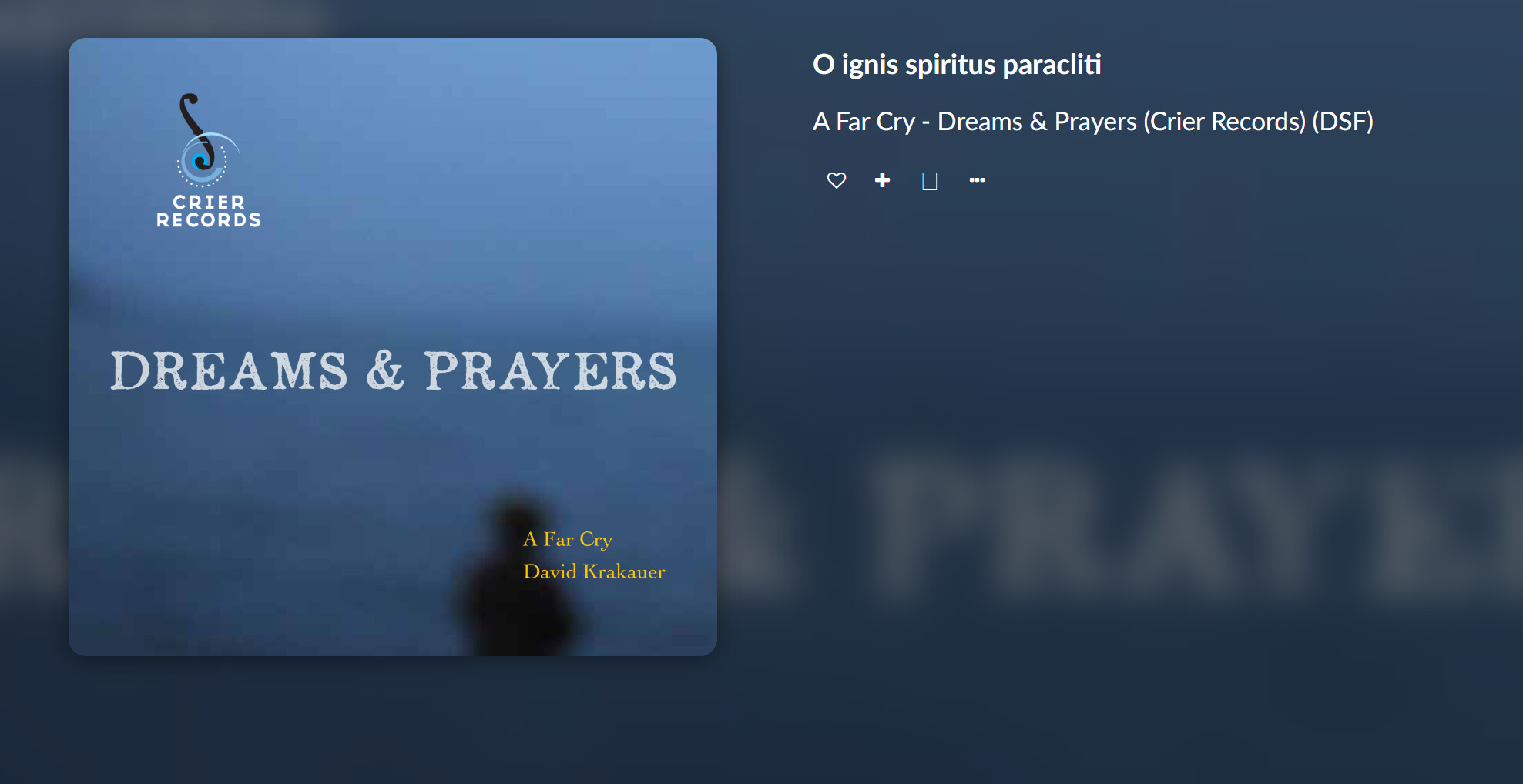
  • After pausing and pressing play again, Volumio fetches the actual metadata (e.g. track title from ID3 or DSD tags) and displays it correctly.

    • Example: O ignis spiritus paracliti
  • The issue repeats with each new track, suggesting metadata is only parsed during active playback, and filename-based fallback is not properly decoded.

Historical Reference:

  • Issue was discussed as early as 2014 involving DLNA playback paths, where filenames showed *20 instead of spaces until playback triggered metadata resolution.
  • Behavior appears to be the same: metadata is not fetched at queue/playlist parse time, and filename fallback is not URL-decoded.
  • Root cause - not enough details.

To move this forward, we still need the following:

  1. A log link from your device right after playback starts and before pause-play is triggered:

    • Go to http://<your-volumio-ip>/dev and submit the log. Paste the URL here.
  2. Your NAS connection type:

    • CIFS, NFS, or DLNA? Is the share added via My Music > Network Drives or mounted manually?
    • Output from file mounter - charset ISO/UTF-8/16/32?
  3. A sample DSF file tag analysis, or output of:

    • mediainfo <filename>.dsf or ffprobe -i <filename>.dsf
  4. Your storage type (SD, USB, SSD, NVMe, ISCSI, etc) and whether you’re booting USB or microSD.

Once we have that, this can be properly filed with the developers.

Kind Regards,

1 Like

RP4 4.0.17
I am starting testing a large library (176k tracks) on a 2x14TB RAID0 enclosure.
I am using that enclosure successfully on Motivo.
On the RP4 with 4.0.17, reading the USB disk stops at 3292 tracks. A log is here

1 Like

I have pulled a log here after clicking play.
I connect to MinimServer on my NAS, not directly via CIFS or NFS.
The mediainfo output for the file is

General
Complete name : \192.168.0.10\music\7b DSF_2ch\A Far Cry\Dreams & Prayers (Crier Records) (DSF)\01-01-O ignis spiritus paracliti.dsf
Format : DSD
Format/Info : Direct Stream Digital
Format version : Version 1
File size : 349 MiB
Duration : 8 min 37 s
Overall bit rate : 5 651 kb/s
Album : Dreams & Prayers (Crier Records) (DSF)
Album/Performer : A Far Cry
Part/Position : 1
Track name : O ignis spiritus paracliti
Track name/Position : 1
Track name/Total : 8
Performer : A Far Cry
Composer : Bingen, Hildegard von
Encoded by : Merging Technologies Album Publishing
Label : Crier Records
Genre : Classical
Recorded date : 2014
ISRC : USS351400036
Cover : Yes
Cover description : Picture
Cover type : Cover (front)
Cover MIME : image/jpeg
Catalog Number : CR1401HD
CR1401HD
Album Artist : A Far Cry
HDCD : 0
Other Artist(s) : David Krakauer
Tool Name : Media Center
Version : 32.0.58
Track Transition Duration : -1
Audio
Format : DSD
Format/Info : Direct Stream Digital
Commercial name : DSD64
Format settings : Little
Duration : 8 min 37 s
Bit rate : 5 645 kb/s
Channel(s) : 2 channels
Channel layout : L R
Sampling rate : 2 822 kHz
Compression mode : Lossless
Stream size : 348 MiB (100%)

My RP4 boots off an microSD card. No other storage on the RP4
Hope this helps.
I can do a test using CIFS or NFS later if that helps

Hey @jacobacci,

Thanks for your log and details. Focusing first on the NTFS disk issue, as it is critical and directly impacting your library scan:

Observed problem:

  • On Volumio 4.0.17 with Raspberry Pi 4 (booting from microSD), your 2x14TB RAID0 USB enclosure formatted as NTFS fails to scan beyond 3292 tracks.

  • In your logs, we see repeated read errors:

    ntfs_attr_pread error reading '/music/.../01-03 - The Lonely White Baby Camel.flac'
    ntfs_pread failed: Input/output error
    
  • These originate from ntfs-3g and indicate low-level read issues accessing specific regions of the disk.

Possible causes:

  • Filesystem integrity: The NTFS volume may not have been cleanly unmounted or contains internal inconsistencies.
  • Hardware-level error: One of the drives in the RAID0 may have developed a bad block, or there may be USB bandwidth/power issues.
  • Driver compatibility: ntfs-3g under Raspberry Pi OS (Bookworm base) is known to struggle with high IOPS operations on large volumes.
  • Saturation: Large directory sizes or metadata-heavy access (e.g. 176k tracks) may cause the FUSE-based NTFS implementation to choke.

Recommendations:

  1. Check Filesystem Health:

    • Safely unmount and run chkdsk /f on Windows, or mount read-only in Linux and verify logs.
    • Avoid write-mounting NTFS on Linux until health is verified.
  2. Use dmesg for Hardware Clues:

    • After scanning fails, run dmesg | grep -i usb or dmesg | grep -i scsi to check for kernel-level issues.
  3. Try Alternative Filesystems:

    • If possible, back up and reformat the RAID volume to exFAT or ext4, both of which are far more reliable under Linux.
    • exFAT is supported cross-platform and works well for large music libraries.
  4. Test Through Powered USB Hub:

    • RAID enclosures often underdeliver power or overload USB buses directly connected to SBCs.

Until the disk can be reliably read, Volumio will be unable to index the full library, and playback or metadata issues will persist.

Kind Regards,

Hey @jacobacci,

Thanks for isolating the DLNA metadata display issue. Based on your logs and testing, here is what we’ve confirmed so far:

Summary:

  • You are streaming DSF files from MinimServer via DLNA/UPnP.

  • When a track begins playback, Volumio queues the file using a URL-encoded HTTP path:

    http://192.168.0.10:9790/minimserver/*/music/7b*20DSF_2ch/.../01-01-O*20ignis*20spiritus*20paracliti.dsf
    
  • The now-playing screen and playlist initially show this encoded filename (with *20 instead of spaces), rather than the correct track title.

  • After pausing and resuming playback, Volumio retrieves and displays the correct metadata (e.g. O ignis spiritus paracliti).

Technical details from logs:

  • MPD receives load and add commands using DLNA-served HTTP URLs with encoded characters like *20 (space), *26 (ampersand), etc.
  • No metadata appears to be preloaded at queue time.
  • The metadata is only resolved after playback starts, and possibly only when explicitly requested or polled post-play.
  • This behavior may be influenced by the way Volumio’s upnpcli handles and rewrites DLNA paths and item objects.

Remaining questions / Follow-up:

  • Would this issue still occur if the same file is played from a locally mounted source (e.g. CIFS or NFS share)?

    • This would help determine if metadata delay is a DLNA transport limitation or Volumio’s handling logic.
  • What is the behavior when browsing and queuing content via “Media Servers” versus “Music Library” (Local/Network)?

  • Is there any correlation with recent investigations around upnpcli behavior or cache state handling?

Working theory:

At this stage, we can conclude:

  • The incorrect *20 display is caused by filename fallback at queue time.
  • Metadata parsing is not triggered or applied until playback begins.
  • This is most likely due to the way Volumio handles DLNA addUri queue logic internally, not a missing tag in the file.

Thanks again for your detailed test and log capture. A side-by-side test with CIFS/NFS would be the next step to isolate the DLNA-specific behavior.

Kind Regards,

I have just copied the album to an USB stick and played the file via “Music Library”. The track title was displayed correctly from the beginning.

I have run the windows Filesystem Health Check. The only result out of the ordinary was:

Stage 2: Examining file name linkage ...
  3 reparse records processed.
  225964 index entries processed.
Index verification completed.
 Phase duration (Index verification): 1.31 minutes.
  0 unindexed files scanned.
 Phase duration (Orphan reconnection): 59.38 milliseconds.
  0 unindexed files recovered to lost and found.
 Phase duration (Orphan recovery to lost and found): 1.06 milliseconds.
  3 reparse records processed.
 Phase duration (Reparse point and Object ID verification): 1.14 milliseconds.

Next I tried inserting a powered USB3 Hub. After a few tries, the RP4 recognized the disk and I could initiate the scan. The scan stopped at the same location as without the USB hub (3292 tracks).
The results of the dsmeg query (the disk is visible with lsblk command):

login as: volumio
volumio@192.168.0.136's password:
                       ___
                      /\_ \                        __
         __  __    ___\//\ \    __  __    ___ ___ /\_\    ___
        /\ \/\ \  / __`\\ \ \  /\ \/\ \ /' __` __`\/\ \  / __`\
        \ \ \_/ |/\ \L\ \\_\ \_\ \ \_\ \/\ \/\ \/\ \ \ \/\ \L\ \
         \ \___/ \ \____//\____\\ \____/\ \_\ \_\ \_\ \_\ \____/
          \/__/   \/___/ \/____/ \/___/  \/_/\/_/\/_/\/_/\/___/

             Free Audiophile Linux Music Player - Version 4.017

          © 2015-2025 Michelangelo Guarise - Volumio Team - Volumio.org

Volumio Debian GNU/Linux comes with ABSOLUTELY NO WARRANTY, to the extent
permitted by applicable law.
Welcome to Volumio for Raspberry Pi (6.12.34-v7l+ armv7l)
Last login: Sun Jul 20 19:56:20 2025 from 192.168.0.106
volumio@volumio:~$ lsblk -o NAME,FSTYPE,SIZE,MOUNTPOINT,LABEL
NAME        FSTYPE     SIZE MOUNTPOINT        LABEL
loop0       squashfs 728.2M /static
sda                   25.5T
|-sda1                  16M
`-sda2      ntfs      25.5T /media/28TB_RAID0 28TB RAID0
mmcblk0               14.6G
|-mmcblk0p1 vfat       366M /boot             boot
|-mmcblk0p2 ext4         4G /imgpart          volumio
`-mmcblk0p3 ext4      10.2G                   volumio_data
volumio@volumio:~$ dmesg | grep -i usb
[    0.062353] usbcore: registered new interface driver usbfs
[    0.062381] usbcore: registered new interface driver hub
[    0.062403] usbcore: registered new device driver usb
[    1.863925] usbcore: registered new interface driver lan78xx
[    1.863952] usbcore: registered new interface driver smsc95xx
[    1.955300] xhci_hcd 0000:01:00.0: new USB bus registered, assigned bus number 1
[    1.957881] xhci_hcd 0000:01:00.0: new USB bus registered, assigned bus number 2
[    1.957889] xhci_hcd 0000:01:00.0: Host supports USB 3.0 SuperSpeed
[    1.958008] usb usb1: New USB device found, idVendor=1d6b, idProduct=0002, bcdDevice= 6.12
[    1.958015] usb usb1: New USB device strings: Mfr=3, Product=2, SerialNumber=1
[    1.958021] usb usb1: Product: xHCI Host Controller
[    1.958025] usb usb1: Manufacturer: Linux 6.12.34-v7l+ xhci-hcd
[    1.958030] usb usb1: SerialNumber: 0000:01:00.0
[    1.958285] hub 1-0:1.0: USB hub found
[    1.958554] usb usb2: New USB device found, idVendor=1d6b, idProduct=0003, bcdDevice= 6.12
[    1.958562] usb usb2: New USB device strings: Mfr=3, Product=2, SerialNumber=1
[    1.958567] usb usb2: Product: xHCI Host Controller
[    1.958572] usb usb2: Manufacturer: Linux 6.12.34-v7l+ xhci-hcd
[    1.958576] usb usb2: SerialNumber: 0000:01:00.0
[    1.958781] hub 2-0:1.0: USB hub found
[    1.959464] usbcore: registered new interface driver uas
[    1.959501] usbcore: registered new interface driver usb-storage
[    1.961142] usbcore: registered new interface driver usbhid
[    1.961147] usbhid: USB HID core driver
[    2.223917] usb 1-1: new high-speed USB device number 2 using xhci_hcd
[    2.377232] usb 1-1: New USB device found, idVendor=2109, idProduct=3431, bcdDevice= 4.21
[    2.377251] usb 1-1: New USB device strings: Mfr=0, Product=1, SerialNumber=0
[    2.377257] usb 1-1: Product: USB2.0 Hub
[    2.381410] hub 1-1:1.0: USB hub found
[   14.709750] usbcore: registered new interface driver brcmfmac
[  151.383785] usb 2-2: Device not responding to setup address.
[  151.603766] usb 2-2: Device not responding to setup address.
[  151.813488] usb 2-2: device not accepting address 2, error -71
[  152.655298] usb 2-2: new SuperSpeed USB device number 3 using xhci_hcd
[  152.690819] usb 2-2: New USB device found, idVendor=0bda, idProduct=0411, bcdDevice= 1.17
[  152.690832] usb 2-2: New USB device strings: Mfr=1, Product=2, SerialNumber=0
[  152.690838] usb 2-2: Product: 4-Port USB 3.0 Hub
[  152.690842] usb 2-2: Manufacturer: Generic
[  152.697555] hub 2-2:1.0: USB hub found
[  152.973457] usb 1-1.2: new high-speed USB device number 3 using xhci_hcd
[  153.099163] usb 1-1.2: New USB device found, idVendor=0bda, idProduct=5411, bcdDevice= 1.17
[  153.099176] usb 1-1.2: New USB device strings: Mfr=1, Product=2, SerialNumber=0
[  153.099183] usb 1-1.2: Product: 4-Port USB 2.0 Hub
[  153.099187] usb 1-1.2: Manufacturer: Generic
[  153.103271] hub 1-1.2:1.0: USB hub found
[  153.175657] usb 2-2.1: new SuperSpeed USB device number 4 using xhci_hcd
[  153.208018] usb 2-2.1: New USB device found, idVendor=0bda, idProduct=0411, bcdDevice= 1.17
[  153.208029] usb 2-2.1: New USB device strings: Mfr=1, Product=2, SerialNumber=0
[  153.208035] usb 2-2.1: Product: 4-Port USB 3.0 Hub
[  153.208040] usb 2-2.1: Manufacturer: Generic
[  153.214385] usb 1-1.2: Failed to suspend device, error -71
[  153.215879] hub 2-2.1:1.0: USB hub found
[  153.333894] usb 1-1.2: USB disconnect, device number 3
[  153.544734] usb 2-2.1.1: new SuperSpeed USB device number 5 using xhci_hcd
[  153.565132] usb 2-2.1.1: New USB device found, idVendor=152d, idProduct=9561, bcdDevice= 0.03
[  153.565141] usb 2-2.1.1: New USB device strings: Mfr=1, Product=2, SerialNumber=5
[  153.565147] usb 2-2.1.1: Product: JMS56x Series
[  153.565152] usb 2-2.1.1: Manufacturer: JMicron
[  153.565157] usb 2-2.1.1: SerialNumber: 00000000000000000000

Hey @jacobacci,

Thanks for the follow-up and system detail. Based on your logs and dmesg output, we now have a clearer picture of the NTFS scan issue affecting your USB RAID0 enclosure on Volumio 4.0.17 (RPi4, kernel 6.12.34-v7l+).

  • Your 28TB NTFS RAID0 disk is mounted successfully:

    /dev/sda2 on /media/28TB_RAID0 type fuseblk (ntfs-3g)
    
  • chkdsk on Windows reports no filesystem corruption.

  • The scan consistently halts at exactly 3292 tracks.

  • Transient USB errors were logged early in boot:

    usb 2-2: device not accepting address 2, error -71
    
  • Subsequent USB enumeration of the JMicron RAID enclosure succeeded.

Diagnostic:

You can confirm NTFS-level access failures using:

journalctl -b | grep -i ntfs

Which will show errors like:

ntfs_attr_pread failed: Input/output error
ntfs_attr_pread error reading '/media/.../filename.flac' at offset 0: 16384 <> -1

These errors are critical: they indicate ntfs-3g is failing to read blocks at the FUSE level, possibly due to timeout, I/O saturation, or malformed directory entries.

Additional things to check:

  1. Path and Filename Length Limits

    • Linux supports up to 4096 characters per full path, and 255 per filename.

    • To find longest paths:

      find /media/28TB_RAID0 -type f | awk '{ print length, $0 }' | sort -n | tail -20
      
    • Excessive nesting or filename length can silently break traversal in some modules (e.g. Node.js).

  2. Long Directory Listings

    • Very large folders (>10k files) can overload memory or cause silent FUSE read errors.
    • Consider testing scan with a reduced test folder and then gradually scaling.
  3. Evaluate with ext4 or exFAT (If Feasible)

    • NTFS under ntfs-3g is slow and less resilient at scale on ARM.
    • A reformat to ext4 or exFAT would eliminate FUSE overhead and avoid compatibility issues.

Based on all this, the NTFS error is not cosmetic or transient: it is structural, and blocks Volumio from accessing parts of your library reliably. Even with a powered hub, the scan behavior is identical, confirming this is not just a hardware enumeration issue.

Kind Regards,

Hey @jacobacci,

Thanks for confirming the test with local storage. That gives us a very clear result:

  • When you copy the same DSF album to a USB stick and play it via Music Library, the correct track title is shown immediately.
  • No *20 encoding, no need to pause and resume.
  • This confirms that Volumio parses and displays metadata at queue time when files are accessed directly from the local filesystem.

Implication for DLNA/UPnP behavior:

  • When playing the same file via DLNA (MinimServer) under Media Servers, Volumio queues the file using its raw URL:

    http://192.168.0.10:9790/minimserver/*/path/to/file.dsf
    
  • The *20-encoded filename is displayed because no metadata is available at queue time.

  • Only after playback begins, and sometimes only after a pause-play cycle, is the embedded metadata fetched and applied.

Conclusion:

This confirms that the issue lies in Volumio’s DLNA queue handling, specifically:

  • Metadata is not extracted or applied when a DLNA item is added to the queue.
  • The fallback filename (*20 format) is exposed to the UI instead.
  • This behavior differs from direct playback where metadata is available and rendered upfront.

We can now isolate this to DLNA integration layer (likely sender’s UPNP xml data or the MPD-facing addUri logic).

This one will be a tough nut to crack.

Kind Regards,

Please help,
I used Volumio 3.742 + Pi5 + Display 8 inches 1920x480 (non-touch display), the Now playing screen display is normal (horizontal layout);
However, when I installed version 4.017, and because I don’t know much, I just copied the configuration to the new version. It was very hard and tried to make small changes, but no matter what, the screen only displayed the QR image, not the Now playing image as at the address 192.168.1.xx:4004.
Based on the config, userconfig and volumioconfig files on version 3.743. I hope you can help me reconfigure to match version 4.017.
Thank you very much.

1 - Config.txt:
##DO NOT EDIT THIS FILE
APPLY CUSTOM PARAMETERS TO userconfig.txt ##
initramfs volumio.initrd
gpu_mem=128
gpu_mem_256=32
gpu_mem_512=32
gpu_mem_1024=128
max_usb_current=1
[pi5]
usb_max_current_enable=1
#### Volumio i2s setting below: do not alter ####
dtoverlay=vc4-kms-v3d-pi5 (on Ver. 4.017 there is no this line)
[all]
include volumioconfig.txt
include userconfig.txt

2 – Userconfig.txt:
#Add your custom config.txt options to this file, which will be preserved during updates
hdmi_cvt=480 1920 60
hdmi_ignore_edid=0xa5000080
hdmi_timings=480 1 48 32 80 1920 0 3 10 56 0 0 0 60 0 75840000 3
hdmi_group=2
hdmi_mode=87
hdmi_drive=2
display_rotate=1
hdmi_force_mode=1
framebuffer_width=1920
framebuffer_height=480
max_framebuffer_width=1920
max_framebuffer_height=1920
## Touch Display rotation setting below: do not alter ##
display_lcd_rotate=1
display_hdmi_rotate=1

(on Ver. 4.017 this file is empty)

3 – Volumioconfig:

#DO NOT EDIT THIS FILE
APPLY CUSTOM PARAMETERS TO userconfig.txt ##
[cm4]
dtoverlay=dwc2,dr_mode=host
otg_mode=1
[pi5]
dtoverlay=vc4-kms-v3d-pi5
#dtparam=uart0_console# Disabled by default
dtparam=nvme
dtparam=pciex1_gen=2
[all]
arm_64bit=0
dtparam=audio=on
audio_pwm_mode=2
dtparam=i2c_arm=on
disable_splash=1
hdmi_force_hotplug=1
force_eeprom_read=0
display_auto_detect=1 (on Ver. 3.742 there is no this line)

I really want to experience this new version. Please help me.

Please add this line to the top of: /boot/userconfig.txt

1 Like

Thanks,
But it still doesn’t work.

replace /boot/userconfig.txt with:

dtoverlay=vc4-kms-v3d-pi5
hdmi_timings=480 1 48 32 80 1920 0 3 10 56 0 0 0 60 0 75840000 3
hdmi_group=2
hdmi_mode=87
hdmi_drive=2

Does it show the boot logo?

I have now inserted a Volumio 3.819 SD card into the Pi4 and the 28TB USB HD is being read past 30k tracks as I go to bed. No powered hub, USB disk connected directly to USB3 port of Pi4.
Checking progress in the morning, the track count is at zero. Here’s the log.
Here are the results of the tests you had mentioned earlier:

volumio@volumio:~$ lsblk -o NAME,FSTYPE,SIZE,MOUNTPOINT,LABEL
NAME        FSTYPE     SIZE MOUNTPOINT        LABEL
loop0       squashfs 490.7M /static
sda                   25.5T
|-sda1                  16M
`-sda2      ntfs      25.5T /media/28TB_RAID0 28TB RAID0
mmcblk0               14.5G
|-mmcblk0p1 vfat      91.6M /boot             boot
|-mmcblk0p2 ext4       2.5G /imgpart          volumio
`-mmcblk0p3 ext4      11.9G                   volumio_data
volumio@volumio:~$ dmesg | grep -i usb
[    0.061966] usbcore: registered new interface driver usbfs
[    0.061982] usbcore: registered new interface driver hub
[    0.062001] usbcore: registered new device driver usb
[    1.013613] usbcore: registered new device driver r8152-cfgselector
[    1.013632] usbcore: registered new interface driver r8152
[    1.013647] usbcore: registered new interface driver lan78xx
[    1.013662] usbcore: registered new interface driver smsc95xx
[    1.014980] xhci_hcd 0000:01:00.0: new USB bus registered, assigned bus number 1
[    1.016901] xhci_hcd 0000:01:00.0: new USB bus registered, assigned bus number 2
[    1.016909] xhci_hcd 0000:01:00.0: Host supports USB 3.0 SuperSpeed
[    1.017024] usb usb1: New USB device found, idVendor=1d6b, idProduct=0002, bcdDevice= 6.06
[    1.017031] usb usb1: New USB device strings: Mfr=3, Product=2, SerialNumber=1
[    1.017036] usb usb1: Product: xHCI Host Controller
[    1.017040] usb usb1: Manufacturer: Linux 6.6.62-v7l+ xhci-hcd
[    1.017044] usb usb1: SerialNumber: 0000:01:00.0
[    1.017300] hub 1-0:1.0: USB hub found
[    1.017662] usb usb2: New USB device found, idVendor=1d6b, idProduct=0003, bcdDevice= 6.06
[    1.017669] usb usb2: New USB device strings: Mfr=3, Product=2, SerialNumber=1
[    1.017674] usb usb2: Product: xHCI Host Controller
[    1.017678] usb usb2: Manufacturer: Linux 6.6.62-v7l+ xhci-hcd
[    1.017682] usb usb2: SerialNumber: 0000:01:00.0
[    1.017877] hub 2-0:1.0: USB hub found
[    1.018583] usbcore: registered new interface driver uas
[    1.018610] usbcore: registered new interface driver usb-storage
[    1.023572] usbcore: registered new interface driver usbhid
[    1.023576] usbhid: USB HID core driver
[    1.303210] usb 1-1: new high-speed USB device number 2 using xhci_hcd
[    1.485770] usb 1-1: New USB device found, idVendor=2109, idProduct=3431, bcdDevice= 4.21
[    1.485782] usb 1-1: New USB device strings: Mfr=0, Product=1, SerialNumber=0
[    1.485788] usb 1-1: Product: USB2.0 Hub
[    1.487054] hub 1-1:1.0: USB hub found
[   11.003446] usb 2-1: new SuperSpeed USB device number 2 using xhci_hcd
[   11.034732] usb 2-1: New USB device found, idVendor=152d, idProduct=9561, bcdDevice= 0.03
[   11.034743] usb 2-1: New USB device strings: Mfr=1, Product=2, SerialNumber=5
[   11.034748] usb 2-1: Product: JMS56x Series
[   11.034753] usb 2-1: Manufacturer: JMicron
[   11.034757] usb 2-1: SerialNumber: 00000000000000000000
[   13.793673] usbcore: registered new interface driver brcmfmac

volumio@volumio:~$ Jul 21 00:55:24 volumio ntfs-3g[1019]: ntfs_attr_pread_i: ntfs_pread failed: Input/output error
-bash: Jul: command not found
volumio@volumio:~$ Jul 21 00:55:24 volumio ntfs-3g[1019]: ntfs_attr_pread error reading '/music/6b Box/Ultravox/Lament (40th Anniversary BluRay)/Lament (2024 Steven Wilson Stereo Mix) (96.0)/01-09 - When The Time Comes.flac' at offset 0: 4096 <> -1: Input/output error
-bash: Jul: command not found
volumio@volumio:~$ Jul 21 00:55:24 volumio ntfs-3g[1019]: ntfs_attr_pread_i: ntfs_pread failed: Input/output error
-bash: Jul: command not found
volumio@volumio:~$ Jul 21 00:55:24 volumio ntfs-3g[1019]: ntfs_attr_pread error reading '/music/6b Box/Ultravox/Lament (40th Anniversary BluRay)/Lament (2024 Steven Wilson Stereo Mix) (96.0)/01-09 - When The Time Comes.flac' at offset 0: 4096 <> -1: Input/output error
-bash: Jul: command not found
volumio@volumio:~$ Jul 21 00:55:24 volumio ntfs-3g[1019]: ntfs_attr_pread_i: ntfs_pread failed: Input/output error
-bash: Jul: command not found
volumio@volumio:~$ Jul 21 00:55:24 volumio ntfs-3g[1019]: ntfs_attr_pread error reading '/music/6b Box/Ultravox/Lament (40th Anniversary BluRay)/Lament (2024 Steven Wilson Stereo Mix) (96.0)/01-09 - When The Time Comes.flac' at offset 59195392: 3296 <> -1: Input/output error
-bash: Jul: command not found
volumio@volumio:~$ Jul 21 00:55:24 volumio ntfs-3g[1019]: ntfs_attr_pread_i: ntfs_pread failed: Input/output error
-bash: Jul: command not found
volumio@volumio:~$ Jul 21 00:55:24 volumio ntfs-3g[1019]: ntfs_attr_pread error reading '/music/6b Box/Ultravox/Lament (40th Anniversary BluRay)/Lament (2024 Steven Wilson Stereo Mix) (96.0)/01-09 - When The Time Comes.flac' at offset 59195392: 3296 <> -1: Input/output error
-bash: Jul: command not found
volumio@volumio:~$ Jul 21 00:56:11 volumio ntfs-3g[1019]: ntfs_attr_pread_i: ntfs_pread failed: Input/output error
-bash: Jul: command not found
volumio@volumio:~$ Jul 21 00:56:11 volumio ntfs-3g[1019]: ntfs_attr_pread error reading '/music/7a SACD ISO/Kunzel, Erich/Rosza, MIklos - Three Choral Suites - Ben-Hur, Quo Vadis and King of Kings (Telarc SACD) (ISO)/01/Rozsa - Kunzel - Three Choral Suites, Film Music.iso' at offset 0: 65536 <> -1: Input/output error
-bash: Jul: command not found
volumio@volumio:~$ Jul 21 00:56:11 volumio ntfs-3g[1019]: ntfs_attr_pread_i: ntfs_pread failed: Input/output error
-bash: Jul: command not found
volumio@volumio:~$ Jul 21 00:56:11 volumio ntfs-3g[1019]: ntfs_attr_pread error reading '/music/7a SACD ISO/Kunzel, Erich/Rosza, MIklos - Three Choral Suites - Ben-Hur, Quo Vadis and King of Kings (Telarc SACD) (ISO)/01/Rozsa - Kunzel - Three Choral Suites, Film Music.iso' at offset 0: 4096 <> -1: Input/output error
-bash: Jul: command not found
volumio@volumio:~$ Jul 21 00:56:11 volumio ntfs-3g[1019]: ntfs_attr_pread_i: ntfs_pread failed: Input/output error
-bash: Jul: command not found
volumio@volumio:~$ Jul 21 00:56:11 volumio ntfs-3g[1019]: ntfs_attr_pread error reading '/music/7a SACD ISO/Kunzel, Erich/Rosza, MIklos - Three Choral Suites - Ben-Hur, Quo Vadis and King of Kings (Telarc SACD) (ISO)/01/Rozsa - Kunzel - Three Choral Suites, Film Music.iso' at offset 65536: 131072 <> -1: Input/output error

Doing a factory reset of Volumio 3 and re-reading the disk reads to 141’084 tracks.
The behaviour is definitely different for Volumio 3 than for Volumio 4.
Could this be relevant?
Fixing Storage Adapters for Raspberry Pi via Firmware Updates
STICKY: If you have a Raspberry Pi 4 and are getting bad speeds transferring data to/from USB3.0 SSDs, read this - Raspberry Pi Forums

Searching for usb device 152d 9561 and raspberry I can find a lot of reports of issues for this chipset with raspberries. Some were resolved by using quirks to remove UAS.
1315013 – JMicron USB to SATA Bridge (152d:9561) JMS56x Series requires usb-storage quirks to disable uas
If the bluetooth remote is now officially supported, how about a short guide on how to properly pair and set up? Thanx.

Out of curiosity…is there any appreciable difference in terms of file handling between NFS and SMB shares? No, I’m not talking about sound quality…lol…

I have done some testing now but I wanted to hear what you guys say first.

NFS is native for Linux while SMB is designed for windows. SMB generates more overhead (more network traffic) which makes it a bit slower when handling a lot of small files.

1 Like