noted
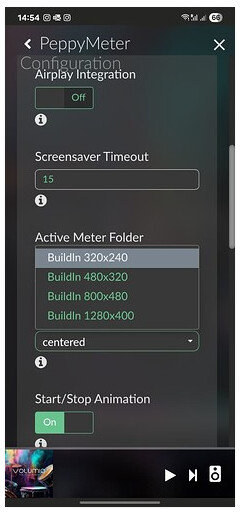
Take a screenshot of where you copied it.
PS. This is the same photo!!! (14.54)
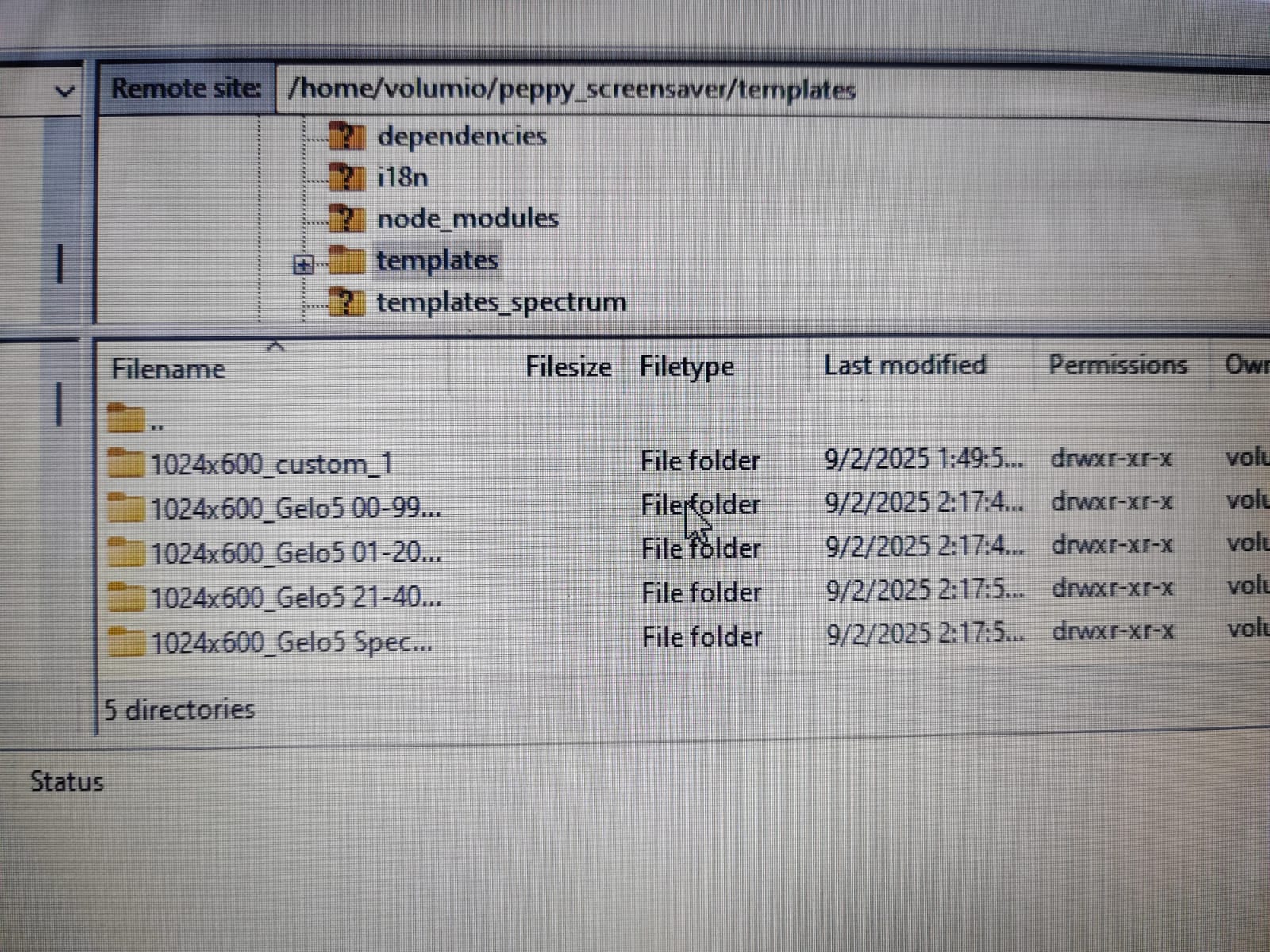
Same thing again. Read carefully where to copy!
1. From the “templates” folder to: /data/INTERNAL/peppy_screensaver/templates" DO NOT CHANGE THE NAME

2. From the “templates_spectrum” folder to: /data/INTERNAL/peppy_screensaver/templates_spectrum DO NOT CHANGE THE NAME
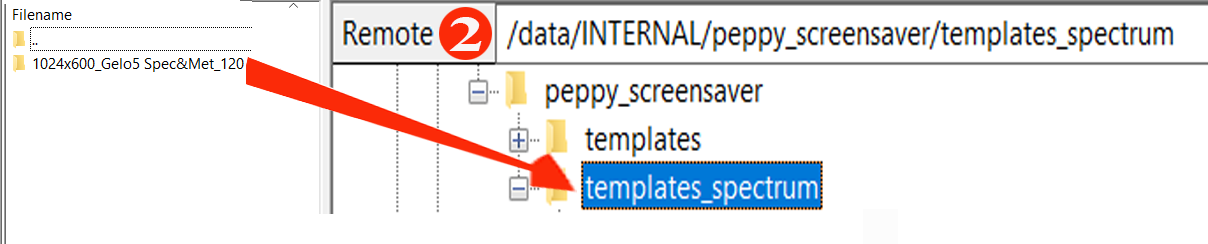
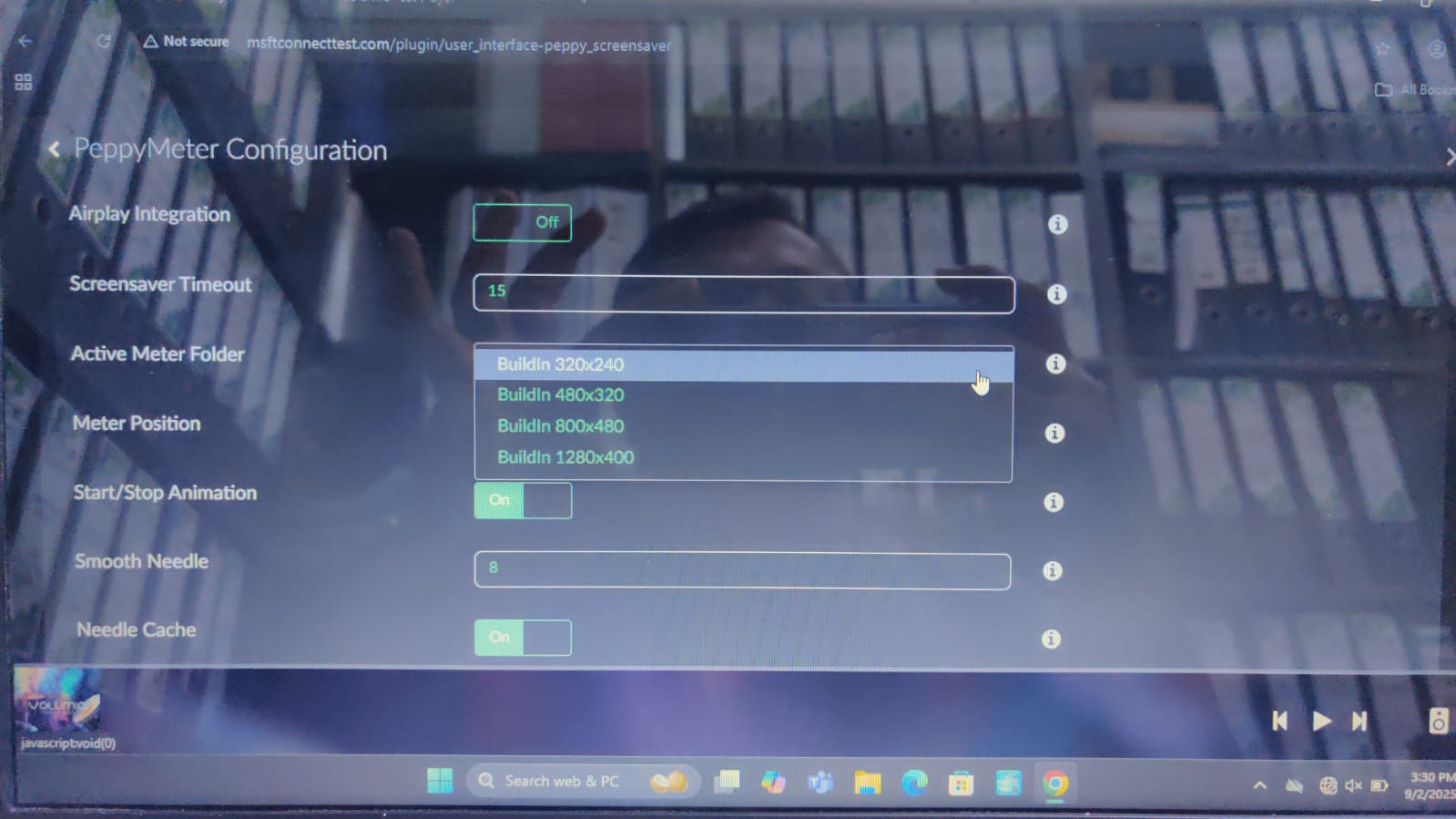
setting shows same as previus photo
Hello everyone,
I’m new to Volumio.
I discovered the app a few weeks ago (and it perfectly suits my needs, really great) and I’m gradually trying to improve the system.
I’m using a small GIO screen with a resolution of 480x320.
I’ve installed the Meter plugin.
And I’d like to know where I can find additional skins with this resolution (480x320).
Thanks in advance.
Unfortunately, there are no additional skins for this resolution. 
OK, thank you for the feedback.
I will therefore consider upgrading to a larger screen as soon as possible.
Thank you.
1 Like
Hi all,
My music files are all applying replaygain “album” with -18dBFS.
Consequently my meters maximum level shown (and correctly) never reaches near 0dB level.
Since I use vumeter only as a reference, I would like that max level shown more near 0dB for my music files.
Is there any setting in PeppyMeter to have a “visual only gain”, e.g., the needle moves the double that what actually does?

Not sure which version you did install or what you have changed on your system, but it doesn’t add up.
If you do a drop down on the active meter folder, it should show way more then your screenshot.

As it’s to time consuming to debug your installation:
- Perform a factory reset
- configure the basic settings for your system
- Install touch display plugin
- Configure the touch display
- reboot
- open a ssh session
- type:
wget https://github.com/2aCD-creator/volumio-plugins/raw/gh-pages/plugins/volumio/armhf/user_interface/peppy_screensaver/peppy_screensaver_2.2.1.zip
miniunzip peppy_screensaver_2.2.1.zip
rm peppy_screensaver_2.2.1.zip
cd peppy_screensaver
volumio plugin install
if you download templates copy them to the correct location:
/data/INTERNAL/peppy_screensaver


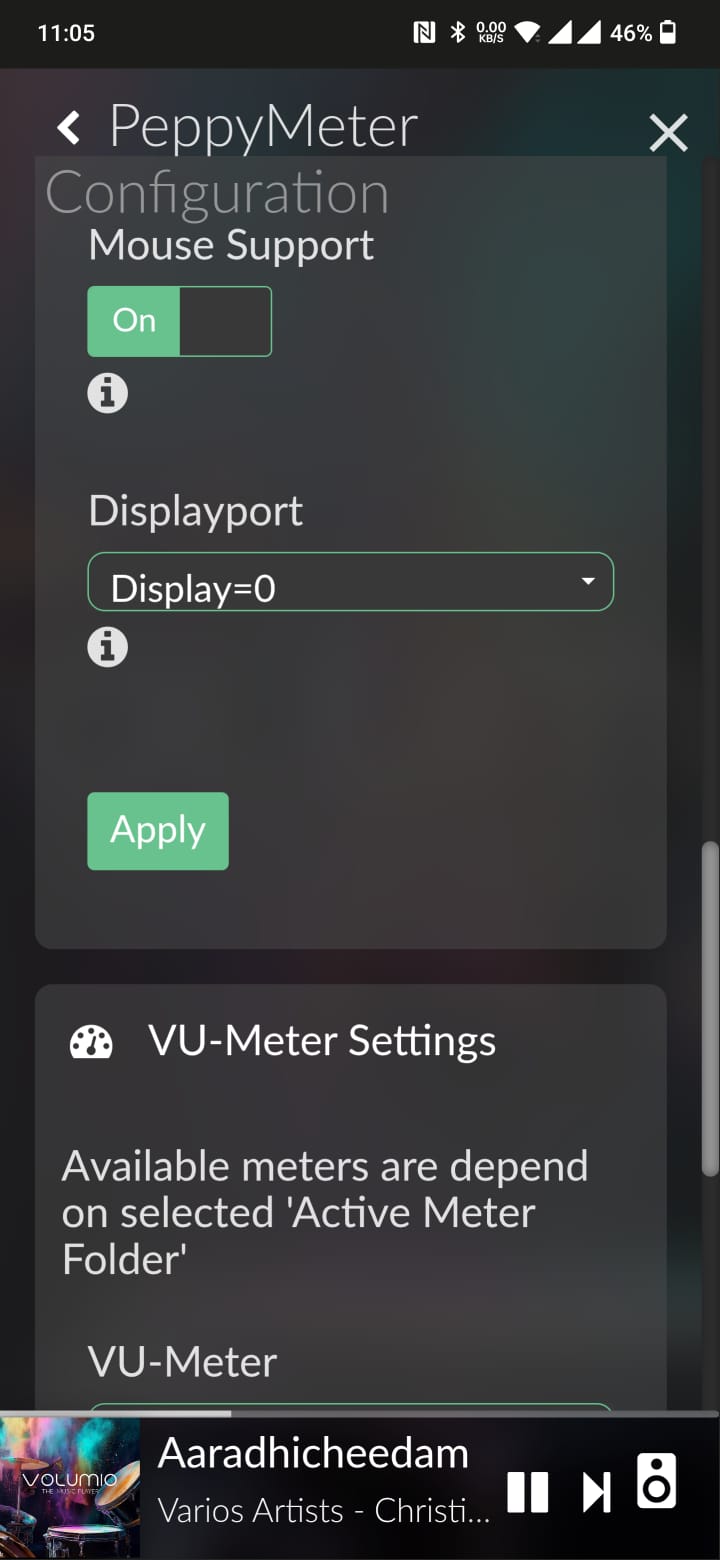

@AntooZ
Show me what you have in your folder
/home/volumio/peppy_screensaver/templates/1280x400_custom_2
Try this:
*set up Touch Display - screensaver timeout “0”

In the Peppymeter configuration/vu meter settings section:
*select: one skin (not random and not list)
*Screensaver set: 5 (not 60)
check if it works
And you’re running Volumio V3, not V4?
if the latter you need to Peppy_Meter_basic from the plugins.


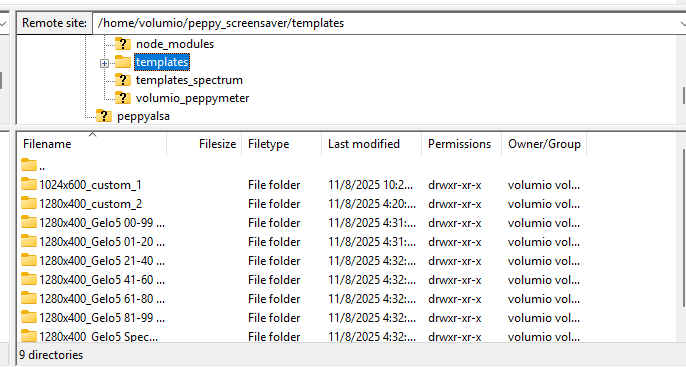
Can you be forced to read?
@Antony!!!
See a few posts above where you should copy the files, please.
View the latest post @Wheaten

NOT HOME/VOLUMIO!! - DATA/INTERNAL!!