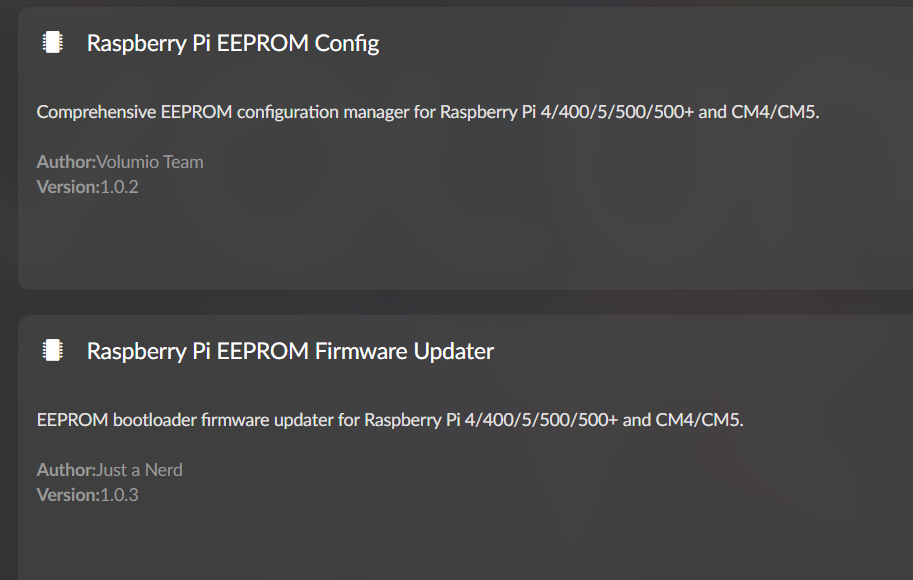
[PLUGIN] Raspberry Pi EEPROM Configuration Manager

Dear Volumionauts,

This plugin allows you to configure Raspberry Pi bootloader EEPROM settings directly from the Volumio web interface.

Requirements:

  • Volumio 4.x or newer (Bookworm-based)
  • Supported Raspberry Pi hardware (see below)

Features:

  • Hardware-aware boot order configuration (SD Card, USB, NVMe)
  • Power management settings (PSU current limits, halt behavior, GPIO wake)
  • USB mass storage boot parameters (timeouts, retries, delays)
  • PCIe device detection control (required for NVMe boot)
  • Serial console (UART) configuration for debugging
  • EEPROM version management (self-update, freeze version)
  • HDMI diagnostics control
  • Network console for remote debugging
  • Automatic backup before applying changes
  • Restore from backup or factory defaults
  • Staged confirmation workflow for safety

Supported Hardware:

Raspberry Pi 4, Pi 5, Pi 400, Pi 500, Pi 500+, Compute Module 4, Compute Module 5

The plugin automatically detects your hardware and shows only relevant settings.

Screenshots:

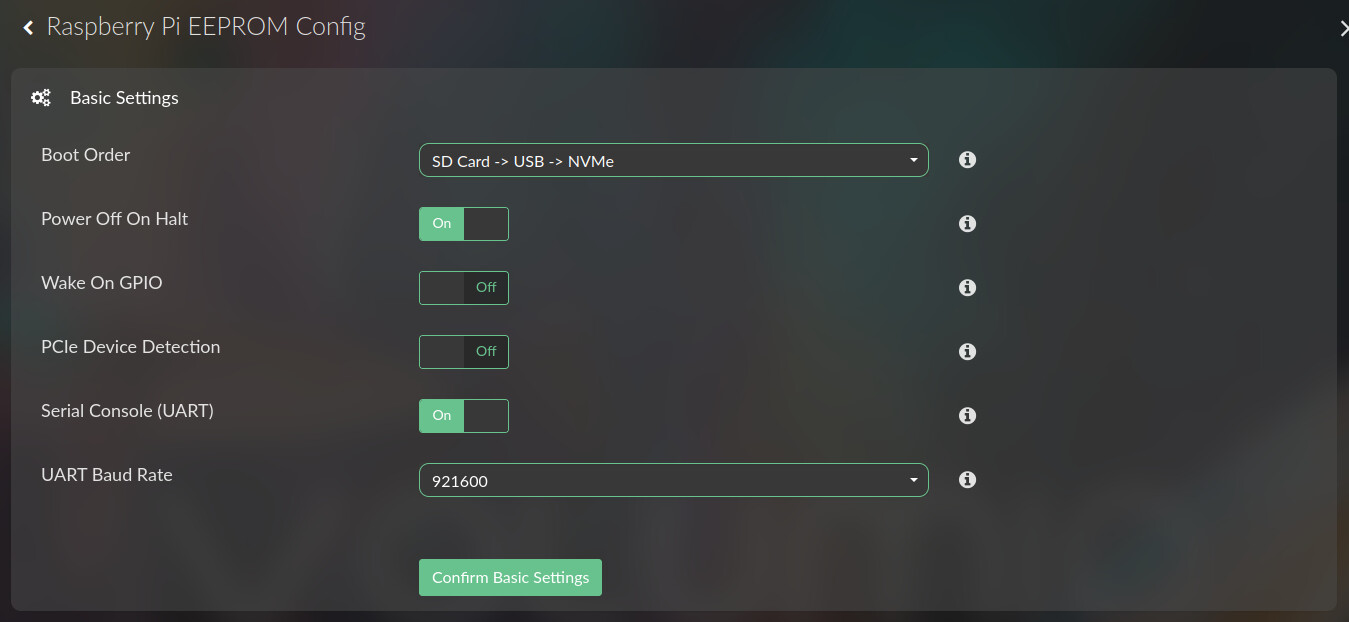
Basic Settings - Boot order and power management
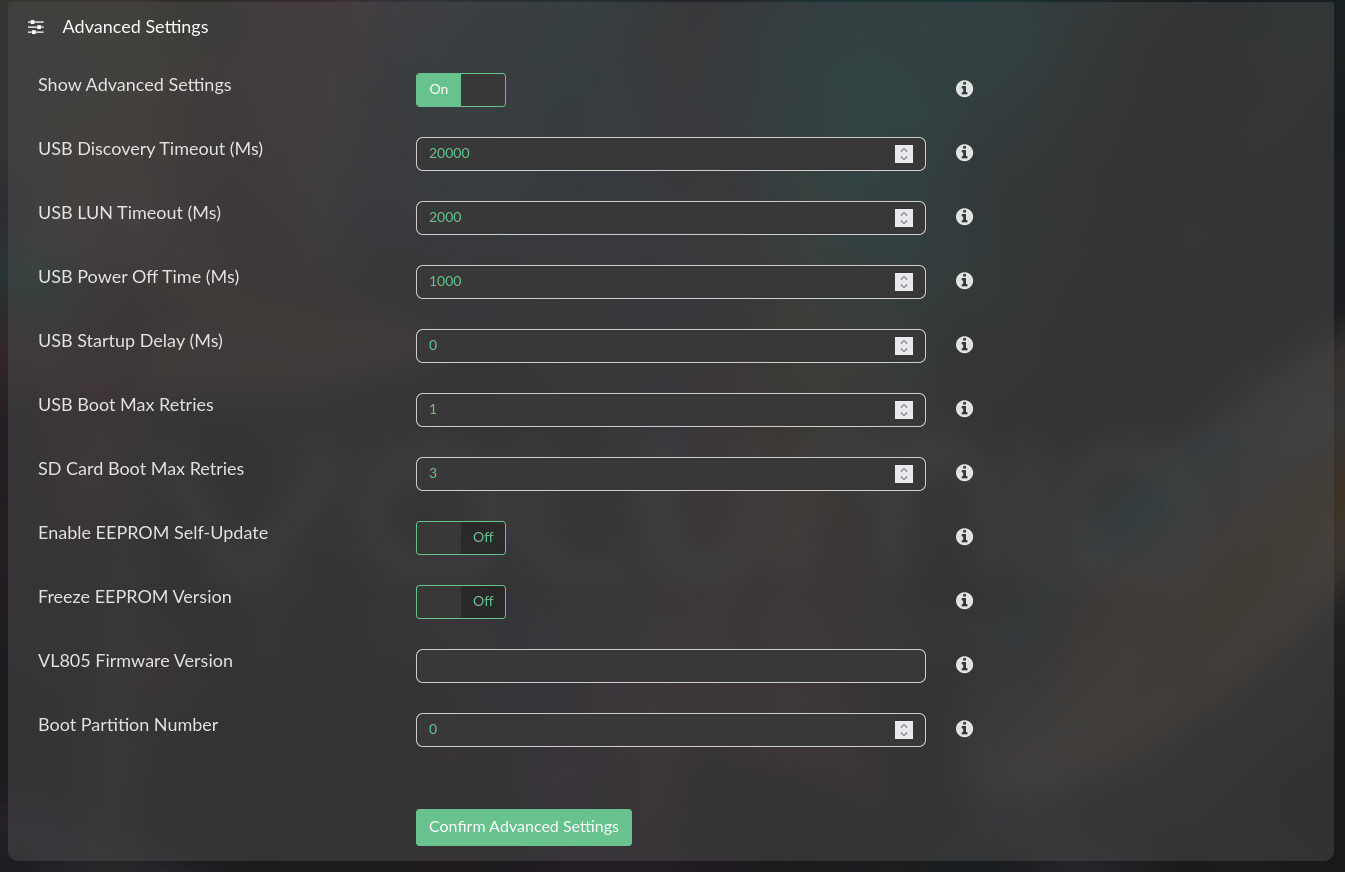
Advanced Settings - USB parameters and EEPROM updates
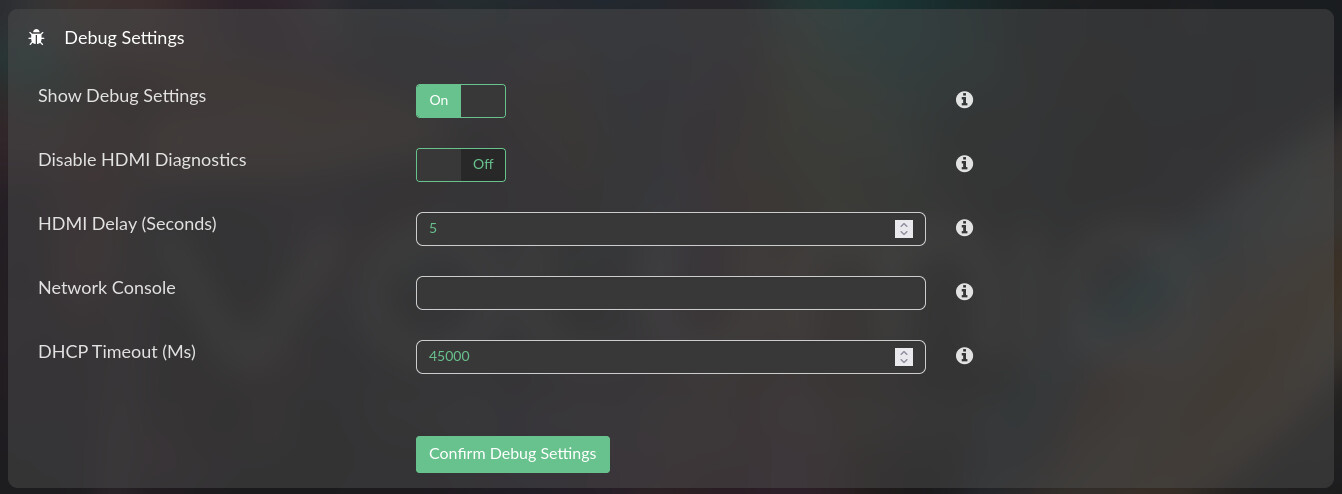
Debug Settings - HDMI diagnostics and network console
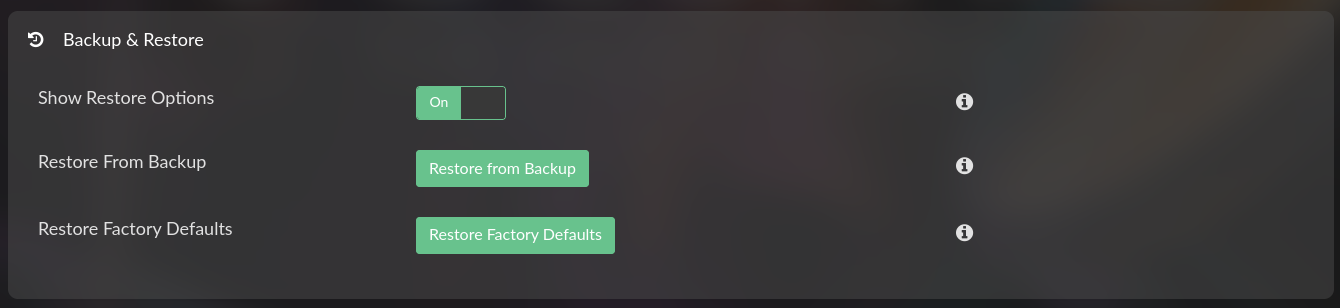
Backup & Restore - Recovery options
Apply Configuration - Staged settings review and apply

Installation:

From Plugin Store (when available):
Plugins → Plugin Manager → Search for “Raspberry Pi EEPROM Config” → Install

Manual Installation:
This plugin is available in the Volumio plugin repository

The plugin will automatically install required system packages (rpi-eeprom, flashrom).

Usage:

The plugin uses a staged workflow to prevent accidental misconfiguration:

  1. Configure Basic Settings

    • Select boot order from hardware-specific options
    • Adjust power management settings
    • Click “Confirm Basic Settings”
  2. Configure Advanced Settings (optional)

    • Toggle “Show Advanced Settings”
    • Adjust USB timeouts and retry limits
    • Configure EEPROM update behavior
    • Click “Confirm Advanced Settings”
  3. Configure Debug Settings (optional)

    • Toggle “Show Debug Settings”
    • Configure HDMI diagnostics and network console
    • Click “Confirm Debug Settings”
  4. Apply Changes

    • Review all staged settings in the Apply Configuration section
    • Check “I understand the risks” acknowledgment
    • Click “Apply Configuration & Reboot”
    • System automatically reboots after 5 seconds

After reboot, verify your configuration via SSH:

sudo rpi-eeprom-config

Example Use Case:

NVMe boot with USB fallback:
Set boot order to “NVMe → USB → SD Card” for NVMe-based installations with recovery option.

Reduce standby power:
Enable “Power Off on Halt” to completely cut power when system is shut down.

Slow USB devices:
Increase “USB Discovery Timeout” if external drives need extra time to initialize.

Boot debugging:
Enable “Serial Console (UART)” and connect USB-to-serial adapter to GPIO pins 14/15 to monitor boot process.

IMPORTANT WARNINGS

  • Incorrect EEPROM settings can prevent boot
  • Always have a backup SD card or recovery method available
  • Plugin creates automatic backup before applying changes
  • Changes require reboot to take effect
  • Test configurations carefully before production deployment

RECOVERY

If your Pi fails to boot after changes:

  1. Power off completely
  2. Boot from backup SD card
  3. Use plugin to restore from backup or factory defaults

Alternatively via SSH (if accessible):

sudo -E rpi-eeprom-config --edit

Technical Details:

  • Automatically installs rpi-eeprom and flashrom packages
  • Validates all parameters before writing to EEPROM
  • Supports all official Raspberry Pi bootloader configuration parameters
  • Backup files stored in /data/configuration/system_controller/rpi_eeprom_config/backup

Known Limitations:

  • Settings are hardware-specific (boot orders vary by model)
  • Some parameters only apply to specific models (e.g., PSU_MAX_CURRENT on Pi 5+)
  • Requires reboot for changes to take effect

CHANGELOG

Version 1.0.0 - Initial Release

  • Hardware-aware configuration for Pi 4/5/400/500/CM4/CM5
  • Complete basic, advanced, and debug settings
  • Staged confirmation workflow with automatic backup
  • Restore from backup or factory defaults
  • Multi-language support (11 languages)

Feedback:

Please report issues or request features in this thread.

When reporting issues, include:

  • Raspberry Pi model
  • Volumio version
  • Output of: sudo rpi-eeprom-config
  • Relevant debug logs URL

Kind Regards,

6 Likes

Hi!

Just checked, it’s not available in plugin store yet.

Regards / C

It will be available in few hours. Sorry for the delay :grimacing:

2 Likes

Available as beta!
Thank you @nerd for this great plugin!
Enjoy! :wink:

2 Likes

Version 1.0.2

FXES:

  • Fix sudo permissions: Use discovery path to rpi-eeprom-config
  • Add parameter validation system with validate/sanitize/clamp functions for all EEPROM parameters.

Kind Regards,

1 Like

Version 1.0.3

FXES:

  • Add safety checks before applying config (PCIE_PROBE for NVMe, BOOT_ORDER validation)
  • Fix PSU_MAX_CURRENT not being removed when toggle is disabled
  • Add psu_max_current_enable toggle to UI with conditional visibility
  • Add hardware-specific field filtering (Pi 5+ fields)
  • Add translation keys for new UI elements

Kind Regards,

2 Likes

Hey @nerd!

First of all, thank you for two useful essential plugins for rPi4 5 and upward. I updated both plugins today. After update it looks like this in plugin store

eeprom config vers 1.0.2 eeprom firmware updater 1.0.3

Shouldn’t it be config 1.0.3 and firmware 1.0.2 ?

Best regards / C

Hey @ClaesM,

Wow, you are too fast for me. All is coming in good time.

Kind Regards,

1 Like

Hey @ClaesM,

Now we are ready for full testing round.

Kind Regards,

Thanks @nerd !

Incredibly fast respons, thumbs up! Both plugins now show vers 1.0.3 ! Right?

Best Regards

Thanks both @nerd and @balbuze

Nice addition!!!

But one comment though is it milli seconds (ms) or Mega seconds (Ms)? The latter seems a bit long… 1Ms = 11.5 days of waiting…

2 Likes

All credits !for @nerd !

@balbuze New shampoo? all fluffy that icon :grinning:

Version 1.0.4 - Stable

FIXES:

  • Fix PCIE_PROBE: Hide on non-NVMe hardware (Pi 4/400/500), show only on NVMe-capable models (CM4/Pi5/Pi500+/CM5)
  • Fix millisecond units: Use Unicode symbol ㎳ (U+33B3) to prevent CSS capitalizing “ms” to “Ms”

Kind Regards,

2 Likes

Yes! A shower + shampoo time to time and here I am in v2025! :stuck_out_tongue_winking_eye:

yes, well done.
Delays are in ms now, and rPi4 doesn’t show the PCIe part anymore!!!

2 Likes

Hey @nerd

As far as I can se EEPROM config works at it´s supposed to do. One thing, You say that an automatic backup will be created. Where is this copy placed? I use Volumio 4.xxx on nvme disc on my 2 rPi5. Is that copy placed on a sd card if I insert one? Is it a complete copy of the system or just the settings?
So far I have not used any debug options. It seems to work well so excuse me for my maybe dumb questions.

Best Regards / C

Hey @ClaesM,

Good questions - not dumb at all. For the benefit of the community I will elaboarate the specifics:

BACKUP LOCATION:

The automatic backup is saved to:

/data/configuration/system_controller/rpi_eeprom_config/backup/eeprom-backup.conf

Since you run Volumio from NVMe on both Pi 5 units, the backup stays on your NVMe drive. It does NOT use an SD card and does not require one to be inserted.

WHAT’S BACKED UP:

Only your EEPROM configuration settings - NOT a complete system copy. This includes:

  • Boot order settings
  • UART configuration
  • Power management options
  • USB and PCIe parameters
  • Any other EEPROM settings you’ve customized

BACKUP BEHAVIOR:

The plugin creates a single backup file automatically before saving any configuration changes. Each new backup overwrites the previous one, so you always have your most recent settings saved.

If something goes wrong after changing settings, you can restore from this backup using the plugin’s UI.

STORAGE SUMMARY:

  • Backup location: Same NVMe drive running Volumio
  • Backup content: EEPROM settings only
  • SD card: Not used or required
  • Backup count: One file (latest settings)

The debug options are there if you encounter issues and need to troubleshoot your Raspberry Pi hardware, but if everything works well, you don’t need them. Do not confuse this with Volumio OS debugging.

Let me know if you have other questions about the plugin.

Kind Regards,

1 Like

Thanks!

It’s always good to get some clarifications about this kind of things. This is a very good and handy plugin.

One thing, is it possible to have CPU governor settings included?

Best Regards / C

Hey @ClaesM,

Thank you for your feedback.

There is no specification for CPU governor scaling within the Raspberry Pi EEPROM. Those parameters are handled entirely at the operating system level and can change dynamically depending on the kernel’s power management policies.

The EEPROM only defines hardware-level initialization such as clocking, voltage, and boot parameters. CPU scaling policies are managed by the Linux kernel and user space, typically through interfaces like /sys/devices/system/cpu/cpu*/cpufreq/scaling_governor, or utilities such as cpufrequtils and systemd configuration.

That said, it would be possible to write Performance Tuning plugin include the current governor settings (not planning though).

Kind Regards,

1 Like