Dear Volumionauts,
Somebody recently suggested via PM I should write a timeline of how PeppyMeter got from “dead plugin” to whatever it is now. I agreed, mostly because the alternative was coding another feature request from @Gelo5 and I needed a break.
So here it is. Three months, five repositories, one increasingly sleep-deprived (an odd scribble here and there…) nerd, and a community that apparently never stops dreaming.
Timeline
The Sleep Clinic Opens (December 12, 2025)
It started with a simple question. @Wheaten and I looked at the old 2.2.1 plugin - built for Volumio 3, Python 3.7, Node 14, held together with optimism and Buster-era dependencies - and asked each other: “How about we see what we can do about it?”
Famous last words. I have not slept properly since.
The original plugin was dead. The author had gone quiet - we do not know why and it is not our place to speculate. The community had tried workarounds involving end-of-life Python versions and manual package juggling. Results were inconsistent, instructions were incomplete, and forum threads were full of polite frustration.
Two days later, version 3.0.0 existed. A ground-up rebuild for Volumio 4’s Bookworm stack. Node 20. Python 3.11. Proper socket.io v4. No patches on top of patches. Clean slate.
That should have been the end of it. “Here is a working concept, take it or leave it, we are not providing support.”
It was not the end of it.
Dreaming in Rapid Release (December 14-31, 2025)
What followed was a sprint I can only describe as caffeinated insanity. Twelve versions in nineteen days. Each one prompted by somebody dreaming out loud in the forum.
3.0.0 - “It works.” First functional port. Pi 5 only at this point.
3.0.1 - “It works on x64 too.” After discovering that ALSA’s meter plugin has opinions about mmap transfers.
3.0.2 - “Audio does not disappear anymore.” A feature I felt should have been implicit.
3.0.3 - “Skins no longer turn white.” @Gelo5’s 120+ skins exposed a PNG transparency handling issue. He was the first to dream.
3.0.4 - “Spectrum bars stay in their lane.”
3.0.5 - “Performance is now a consideration.”
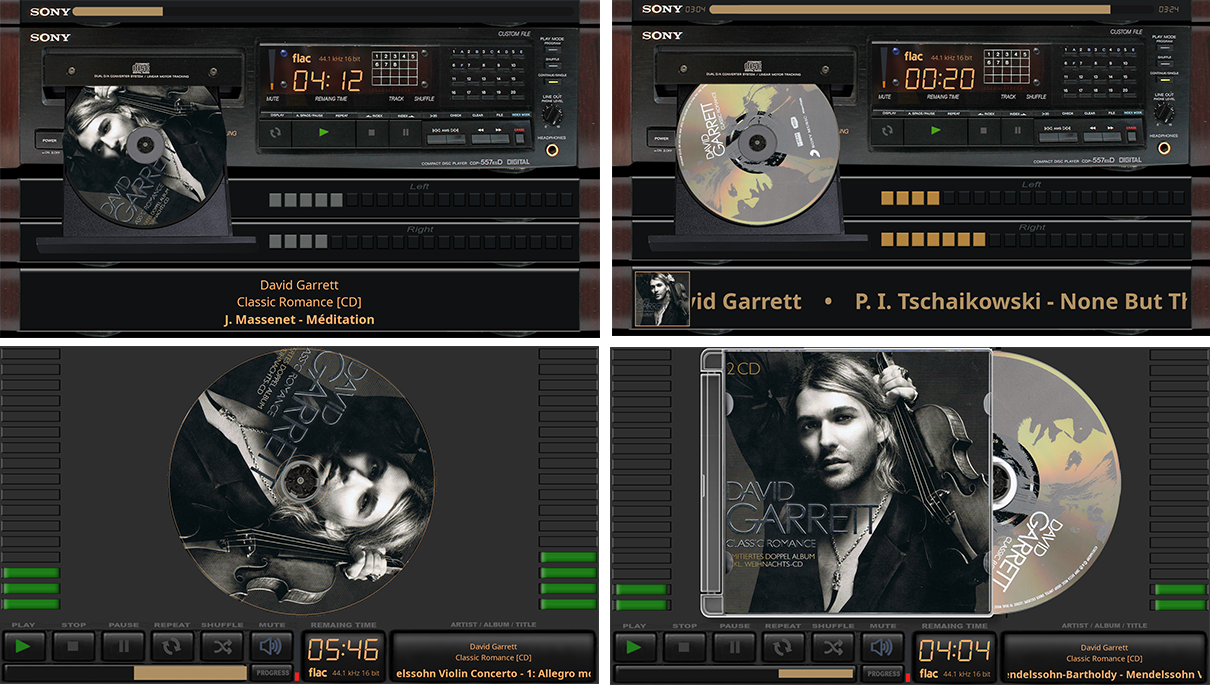
3.0.6 - “The album art rotates.” Because someone dreamed of spinning vinyl.
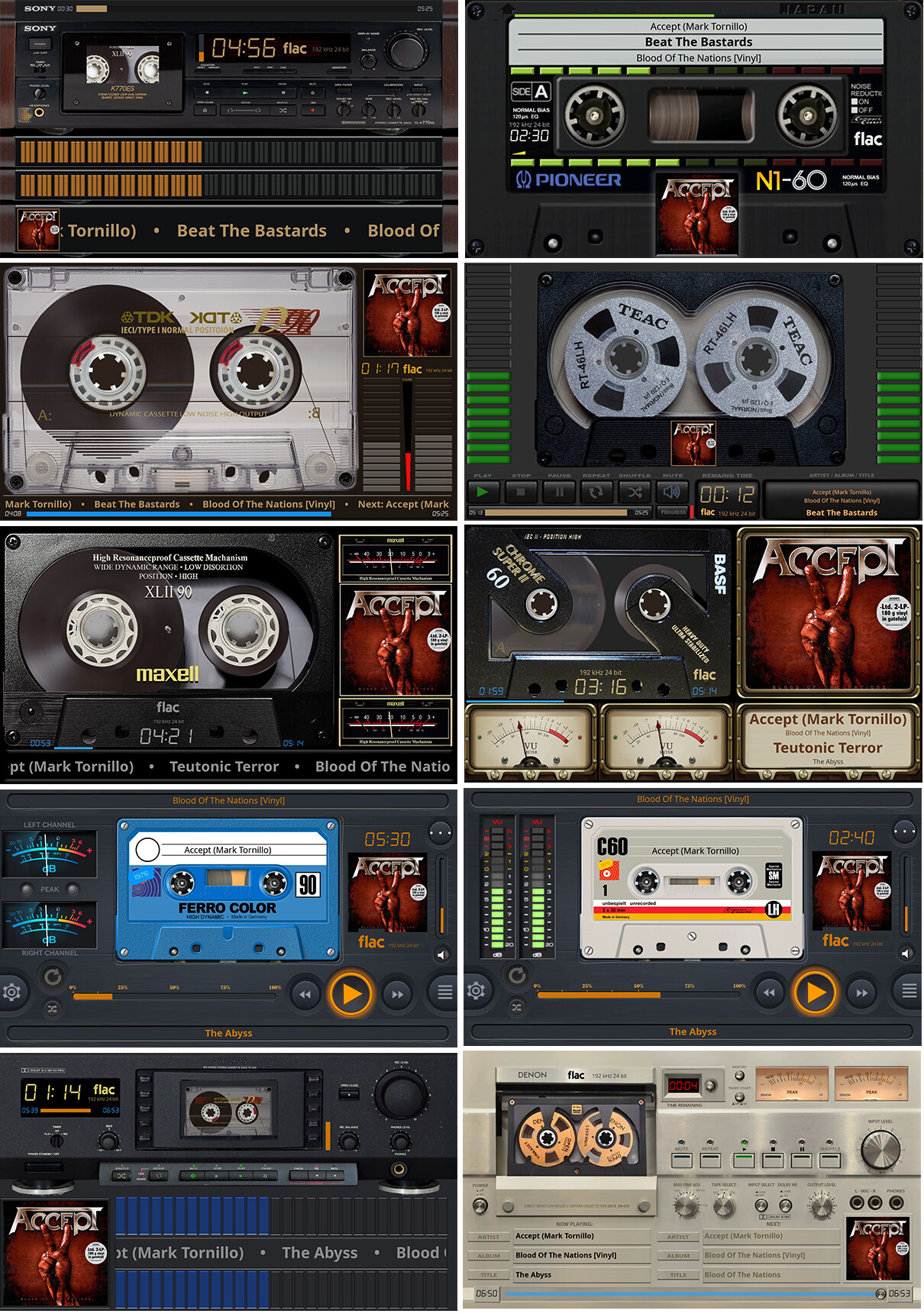
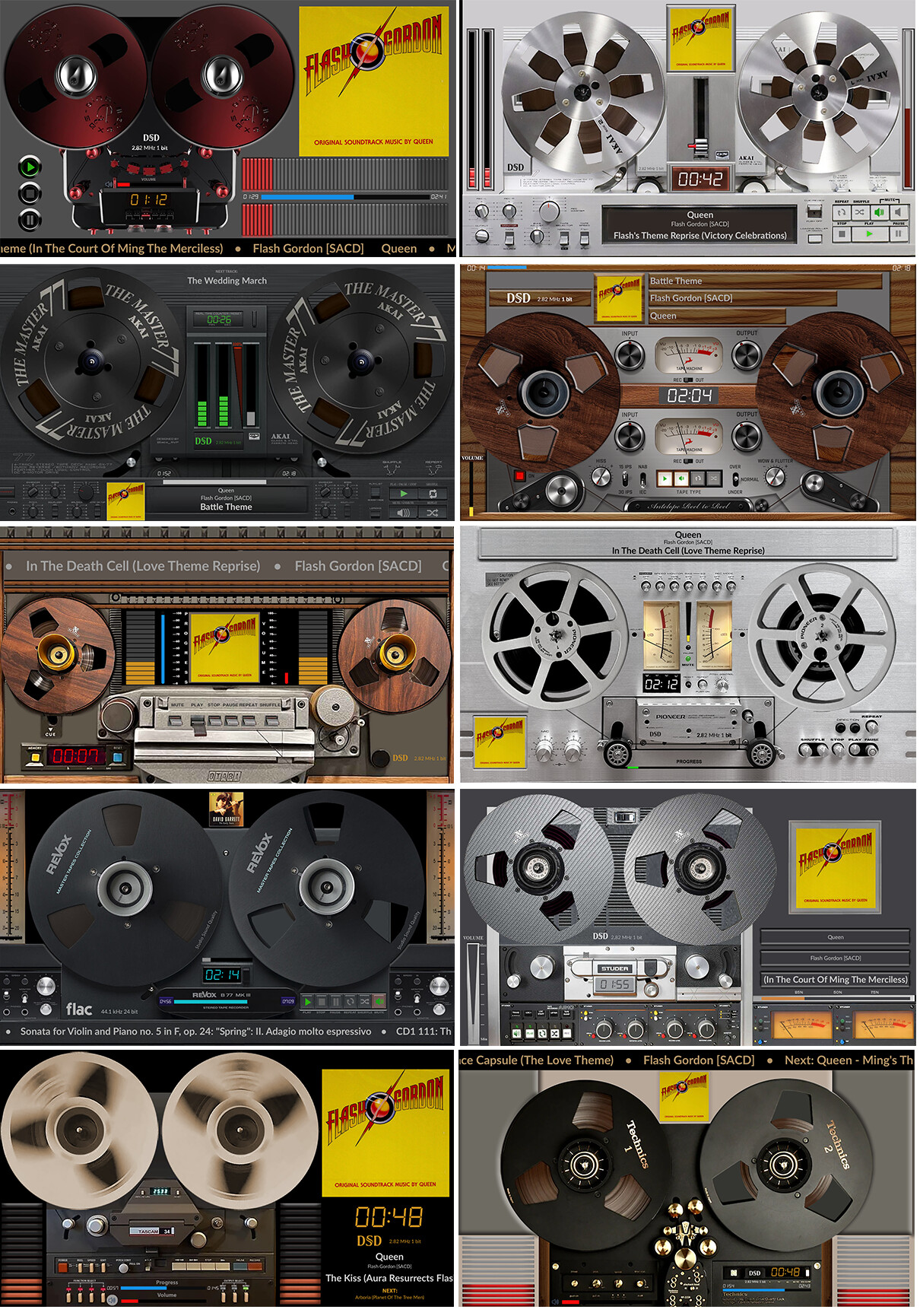
Then @naimnatnod looked at a cassette template and said: “Is it possible to make the two holes spin?”
I looked at that message. I looked at the codebase. I looked at my calendar. December 24th. Christmas Eve.
3.0.7 - Tape reels arrive. Merry Christmas.
3.0.8 - Fade transitions. Pre-computed rotation frames. 48% CPU reduction. Because nothing says “holiday spirit” like optimizing pygame transforms at midnight.
3.0.9 - UI reorganized into five logical sections. Debug logging made configurable. Rotation quality presets.
3.1.0 - Meter window positioning restored. SDL2 detection fixed.
3.1.1 - Configurable text scrolling speeds. Per-field control.
The year ended. The community said thank you. I thought it was over.
It was not over. People kept dreaming.
The Tonearm Dream (January 2026)
@ClaesM dreamed of a tonearm. A proper one - lifts off the rest, drops onto the record, tracks across as the song plays, lifts off again at the end. Like a real turntable.
@Wheaten said it was not realistic. I said it was technically possible but complex. Then I went quiet for a few days and came back with a working tonearm renderer.
3.1.2 brought the tonearm, per-template reel direction control, and the beginning of what would become a much larger problem: when you have a spinning vinyl, a moving tonearm, animated VU meter needles, scrolling text, and album art all occupying the same screen, things start fighting over pixels.
I call these “collisions”. The technical term is “backing buffer conflicts”. The practical term is “my meters keep disappearing”.
This led to the anti-collision architecture - a complete rethinking of how components draw on screen. Layer composition instead of backing capture. bgr_surface as single source of truth. visual_rect instead of backing_rect for clearing. Three handover documents written. Two months of ongoing work.
The unglamorous part that nobody dreams about but everything depends on.
The Clarity Engine (February 2026)
By February, the codebase had been refactored into three independent handlers - basic, cassette, turntable - each responsible for its own render pipeline. The coordinator became a thin dispatcher. Changing one skin type could no longer break another.
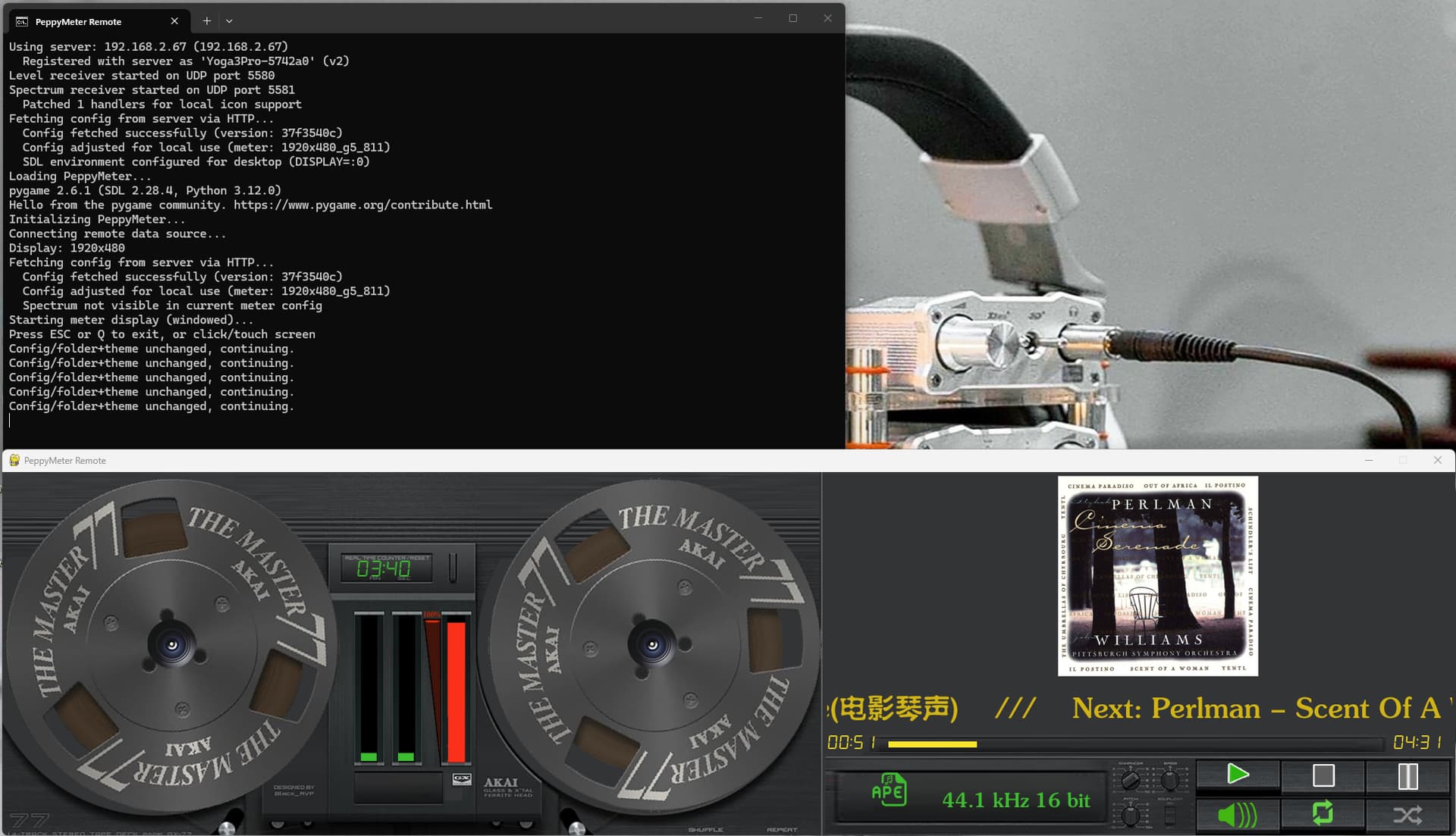
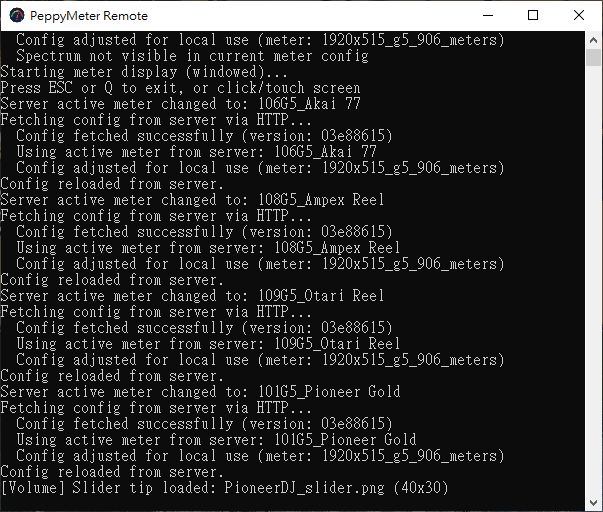
Then came the remote display client. Because apparently running PeppyMeter on the same device as Volumio was not enough. People dreamed of seeing their meters on a different screen. Across the network. In real-time.
3.2.6 - “Clarity Engine Goes Remote.” UDP broadcast for audio levels and spectrum data. Auto-discovery. SMB template mounting. Format icon fetching.
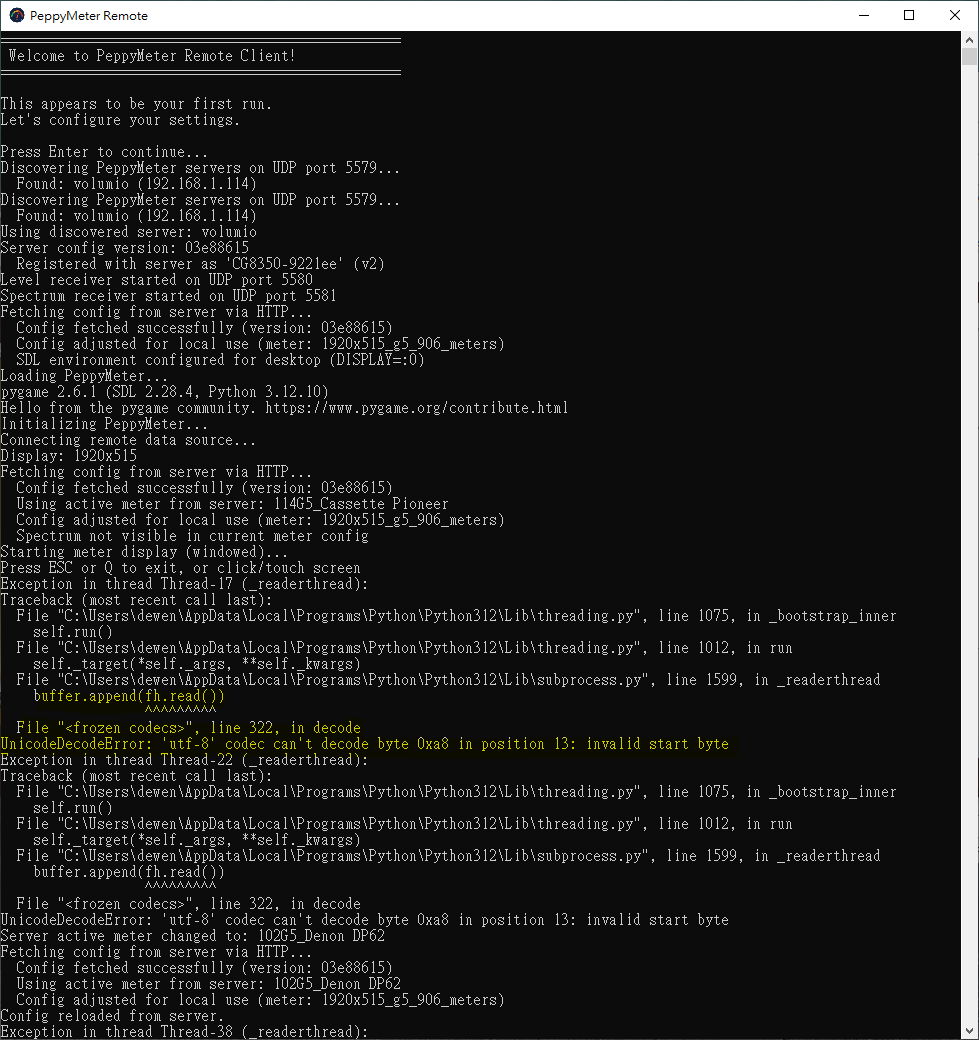
Then the Windows users showed up. They had dreams too - specifically, dreams of running the remote client on their Windows machines. I do not own a Windows machine. I had to install one. Not much has changed since 3.11 - same 8-bit core, 32-bit overlay, 2.14 Linux kernel doing the actual work, and a 64-bit userspace bolted on top.
The PowerShell installer worked. Then it did not. Then it worked again. @Lee.Yan reported an infinite relaunch loop caused by winget installing Python to a location that Windows itself could not find. Industrial-grade engineering from Redmond, as always.
3.2.9 brought smooth time-based rotation, the FusionDSP bridge fix (four iterations to resolve the 48kHz DAC lock), theme preservation, and enough remote client improvements to justify their own changelog.
Gelo5 Had a Dream (March 2026)
You know how it goes. You are quietly tidying up after a release. Then @Gelo5 opens a thread. “What if templates could show elapsed time?” Then another. “What about next track info?” Then “Can I put a ticker across the bottom?” Then “What if the progress bar had markers and a moving head icon?”
Somewhere around the fourth request in a week, or in a day, details are hazy now, this became 3.3.0.
PeppyMeter 3.3.0 - codename “Gelo5 Had a Dream”. Because he did. And then he kept dreaming. And I kept coding.
Elapsed and total time display. Next track metadata. Ticker with configurable separator and loop. Progress bar with markers and animated head. Per-field font style control. Vinyl dimension support. Remote vinyl loading.
I told @Gelo5 to touch grass. He did. It lasted less than two days. Then he came back with four more feature requests and 30 new templates.
dewen Had a Dream (March 2026)
@dewen reported CJK characters displaying as empty squares. The default Lato font covers Latin scripts. If your music library ventures east of Vienna, you get decorative rectangles.
The sensible fix would have been “here, use this other font file.” Instead, I built an automated font pipeline. Because that is apparently what I do now. Someone reports a font issue and I create an entire repository with GitHub Actions, pyftmerge assembly, cu2qu cubic-to-quadratic conversion, and OS/2 metric normalization.
PeppyFont - three weights, 58,642 glyphs each, 38,100 characters. Latin, Cyrillic, Greek, CJK, Japanese, Korean, Arabic, Hebrew, Devanagari, Bengali, Tamil, Thai, Georgian, Armenian. If your language has been invented, there is a reasonable chance it is covered.
3.3.1 - “dewen Had a Dream” - shipped. The dream is real. No more rectangles where song titles should be. PeppyFont is the default in both the server plugin and the remote client. Lato stays for those who prefer it. No manual font path editing. No hunting for ukai.ttc. It just works.
@dewen can finally sleep. One of us should.
The Numbers
Since December 12, here is what the sleep deprivation produced:
- 5 repositories: peppy_build, peppy_screensaver, peppy_remote, peppy_templates, peppy_fonts
- 30+ tagged releases
- 3 independent render handlers (basic, cassette, turntable)
- 1 remote display client (Linux and Windows)
- 1 automated font pipeline covering 15 writing systems
- 1 automated template gallery with preview generation
- Thousands of repository pulls and clones
- More theme downloads than I can count, though a healthy portion of those are @Gelo5 testing his own creations
About 3% of the original 2.2.1 code survives in recognisable form. 1% is the community wanting things. The remaining 96% is new - written from scratch across the handlers, coordinator, config parser, indicator system, remote broadcast, font pipeline, Windows compatibility layer, and everything in between.
Credits
I would be remiss not to acknowledge:
@2aCD - the original author whose work started the PeppyMeter journey
@project-owner - upstream PeppyMeter and PeppySpectrum libraries
@balbuze - maintains the Plugin Store alternative, which remains available and supported
@Wheaten - tests everything, posts changelogs faster than I can tag releases, creates templates when nobody is looking, and will deny all of the above
@Gelo5 - over 1,200 skins, drives features by sheer force of imagination, first person told to touch grass, first person to throw it back at me. The cheapest champagne I have ever been gifted in spirit.
@dewen - CJK bug report so thorough it spawned an entire repository. This is how you report a problem. Take notes. Now resting peacefully with full character rendering.
@pjorgenunes - comprehensive tester who finds things others miss
@Lee.Yan - Windows installer crash tester (perfectionist with gratitude)
@naimnatnod - first community member to build a spinning cassette template on his own. Proof the tools work.
@ClaesM - dreamed the tonearm into existence by asking a polite question
The Thai Volumio community - for the holiday greetings and the modified builds
And everyone else who tested, reported, stayed quiet, or simply enjoyed the results.
The Dream Goes On (Or Does It?)
(for Team A: fast scrollers)
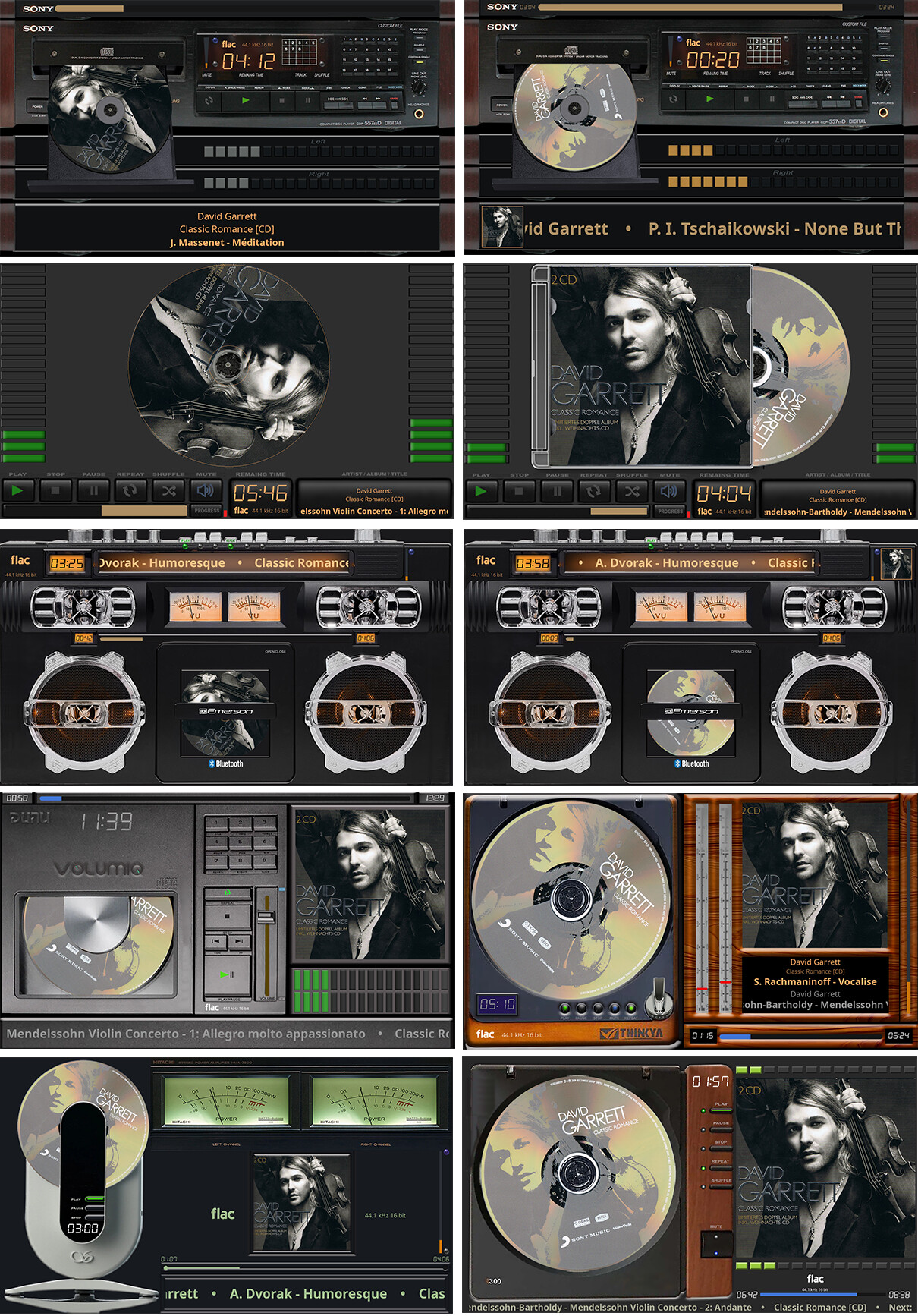
Three months ago this plugin was dead. Now it has anti-collision rendering, cross-platform support, spectrum analysis, cassette physics, turntable tonearm animation, a remote display client, a universal font family, and a community of template creators who produce new skins faster than I can review pull requests.
But spring is here. The grass @Gelo5 was told to touch is actually growing now. I can see it from my window. It looks nice out there. Quiet. No feature requests.
My coffee grinder broke last week. Three months of continuous service and it gave up. I need a replacement - industrial grade this time, something rated for the throughput this project demands. That means leaving the house. Possibly even sleeping.
So here is the part where I remind you - again - that this plugin is provided as-is. No maintenance guarantees. No roadmap. No commitment. The code is open source. The repositories are public. The wiki is documented. The architecture handover documents exist for exactly this reason.
If you want this to continue, if you want it to improve, if you have dreamed of something it does not yet do - the tools are in your hands. Fork it. Fix it. Build it. Own it.
I have been running this sleep clinic for three months. The patients keep dreaming and the sole doctor keeps writing prescriptions in Python. At some point the patients need to start helping run the ward.
I am going to go touch some grass. Find a coffee grinder. Maybe get some sleep. If I dream of anything, I will keep it to myself.
Sweet dreams.
Kind Regards,

 and beyond!