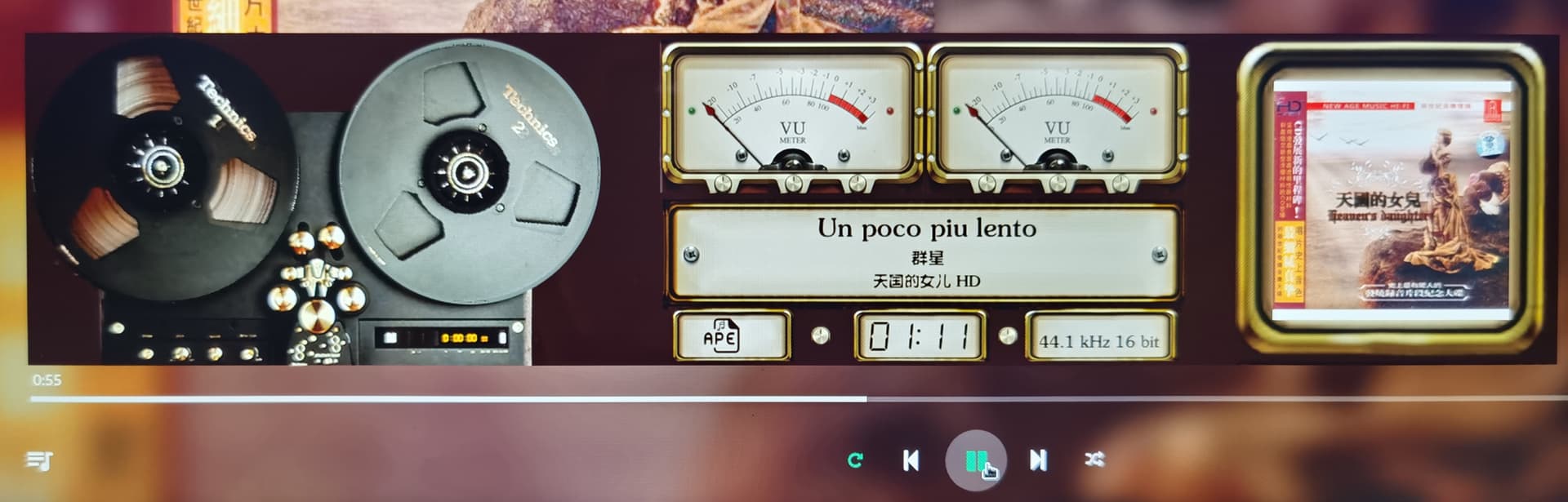
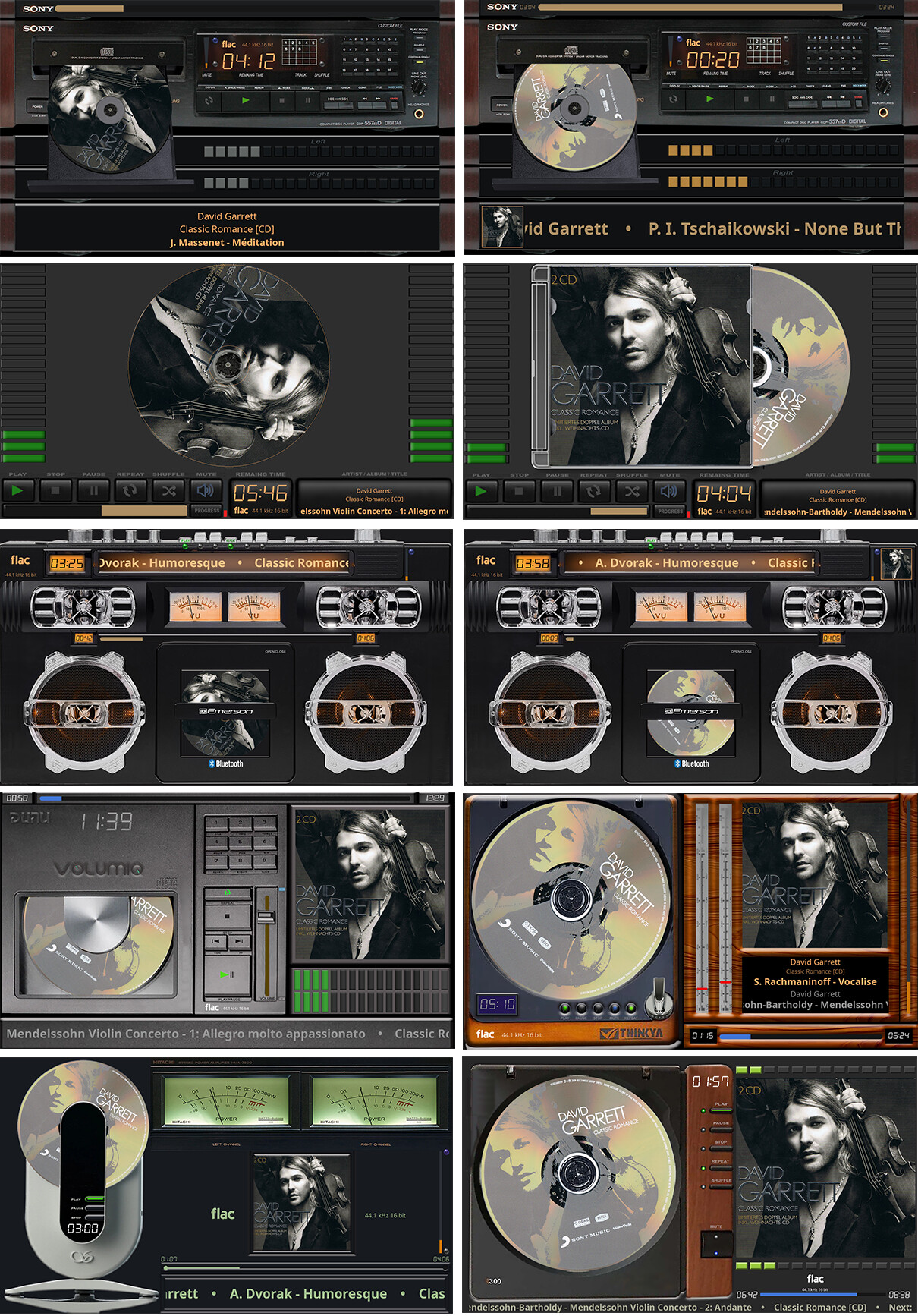
[Plugin] PeppyMeter/Spectrum Screensaver for VOLUMIO Bookworm

@Gelo5

Glad everything is working across your fleet. The coffee was worth it.

Now then.

  1. Multiple installation profiles - yeah, I can see the pain when you are running a Pi in every room like some kind of audio surveillance operation. Right now config.json is a plain text file - you can keep copies named for each installation and swap them in with a text editor. Not glamorous, but functional. A proper profile selector is noted for the ideas list. No promises, no timeline.

  2. Tidal logo on remote - need to look into this one. The remote displays what the server sends. If Volumio is providing artwork in the metadata and we are not picking it up, that is a bug and I will fix it. If Volumio is not sending it, that is between you and Volumio. I could investigate and report back, but I am not using Tidal.

  3. DAB station custom logos - the remote is a mirror of the server display. It shows what Volumio provides. Wiring in custom per-station artwork turns it into something it is not meant to be. If the DAB plugin sends station logos, we will display them. If it does not, that is a feature request for the DAB plugin author, not for us. Just a sec - who is the author of the DAB plugin? Let me talk to this fella.

Kind Regards,

1 Like

@nerd rescaled the skins:
1920x1080_g5_710_Turntables, 1920x1080_g5_711_Tape_ Recorder,
1920x1080_g5_712_Cassette

to
1280x720,
you can download them from Github. Thanks @nerd

1280x720

1 Like

Hey @Gelo5,

You know, most people report bugs by saying “it does not work.” You send screenshots at two different volume levels, on two operating systems, with enough detail to make a forensics team jealous. I am genuinely unsure whether to thank you or bill you for the therapy.

The volume slider tip on Windows was not, as my previous debugging attempt enthusiastically insisted, a DPI scaling issue, an SDL hint deficiency, a surface format mismatch, or any of the other seventeen theories it burned through before I had to step away and touch grass.

It was a dirty rectangle. One line. The slider tip travels 224 pixels vertically but the code was telling Windows to refresh a 41 pixel region. Linux does not care - it repaints the whole screen anyway like a golden retriever that fetches every stick in the park regardless of which one you threw. Windows, being Windows, updates exactly what you ask for and not a pixel more. So the tip was being drawn correctly, then never shown, because nobody told the display it had changed.

One line fix. return self.get_rect() instead of return pg.Rect(x, y, w, h). The rect used for clearing and the rect used for display update now match. As they always should have.

Pushed to experimental. Reinstall the remote client and confirm the Pioneer Gold fader no longer looks like it was assembled by a printer running out of ink.

And before you ask - no, this is not an invitation to test every slider in every template at every volume increment. I can see you reaching for the keyboard…

Kind Regards,

I didn’t find anything inaccurate about the Windows version of Remote Client. The only difference is that the music format icons are slightly smaller than normal and are a bit off to the top left.

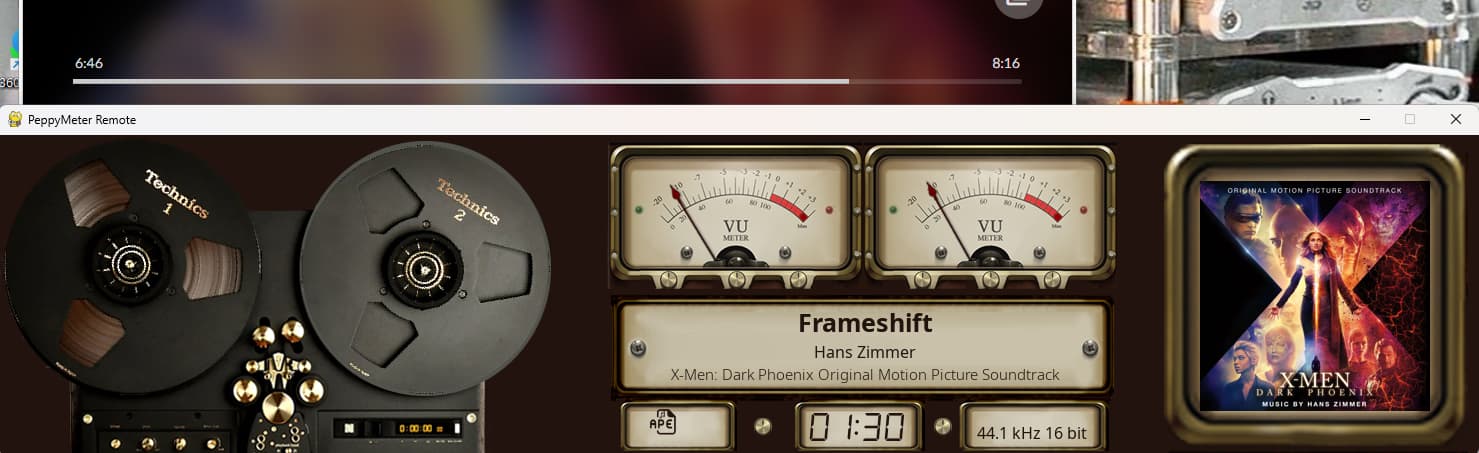
This is Remote Client in Windows

The image below is of Volumio PeppyMeter ScreenSaver.

It’s likely a difference in SVG rendering; it’s just a minor aesthetic issue.

@nerd

Hey @Lee.Yan,

Can you compare with mp3, flaac formats? This will tell us whether blit is discarding position altogether or if this is specific formats related.

Kind Regards,

Thank you, Gelo5 for the nifty new turntable & cassette skins in both 1920x1080 and 1280x720 versions. Really appreciate it, you’re the best!! :clap:t2: :clap:t2: :clap:t2:

1 Like

All formats are identical. Both ends use completely identical templates, meaning the server templates are mounted in the same way.

I think @Lee.Yan changed the icons to his own, these are not standard format icons.

It’s not that my SVG file is the problem; all format icons (including the native ones) are the same, and they all appear slightly smaller in the Remote client.
It’s likely a difference in SVG rendering; it’s just a minor aesthetic issue.

Final 1920x1080 CD - update


1920x1080 CD

1 Like

PeppyMeter 3.3.2 - The Sleep Clinic Needs Patients (Experimental)

Dear Volumionauts,

The sleep clinic is open for business. Gelo5 had a dream. dewen had a dream. pjorgenunes had a dream. At this point I should apply for NHS funding.

3.3.2 is sitting in the experimental branch for both peppy_screensaver and peppy_remote. It is not released. It needs testing. Real testing. The kind where you actually use it for a few days and tell me what broke, not the kind where you install it, glance at it once, and declare victory.

I say this because three weeks from now, someone will emerge from hibernation and report that something they had in 3.3.1 is now missing. I would like to have that conversation before the release, not after. My caffeine budget does not stretch to both.

What is in it

Multi-Client Remote Display

The big one. Previously, running two remote clients on the same machine was a polite way of saying “UDP packet roulette”. Both clients listened on the same ports. Both got each other’s data. Hilarity ensued.

Now each remote client binds its own ephemeral ports for discovery, level data, and spectrum. The server tracks clients by IP and port, not just IP. Broadcast still works for the common case. Unicast goes out to clients that bound non-default ports. Two remotes on one PC, each showing a different template - that is supposed to work now. “Supposed to” being the operative phrase until someone other than me tests it.

Version Handshake

The server now advertises its plugin version in both the HTTP config endpoint and UDP discovery. The remote client checks this before starting. If the versions do not match, you get a clear message instead of mysterious rendering failures.

The HTTP check is authoritative. Discovery version is informational. There is a --skip-version-check flag for the adventurous and a --server-wait-timeout for slow boots.

On the server side, enable Verbose debug logging to see client_version lines when remotes connect. Version mismatches get logged. Legacy clients without version info get a polite note in the log.

Theme Sync Fix

The remote client was not following server meter and theme changes properly. If the server switched templates - random, list, or manual - the remote would sometimes shrug and keep showing the old one. Fixed. The remote now compares what is on screen against what the server says should be on screen, and reloads when they disagree.

Cross-Platform Hardening

  • SVG format icons now use cairosvg as the primary rasterizer across all three handlers. Pygame’s built-in nanosvg gives platform-dependent sizes for the same SVG file, which meant your format icon looked different on Linux versus Windows. cairosvg rasterizes at exact target dimensions. Pygame native SVG remains as fallback.

  • Image slider dirty rect fix. On Windows, SDL2 strictly honours the dirty rect list in display.update(). The slider was returning only the dim rect, not the full tip travel area. Low volume positions drew the tip outside the listed rects. Linux fbdev flushed the full framebuffer so nobody noticed. Windows noticed.

  • Time field width calculations. All three handlers used font.size() to compute time display rects. font.size() does not account for italic overhang. font.render().get_width() does. The last digit of countdown timers was getting clipped on italic font styles.

  • Persist file path uses tempfile.gettempdir() instead of hardcoded /tmp. Windows does not have /tmp. It has opinions about where temporary files go.

  • UTF-8 decode hardening in peppy_remote for non-UTF-8 system locales. Chinese Windows with CP936 encoding was causing UnicodeDecodeError on discovery and metadata packets.

How to test

Both repos, experimental branch. You need matching versions on server and client.

Server (peppy_screensaver):

  1. Disable and uninstall PeppyMeter Screensaver in Volumio UI
  2. SSH in:
    cd ~
    git clone --depth=1 --branch experimental https://github.com/foonerd/peppy_screensaver.git
    cd peppy_screensaver
    volumio plugin install
    
  3. Enable PeppyMeter Screensaver in Volumio UI

Remote client (peppy_remote):

Fresh install from experimental branch.

  1. On Linux:

    cd ~
    curl -sSL https://raw.githubusercontent.com/foonerd/peppy_remote/main/install.sh | bash -s -- -b experimental
    
  2. On Windows (PowerShell as Administrator):

    irm https://raw.githubusercontent.com/foonerd/peppy_remote/main/install.ps1 -OutFile install.ps1
    powershell -ExecutionPolicy Bypass -File install.ps1 -b experimental
    

What I need from testers

  • Does the version handshake work? Does the remote start cleanly when versions match? Does it refuse cleanly when they do not?
  • Theme changes on the server - does the remote follow? Try random mode, list mode, manual switch.
  • If you have the means to run two remote clients on one machine - does multi-client actually work?
  • Windows users - do format icons render at the correct size? Does the slider behave at low volume?
  • Does anything that worked in 3.3.1 not work now?

That last one is the important question. Everything else is new. Regressions are the enemy.

Bug reports require: template name, hardware, what happened, what should have happened, and /tmp/peppy_debug.log with debug level set to verbose or trace. “It does not work” is not a bug report. It is a cry for help, and while I sympathise, I cannot fix feelings.

Wiki

Remote Display and Troubleshooting pages updated with version compatibility, HTTP check steps, CLI flags, and what to do when the client exits with a version mismatch.

As always, provided “as-is”. The experimental branch is experimental. The clue is in the name.

Kind Regards,
The NHS is only available in the UK. What about Europe, Africa, and the Middle East? :partying_face: GP

Key NHS features

  • Tea is not officially listed as medicine, but strongly implied
  • Appointments run on “ish” time (10:00ish, 11:30ish, someday-ish)
  • Staff are underpaid, overworked, and still somehow incredibly kind
  • You Google your symptoms, NHS Website says “probably fine”, Google says “immediate death”
1 Like

@Gelo5 The sleep clinic accepts international patients. No referral needed. No waiting list. You walk in with a dream, you walk out with a feature. Gelo5 got universal template coverage. dewen got universal font coverage. pjorgenunes got remote wizard selections. The only entry requirement is a debug log and a willingness to be specific about what hurts.

@Wheaten I will not comment on the accuracy of that NHS summary except to say the clarity engine also runs on “ish” time and its lead developer is underpaid, overworked, and still somehow incredibly kind. Tea is strongly implied but not officially listed as a dependency in package.json. Yet.

Now - the experimental branch has been sitting there looking very testable and feeling very neglected. It would love some attention. The version handshake wants someone to disagree with it. The multi-client UDP wants two remotes on the same machine to give it a proper workout. The theme sync fix wants someone to hammer random mode until something falls over or nothing does.

The sleep clinic processes dreams. The testing clinic processes bug reports. Both are open. One of them has vacancies.

Kind Regards,

3 Likes

Remote Client 3.3.2
After the program starts normally, it automatically changes the skin every 1-2 seconds, constantly switching between them.

=================================
Fetching config from server via HTTP…
Config fetched successfully (version: d42a5b50)
Config adjusted for local use (meter: 1920x480_g5_811)
Spectrum not visible in current meter config
Starting meter display (windowed)…
Press ESC or Q to exit, or click/touch screen
Server active meter changed to: 169G5_Denon DR650
Fetching config from server via HTTP…
Config fetched successfully (version: d42a5b50)
Config adjusted for local use (meter: 1920x480_g5_811)
Config reloaded from server.
Server active meter changed to: 169G5_Denon DR650
Fetching config from server via HTTP…
Config fetched successfully (version: d42a5b50)
Config adjusted for local use (meter: 1920x480_g5_811)
Config reloaded from server.
Server active meter changed to: 169G5_Denon DR650
Fetching config from server via HTTP…
Config fetched successfully (version: d42a5b50)
Config adjusted for local use (meter: 1920x480_g5_811)
Config reloaded from server.
Server active meter changed to: 169G5_Denon DR650
Fetching config from server via HTTP…
Config fetched successfully (version: d42a5b50)
Config adjusted for local use (meter: 1920x480_g5_811)
Config reloaded from server.
Server active meter changed to: 169G5_Denon DR650
Fetching config from server via HTTP…
Config fetched successfully (version: d42a5b50)
Config adjusted for local use (meter: 1920x480_g5_811)
Config reloaded from server.

The situation is the same for server-side versions 3.3.2 and 3.3.1.

@nerd

First look
Tested functions:
Windows Client

  • Changing skins (Intrval) - works correctly

  • Changing skins (Title) - works correctly

  • Changing skins (Manual) - works correctly

  • Changing skins (List) - works correctly

  • Logo scaling - works correctly (streaming logo e.g. Tidal) - works correctly
    Problem:

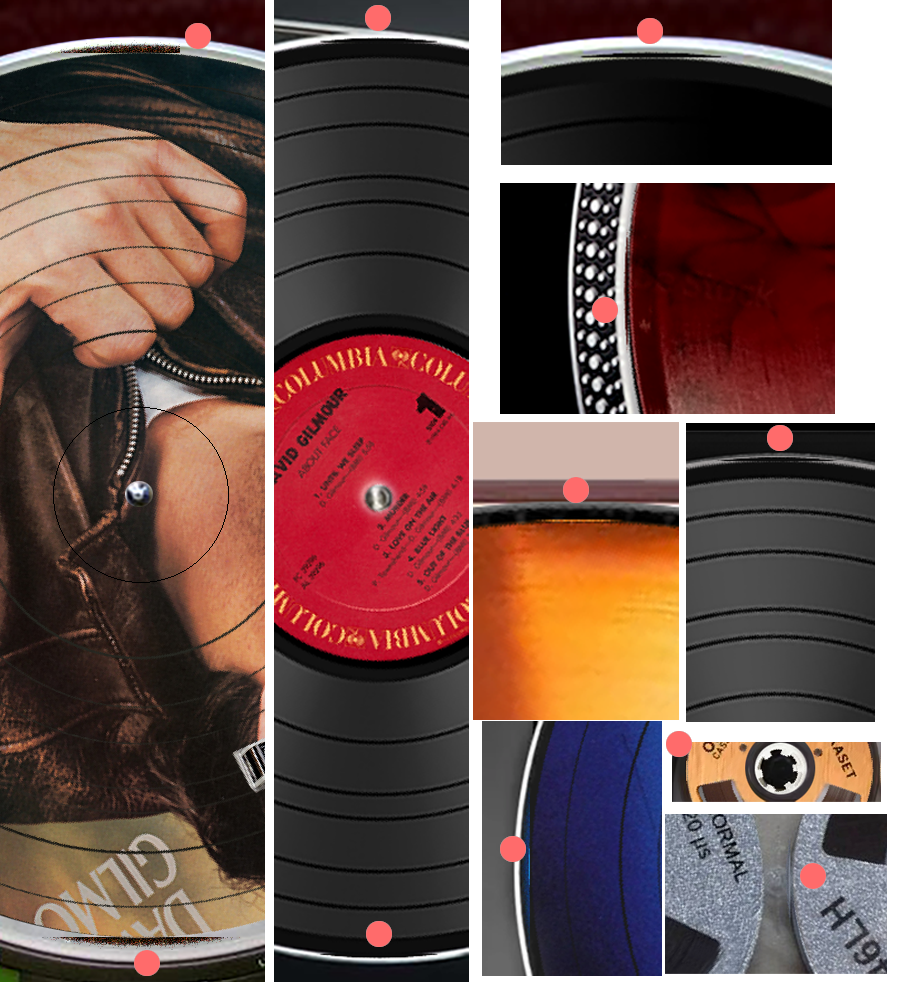
  • Spinning elements leave a trace (all Turntables, Tape, CD, Cassette skins - 1920x1080) - It was also in version 3.2.1

  • Multiple installations - one laptop
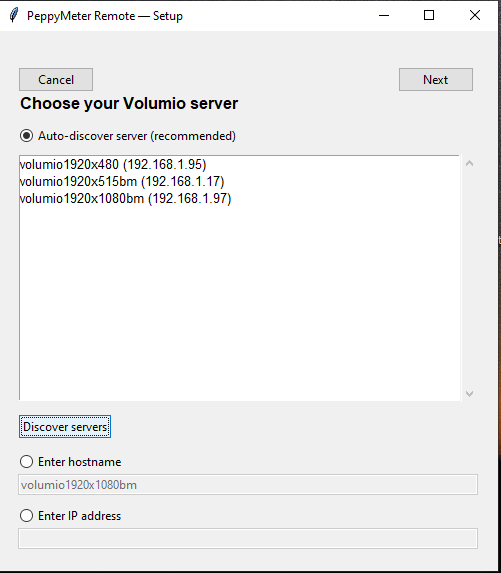
    searches for all installations (here 3), the condition is to start playback
    Problem
    you can only save one profile (it was translated earlier)

This is what is missing to be perfect::pinching_hand:

The run_peppymeter.sh file in the peppy_screensaver package needs to be corrected. Currently, it is in Windows CRLF format. Direct installation will not start the peppy_screensaver plugin. It needs to be converted to UNIX LF format.

Hey Lee.Yan,

I have checked run_peppymeter.sh on the main branch and in the v3.3.1 release zip. Both are Unix LF. The file command reports “ASCII text executable” with no CRLF mention, and cat -A shows clean $ line endings throughout. All three shell scripts in the repo (install.sh, run_peppymeter.sh, uninstall.sh) are the same - clean LF.

The most likely cause is that CRLF was introduced on your end during extraction or transfer. Some Windows unzip tools silently convert line endings when extracting, and editing a file on Windows before copying it to the Pi can do the same thing. If you opened the file in Notepad or another Windows editor at any point, that would do it.

Quick fix if it happens again:

sed -i ‘s/\r$//’ run_peppymeter.sh

Or just re-clone fresh from the repo and avoid touching the .sh files on Windows.

Kind Regards,

Hey Lee.Yan,

Thanks for the log - that made it easy to confirm. The UDP version listener was comparing mismatched strings between the broadcast packet and the internal state holder, so every announcement triggered a reload even though nothing actually changed.

Fixed in the experimental branch. The fix normalizes all config/meter string comparisons and syncs the version holder properly after each HTTP fetch so the UDP listener stops seeing phantom changes.

Kind Regards,

Hey Lee.Yan,

Please stop deleting posts while investigating the issue. The work still gets done whether the post is there or not, but deleting the report after the fact makes the thread useless for anyone else who hits the same problem.

The font crash was caused by pg.font.SysFont(‘sans’) returning NULL on Windows systems that do not have that font alias. Fixed in the experimental branch - there is now a _resolve_pygame_ui_font() function that walks a fallback chain (sans, DejaVu Sans, Liberation Sans, Segoe UI, Arial, Calibri, Microsoft Sans Serif, Helvetica Neue) with a test render on each candidate before accepting it. Covers the sync modal, the version mismatch screen, and the wait-for-server screen.

Your sans-serif workaround would have worked on your machine but is not portable either. The fallback chain is the correct fix.

Kind Regards,

1 Like