Hey @Mknora,
Thank you for reporting.
Perhaps you have missed previously communicated on multiple occasion hard requirement:
–>> No logs - no help <<–
No exceptions.
Kind Regards,
Hey @Mknora,
Thank you for reporting.
Perhaps you have missed previously communicated on multiple occasion hard requirement:
–>> No logs - no help <<–
No exceptions.
Kind Regards,
Hey @dewen,
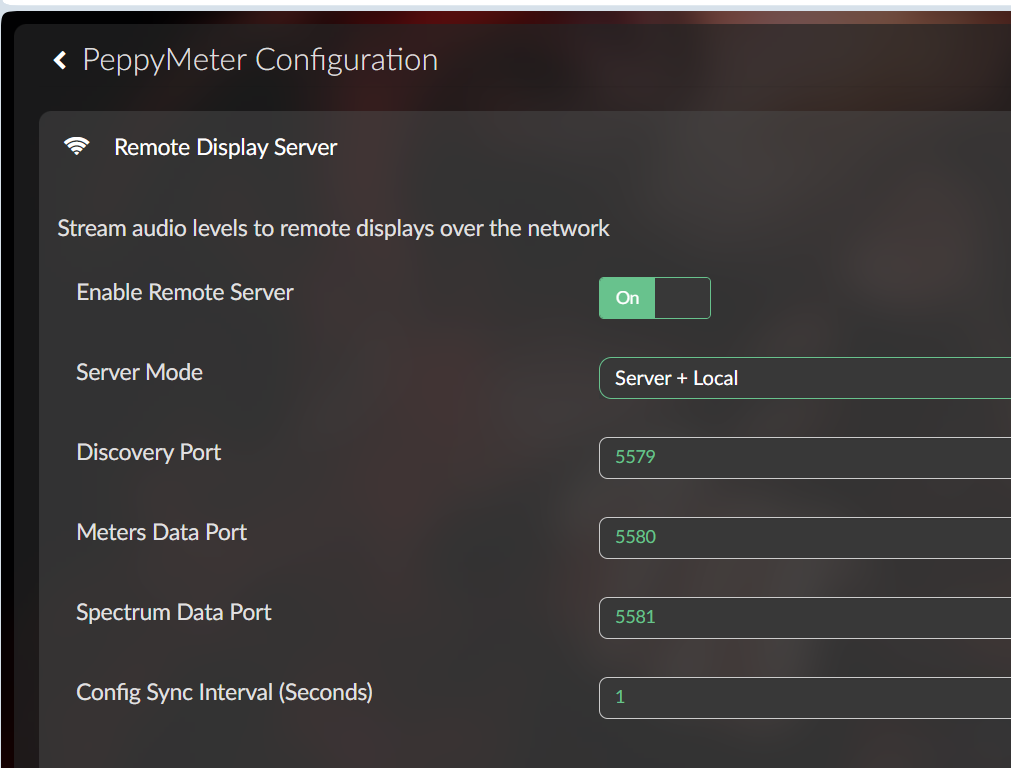
Good news. Your Server Only report led to a proper rewrite of headless mode.
Previously, Server Only still spun up the full local render pipeline and just tried to suppress the display. That is why you saw meters drawing locally and the spectrum fighting for audio data. Wrong approach entirely.
It now runs as a true headless server - metadata watcher and UDP broadcasters only. No pygame display, no render loop, no callbacks trying to draw to a screen that is not there. The spectrum instability goes away with it since there is no local renderer competing for audio samples.
Server + Local mode is unchanged - same behavior as before.
Please pull the latest fixes for both peppy_screensaver and peppy_remote and let us know if headless now behaves as expected on your Pi 5.
Commits if you want to cherry-pick: peppy_screensaver 8ce594d and b648f2b from experimental branch, peppy_remote 6630cb1 and 4195b60 from main branch.
Kind Regards,
Yes, Photoshop, Paint, CorelDraw etc… + WIKI
piant.net, and don’t forget notepad, notepad++, Visual Studio Code, Vi, Nano, Leafpad…
I mean a dedicated editing app for making peppy_templates.
Hey @Lee.Yan,
Personally I just hand edit meters.txt in vim and occasionally indulge myself with raw SVG path data in a text editor like a normal person, but I recognize not everyone finds that relaxing on a Monday morning.
If you are genuinely thinking about building a dedicated tool for it, I would say go for it. The meters.txt format is well documented in the wiki and it is basically just key-value pairs defining positions, dimensions, and image references. A visual editor that reads and writes that format would be a massive quality of life improvement for template creators. @Gelo5, @Wheaten can probably tell you exactly which parameters are the most painful to dial in by hand.
The templates repo is public so you have plenty of real-world examples to work from. If you get something working, even a rough prototype, Create such tool and point people at it.
Kind Regards,
Creating and modifying peppy_templates requires precise positioning, and editing meters.txt is not intuitive enough.
Spending some time reading the Wiki, takes 1-2 hour. Building what you ask takes several months…
But as @nerd already mention, give it a try.
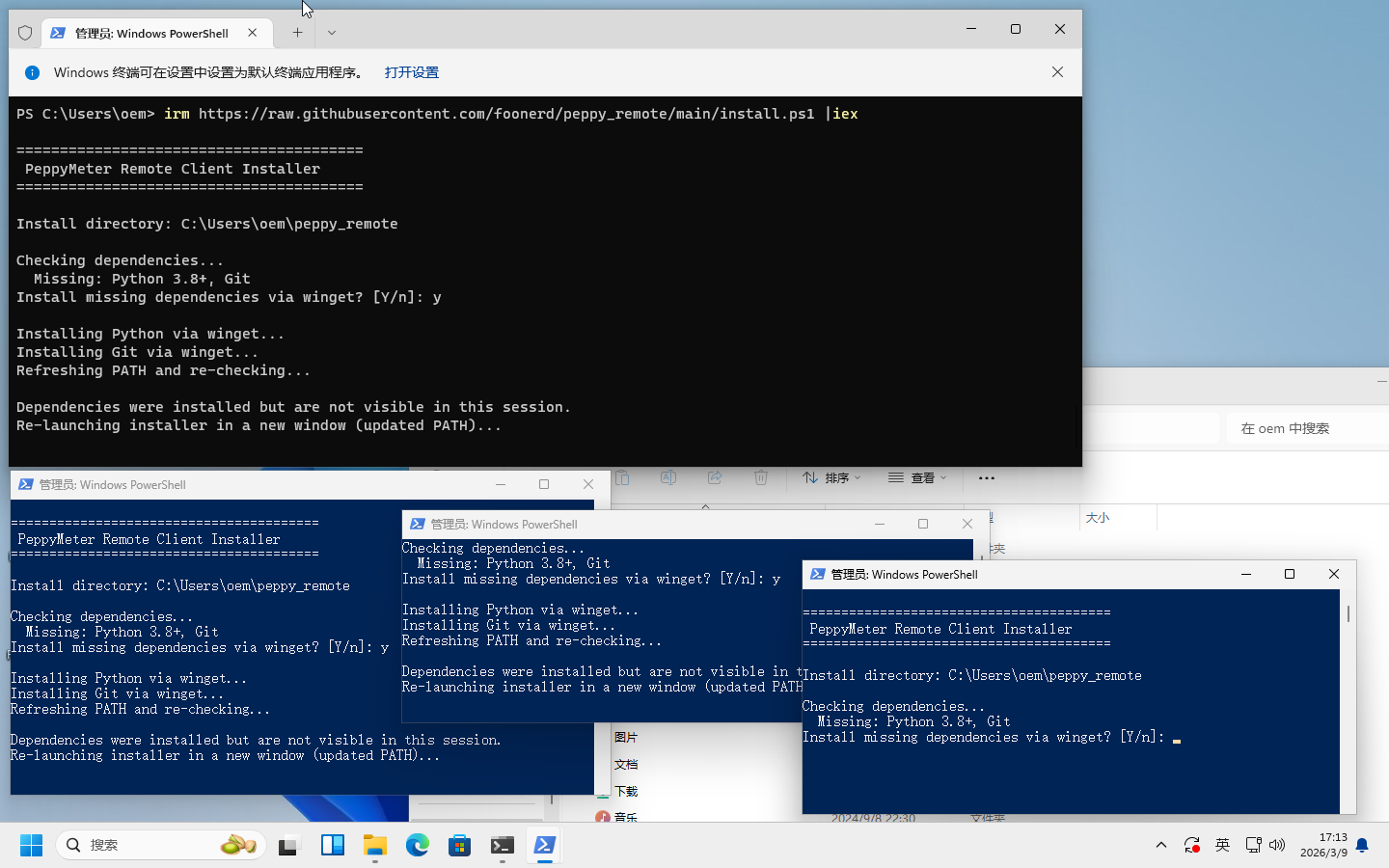
I still haven’t been able to successfully install the Windows Remote client. The install.ps1 file keeps opening new windows to install the same component.
Got an idea for a skin? Show us. We’ll help you make it happen.
Yes, I mistakenly thought such a tool already existed based on previous replies.
Hey @Lee.Yan,
I see “keeps opening new windows to install the same component” but I do not see which component, I do not see the PowerShell output, I do not see any error messages, and I do not see a screenshot. That gives me exactly nothing to work with.
You know the drill by now. No logs, no help. I can only fix what I can see.
Two options:
Pack your computer, ship it to me at your expense. I will investigate properly, fix the issue, and ship it back. Promise.
Open PowerShell as Administrator, run the installer, and when it misbehaves - screenshot the PowerShell window text and post it here. Zero shipping costs.
Option 2 is cheaper. Strongly recommended.
Kind Regards,
Community should not be involved in 3rd party remote desktop session!!!
Hmm, I don’t see this screenshot
I’m out! I don’t understand anything – I ask one thing – you answer something else. Is this an idea for a skin?
Oh, sorry, that’s a different issue and has nothing to do with skin design.
@nerd
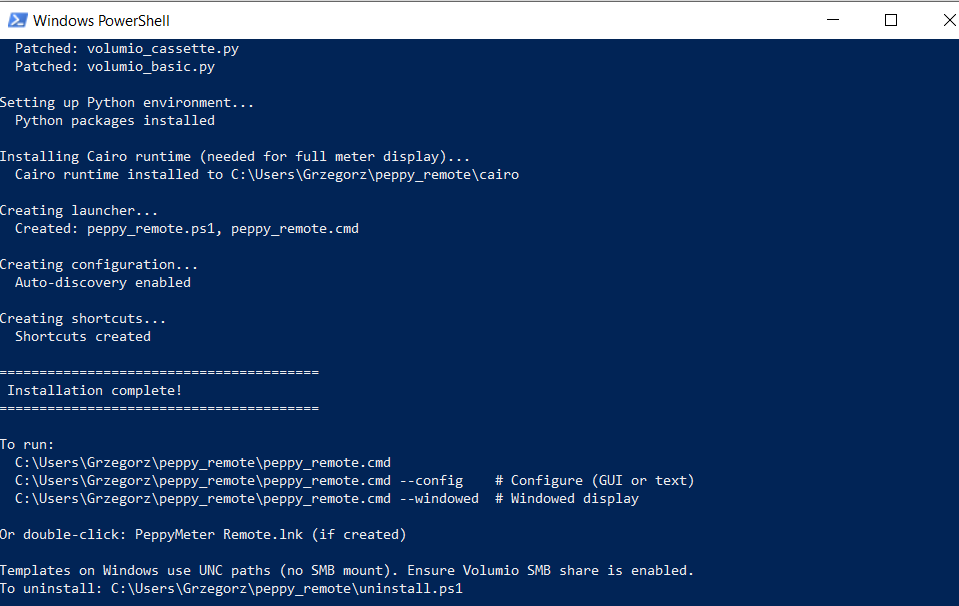
I tried it too. Everything installed correctly (no errors).
Running Peppymeter:
On my laptop (Windows 10) - installed:
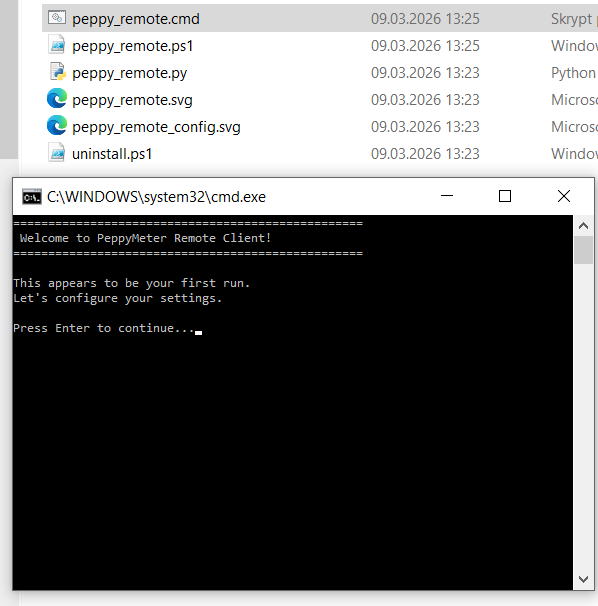
After launching (Enter), the window disappears and I can’t access the configuration.
I have uploaded a screenshot.
Hey @Lee.Yan,
Yes, I have seen the screenshot - thank you for posting it. That is exactly what I needed.
The problem is clear. After winget installs Python and Git, Windows does not update the PATH for the current PowerShell session. The script detects they are missing, relaunches itself in a new window to pick up the new PATH - but Windows does not update that one either. So it relaunches again. And again. Classic Microsoft - installs the software, tells the registry about it, then keeps it a secret from every running process. Industrial grade engineering.
I do not have a Windows machine so I am testing on you. Updated install.ps1 is on the repo. The fix adds direct probing of known install directories when PATH lookup fails - it now checks where winget actually puts Python and Git on disk instead of trusting Windows to know where its own software lives. There is also a recursion guard so even if everything else fails, it will stop after one relaunch and tell you what to do manually instead of opening windows until your taskbar gives up.
Give it another run and let me know.
Kind Regards,