[Plugin] PeppyMeter/Spectrum Screensaver for VOLUMIO Bookworm

PeppyMeter 3.3.0 - @Gelo5’s Holiday Is Over

Here Is What Happened.

Dear Volumionauts,

Two weeks ago I asked @Gelo5 to go outside and touch grass. He sent me back a picture of a winter outdoors, covered in snow, no grass. His cold holiday lasted approximately forty-eight hours before he found the first bug. I would say I was disappointed but that would require me to have had expectations in the first place. But the testing period did its job - four bugs reported, three fixed, one turned out to not be ours. Luckily @Wheaten has been busy elsewhere, which meant I had more than the usual twenty minutes he gives me between “here is a bug” and “is it fixed yet” to actually think through the logic. Luxury.

Here is the scorecard.

Bug 1 - PeppyMeter stuck on screen after album finishes

Reported by @Gelo5. After the last track in a queue finished playing, PeppyMeter stayed on screen instead of returning to the Volumio UI.

Cause: a regression in pushState stop handling. When playback ends naturally at the end of a queue, the stop event was not being processed correctly, so the screensaver never received the signal to exit.

Fixed in 340e98d. One surgical commit, no collateral damage.

Bug 2 and 3 - Server Only mode rendering locally and spectrum instability

Reported by @dewen. Setting the remote display to Server Only (headless) mode still showed the meter on the local Pi 5 screen. Additionally, the spectrum analyzer in headless mode was unstable - flashing instead of responding smoothly to audio.

Cause: same problem. Server Only mode was still spinning up the full local render pipeline - pygame display, render loop, callbacks, all of it - and then trying to suppress the output. The spectrum instability was the local renderer and the UDP broadcast path both fighting for the audio data buffer.

First fix attempt was reverted. Second attempt got it right - a true headless server runtime that runs only metadata and UDP broadcasters. No pygame, no display, no render loop, no callbacks trying to draw to a screen that should not exist. Server + Local mode is completely unchanged.

The remote client also got a related fix - the discovery active_meter message is now treated as runtime authority, eliminating a reload loop that occurred when meter was set to random.

Fixed in peppy_screensaver 8ce594d and peppy_remote 6630cb1. Documentation updated in both repositories and the wiki.

Bug 4 - Random On Title Change not switching templates

Reported by @Gelo5. Setting random template switching to “On Title Change” did not switch - stayed on one skin. “Interval” mode worked fine.

Resolution: not a PeppyMeter bug. @Gelo5 updated Volumio to 4.103 alpha and the problem resolved itself. The pushState title change events were not being sent correctly by the older Volumio version. Trace logging confirmed all screensaver actions and APIs were in order.

Windows installer improvements

@dewen’s and @Lee.Yan’s testing also surfaced Windows installer issues - and one that deserves its own paragraph. After winget installs Python and Git, Windows does not update the PATH for the current PowerShell session. The script detects they are missing, relaunches itself in a new window to pick up the new PATH - but Windows does not update that one either. So it relaunches again. And again. Classic Microsoft - installs the software, tells the registry about it, then keeps it a secret from every running process.

Since I do not have a Windows machine, @dewen and @Lee.Yan have been my hands-on testers for this. The fix adds direct probing of known install directories when PATH lookup fails - it now checks where winget actually puts Python and Git on disk instead of trusting Windows to know where its own software lives. There is also a recursion guard so even if everything else fails, it stops after one relaunch and tells you what to do manually instead of opening windows until your taskbar gives up.

The Numbers

Four bugs reported during the testing period. Three were real and are now fixed. One was a Volumio issue that resolved with an update. Zero regressions introduced by the fixes. One report ignored because it contained no logs, no hardware details, no template name, and no debug output - just “meters do not move.” That is not a report. That is a haiku without the syllable count. The rule has not changed and will not change: –>> No logs == no help <<– No exceptions.

Total reports received: still basically four people. Out of five hundred plus downloads. I am choosing to interpret the silence as “it works perfectly and everyone is too busy enjoying their music to type a sentence.” The alternative interpretation is less flattering.

What Happens Next

The 3.3.0 tag is now out. The three confirmed bugs are resolved and pushed to main branch. If @dewen can confirm the headless fix works on his Pi 5, and nobody finds anything new in the next few days, the tag stays cut.

If you have been waiting for the stable release before testing - now is the time. Pull from main (install in usual manner), play some music, and tell us if anything looks wrong. Even “all good” helps.

@Gelo5 - welcome back. Your holiday is officially over. I am sure you have a list.

Kind Regards,
1 Like

???

I know that you are very relaxed after the “touching grass” holiday…
Perhaps a bit more than “???” - have you tried current, latest remote installer?

Kind Regards,

Thank you for your reply.
I will test the new script as soon as possible.

“normal” or experimental?
On the official version - everything installs correctly, but you cannot enter the settings (the window disappears)
I can’t test any further

Dear Volumionauts,

I have received some private messages about my update posts. They fall neatly into two camps. I will share some of them.

Camp A:

  • “Your explanations are way too long and too detailed for an average user to even be bothered with reading”
  • “Perhaps instead of wasting time on writing you could provide bullet point summaries”
  • “Too much detail, my head hurts”

Camp B:

  • “Excellent read, keep the details coming”
  • “Your posts are the best on any forum worldwide, informative, detailed”
  • “I love reading your responses, I learn a lot from your analysis, approach, methods”

I have considered both positions carefully over several long paragraphs and arrived at the following compromise.

I will continue writing exactly as I do.

Camp B - you are welcome. Camp A - there is always a summary at the bottom. Scroll faster.

Kind Regards,

5 Likes

I’m in the ‘latest’ camp and have a problem, which is bad in an unspecified way. What are you going to do to fix it?

Hey @SimonE,

I have carefully analysed your report and can confirm the problem is fixed in an unspecified way.


On a more serious note - any fix is only as good as the observation behind it. When someone reports a bug with hardware details, template name, steps to reproduce, and a debug log, I can usually find the root cause in one session. When someone reports “it is bad in an unspecified way,” the best I can do is guess. And guessing in a codebase with three render engines, two platforms, a remote display protocol, and a spectrum analyzer is not a productive use of anyone’s time.

Every fix you have seen in these updates started with someone sitting in front of their equipment, observing what went wrong, describing it accurately, and supplying the logs. I do not have your Pi. I do not have your display. I do not have your template collection or your DAC or your network. You do. You are the one with direct access to the equipment exhibiting the problem. I need you to be my eyes and ears on that end - and that means details.

What was playing. What template. What hardware. What you expected. What actually happened. And the debug log from /tmp/peppy_debug.log with the level set to verbose or trace.

That is how bugs get fixed in a specified way.

Kind Regards,

1 Like

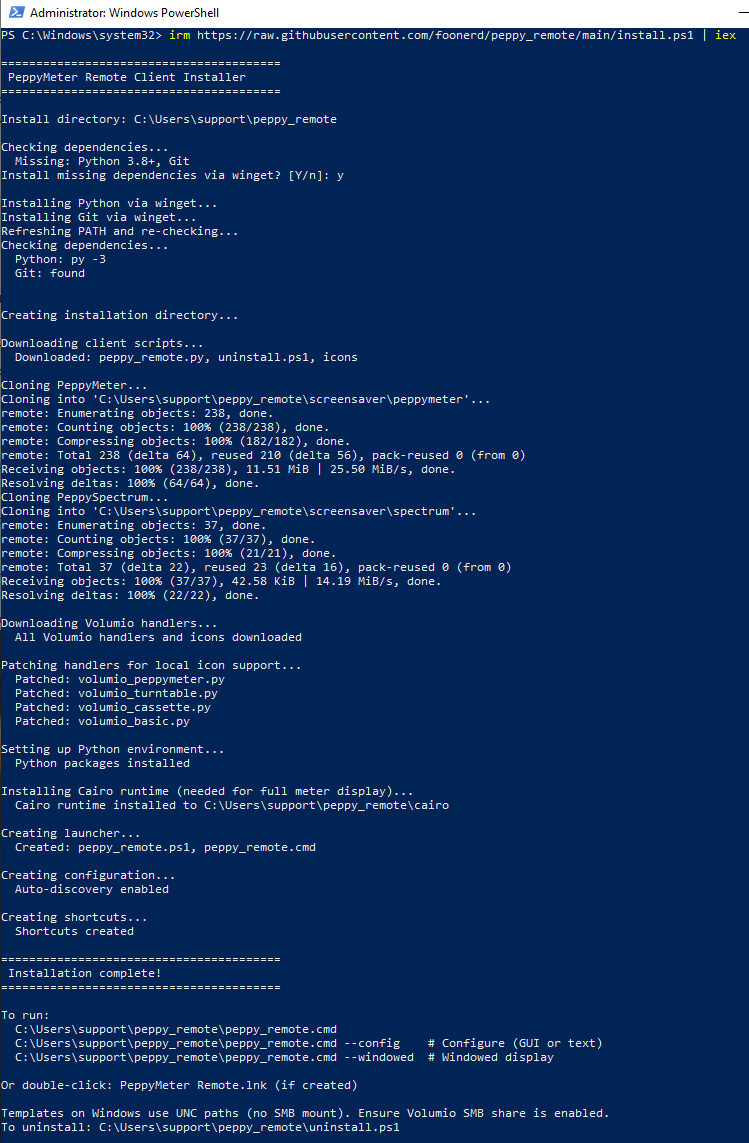
Step, by step; since I know you like pictures - apologies for the lack of aesthetics.

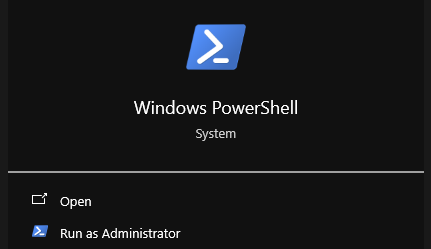
As Administrator:

image

irm https://raw.githubusercontent.com/foonerd/peppy_remote/main/install.ps1 | iex

On your desktop, shortcut PeppyMeter Remote (Configure)

Or using command line:

image

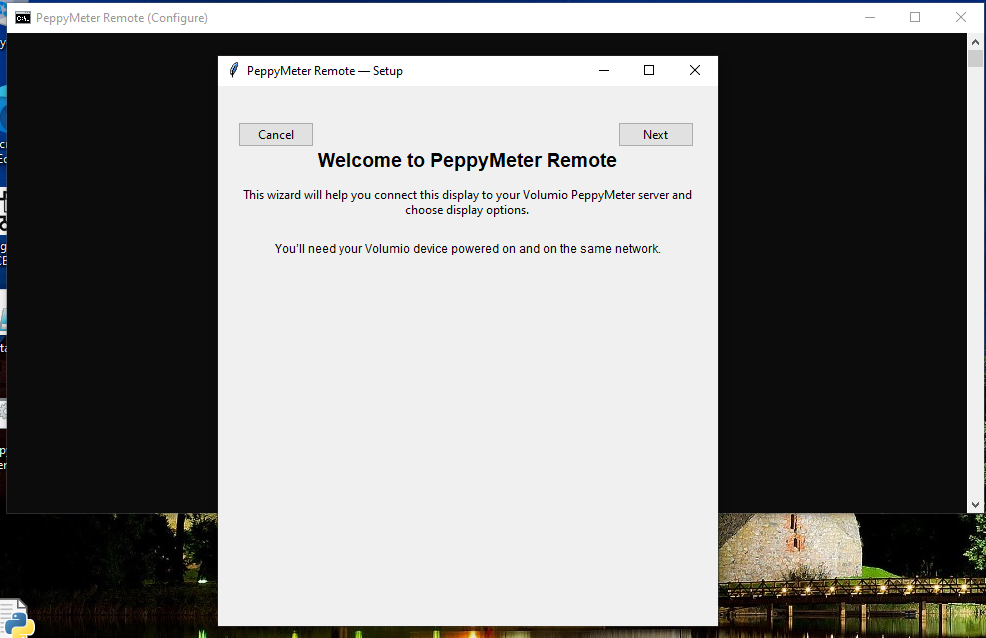
Opens configuration wizard:

What am I doing differently?

Kind Regards,

I did exactly the same thing!! The problem is that the configuration window doesn’t open. That’s it. I wrote about it (with photos) in the first post on this topic.

Hey @Gelo5,

Did you cleanly uninstall old version first? Then a typical MS Windows solution to all problems - reboot?

Kind Regards,

Yes, first uninstall, reboot, install

Hey @Gelo5,

Please show your remote config.json content.

Kind Regards,

{
  "wizard_completed": false,
  "server": {
    "host": null,
    "level_port": 5580,
    "volumio_port": 3000,
    "discovery_port": 5579,
    "discovery_timeout": 10
  },
  "display": {
    "windowed": true,
    "position": null,
    "fullscreen": false,
    "monitor": 0
  },
  "templates": {
    "use_smb": true,
    "local_path": null
  }
}

Hey @Gelo5,

I think there is a key difference in your actions.

The window disappearing means Python is crashing on startup and the console closes before you can read the error. The shortcut opens a cmd window, runs Python, Python dies, window closes. All you see is a flash.

Open PowerShell manually. Then run:

cd C:\Users\Gelo5\peppy_remote
.\peppy_remote.cmd --config

The window will stay open and show you whatever Python is complaining about before it dies. Copy that output and post it here.

Kind Regards,

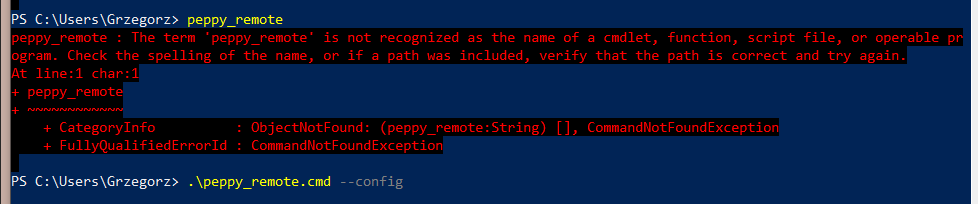
Hey @Gelo5,

You are in C:\Users\Grzegorz.
The installer put everything in C:\Users\Grzegorz\peppy_remote. Those are two different things - one is a folder inside the other.

Step 1 - go into the folder:

cd C:\Users\Grzegorz\peppy_remote

Step 2 - run it:

.\peppy_remote.cmd --config

Step 1 is not optional. It was the first line of my instructions for a reason.

Kind Regards,

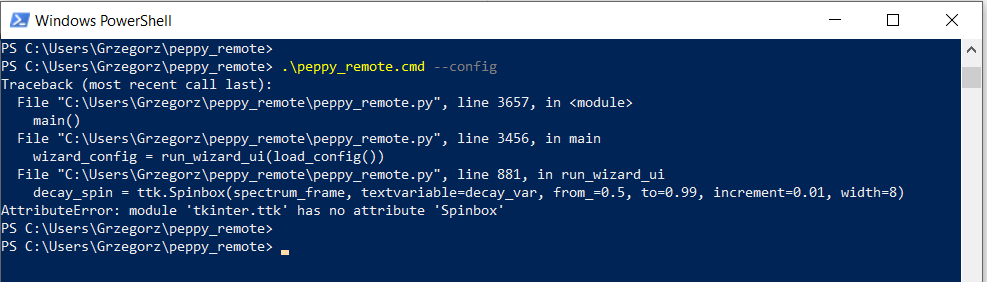
Hey @Gelo5,

Good - now we can see the actual problem. Your Python installation has an old version of Tk that does not support ttk.Spinbox.

Run these two commands from the same directory:

.\venv\Scripts\python.exe --version
.\venv\Scripts\python.exe -c "import tkinter; print(tkinter.TkVersion)"

Post the output. I need to see which Python built your venv and what Tk version it shipped with.

Kind Regards,