I know, I know – I’m using version 0.8.58 
You are using a very old version!
That’s why you should buy @nerd a coffee!
1 Like
Running beautifully on rpi4 w waveshare 11.9" screen.
Has anyone got this working with Metaroon.
I was hoping that the implementation being different from peppymeter might allow Glass to work w room. For me, no luck.
Gemini had many authoritative steps but finally admitted that it was guessing and then apologized profusely.
Hey @msherman,
With MetaRoon the meters cannot move, and it is not something a setting fixes. The plugin handles Roon’s metadata and controls, but the sound itself is played by Roon’s own RoonBridge, which goes straight to the DAC. Glass measures the audio inside Volumio’s own sound path, where MPD and the other sources play, and Roon’s audio never passes through there. PeppyMeter had the same limit for the same reason.
Making it work would mean routing Roon’s audio through Volumio’s sound path (an ALSA loopback), which has costs of its own (latency, no native DSD). That does not exist today.
In order to investigate anything I need you to follow post #2 or #80. You need to provide me with the details as requested, or simply I have no way to investigate anything.
Frankly - your choice.
Kind Regards,
Seems then that there is nothing to investigate. Many thanks for your swift reply.
Best of luck with your cat herding efforts from post 2 and 80
Hey @msherman,
Thanks, without “hacking” into the path with loop - nowhere to get data from.
I think this is quite simple. I know the code inside out. Also I know what does and does not help to chase the “gremlins” out. This is clear community member’s choice which boils down to “no data I need = no help”.
Kind Regards,
A magnificent piece of work.
Much appreciated.
Hi @nerd
I have a feature request regarding Glass-evo:
When using Glass-evo, it temporarily disables both the Touch Display plugin and the Now Playing plugin.
I am currently using a Waveshare 5.5" AMOLED screen, which is susceptible to burn-in if static UI elements remain displayed for extended periods.
Since both Touch Display (which has a screen timeout setting) and Now Playing (which offers a slideshow screensaver mode) are disabled by Glass-evo, would it be possible to add a similar built-in screen saver or timeout feature to Glass-evo?
For example:
- Screen Timeout: Automatically turning off the screen after a configurable period of inactivity.
- Slideshow / Screensaver: Triggering an image slideshow when idle or paused to shift pixels and prevent AMOLED burn-in.
Thank you so much for your hard work and continuous support!
1 Like
Hey @dewen,
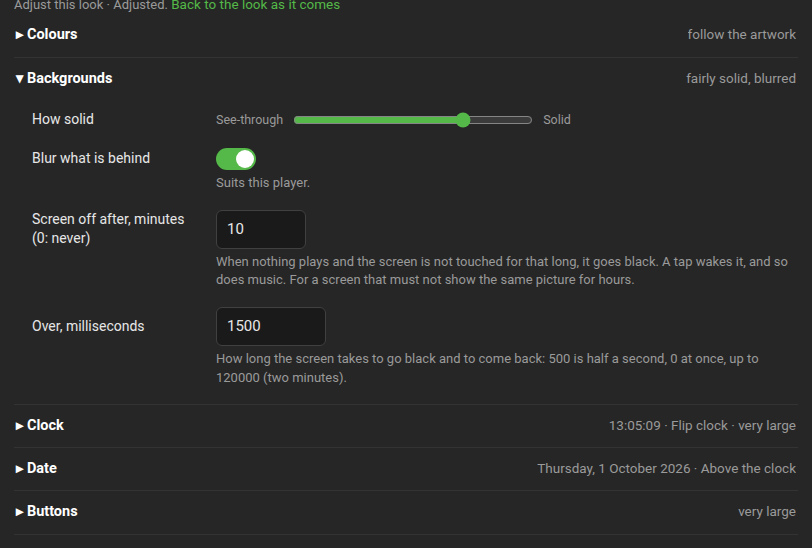
With Glass plugin 0.8.68 and glass-evo 0.1.36 you can use a dedicated switch in the Background Glass Screen section where the defaults are:
Screen off:  0s
Duration:    500ms
Kind Regards,
2 Likes
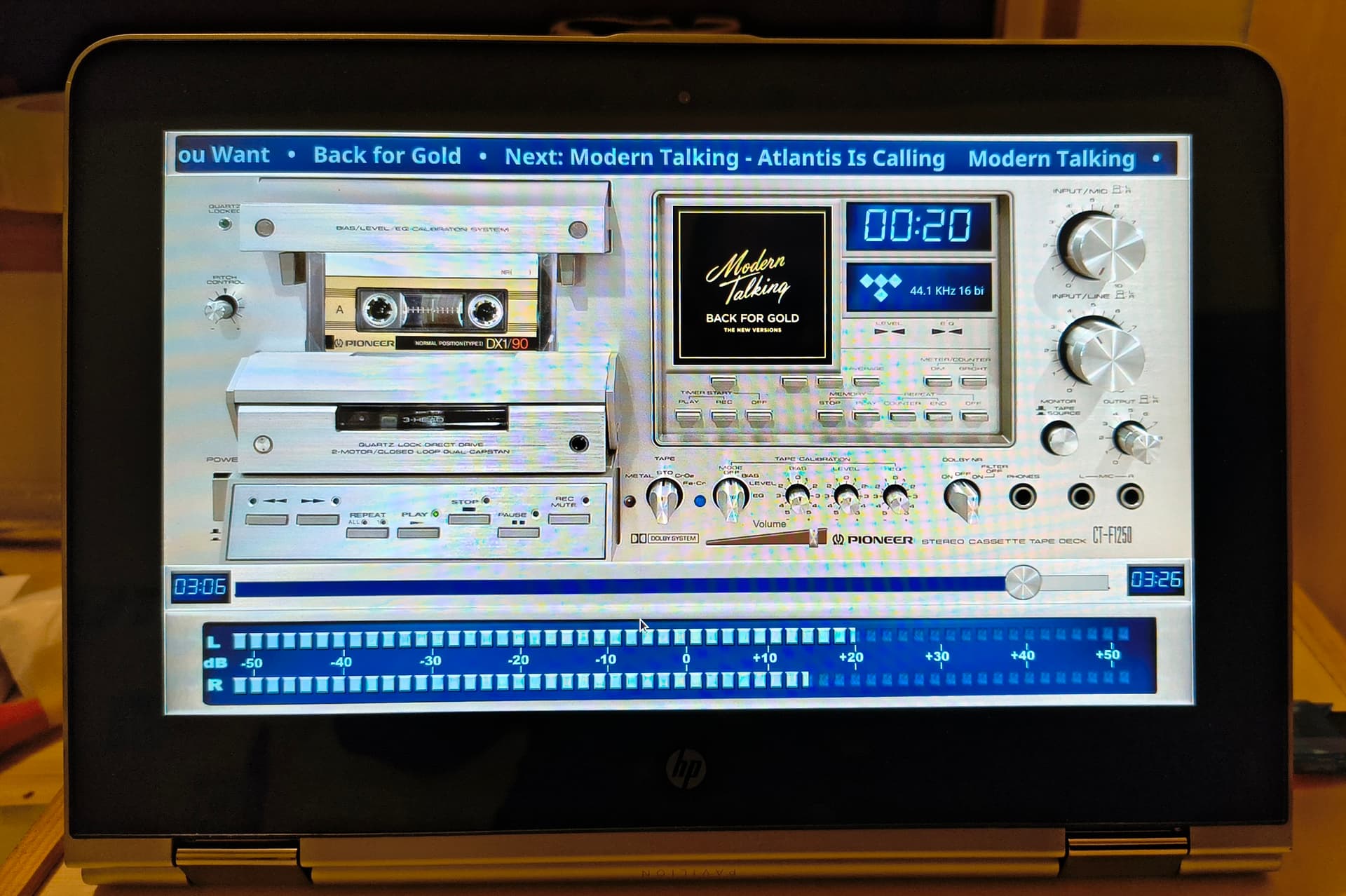
HP Pavilion X360 11-u000nf - Intel N3060 - 2GB RAM - 11,6" WXGA IPS Touch Display - 1366x768.
Price 17,5 euro including power supply
Volumio 4.119 - Glass 0.8.69
The touchscreen works right from installation, as does the laptop’s built-in audio.
Volumio is installed on the 32GB eMMC drive inside this HP unit.
The SD card reader also functions as mass storage a 64GB Sandisk SD card was tested.
The Glass plugin also works correctly after installation.
1 Like
Now try out the skins marked TOUCH.
This laptop has a screen with a resolution of 1366 x 768.
Which ones are they, and what is the intended effect ?
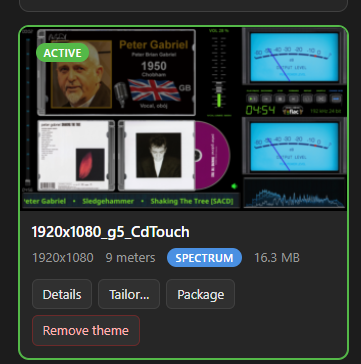
All 1920x1080 skins fit!! You have touchscreen controls - e.g., play, pause, volume, etc. Use the TAILOR function (Themes).
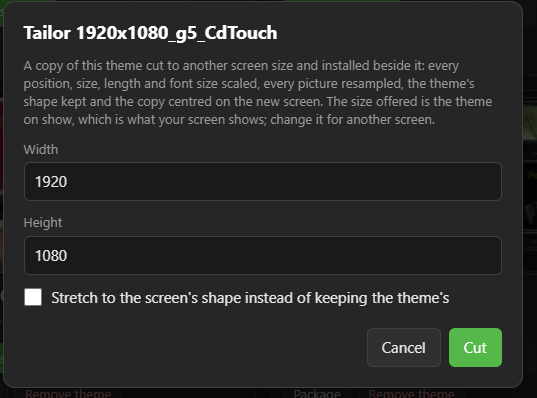
I tested it on a skin like that.
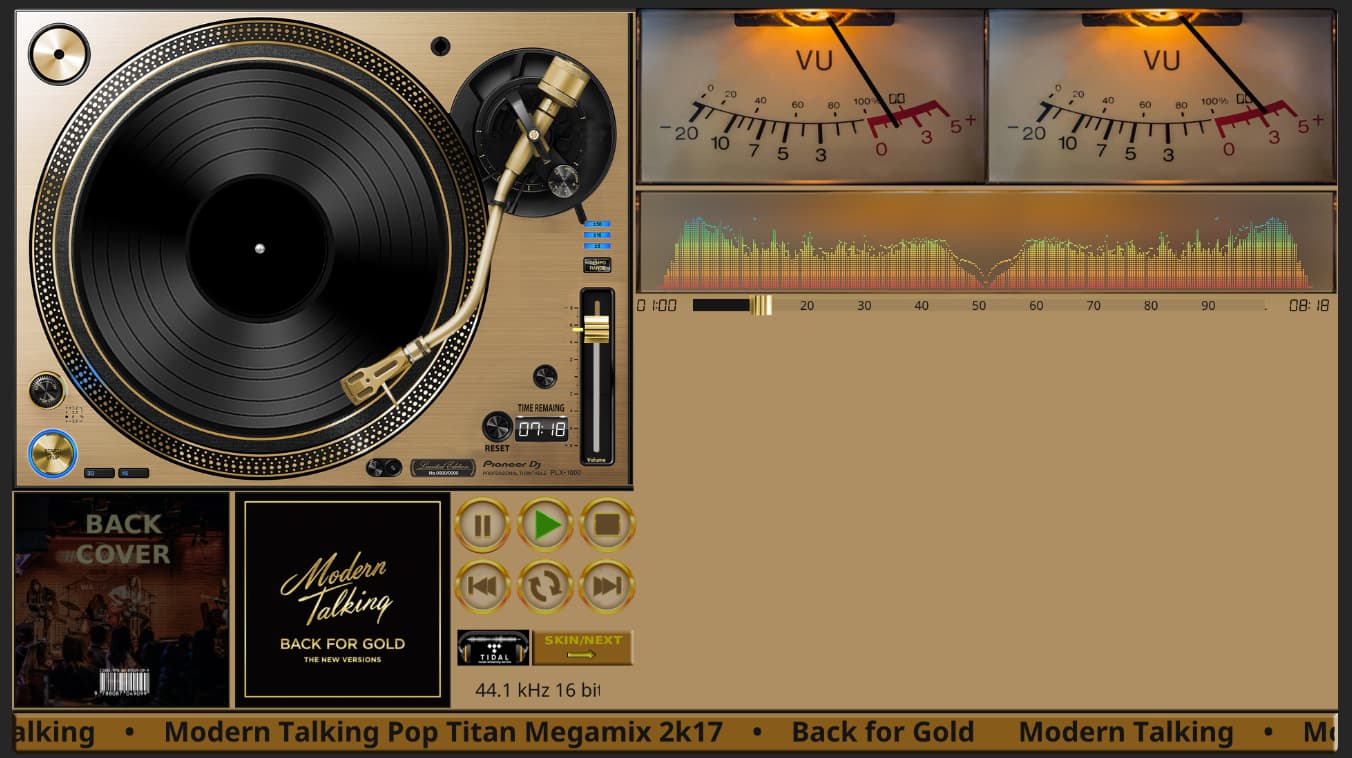
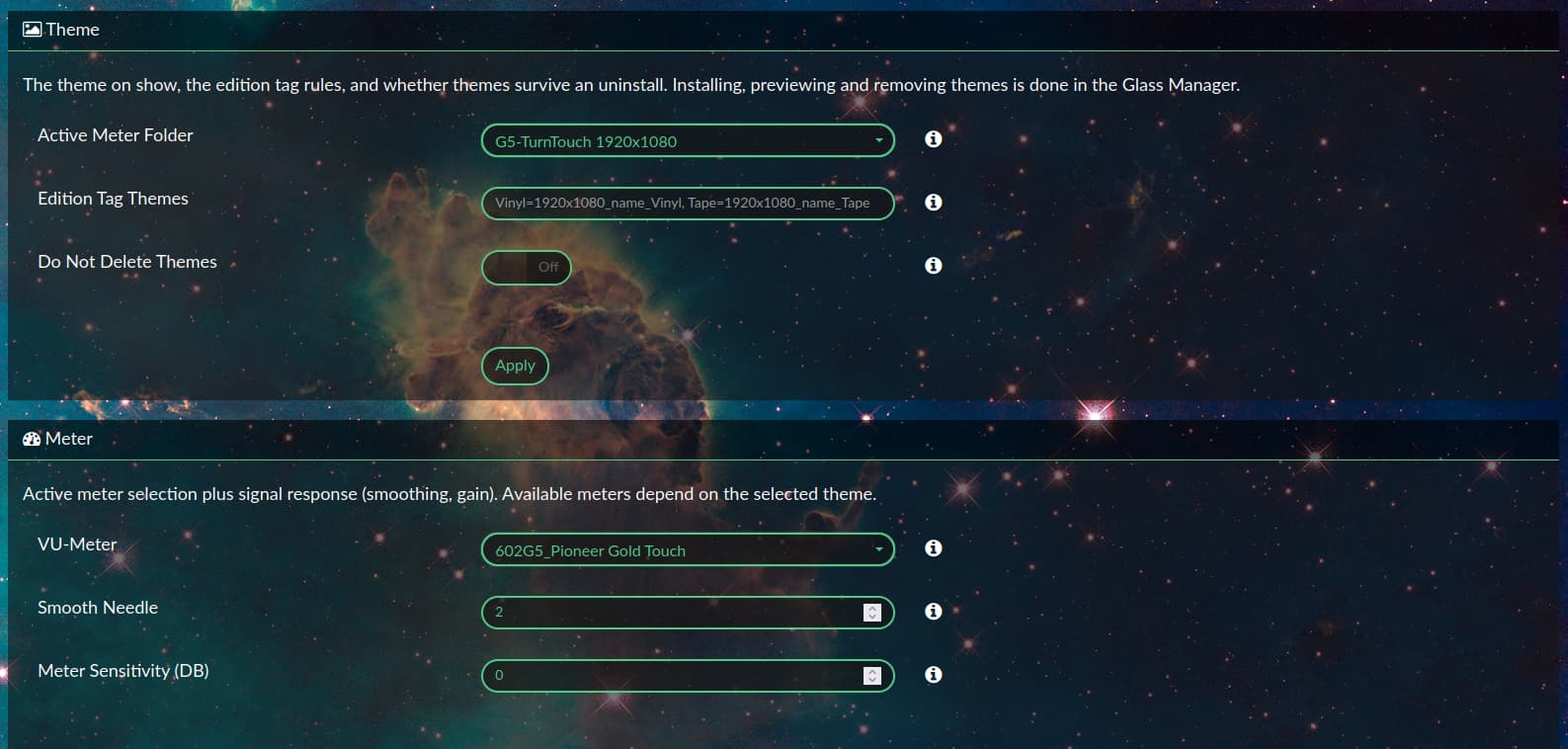
I set the “Fit to Screen” option.
Play - pause - stop - next - previous - volume up / down It works reasonably well.
It works here too 

Turn on fanart; there will be photos of the bands.
https://fanart.tv/get-an-api-key/
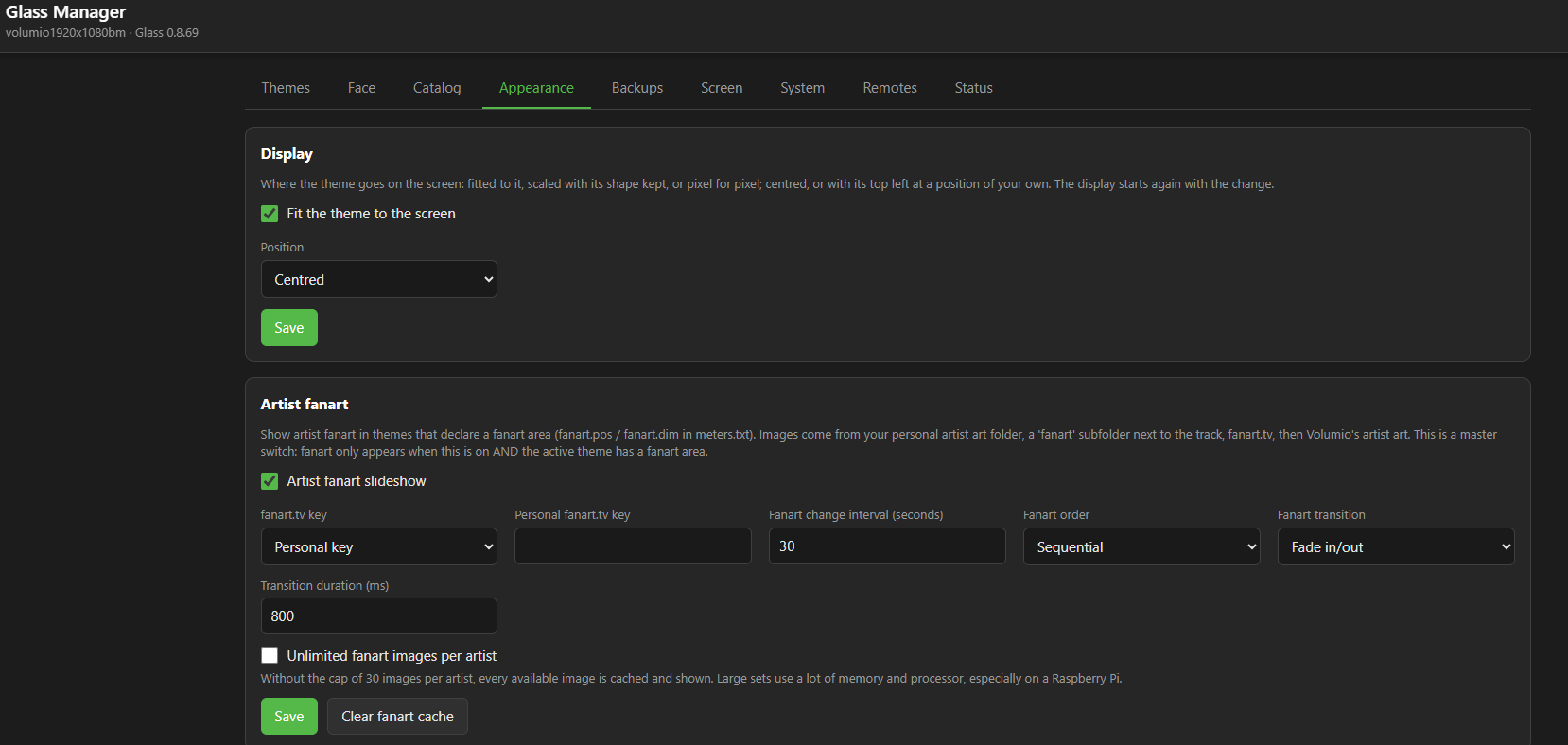
This laptop has a Intel Celeron dual-core processor and 2 GB RAM.
I bought it for fun, for testing, audio in the kitchen 
The Rapidly Evolving Glass:
Glass is evolving at a breakneck pace, with multiple version upgrades appearing in a very short time—it’s a bit hard for me to keep up. Network speeds when accessing sites outside of China are poor, and the system feels particularly sluggish within Volumio.
I’d like to verify my understanding: is “remote” a remote client, and is “Glass-evo’s remote” an enhanced version of it? Currently, both versions launch with a visible interface on my Windows 10 machine—though the fonts look wrong—but neither the VU meter nor the spectrum analyzer shows any activity. Once launched, I cannot close the remote application; neither mouse clicks nor Alt+F4 work. However, the “Face” and “Anymote” features function correctly on the browser-based management page, and the displayed information utilizes the custom fonts and music genre icons I loaded.
“Face” and “Anymote” seem somewhat like Windows Remote Desktop; rather than rendering locally, they receive images from the remote source—is that correct?
Finally, I’d like to ask: is it possible to display a theme on the remote client that differs from the one used on Glass itself?
The pace is the clinic’s fault, not yours. Nobody is obliged to take every release: leave “Offer test releases” off on the System tab, and upgrade when something new tempts you or something old bothers you. Glass is rapidly evolving and still has long way to go before considered ready.
Your questions, on a silver tray:
- What “remote” is
It is not a remote control. It is a remote display: Glass on another machine, showing the player’s meters, fed over the network. There are two flavours of the same program, with the same settings page and the same configuration:
- Standalone, from Glass’s releases: the theme and nothing over it.
- Bundle, from glass-evo’s releases: the same display with the Glass interface in it - the clock and date when the player stands still, and a bar of controls (previous, play or pause, next, volume).
So the glass-evo one is not a better remote; it is the same remote with the Glass interface added. Install one or the other, not both. Either replaces the other and keeps its settings.
-
It will not close
The remote has keys of its own. Q quits it. Escape leaves full screen and keeps it running in a window, so its settings page can be used on the same machine. F takes the screen again. Alt+F4 and mouse clicks are not how it closes. -
The meters do not move
The theme arrives over HTTP, but the needles and bars arrive as UDP datagrams to port 5580. If the theme shows and nothing moves, look at the player’s Remotes tab: a remote listed as connected but not receiving frames means UDP is blocked between the two machines. On Windows, check that Windows Defender Firewall allows glass on private networks.
Also: the remote and the player must speak the same frame protocol, so they upgrade together. A remote of an older release ignores a newer player’s frames. Windows remotes from 0.8.59 upgrade themselves from their own settings page (Version panel, “Upgrade to”), which saves you a download from GitHub over a slow line. -
The fonts look wrong
The remote takes its fonts and format icons from the player. Please post the Glass version of the player and of the remote, and a screenshot of the remote’s screen next to the same meter on the player’s Face tab. A screenshot is welcome here: the problem is what the screen draws. -
A different theme on the remote
Yes. On the remote’s settings page (port 5583 of the Windows machine, or “Glass Remote Settings” in the Start menu), under Theme, choose one of:
- follow the player (the default),
- one of the player’s installed themes, kept whatever the player shows, with its own meter rotation,
- or a theme from a folder on the Windows machine itself, including \\Internal Storage\glass.
If the checks in 3 and 4 do not settle it, the clinic needs the full story. Without it, nothing will happen. Either:
-
The report, per post 80: on the player, Status tab, “Find a problem”, then “Make a report”, and “Copy for the forum”. It also carries the Remotes tab’s view of your remote.
[PLUGIN] Glass - Phoenix risen from the PeppyMeter Screensaver ashes - #80 by nerd -
Or the full story by hand, per post 2: items 1 to 10, plus the remote’s part - the Windows version, the remote’s Glass version, and its own log. For the log, set Verbose on the remote’s settings page, quit it with Q, start it from PowerShell, and post what it prints:
& "$env:LOCALAPPDATA\Programs\Glass Remote\glass.exe" --remote
- The same with local setting in browser:
& "$env:LOCALAPPDATA\Programs\Glass Remote\glass.exe" --remote --settings
The screenshot from point 4 goes in addition to the log, never instead of it.
The details: Remotes · foonerd/glass Wiki · GitHub
The remote’s troubles, one by one: Troubleshooting · foonerd/glass Wiki · GitHub
Kind Regards,
Ever since I started following Glass (0.7.39), it feels like you haven’t taken a break; new versions are released constantly. There’s a phrase in the Chinese-speaking world for this: “going all out.”
Thank you for such a quick response.
I have carefully read the description of the GitHub project’s features multiple times.
Dear Volumionauts,
A discharge summary from the clinic. Glass 0.9.0 and glass-evo 0.2.0 leave theatre together, and they gather everything since 1 October into one pair: Glass 0.8.0 to 0.8.90, ninety-one releases in eight days. The surgeon has stopped counting. The pharmacy has not.
It began, as these things do, with a dream. @Gelo5 dreamt of a clock.
He got five. Type, seven segments, sixteen segments, a flip clock, and a dial with hands in four styles, each in its own colours, at the size he sets, up to four times the look’s.
He got a date with it, which is more than most dreamers can say.
Then he dreamt of the weather, and the clinic, having lost all sense of proportion, gave him a forecast. Not just today, but the weather now, the day’s low and high, the next 24 hours, or the whole week in columns. The skies move at their own pace: rain falls, snow drifts with a sway, the sun’s rays turn, a star winks beside the moon, and heat haze shimmers above 30 degrees. Thunder flashes, but only if you ask, because a flash in a dark room is how patients end up in cardiology. Heavy weather looks heavier.
And there is a heatmap: every temperature in the colour of its degree. Freezing comes out frozen. Heat comes out a vivid, slightly alarming red. Somewhere in between, 12 degrees is the forecast’s own ink, which is the most British temperature ever committed to code. The forecast comes from Open-Meteo, for a place of your choosing.
The clock, the date and the forecast each sit on a grid of nine cells above the bar, aligned where you put them, with a margin of your own.
Meanwhile, in the other wards:
- glass-evo graduates from preview to the pair this release names. Glass 0.9.0 asks for glass-evo 0.2.0 as the least it works with.
- A picture of your own when nothing plays, uploaded or taken from glass/backgrounds, darkened as you say. It shows on the player’s screen, the Face tab, Anymote and the remote displays. The screen goes off after the minutes you set, with a fade.
- When the player stops, the idle screen comes at once or after the persist period. Your choice.
- Every piece has its own colour, strength, background and background colour, the buttons included.
- The Face tab and Anymote carry the face: the clock, date and controls over the theme, and the buttons act on the player.
- Remote displays wear the face too, and Linux, Windows and Android remotes upgrade themselves from their own settings page.
- The System tab offers test releases, and goes back to stable, part by part, with a backup first.
- Themes get fonts and sizes per text field, negative positions, cue tracks, and fanart that carries on across meters.
- The player gets covers from a Lyrion server, bounded caches, and a display that does less where nothing changes.
- Diagnosis improved: when a display cannot start, it now says why, in the libraries’ own words.
That is the short version. The long version is ninety-one changelog entries and the surgeon’s sleep debt.
How to get it: Manager, System tab. One press for Glass, one for glass-evo. The previous versions are kept, so going back is one press too.
The wiki is catching up with the version numbers as you read this. The content is already there:
The full changelogs:
@Gelo5 - you dreamt of a clock. Be careful what you dream next; the clinic seems unable to say no.
And of course @Wheaten, this one keeps asking for needles - bold, moves, sharp font edges, smooth slip on the verges…
Kind Regards,
5 Likes
Use Glass-evo
Do I need to install Glass-evo on Volumio as well in order to use Glass-evo-remote?
Can Glass-evo only be installed via the Glass-manager page? I have already downloaded glass-evo-0.2.0.zip; how can I install it manually? As I mentioned earlier, online installation frequently gets interrupted due to network issues, preventing the process from completing.