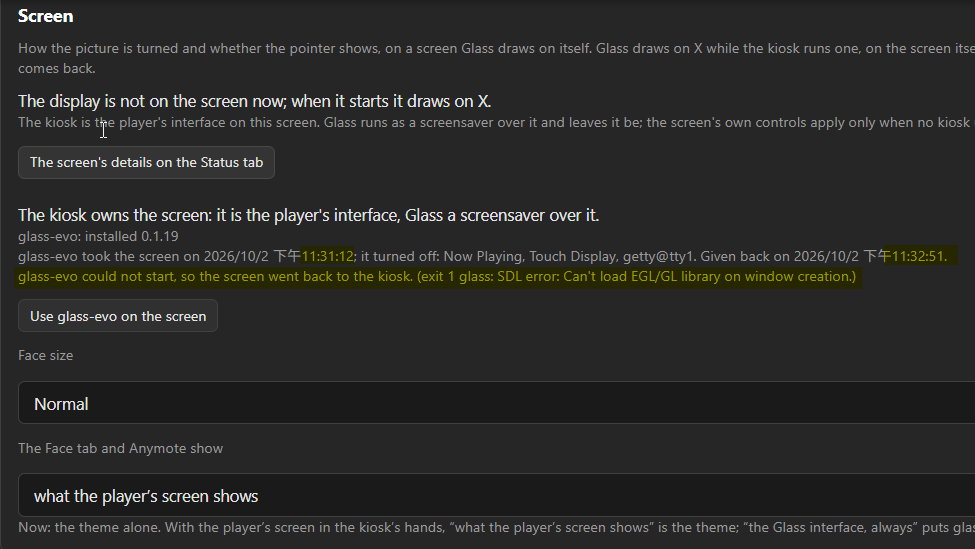
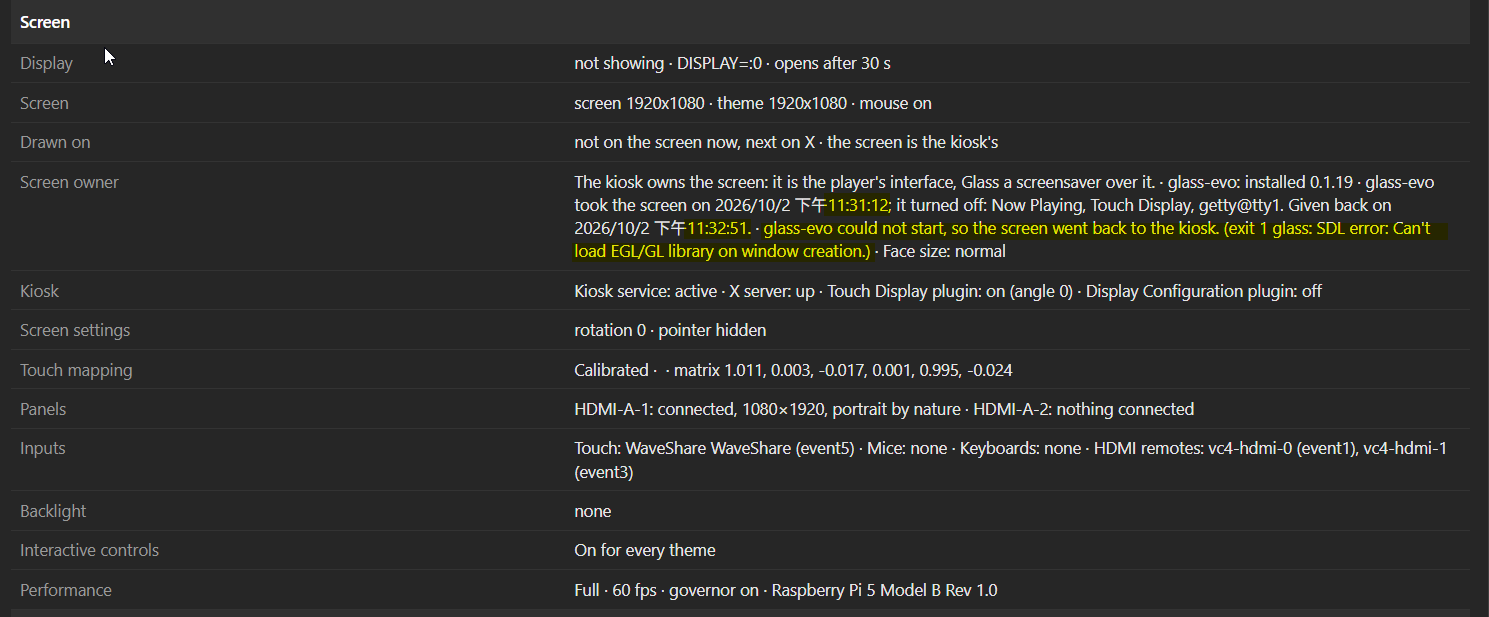
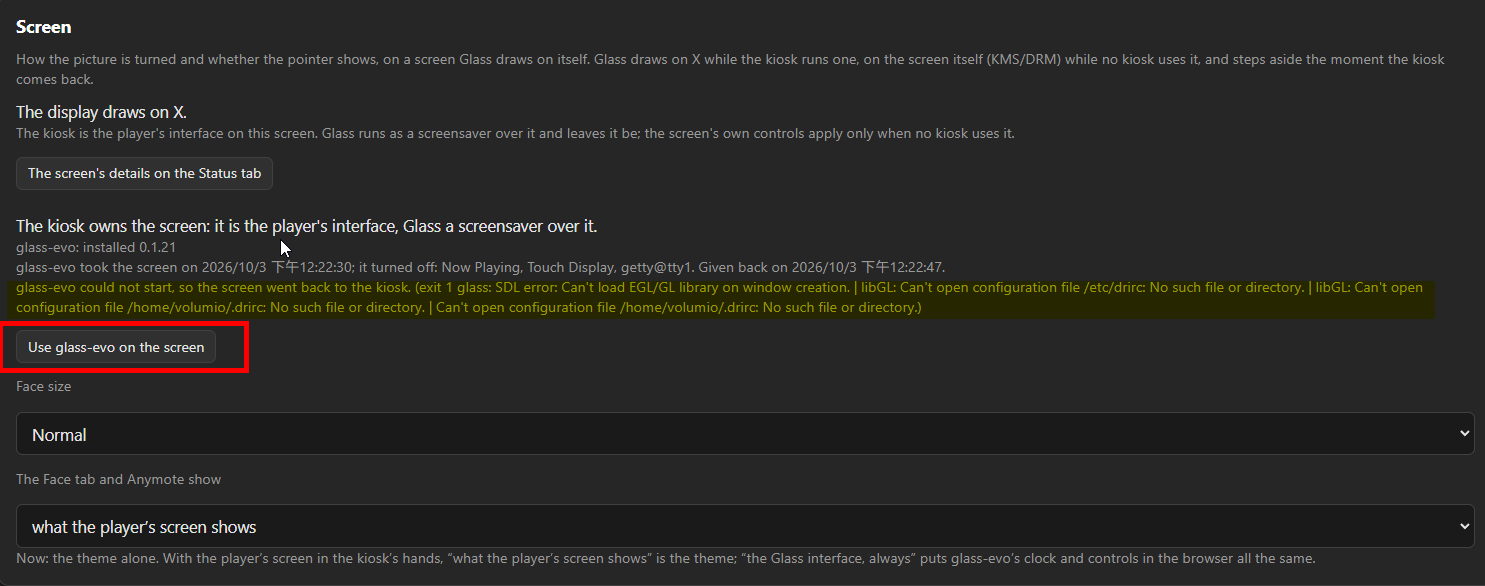
When I clicked “Use glass-evo on the screen”, I expected glass-evo to take over the display from the kiosk. However, after triggering it, the Waveshare 5-inch OLED touchscreen connected to my Raspberry Pi 5 went black for about 90 seconds, and then reverted back to the previous screen.
The Screen tab showed the following message:
glass-evo could not start, so the screen went back to the kiosk. (exit 1 glass: SDL error: Can't load EGL/GL library on window creation.)
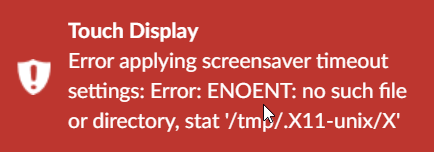
Additionally, I occasionally get a red error toast notification:
Touch Display - Error applying screensaver timeout settings: Error: ENOENT: no such file or directory, stat '/tmp/.X11-unix/X'
Apologies for not providing the detailed log files right now as it is quite late here. I will extract and upload the complete system logs tomorrow morning.
I have installed Glass and it looks fantastic with a great management interface.
Apologies if this has been asked before.
I run a Lyrion server on Windows 11.
I have installed Volumio on a RPi 4 8Gb, installed Glass and the Squeezelite plugins
|Glass|0.7.99 (arm) · build 2516743|
|Volumio|4.204 · pi · Raspberry Pi 4 Model B Rev 1.5 · backend up 4.7 h|
In Lyrion I can see players , one each for Squeezelite, UPnP, and Airplay
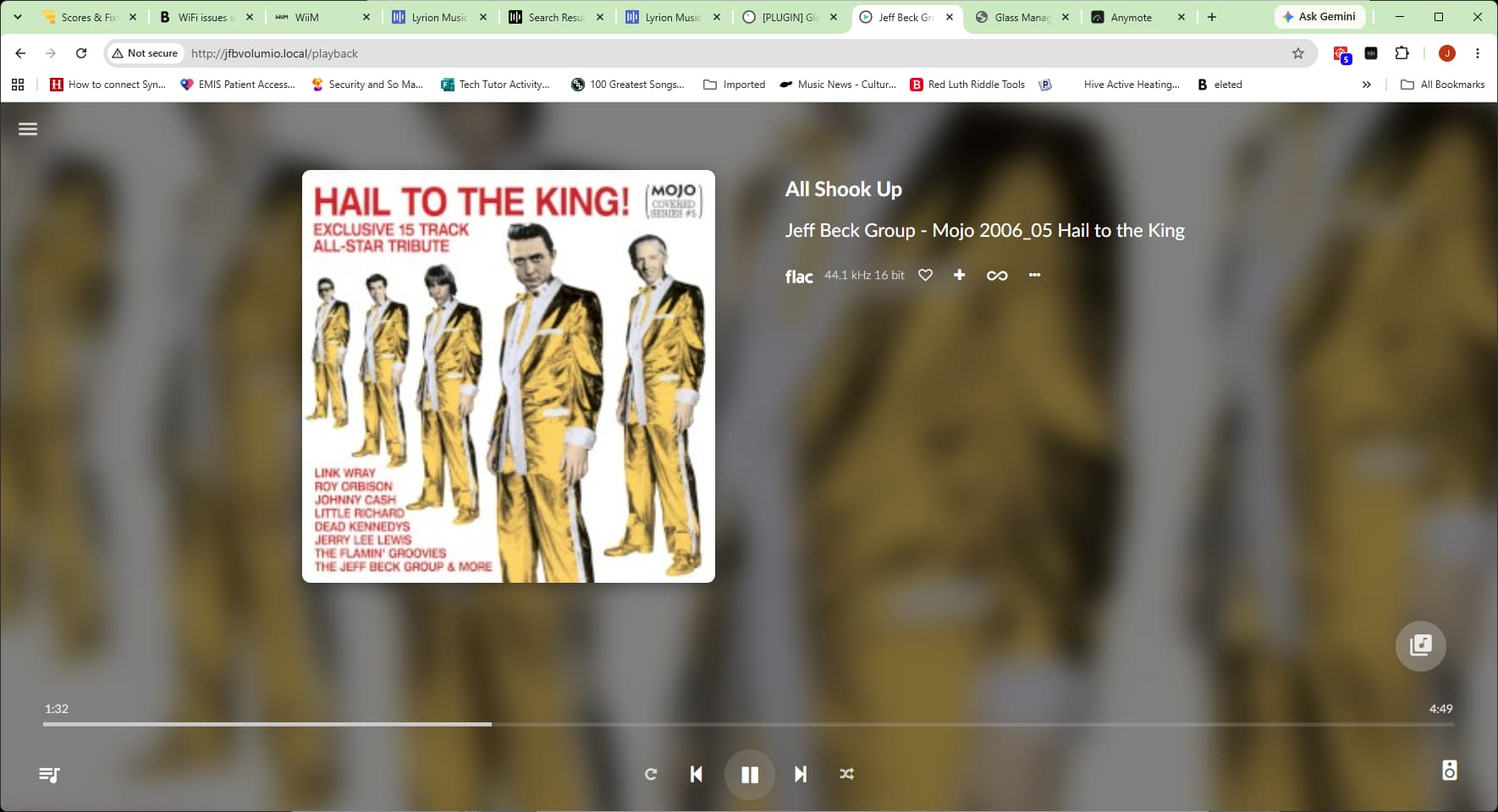
When I initiate playback from Lyrion to any one of these three players I am getting inconsistent results results for album art display and audio rendering in my chosen template. Sometimes works sometimes not.
Is this use case something that should work seamlessly ?
If you can confirm yes I will gather the required diagnostics and post, or is it something that is not supported ?
In order to investigate anything I need you to follow post #2 or #80. You need to provide me with the details as requested, or simply I have no way to investigate anything.
I realise the diagnostic requirement but my post was asking the question of whether I should expect my use case to work before I uploaded anything.
Your first response to upgrade and re-test suggests that it should.
If I still get the problem I will upload the needed diagnostics
Regards
What Happened: When I press “Use glass-evo on the screen”, the connected touchscreen on the Pi 5 turns black for about 30 seconds and then reverts back to the kiosk. glass-evo fails to display on both the physical screen and FACE.
Expected Behavior:glass-evo should take over the display, showing the glass control/clock on both the physical screen and FACE.
Checked EGL/GL Libraries: Ran sudo apt-get install -y libegl1 libgl1. Both libegl1 and libgl1 are already at the newest version (1.6.0-1).
Display Configuration: I am using a Waveshare AMOLED 5.5-inch panel and applied 2aCD’s guide for GPU-accelerated screen rotation on Pi 4/5. I’m not sure if this custom GPU rotation configuration conflicts with SDL/EGL library loading under glass-evo.
Thank you for your help!
Glass Report :
Glass report: Something else
What I did and what I saw: While press "use glass-evo on the screen", the display turn black for about 30 seconds then come back, the glass-evo seems not get control of the display and FACE.
Reproduced between Oct 03 12:12:28 and Oct 03 12:14:58 by the player's clock, as in the log, with Glass logging in full.
System log: http://logs.volumio.org/volumio/LEfsz7K.html

Diagnosis
  Something else: the checks found no cause
  Checked: Glass 0.8.30 is the latest release.

volumio · Glass 0.8.30

Player
  Glass: 0.8.30 (arm) · build 4ede771
  Volumio: 4.204 · pi · Raspberry Pi 5 Model B Rev 1.0 · backend up 5 min
  Memory: 7.77 GB · 845.0 MB in use · 6.94 GB available
  Other plugins: FM/DAB Radio 1.3.9 (music_service) · on · in the audio path
    Now Playing 1.0.6 (user_interface) · on
    Radio Browser 1.0.3 (music_service) · on
    Spotify 4.5.0 (music_service) · on
    System information 3.1.1 (user_interface) · on
    Touch Display 3.6.0 (user_interface) · on
  Addresses: hidden until revealed
  Manager: http://volumio.local:5582/ · up 5 min
  Anymote: http://volumio.local:5582/anymote
  PeppyMeter Screensaver enabled: no

Screen
  Display: showing · DISPLAY=:0 · opens after 30 s
  Screen: screen 1920x1080 · theme 1920x1080 · mouse on · since 2026-10-03 12:14
  Drawn on: X (opengl) · the screen is the kiosk's
  Screen owner: The kiosk owns the screen: it is the player's interface, Glass a screensaver over it. · glass-evo: installed 0.1.21 · glass-evo took the screen on 2026/10/3 下午12:13:28; it turned off: Now Playing, Touch Display, getty@tty1. Given back on 2026/10/3 下午12:13:47. · glass-evo could not start, so the screen went back to the kiosk. (exit 1 glass: SDL error: Can't load EGL/GL library on window creation. | libGL: Can't open configuration file /etc/drirc: No such file or directory. | libGL: Can't open configuration file /home/volumio/.drirc: No such file or directory.) · Face size: normal
  Kiosk: Kiosk service: active · X server: up · Touch Display plugin: on (angle 0) · Display Configuration plugin: off
  Screen settings: rotation 0 · pointer hidden
  Touch mapping: Calibrated ·  · matrix 1.011, 0.003, -0.017, 0.001, 0.995, -0.024
  Panels: HDMI-A-1: connected, 1080×1920, portrait by nature · HDMI-A-2: nothing connected
  Inputs: Touch: WaveShare WaveShare (event5) · Mice: none · Keyboards: none · HDMI remotes: vc4-hdmi-0 (event1), vc4-hdmi-1 (event3)
  Backlight: none
  Interactive controls: On for every theme
  Performance: Full · 60 fps · governor on · Raspberry Pi 5 Model B Rev 1.0

Audio
  Audio path: the tap heads the ALSA chain · output volumio
  Player: play · mpd · Aline Piboule - Deux Pièces, Op. 104: No. 1, Nocturne No. 11 in F-Sharp Minor · measured · flac 96 kHz 24 bit
  Audio rings: glasstap.glass.2421.0 (96000 Hz, 2 ch, live)
  Channel: 1 displays connected

Themes
  Theme on show: 1920x1080_g5_721_ms · All meters, at random · now 121G5_Pioneer S+M
  Theme folders: 21 themes in /data/INTERNAL/glass/templates · 5 spectrum twins in /data/INTERNAL/glass/templates_spectrum
  Fonts: Light: Built in · Regular: Built in · Bold: Built in · Italic: Built in · Clock digits: Built in · 0 uploaded
  Network share: themes editable from computers on the network
  Car Dash: off
  Artist fanart: on · Personal key · on each title · 0 artists cached
  Catalog: 182 themes · catalog changed 2026-10-01 20:36 · 19 installed from it

Network and remotes
  Remote displays: Remote displays are off on this player.

Face and Anymote
  Face: 1 pages watching · frames flow

Housekeeping
  Logging: verbose
  Last upgrade: 0.8.23 · 0.8.30 · 2026-10-03 11:21
  Releases offered: released ones only
  Newest backup: before-0.8.30 · 2026-10-03 11:21
  Internal storage: 72.23 GB free
  Recent problems: 2026-10-03T12:13:45+0800 volumio volumio[1405]: error: glass: the display did not run: exit 1 glass: SDL error: Can't load EGL/GL library on window creation. | libGL: Can't open configuration file /etc/drirc: No such file or directory. | libGL: Can't open configuration file /home/volumio/.drirc: No such file or directory.
    2026-10-03T12:13:45+0800 volumio volumio[1405]: warn: glass: screen owner: glass-evo cannot hold the screen (face-failed: exit 1 glass: SDL error: Can't load EGL/GL library on window creation. | libGL: Can't open configuration file /etc/drirc: No such file or directory. | libGL: Can't open configuration file /home/volumio/.drirc: No such file or directory.); the kiosk gets it back
    2026-10-03T12:13:45+0800 volumio volumio[1405]: warn: glass: the display died 1 s after launch; next attempt in 1 s
Thank you, a model report. The Status sheet already narrows it down: glass-evo took the screen and died within a second with “Can’t load EGL/GL library on window creation”, and the screen went back to the kiosk as designed.
What is still missing is the other side of the comparison: what the kiosk’s X server uses to draw on that panel. 2aCD’s guide changes exactly that, with its own X configuration (96-amoled_mode.conf) and the xrandr rotation. Whether that is involved is a hypothesis until the X log says so.
With the kiosk on the screen as usual, copy the X server’s log to the player’s Internal Storage share:
cp /var/log/Xorg.0.log /data/INTERNAL/
Then on your PC, open \volumio\Internal Storage, zip Xorg.0.log, and attach the zip to your post here. If the forum will not take the attachment, use a file transfer service of your choice and post the link. A screenshot of the log does not count, per post 2.
The X log says the problem is not 2aCD’s rotation. X drives the panel through KMS as intended, and the rotation is plain. But X itself fails at the same step glass-evo does:
after which X falls back to software drawing (swrast). In other words, your kiosk is running without the GPU too. It just does not complain about it. glass-evo has no software fallback, so it says so out loud.
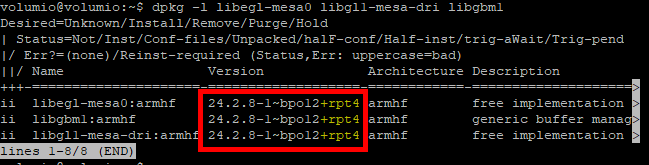
The likely suspect is the Mesa driver behind EGL, not EGL itself. libegl1, which you checked, is only the front desk; the doctor behind it is another package. Please post the output of:
dpkg -l libegl-mesa0 libgl1-mesa-dri libgbm1
For comparison, a working Pi 5 on Volumio 4.204 shows all three as “ii”, version 24.2.8-1~bpo12+rpt5, armhf. Anything missing or different on yours is the lead.
That is a hypothesis being tested, not a diagnosis. The command only reads; it changes nothing.
Good eye on rpt4 against rpt5, but that one is a red herring. I read the Raspberry Pi changelog for both. rpt5 adds a single security fix and nothing else. The one Pi 5 display fix in that series came in rpt2, and you already have it. The difference is only the date the Touch Display plugin installed X and Mesa on each player. So no need to update Mesa, and please don’t: apt on Volumio writes over the system image, and a half-upgraded Mesa can leave a player with no screen at all.
The packages are in place, so the next question is whether EGL can find Mesa at all. The front desk (libglvnd) looks for a small registration file pointing at the Mesa driver. Without it, eglGetDisplay fails exactly as in your log, packages or not. Please post the output of:
ls -l /usr/share/glvnd/egl_vendor.d/ /usr/lib/arm-linux-gnueabihf/libEGL_mesa.so.0*
Your dates and the file size will differ, since your Mesa is the older revision. What matters is whether 50_mesa.json and libEGL_mesa.so.0 are there at all. Again, the command only reads.
I thought it might also be helpful to share my /boot/userconfig.txt settings, in case any of these DRM/HDMI parameters conflict with KMS hardware acceleration on the Pi 5:
Note: These settings (especially hdmi_timings and hdmi_mode) were added based on the Waveshare display setup instructions and 2aCD’s guide. Could legacy HDMI timing options interfere with Mesa/EGL initialization under vc4-kms-v3d on Pi 5?
Thank you, everything checks out on the Mesa side. Time to take the shortcut instead: those AMOLED settings come from 2aCD’s guide, not from Glass or the Touch Display plugin, and they change how the Pi’s GPU starts. Let us take them out of the picture, retest, and put them back afterwards if needed. Everything below keeps a copy. Hmmm… This is becoming off-topic, but worth the track record…
Plaintext96:[ 27.408] (II) Loading sub module "glamoregl" 97:[ 27.408] (II) LoadModule: "glamoregl" 98:[ 27.408] (II) Loading /usr/lib/xorg/modules/libglamoregl.so 99:[ 27.421] (II) Module glamoregl: vendor="X.Org Foundation" 102:[ 27.590] (EE) modeset(0): eglGetDisplay() failed 103:[ 27.590] (II) modeset(0): glamor initialization failed 219:[ 27.887] (II) IGLX: Loaded and initialized swrast
Screen owner status after pressing “Use glass-evo on the screen”:
glass-evo took the screen on 2026/10/3 下午9:07:01; it turned off: Now Playing, Touch Display, getty@tty1. Given back on 2026/10/3 下午9:07:24.glass-evo could not start, so the screen went back to the kiosk. (exit 1 glass: SDL error: Can't load EGL/GL library on window creation. | libGL: Can't open configuration file /etc/drirc: No such file or directory. | libGL: Can't open configuration file /home/volumio/.drirc: No such file or directory. | Can't open configuration file /etc/drirc: No such file or directory.)
Conclusion & Next Steps
This confirms that the issue persists even without 2aCD’s screen rotation and custom HDMI timings.
To completely eliminate any residual system state or package conflict, I plan to reflash a completely fresh Volumio image and test glass-evo without applying any screen rotation modifications or 2aCD scripts.
I will keep you posted on the results from the clean installation!
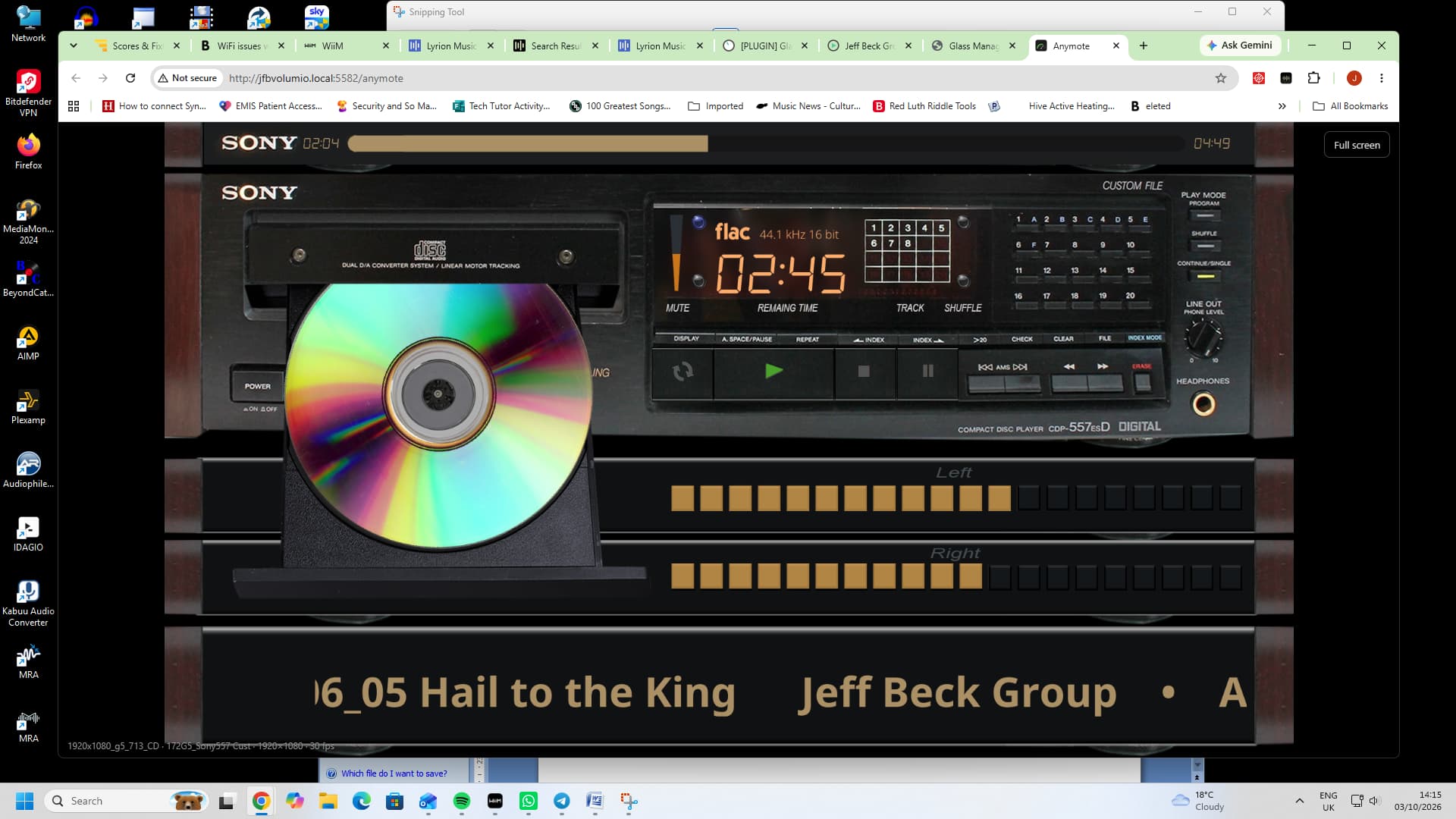
Screen - no screen size from X · theme 1920x1080 · mouse on
Theme and meter on show - 1920x1080_g5_713_CD · One meter: 172G5_Sony557 Cust · now 172G5_Sony557 Cust
Source – various – local files, Radio Paradise, internet radio - playback initiated from Lyrion server
Performance profile - Custom.
Other plugins installed - Squeezelite
What happened, what you expected, and how to reproduce it –
Lyrion – select Volumio as Squeezelite player and initiate playback
Manifest Volumio playback display includes album art
Anymote display with selected them - no album art
The remote machine: Windows 11.used to manage Glass in browser and Anymote display
Great news! After reflashing a completely fresh Volumio image, installing the Touch Display plugin (with a 90-degree screen rotation set), and then installing Glass and glass-evo, I selected the option to rotate the Pi screen by 90 degrees directly within Glass.
Everything is now working perfectly! glass-evo launched successfully on both FACE and the physical Display.
It seems the clean installation removed whatever low-level graphics/driver conflict was present on the previous setup. Using Glass’s built-in display rotation alongside the official Touch Display plugin works like a charm.
Thank you so much for your patient help, thorough step-by-step diagnostic guidance, and deep explanation of the underlying driver architecture. I really learned a lot throughout this troubleshooting process!
Yes, this should work, and thank you for the details: screenshots → they showed exactly where to look. Took time to dig into unfamiliar Lyrion source code (don’t ask!).
The Squeezelite plugin passes your Lyrion server’s covers on without saying they are pictures. I think this should be reported in the corresponding plugin’s tread. Volumio’s own page shows them anyway; Glass did not. That is fixed in Glass 0.8.31 (System tab, upgrade; and glass-evo 0.1.22 if you use it). Covers from radio stations came a different way, which is why it worked sometimes.
If the meters ever stand still while music plays from Lyrion, look at the Status tab’s Player line: it says “measured” or “not measured”. If it says “not measured”, restart the Squeezelite plugin once and tell me.
Previously, Volumio handled track names inside CUE sheets differently, which caused Glass to mistake them for audio streams without folder paths—hence back.jpg and other folder pictures didn’t show up.
In version 0.7.88 and later, the CUE sheet’s folder is now correctly recognized.
So updating Glass to version 0.7.88 or higher should resolve the issue for CUE + FLAC / APE albums!