Hey @Steve1,
I think your local mDNS have problems.
Can you check if you can access the Station Manager directly?
http://192.168.0.207:3456
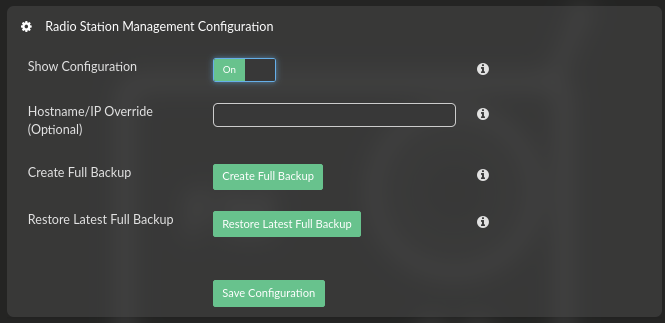
If yes, please update override with your IP address:
Kind Regards,
Hey @Steve1,
I think your local mDNS have problems.
Can you check if you can access the Station Manager directly?
http://192.168.0.207:3456
If yes, please update override with your IP address:
Kind Regards,
Hey @nerd
Entering http://192.168.0.207:3456 directly into my web browser opened the station manager 
However, updating the override, saving, and a restart still brought me back to the white screen. I also tried a different web browser (Chrome and Firefox).
Hey @Steve1,
From the detail you shared (IP address shown in screenshot) - how did you updated override? The entire URL?
Example:
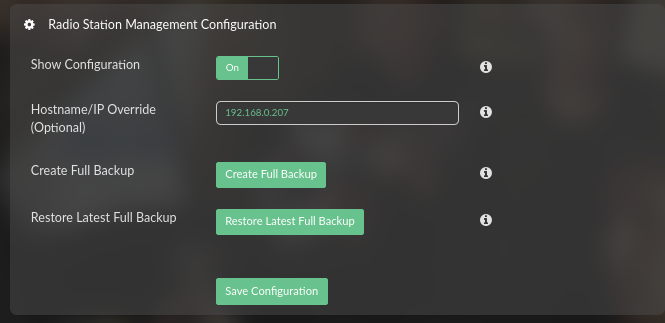
Can you confirm?
Kind Regards,
Hey @nerd
Schoolboy error. Yes I enetered the complete URL - have now changed it to just 192.168.0.207 and now it works
Thanks so much once again.
As @Wheaten said “Do you ever stop or sleep?”
Sleep happens when the last bit falls into place, entropy reaches equilibrium, and the caffeine concentration in my bloodstream drops below the blood contamination threshold.
Glad you are in @Steve1 - now the real testing begins. Let me know how the artwork behaves with those blocked phrases configured.
Kind Regards,
First artwork has appeared on BBC Radio 3
Hey @nerd
According to Station Management I should be getting stations on DAB 11A but none of the broadcast stations appear when I scan. Anything I should be doing?
Hey @Steve1,
That is interesting - validation shows 11A as Excellent but stations are not appearing. Let us work through this step by step.
Step 1 - Note your current DAB gain setting
Step 2 - Try adjusting gain downward
Step 3 - Evaluate and continue
Step 4 - If lowering does not help after a few tries
Step 5 - Report back
Your other working channels are your reference point - if they stop working, you have gone too far in that direction.
Kind Regards,
Hi@nerd.
Gain started at 80 - I took it down to 0 - and up to 100. There is no change in the results Ch 12B, 12C, and 11D show but not 11A
Thanks
Hey @Steve1,
Thanks for the thorough testing - sweeping 0 to 100 rules out gain completely.
This tells us 11A is simply not reachable at your location. Different multiplexes broadcast from different transmitter sites - 12B, 12C, and 11D are coming through fine, but the 11A transmitter is likely blocked by your valley terrain.
The validation showing “Excellent” can be misleading - it may have caught a brief reflection or partial signal that is not stable enough for actual decoding or simply noise.
An outdoor antenna might help marginally, but honestly for a valley location I doubt it would make much difference unless you go for something like a log-periodic with an LNA - and that is a significant investment for one multiplex.
The good news: your setup is working correctly. You are receiving what your location can receive. Nothing wrong with the plugin, dongle, or your configuration.
Kind Regards,
Thanks @nerd - As you suggested I guess I was taken in by validation showing excellent. I agree there is nothing wrong with the plugin or configuration. Thanks for all your help.
Hi @Steve1
Could you run the script from my post
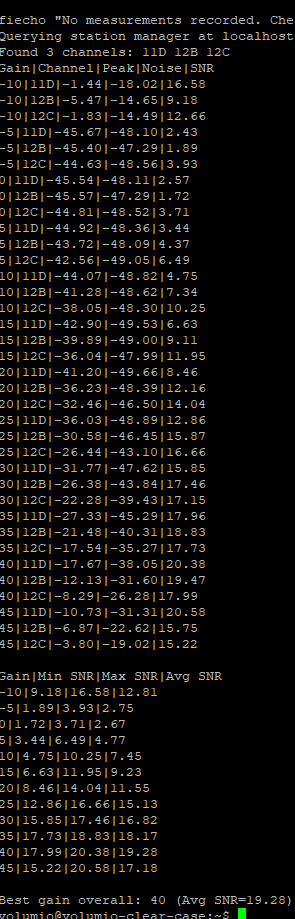
and run ./snrd-api_V2.sh 11A Curious to see the relation between Noise, SIgnal?
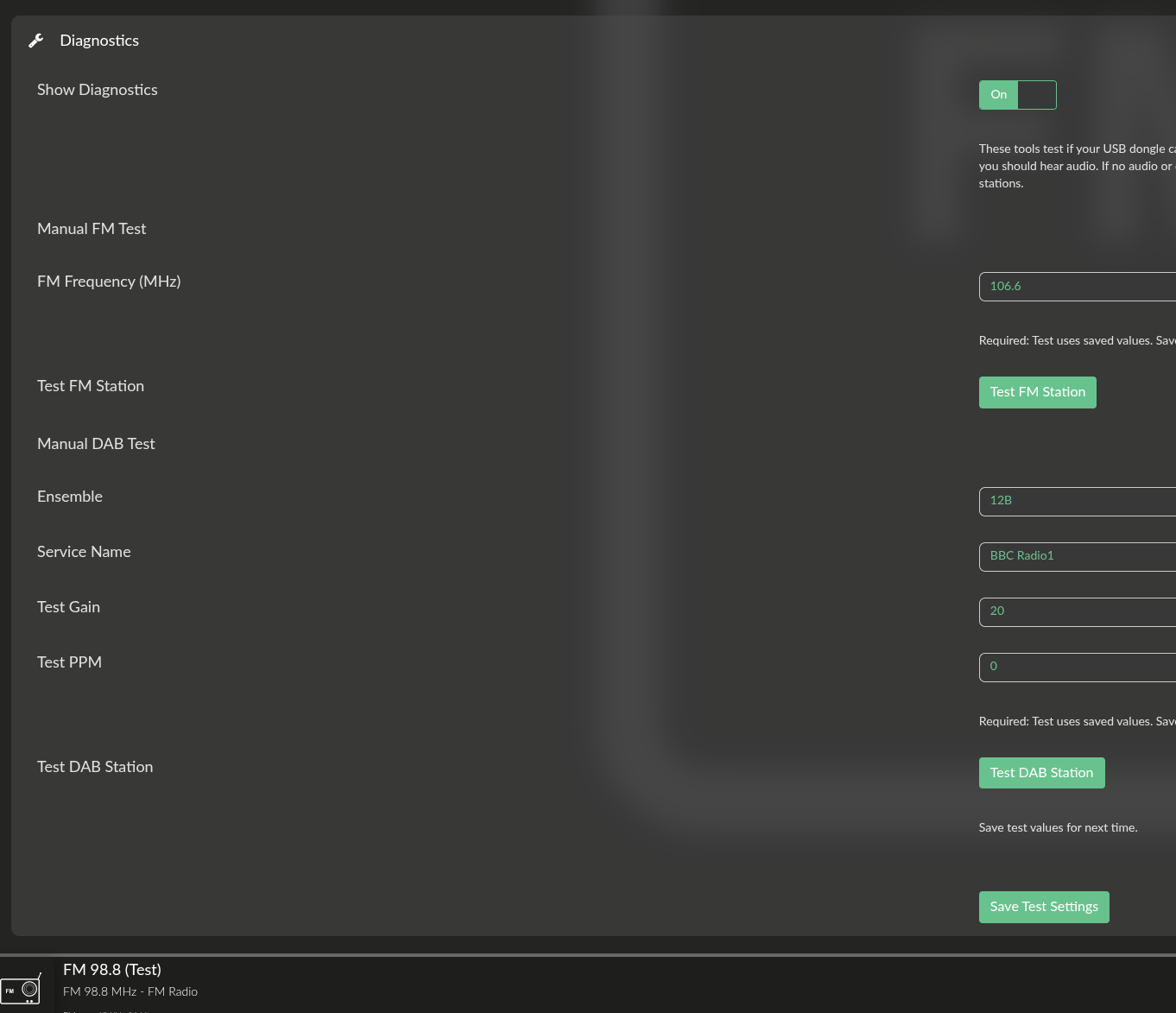
I think there is a problem with the FM diagnostic, I tried to test the frequency 106.6 and I got the frequency 98.8 instead
Another problem, still with FM
I manually added some channels to the list, including one at 87.6 MHz.
If I try to play it, I get a pop-up with an error:
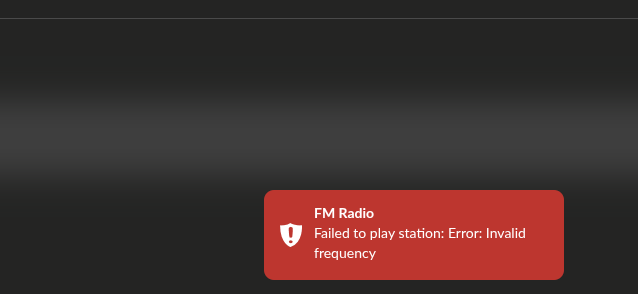
This frequency should be supported, I can get signal with a homemade radio based on the chip RDA5807
you’re right, I didn’t press save before testing the new frequency, it works now.
and I also understood why the frequency 87.1MHz does not with, the range is 88MHz - 108MHz
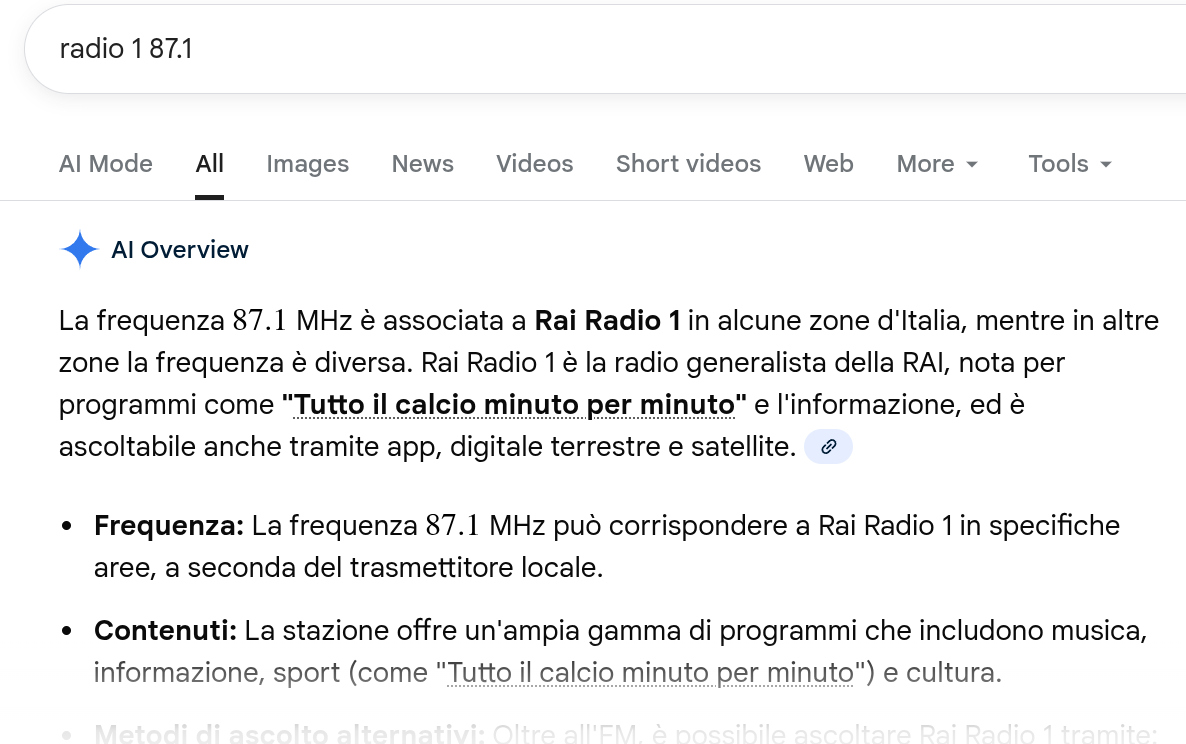
actually we have some channels in Italy using frequencies below 88MHz, for example RAI Radio 1
Is it possible to expand the range? HW should be capable of handling that frequency
Hey @Darmur,
Good to hear it is working now - the save step catches everyone at least once.
You are right about the frequency range. The plugin currently validates 88.0 - 108.0 MHz, but the international FM band for ITU Region 1 (Europe including Italy) runs from 87.5 to 108.0 MHz. RAI Radio 1 at 87.1 MHz sits just below even that standard range - Italy uses some frequencies down to about 87.0 MHz.
The RTL-SDR hardware can handle these frequencies without any problem.
I will extend the validation to 87.0 - 108.0 MHz in the next release to cover the full Italian allocation.
Japan uses 76.0 - 95.0 MHz (different band entirely)
Optionally could go lower (76.0 MHz) for Japan compatibility, but that may introduce other issues with VHF interference.
Kind Regards,
thanks!
Hi @Wheaten
I’m not sure what I’m doing wrong but I ran the script using SSH and putty and it produced quite a few lines of readout. However, when I try and add your ./snrd-api_V2.sh 11A at the end putty crashes. 
Yeah, that’s caused because there is no 11A.
Weird though that the script crashed as it should scan without problems. For me ther is no 5A, but I can scan it perfectly fine.
volumio@rpi5-es9038q2m:~/scripts$ ./snrd-api_V2.sh -l
Querying station manager at localhost:3456...
Available DAB channels:
  11C   220352000 Hz
  12C   227360000 Hz
  7C    192352000 Hz
  7D    194064000 Hz
  8A    195936000 Hz
  9C    206352000 Hz
volumio@rpi5-es9038q2m:~/scripts$ ./snrd-api_V2.sh 5A
Gain|Channel|Peak|Noise|SNR
-10|5A|3.75|-0.55|4.30
-10|5A|3.66|nan|nan
-5|5A|-37.42|-40.29|2.87
-5|5A|-22.84|-39.87|17.03
0|5A|-37.58|-40.28|2.70
0|5A|-22.89|-39.83|16.94
5|5A|-28.70|-35.77|7.07
5|5A|-11.46|-32.69|21.23
10|5A|-24.53|-32.19|7.66
10|5A|-7.16|-28.91|21.75
15|5A|-21.94|-29.81|7.87