This script seems to be vey useful. One Q though, is it impossible to have it integrated in the plugin? Have a nice weekend anyway and thank you for all work you put in to bring Volumio forward!
Best regards / C
This script seems to be vey useful. One Q though, is it impossible to have it integrated in the plugin? Have a nice weekend anyway and thank you for all work you put in to bring Volumio forward!
Best regards / C
Update from the UK 
Using the RTL-SDR Blog V4 with the Dipole Antenna Kit and Nerd’s FM/DAB Radio Plugin (v1.2.8)
• Setup was quick and painless — I was up and running in about 10 minutes.
• Pulling in all available DAB and DAB+ stations locally without issue.
• FM/VHF reception remains poor here (valley location), even compared to past attempts with external antennas.
• Only hiccup so far: none of the 61 DAB stations display album artwork despite tweaking settings.
 Aside from that, everything works smoothly and it’s proving to be a very handy addition to Volumio.
Hey @Steve1,
Thank you for the feedback - glad to hear setup went smoothly and DAB reception is working well with the V4.
To look into the artwork situation I will need logs. Could you:
That will show what metadata the stations are actually broadcasting, which will help narrow down what is happening.
Regarding FM - valley locations are tough for VHF. Not much the plugin can do about propagation unfortunately.
Kind Regards,
Hey @ClaesM,
Thank you - glad the script looks useful. All kudos to @Wheaten.
Regarding integration into the plugin UI - I am not sure that adds much value. The question to consider: how often do you actually set up or reposition an antenna? For most users this is a one-time task, maybe revisited occasionally if equipment moves.
The plugin’s purpose is managing and listening to FM and DAB stations - not antenna optimisation. Adding UI for something used once or twice feels like complexity without proportional benefit.
Shipping the script as part of the plugin package is worth considering - makes it easy to find and run when needed. But a full UI integration would be engineering effort better spent elsewhere.
Happy to hear other views on this.
Kind Regards,
My 2 cts.
Honestly, having it in the plugin is just convenient, but I’m not sure it’s really worth the extra effort. You’ll only need to run it a couple of times to get everything set up. In practice, it’s easier to keep the management page open and a Putty session running so you can fine‑tune things on the fly. Once it’s dialed in, I only fire it up again if audio drop‑outs start creeping in.
In my user case I will use this script often since I move around often. Demos etc etc. I always have one rpi5 with me on the go . Finding best antenna position can sometimes be very troublesam. But it’s your plugin and script and your choice how to implement or distribute it.
Best Regards / Claes
Seems that DAB/FM and FusionDSP gives a lot of silence.
FusionDSP on => No sound
FusionDSP Off => Sound
http://logs.volumio.org/volumio/cPU94X0.html
Nov 29 18:23:32 dell-3040a volumio[1125]: 97792 bytes (98 kB, 96 KiB) copied, 0.000576794 s, 170 MB/s
Nov 29 18:23:32 dell-3040a volumio[1125]: error: FusionDsp - Monitor WebSocket error: [object Object]
Nov 29 18:23:33 dell-3040a volumio[1125]: /bin/dd: error reading '/tmp/fusiondspfifo': Resource temporarily unavailable
Nov 29 18:23:33 dell-3040a volumio[1125]: 2+0 records in
Nov 29 18:23:33 dell-3040a volumio[1125]: 2+0 records out
Nov 29 18:23:33 dell-3040a volumio[1125]: 65536 bytes (66 kB, 64 KiB) copied, 0.000418967 s, 156 MB/s
Nov 29 18:23:33 dell-3040a volumio[1125]: error: FusionDsp - Monitor WebSocket error: [object Object]
Nov 29 18:23:34 dell-3040a volumio[1125]: /bin/dd: error reading '/tmp/fusiondspfifo': Resource temporarily unavailable
Nov 29 18:23:34 dell-3040a volumio[1125]: 2+0 records in
Nov 29 18:23:34 dell-3040a volumio[1125]: 2+0 records out
something is wrong in fusion config. Can you change and save settings in fusiondsp to regenerate the config file?
Is mpd used to play radio?
Using this filter:
S2 Radio.json (395 Bytes)
If I activate when DAB is playing, no issues.
If I stop and start again, silence.
It runs on Volumio’s audio chain,
Loaded the filter again, I saw an empty eq6. After removal it seems ok. (For some reason spreset was 6 in the old file.)
Thanks for giving a starting point.
Hey Nerd,
Here are the logs you asked for
:
 http://logs.volumio.org/volumio/VXPPdTD.html
I listened to three radio stations for a few minutes each. Hopefully I’ve captured everything correctly. Just a heads‑up — the log also includes activity from before I started the radio stations, so you’ll need to scroll down toward the bottom to see the relevant entries.
Cheers,
Steve
Dear Volumionauts,
What’s New in v1.2.9
Metadata Parsing Improvements
Upgrade Notes
Feedback
If you encounter issues, please:
This helps diagnose problems much faster than descriptions alone.
Kind Regards,
Dear Volumionauts,
What’s New in v1.3.0
Bug Fixes
Logging Improvements
Kind Regards,
Dear Volumionauts,
A significant update with bug fixes, improved logging control, and new artwork support for classical music stations.
What’s New in v1.3.1
Classical Music Artwork Support
Kind Regards,
DO you ever stop or sleep?
Thanks @nerd
Upgrade to V1.3.1
So far so good.
Just updated to V1.3.1 — still not seeing album art on any station I try. Not a huge issue though  Other than that it’s looking (and sounding) great.
Hey @Steve1,
Since you are in UK - can you replicate my test setting?
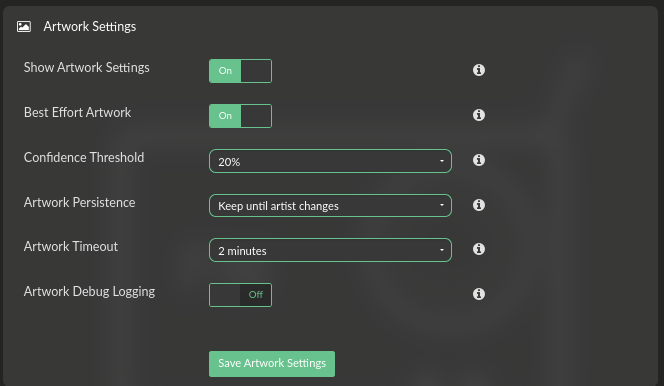
In Station Manager, blocked phrases:
On next -
We love pop
We love music
We love hits
We love rock
We play the best
We play the hits
The best hits
The best music
The home of
More music variety
More hits variety
All the hits all the time
Non-stop music
Non-stop hits
Feel good music
Feel good hits
at Breakfast with
at Drivetime with
at Lunch with
Greatest Hits Radio
when you wake up
The Biggest Dance
The Biggest Hits
The Biggest Throwbacks
Black Music and Culture
Leading Britain's Conversation
Hit Music Station
Friday Night Hits
anthems 24/7
Majestic in the mix
an hour of our biggest songs
Instagram
Facebook
Mellow Magic
Some of the stations are not sending anything else but commercials. These are locked by broadcast, and plugin can not and will not solve something that it is not there.
Kind Regards,
Hey @nerd
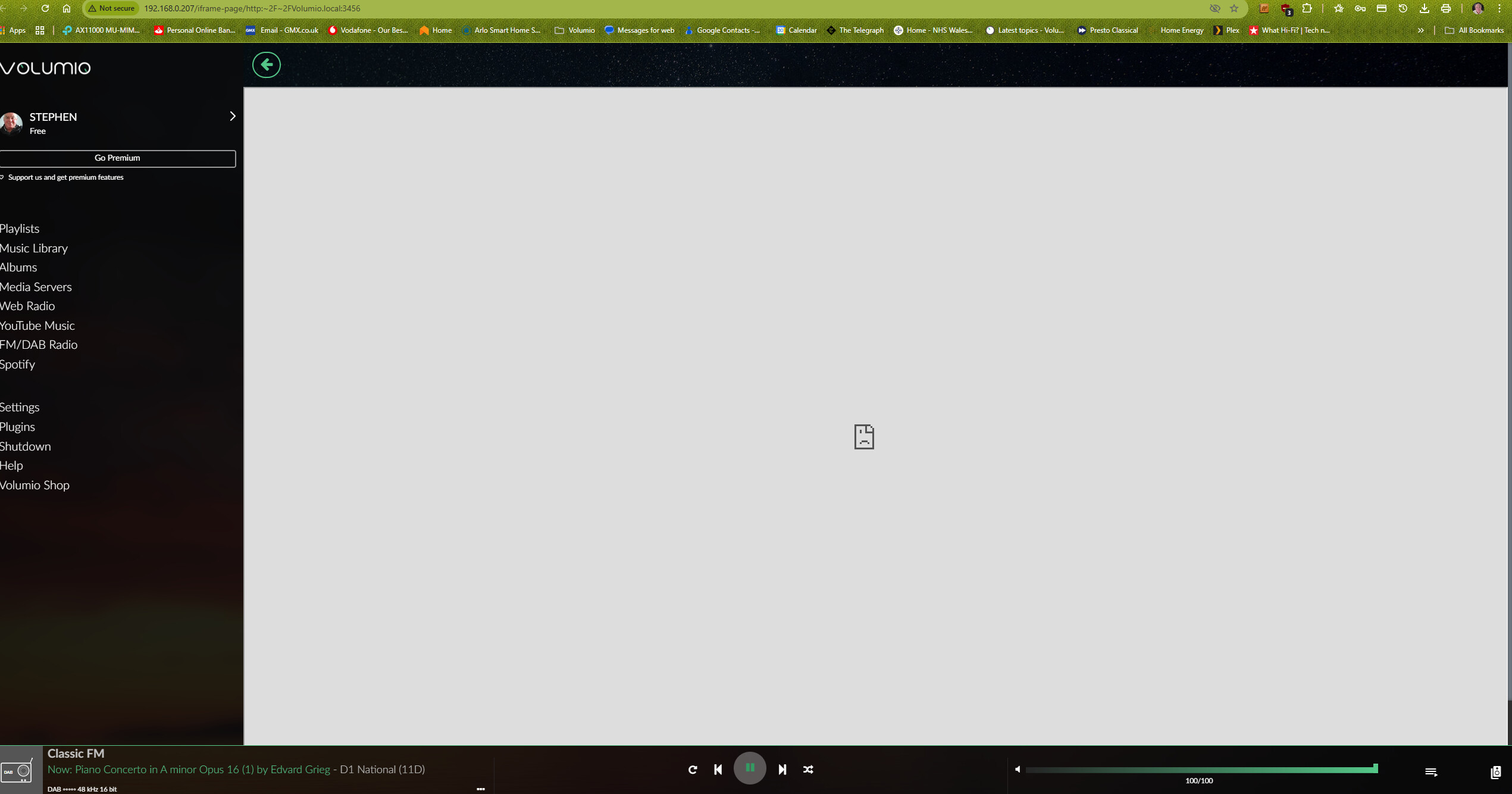
Thanks! I’ve updated the test settings, but since installing the plugin I haven’t been able to access the Station Manager at all. I’ve been tinkering to figure out if it’s something I’ve done wrong and held off reaching out in case it was just a rookie mistake. Here’s the screenshot of what I see when I try to enter the Station Manager.
Hey @Nerd.
Yes several time including just a moment ago. In the white screen I get this popping up which the screenshot didn’t capture.
" volumio.local ’s server IP address could not be found."
And I also get this:-
Check if there is a typo in volumio.local.
DNS_PROBE_FINISHED_NXDOMAIN