Wheaten
January 25, 2023, 12:40pm
1
Templates width: 1480
Every subtopic contains the following information:
Resolution:
Template name
a 400 px width screenshot of the template
Instructions if needed
Download link, containing
		*.bgr.png
		*.fgr.png
		*.needle.png or *.indicator.png
		*.meters.txt (only for this template)
1 Like
Gelo5
January 25, 2023, 4:29pm
2
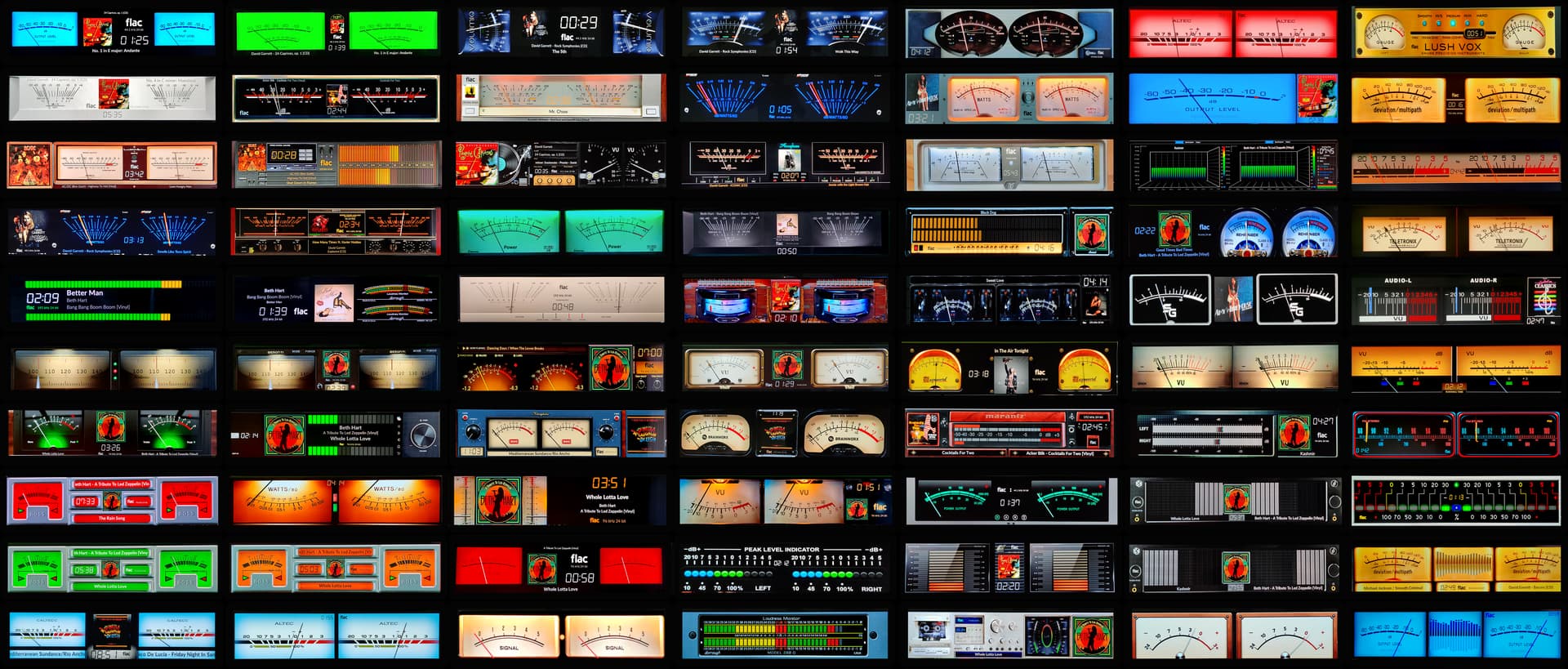
Resolution : 1480x320Name : 116skins Gelo5Screenshot :
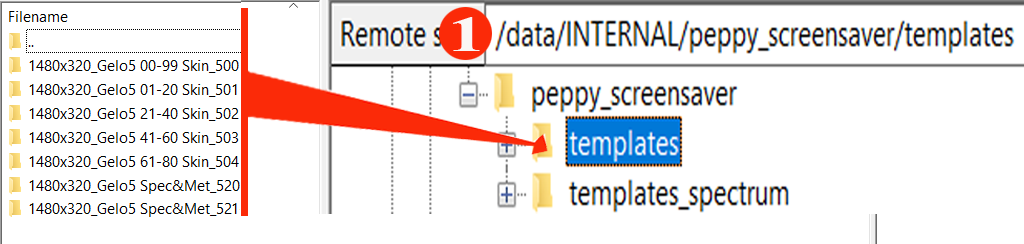
Attention! The archive contains 2 folders: “templates” and “templates_spectrum”.Unzip on your computer and move the folders to:
1. From the “templates” folder to: /data/INTERNAL/peppy_screensaver/templates" DO NOT CHANGE THE NAME.
2. From the “templates_spectrum” folder to: /data/INTERNAL/peppy_screensaver/templates_spectrum DO NOT CHANGE THE NAME.
You can delete unused resolutions, e.g. custom 800x480, 1920x515, 1920x1080 etc.
1 Like
Wheaten
April 4, 2023, 8:35am
3
A post was merged into an existing topic: Questions and suggestions for templates
Hello in the meter.txt the entry for the modern skin is missing. The pictures are in the folder (Modern.jpg, etc).
Hi,@Gelo5 , and thank you for your pretious support.
hi @Gelo5 i’d like to create new skins or transform existing ones into peppymeter with 1480x320 resolution, could you explain me (i’m an ignorant newbie) what needs to be done, how to proceed step by step. I could also be useful to others in the community. Thanks always
yo2ldk
December 6, 2024, 6:22am
15
foud it,
yo2ldk
December 6, 2024, 7:36am
17
Thank you for reply and help, Grzegorz !
Wheaten
January 2, 2026, 12:42pm
18
We’re moving all our templates to GitHub , so this topic is officially retiring. Thanks for the memories, closing it now!