Using Volumio on Raspberry Pi 5 operating a modern player piano with mono audio accompaniment.
Some searching led me to believe that Volumio would treat genres separated by commas as separate; to put a song with multiple genres under each genre. This is very important for me as it’s the only route I can find to distinguish between songs that are strictly the physical piano, piano + accompaniment (usually MIDI sourced) and syncs of physical piano to commercial songs and albums.
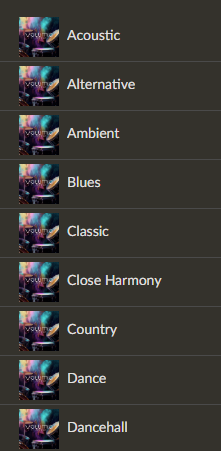
Under Music > Genre I get the entire genre field; ie “Orchestrated, Dinner” or “Piano Solo, Jazz.”
Is this “just the way it is” or am I doing something wrong? My library has both .OGG files (these contain audio accompaniment of some form) and .MP3 files which I’ve created from .MID files specially for this purpose using ID3v2.4 tags. I can change the ID3 encoding if required as I believe later versions have intrinsic support for multiple genres.
Oh!
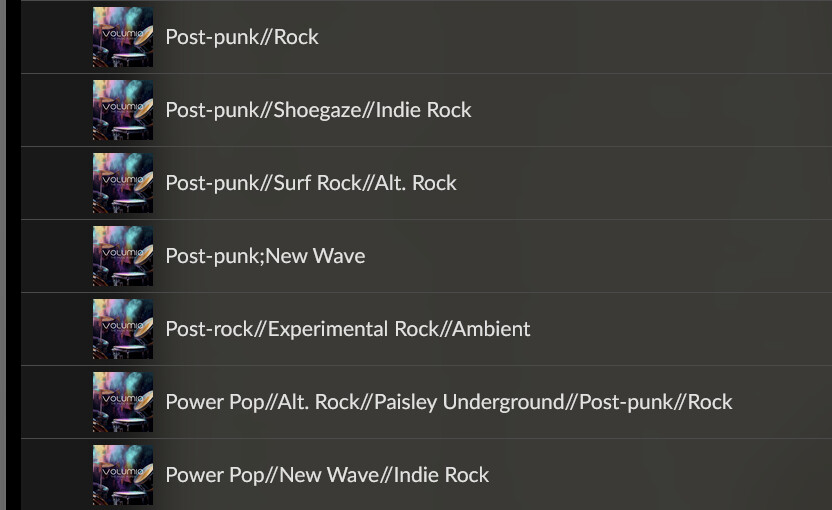
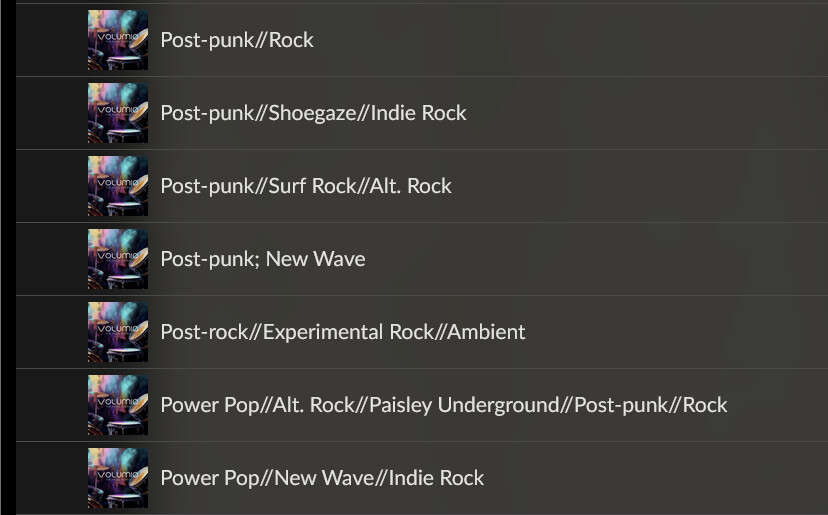
I did some research into this years ago and the best advice seemed to be using // as separators. It’s never worked with volumio, it just shows as Rock//Punk Rock, exactly as it was written in the tags.
It will be a pain to fix this on over 29,000 tracks, but I’m glad I know the answer now.
I did some research into this years ago and the best advice seemed to be using // as separators. It’s never worked with volumio, it just shows as Rock//Punk Rock, exactly as it was written in the tags.
I’m not following your reply as relates to my question.
I want the genres to be separated with the song included in each genre in the list and each individual genre appearing under Music > Genre.
Do you mean that if I use // as a separator that they will appear as separate items in Music > Genre but merely display as the entire string when the song plays?
It might take two minutes for me to make the code change to change separator characters; six hours to rewrite the entire drive… The twenty some thousand tracks are just my core library. I have at least 40,000 more to add once I get everything working as I want.
I’ve checked and double checked with AudioRanger that new tags are written properly (with any existing deleted) by my batch files using vorbiscomment.exe and ffmpeg.exe to write new tags simultaneous with the copy to the SSD.
I do have a space after the semicolon. Is that a problem? Some of my existing genre metadata had values separated by commas. I verified my trap to replace them with semicolons.
Most but not all of my songs have preexisting genre metadata; those that don’t still receive this “type” genre that also displays (alone) in Music > Genre
I have absolutely zero instances in the entire database of filename, title, composer, albumartist and artist that are identical save for case. There are however title iterations [Title (1); Title (2); Title (3)…] in some folders. I haven’t applied the same sort of error detection/correction to the genre field so inconsistencies are technically possible. This condition (and others) are verified immediately before producing the Volumio SSD. The title is always exactly the same as the file name. I verify this before production automatically altering the title if the file name has been changed.
The “Album” metadata entry is the same as the folder name. The folder name includes an underscore as part of the brief catalog number of commercial player albums. It also includes ampersands (substituting for “and”) and the “+” character at the beginning of some that I use to force an associated grouping to sort together when displaying the contents of the parent directory.
No unicode and no ASCII above 127–both are incompatible/unpredictable with my player piano control unit.
Every song on the Volumio drive has title, albumartist, and genre metadata at a minimum. At least half have composer and/or artist metadata. Obviously composer and artist can be the same but not every instance of a given title has the same composer + artist pair. Some songs have different composer/artist data either properly or by mid-identification as I’m barely half my way through the process of identifying the composer of the melody of as many songs as possible. *
*I really appreciate the “Super Search”? that brings up “interesting” information about artists. For this reason I know that my Artist, Album Artist, and “Various Artist” albums are being read and cataloged properly.
I’ll pore through the SSD with AudioRanger looking for errors or any sort of inconsistencies not already mentioned.
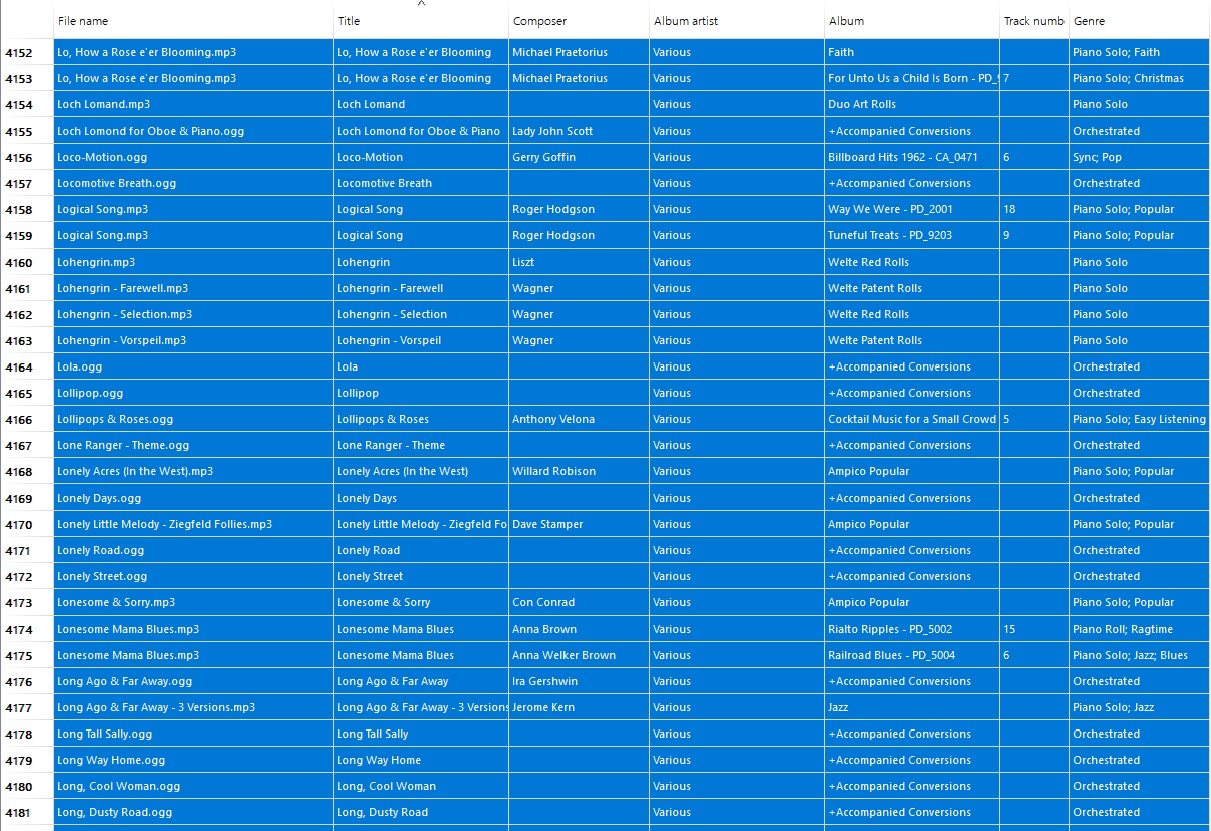
I’ve attached a screenshot from songs deep within the “Various” grouping that has about 10k songs among folders from “everywhere” and all of the general types:
@volumio
Any idea what might be going wrong here? I’m running out of options.
On my setup, genres split by "; " are correctly treated as individual entries.
But for @SwampeastMike, it’s behaving completely differently, almost like it’s ignoring the delimiter entirely.
Is there a known inconsistency in how genre strings are parsed across systems or versions?
Then I am running out of suggestions.
I’ve in my tags genre: <gerne>; <genre>; <genre>
They split as expected.
I’m enjoying actually using Volumio and listening for a few hours. Audio is perfect. The “Now Playing” plugin certainly recognizes AlbumArtist as well as Artist in a “Various Artist” album.
I’m set up a run to put “wild” songs attributed to an artist (actually composer) in a subfolder with the very same name as the artist using the same artist again as the album artist. I’ll make the new Volumio drive overnight.
Let’s see if Volumio has an answer, I am just baffled.
Validated it on 2 systems, Rivo V3.843 and rPi5 V4.061.
Both split genres perfectly, even with 3. Nowhere I have combined genres as you show me.
Let’s see if Volumio has an answer, I am just baffled.
Validated it on 2 systems, Rivo V3.843 and rPi5 V4.061.
Both split genres perfectly, even with 3. Nowhere I have combined genres as you show me.
I get the exact same display as @pwstereo to include the generic “Volumio” artwork.
edit: I did discover that some of the MIDI based songs were missing their “type” as I somehow lost their automatically created type based upon the number of expressive levels (0-127) present in the song. This is how I distinguish a highly expressive (>8 levels) from a low expression or no expression.
I corrected the drive (directly without rebuild) to ensure that the genre tag for every song is prepended by: Piano Roll; Piano Solo; Orchestrated; Sync
I also tested by intentionally adding a second genre to a large folder resulting in three genres with the tiny suspicion that “Piano Roll” etc. genre tags were ignored because they could not be pre-identified as a “valid” genre. Uh-uh. All three appear together with their separators fully intact.
After a full Volumio reset (I didn’t re-flash the SD) and complete re-write of the source SSD to ensure that given Music > Artist > Album organization the “Artist” folder has only the image (named Artists.jpg) and sub-folders for albums and the “loose” songs now grouped in their own folder with the same name as “Artist.”
Also every single song is prepended by: Solo Piano; Orchestrated; Sync; or Piano Roll;.
Is it possible that Volumio is refusing to work with both user-defined genres and artist images to insist upon only using internet identified metadata for everything save “folder.jpg” to identify an album image?
Do you know what would be good, the ability to add a separator, or choose from a list of separators.
That way, someone who followed advice (not from this community as far as I’m aware) to use // as the separator could add or choose that as the separator in the setup interface of Volumio.