I’m using Volumio 3.833 on Pi with AlloBoss DAC and it works very well
I have installed a UPnP server (= Gerbera) on my LAN and volumio can discover it, access to music files and stream them.
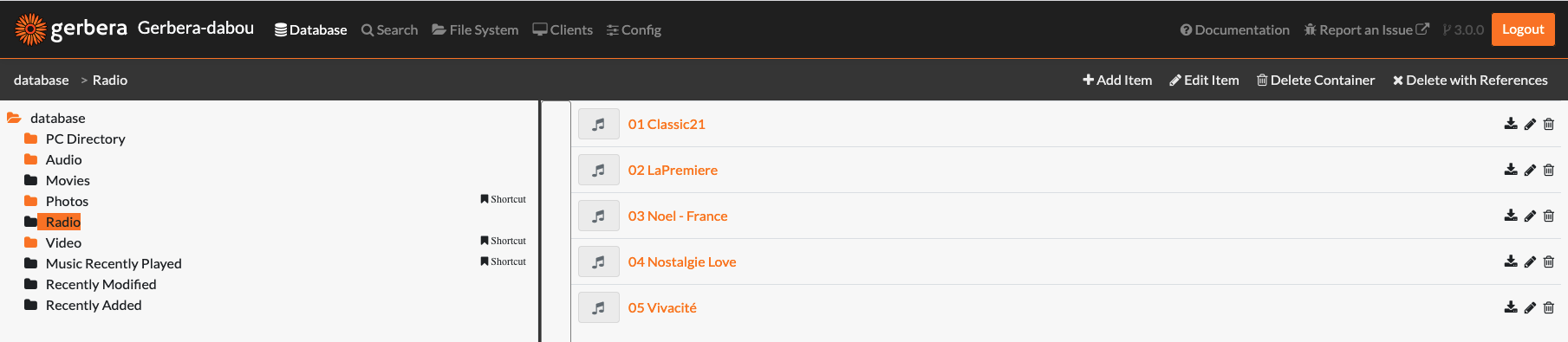
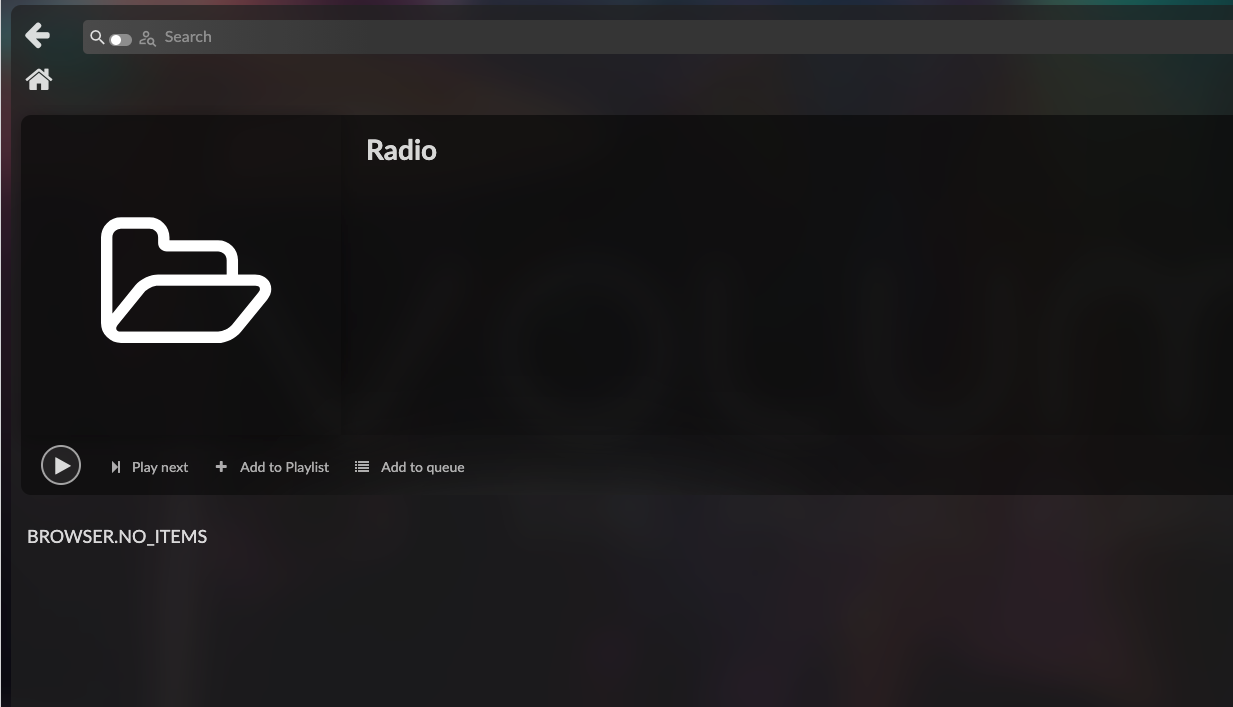
I have also part of the UPnP server added some internet radio that I can stream using VLC, BubbleUPnP android app (=> Marantz 70) but when I click on the folder “Radio”, volumio don’t show the list of the “internet radio” and if I click on the button to play, then nothing is happening
Here is the log
Nov 28 12:43:43 volumio volumio[810]: info: Preload queue cleared
Nov 28 12:43:43 volumio volumio[810]: info: CoreCommandRouter::volumioReplaceandPlayItems
Nov 28 12:43:43 volumio volumio[810]: info: CoreStateMachine::ClearQueue
Nov 28 12:43:43 volumio volumio[810]: info: CoreStateMachine::stop
Nov 28 12:43:43 volumio volumio[810]: info: CoreStateMachine::setConsumeUpdateService undefined
Nov 28 12:43:43 volumio volumio[810]: info: CorePlayQueue::clearPlayQueue
Nov 28 12:43:43 volumio volumio[810]: info: CorePlayQueue::saveQueue
Nov 28 12:43:43 volumio volumio[810]: info: CoreCommandRouter::volumioPushQueue
Nov 28 12:43:43 volumio volumio[810]: info: CoreStateMachine::addQueueItems
Nov 28 12:43:43 volumio volumio[810]: info: CorePlayQueue::addQueueItems
Nov 28 12:43:43 volumio volumio[810]: info: Preload queue cleared
Nov 28 12:43:43 volumio volumio[810]: info: Adding Item to queue: upnp/folder/http://192.168.129.0:49153/upnp/control/cds@599
Nov 28 12:43:43 volumio volumio[810]: info: Using cached record of: upnp/folder/http://192.168.129.0:49153/upnp/control/cds@599
Nov 28 12:43:43 volumio volumio[810]: info: CoreCommandRouter::volumioPushQueue
Nov 28 12:43:43 volumio volumio[810]: info: CorePlayQueue::saveQueue
Nov 28 12:43:43 volumio volumio[810]: info: CoreStateMachine::updateTrackBlock
Nov 28 12:43:43 volumio volumio[810]: info: CorePlayQueue::getTrackBlock
Nov 28 12:43:43 volumio volumio[810]: info: CoreCommandRouter::volumioPlay
Nov 28 12:43:43 volumio volumio[810]: info: CoreStateMachine::play index 0
Nov 28 12:43:43 volumio volumio[810]: info: CoreStateMachine::setConsumeUpdateService undefined
Nov 28 12:43:43 volumio volumio[810]: info: CoreStateMachine::stop
Nov 28 12:43:43 volumio volumio[810]: info: CoreStateMachine::setConsumeUpdateService undefined
Nov 28 12:43:43 volumio volumio[810]: info: CoreStateMachine::play index undefined
Nov 28 12:43:43 volumio volumio[810]: info: CoreStateMachine::setConsumeUpdateService undefined
Nov 28 12:43:43 volumio volumio[810]: info: CorePlayQueue::getTrack 0
Thanks for the detailed description. I can see from your snippet that Volumio is attempting to queue a folder object (@599) rather than individual radio items - which explains why nothing plays.
However, I need complete information to investigate properly.
Missing details - please provide:
Log link from http://volumio_IP/dev (paste the URL it generates - inline snippets are insufficient)
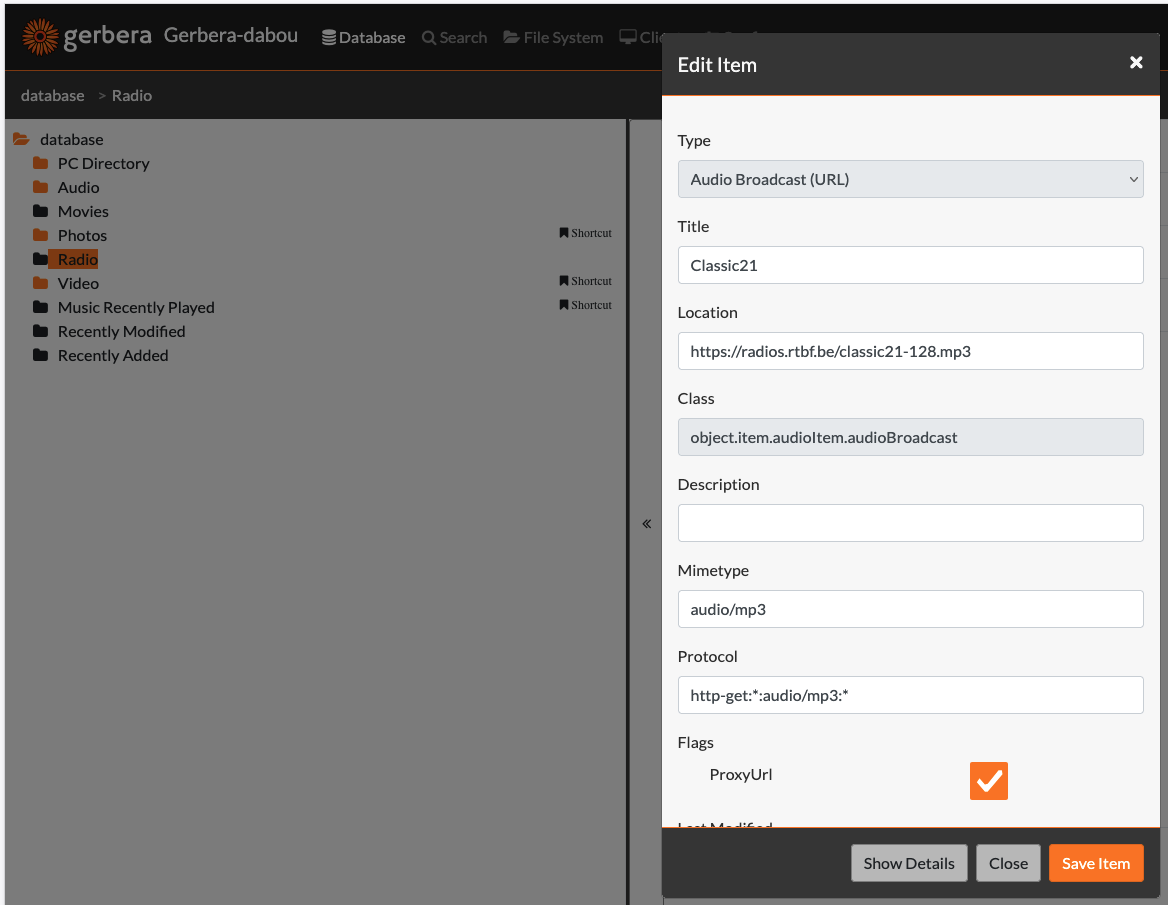
“How did you add internet radio stations? (m3u playlist import, manual external URL, other)” The URL of the radio has been added within a new gerbera container using the object: object.item.audioItem.audioBroadcast (see screenshot)
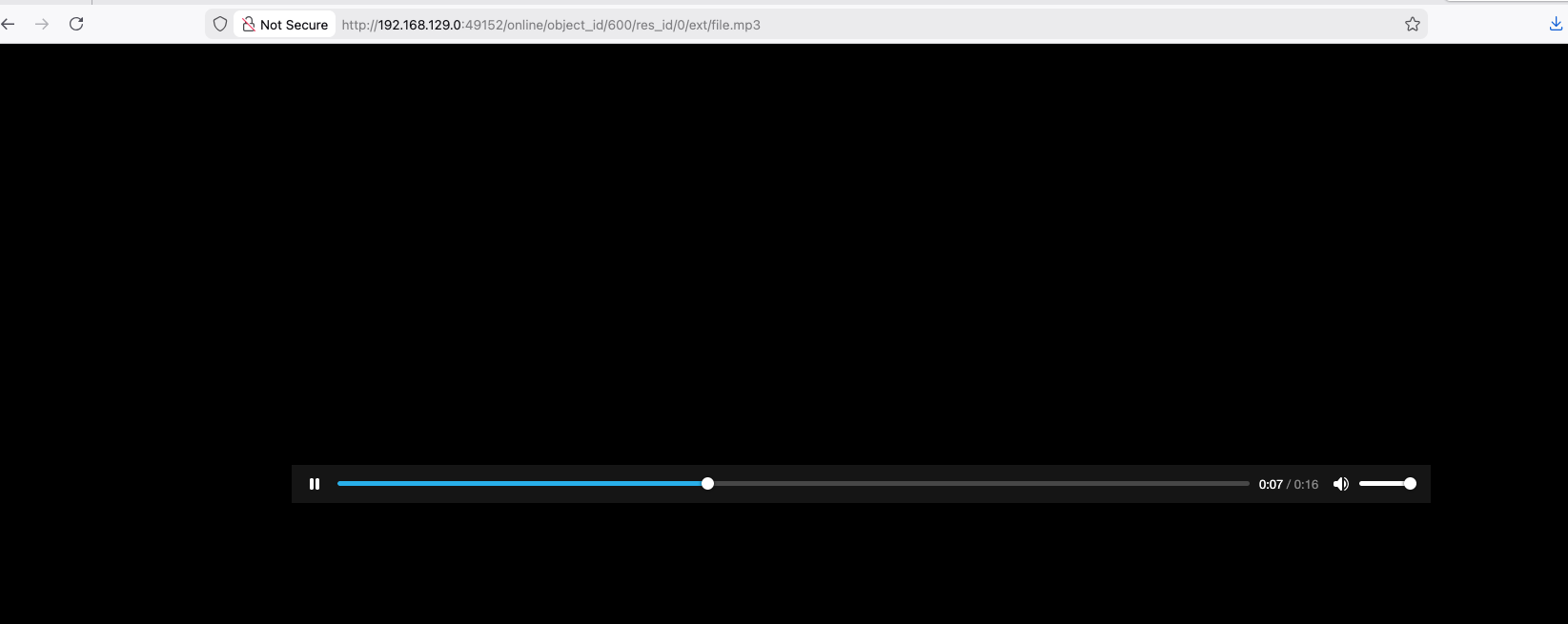
“Can you confirm radio stations appear in Gerbera web UI under Database → Browse?”. Yes I can click on one of them and listen to the radio using locally a browser or VLC (see screenshot)
Thank you for the detailed information, screenshots, and log link. This allowed precise identification of the problem.
Problem confirmed:
Volumio’s DLNA browser plugin filters items by UPnP class and only accepts object.item.audioItem.musicTrack. Your Gerbera radio stations use class object.item.audioItem.audioBroadcast - which is the correct UPnP class for internet radio streams - but Volumio silently discards these items.
This occurs in two places within the upnp_browser plugin:
During browsing (line 292 of index.js) - causes “BROWSER_NO_ITEMS”
During playback (line 498 of index.js) - causes silent failure when attempting to play
Your Gerbera configuration is correct. VLC, BubbleUPnP, and direct browser playback all work because they properly handle the audioBroadcast class.
I have created an issue report:
Version note: Your original post mentions Volumio 3.833 but your diagnostics show Volumio 4.071. The issue affects both versions as they share the same backend code.