Soon… lol lol lol lol
can you tell me when you receve the Update for your Rivo?
Testing today all day long…it seems (so far) your suggestion works- no interruptions recorded. If this has been an issue, what would be a solution to fix it (although I cannot figure out what mounted music has to do with, and was not the problem in previous 3.9xx fw…since no settings changed) ?
You can check the top of this thread.
@Wheaten Hope you can help and yes I am an idiot.
So, As I indicted above I was running Volumio 4.154 successfully on my rivo through ethernet and all was good minus the HDMI issue. Stupidly i used AI to attempt to fix or add in the HDMI feed. Upon reboot the rivo simply does not connect or display any interface after the splash screen. I then flashed 4.1 from the website onto a usb drive and attempted to load that but it did not seem to do anything. Any ideas? I did put in a ticket but thought you might know of a quick fix.
Read the manual I would say, page 10.
Don’t rely on AI. AI has zero knowledge on Volumio’s specifics, hence your bricked system.
Factory Reset Via USB Thumb Drive
- Get a USB thumb drive
- Format your USB thumb drive as: FAT32
- Download the factory reset file from: http://repo.volumio.org/Rivo/factory_reset
- Copy the factory reset file to your thumb drive and make sure the file is named exactly “factory_reset” (Do not rename this file after download.)
- Power OFF the unit
- Insert the thumb drive to one of the USB ports
- Power ON the unit
- IMPORTANT: During this phase the unit may restart multiple times
and the factory reset will take about five to ten minutes to complete.
1 Like
@Wheaten Thank you so much!!!
1 Like
Good to hear that.
It looks like the issue is related to autoplay and library indexing. I’ve shared the findings with our developers, and they’ll investigate a proper fix.
We don’t have an ETA at the moment. For now, the workaround is to keep Music Library disabled under SuperSearch And Infinity Playback Enabled Services, as you’ve already done.
I’ll also add this to the Known Issues list, and we’ll let you know as soon as we have any updates.
1 Like
Update on the beta releases for Rivo and Rivo Plus: we had some hiccups with the first version of the new OTA, so we are working on a second version. As soon as the development team completes it, we will start testing and keep you updated on any progress.
1 Like
Please provide an estimated completion date. Without one, the owners of your hardware are left in limbo. Setting expectations, even if they’re tentative, is far better than allowing the situation to drag on indefinitely without any indication of what’s next.
my 2 cts.
1 Like
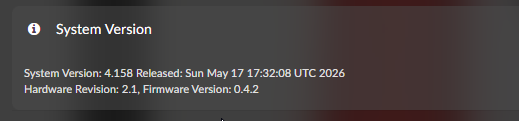
As advised, I shut off the power supply to the device (for a couple of hours) and reconnected it afterwards. Booting up seemed to take longer than normal, but now Hardware Revision and Firmware Version is visible.
Volume control is now working again. Thank you for your support.
1 Like
This is becoming a bit like a soap opera…
The Primo Plus specifies that DSD is supported up to DSD512
DSD files below DSD256 are played (according to the Mac software) in Bit perfect mode as DSD
But DSD512 is played as DSD over DoP
I tested the same file on a Holo Cyan 2 DAC which is rated to DSD1024 and the DSD512 file played as a direct DSD file
Any idea why a DSD512 file needs to be converted to DSD over DoP when using a Primo Plus?
I’ve ran into issues with DSD512 and was reported. Might have the same root cause?
what input are you using?
please try to disable multiroom and try again
DSD512 with no conversion to PCM is supported only with USB input
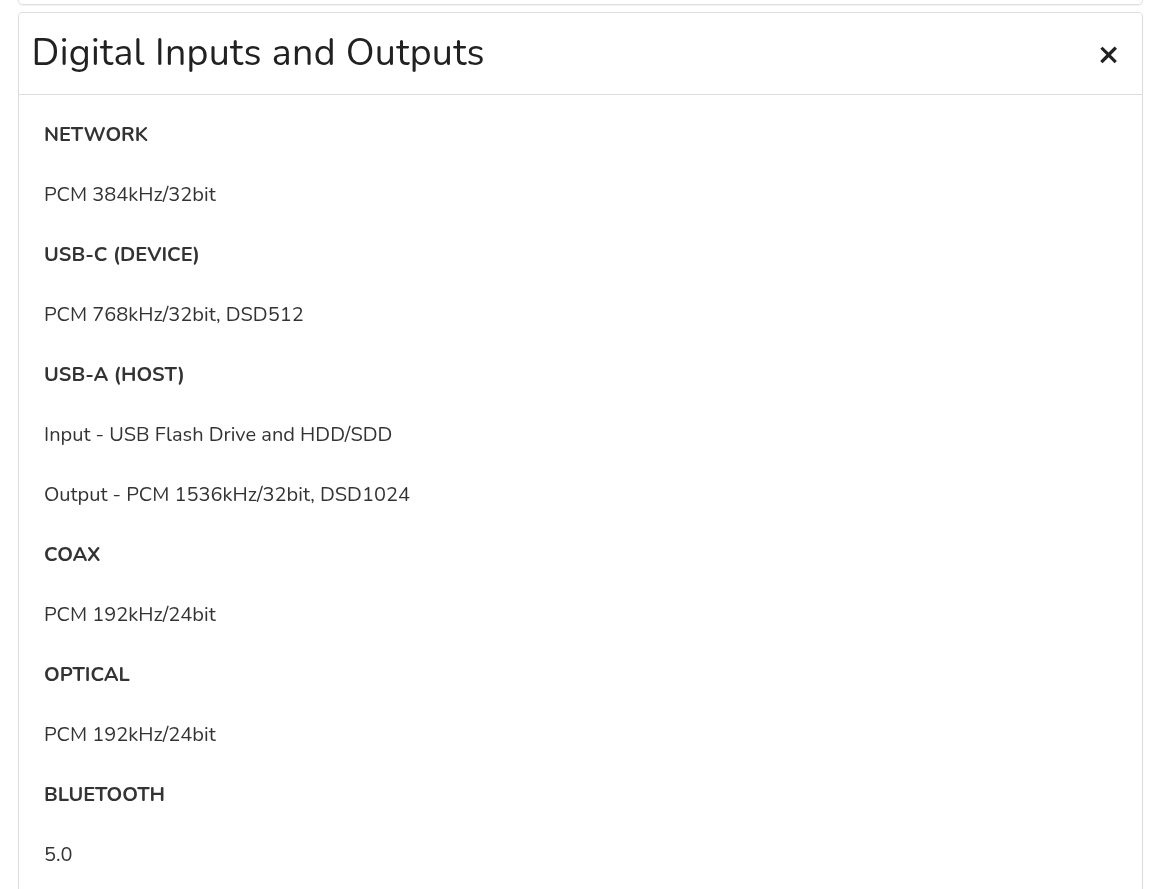
Multiroom Playback is off
The input is USB-C from a MacMini
Only Digital Input and Tidal is on
Ok, thanks for the clarification.
It could be related to the mac OS drivers, or a glitch on the reproduction software you/re using, because with USB input DSD512 in direct mode is definitely supported.
Please be aware that DoP mode is still DSD with no conversion to PCM, the only difference is related to the way the audio stream is encapsulated for transmission.
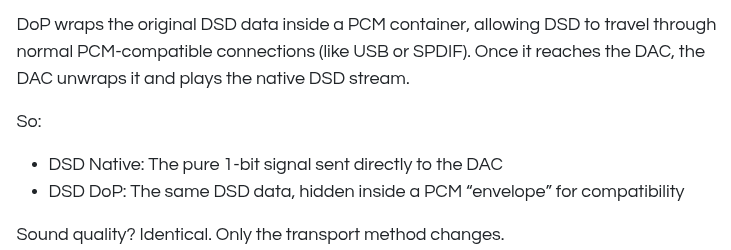
The ASIC used in the Primo Plus will send the audio stream to the DAC in DSD format, even if the source is sending the audio stream in DoP mode.
It would be so great to be able to use volumio 4 with my beloved primo!!! Thank’s for trying and again: Would be great if it works!
1 Like
I believe macOS only supports DSD over PCM (DoP) output, not raw DSD.
A post was split to a new topic: Primo V.1, crashed after trying the Plugin “FusionDSP”