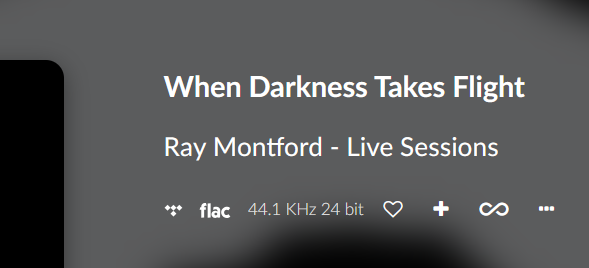
Just updated to version 3.799 and i’m still getting the hanging problem on rapidly skipping tracks. I’ve tried it twice and it did it both times with just 3 rapid ‘next’ presses. Was using the volumio app on ipad playing a tidal playlist. This is a Pi 3B with Allo digione sig. Went to Volumio a few months ago as Roon was overkill - I just wanted Tidal connect. What is the situation with this - 3.799 release notes say updates to Tidal connect SDK?
Let me know if you want logs etc. as I seem to be able to reproduce this easily.
Sorry to hear that things are not working as expected.
Tried the same with a rPi5, as my rpi3’s are dead, but can’t reproduce this behavior.
Only thing if I skip back and forth in a very rapid tempo, I need to press play again.
Please provide a log.
Two further things. My network is (relatively) slow - 35 Mbs. Secondly, after the last hang i left it ‘hung’ for around ten mins and it did unwind itself. It didn’t start playing but was able to when i pressed play. Dont know if that happens every time
We have properly tested the behavior previously mentioned also by another customer before releasing the latest software version.
However, I was not able to reproduce the issue during our internal checks.
That said, it’s possible that network speed or stability could be involved in causing this behavior.
Hi - cleared the queue as suggested and played from Tidal using Tidal Connect and so far it hasn’t failed - forwarding and backwarding from both Tidal app on ipad and from inside volumio app.
It does seem to always fail if what is playing is from Tidal selected from inside Volumio app - so I presume not using Tidal Connect but using direct Tidal integration? It is a bit tricky to see (in the Volumio App) if the track playing is from Tidal Connect or from TIdal in the app so I expect that’s where I got confused. I use the Pi/Allo Digione headless at the moment so I guess the easy answer (for me) right now is to turn of the direct Tidal integration and use only Tidal Connect - I guess that’s possible?
I’m not sure if this is just me, but Tidal Connect doesn’t seem to be working anymore on Volumio v.4021. Sometimes I can see “Volumio” listed among the available playback devices, but when I select it, nothing actually gets passed to Volumio. Other times, Volumio doesn’t show up at all in the list of devices.
[Raspberry Pi4b 2GB 32GB SD] Did this get overlooked? Again with TIDAL connect, from the TIDAL Android App on my phone, the next song to play was a ‘LOW’ res song, Solarstone - Touchstone and it failed to play, music stopped, session hanging. My Volumio TIDAL connect instance no longer appears as available target device. Log below,
Thanks for following up with the additional detail and logs - this is very helpful.
What you have run into is now quite clear: whenever TIDAL Connect advances into a LOW-resolution track (AAC), the vtcs service segfaults. The log shows:
[error] [ffmpeg_aac_decoder.cpp:31] avcodec major version differ between runtime and compile time.
[error] [ffmpeg_aac_decoder.cpp:34] avformat major version differ between runtime and compile time.
Segmentation fault
vtcs.service: Main process exited, code=exited, status=139
vtcs.service: Failed with result 'exit-code'.
This explains the exact symptoms you see:
Playback stops.
The Volumio TIDAL Connect target disappears from the TIDAL app.
The session vanishes from the Volumio UI.
Only a reboot recovers because systemd has hit the start-limit for vtcs.
So the problem is not with your Pi or setup but with how the TIDAL Connect binary was built: it links against a different FFmpeg major version than what is present at runtime. HIGH or MAX resolution tracks (FLAC) avoid this AAC decode path, which is why they work fine.
Next steps:
I will move this thread into the problems with TIDAL Connect section.
To help lock this down, it would be useful if you or others can confirm with one more reproducible LOW-quality track, and share journalctl -u vtcs -b right after the crash.
In the meantime, a simple workaround is to set TIDAL streaming quality to HIGH or MAX in the TIDAL app, so AAC LOW tracks are never pushed to Volumio.
This is a plugin-level problem and should be tracked as an RC blocker. Thanks for catching and documenting it so clearly.
Hi B505, same happens to me frequently. I.e. Tidal Connect works fine, then there’s a song with low resolution (right now one displayed with 96 KBPS AAC) and woooom Volumio is not available anymore in Tidal Connect as output source :-/
Here my log file: http://logs.volumio.org/volumio/84S291d.html
I like to add, what’s a bit weird: In Volumio’s GUI the song seems to run and there it also shows 44.1/16 as resolution, but there’s no sound playing (!?)
Hi Nerd,
the workaround to set TIDAL streamig quality to HIGH does not solve the problem to me :-/
In the Tidal Connect app on my mobile it’s displayed 96 kbps AAC, whereas in the Volumio GUI it’s 44.1/24 (but no audio is playing).