How long will the upgrade to the Primo V1 be on hold?
Thank you, after reboot I was able to enable the QC feature, however there is a red dot and the word Inactive in that field even after turning it ON, and the device still does not show up as an available QC endpoint after another couple of reboots. I even reinstalled the Qobuz Android app. Volumio is also not showing as an available QC endpoint in the macOS Qobuz app either. So for whatever reason this is an Inactive feature for me at the moment.
1 Like
It happened to me also. I had to “factory reset” and then it worked.
1 Like
I have current version of iOS, Qobuz and Volumio running on The Rivo and while it identifies all Volumio devices, (see pic below) when you choose the rivo for instance it only plays it in Airplay like @Lintbf showed above.
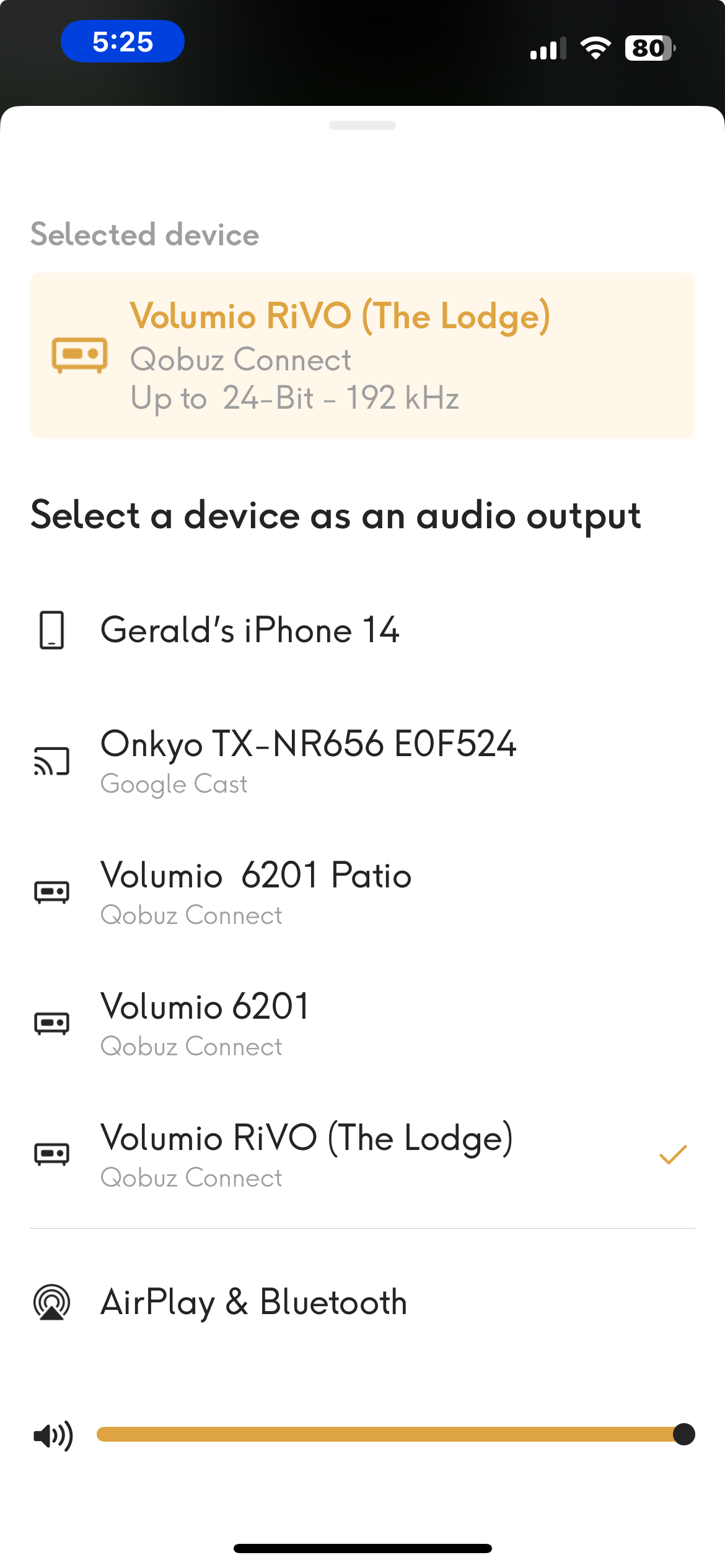
Perfectly working on my Raspberry pi 4, kudos to the Volumio team for the well done implementation and fast release.
Bravissimi !!!
1 Like
Make sure to Update Qobuz App on your iPhone to V9.0.0.
Disable Shairport on the Rivo.
Clear the Queue on the Rivo.
Restart the Qobuz App on your Phone and test again.
Tried yesterday and today but it’s not working here. On android it shows the red warning sign with the text:
Qobuz Connect is currently unavailable. Try again later or continue playing on this device
In the Qobuz App (9.0.0) on my Pixel 7 (Android 15) after every 10 seconds or so the screen flashes and very briefly my Volumio Rivo+ (System Version: 3.807) does appear in the list and then a second or so later (before I can even tap on it) it’s gone again, it just keeps doing that in an infinite loop lol.
On the Qobuz Web Player the connect icon to choose devices doesn’t appear so I’m guessing it’s not yet implemented there?
Thanks @Wheaten i do have Qobuz 9.0.0.
I tried your steps, I also turned off DNLA browsing and Blue tooth Browsing. And I have notw tested on 3 devices.
On the
- On the Pi4 it works flawlessly. fast accurate no stuttering, perfect.
- On the Pi5 and on rIVO it sometimes plays with no sound but most times it is in Play mode but just sits there.
My wifi is fast at over 300mps.
I will fiddle some more tomorrow.
This is something to plan on using as i prefer the Volumio inerface.
Thank you! After all other efforts failed I did the factory reset on an RPi 4 instance as you described, and now the QC feature is active and working, this Volumio endpoint is visible and can be controlled by my Android phone or macOS desktop Qobuz apps.
2 Likes
I’m able to play on my Mercury Streamer v2 (Rpi 4 based) using Qobuz Connect, but whenever I try to pause a track, it automatically advances to the next track on the album instead. Is anyone else experiencing this issue?
@volumio,
I’ve had a MyVolumio Virtuoso subscription since 2020. The legacy Virtuoso plan includes Tidal and Qobuz integration, including Tidal Connect. Please consider also enabling Qobuz Connect for Virtuoso subscribers.
Hi!
Sorry about the confusion — just to clarify, Qobuz Connect features are available only for Volumio Premium plan users.
Best regards,
Marco – Volumio Support Team
Thanks for Qobuz connect 
Really cool feature … now I can take advance of Qobuz app … 100%
I just read does not even new dcs dac does nor have this feature , yet .
And it seems that the dynamic range is higher …
Not in Tinkerboard with Superstar? 
When I use qobuz connect on the windows11 qobuz app get errors. To many playback errors. But it is connected with volumio. What to do? It worked before.
Do you have FusionDSP Installed? If yes disable it and test again
Hi all.
Thanks for adding this great feature. My plan is Superstar. Does this plan supports Qobuz Connect?
Thanks!!
Yes:
1 Like
Thank you!
C2 is already EOL since 23.04.2023.
N2 should get the update (or already did?) at the same time as all other community supported devices. This is core software, Qobuz upgrade is not platform dependent.
1 Like