ota update to 4.067 successful.
raspberry pi5 with 128gb MNVe memory
audiophonics evo sabre separate dac.
plugin: audiophonics evo saber
peppymeter basic
remote pi
touch display.
everything works perfectly
Volume bootloader rotation works great
DSD files work perfectly, only after disabling peppymeter.
with the same remote control of the dac that controls all the functions, I can also control the streamer with the raspberry pi5 for the most important functions such as play, pause, forward and back.
I haven’t noticed any anomalies so far.
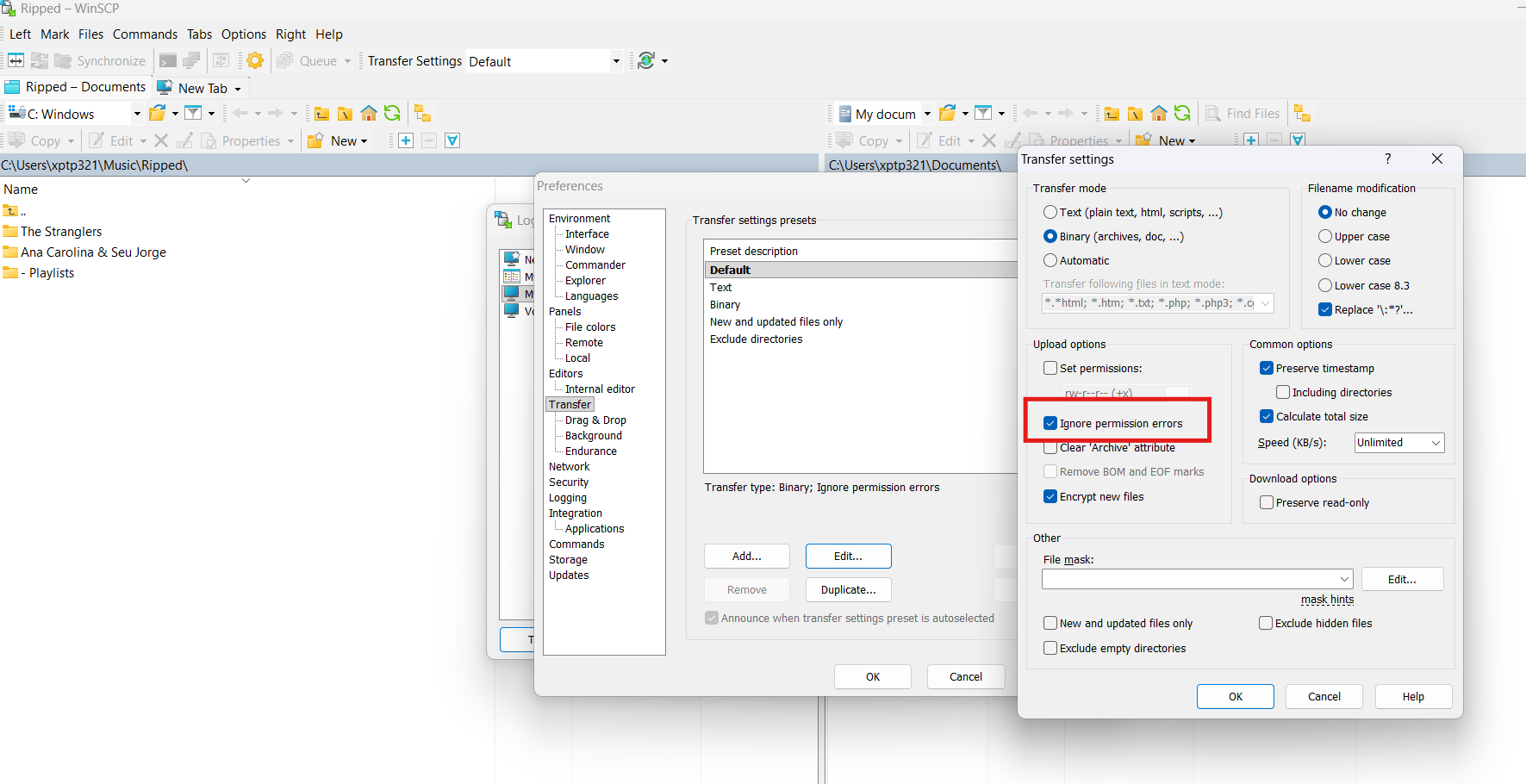
Ive updated the rpi of my father to 4.067, it works really nice. my father use winscp voor transfer files to hardisks that are connected. it works fine till the last two versions. during the transfer of albums from the one to the other harddisks he got a error that calls permission denied. error code 3. Before it works very great. It is only the case at one big hardisk. the other smaller harddisks had no problems. the are both feeded by a powered usbhub. and the big HDD had also his own powersuply. Playing music worked fine. He uses a Rpi 4 2gb ram, Can you help him? Enclosed the log
I analyzed the log and found the problem - hard disks have filesystem corruption warnings that are blocking write operations.
From the log:
FAT-fs (sda1): Volume was not properly unmounted. Some data may be corrupt. Please run fsck.
exFAT-fs (sda2): Volume was not properly unmounted. Some data may be corrupt. Please run fsck.
When filesystems are not properly unmounted, Linux sets a “dirty” flag and may restrict write operations to prevent further corruption. This is why WinSCP can browse files but cannot transfer - the filesystem is protecting itself from writes.
Fix Steps:
Disconnect both hard disks from the Raspberry Pi
Connect them to your Windows PC
Windows will detect the filesystem issues and offer to fix them - accept the repair
After repair completes, use “Safely Remove Hardware” to properly eject
Reconnect to Raspberry Pi
Test WinSCP file transfer
Going Forward:
Always use “Safely Remove Hardware” in Windows before disconnect
Always unmount drives in Volumio UI before physically disconnecting
Never power-cycle the system while file transfers are active
Once the storage blocking problem is resolved, we can check this further if the WinSCP issue persists.
Hi dear thanks for your fast reply. the case is, that both harddisks are always connected to the rpi. All writings and changings between the pc and harddisks connentected to the pi. became by ssh. it workes mostly fine. But now, one of the hdds can be remotely edited by ssh, but the other gives error code 3
Just updated to 4.067, don’t have time right now to properly test everything.
In the previous update something went wrong, as the screen had the image ok, but the touch was mirrored, and the connection from wi-fi and wired was not possible.
I’ve managed to click on the right spots on the screen (mirrored and upsidedown) to manualy start this update, and then it was possible to connect, reverse the screen in the Touch Display plugin, and all seems fine.
Sorry, did not get a log when the problem was present, and I believe that now it’s not relevant, but if needed I can do it.
After latest update OTA 4.066 to 4.067 my rPi4 (wired) have a very long startup time. Sometimes up to 10 min. rPi Touch Display(1) turns on with blank screen and then Volumio UI loads very slowly.
Only touch display plugin 3.5.9 ebabled.
No issue with 4.067 (ota from 4.66)
Spotify more stable ( 2 night sessions without stuttering or else. Same use of network as before)
Log http://logs.volumio.org/volumio/FxkhBGP.html
I think 4.067 has issues. The UI works, I can change between Radio Paradise, web radio, and spotify, but no music. The green led is on on my hi-fi berry dac is lit. So don’t know what happened. Seemed the issues started whrn I upgraded to Radio Paradiss beta v2.0.16. I’ll try going back