[Poll 2] Do You Understand That Buster and Bookworm Share the Same Backend?
Here’s a technical reality check: the Volumio backend is shared across Buster and Bookworm. That means bugs in one… often follow you like a loyal pet to the other.
Do you:
Fully understand the backend is shared
Suspected it, but never sure
Thought Bookworm magically fixed everything
Wait, what’s a backend?
0voters
This helps us separate real Bookworm issues from the classic “it was broken before but I never mentioned it” surprises.
[Poll 4] What Do You Expect from Community Beta Contributors?
The Volumio Beta - both OS and Plugins - is kept alive by volunteers with support from staff. Not full-time developers. Just community members spending their own time to test, fix, document, and occasionally repeat “please post logs” for the 400th time.
And yet… some users still expect white-glove service with a 24-hour SLA.
So tell us honestly - what do you expect from community Beta contributors?
Casual testing and bug triage - anything more is a bonus
Help with showstopper issues, not your personal wishlist
Occasional updates and guidance - no pressure
Daily fixes, polished features, and concierge-level support
Wait… this isn’t a paid team?
0voters
This poll helps us understand if expectations match reality - or if we need to pin this to every thread from now on.
Freshly installed 4.020 on a Fujitsu Futro S920 AMD ThinClient w/ 8GB RAM on a mSATA SSD 8GB via USB stick. The audio interface is a Meridian Explorer 2.
For testing I created a new MyVolumio Account w/ Premium plan and a new Qobuz account w/ Studio plan. Right now I am on Tidal and an old Virtuoso plan. Testing Qobuz connect was since release on my whichlist.
For the account registation, etc. I got beamed in a browser world and was not able to get out of it. I shurely made a mistake, but still it was impossible for me. After regulary push button poweroff and on every thing was fine.
One small thing I found for Qobuz connect: it pauses in volumio UI but does not start. I have to go for the app to start again.
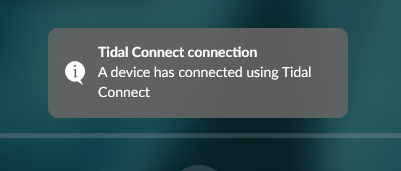
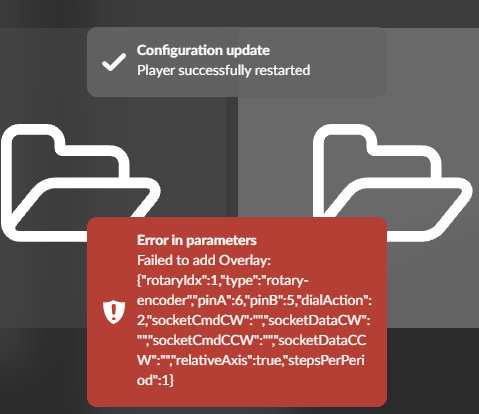
Tidal connect reports a Server error in the Windows App, while I get this popup in UI:
Tested Both Qobuz as Qobuz Beta, but I am unable to reproduce this error. Only thing I can think of if that you have a Qobuz Solo subscription and trying to play on 2 devices?
Also very unclear what happened here as the process is pretty stable and straight forward.
Capability of reboot from GUI is still missing.
This is still unfortunately true for reboot commands from terminal as well- so reboot is currently not possible - hard reset (power off) is neccessary.
BT remote is connected and initially doesn’t work correctly.
Have now installed BluetoothRemotePlugin and rescanned. GUI was for some reason tricky - it was not easily possible to get the found device selected but after several approaches some may strange combination kept the device selected in the drop-down and so a saving could be performed.
BT remote still doesn’t work properly, Volume up/down and skip back were missing as before.
The triggerhappy config file was moved or reflected to the externally visible INTERNAL storage Portion - nice idea.
Doesn’t work either initially - file belongs to root. Changing this it was possible to add the missing entries
KEY_VOLUMEUP 1 volumio volume plus
KEY_VOLUMEDOWN 1 volumio volume minus
KEY_PREVIOUSSONG 1 volumio previous
Restarting triggerhappy (possible from plugin-settings - great idea, as well!) and voilà: BT remote now works fine.
Thanks to @balbuze!
The poblem with one of the rotary encoders disappeared, both Rotary Encoders are doing their respective work.
(HW) Config:
Pi5,
Raspi 2 Display (DSI),
Two rotary encoders on several GPIOs - both working fine.
Working BT remote
Testing:
Spotify plugin, works (my only use case).
Touch display (and corresponding plugin) works
“Now Playing” plugin works
Bluetoothremote plugin works! - BT remote is working (connected and signals detected)
Rotary encoders are working partly
WiFi is working (can access from laptop / phone).
CORRD link still only leads to app-store, no intergrations as far as I can see.
Many, many thanks for your effort. The result is awesome!
Warmest regards,
Ralf
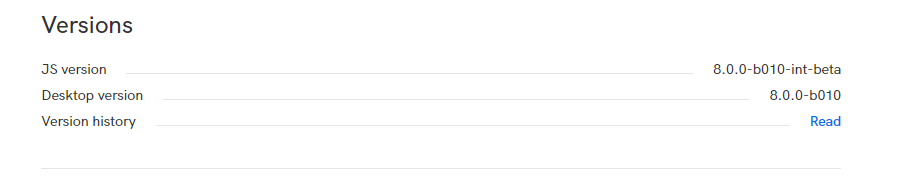
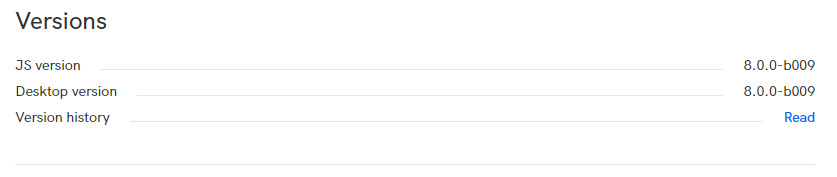
Yes, I have a Qobuz Solo subscription, but no I only run it on a single device. Actually on a different Windows 11 system and which was update from 7… to 8.0.0-b009.
Turns out the TIDAL issue was an incompatibility between libcurl and OpenSSL 1.1.1. Now we statically link a compatible version of libcurl. Next build should fix this.
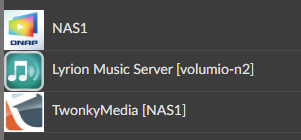
thanks for the workaround. Made it running, but: UPnP is not started and media server’s are not detected. Probably beacuse of delayed network startup. Thus waiting for a system solution.
Hello nerd
I just did a clean install of 4.020 and it works great.
The good news is that it created a hotspot , well two ? One with Volumio and the other with the expected Volumio-FBAF9 . The bad news I couldn’t log into either, so I reverted to wired ethernet.
Hardware is Pi2B with WiPi USB as before.
Best Regards