Public Alpha Test: Audio Without Compromise - Volumio on Bookworm Begins

Hello Nerd
Sorry to disappoint you, But the hotspot still doesn’t work
Here’s a log file I re-did the commands you requested before.
http://logs.volumio.org/volumio/IlrDXU0.html
I tried SSH and it still doesn’t work
I keep getting a message “Time jumped backwards, rotating” perhaps its GroundHog Day !!!

Best Regards

Final update (I hope):

It looks like the instructions you did send fixed (almost) everything. What I thought was X crashing, showing “No Input” on the monitor was most likely being caused by the screensaver in the Touch Input plugin kicking in. When I set Screensaver Timeout =0 (i.e. deactivating) the screen doesn’t die.

Thanks again for all the troubleshooting. I’m just happy to have it all functioning.

Hey @Dick_van_der_Wal, @Wheaten, @Robert.Hecht,

Thanks for confirming the issue with the WebRadio search crash.

I am, we are aware of the bug - it is caused by the WebRadio plugin not validating search results before attempting to process them, which leads to a GUI crash and a forced player restart when the API returns undefined or empty responses.

This bug affects the Bookworm Alpha, but not Buster production builds. The back-end is shared between both platforms. A fix is already prepared and verified, but it will not be applied until regression testing on the Buster release completes. Currently, other high-priority items are ahead in the queue.

Once approved for rollout, the fix will be included in the ALPHA release changelog.

In the meantime, if you’re looking for a specific stream such as RCO Live, you can manually add it via: My Web Radios > Add Web Radio in the Volumio UI.

I can share patched files if the functions are critical, to be applied manually, however OTA checker will refuse update.

Kind Regards,

2 Likes

Hey @JohnR,

Thanks again for running those tests and for the new log. No disappointment at all - this is valuable data.

Summary of Findings from 0.068 Log

Log: http://logs.volumio.org/volumio/IlrDXU0.html

  1. Driver Loading

    ieee80211 phy0: rt2x00_set_rt: Info - RT chipset 5390, rev 0502 detected
    ieee80211 phy0: rt2x00_set_rf: Info - RF chipset 5370 detected
    

    The adapter is detected, and the correct chipset is identified. So USB detection is working.

  2. No Firmware Load
    Still no message about rt2870.bin, which confirms the driver is not initializing fully. It should log:

    rt2x00lib_request_firmware: Info - Loading firmware file 'rt2870.bin'
    

    but that line is absent again.

  3. Hotspot Fails

    platform.sh: Failed to start hotspot, device wlan0 not found or blocked
    rfkill: WLAN is soft blocked
    

    This means the interface didn’t come up due to either:

    • Firmware not being loaded (primary issue)
    • Soft block (secondary, though workaround was attempted)
  4. Time Jump Warnings

    systemd-journald[215]: Time jumped backwards, rotating
    

    This message is expected when the system clock is incorrect and later corrected (e.g. via NTP or hardware quirks). It’s harmless and not related to the hotspot.

Next Step

Let’s confirm definitively whether the system can even see the firmware file:

Please run:

ls -l /lib/firmware/rt2870.bin

Then try manually reloading the module again:

sudo dmesg -n 8
sudo modprobe -r rt2800usb
sudo modprobe rt2800usb
dmesg | grep -i firmware
dmesg | grep -i rt2870

This will tell us:

  • Whether the firmware file exists.
  • Whether the firmware request is occurring or suppressed.
  • Whether the chipset reaches an initialized state.

Once we verify these, I can trace whether there’s a filesystem or packaging issue in 0.068 that blocked delivery of the expected file.

Kind Regards,


Hey @Nathan_Centofanti,

That’s great news - really glad to hear it’s now working reliably. The screensaver explanation makes perfect sense and lines up with what we were seeing.

When you have a moment, could you please post the final versions of your:

  • /boot/config.txt
  • /boot/volumioconfig.txt
  • /boot/userconfig.txt
  • Plus any changes made to /etc/X11/xorg.conf.d/

This would be valuable for reference and could help others in the community running the same screen or setup avoid the same pitfalls.

Thanks again for sticking with it through the debugging process.

Kind Regards,

Dear Volumionauts,

We are currently undergoing an infrastructure upgrade to support the upcoming Bookworm BETA, future stable releases, and continued ALPHA testing. As part of a broader internal discussion on the Volumio Roadmap, we have made a key decision regarding system architecture:

Partition Layout Redesign

To ensure long-term maintainability, the partition layout will be redesigned to accommodate at least three major future Volumio releases. This change is being introduced during the current ALPHA stage, making it the ideal moment for such a foundational update.

Important Note:
This new layout will require a full re-flash of your storage media once implemented.

Updated Minimum Storage Requirement

Due to the partition changes and upcoming system needs, minimum storage capacity is now set to 8GB.

ARMv6 Support Status

It is very likely that ARMv6 builds will be discontinued. We welcome any interest from community developers who may wish to take ownership of these legacy ports.

Plugin Development Alignment

Plugin developers are already freezing work on the legacy Buster branches and shifting focus to ensure compatibility with Bookworm going forward.

We will keep you updated with further technical details and timelines as they solidify.

Kind Regards,

2 Likes

Good morning, gkkpch

Ok, mate, here we go again…new fresh install of 0.068 version. Pen was formatted.
Alsamixer untouched…choose SPDIF from “General Playback Option” and some radio web…no sound at all…

WHEN I COPY AND ENTER “amixer -c 0 set ‘IEC958’,16 unmute”
i get sound immediatly…

:+1: :+1: :+1: :+1: :+1: :+1:

volumio@volumio:~$ amixer scontrols
Simple mixer control ‘Master’,0
Simple mixer control ‘Headphone’,0
Simple mixer control ‘Front’,0
Simple mixer control ‘Front Mic’,0
Simple mixer control ‘Front Mic Boost’,0
Simple mixer control ‘Surround’,0
Simple mixer control ‘Center’,0
Simple mixer control ‘LFE’,0
Simple mixer control ‘Line’,0
Simple mixer control ‘Line Boost’,0
Simple mixer control ‘IEC958’,0
Simple mixer control ‘IEC958 Default PCM’,0
Simple mixer control ‘IEC958’,1
Simple mixer control ‘IEC958’,2
Simple mixer control ‘IEC958’,3
Simple mixer control ‘IEC958’,16
Simple mixer control ‘Capture’,0
Simple mixer control ‘Capture’,1
Simple mixer control ‘Auto-Mute Mode’,0
Simple mixer control ‘Input Source’,0
Simple mixer control ‘Input Source’,1
Simple mixer control ‘Loopback Mixing’,0
Simple mixer control ‘Rear Mic’,0
Simple mixer control ‘Rear Mic Boost’,0

volumio@volumio:~$ amixer -c 0 get ‘IEC958’
Simple mixer control ‘IEC958’,0
Capabilities: pswitch pswitch-joined
Playback channels: Mono
Mono: Playback [on]

volumio@volumio:~$ amixer -c 0 get ‘IEC958’,16
Simple mixer control ‘IEC958’,16
Capabilities: pswitch pswitch-joined
Playback channels: Mono
Mono: Playback [off]

amixer -c 0 set ‘IEC958’,16 unmute
Simple mixer control ‘IEC958’,16
Capabilities: pswitch pswitch-joined
Playback channels: Mono
Mono: Playback [on]

I GET SOUND WITH THIS COMMAND :point_up_2: :point_up_2: :point_up_2:

volumio@volumio:~$ amixer -c 0 set ‘IEC958’ unmute
Simple mixer control ‘IEC958’,0
Capabilities: pswitch pswitch-joined
Playback channels: Mono
Mono: Playback [on]

Hope this can help you, mate

Cheers
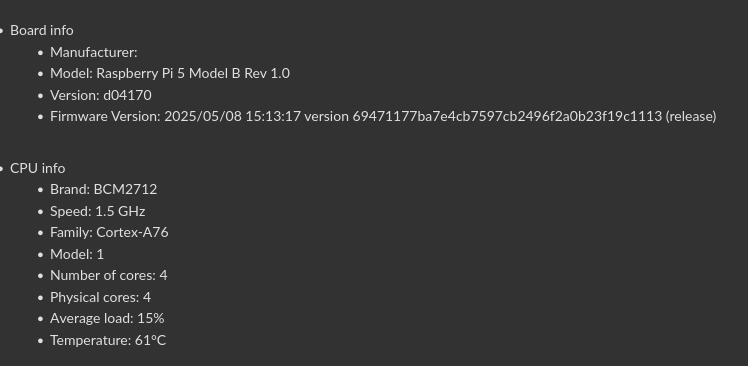
Working configuration for the following setup:

Computer: Raspberry Pi 3B+
Touchscreen: ElecLab 8" 1600x480 panel connected via HDMI & USB
Amp/Speaker: Generic Amazon purchased USB speaker (Model LLR050)

/boot/config.txt

### DO NOT EDIT THIS FILE ###
### APPLY CUSTOM PARAMETERS TO userconfig.txt ###
initramfs volumio.initrd
gpu_mem=128
gpu_mem_256=32
gpu_mem_512=32
gpu_mem_1024=128
max_usb_current=1
[pi5]
usb_max_current_enable=1
[all]
include volumioconfig.txt
include userconfig.txt

/boot/volumioconfig.txt

### DO NOT EDIT THIS FILE ###
### APPLY CUSTOM PARAMETERS TO userconfig.txt ###
[cm4]
dtoverlay=dwc2,dr_mode=host
otg_mode=1
[pi5]
dtoverlay=vc4-kms-v3d-pi5
# dtparam=uart0_console # Disabled by default
dtparam=nvme
dtparam=pciex1_gen=2
[all]
arm_64bit=0
dtparam=audio=on
audio_pwm_mode=2
dtparam=i2c_arm=on
disable_splash=1
hdmi_force_hotplug=1
force_eeprom_read=0

/boot/userconfig.txt

dtoverlay=vc4-kms-v3d
max_framebuffers=2

# Add your custom config.txt options to this file, which will be preserved during updates

hdmi_force_hotplug=1
hdmi_ignore_edid=0xa5000080
hdmi_group=2
hdmi_mode=87
hdmi_cvt 1600 480 60 6 0 0 0
hdmi_drive=2
display_auto_detect=0

No changes to /etc/X11/xorg.conf.d/ folder.

If using the Touch Display plugin to keep the screen from shutting off (which I have found to cause issues) set Screensaver Timeout = 0 in the plugin settings.

I have found that bootup into the Volumio app can take a little bit of time (a few minutes, if you look at the top command you’ll notices the processors are pegged), but once it does everything settles down and works well.

Anyone else having problems downloading 0.069 for Pi? I’ve tried 4 times, looks like it’s downloading but doesn’t complete.

@SimonE

Please try to rename the device, reboot and test again.

OTA update from 0.068 to 0.069
Pi4 + RPi 7" screen v1.1
Topping D10S USB DAC
Logs

OTA update worked fine, able to access the GUI, but screen and network drive not working. Spotify working on first test. One power cycle enough to get the screen working, but two more power cycles to find my NAS files.

Tested all OK:
Playing music from Spotify, NAS, Bandcamp, Soundcloud, Web Radio, Youtube Music
Touch Display, Now Playing, Bluetooth*, Play Here, Multiroom

*Playing music from my phone via Bluetooth is way more stable than it was with Volumio V3. Connection is perfect.

Thanks @Wheaten, but I’m trying to download the latest zipped image to test on a second system. OTA worked without a problem.

Working now. Download complete.

1 Like

Hello,
Systeminfo v3.0.8 should now detect properly the firmware version


:wink:

2 Likes

Hello Nerd
Here’s the log file
http://logs.volumio.org/volumio/HbiFUJR.html
I had a few key bounces
When I started up the music came out of the monitor, I resaved the output selection and restarted the media and all was OK
Best Regards

Thank you, this was very very helpful!
Now we know how to adapt the ALC897 init :+1:

Hi @nerd ,

environment AMD64

  • OTA from 0.068 to 0.069 :white_check_mark:
  • Audio via SPDIF :white_check_mark:
  • Playback local :white_check_mark:
  • Playback Tidal :white_check_mark:
  • Tidal Connect :white_check_mark: (with known issues)
  • Web Radio :white_check_mark:
  • WEB UI :white_check_mark:
  • Plugin FusionDSP 2.0.74 :white_check_mark:
  • UI via HDMI :white_check_mark:

If any dedicated test is needed, don’t hesitate to ask. :wink: :notes:

Cheers,
Robert

Quick feedback after a brief testing:

Primay Device: Pi 4B with Behringer UMC22 USB Interface as DAC
Initial Set up etc - Good
YT Music - Good
Playing FLAC from USB drive - Good (Took two restarts for the drive to detect)
Bonus-Youtube Cast which never worked for me in Buster now works fine
Touch Display- Waveshare 7 inch DSI - works but I need a 180 rotation which doesnt work fine. Touch rotates, but the display doesnt. Hope this gets fixed soon.

Secondary device - Pi 3B+ with IQAudio Pro
Initial Set up etc - Good
YT Music - Good

Thanks @nerd and everyone behind this wonderful project. I was getting a bit disappointed with YT music broken for long; now it seems things are getting good again

Hi,

I just hear a broken, hacked to pieces playback via Tidal Connect. It sounds like a reverberation - you can here it here: Unique Download Link | WeTransfer Never had that before with Volumio…

Log: http://logs.volumio.org/volumio/bOW6Lw2.html

The same title played via Tidal directly on the Volumio UI sounds without errors.

Cheers,
Robert

HI
I have a rasbperry pi 4 with a hifiberry dac plus.
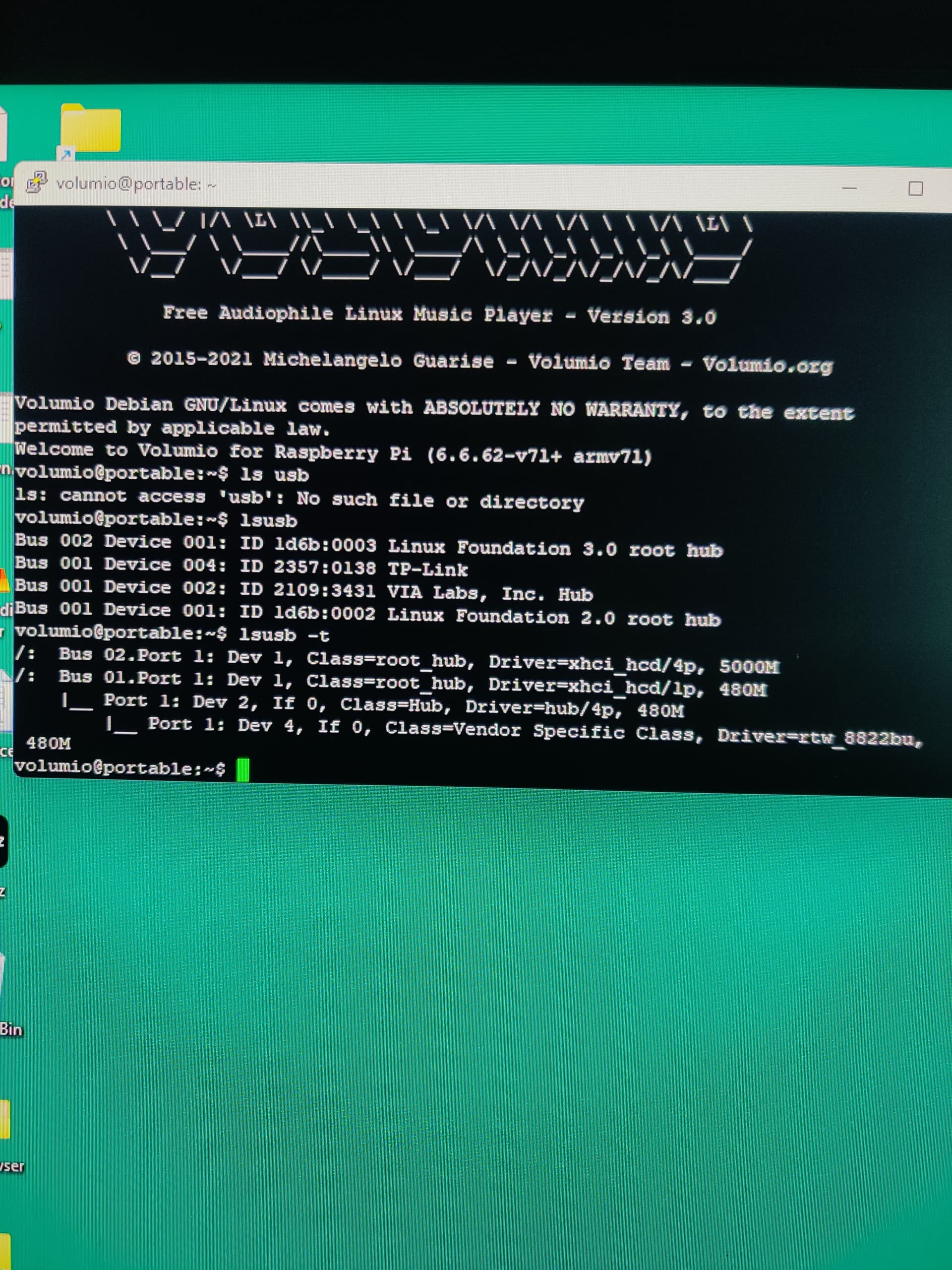
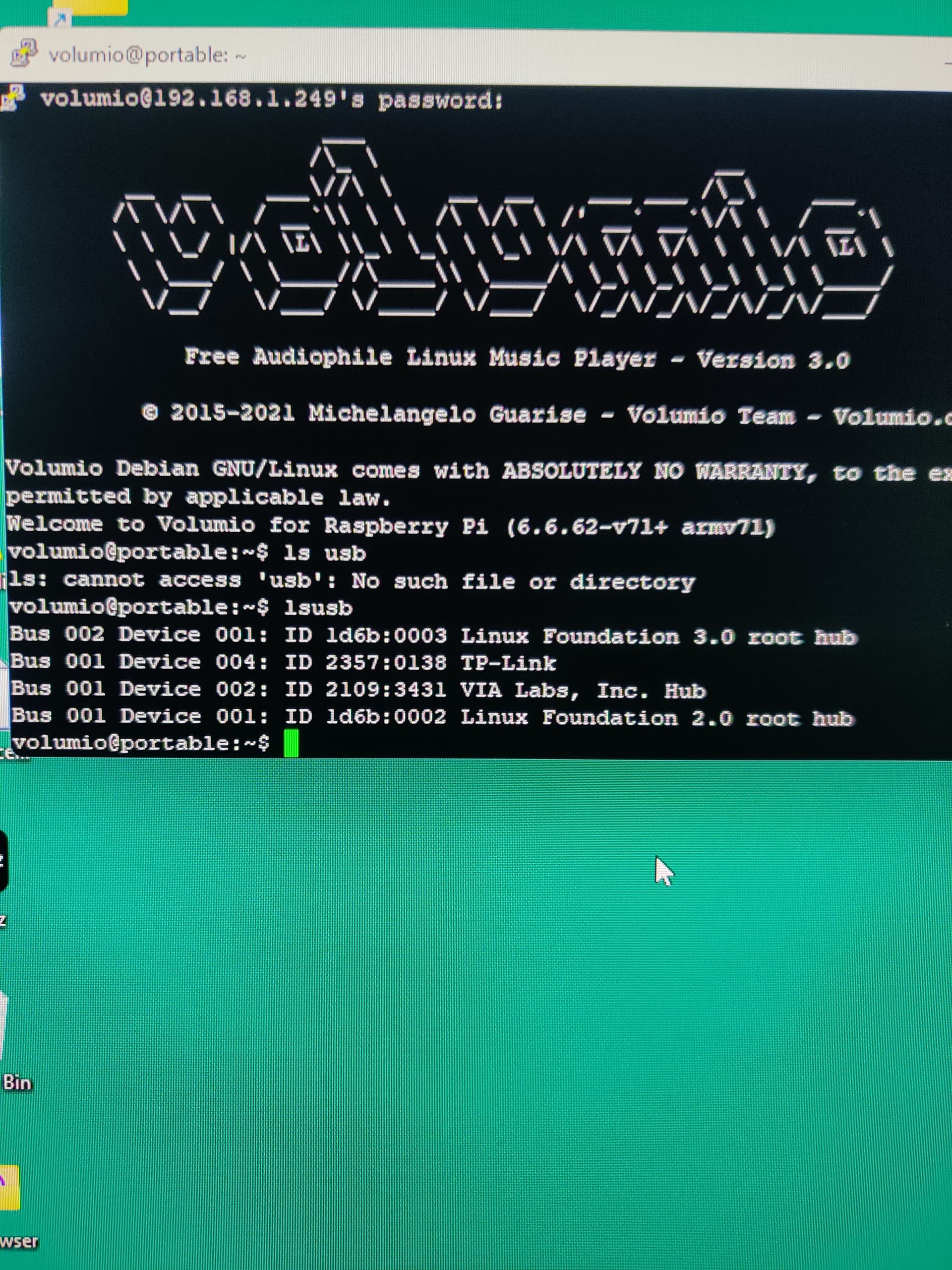
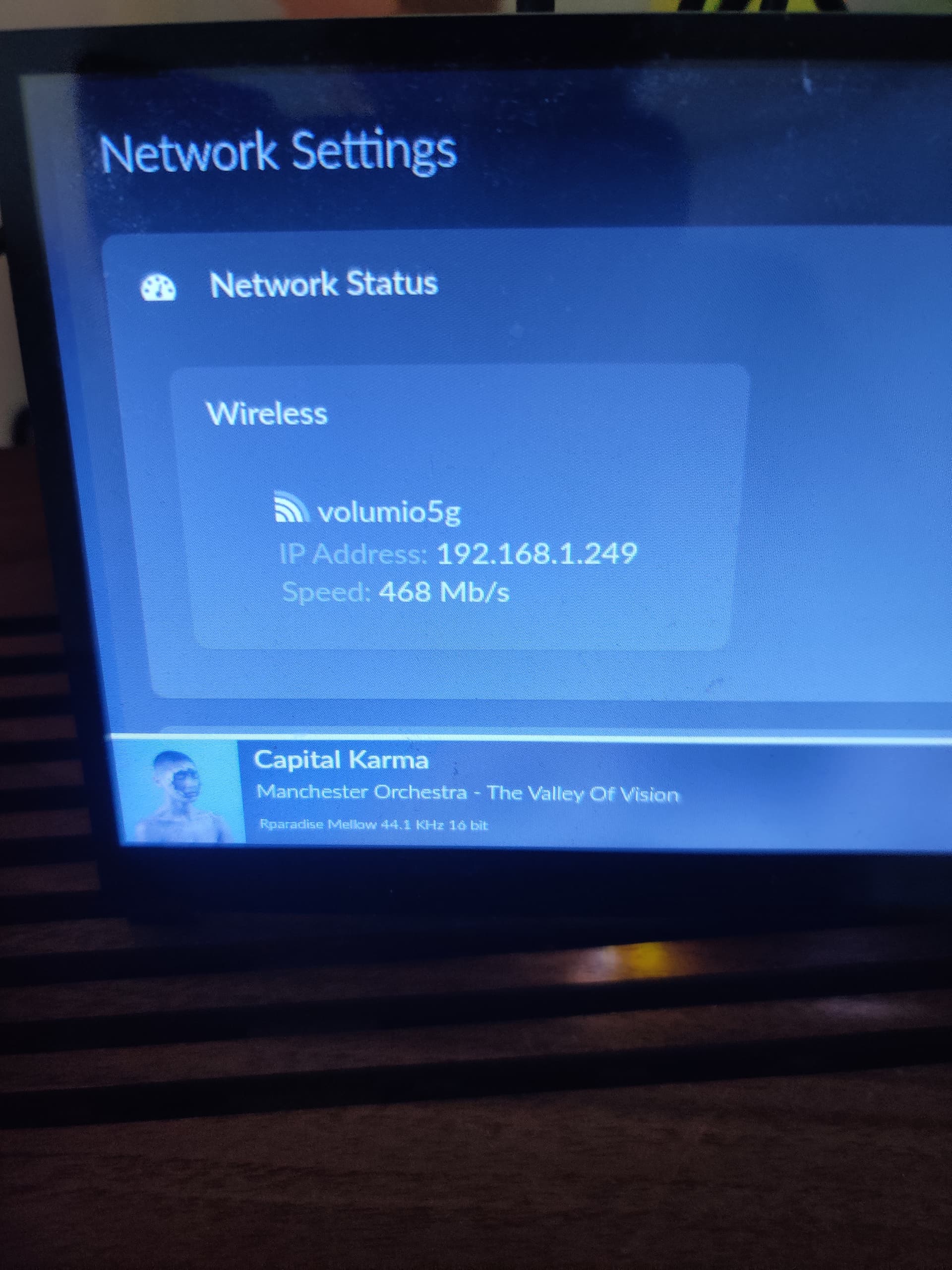
I use a TP-link wifi dongle

It works great.
(tp-link Archer T3U plus) AC 1300Mbbps

I tried .069 today. It would not connect on wifi. I suspect beacuse it is lacking the driver.
I tried a wired connection and it came right up but I could not add a wireless network ( again because there is no driver.

Here is info on my current working implementation. (3.799)

let me know if you need anything else.
Regards and you guys do a great job!
Jim