Dear @nerd, it’s hard to ask you questions because you put in a lot of work to answer super precisely. You don’t skip anyone’s question. You’re very helpful and very, very polite (every single one of your comments).
I wish I had the knowledge you have, but it’s too late.
Thank you very much.
Best regards
Thanks @nerd.
Hashed out display_hdmi_rotate=2 … didn’t help.
Content of file is now:
userconfig.txt (304 Bytes)
Both the xrandr commands return “Can’t open display”
Here is the Xorg log
Xorg.0.log.txt (10.8 KB)
I added the text at the start of /opt/volumiokiosk.sh but that didn’t work either.
Here’s the latest log after reboot with screen not working and the recommendations made.
Hi, sorry for the late reply.
I’ve made a clean install…wiped everything from my USB pen, and install 0.067 version.
After install this new version, i still have no sound over spdif output.
- Was audio ever heard from the SPDIF port using either Volumio playback or via manual ALSA command-line tools?
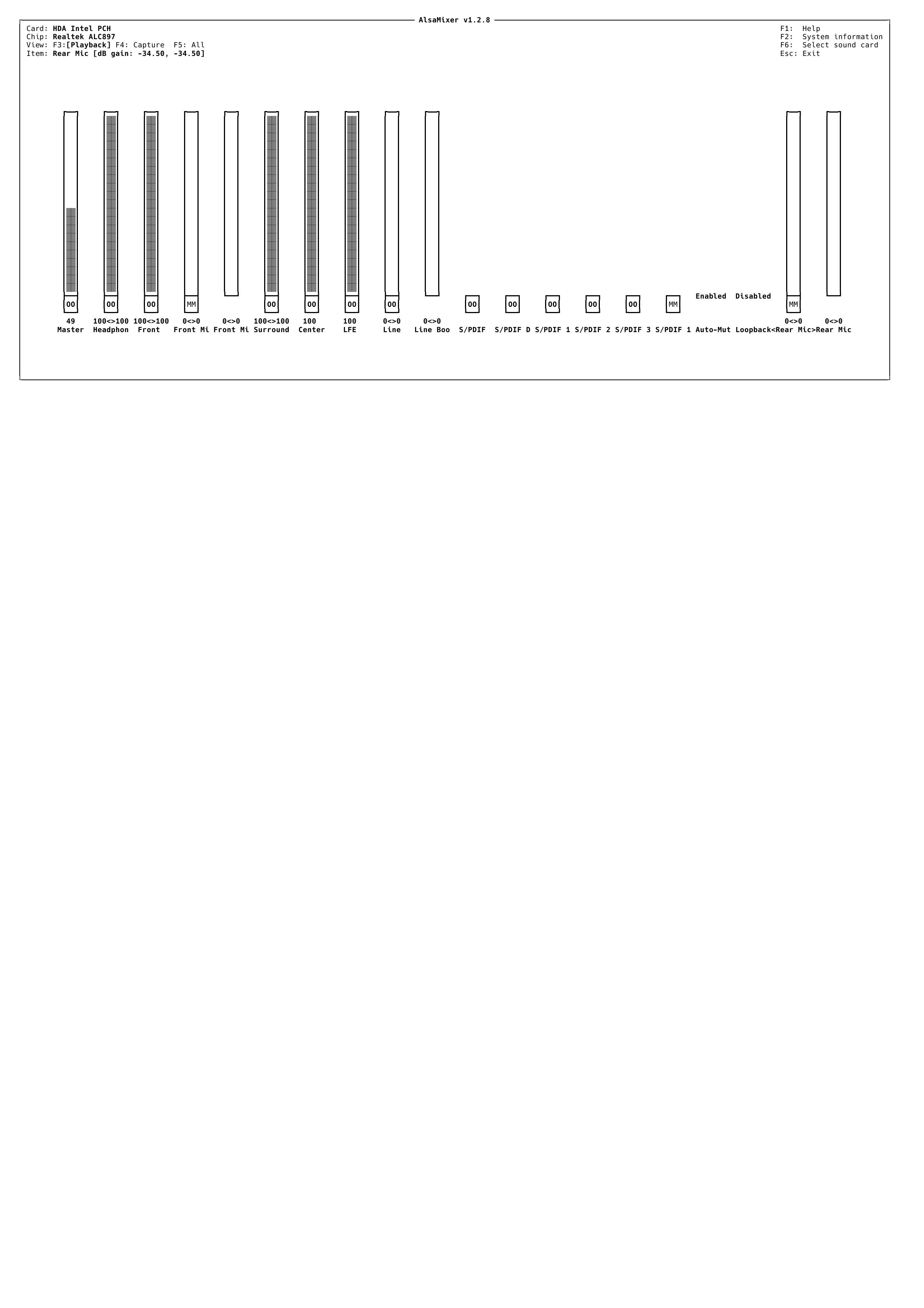
- Never had sound from SPDIF, i just run “alsamixer” turn on spdif16, and i get sound. Tried Analogue and it was working fine.
- What is the SPDIF output connected to? (e.g., amplifier, AV receiver, DAC). Some devices require specific sample rates or may not support PCM input from certain sources.
- The spdif output (from my motherboard) is connected to my amplifier (JUSON JTA100) This amplifier has a “optical input”
- Was the correct output device selected in the Volumio UI? Please confirm whether the SPDIF interface (
ALC897 Digital, typicallyhw:0,1) was explicitly selected as the playback output.
- Are you talking about Volumio UI? If so, i don’t see any other options, maybe because i’m not using a Rpi. However, in “MIXER CONTROL NAME”, selecting IEC958 and all other variants, does nothing…
- Can you run this command and share the output?
aplay -D hw:0,1 /usr/share/sounds/alsa/Front_Center.wav
This will confirm whether ALSA is able to route audio directly to the SPDIF interface without involving the Volumio stack.
volumio@volumio:~$ aplay -D hw:0,1 /usr/share/sounds/alsa/Front_Center.wav
aplay: main:831: audio open error: Device or resource busy
5.Please also run:
amixer -c 0
volumio@volumio:~$ amixer -c 0
Simple mixer control ‘Master’,0
Capabilities: pvolume pvolume-joined pswitch pswitch-joined
Playback channels: Mono
Limits: Playback 0 - 87
Mono: Playback 65 [75%] [-16.50dB] [on]
Simple mixer control ‘Headphone’,0
Capabilities: pvolume pswitch
Playback channels: Front Left - Front Right
Limits: Playback 0 - 87
Mono:
Front Left: Playback 87 [100%] [0.00dB] [on]
Front Right: Playback 87 [100%] [0.00dB] [on]
Simple mixer control ‘Front’,0
Capabilities: pvolume pswitch
Playback channels: Front Left - Front Right
Limits: Playback 0 - 87
Mono:
Front Left: Playback 87 [100%] [0.00dB] [on]
Front Right: Playback 87 [100%] [0.00dB] [on]
Simple mixer control ‘Front Mic’,0
Capabilities: pvolume pswitch
Playback channels: Front Left - Front Right
Limits: Playback 0 - 31
Mono:
Front Left: Playback 0 [0%] [-34.50dB] [off]
Front Right: Playback 0 [0%] [-34.50dB] [off]
Simple mixer control ‘Front Mic Boost’,0
Capabilities: volume
Playback channels: Front Left - Front Right
Capture channels: Front Left - Front Right
Limits: 0 - 3
Front Left: 0 [0%] [0.00dB]
Front Right: 0 [0%] [0.00dB]
Simple mixer control ‘Surround’,0
Capabilities: pvolume pswitch
Playback channels: Front Left - Front Right
Limits: Playback 0 - 87
Mono:
Front Left: Playback 87 [100%] [0.00dB] [on]
Front Right: Playback 87 [100%] [0.00dB] [on]
Simple mixer control ‘Center’,0
Capabilities: pvolume pvolume-joined pswitch pswitch-joined
Playback channels: Mono
Limits: Playback 0 - 87
Mono: Playback 87 [100%] [0.00dB] [on]
Simple mixer control ‘LFE’,0
Capabilities: pvolume pvolume-joined pswitch pswitch-joined
Playback channels: Mono
Limits: Playback 0 - 87
Mono: Playback 87 [100%] [0.00dB] [on]
Simple mixer control ‘Line’,0
Capabilities: pvolume pswitch
Playback channels: Front Left - Front Right
Limits: Playback 0 - 31
Mono:
Front Left: Playback 0 [0%] [-34.50dB] [off]
Front Right: Playback 0 [0%] [-34.50dB] [off]
Simple mixer control ‘Line Boost’,0
Capabilities: volume
Playback channels: Front Left - Front Right
Capture channels: Front Left - Front Right
Limits: 0 - 3
Front Left: 0 [0%] [0.00dB]
Front Right: 0 [0%] [0.00dB]
Simple mixer control ‘IEC958’,0
Capabilities: pswitch pswitch-joined
Playback channels: Mono
Mono: Playback [on]
Simple mixer control ‘IEC958 Default PCM’,0
Capabilities: pswitch pswitch-joined
Playback channels: Mono
Mono: Playback [on]
Simple mixer control ‘IEC958’,1
Capabilities: pswitch pswitch-joined
Playback channels: Mono
Mono: Playback [on]
Simple mixer control ‘IEC958’,2
Capabilities: pswitch pswitch-joined
Playback channels: Mono
Mono: Playback [on]
Simple mixer control ‘IEC958’,3
Capabilities: pswitch pswitch-joined
Playback channels: Mono
Mono: Playback [on]
Simple mixer control ‘IEC958’,16
Capabilities: pswitch pswitch-joined
Playback channels: Mono
Mono: Playback [off]
Simple mixer control ‘Capture’,0
Capabilities: cvolume cswitch
Capture channels: Front Left - Front Right
Limits: Capture 0 - 63
Front Left: Capture 39 [62%] [12.00dB] [on]
Front Right: Capture 39 [62%] [12.00dB] [on]
Simple mixer control ‘Capture’,1
Capabilities: cvolume cswitch
Capture channels: Front Left - Front Right
Limits: Capture 0 - 63
Front Left: Capture 0 [0%] [-17.25dB] [off]
Front Right: Capture 0 [0%] [-17.25dB] [off]
Simple mixer control ‘Auto-Mute Mode’,0
Capabilities: enum
Items: ‘Disabled’ ‘Enabled’
Item0: ‘Enabled’
Simple mixer control ‘Input Source’,0
Capabilities: cenum
Items: ‘Rear Mic’ ‘Front Mic’ ‘Line’
Item0: ‘Rear Mic’
Simple mixer control ‘Input Source’,1
Capabilities: cenum
Items: ‘Rear Mic’ ‘Front Mic’ ‘Line’
Item0: ‘Rear Mic’
Simple mixer control ‘Loopback Mixing’,0
Capabilities: enum
Items: ‘Disabled’ ‘Enabled’
Item0: ‘Disabled’
Simple mixer control ‘Rear Mic’,0
Capabilities: pvolume pswitch
Playback channels: Front Left - Front Right
Limits: Playback 0 - 31
Mono:
Front Left: Playback 0 [0%] [-34.50dB] [off]
Front Right: Playback 0 [0%] [-34.50dB] [off]
Simple mixer control ‘Rear Mic Boost’,0
Capabilities: volume
Playback channels: Front Left - Front Right
Capture channels: Front Left - Front Right
Limits: 0 - 3
Front Left: 0 [0%] [0.00dB]
Front Right: 0 [0%] [0.00dB]
Now, this first log is about NO SOUND, i didn’t make any changes…
http://logs.volumio.org/volumio/RGiI5Ud.html
This log, i turn on spdif16 and i get sound over SPDIF output
http://logs.volumio.org/volumio/dowEotq.html
Hope this could help you… 
Hey @Rui_C,
Thanks for the comprehensive reply, including your direct tests and the two detailed log sets (RGiI5Ud, dowEotq). We now have a precise understanding of the issue with SPDIF output on your Asus B760M-PLUS DDR5 board.
What we see from the logs and your test results:
-
The SPDIF interface
hw:0,1(ALC897 Digital) is present and functional at the kernel and ALSA levels. This is confirmed in both logs byaplay -l. -
In the non-working case, your MPD logs clearly show:
mixer: Failed to read mixer for "alsa": no such mixer control: PCM
output: Failed to open mixer for "alsa": no such mixer control: PCM
This confirms that Volumio is attempting to use a software mixer that does not exist on the SPDIF output path. Realtek’s digital output does not expose a usable mixer named
PCM, which is normal. -
In the working case, enabling
IEC958, specifically control index16, viaalsamixer, successfully activates the SPDIF output and results in audible playback. This strongly indicates thatIEC958,16 is the necessary gatekeeper to unmute or activate the digital path to your amplifier. -
The Volumio backend currently does not detect this condition or set the correct control at startup, nor does it adjust the MPD configuration to account for the absence of mixer support. Consequently, the SPDIF interface is effectively muted unless manually activated post-boot.
What this means:
We are not dealing with a kernel or driver defect. The audio stack is fully operational. This is a user-space logic oversight in how Volumio initializes audio devices with digital output paths requiring activation of specific IEC958 channels. Additionally, MPD’s mixer configuration must be bypassed entirely in such scenarios.
Next step:
The implementation of a reliable and generic solution - detecting and enabling required IEC958 controls when using SPDIF, and correctly disabling mixer support for non-mixer-capable outputs - needs to be handled in the backend (either in the alsa_controller or system-level init). That is a development task.
You have already provided all required technical details and reproduction steps. No further action is required from your side at this point.
Kind Regards,
Hi, @gkkpch
Done a fresh install, with 0.067 version.
Already answered to @nerd
As requested for you:
volumio@volumio:~$ amixer sset ‘IEC958’ unmute
Simple mixer control ‘IEC958’,0
Capabilities: pswitch pswitch-joined
Playback channels: Mono
Mono: Playback [on]
No sound at all…my fix is winning… 
Glad i could help you. Keep the good work. 
Hello ,
Qobuz conect is implemented on Volumio Bookworm version ?
Thanks
Florin
Hey @SimonE,
Your shared userconfig.txt is worth its weight in gold - it directly exposes the root of the issue.
The file currently contains duplicate display_lcd_rotate and display_hdmi_rotate entries, and is missing the required DSI display overlay for Bookworm with KMS. This is exactly why the screen fails intermittently after OTA.
Please do the following:
Clean Up /boot/userconfig.txt
- Remove duplicate blocks - keep only one rotation section.
- Add the mandatory DSI display overlay for the official Raspberry Pi 7" touchscreen.
- Remove any other temporary edits or ExecStartPre workarounds previously suggested.
Expected userconfig.txt Should Be:
# Add your custom config.txt options to this file, which will be preserved during updates

dtoverlay=vc4-kms-dsi-7inch

#### Touch Display rotation setting below: do not alter ####
display_lcd_rotate=2
isplay_hdmi_rotate=2
This ensures the correct overlay is loaded at boot, activates the display stack, and prevents Xorg from falling back to a dead framebuffer.
Once applied, reboot and confirm if the screen consistently initializes across warm and cold boots. No further shell-level or systemd hacks should be required.
Kind Regards,
Hey @Gelo5,
Thank you sincerely for your kind words - that means a lot.
The goal of this Public Alpha Test: Audio Without Compromise is exactly that: every question answered, no detail skipped, no user overlooked.
Your logs and reports are a critical part of this process, and we’re making real progress thanks to your precision.
Kind Regards,
1 Like
Hey @Lintbf,
Yes, Qobuz Connect is implemented and functional in the Volumio Bookworm ALPHA build, as it shares the same backend as the current production version.
As long as you have:
- A valid MyVolumio account (Virtuoso or Superstar),
- An active Qobuz subscription,
- you’ll have full access to Qobuz features, including high-resolution streaming and integration into the Volumio UI.
Important Reminder - This is an ALPHA Build:
- The ALPHA version is not feature-limited, but it is under active development and testing.
- You may encounter occasional bugs or instability, especially when new components (e.g. kernel, system libraries) are being validated.
- The purpose of this phase is to collect user feedback and fix compatibility issues before the BETA and final release.
Feel free to test Qobuz and other streaming services - your reports help us move faster toward a stable release.
Kind Regards,
Hi @nerd,
I replaced the contents of the userconfig file as you suggested. One minor change, I added the ‘d’ to “isplay_hdmi_rotate=2” - I assume this was a typo and not a way of disabling the line.
Updated /boot/userconfig.txt
userconfig.txt (119 Bytes)
After reboot the screen is still blank logs.
I then did a power down and restarted. Now the screen has a soft back light, but no text/images. Log
Edit: I’m wondering if my display is the problem. It’s pretty old, from 2016.
Hi @nerd,
That’s odd, I checked the userconfig file and it’s now missing the rest of the lines regarding rotation. Pretty sure they were there when I finished editing. Let me fix that and get back to you.
Simon
Hi @nerd,
It made no difference. Screen is blank after reboot and grey backlight after power off and restart.
userconfig.txt (216 Bytes)
Hey @SimonE,
Thanks again for your persistence - you’re helping us get closer to root cause with every iteration.
Let’s adjust the configuration to address a potential conflict between HDMI and DSI initialization caused by automatic display detection.
Please Do the Following:
1. Edit /boot/volumioconfig.txt
Find the line:
display_auto_detect=1
And comment it out:
# display_auto_detect=1
This prevents the firmware from auto-switching between HDMI and DSI, which can interfere with proper panel setup - especially on older screens.
2. Update /boot/userconfig.txt to the following:
# Add your custom config.txt options to this file, which will be preserved during updates

[all]
dtoverlay=vc4-kms-v3d-pi4,nohdmi
dtoverlay=vc4-kms-dsi-7inch

#### Touch Display rotation setting below: do not alter ####
lcd_rotate=2
display_hdmi_rotate=2
This enforces:
- Use of the standard Pi 4 KMS overlay
- Disables HDMI handling
- Enables the DSI touchscreen directly
Make sure to double-check for extra or duplicated blocks after saving.
Once these changes are applied, reboot the system and let us know if the display becomes active without needing a full power cycle.
Kind Regards,
Hi @nerd,
Unfortunately that hasn’t worked. Here are the current files:
userconfig.txt (249 Bytes)
volumioconfig.txt (390 Bytes)
Apart from the screen issue, I am now unable to play music from most sources:
- Web radio looks like it’s playing, but no sound.
- The NAS is not showing any files again.
- Bandcamp comes with this error: Failed to open “default detected output” (sndio). Requested audio params cannot be satisfied"
- Spotify does work though
Hey @SimonE,
Thanks for the clear update - and you’re absolutely right to flag the broader regression now affecting audio sources.
Given that:
- The screen is still not initializing
- You’ve lost access to NAS and most audio playback (except Spotify)
- You’re now seeing an error about
"default detected output"andsndio(which Volumio does not use natively) - And we made multiple display config changes based on the assumption that you’re using the official Raspberry Pi 7" touchscreen
– we need to pause and verify that assumption before going further.
First: Could You Please Confirm
Is your display definitely the official Raspberry Pi 7" DSI touchscreen?
If there’s any chance it might be a different panel (e.g. HDMI touchscreen, Waveshare, Hyperpixel, or SPI-based screen), that would explain the failure to initialize under the vc4-kms-dsi-7inch overlay.
Second: Roll Back Display Changes
To restore a clean and functional base, please do the following:
1. Edit /boot/volumioconfig.txt
Uncomment the line:
display_auto_detect=1
2. Edit /boot/userconfig.txt
Replace the contents with:
# Add your custom config.txt options to this file, which will be preserved during updates

#### Touch Display rotation setting below: do not alter ####
display_lcd_rotate=2
Do not include any dtoverlay lines until the display type is confirmed.
Option if Regression Persists
If reverting the above still leaves you with a non-working display and broken audio, we recommend performing a factory reset or re-flash of the system to Volumio 0.067 from scratch - then test display and audio before applying any changes.
Once you confirm the display type and have a stable base again, we can proceed with focused next steps.
Kind Regards,
Yes it definitely is. Purchased in 2016 from The Pi Hut, so not a Chinese knock-off!
I’ll try the roll-backs and let you know.
Thanks,
Simon
can’t see QC…
Hi @nerd,
Haven’t done the roll-backs yet, but this is weird …
After a power down, cable out, count to ten and restart, the screen is back (right way up) and so are all music sources including NAS.
Then when I hit restart the Volumio splash screen appeared momentarily upside down when it was powering down. When it restarted, the screen is again blank, but all music sources working.
Hey @balbuze,
Qobuz Connect is available and visible in the Volumio Bookworm ALPHA build confirmed on System Version: 0.067 (May 19, 2025)
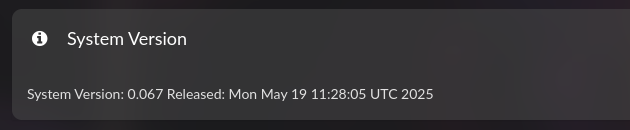
as shown below:
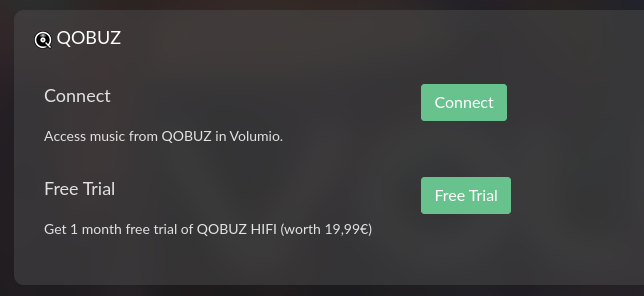
This confirms that the integration is active and UI-accessible.
If you’re not seeing it, it could be:
- a platform-specific UI fallback,
- a missing backend service on your build,
Could you share:
- The platform you’re testing on (Pi? x86?),
- Your current MyVolumio plan status, and
- A screenshot or log line from
/data/config/myvolumio.jsonif possible.
This will help verify whether it’s a build variant issue, rollout difference, or visual regression.
Kind Regards,