Any advise for @veldenvl
Log is full with:
info: touch_display: X display number found: 0
Try adding
dtoverlay=vc4-kms-v3d
to “/boot/userconfig.txt”.
Thank you! It worked! But the image appears for a very long time. First the screen is black, then white, then black again. It takes about 2 minutes for the screen to appear. It was much faster with a friend on Volumio 3 and some old touch display plug-in.
Your running a rPi3, Bookworm and Touch screen. The rPi3 needs time to load them all.
Your most likely booting from a SD card, which doesn’t help speeding things.
You might try booting from a USB instead (avoid Controller chipset: JMicron JMS578/567, can cause issues)
Thank you very much! I’ll try it.
Hi,
I’ve recently setup using:-
Raspberry Pi 4 Model B 1Gb RAM.
Raspberry Pi DAC Pro
Raspberry Pi Touch Display 2
I’ve got the display rotated 270 degrees and a cool PeppyMeter Screensaver working that fills the 1280 x 720 pixel screen.
On what is now the vertical axis the touch lines up at the top of the screen but is a couple of cm out by the time I get to the bottom of the screen. It aligns perfectly left to right.
Can someone please point me in the direction of how to resolve the issue.
Regards
Dave
Hi welcome Dave.
Please let us know which version of Volumio you are using, and please don’t say the latest
Once again: when setting the zoom to 100%, the right edge extends beyond the screen, cutting off half the song’s duration last number. 3.5" LCD screen on GPIO. Could I somehow “shift” the image to the left? Thank you.
Hi, System version 3.874 Released : Wed 12 Nov 2025 06:58:02 PM CET
Installed using the Raspberry Pi Imager v1.9.6 app.
Regards Dave
Hi, I’ve just upgraded to v4.071 and have the same issue.
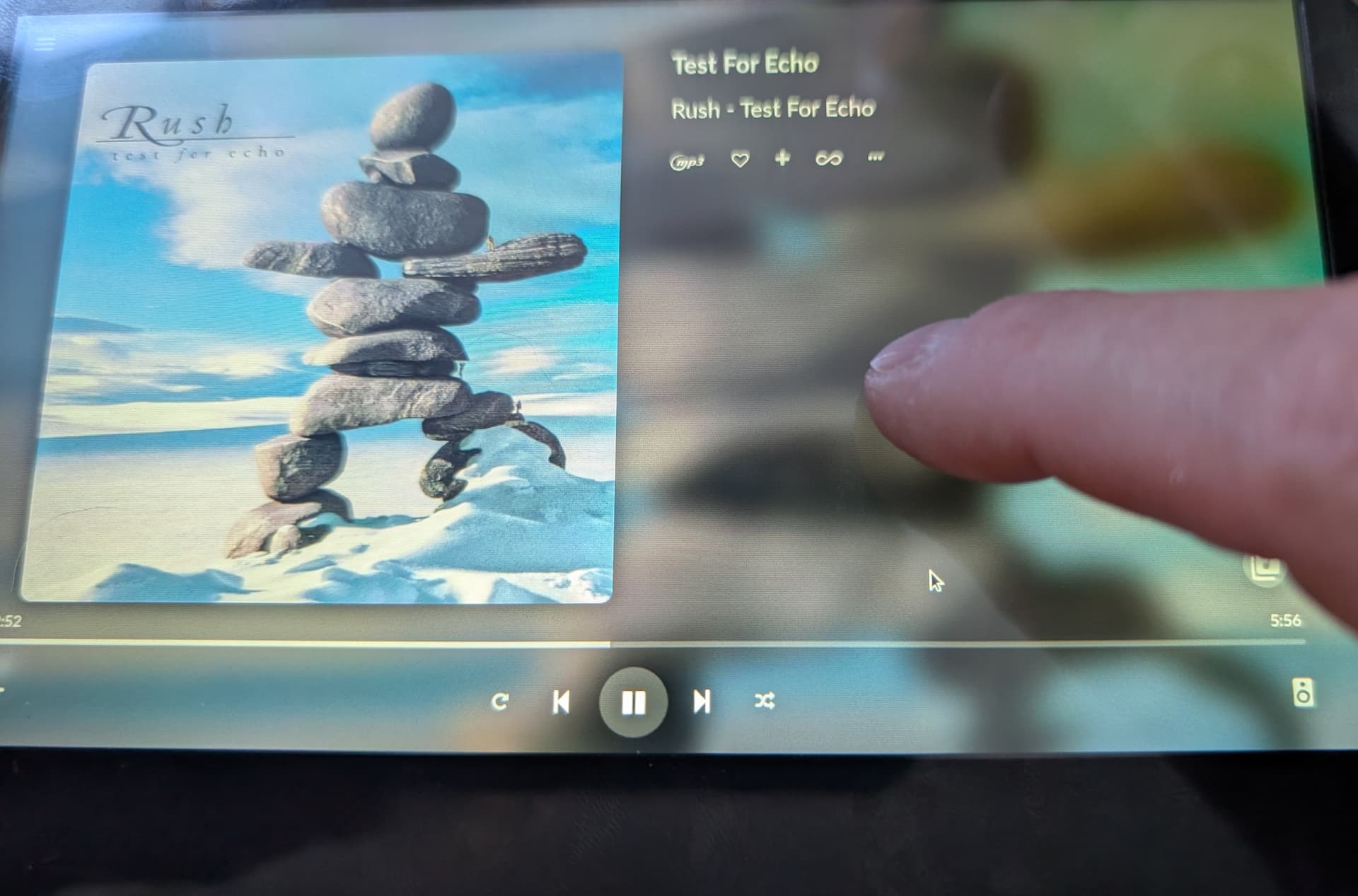
My finger is touching the display and the pointer is lower down the screen.
Any ideas? Regards Dave
update:
It is using the ‘005d Goodix Capacitive TouchScreen’
The same hardware running the Debian Bookworm image works perfectly.
I had this same problem yesterday on my hdmi tv, but @Wheaten & @gvolt suggestions worked. Thank you both for this solution. Also please make sure to set “Screensaver Timeout” to 0 (zero) in Touch Display Plugin configuration, because in my case that was the reason the picture went black again.
Unable to update the original post…
I’ve uploaded the log file: http://logs.volumio.org/volumio/ZTL1pdf.html
The only thing I can seen that might be relevant is TransformationMatrix in
95-touch_display-plugin.conf
Any ideas?
I had to do the same. PS. can someone tell me why the “[quote…/quote]” didn’t format properly?
I think you manually edited the quote and killed the format. I’ve corrected your post.
Evening,
The virtual keyboard has stopped working for me. Not sure what I’ve done. The option in the plugin settings is set to ‘On’. It has worked previously and all other touchscreen functionality is working ok. I tried uninstalling/restart/reinstalling the plugin.
Log
Pi5B with Raspberry Pi 7" Display 2
Volumio 4.071
Touch Display v3.6.0
Contents of /boot/userconfig.txt
Add your custom config.txt options to this file, which will be preserved during updates
display_auto_detect=1
dtoverlay=vc4-kms-dsi-ili9881-7inch,rotation=90switches various Pi5 LEDs off
dtparam=pwr_led_trigger=default-on
dtparam=pwr_led_activelow=off
dtparam=act_led_trigger=none
dtparam=act_led_activelow=off
dtparam=eth_led0=4
dtparam=eth_led1=4Touch Display rotation setting below: do not alter
display_lcd_rotate=1
display_hdmi_rotate=1
You broke it, Vlegel!
And of course, it had to be rewritten by our very own code guru, we call him @nerd, the mysterious figure in our team, like the Stig from Top Gear. He swoops in, fixes the mess, and vanishes again.
Tested and confirmed: works fine on Volumio V4.071 with Plugin V3.6.0
Ah but I didn’t break it. I found a new ‘feature’. If you’re in the extra screens world of Now Playing, the keyboard doesn’t show (for me ). It does work perfectly in ‘normal’ Volumio page view.
Same here!
Hey @nerd
Virtual Keyboard doesn’t work when Now Playing is enabled.
If it is to any help I send a log
log: http://logs.volumio.org/volumio/vm8jrzq.html
Best regards/ C