Добрый день, у меня не устанавливается плагин на дисплей Touch Display, дисплея два, такой как в посте выше и портативный. Подключал оба но плагин Touch Display не утанавливается. Простите пишу через Google.
Good day, I can’t install the plugin on the Touch Display, I have two displays, like the one in the post above and a portable one. I connected both but the Touch Display plugin won’t install. Sorry, I’m writing through Google.
Did you take a look @gvolt post?
Also uninstall the plugin, reboot and install again. After the error occurs, post the log.
Большое спасибо, помогла смена зеркала.
Thank you very much, changing the mirror helped.
1 Like
Hello.
Is there any reason why cover art would be displayed in browser but not on the touch display? I’ve tried restarting, rescanning, clearing the art cache, etc.
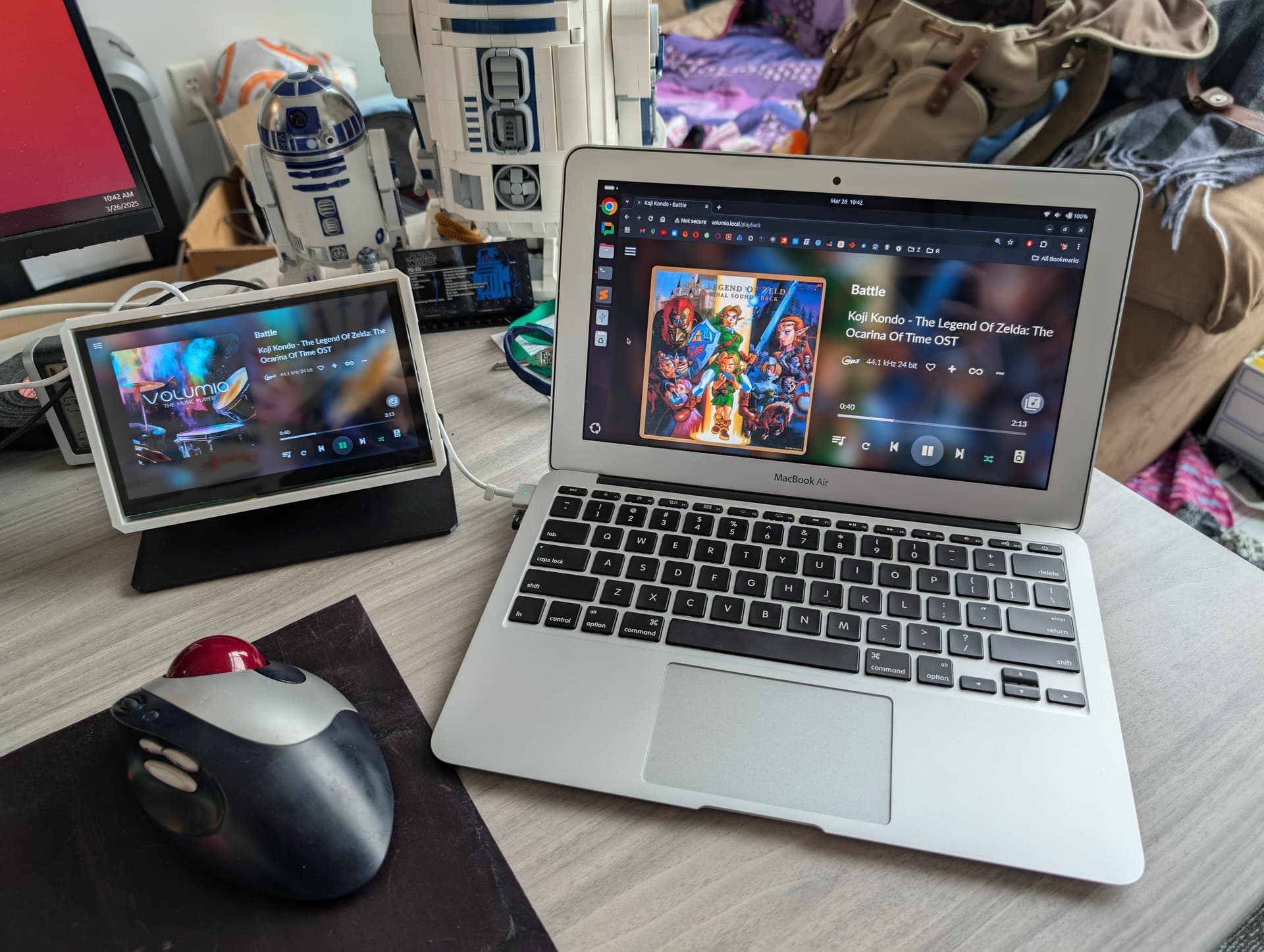
Thanks for all your suggestions. I had to do a Factory Reset, and then did the plugin install, and after all updates to the Pi, and the plugin, all works fine now.
thanks
Vince
1 Like
Hi @Wheaten! Can you help me how to fix and what is the problem with my streaming dac. Currently, i am using volumio previous version, rpi4 and 7inch touch display.
After boot up my dac i went showing up on my screen like this.
The screen, rpi and dac has powered separately.


Thanks,
Please mention the exact version of Volumio.
Please provide the details of:
- Which screen
- Which DAC
- Post a log when this happens
Updating another Pi4 onto USB3 boot, and I noticed that it says may allocated ram for the Pi4 for Touch Display is 76mb…is that a typo? should it be 768mb?
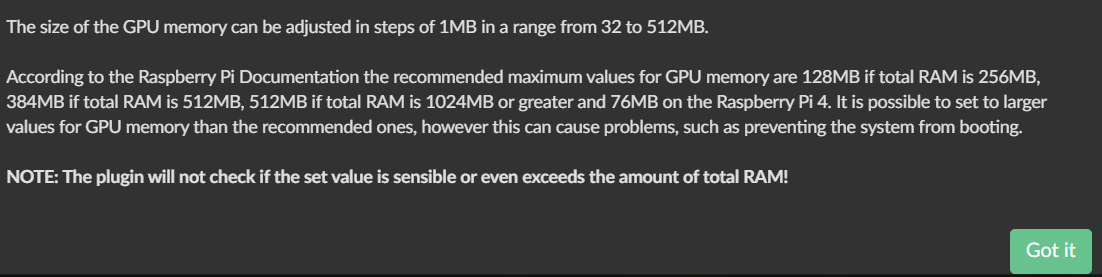
No, it’s the amount of memory dedicated to the GPU. The recommended maximum values have been taken from https://www.raspberrypi.com/documentation/computers/legacy_config_txt.html#gpu_mem.
1 Like
One more thing I want to add. For my 1280x800 HDMI touchscreen, before 3.799, I had to add to userconfig.
hdmi_group=2
hdmi_mode=87
Now, installing fresh on 3.799, I had to remove those 2 lines for the pi4b to boot. I noticed a difference when the screen appeared to be working right after installing Touch Display. Maybe this will help someone else.
Hello. Thanx for your great soft. Cover looks too small. Can I somehow customise look for bigger cover or horizontal layout? Thanx.
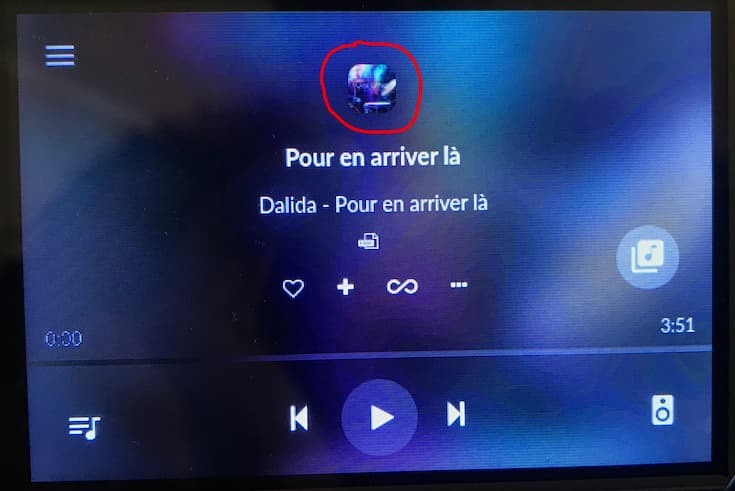
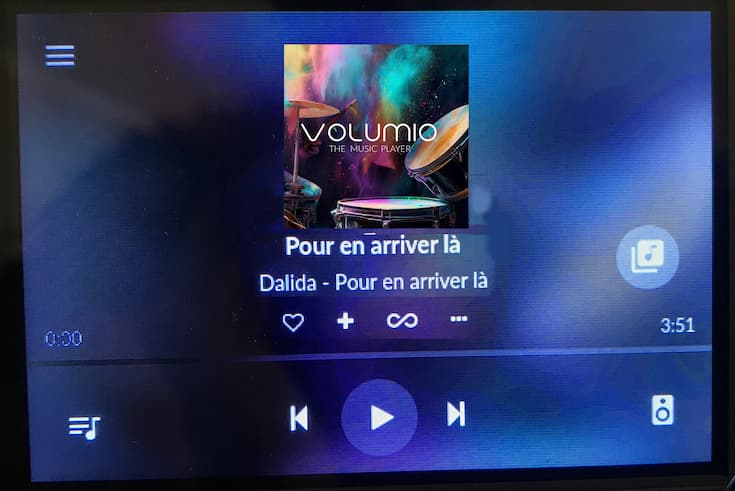

This plugin had been working great for some time. Today, though, I updated the “Now Playing” plugin and this one and Volumio is hung at the login screen. Here’s the error when I tried to update the Touch Display plugin again:
Enabling login prompt
Done
Removing plugin directory /data/plugins/user_interface/touch_display
An error occurred while updating the plugin Error
Removing temporary directory /tmp/touch_display-tuCOcG7OzE
Check if your date is correct, if not correct it:
/bin/bash -c "sleep 1; /usr/bin/sudo /bin/date -s \"$(/usr/bin/curl -s --head http://google.com | grep ^Date: | sed 's/Date: //g')\""
Install the plugin again.
1 Like
Now I’m unable to get past the “***volumio login:” screen on Rpi itself. I saved my password when I first set it up but it’s a no-go.
You saved your password? Did you modify the default one, if yes please reflash you card and start over.
Update: I’m being silly and did not check the web interface for a while, which is now running Volumio happily (it wasn’t initially). On the touchscreen, I have the ‘***volumio login’ screen. I’m backing up my settings and will retry the plugin install.
If you mean Volumio as the default password, I did not modify it. But it also doesn’t work.
You make me confused…
You’re running a rPi or x86 device?
If you’re running a rpi, you need to install the touch display plugin
rPi. The date is correct. I am still unable to install the plugin and went back several versions. It can’t get past “Enabling login prompt” for some reason.
So you’ve connected to your pi via a web browser and tried to install the plugin?
Please reboot your device, check the date and if correct install the plugin.
When done provide the log, when the installer fails.
Sorry if you feel like I am asking needless questions, but all I have to go with is your information 
1 Like
Not at all! I appreciate your attention to this.
I had a blackout period in which the web interface wouldn’t load so I couldn’t even listen to music. Now at least I can play audio. I plan to continue troubleshooting when I’m free in a while.
1 Like