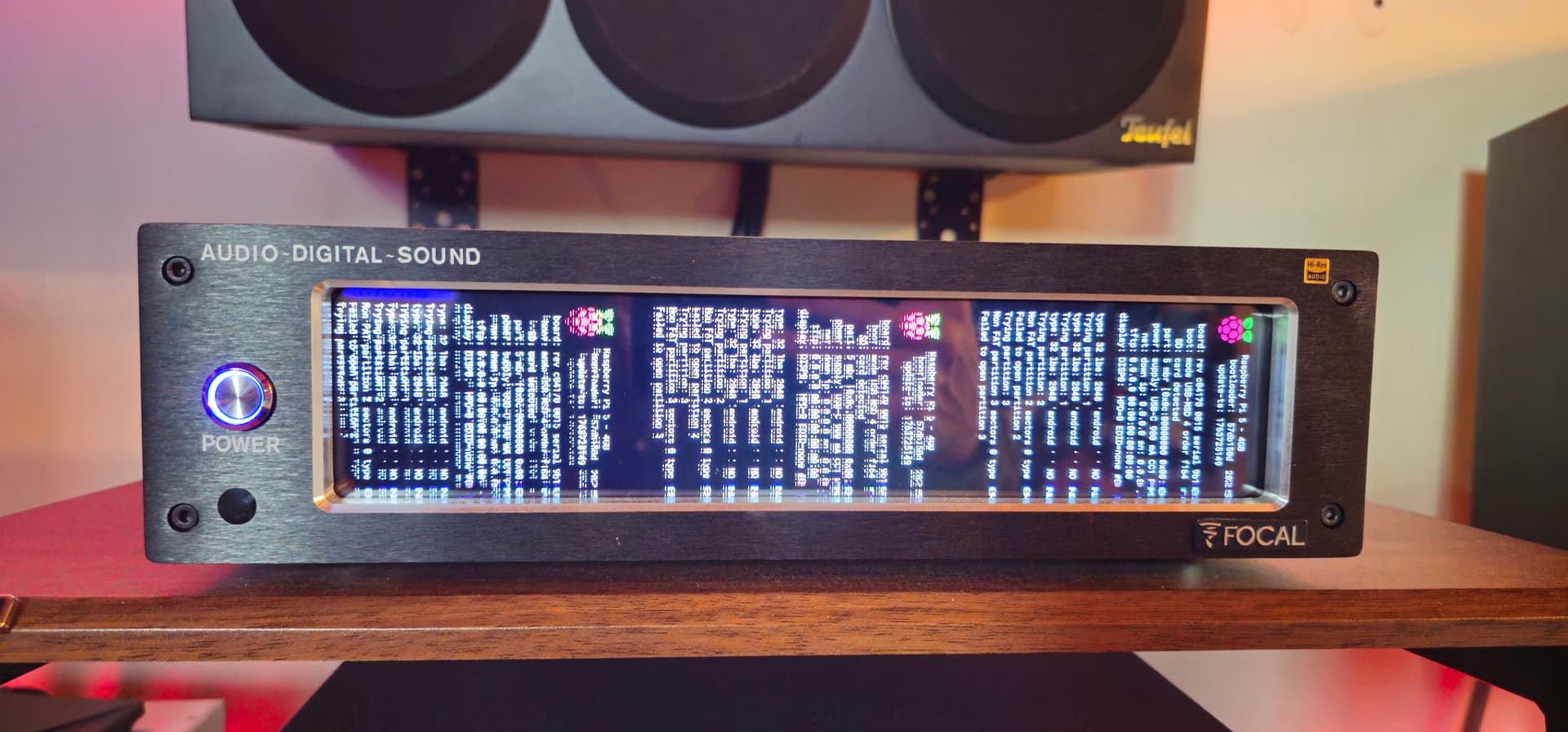
Hi @Wheaten, I meant that when I start Volumio, before I access the Volumio music player, a screen with lots of text appears. Then it starts normally and everything works. Is this normal? Because before it didn’t appear. I reinstalled everything and started it with an SD card, and this screen always appears before the normal startup. I obviously did something wrong, I think. as said before then on normal startup everything works, the touch display plugins, peppymeter etc… https://drive.google.com/file/d/1Te0B8f3j2WWTSk7ipQ0bbJxHxhEhn4yL/view?usp=drivesdk
Hi @calogero69,
I need to see your current EEPROM configuration to understand what is happening. My current working theory is that you have enabled debug outputs.
Please connect to your Volumio via SSH and run this command:
sudo rpi-eeprom-config
Copy and paste the complete output here.
How to connect via SSH:
- Enable SSH in Volumio settings if not already enabled
- Use SSH client (PuTTY on Windows, Terminal on Mac/Linux)
- Connect to your Volumio IP address
- Username: volumio
- Password: volumio
After I see the actual configuration, I can tell you exactly what is causing the boot text screen and how to fix it if needed.
Kind Regards,
hi @nerd Solved, as you thought, I had enabled HDMI debugging, but I disabled it and everything went back to normal.
Thanks as always for your valuable advice and solutions.
Hello @nerd
Is it possible to add RTC battery charging function for Raspberry Pi 5 in this plugin options?
Kind Regards / C
9 posts were merged into an existing topic: Volumio 4 Feedback Thread