Pi Screen Setup Plugin - Display Configuration for Volumio 4
Dear Volumionauts,
I have been tinkering with this concept for quite some time now - a plugin to make display configuration on Raspberry Pi less painful. After much trial and error and a good old school bit of testing, I decided to share the results today for those brave souls who want to give it a spin.
Important: This is for Volumio OS V4 (Bookworm-based) only.
What Is This?
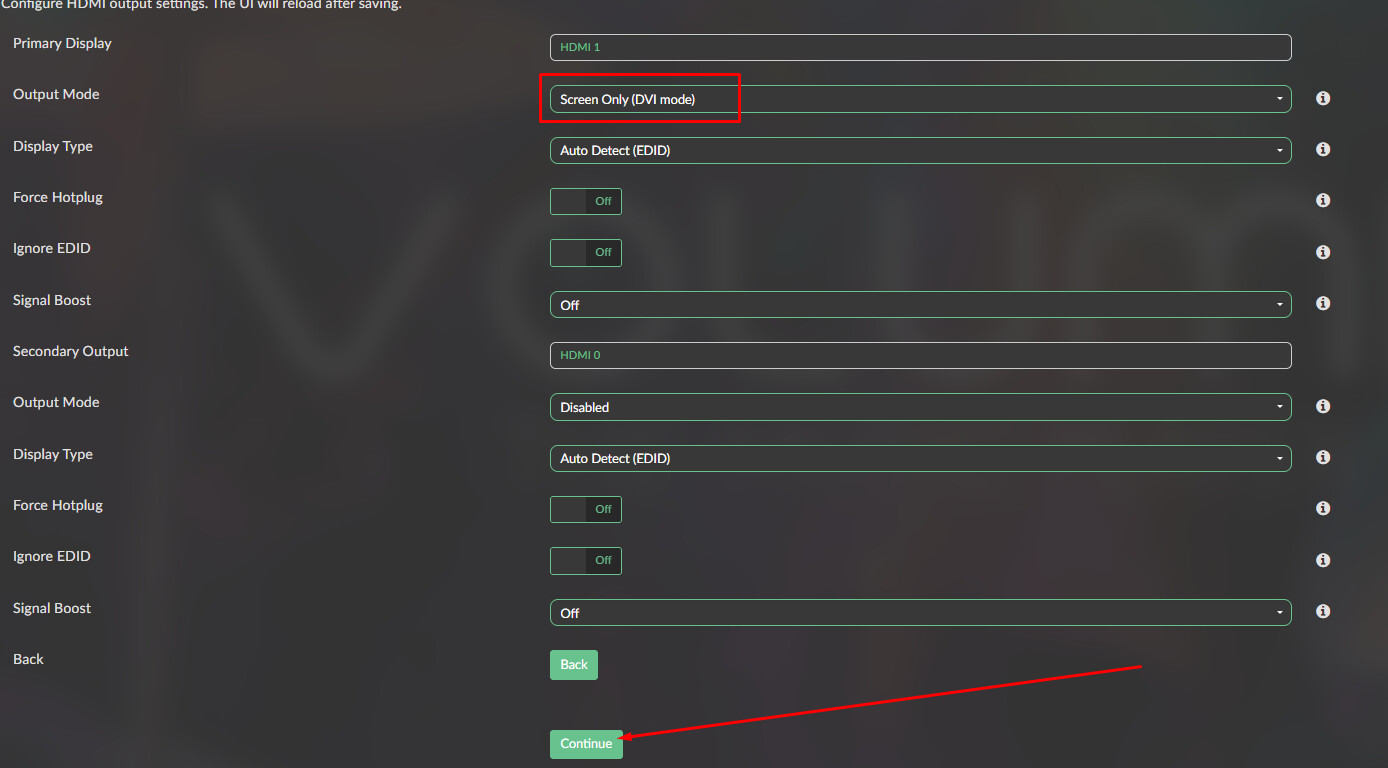
A guided wizard plugin for configuring displays on Raspberry Pi running Volumio 4. Instead of manually editing config.txt, cmdline.txt, and hunting down the correct dtoverlay parameters, this plugin walks you through the process step by step.
Features
- Step-by-step configuration wizard
- Display presets database (50+ displays!)
- Support for HDMI, DSI, DPI, and Composite outputs
- Dual HDMI support (Pi 4/5)
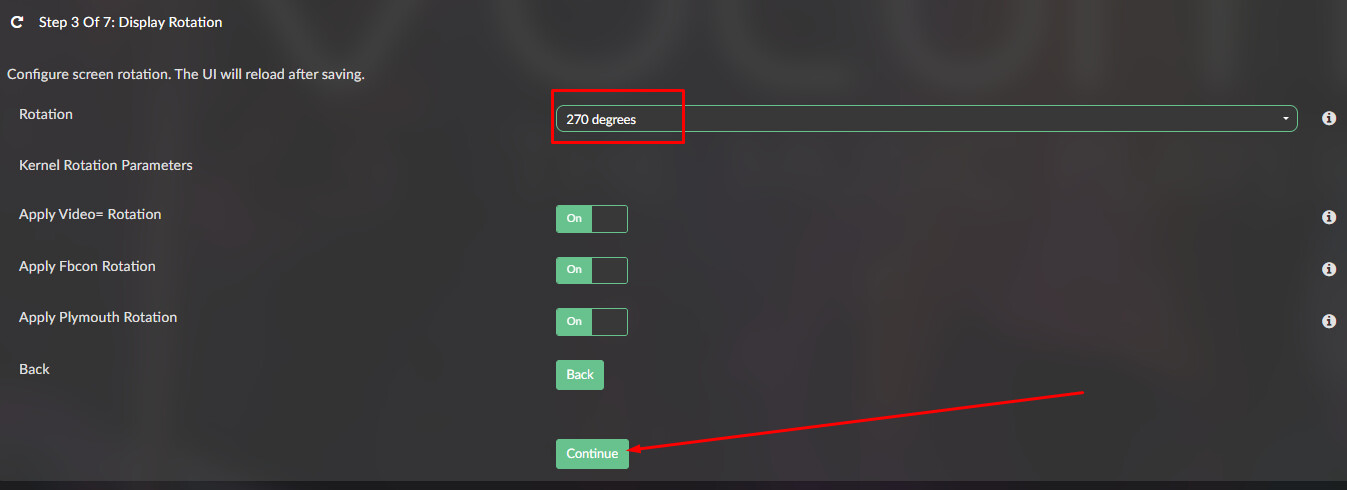
- Screen rotation with proper KMS/cmdline parameters
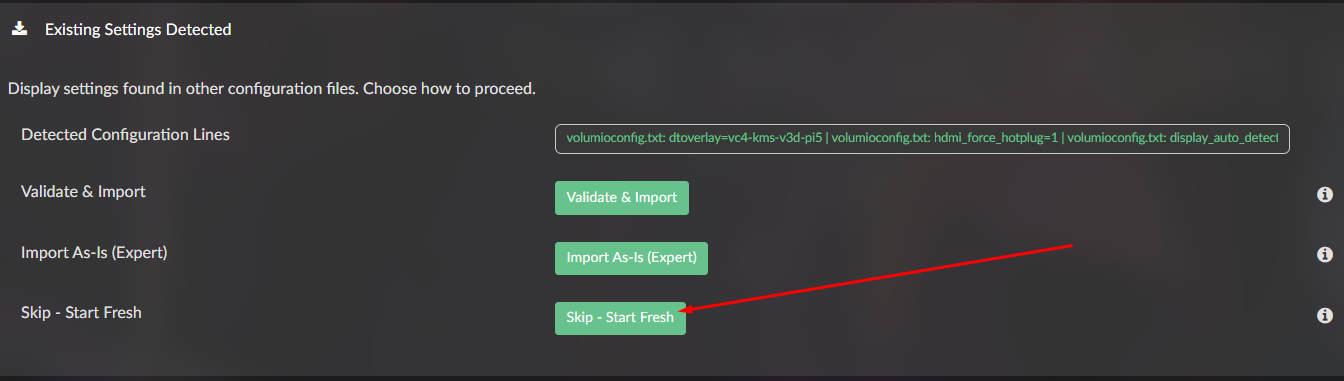
- Migration tool for existing display configurations
- Factory backup and restore points
- Automatic cleanup on uninstall
Supported Displays (over 200 presets)
HDMI:
- Waveshare 2.8" - 11.9" (including Round and Square models)
- Adafruit 5", 7", 10.1"
- Elecrow 5", 7"
- GeeekPi/52Pi 5" - 11.6"
- UCTRONICS 3.5" - 7"
- LCDwiki/Goodtft 3.5" - 7" (Miuzei/Kuman rebrands)
- Sunfounder 7", 10.1"
- Kuman 7"
- Joy-IT 5" - 10.1"
- Seeed Studio 5" - 10.1"
- Spotpear 4" - 10.1" (including Round)
- Freenove 7"
- Longruner 5", 7"
- Hosyond 5" - 10.1" (including 8.8" bar)
- HMTECH 7", 10.1"
- Generic resolutions (480x320 to 4K)
- Custom hdmi_timings and hdmi_cvt
Official Raspberry Pi DSI:
- Touch Display 7" (Original)
- Touch Display 2 - 7"
- Touch Display 2 - 5"
Waveshare DSI (extensive support):
- 2.8" - 13.3" panels
- Round, square, and bar form factors
- Full DSI-TOUCH V2 series (2-lane and 4-lane)
Other DSI:
- BIGTREETECH/BIQU 4.3" - 7"
- Freenove 4.3" - 7"
- Hosyond 5", 7"
- JDI LT070ME05000 panels
DPI:
- Pimoroni HyperPixel 2.1" Round, 4.0", 4.0" Square
- Waveshare 2.8" - 7"
- BIGTREETECH 4.3"
- VGA666 Adapter
- Custom/Generic DPI
Other:
- Composite PAL/NTSC/PAL-M/PAL-N
- Custom device tree overlays
Installation
If you have a previous version installed, uninstall it first via Volumio UI.
You can install the plugin via the test store.
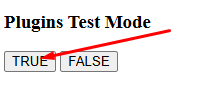
goto: <your-ip-addres>/dev and enable test for plugins:
Plugin is located under “System Hardware”.

How It Works
- Open the plugin settings
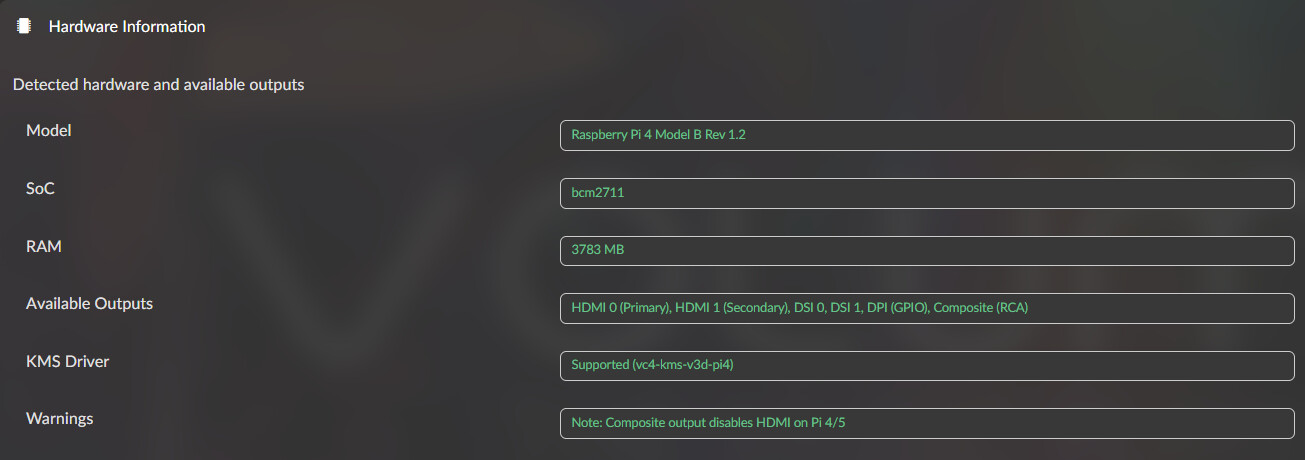
- The wizard detects your Pi model and any existing display config
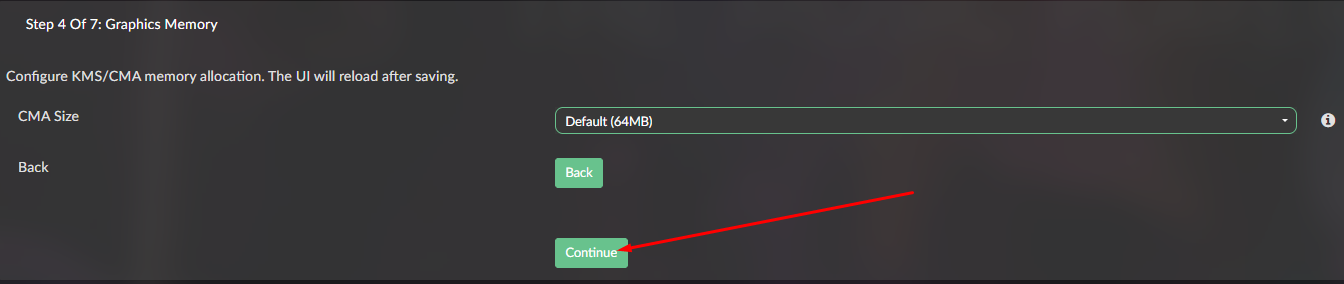
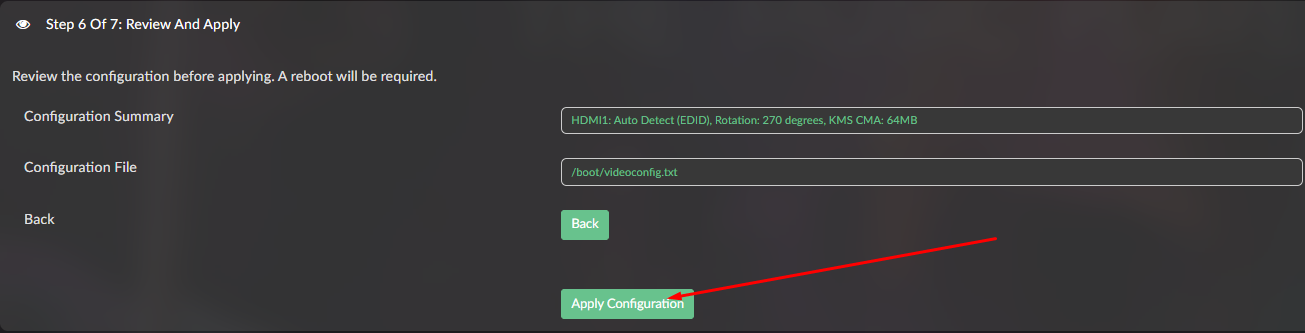
- Step through: Output Type → Display Preset → Rotation → KMS Settings → Advanced → Review → Apply
- Reboot when prompted
The plugin creates restore points before each configuration change, so you can roll back if needed.
Request for Contributions
The display presets database can always use more entries! If you have a display working with specific settings that is not in the presets list, please share:
- Display make and model
- Native resolution
- The dtoverlay or hdmi_timings/hdmi_cvt values that work
- Any special parameters needed
I will add them to the presets database for future versions.
Important Notes
Plugin Store Submission
I have been working on this for a while but I am honestly not sure whether to submit this to the official plugin store yet. It works on my setup, but display configuration is notoriously hardware-specific. Feedback from the community would help me decide.
No Support Offered
I do not offer support at this time. This is a hobby project shared as-is. If it works for you, great! If not, see the disclaimer below.
Looking for a New Maintainer
To be completely honest, I would not mind if someone wanted to take this burden off my hands. The concept is solid, the foundation is there, but I am thoroughly disheartened to wiggle another finger on this project. If you are interested in taking over development and maintenance, feel free to reach out. The code is yours to fork and run with.
Disclaimer
I do not take any responsibility if:
- Your snowball develops an intense desire to become rocket fuel
- Your microwave chooses to sing kumbaya at 3 AM
- Your display decides it prefers interpretive dance over showing pixels
- Any other unexpected behavior occurs
If things go sideways, a full Volumio reinstall will get you back to a known good state. The plugin does create factory backups on first install and attempts to restore them on uninstall, but no guarantees.
USE AT YOUR OWN RISK.
Source Code
GitHub: GitHub - foonerd/pi_screen_setup
Feedback Welcome
Even though I am not offering support, I am interested in hearing:
- Does it work on your setup?
- What displays are you using?
- Any bugs encountered?
- Should this go to the plugin store?
Kind Regards,