Nice to hear, but I should change the font colors of the last.
It was just to demonstrate the capabilities 
1 Like
You’re making it too mysterious. I’m not a Python programmer at all, and I’ve never written a single line of Python code. What I did was simply an intuitive approach to the system architecture based on my 30+ years of experience as an administrator. My method didn’t fundamentally solve the problem; the new version of PeppyMeter is the right way to go.
My concern is straightforward: you joined this community and started announcing how easy it is to get this version working, even on x86. However, when people ask you how, you don’t respond. That approach doesn’t foster collaboration or help others, which is what a community is all about.
You don’t have to reply as this is for sure the latest reply from me to you!!
2 Likes
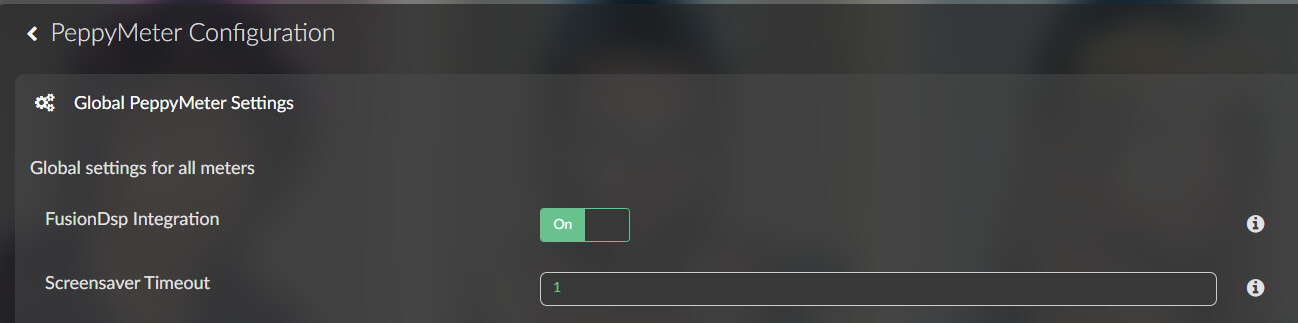
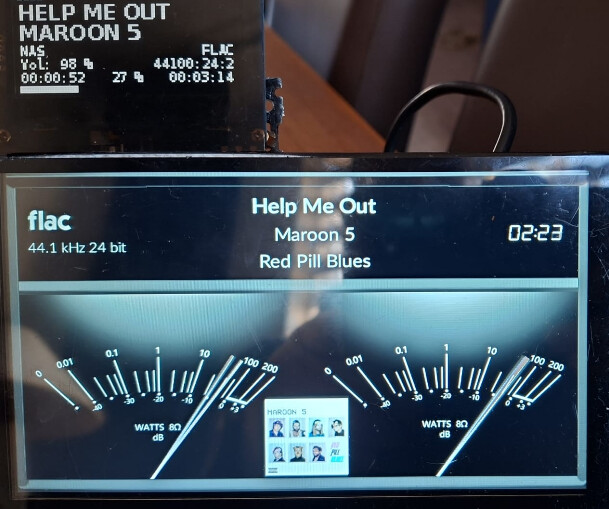
When I enabled FusionDSP and PeppyMeter Screensaver needles don’t show up.
FusionDSP support is enabled in PeppyMeter screensaver settings.
rPi5 and touch display 2
FusionDSP on:

Needles are moving:
Looking at your logs I see multiple errors:
- websocket errors
- connection errors
Dec 25 11:35:52 volupi52 volumio[1462]: info: FusionDsp - Clipping Monitor started
Dec 25 11:35:52 volupi52 volumio[1462]: error: FusionDsp - Monitor WebSocket error: [object Object]
Dec 25 11:35:29 volupi52 volumiossh-tunnel[15907]: ssh: connect to host eu10.myvolumio.org port 2222: Connection refused
I expect something went wrong with your installation.
Thanks @Wheaten
Ok, I think I will start it all over with a new Volumio fresh install and then install needed plugins again.
Merry Christmas / C
Hello,
Thanks for your great work.
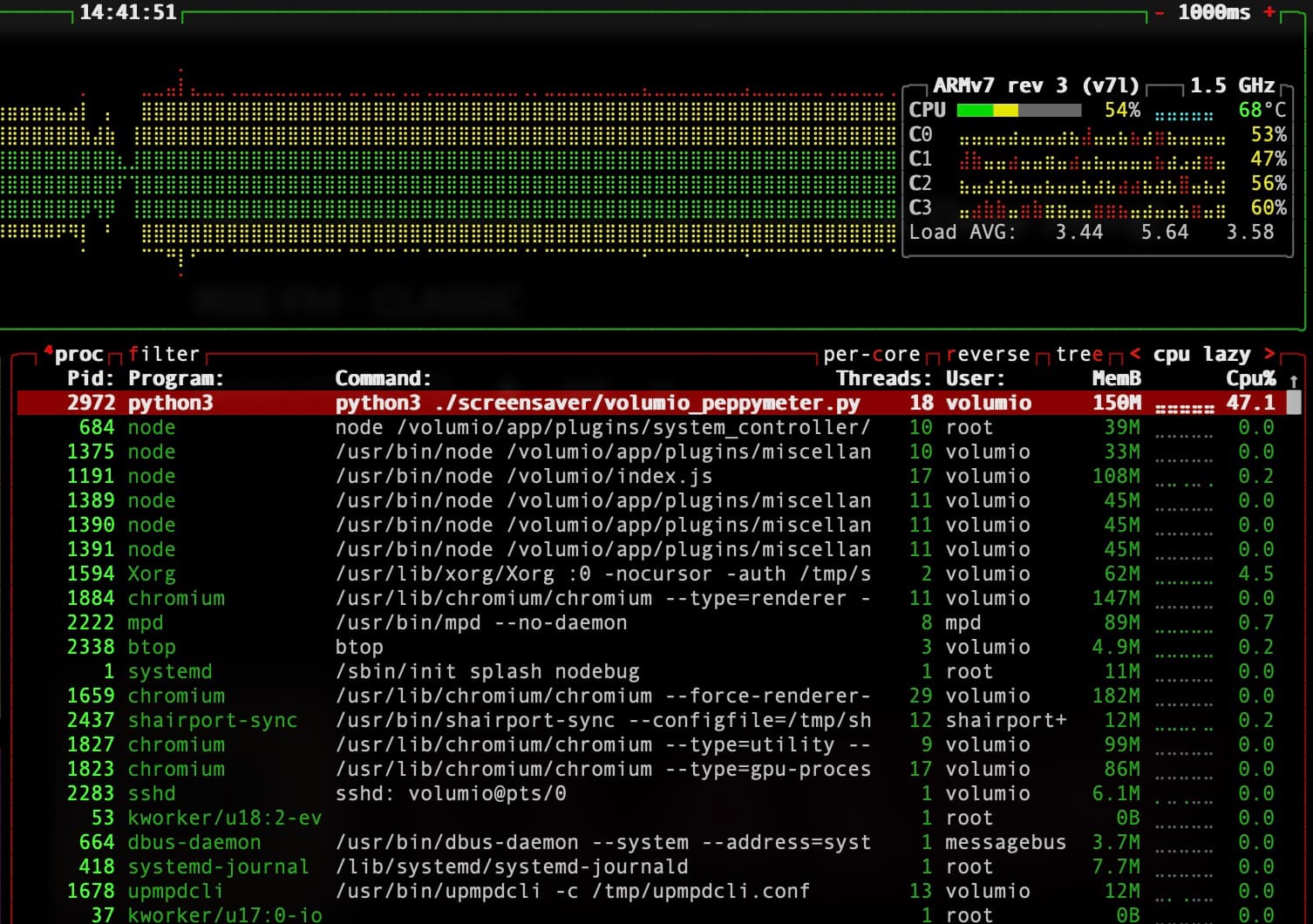
I have tried a new clean install again, and I have installed 3.0.6. Unfortunately it still using way too much CPU, and my pi (pi4) is boiling…
Has it got any settings, like frame rate somewhere in the code?
Thank you
Hi @feka87,
47% CPU on a Pi 4 is expected. To confirm this, I need some details from your setup.
Please provide:
-
Which skin/meter are you using? (check config.txt for meter = and meter.folder =)
-
Contents of your meters.txt for that skin - specifically looking for:
- spectrum.visible = true (spectrum analyzer adds significant CPU)
- albumart.rotation = true (per-frame image rotation is expensive)
- steps.per.degree value (high values create more needle sprites)
-
Your config.txt frame.rate value (default is 30)
-
Output of: cat /data/plugins/user_interface/peppy_screensaver/screensaver/peppymeter/config.txt
-
Is this a fresh install or upgrade from a previous version?
Frame rate IS configurable - edit config.txt in the peppymeter directory and change frame.rate to 20 or 15. This will reduce CPU load but also reduce animation smoothness.
Quick test: try switching to a simpler skin (one of the default 800x480 skins) and see if CPU drops. If it does, the issue is skin-specific.
As a reminder: this plugin is provided as-is with no maintenance or development support. If you need a reliable, actively maintained solution, the PeppyMeter plugin from @balbuze is available in the Plugin Store and remains fully functional.
Kind Regards,
1 Like
Hi @nerd,
Thnaks for your help.
I’m using custom10 800x480 Gold.
It’s a fresh install. Only touch display plugin is installed. As soon the plugin starts the cpu usage jupms up.
I never had this problem under volumio 3.xx with 2.2.x versions my cpu was under 5%.
I just realised one more symptom. When i stop the webradio the peppymeter screensaver stayes on. The needles drops to down and the cpu usage still high.
Thank you
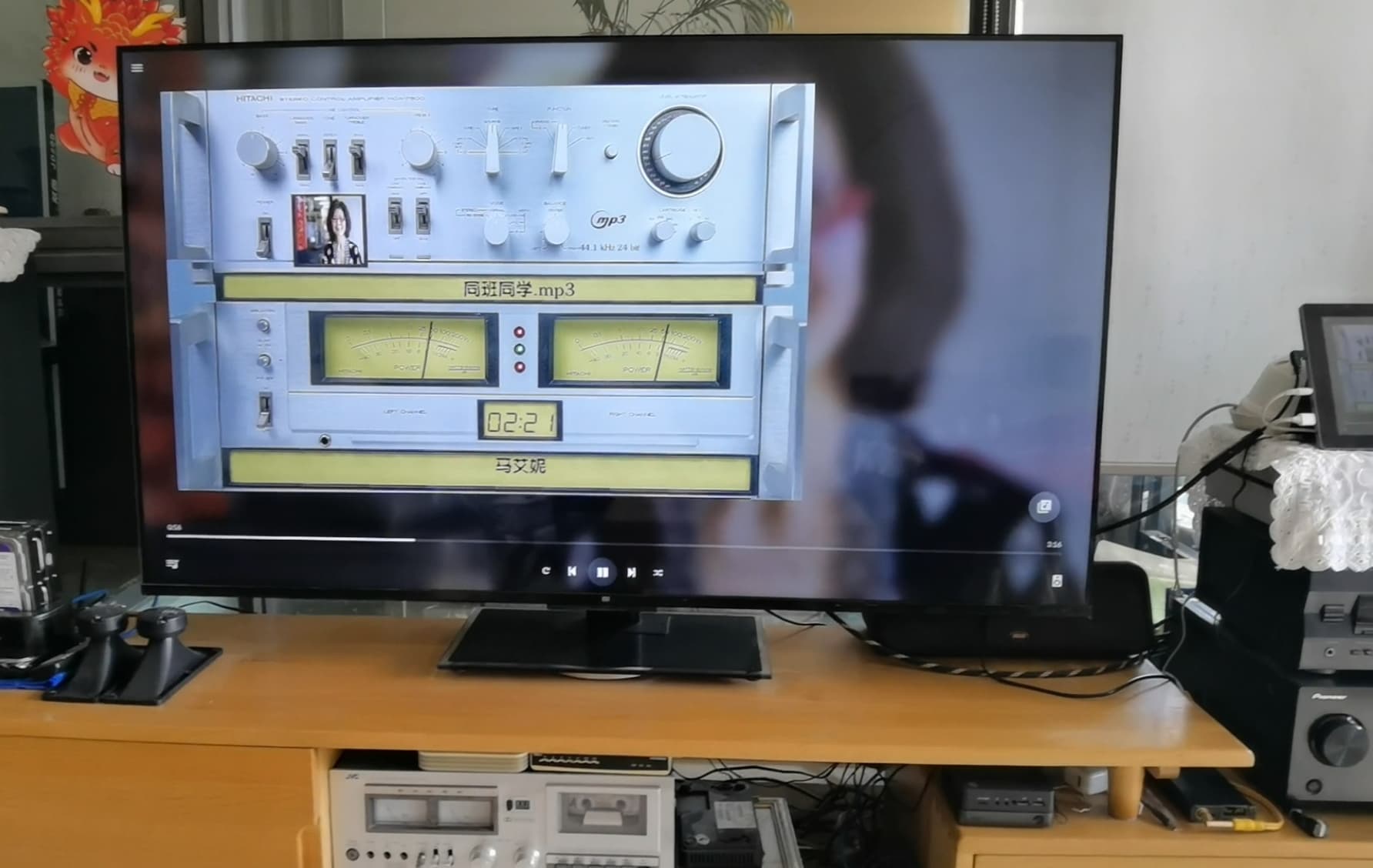
There’s a strange issue: the MeterPosition setting isn’t available in the Peppy MeterConfiguration interface.
When projecting onto a large TV screen, a full-screen display looks too huge and aesthetically unappealing. A smaller image, placed off-center, is more visually appealing.
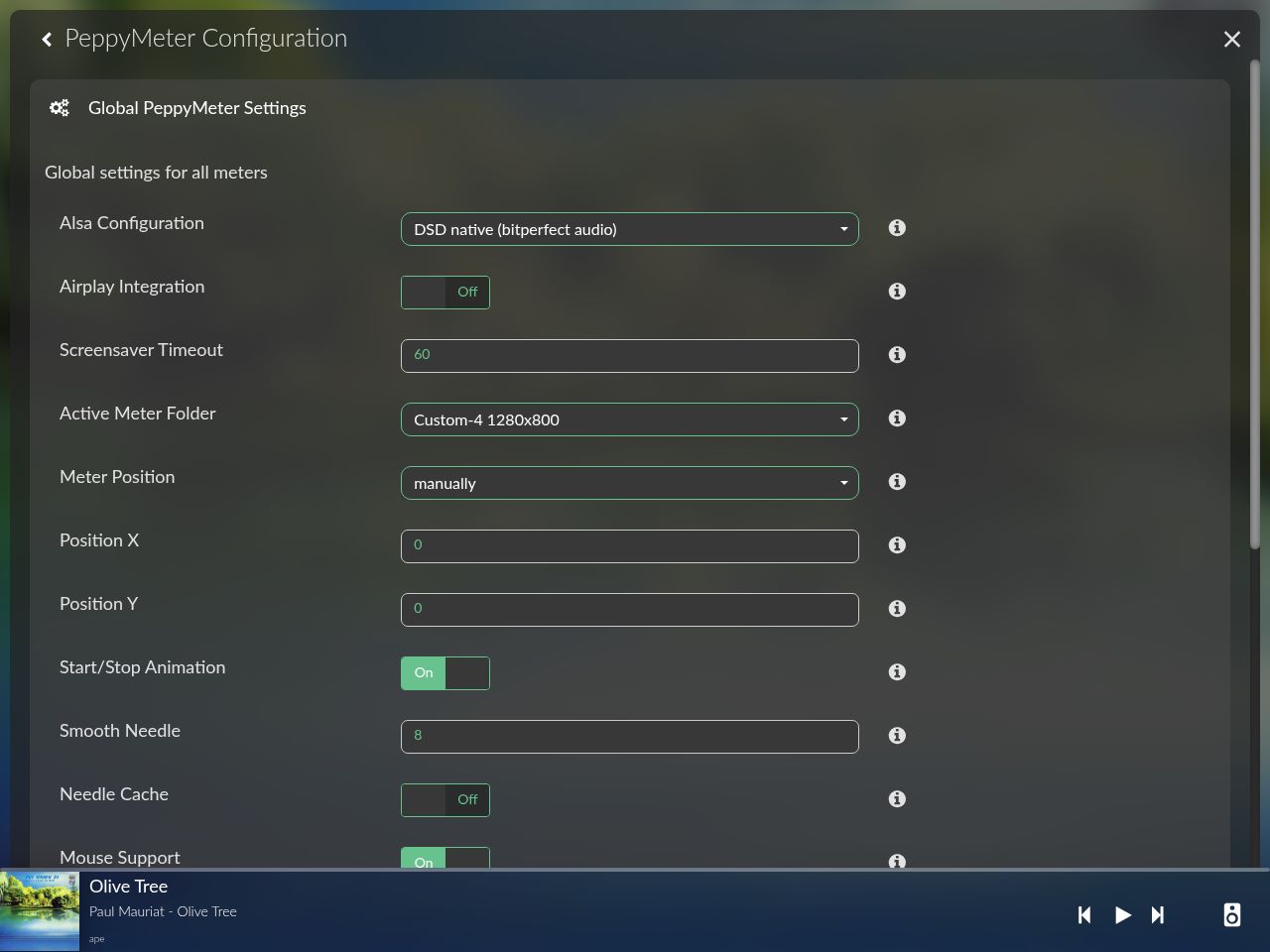
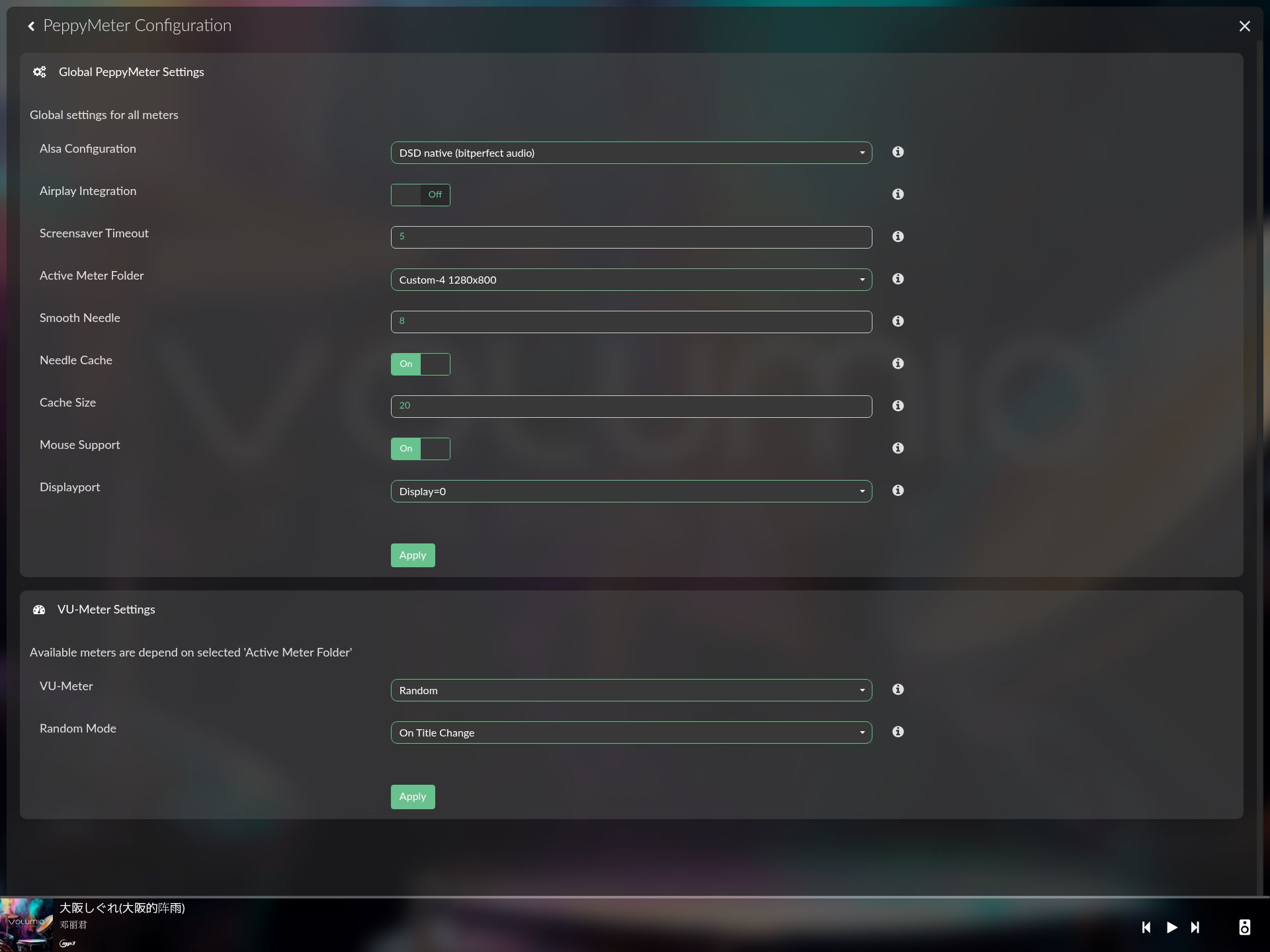
I compared the UIConfig.json files of versions 2.2.1 and 3.0.6, and they are completely identical! This is something I don’t understand.
Environment
- Volumio 4.0.84
- PeppyMeter ScreenSaver 3.0.6
- FM/DAB Radio plugin 1.3.6
When using the FM/DAB Radio plugin, the PeppyMeter screensaver only shows the background, but there is no needle movement or spectrum display.
Playback with other media works normally.
Is it possible to add support for the FM/DAB Radio plugin?
Thanks a lot !
DAB+ takes 5-10 seconds before it’s tuned and start playing. So even though the background shows, it still takes a few seconds before it starts
@nerd @Wheaten I have another problem enabling FusionDSP on Peppymeter last version 3.0.6 (i have volumio v4.073). Using all the possible sources after few seconds the clipping starst, so i need to deactivate on Peppymeter Fusion DSP…there’s a solutition on my issue?
Unfortunately, there are no DAB+ radio stations in Taiwan, so I can only test FM. I can confirm that even after waiting for more than one minute on FM, the PeppyMeter screensaver still does not work.
Maybe @nerd can validate.
As the FM reception over here was very bad, I’ve optimized everything for DAB+.
Still can’t find any FM station:
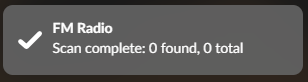
Additionally, I noticed another issue.
Some Gelo5_1920x1080.120 skins may freeze with certain media sources. ( Web Radio, Cue+Flac )
For example, in 1920x1080_Gelo5 Spec&Met_720:
- 101G5_Free S+M works normally when playing both Spotify and Web Radio.
- 107G5_Nixie S+M works normally with Spotify, but freezes when playing Web Radio.
I have attached the log file while playing 107G5_Nixie S+M for reference.
http://logs.volumio.org/volumio/CxqiOAJ.html
- Volumio 4.0.84
- PeppyMeter ScreenSaver 3.0.6
- RPi5
Thank you. !
1 Like
Hey everyone,
Time for another round of Peppy-powered progress—and this one’s a triple‑shot espresso update 

 V3.0.7 – Tape Reels Arrive
Yes, the long‑awaited tape reels are finally spinning!
Audiophiles, nostalgia fans, and people who just like watching circles go round… this one’s for you.
V3.0.8 – Fade Transitions + Rotation Overhaul
This release is where things get smooth and fast.
 New Features
- Fully configurable fade transitions (type, duration, color, opacity)
- Pre‑computed rotation frames for vinyl & cassette skins
- FPS‑gated rotation updates (default: 8 FPS)
- Indexed frame lookup → no more per‑frame
pg.transform.rotate()
 Performance Gains
- Rotation CPU load slashed by ~48% (100% → 52%)
- Gray‑stripe flicker eliminated using the
will_blit()pattern - Dirty rectangle rendering preserved for maximum efficiency
 UI Settings
- Transition Type: none / fade
- Duration: 0.1–5.0s
- Color: black / white
- Opacity: 0–100%
 Bugfixes
- Metadata display regression fixed
- Backing image only restored when rotation actually changes
 Translations
- English, German, French
V3.0.9 – UI Reorganization (Performance, Animation, Rotation)
A cleaner, more logical UI layout—because scrolling through a settings jungle is nobody’s idea of fun.
 New UI Structure
Settings now split into 5 sections, each with its own save handler.
Key sections:
- Performance: frameRate, updateInterval, debugLevel
- Animation: transitionType, transitionDuration, transitionColor, transitionOpacity
- Rotation: rotationQuality, rotationFPS, rotationSpeed, spoolLeftSpeed, spoolRightSpeed
 Rotation Quality Presets
| Preset | FPS | Step | Frames |
|---|---|---|---|
| Low | 4 | 12° | 30 |
| Medium(default) | 8 | 6° | 60 |
| High | 15 | 3° | 120 |
| Custom | user defined | – | – |
 Debug Logging
- UI‑configurable: off / basic / verbose
- Logs to
/tmp/peppy_debug.log - Level applied early in startup for full traceability
 New
New config.txt Keys
debug.level,rotation.quality,rotation.fpsrotation.speed,spool.left.speed,spool.right.speed
 Files Updated
- UIConfig.json, index.js, volumio_peppymeter.py
- volumio_configfileparser.py
- i18n: strings_en.json, strings_de.json, strings_fr.json
Additional Fixes
DEBUG_LOGrenamed →DEBUG_LEVEL_CURRENT- Debug level now applied after config parsing (as intended)
Ready to upgrade?
Full instructions here:
 Project with PeppyMeter/PeppySpectrum Screensaver Plugin for VOLUMIO - #3654
Pro Tip
Rotating images with PIL/Pygame is like sending your CPU to CrossFit 
A little rotation? Great.
Too much rotation? Your processor starts sweating like it’s on the last rep of leg day.
Use wisely for maximum smoothness.
6 Likes
I’m really looking forward to it! Thank you for your hard work!