Yeah, always found the time very generous, but I am a nice weirdo 
But all these bugs… Was already planning a rebranding to Buggy_Meter
2 Likes
So what are we going to talk about now? All the bugs have been fixed, and we can’t dream anymore…
Not a minute too late! Saved at last!
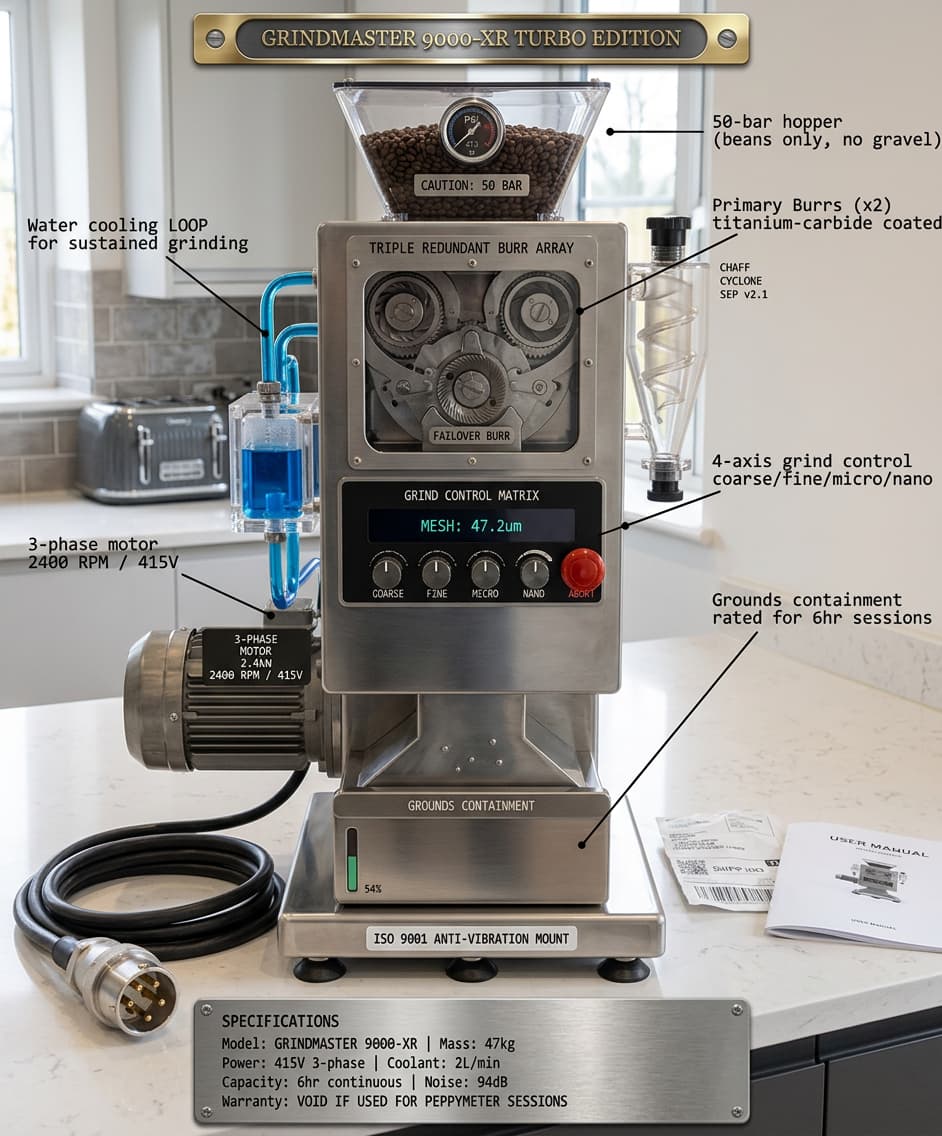
The GRINDMASTER 9000-XR Turbo Edition. Key features:
- 50-bar pressurized bean hopper (rated for arabica, also for gravel)
- Triple redundant burr array with titanium-carbide coating and a failover burr in case the primary two seize during a particularly brutal debug session
- 4-axis grind control: coarse, fine, micro, nano - plus a red ABORT button for when you accidentally select “nano” and it starts producing coffee at the molecular level
- Water cooling loop for sustained multi-hour grinding operations
- Chaff cyclone separator v2.1
- 3-phase 2.4kW motor because single-phase is for amateurs
- ISO 9001 certified anti-vibration mount
- Grounds containment vessel rated for 6-hour sessions
- 94dB operational noise (hearing protection mandatory)
And the warranty is void if used during PeppyMeter development sessions, which is of course the only intended use case.
1 Like
haha, a grinder with 3 phases engine. Overkill
Okay, we’ll make a skin. There’s just one problem: there are three rotating elements. We need to fix line 164578436 in the code – replace the espresso with a double espresso.


PeppyMeter Remote Client - The Monster You Created (Testing Call)
Dear Volumionauts,
This is your fault. All of you.
What started as a simple “display PeppyMeter on a second screen” script has grown into something that needs its own library, its own module system, and frankly, its own therapist.
peppy_remote was one file. 4,264 lines. One file. It had a config wizard, a network stack, an SMB mount handler, a spectrum renderer, a version checker, and a display compositor all living together in one Python script like a family of twelve in a studio flat. Every time someone walked to the kitchen, someone else lost a wall.
This is what happens when @Gelo5 has a dream, @dewen has a dream, @pjorgenunes has a dream, and nobody tells the developer to stop. I am now running a sleep clinic with a side hustle in software engineering. The NHS should be funding this.
So. The remote client has been gutted, rebuilt, and given actual architecture. Here is what happened.
The Big Changes
Modular Architecture
The 4,264-line monolith has been split into 10 library modules plus a slimmed-down entry point (1,338 lines). Each module has one job:
- peppy_common.py: config, logging, profile management
- peppy_network.py: discovery, config sync
- peppy_receivers.py: UDP audio data
- peppy_spectrum.py: spectrum rendering
- peppy_wizard_cli.py: terminal wizard
- peppy_wizard_gui.py: GUI wizard
- …and four more that do not need their own paragraph
If something breaks, I can now find it in minutes instead of scrolling through four thousand lines wondering which “config” variable I am looking at.
Multi-Profile Support
The remote client now supports multiple profiles. Each profile is a complete configuration - server, display, templates, spectrum, debug. Entirely independent.
Why? Because some of you have more than one Volumio box. Some of you want a kiosk display in the kitchen locked to one theme and a desktop window in the office following the server. Some of you just like having options. I do not judge. I enable. @Gelo5 - you know who!
The config file has been upgraded to version 2. Your existing config.json is auto-migrated on first run. You will not notice. That is the point.
From the command line:
peppy_remote --profile “Living Room”
peppy_remote -p workshop
Wizard Overhaul
The configuration wizard has been completely rewritten. Both GUI and CLI versions.
GUI: When you edit an existing profile, you get a tabbed view - Server, Display, Templates, Theme, Spectrum, Debug - click directly on what you want to change. No more stepping through six screens to change the decay rate. New profiles still use the linear step-by-step wizard because you presumably need to fill in everything.
CLI: Full profile manager at the top level. List profiles, create new, edit, rename, delete, import, export, set active. The edit menu now has 17 items including trace_wizard for debugging the wizard itself, because debugging a debugger is the natural conclusion of this project’s trajectory.
Both wizards now support SMB mount from inside the theme selection step. If your templates are on the server and the share is not mounted, the wizard will mount it for you so you can browse and select themes. This works on both Linux and Windows.
Profile Export and Import
Export a profile to a JSON file. Copy it to another machine. Import it. The file is human-readable and editable so you can adjust template paths before importing on a different platform.
Cross-platform transfers (Windows to Linux or vice versa) will flag path warnings on import. Fix the paths in the editor or in the JSON file. The client does not guess - it warns and lets you decide.
Debug Switch for the Wizard Itself
peppy_remote --config --wizard-debug
Enables verbose logging before the wizard starts. Solves the chicken-and-egg problem where the debug config is not loaded until after the wizard produces it. For when the wizard itself misbehaves, which, given the complexity of tkinter on three platforms, is not hypothetical.
How to Test
This is in the feature branch. Not experimental. Not main. Feature branch. Both repos need the right branches.
PeppyMeter Screensaver (server side) - install from experimental:
- uninstall via Volumio UI
- SSH in
cd ~rm -rf peppy_screensaver if you have a previous clonegit clone --depth=1 https://github.com/foonerd/peppy_screensaver.git --branch experimentalcd peppy_screensavervolumio plugin install- enable in UI
Remote Client (peppy_remote) - install from refactor/modular-remote branch:
Linux:
curl -sSL https://raw.githubusercontent.com/foonerd/peppy_remote/refactor/modular-remote/install.sh | bash -s -- --remote-branch refactor/modular-remote --screensaver-branch experimental
Windows (download installer first, then run):
irm https://raw.githubusercontent.com/foonerd/peppy_remote/refactor/modular-remote/install.ps1 -OutFile install.ps1
powershell -ExecutionPolicy Bypass -File install.ps1 -RemoteBranch refactor/modular-remote -ScreensaverBranch experimental
What I Need From Testers
-
Does your existing config.json migrate cleanly? After first run, check config.json - it should now have config_version 2 and a profiles section containing your old settings.
-
Create a second profile via --config. Edit the first profile using the tabbed editor. Switch between profiles. Start with --profile. Does it all work?
-
Export a profile on Windows, import on Linux (or vice versa). Do path warnings appear? Can you fix the paths and run?
-
Theme selection in the wizard - does Mount now work? Can you browse and select templates from the server?
-
Does anything that worked before not work now?
That last one matters most. Everything else is new functionality. Regressions are the enemy.
Bug reports require: what you did, what happened, what should have happened, which platform, and the debug log. “It does not work” is a mood, not a bug report.
The Uncomfortable Truth
peppy_remote is now its own project. It has 10 library modules, two wizard implementations, a multi-profile config store with migration, a cross-platform export format, and an installer that handles both Linux and Windows including Cairo DLL detection and winget integration.
It started as 200 lines of “receive UDP, draw bars”. This is entirely your fault. I hope you are proud.
As always, provided as-is. The feature branch is a feature branch. The clue is in the name.
Kind Regards,
Who? It’s not me who’s asking the Judge! I’m innocent, I’m asking for clemency.
1 Like
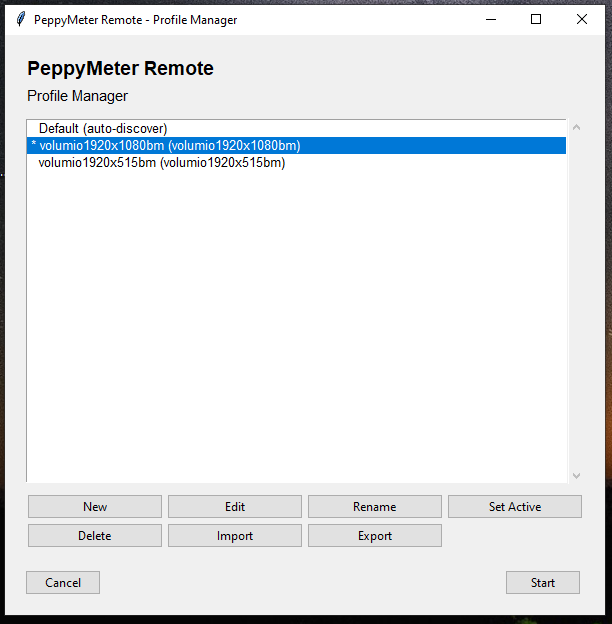
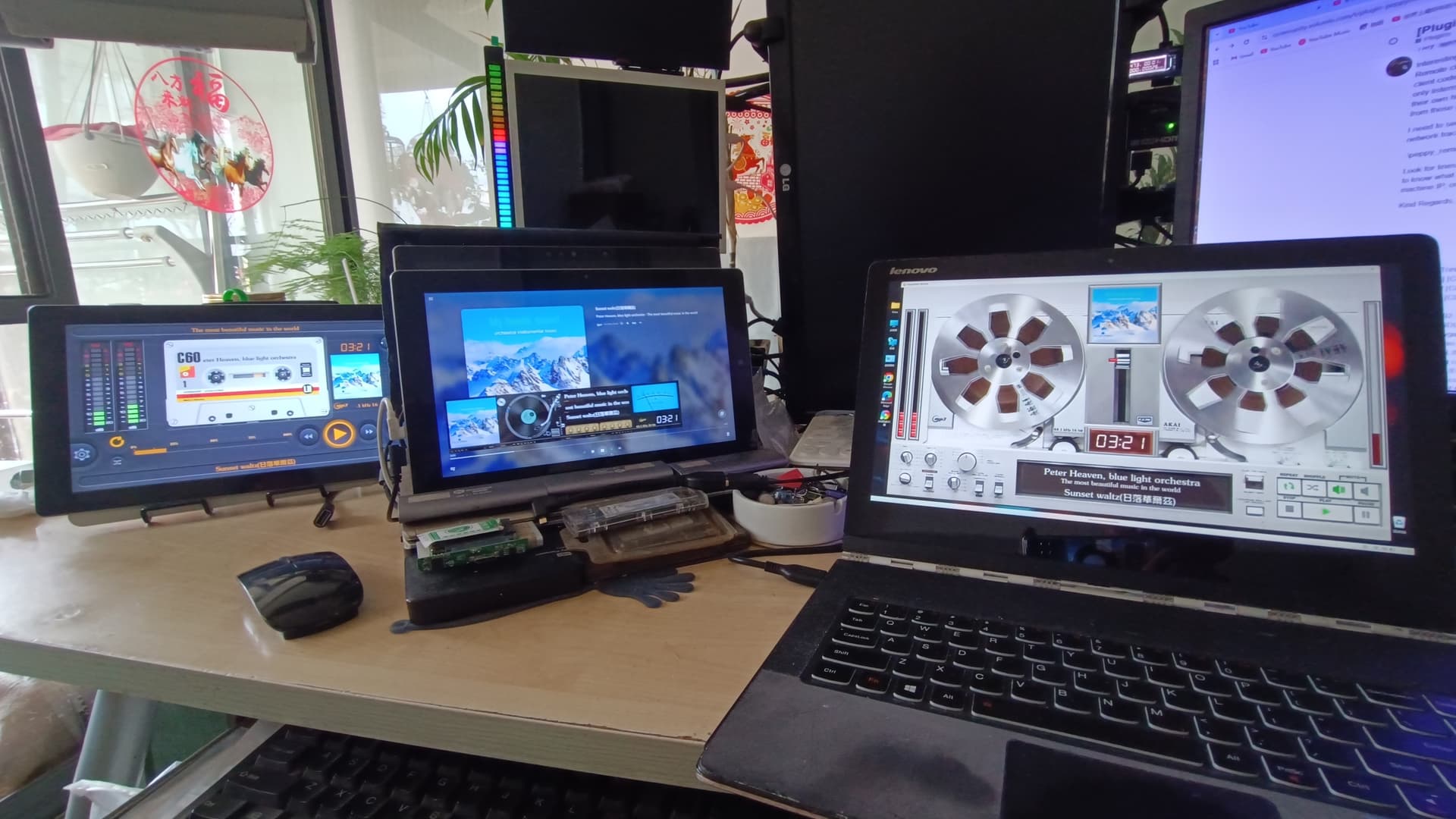
Installation and operation went very smoothly. The introduction of profiles greatly facilitates use on multiple Volumio remote clients, and switching between different templates is also very easy. Profile export and import were both smooth, without encountering any problems.
This is amazing stuff 
Have a suggestion if you don’t mind (hopefully easy)
-
On the plugin screen, add a way to browse each template individually and add it to a favorites list. And the ability to use templates from favorites. The sheer # of options is mind bogging.
-
Ability to quickly change the template by selecting (not random).
Maybe these are features on the Windows app or via API (can write a remote control for it )
My first suggestion is that since the configuration file clearly defines the relationship between the remote client, server, and template, select the configuration file to activate under “Activate.” After clicking “Start Remote Client,” no further selection is needed; simply run it.
Another situation I don’t understand is that if a remote client is running, another running remote client config will detect the previous remote client and mistakenly identify it as the server.
Multiple servers found:
- volumio4yoga3p (192.168.2.48)
- v4tb16pii (192.168.2.149)
- TrinisX98PlusII (192.168.2.116) ← is a remote client
Select server (number):
Hey @KCAudio,
Your suggestion is a good one. The sheer volume of templates (Gelo5 has been… prolific) means the selection list has become a scroll-fest. A favourites filter would genuinely help.
Let me give you an honest breakdown of what exists today and what would be involved.
What already works
There is a “list” mode in the template selector. If you switch the dropdown from a single template to “list”, you get a text field where you can type a comma-separated set of template names. The screensaver then rotates through only those templates. This is effectively a manual favourites list - ugly, but functional.
There is also a template gallery on the peppy_templates GitHub page that shows preview images for every template. Not integrated into the plugin UI, but useful for browsing before you commit names to the list field.
You can also build your own curated collection. Each template is a folder containing a meters.txt file plus image assets. Pick the templates you like from the gallery, copy their asset folders into a single resolution folder (say 1920x1080_my_favourites), then merge the relevant sections from each template’s meters.txt into one combined meters.txt. The screensaver treats each section in meters.txt as a separate template, so one folder with a merged meters.txt containing your ten favourite sections gives you a tidy self-contained collection. Random or list mode then rotates through just those.
What you are asking for
- Visual browsing with preview images inside the plugin settings
- Click-to-add favourites management
- Quick-switch without the save-and-restart dance
All three are good ideas. None of them are easy.
Why they are not easy
Volumio’s settings framework (UIConfig) gives us dropdowns, text fields, toggles, and sliders. It does not give us image galleries, drag-and-drop lists, or multi-select checkboxes with thumbnails. Building a visual template browser means either fighting the framework or building a separate web page and linking to it from the settings. Both paths have sharp edges.
Quick-switch is partially there - you can pick a template from the dropdown and hit save, and it restarts the screensaver with the new template. But it is clunky. A proper quick-switch would want a streamlined path that skips the full settings page.
Remote integration adds another layer. The remote currently receives template state from the server - it does not send commands back. Adding remote-initiated template switching would need a command channel that does not exist yet.
What is realistic
A favourites filter on the random rotation list is the smallest useful increment and the most likely to land in a future release. The plumbing for comma-separated template lists already exists in the “list” mode. Wrapping that in a cleaner UI is feasible.
Visual preview browsing inside the plugin is a bigger project. I would not promise a timeline on that.
Remote-initiated switching is a protocol extension. It is on the radar but not imminent.
For now, the list mode and the merged-folder approach are your friends. Pick your favourites from the GitHub gallery, either type their names into the list field or build a combined folder with a merged meters.txt, and the screensaver will rotate through just those. Not glamorous, but it works today.
Kind Regards,
1 Like
Hey @Lee.Yan,
On your first point - selecting a configuration and just running without further selection - that is exactly what the new multi-profile system does. Each profile defines the complete relationship: which server, which display mode, which templates, which theme. Select a profile, click Start, done. It remembers the last active profile, so running peppy_remote with no arguments starts with whatever you used last. No selection needed.
On the second point - a remote client appearing in the server discovery list - I have checked the remote client code. peppy_remote never sends anything on the discovery port (UDP 5579). It only listens. For TrinisX98PlusII to appear in the discovery list with its own hostname, something on that machine must be broadcasting discovery packets.
Two questions before I can investigate further:
-
What platform is TrinisX98PlusII running - Windows, Linux, or something else?
-
Is TrinisX98PlusII running anything other than peppy_remote? Another PeppyMeter instance, Volumio, or anything else that might broadcast on UDP 5579?
Details matters. Once I know the platform I can give you the exact debug command to capture the discovery traffic.
Kind Regards,
OK! After clicking Start, the default settings will be configured, and then everything will be fine.
Thanks
TrinisX98PlusII is running in Windows,
All my remote clients are running on Windows platforms. The Trinis X98 Plus II tablet is just one example; other computers running remote clients (Windows platforms) are also mistakenly identified as servers, which I find very strange. These systems are very clean, with no applications installed; they are almost brand new Windows installations.
Discovering PeppyMeter servers on UDP port 5579…
Found: v4tb16pii (192.168.2.149)
Found: Yoga3Pro (192.168.2.48) ← is a remote client
Found: Tbook16PowerIX (192.168.2.87) ← is a remote client
Hey @Lee.Yan
Interesting. All Windows, clean installs, multiple machines all showing the same behaviour. Remote clients appearing as servers in discovery - this is puzzling. I have checked the remote client code thoroughly. peppy_remote never sends anything on the discovery port (UDP 5579). It only listens. For TrinisX98PlusII and your other remote clients to appear in the server list with their own hostnames, something must be producing discovery packets that look like they come from those machines. Another Redmont’s undocumented “smart discovery”?
I need to see exactly what the discovery listener is receiving. Can you run the remote with network trace enabled and share what appears in the console output during the discovery phase:
.\peppy_remote.cmd --debug trace --trace-network
Look for lines starting with [CLIENT] Discovery: and let me know what you see. I specifically need to know what IP address the phantom server entries are arriving from - is it the actual Windows machine IP, or one of the Volumio server IPs? Better - post the log details here.
Kind Regards,
PS C:\Users\Trinis\peppy_remote> .\peppy_remote.cmd --debug trace --trace-network
[16:43:06.668] [CLIENT] PeppyMeter Remote Client starting
[16:43:06.668] [CLIENT] Debug level: off
[16:43:06.672] [CLIENT] Trace flags: {‘spectrum’: False, ‘network’: True, ‘config’: False, ‘wizard’: False}
Using server: 192.168.2.48 (192.168.2.48)
pygame 2.6.1 (SDL 2.28.4, Python 3.12.10)
Hello from the pygame community. Contribute - pygame wiki
Waiting for Volumio / PeppyMeter at 192.168.2.48 (192.168.2.48)… (up to 120s)
[16:43:08.142] [CLIENT] Waiting for server HTTP (plugin version), timeout=120s
URL error fetching config: timed out
[16:43:18.416] [CLIENT] Server HTTP not ready yet (attempt 1)
URL error fetching config: timed out
[16:43:28.487] [CLIENT] Server HTTP not ready yet (attempt 2)
URL error fetching config: timed out
[16:43:38.501] [CLIENT] Server HTTP not ready yet (attempt 3)
URL error fetching config: timed out
PS C:\Users\Trinis\peppy_remote> .\peppy_remote.cmd --config --debug trace --trace-network
Discovering PeppyMeter servers on UDP port 5579…
Found: Tbook16PowerIX (192.168.2.87)
Found: v4tb16pii (192.168.2.149)<–server
Found: Yoga3Pro (192.168.2.48)
It’s clearly related to the Remote client; if the Remote client isn’t running, it won’t appear in the list of discovered servers.
My computer, as long as its performance is sufficient, always has Windows and Volumio 4 installed, and I choose one at startup. Therefore, the information above sometimes shows “Remoteclient” and sometimes “server” for the same IP address.
This issue existed in version 3.3.2.
Hey @Lee.Yan
You were right. The remote client was announcing itself as a server. Every remote client on your network was broadcasting “hello I am a PeppyMeter server” on UDP 5579, complete with the Windows hostname and a fabricated config version. No wonder your discovery list looked like a hall of mirrors.
Why and where: the remote client fetches the server’s config.txt over HTTP. That config contains remote.server.enabled = True - because the server has remote display enabled. That is literally why the client can connect. The remote client then passed this config unchanged to the rendering engine, which dutifully started its own discovery broadcaster. The client became a server became a client became a server. It is turtles all the way down.
The fix is one line. Force remote.server.enabled = False before the rendering engine sees it. The remote client is a client. It should not have an identity crisis.
Confirmed fixed on both Windows and Linux. The sniffer shows zero local packets with the fix applied.
Thank you for the report - this has been present since remote display was introduced. Nobody noticed because single-server setups do not discover. Your multi-machine fleet caught it.
Kind Regards,
I discovered a long time ago that config.txt is being overwritten by the server-side config.txt.
Thanks
Your serious attitude is admirable.
Dear Volumionauts,
Democracy time. I have branches growing in directions that would make a bonsai enthusiast weep.
The current situation:
- peppy_screensaver has 3.3.2 sitting in experimental with the phantom server fix, version handshake, and multi-client support
- peppy_remote has a feature branch (refactor/modular-remote) with a complete architectural overhaul - 10 library modules, multi-profile config, wizard rewrite, and the discovery broadcast fix that @Lee.Yan caught
- main branch on both repos is 3.3.1
The question is what to do with all of this. I present the options:
- A - Release 3.3.2 from experimental as-is (screensaver and remote main branches). The remote gets the modular overhaul later. Conservative. Boring. Responsible.
- B - Merge the remote feature branch to experimental, test there, then release both as 3.3.2 together. The full package. More testing needed. More glory if it works. More blame if it does not.
- C - Merge everything to main and release 3.3.2 with the lot. Bold. Reckless. The kind of decision you make at 2am after too much coffee and not enough sleep.
- D - Keep debugging. Change nothing. The branches will sort themselves out eventually. Like laundry.
0
voters
Cast your vote. Or do not. I will probably do B anyway.
Kind Regards,