[Plugin] PeppyMeter/Spectrum Screensaver for VOLUMIO Bookworm

Hi @nerd , @Wheaten and @balbuze ,

I know that there are some not-linking-each-other between this PeppyMeter (not the basic) and FusionDSP plugins.

Nevertheless, I can put them together without warnings or errors but I get constant glitches on music playing from my flac library, even using a simple Template on Peppymeter (without extended configuration).

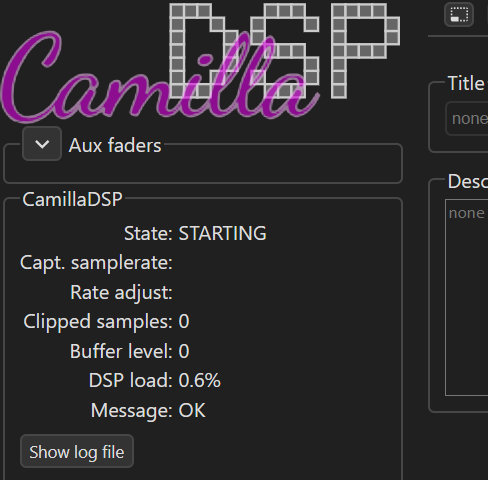
If I open the CamillaDSP page (volumiolocal:5011) I noticed that CamillaDSP keeps restarting:
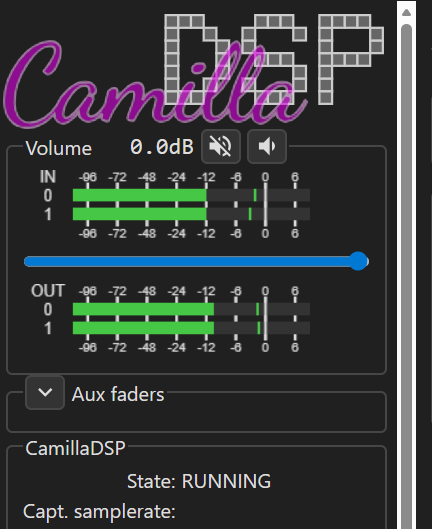

image

For sure I could use Peppymeter basic with that template but I get sometimes that the meter won’t start and, when it starts, it stops to show the meters (just shows the background) specially on some music track change.

For that reason, I wonder if I have some strange thing going on on my recently installed Volumio 4 on Rapsberry Pi5 with 8GB memory…

Note: If I disable one of the two plugins all goes well.

Here is the LOG (if you need more info please say so).
Volumio LOG

PS - whenever I install (all the latest versions it happens), I get this warning, athough all gets installed in the end.
================================ WARNING ====================================

This plugin is not verified by Volumio. Installing it is UNSAFE and can make your system UNSTABLE!
You are STRONGLY advised not to install plugins manually, better wait they are officially available.

=============================================================================
? Do you want to install this plugin anyway? Yes
Compressing the plugin
No modules found, running “npm install”
npm WARN config production Use --omit=dev instead.
npm WARN deprecated json3@3.3.2: Please use the native JSON object instead of JSON 3
Plugin succesfully compressed


Finalizing installation
Done! Plugin Successfully Installed

Many thanks for your help!
BR,
Paulo
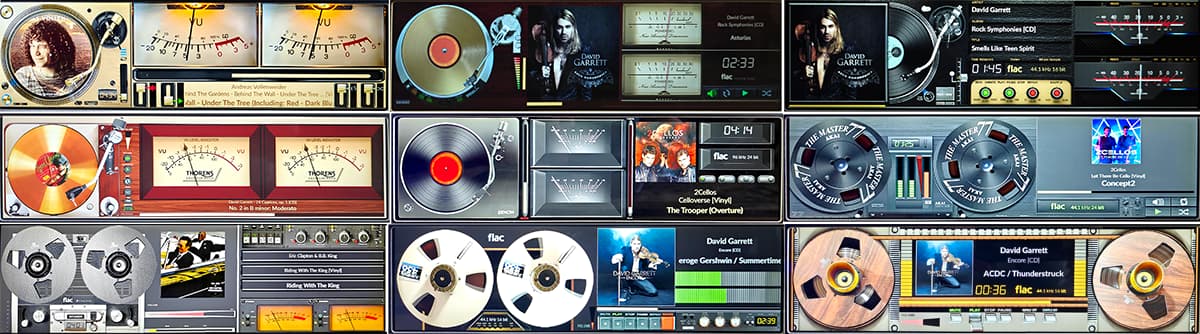
1920x515

2 Likes

Perfect! :+1:

PeppyMeter 3.2.6 “Clarity Engine” Goes Remote

Dear Volumionauts,

The “Clarity Engine” keeps evolving. This release brings something I’ve been working on for a while: running PeppyMeter on a separate display device.

Why Remote Display?

Your Pi has a 3.5" screen attached. Great for status info, but you want to see those VU meters in full 4K glory on your living room TV. Or maybe your Volumio server is headless and tucked away, but you have a spare Pi with a nice display on your audio rack.

Until now, PeppyMeter had to run on the same device as Volumio.

Not anymore.

What’s New?

Remote Display Client

A standalone client that connects to your Volumio server over the network and mirrors the visualization in real-time. Meters, album art, metadata, spectrum - everything stays in sync.

Install on any Linux device with a display:

curl -sSL https://raw.githubusercontent.com/foonerd/peppy_remote/main/install.sh | bash

The client:

  • Auto-discovers your Volumio server on the network
  • Pulls templates via SMB (no manual copying)
  • Receives audio levels and spectrum data over UDP
  • Connects to Volumio’s socket.io for metadata

For full details, see the Remote Display README.

Spectrum on Remote

The spectrum analyzer was the tricky part. FFT data comes from peppyalsa on the server - how do you get that to a remote display?

Answer: broadcast it. The server now streams spectrum bin data alongside audio levels. Remote displays render the same responsive frequency visualization you see locally. No lag, no drift between server and client.

Format Icons That Actually Work

You may have noticed remote displays showing “flac” or “mp3” as text instead of the nice SVG icons. The handlers were looking for icons at Volumio system paths that don’t exist on the remote machine.

Fixed. The installer bundles all common format icons. At runtime, any missing icons are fetched from your Volumio server’s API and cached locally. No more text fallbacks.

Server-Side Setup

Enable broadcasting in Settings > Remote Display:

  • Enable Remote Display - Turns on UDP broadcasting
  • Level Port (5580) - Audio level data
  • Spectrum Port (5581) - FFT frequency data

The server broadcasts regardless of whether any client is listening - minimal overhead.

The Technical Bits

For those who care:

  • Audio levels: UDP broadcast, ~30 packets/sec, 12 bytes each
  • Spectrum data: UDP broadcast, ~30 packets/sec, variable size based on bin count
  • Metadata: Standard Volumio socket.io (port 3000)
  • Templates: SMB mount from Internal Storage/peppy_screensaver

The remote client patches the downloaded handler files at runtime to check local icon paths first - no server-side changes needed for icon support.

What’s Next?

  • Configuration wizard for easier remote setup
  • Multiple remote display support
  • Documentation updates

Enjoy the clarity - now on any screen, any resolution!


As always, provided “as-is” - if you need guaranteed support, stick with Plugin Store offerings. But I think you’ll like this one.

Kind Regards,

7 Likes

Trying to get it started:

~/peppy_remote/peppy_remote --server 192.168.1.124
Cannot read file: ~/peppy_remote/peppy_remote/templates/480x320/meters.txt

templates are in:
~/peppy_remote/screensaver/peppymeter

wheaten@E5440:~/peppy_remote/screensaver/peppymeter/320x240$ ~/peppy_remote/peppy_remote --server 192.168.1.124
Using server: 192.168.1.124 (192.168.1.124)
Level receiver started on UDP port 5580
Spectrum receiver started on UDP port 5581
Fetching config from server via HTTP...
  Server error fetching config: No valid Plugin REST Endpoint: peppy_screensaver
Server config not available, using defaults
  SDL environment configured for desktop (DISPLAY=:0)
Loading PeppyMeter...
pygame 2.6.1 (SDL 2.28.4, Python 3.12.3)
Hello from the pygame community. https://www.pygame.org/contribute.html
Initializing PeppyMeter...
Cannot read file: ~/peppy_remote/screensaver/peppymeter/480x320/meters.txt
 cat  ~/peppy_remote/screensaver/peppymeter/480x320/meters.txt
[bar]
meter.type = linear
channels = 2
ui.refresh.period = 0.033
bgr.filename = bar-bgr.png
indicator.filename = bar-indicator.png
cat config.json
{
  "wizard_completed": true,
  "server": {
    "host": null,
    "level_port": 5580,
    "spectrum_port": 5581,
    "volumio_port": 3000,
    "discovery_port": 5579,
    "discovery_timeout": 10
  },
  "display": {
    "windowed": true,
    "position": null,
    "fullscreen": false,
    "monitor": 0
  },
  "templates": {
    "use_smb": true,
    "local_path": "~/peppy_remote/screensaver/peppymeter"
  }
cat peppy_remote.log

============================================================
PeppyMeter Remote Client started at 2026-02-06 07:59:55.673037
============================================================
Discovering PeppyMeter servers on UDP port 5579...
No PeppyMeter servers found.
Use --server <hostname_or_ip> to specify manually.
Or run --config to configure settings.

============================================================
PeppyMeter Remote Client started at 2026-02-06 08:00:11.507420
============================================================
Discovering PeppyMeter servers on UDP port 5579...
No PeppyMeter servers found.
Use --server <hostname_or_ip> to specify manually.
Or run --config to configure settings.

============================================================
PeppyMeter Remote Client started at 2026-02-06 08:08:22.108457
============================================================
Discovering PeppyMeter servers on UDP port 5579...
No PeppyMeter servers found.
Use --server <hostname_or_ip> to specify manually.
Or run --config to configure settings.

Apparently i am missing something?

Hardware:
rPi5 V4.089, Peppy_Meter V3.2.6
Dell E5440, Ubuntu 24.04.3 LTS

1 Like

After removing the path for templates from config.json via ~/peppy_remote/peppy_remote --config
Magic happened :grinning:

1 Like

Dear Volumionauts,

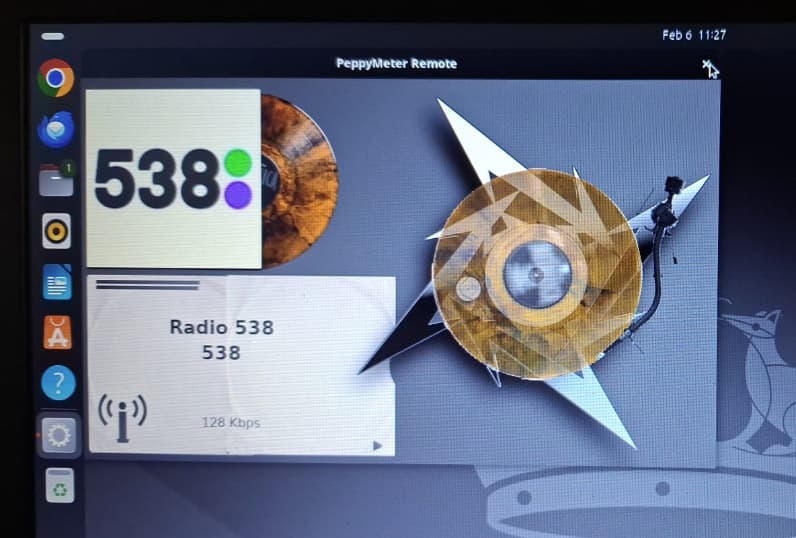
PeppyMeter Remote Client - GUI setup wizard

The remote display client now has a GUI setup wizard so you can configure it without touching the terminal.

What’s new

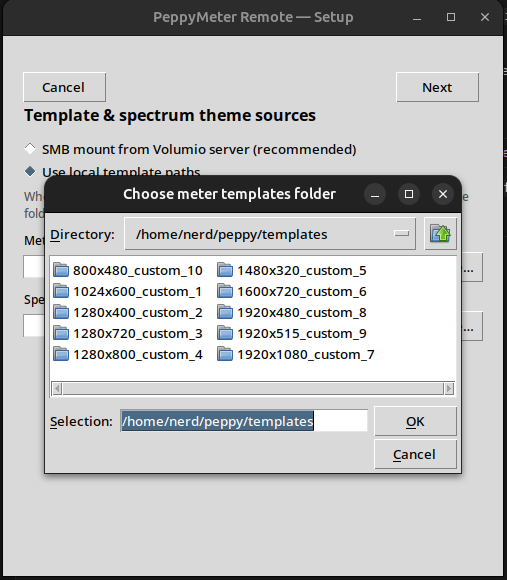
  • Setup wizard - First run (or when you run with --config) opens a step-by-step wizard: choose server (auto-discover, hostname, or IP), display mode, template sources (SMB or local paths with Browse), spectrum decay, and debug options. Uses the GUI when you have a display; otherwise it uses the terminal wizard.
  • Two desktop launchers - After install you get PeppyMeter Remote (start the client) and PeppyMeter Remote (Configure) (wrench icon) for the setup wizard.
  • --config-text - Use ~/peppy_remote/peppy_remote --config-text to force the terminal-only wizard (e.g. over SSH).

Requirements

  • The installer adds python3-tk for the GUI wizard on desktop systems. If the wizard opens in the terminal instead of a window, install it with: sudo apt install python3-tk.

Install / update

curl -sSL https://raw.githubusercontent.com/foonerd/peppy_remote/main/install.sh | bash

Existing installs: re-run the installer or pull the latest and run --config to try the new wizard.

Details: peppy_remote README.

Kind Regards,

Dear Volumionauts,

PeppyMeter Remote - MS Windows Client

Windows remote client (install.ps1) - need testers and feedback

I’ve added a MS Windows client for the PeppyMeter remote display: a PowerShell installer (install.ps1) that sets up the client on Windows 10/11 (Python, Git, venv, launchers, shortcuts). Templates use UNC paths to the Volumio SMB share (no SMB mount on Windows).

I don’t have MS Windows - I’m on a Unix-only setup and can’t run or test this. The script follows normal PowerShell practice (dependency check, winget install, PATH refresh, etc.), so in theory it should work, but it’s untested by me.

How to install (MS Windows 10/11)

  1. Open PowerShell (not CMD). If you get “script execution disabled”, run once:
    Set-ExecutionPolicy -ExecutionPolicy RemoteSigned -Scope CurrentUser
    
  2. Run the one-liner:
    irm https://raw.githubusercontent.com/foonerd/peppy_remote/main/install.ps1 | iex
    
  3. If Python or Git are missing, the script will ask: “Install missing dependencies via winget? [Y/n]” – answer Y (or Enter) to install them; you may see a UAC prompt.
  4. When it’s done, run the client from the install folder (default: %USERPROFILE%\peppy_remote):
    .\peppy_remote.cmd
    
    Or double-click PeppyMeter Remote on the Desktop / Start Menu if shortcuts were created. To configure server/display/templates first: .\peppy_remote.cmd --config.

Optional: pre-set the Volumio server hostname or IP:

irm https://raw.githubusercontent.com/foonerd/peppy_remote/main/install.ps1 | iex -ArgumentList '-Server','volumio'

I’m asking anyone with MS Windows who uses (or wants to use) the remote display to:

  1. Try the installer using the steps above.
  2. Report what actually happens – success, failure, or odd behavior.
  3. Give concrete feedback – e.g. “step X failed with error Y”, “winget asked for admin”, “client runs but templates don’t load”, “had to reopen PowerShell after install”, etc.

That feedback will determine whether I fix bugs, adjust the flow, or clarify the docs. Please post your results (and exact MS Windows version) in this thread.

Kind Regards,

1 Like

@nerd
Oh no - do you even sleep? Always something new. :beers:

3 Likes

Dear Volumionauts,

Sleep is overrated - caffeine and curiosity are a far better fuel mix.

Not far back this plugin was dead in the water on Volumio 4. Now it has full anti-collision rendering, cross-platform support, spectrum analysis, cassette physics, and a remote display client with a GUI wizard. I might pause to catch my breath, but not for long - there is always the next thing.

Keep up!

Kind Regards,

3 Likes

I have a skins folder @Gelo5 made for me way back with 1920x720 skins for HDMI display in the custom unit I built. Can anyone assist me with getting that moved over / configured for this new version of the plugin? Otherwise works great, just no proper resolution one for my particular display.

These skins can be used in the Bookworm version. If I find them, I’ll adapt them to that version (only the sample rate needs to be improved and the maxwidth removed).

3.2.6 Can remote peppy be displayed on the Android volumio APP? Looking forward to it, thank you. But I also found a problem. After deleting 3.2.4 and installing 3.2.6, I found an error and could not start. It showed that there was no config.txt configuration file. I wanted to uninstall 3.2.6, but failed. It showed that an error occurred while uninstalling the plug-in.

Hi @Fire,

Two separate points:

Regarding the Android app question - the remote display feature requires a full Python/pygame rendering stack to draw the meters. The Volumio Android app is a playback controller and does not have this capability. If you are interested in building an Android client that connects to the remote display server, you are welcome to develop one and share it with the community. If you are asking for integration with the official Volumio app - this plugin is not in the Volumio plugin store, it is a community resource provided as-is. Requests for official app integration should be directed to Volumio.

Regarding the config.txt error after upgrading from 3.2.4 to 3.2.6 - I have tested the full cycle on my own system: uninstall of previous version, fresh install of 3.2.6, plugin enable, playback, and screensaver launch. Every step completed cleanly with no errors and config.txt was found and read correctly.

This issue happens when previous plugin files are manually or partially deleted instead of using the proper uninstall through the Volumio UI. The installer checks whether directories exist before creating them. If the directory is there but its contents are missing, the installer skips the setup step and you end up with a broken install. The uninstall then also fails because it expects files that are not there.

To fix this, SSH into your device and run:

sudo rm -rf /data/plugins/user_interface/peppy_screensaver
sudo rm -rf /data/INTERNAL/peppy_screensaver
sudo rm -rf /data/configuration/user_interface/peppy_screensaver

Then reboot and install 3.2.6 fresh following the instructions in the repository README.

As a reminder - this plugin is provided as-is with no maintenance or support guarantees. If you need a reliable, actively maintained solution, the PeppyMeter plugin from @balbuze is available in the Volumio Plugin Store.

Kind regards,

Thank you, but I have tried to install 3.2.6 many times without success, and cannot uninstall it, so I can only reinstall the volumio system. There is no problem with 3.2.4. Everything is normal during installation and uninstallation.

Hi @Fire,

I have tested the full cycle - uninstall, fresh install, enable, playback, screensaver launch - for all versions including 3.2.6. Every step completes cleanly with no errors.

If you have a broken install that will not uninstall through the UI, SSH into your device and run these three commands:

sudo rm -rf /data/plugins/user_interface/peppy_screensaver
sudo rm -rf /data/INTERNAL/peppy_screensaver
sudo rm -rf /data/configuration/user_interface/peppy_screensaver

Reboot, then install fresh. There is no need to reinstall Volumio.

If the problem persists after a clean removal and fresh install, the burden is on you to provide evidence. As stated in the community support policy:

  1. Update to the latest version
  2. Enable the appropriate trace switches for your problem
  3. Reproduce the issue
  4. Provide the full system log (volumio livelog) and the debug log (/tmp/peppy_debug.log)
  5. Upload to any file sharing service and share the link

Full documentation on the debug and trace system is available here: Debug and Logging · foonerd/peppy_screensaver Wiki · GitHub

Without logs, there is nothing to investigate. It works on my end. If you are unable to troubleshoot this yourself, I would encourage you to ask other community members for guidance.

As a reminder - this plugin is provided as-is with no maintenance or support guarantees. For a supported solution, the PeppyMeter plugin from @balbuze is available in the Volumio Plugin Store.

Kind regards,

Hi @nerd ,The reason has been found. It may be due to network reasons. The 3.2.6.ZIP I downloaded is only 50MB. The complete 3.2.6.ZIP I downloaded is 98.5MB ready for installation. Thank you. Windows remote display has not been successful yet. This may be too difficult for me.

I still have the original.zip file you sent if that would help.
1920x720_5skins.zip (5.3 MB)

Please - try as much as you want