Ah… Reflash vice update. I see…
I’ve just upgraded to 1.0.5, put in the api from OpenWeather… and after a restart and a bit of a delay - it now all works! Thanks
2 Likes
Update:
I have subscribed Base subsription plan - hopefully it solves my issue.
Weather still doesn’t work for me 
I have upgraded to 1.0.5, entered valid API but still no luck.
It looks if we want to use API 3.0 the api key owner should have subscription plan.
It is true? Any chance to get it working without subscription plan?
Log file:
[now-playing] Error fetching https://api.openweathermap.org/data/3.0/onecall?appid=&lat=53.155&lon=18.179&units=metric: Error: Response error: 401 - Unauthorized
When testing API 3.0 call - I have got:
“cod”:401, “message”: “Please note that using One Call 3.0 requires a separate subscription to the One Call by Call plan”
Thank you.
Regards,
Bartosz
Hey @Bigu1975,
To put all further discussions alike to the bed:
This is an upstream change by OpenWeatherMap that affects all applications using One Call API 3.0, not specific to the Now Playing plugin. During activation, you will be prompted for a credit card, but you will not be charged unless you exceed the free tier limits.
One Call API 3.0 requires a separate subscription to the “One Call by Call” plan - having a standard free OpenWeatherMap API key is not sufficient. One Call API 3.0 is included to the “Pay as you call” subscription type. You do not need to subscribe to any other OpenWeather subscription plans to get access to the One Call API 3.0.
The subscription itself has a free tier: 1,000 API calls per day are included for free. However, OpenWeather One Call API 3.0 requires a subscription, which now requires a credit card to be on file to bill for transactions greater than free tier of 1,000 calls per day.
To use the weather feature with the current plugin:
- Go to OpenWeatherMap Pricing page
- Subscribe to “One Call API 3.0” - this requires entering credit card details
- After subscribing, go to “Billing plans” in your account settings
- Edit your One Call API 3.0 Base Plan “Calls Per Day” from the default of 2,000 to 1,000, which should block going over 1,000 calls and thus never cause a credit card transaction.
I acknowledge this requirement was not made explicitly clear in my original thread post; based on assumption that we can all read OpenWeatherMap’s subscription tiers with understanding. The wording “Get a free OpenWeatherMap API key” was ambiguous - obtaining a key is free, but using it with One Call API 3.0 requires the additional subscription step with payment details on file.
Kind Regards,
4 Likes
This is exactly what I did and all is working well. Once you sign up you can check how many calls are being made, it is calling every 10 mins, so will never get close to 1000 a day. If you are further worried you can set your own limit of the amount of calls, which I’ve set at 500.
After signing up it still took a little time to work, maybe 30 to 60 minutes or so, I assume this is while the subscription process is all going through.
2 Likes
Indeed I did what you described - it solves the issue.
I believe thanks to your description everyone got the clrear explanation.
For myself I thought that only api key is needed. Which is partially true. The subscription is needed as well. As I am not a fan of sharing my credit card widelly - I use the forum to check if this is necessary.
Thank you!!!
Updated:
Maybe it is worth to consider to adding to Now Playing configuration which will allow to change the hourly number of calls? It may matters for people who use multiple instances of Volumio.
But it worked in the end! Many thanks @nerd and @balbuze for this. Now I know how miserable the Amsterdam weather is again.
3 Likes
Dear Volumionauts,
Now Playing plugin v1.0.6 - Summary of changes
Disclaimer: This plugin remains with its original developer. I only stepped in to address some pressure points (weather API, errors, UX). I am not taking over the project and do not plan to maintain, develop, or support it going forward.
What’s new in v1.0.6
- Weather: Cache duration is now a dropdown (10 min–24 h) instead of a free number. “Not configured” cases are handled more cleanly (clearer messages, no stack traces in logs).
- Translations: Six more European languages for the plugin UI: German, French, Italian, Dutch, Portuguese, Polish (in addition to existing English and Spanish).
TL;DR
Before (old behaviour)
- Each time the plugin needed weather it made 2 API calls to OpenWeatherMap: one to One Call API 2.5 (forecast, hourly, etc.) and one to Current Weather (location name).
- Results were cached for a fixed time (about 10 minutes). So in practice: about 2 calls every 10 minutes per location while the screen was in use → roughly hundreds of API calls per day per device.
- The key was taken from OpenWeatherMap’s site (scraping). When they changed the site and retired One Call 2.5, that stopped working.
After (current behaviour)
- The plugin still makes 2 API calls per “fetch”: one to One Call API 3.0 and one to Current Weather. OpenWeatherMap counts both against your quota.
- The difference is you control how often a fetch happens via the Weather cache setting: 10 min, 30 min, 1 h, 2 h, 6 h, 12 h, or 24 h.
- Until the cache expires, all requests (UI, Idle Screen, dock) for that location use the cached result - no extra API calls.
Impact on the free tier
- Free tier is usually 1000 API calls per day. Each “refresh” = 2 calls.
- Before: Fixed short cache → many refreshes per day → easy to use a lot of the 1000 calls.
- After: You choose the cache length. Examples:
- 10 min → up to ~288 calls/day per location.
- 1 h → up to ~48 calls/day.
- 24 h → 2 calls/day.
So with a 1 h or longer cache, one location stays well under the free limit; with 24 h you use almost none of the quota.
Kind Regards,
4 Likes
So, even at 10 minutes we should never exceed the 1000 daily call limit.
Thanks again for doing this. Much appreciated!
I’m a complete noob, I’ve set up a screen like this when the music isn’t playing (photo 2), but when I turn on my Raspberry Pi, this screen appears (photo 1) (1-2 in the photos), I have to turn on the music and press pause to make the screen (photo 2) appear. How can I make the screen with (photo 2) appear immediately? Thanks in advance for your help.
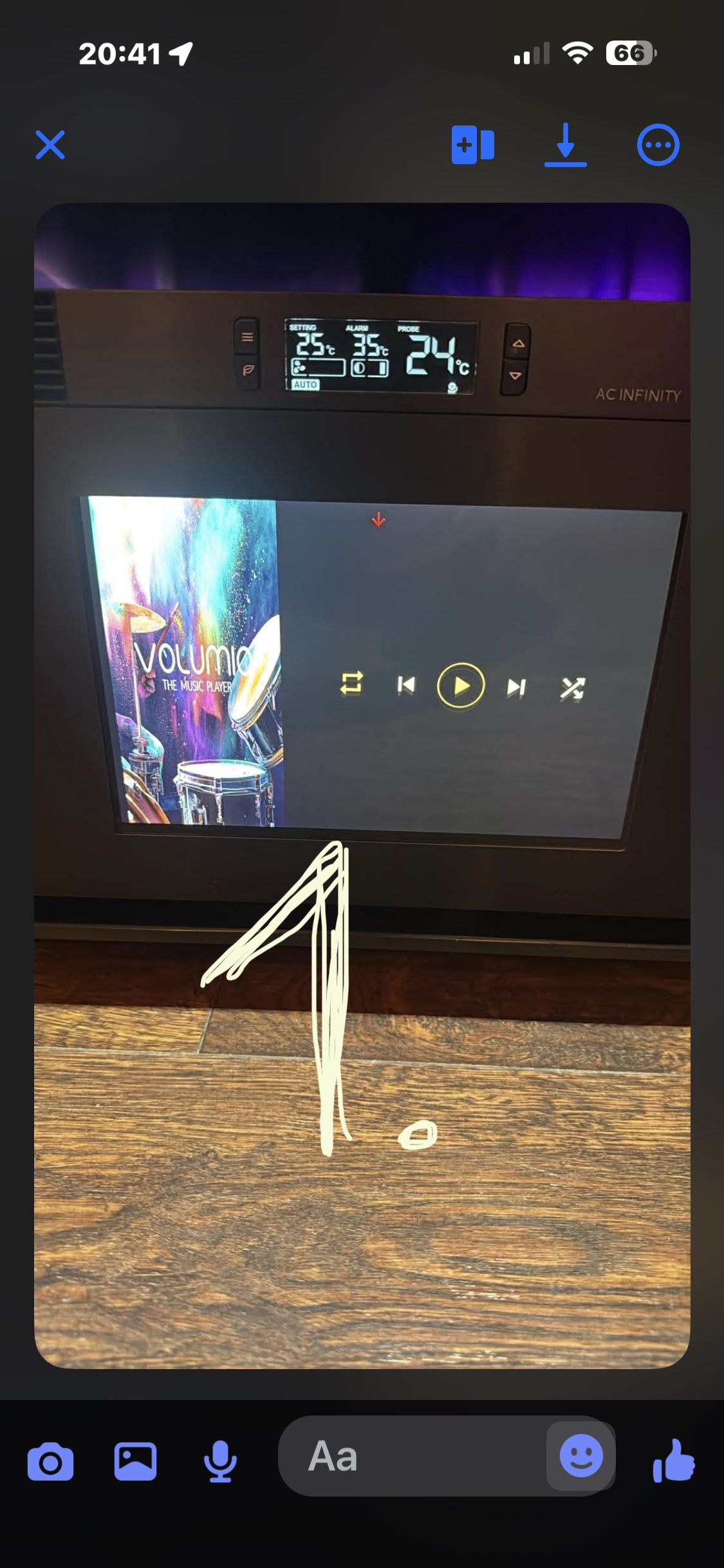
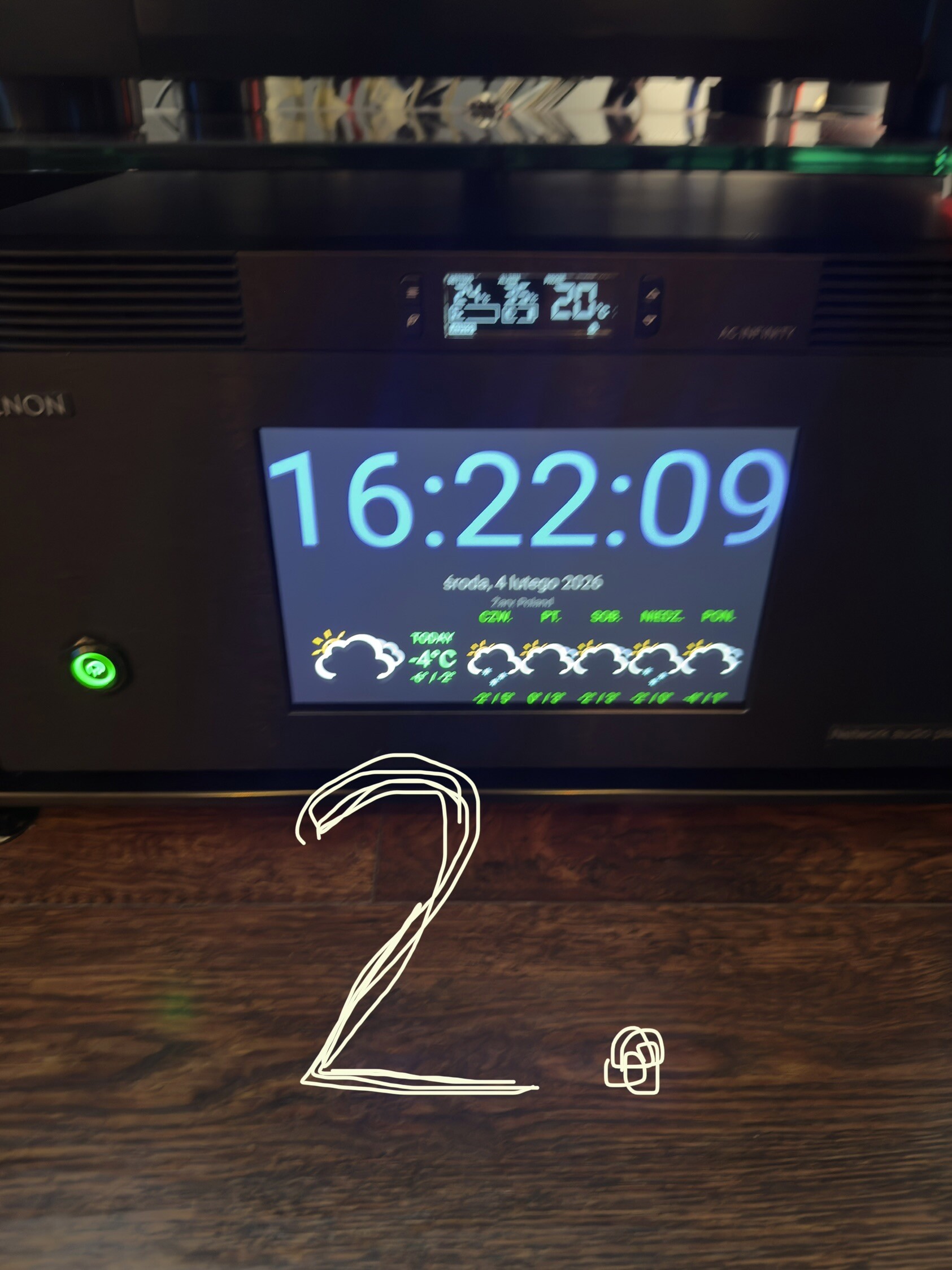
You shouldn’t need to start and stop the music. You need to just wait for the active screen to time out. Think it is set at 30 seconds as default, but you can reduce this down to 10 seconds.
In the app settings scroll down to “Idle Screen” and change the setting.
I have it set to 10 but it’s exactly the same, after starting it appears for a moment (photo 2) and stays there permanently (photo 1). I can wait even 5 minutes and nothing
What are you “start up” settings. I have set “Now Playing Basic View” and “On”
I also have basic view, but idle screen activated is off.
I suggest turning that on then 
No, works fine for me. Screen still displays time/weather idle screen on start-up and 10 seconds after last track finishes.
Edit: but I’ll try it anyhow!
1 Like
Sorry, I responded without checking, I thought I was responding to the person with the problem.
1 Like
To put all further discussions alike to the bed:
This is an upstream change by OpenWeatherMap that affects all applications using One Call API 3.0, not specific to the Now Playing plugin. During activation, you will be prompted for a credit card, but you will not be charged unless you exceed the free tier limits.
[/quote]
Thank you so much for this. I am all back and running again – my favorite plugin.
1 Like
Thanks for publishing the fix. I have made some changes to make the OpenWeatherMap API key optional but could not submit it. volumio plugin submit returns 401 error. Could you take a look into this?
Hello @patrickkfkan ,
I restored you as the owner of the plugin. So, it should be ok for you to submit 
Thanks
1 Like