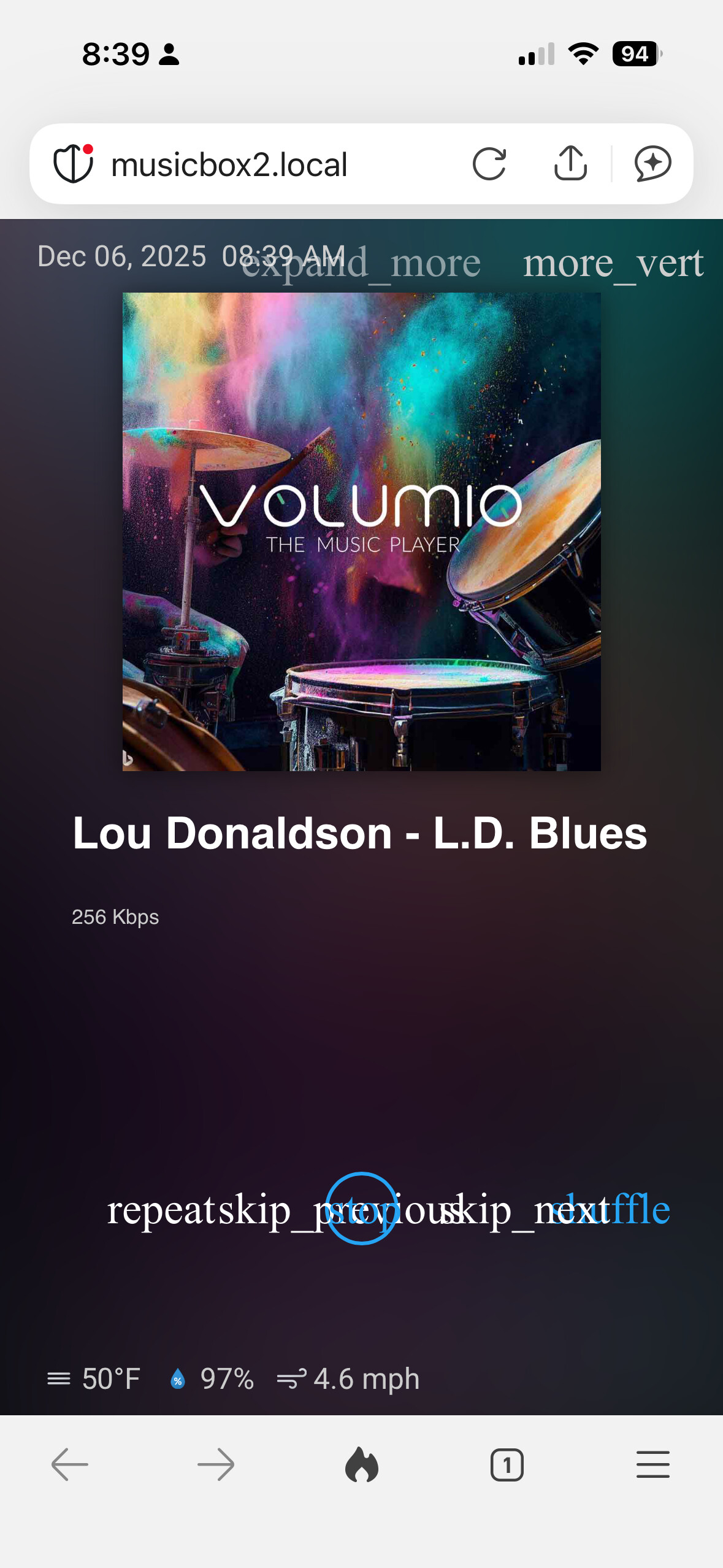
Volumio Rivo running 3.874
Now Playing Plugin 0.7.6
In the now playing settings for the Volumio Now Playing plugin I have selected “random Image from Upsplash” for my “Idle screen” but all i am getting is a black background. This worked fine up until about three days ago, and also works fine on my Volumio 4, Pi5 configuration.
Trying uninstall the plugin totally jammed up the system where it got stuck at (I think) where it is loading the plugins. I was able to ssh in and delete the Now Playing plugin folder and that allowed me to recover the system.
I updated my other streamer (rPi 3B+) too to the latest code. Tried to uninstall Now Playing plugin first. Had problems with the uninstall like with the other unit and finally got it going after ssh and deleting the folder from /data/plugins.
On a freshly installed Volumio v4.073 + Now Playing plugin v1.0.2 on Rpi 4, Here’s what I got:
Uninstall fails
This I can confirm. Got an error message about failing to remove some files due to permissions. Will be fixed in next version.
Graphics replaced by text
This I could not reproduce. You’re seeing the text because Google Material Icons font could not be loaded for some reason. But it didn’t happen in my case. Does this happen if you open the Now Playing UI in a desktop web browser?
By “update”, did you mean updating from an older version through Volumio’s updater? Or did you perform a fresh install?
Did this happen after you activated the Now Playing screen by clicking the “Set to Now Playing” button in plugin settings? Or simply enabling the plugin is enough to cause the freeze?
I did an update from Volumio 4.072 to 4.073. After updating my problems occure when trying to do some changes in Now Playing 1.02 that already was installed before updating to 4.073. My guess is that there is some compability problem with Volumio 4.073.
Now I have done a fresh install of latest Volumio OS and I’m little bit scared of installing Now Playing again
Hi @patrickkfkan
Thanks for checking it out. I just installed the latest version of the Now Playing plugin and I confirm that it is working ok on the desktop so I guess that peculiar effect might have been an artifact of the restart after the Volumio update.
Thanks again for all your work on an excellent plugin.
Ok, that’s good. I’ll wait for next update where I hope unistallation works fine.
One more question, if I want to start with my rpi with weather screen active and stay there until I want to play some music. How do I do that?
I set NP to show Idle screen on start up but it stays there just 10 seconds or whatever time I set.
Thank you for you reply.
I have run Now Playing one several rPi4 and 5. I have tried all option you described earlier and they worked as supposed but on this rPi5 I want weather screen show up at startup and stay active until I want to play som music. I can’t get that to work.
Anyway I’ll wait until NP plugin is updated before I install it again.
I believe that has been fixed now, at least for me. I tested with the 1.0.3 beta and uninstall and reinstall worked fine. Of course it’s always a good idea to backup your settings🙄 and the restore works great.
Also wanted to let you know that the uninstall of the earlier version doesn’t really brick the unit, it just locks up before the browser starts up. If you ssh to it, su to root and run: rm /data/plugins/user_interface/now_playing -r
it will boot up fine. The 1.0.3 beta fixes the issue.