Glass0.9.4 was installed successfully, and the app was installed on the Android phone. It showed that it was OK, but why was the album picture not displayed on the remote Android screen?
Hey @Fire,
Good news first: the app runs, so the hard part is done.
The album art is a separate trip. The remote does not get the picture handed over with the meters; it fetches it itself, from the player’s own web server on port 3000. If the phone cannot reach that port, the meters move and the cover stays empty.
Before anyone digs further: 0.9.4 is twenty-three releases behind, and those include the remotes’ fixes for art and pictures, plus the tools that would answer your question directly. Please:
- Update the player to Glass 0.9.27, from the System tab.
- Install the 0.9.27 apk on the phone, from the Glass releases page.
Then open the remote’s settings page. Its Connection panel tests every path from the phone to the player, port 3000 included, with a green or orange sticker for each, and names anything blocked.
If the cover is still missing after that, use the Report panel on the same page: one line on what you see, then Make a report, and post it here. That report says what the remote sees, and the cause can be found from there.
Kind Regards,
Hey @Lee.Yan
This one was found from screenshots and a fragment of JSON. That is not a report, and this is the last time an incomplete one gets acted on. From now on, a problem with a remote comes with the remote’s own report: its settings page, Report panel, Make a report. A problem with the player comes with the player’s report: Status tab, Find a problem, Make a report. Otherwise it waits, per post 2.
Possible cause, now fixed in preview: a Windows remote keeps its copy of your uploaded font under a drive path, C:.…, which does not begin with a slash. The remote only treated slash-led paths as complete, so it never found the file and drew the fallback instead. The player and Linux remotes use slash paths, which is why they were fine.
The fix is in Glass 0.9.28 and the bundle 0.2.28, both pre-releases until it is confirmed on a Windows remote with an uploaded font. You have exactly that setup:
- On the player: tick “Offer test releases” on the System tab, and upgrade to 0.9.28.
- On Windows: install the 0.9.28 remote, or the bundle 0.2.28 if that is the one you use.
Then post the remote’s report from its Report panel, whether the font shows or not. If it shows, the fix goes out to everyone.
Kind Regards,
Dear Volumionauts,
A notice from hospital administration, pinned to every door in the building.
The admission rules have been rewritten. Post 2 is now a form even the night porter could fill in blindfolded:
It tells you, step by step and button by button:
- how to find your player’s address, by IP, because names wander and .local does not answer everywhere;
- what to do before you post: upgrade first, and read;
- which of three doors is yours: the player, a remote display, or Volumio itself;
- how to get the report out of Glass, or the log out of Volumio, in a few clicks;
- the hardware block to fill in at the end, so nobody has to ask “which screen?” ever again.
From today, triage works like this:
- Arrive with a report and the hardware block: you are admitted, examined and, where possible, cured. Usually the same day.
- Arrive with a screenshot, a feeling, a fragment of JSON or “it doesn’t work”: you are handed a link to post 2. Once. Politely.
- Arrive again without them: you are discharged. No second link, no follow-up appointment, no visiting hours.
Some patients will ask whether this is harsh. It is not. It is what a clinic with one surgeon, no budget and a waiting room full of themes has to do to keep operating at all. Guessing from fragments is how the wrong organ gets removed.
The surgeon has spent the last fortnight writing diagnostics so you do not have to write essays. Find a problem, Make a report, Copy for the forum. Three buttons. The clinic has never asked for less.
Read post 2. Then come in.
Kind Regards,
Glass 0.9.28 and Remote 0.2.28 have effectively resolved the issue I mentioned regarding uploaded fonts not displaying in Remote; the display is now perfect in remote.
The information I sent earlier was taken from the generated report; I didn’t see any other useful error messages in it.
Updates are now very convenient and fast, allowing me to quickly provide you with test results.
What is useful in a report is for the surgeon to decide, not the patient. Send it whole, every time, per post 2.
Kind Regards,
Okay, I’ll do as you say. Thanks!
I am a system administrator with over 20 years of experience.
So, that means that you can skip simple requests or … ???
What I mean is that I can locate the key information in the report to reduce your workload.
Hey @Wheaten,
Two different wards, two different admission rules.
Dreams, ideas and requests for new features: properly described, they are always welcome, simple ones included. I can only build what I understand from your description, so my interpretation is only as good as your write-up.
Diagnostics are another matter, especially anything tied to a specific installation or a particular combination of hardware and plugins. Those go through post 2, without exception.
If there is something else on your mind, spell it out. The crystal ball, as usual, is in for repairs.
Kind Regards,
Hey @Lee.Yan
Thank you, but no. Deciding what is relevant takes knowing the code, all of it. By your own admission you do not, and there is nothing wrong with that; it is the surgeon’s job. The fragment you leave out is usually the one that holds the cause. Send the report whole, every time, per post 2. That is what reduces my workload.
Kind Regards,
That report is over 20 KB, so I took a quick look at it for you first.
Hey @Lee.Yan,
Twenty kilobytes is not a problem: that is what “Download the report” and the attachment button are for. But since we are counting, here are the clinic’s records, from both threads:
| PeppyMeter thread | Glass thread | |
|---|---|---|
| Your posts | 113 (Dec 2025 - Aug 2026) | 19 (27 Sep - 9 Oct 2026) |
| Posts carrying a picture | 38 | 6 |
| Posts carrying a log or a whole report | 1 (thanked for in post 534) | 0 |
| Posts carrying a fragment of a report | - | 1 (post 161) |
| My posts asking you for logs, a report, or post 2 | 4 (posts 399, 572, 585, 752) | 8 (posts 138, 142, 145, 151, 156, 164, 167, 172) |
To be fair to the record: you have also given a great deal. The Chinese translation, themes, the Pydroid notes, the Windows testing, and the configuration file that ended a five-day hunt in five minutes. That last one is the point. It was the whole file, not your summary of it, that found the cause.
So, for the last time: the whole report, every time, per post 2. A report with your summary added is welcome. A summary instead of the report is not. From now on, a post without one gets no reply from me, from you or from anyone else.
Kind Regards,
Glass Achievements
Glass has developed incredibly fast; in such a short time, it has achieved multi-platform support, high efficiency, and rapid, stable performance (unlike PeppyMeter, which frequently freezes, Glass has never once crashed). Today, it delivers everything I had hoped for.
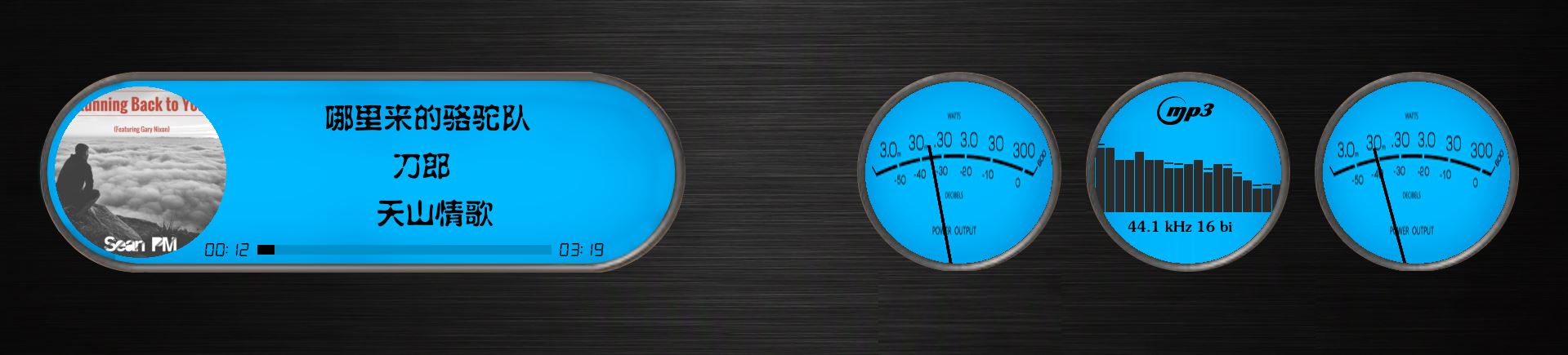
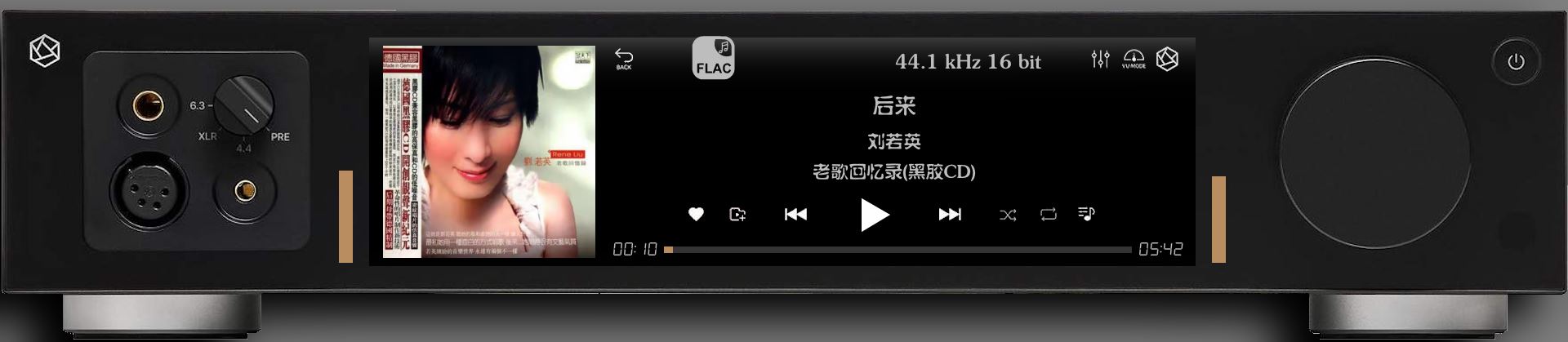
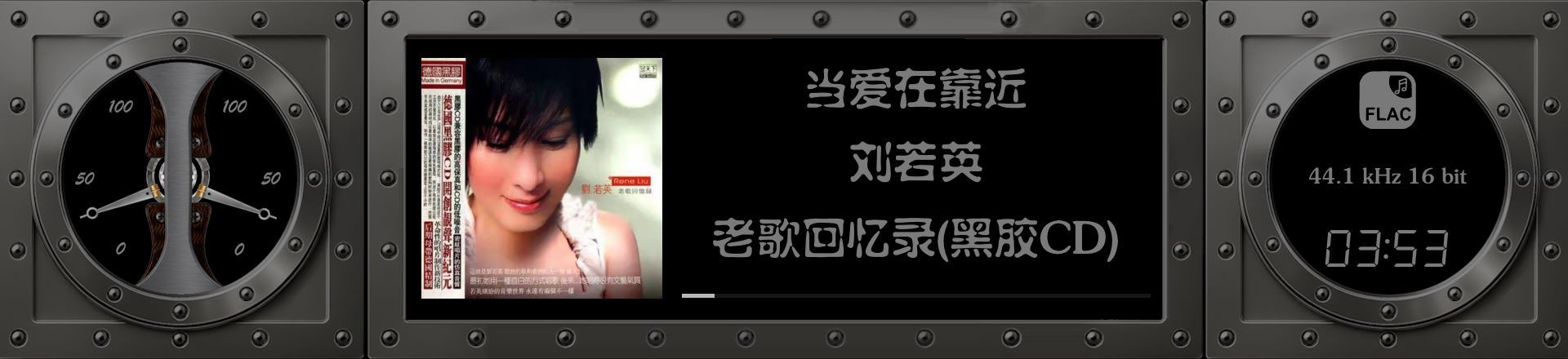
2 Likes

3 Likes
Glass in Android
When configuring the theme in Glass Remote using the option “A theme from a folder on this machine, or a share mounted here,” only a gray background is visible on the phone screen.
However, when using the option “An own theme of the player’s, kept whatever the player shows,” it works correctly, and the displayed content matches expectations.
glass-report-remote-display-2026-10-10-11-50.txt (26.8 KB)
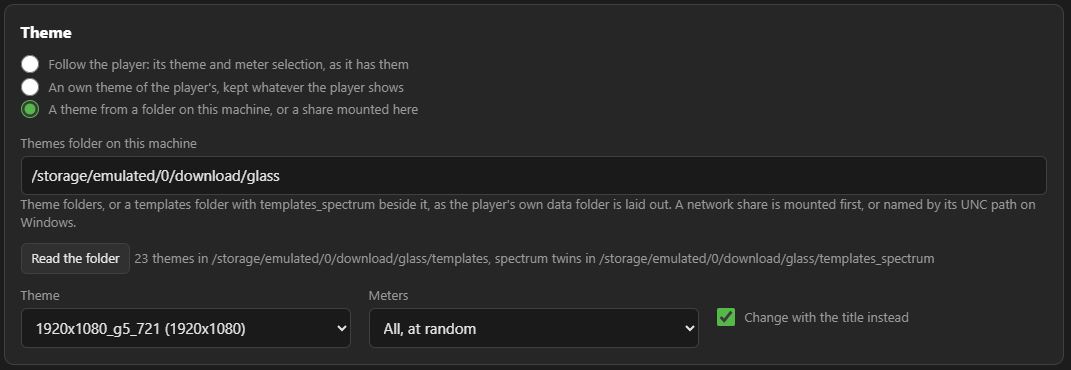
As seen in the screenshot, the theme file saved on the phone has been successfully detected.
I have to say, installing Glass is incredibly easy; the installation and operation on Android are buttery smooth.
I just noticed that music album art doesn’t show up on Android, regardless of the mode.
Hey @Lee.Yan
Thank you. That is a report, and here is what it did, so everyone can see why post 2 exists.
Both problems were found from your file and fixed under 20m, in Glass 0.9.32 and the bundle 0.2.32. Diagnosis took minutes, because the report answered every question before it was asked:
- Album art on Android
- Prerequisites: “android aarch64”. So this is Android, not the player and not the theme.
- Connection: “the player’s own web (album art): OPEN, answered in 8 ms”. So the network is ruled out: the phone reaches the art.
- Prerequisites, folders: the app’s own cache is under /data/data/io.github.foonerd.glass, writable.
- That left one place to look: where the remote puts the picture after fetching it. It used the system’s temp folder, which on Android belongs to the shell and is closed to apps. Every picture was fetched, then dropped before it was saved. 0.9.32 keeps them in the app’s own cache.
- A theme from a folder on the phone: grey screen
- Log: “own theme 1920x1080_g5_721 (from this machine)”, path /storage/emulated/0/download/glass/templates/… So the folder was found, as your screenshot showed.
- Assets: “1920x1080_g5_721 - 0 files named”. So the folder was listed, but the theme’s own text came back empty.
- On Android, an app may list what other apps put under Download, but not read it without the device’s file access, which Glass never asked for. 0.9.32 asks for it (“All files access” from Android 11) the first time a theme on the device cannot be read, says on the page which theme cannot be read, and picks the theme up as soon as access is granted.
Two problems, one file, no questions asked. That is the whole point of post 2, and you have just proved it better than any rule could.
Upgrade the player to Glass 0.9.32, then the phone to the bundle 0.2.32, grant the access when Android asks, and post one line on whether both are fixed. Next time, fill in “What I did and what I saw” too; yours came through empty.
Kind Regards,
Sorry ,I understand.
Glass 0.9.32 and evo-0.2.32 have resolved the issue with Album.
When switching modes, the app covers the confirmation prompt issued by the new Android system regarding access requests.
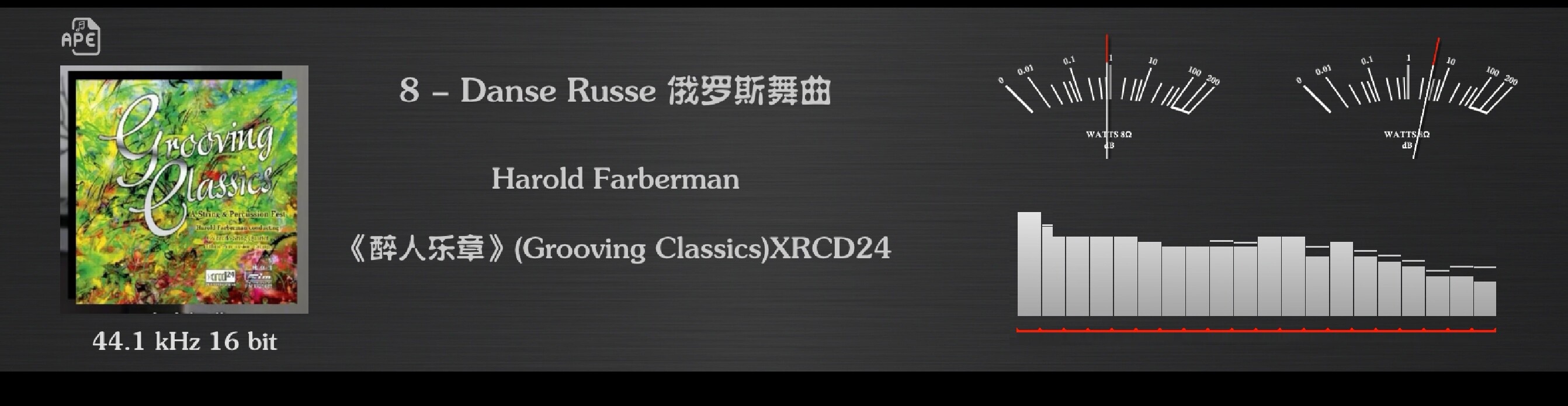
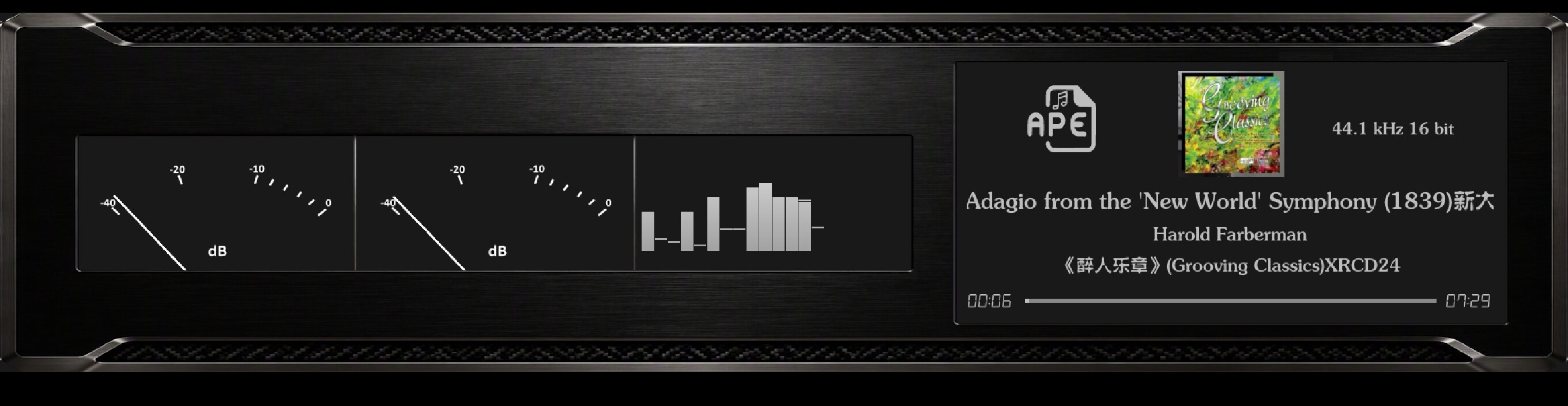
It’s working fine now.
It has been updated to 0.9.31, but there is still no album image on the Android phone. It can be displayed on the Windows web page.Where should I set this?
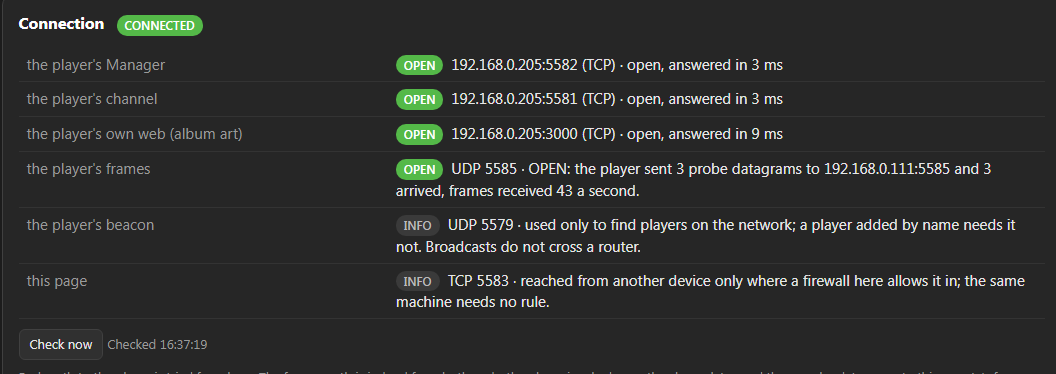
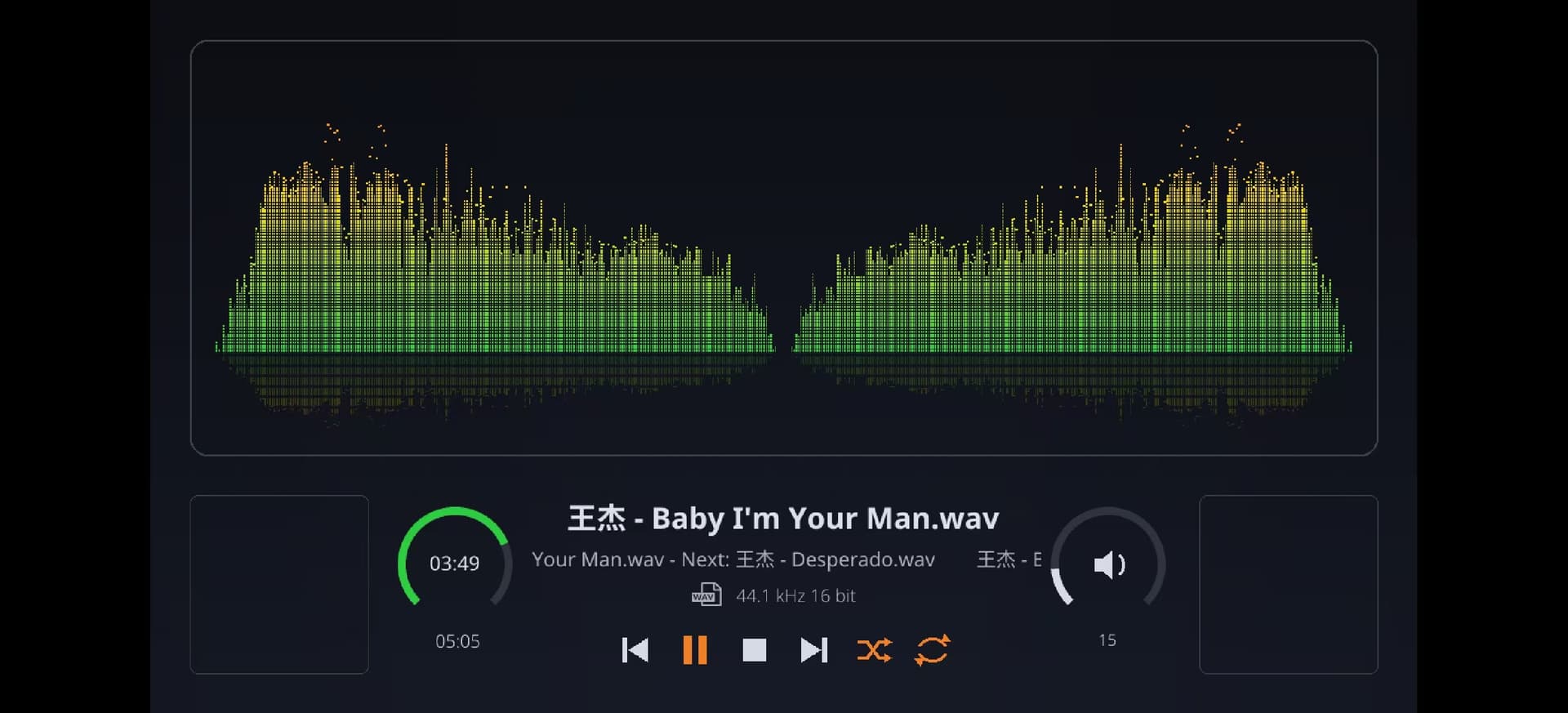
Glass 0.9.32 and evo-0.2.32 have resolved the issue with Album.
Glass 0.9.33 & Glass-evo remote 0.2.33 offer further improvements.