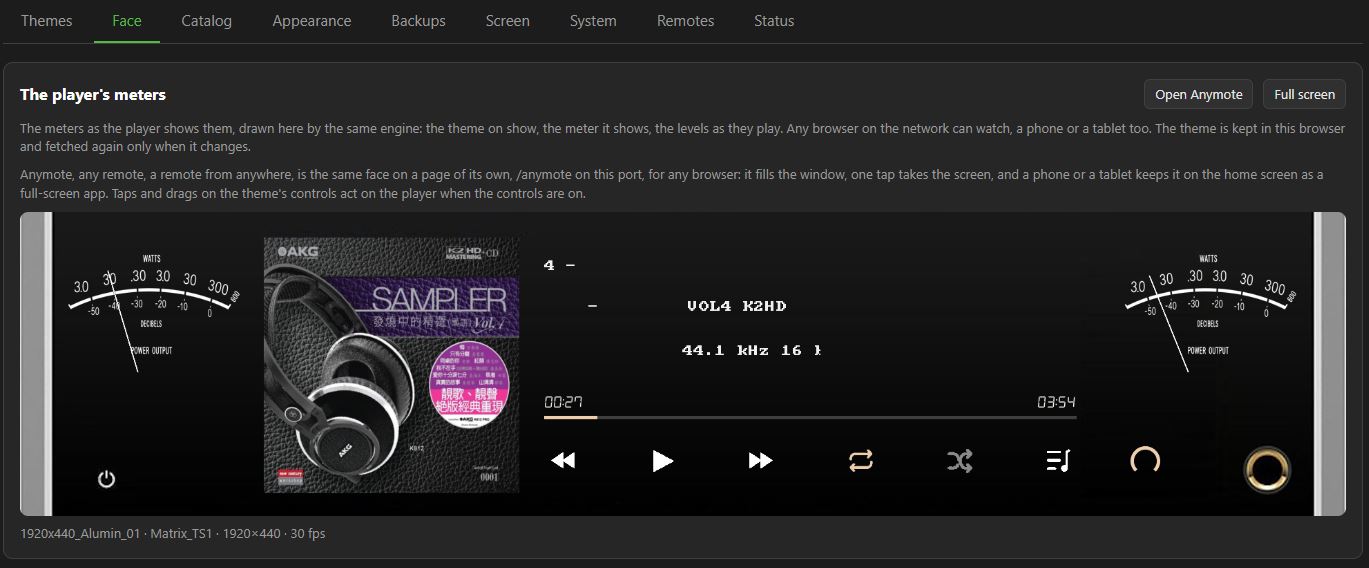
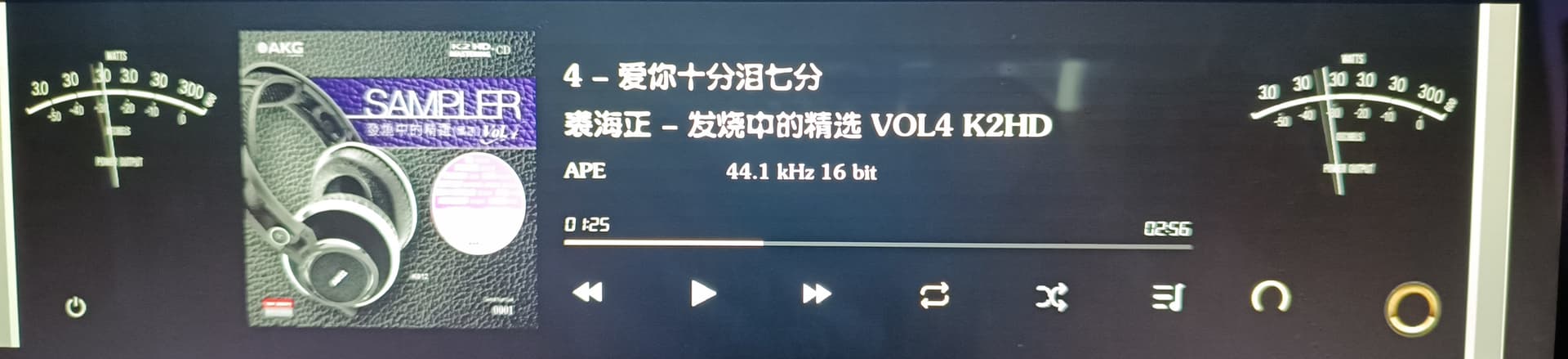
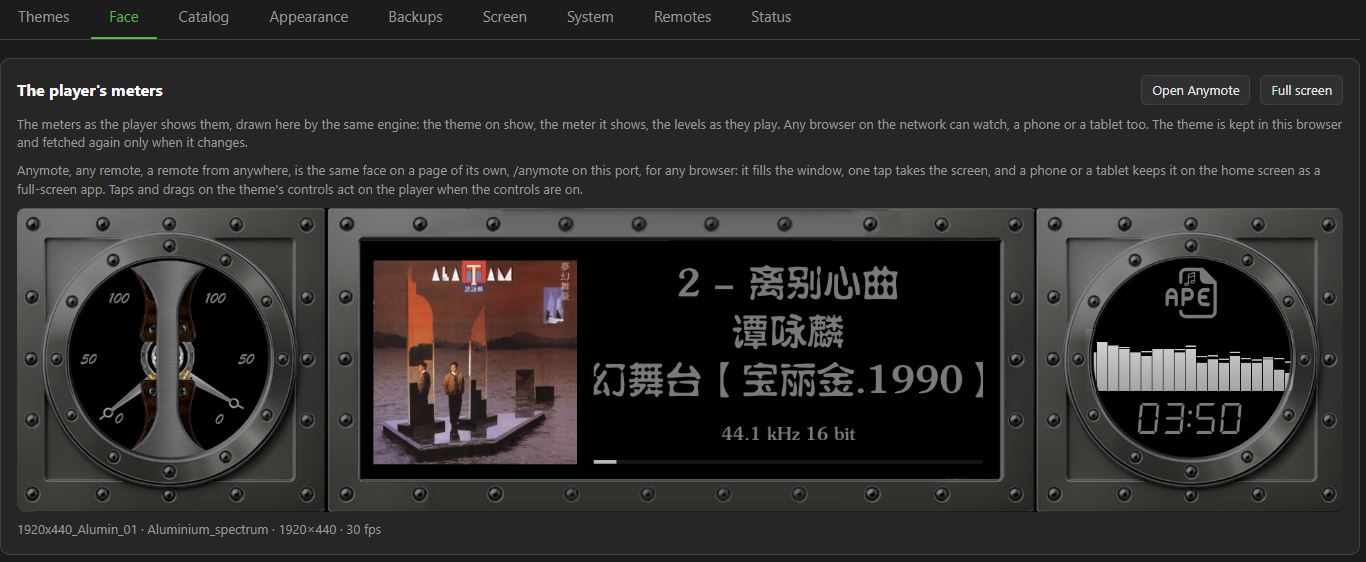
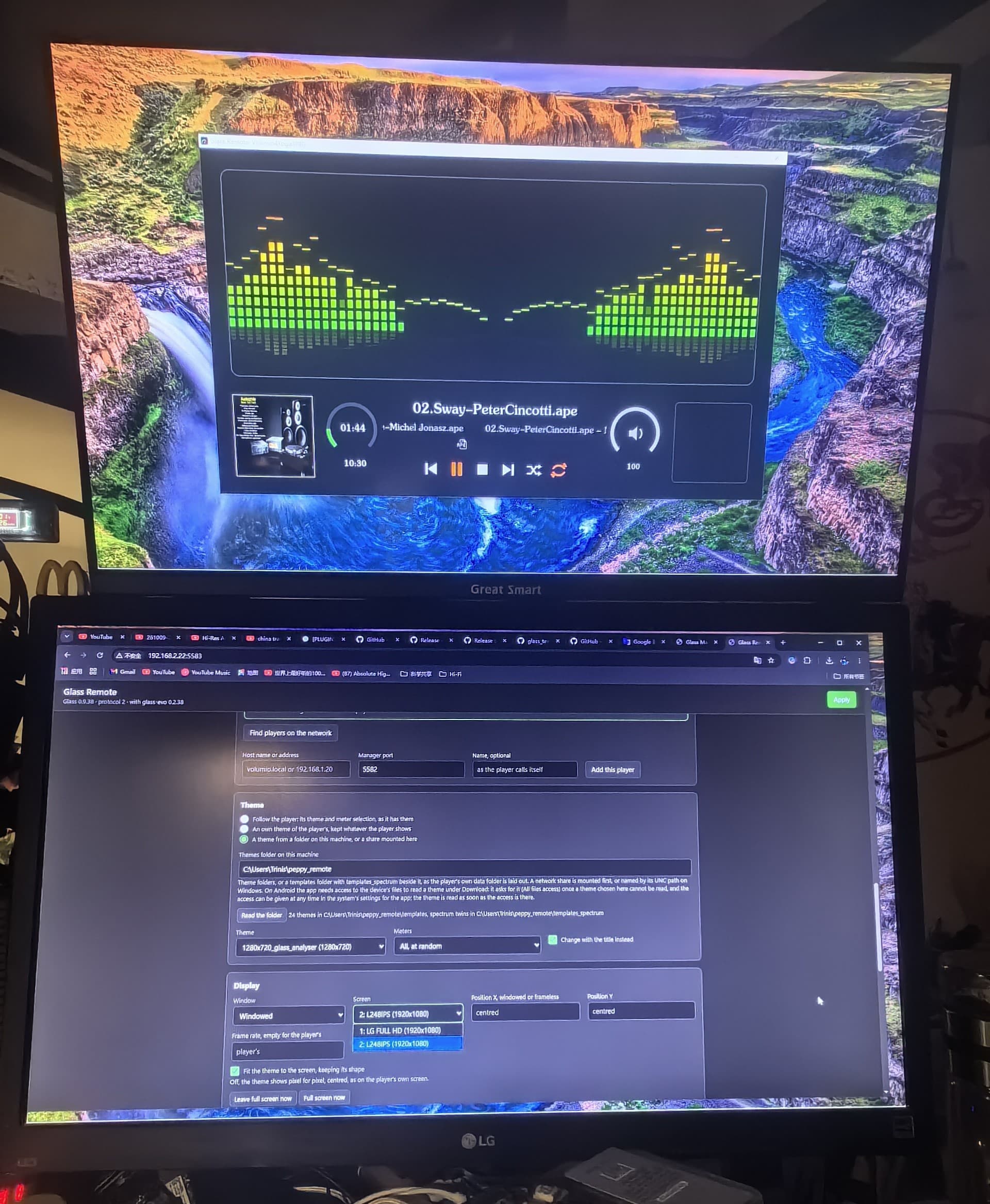
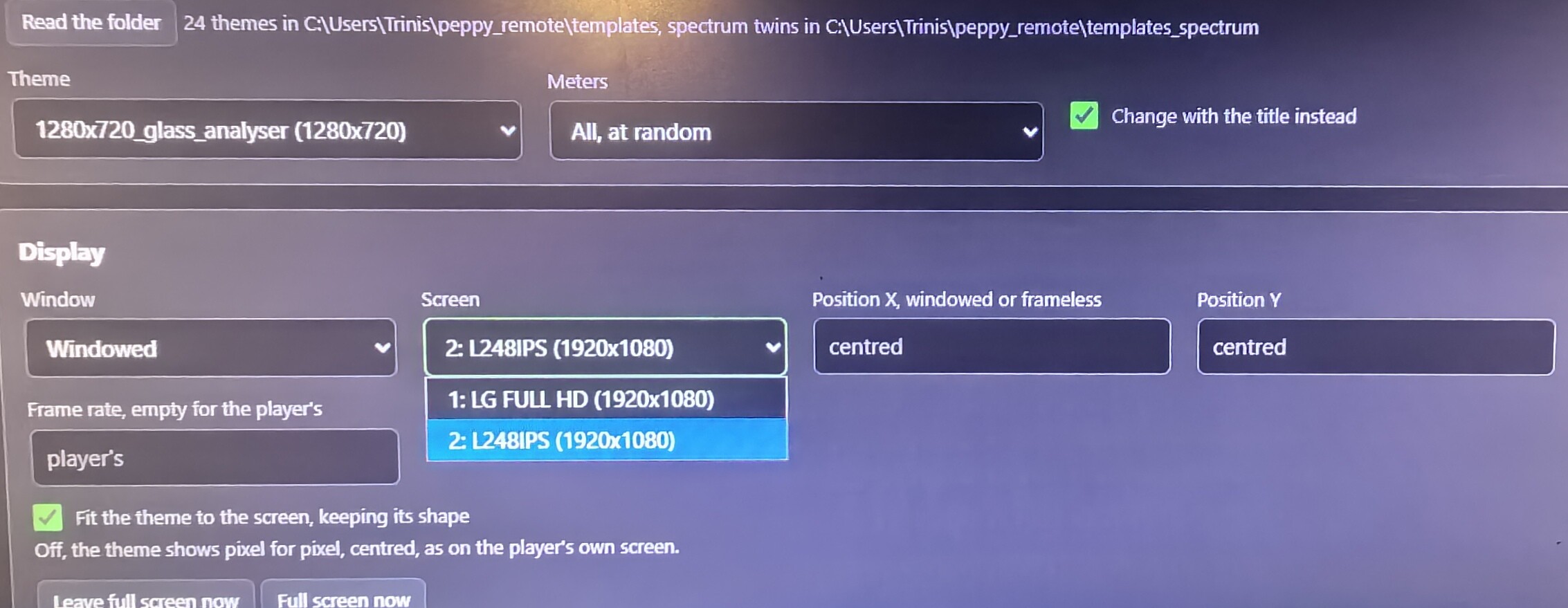
I just noticed that the font for the ‘Face’ tag is missing, and a custom-uploaded font is being used instead.
The situation is similar to the previous remote one.
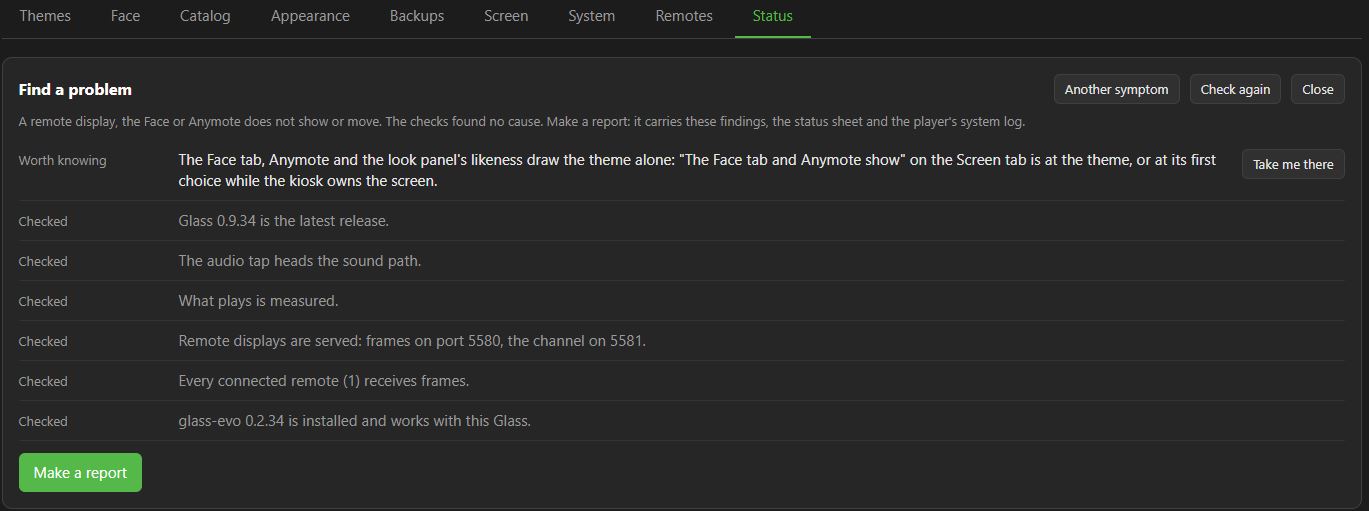
I’m not sure where to find the error logs for this.
The cause is our own: a side effect of the Windows font fix in 0.9.28. That fix taught Glass to ask the platform whether a font’s path is complete. The Face tab and Anymote run inside your browser, where that question gets the wrong answer, so an uploaded font fell back to the default there, while the player’s screen and the remotes drew it correctly. 0.9.34 handles both cases. My apologies: a fix for one room made a patient worse in the next one.
How Face and Anymote draw: it is the same display engine as the player’s screen, compiled to WebAssembly and running in your browser. The page fetches the theme, the fonts and the icons from the player, and the frames arrive over the network, exactly as for a remote display. So when Face and the player disagree, the difference is almost always in what the browser was given, or how it reads it.
Where the logs are, next time: a problem in Face or Anymote is a player problem for post 2’s purposes. Status tab, Find a problem, pick “A remote display, the Face or Anymote does not show or move”, then Make a report. The Status sheet alone, as you sent this time, is half the story: it says what the player has, not what happened.
Upgrade the player to 0.9.34, reload the Face tab, and post one line: your font in Face, yes or no.
Thank you very much!
It just occurred to me that it’s the weekend—perhaps you should take some time to rest and relax, and I shouldn’t be bothering you.
Slander, gentlemen. The 2017 weekend has been grossly misreported. It was a Saturday afternoon. I spent it reading a datasheet in the garden, which the medical board has since reclassified as “light duties”.
As for 2027 and the leap-year bonus in 2028: the request has gone to the clinic’s HR department, which is also me. HR has reviewed the rota and found one surgeon, no locum, and a waiting room full of patients asking whether “latest” counts as a version. The request has been approved in principle, scheduled in practice, and filed next to the crystal ball, which is still in for repairs.
To be fair to the slacker allegation, I did take an evening off last week. Glass only shipped four releases that night.
Here is how I performed the initial installation of Glass:
Download glass-x.xx.xx.zip on Windows and upload it to the Volumio \tmp\plugin folder using WinSCP.
Download get-glass.sh, make the necessary modifications
upload it to the Volumio \home\volumio directory, and set the executable permission for get-glass.sh.
Log in to Volumio via the terminal and run ./get-glass.sh.
The installation completes in about 10 seconds, and Glass is activated and enabled.
Note that your edited get-glass.sh hands Volumio a zip nobody has checked. Every route through the Manager verifies the signature inside the zip since 0.9.23; your first install was the one step without it.
I have tighten security around the first install, not to make it difficult, but secure.
From Glass 0.9.38, the script takes a zip you bring yourself, and checks it before anything is installed:
sh get-glass.sh --zip glass-0.9.38.zip
It unpacks the zip, checks the signature inside it against the project’s key, and holds every file to the signed list, using only tools every Volumio player already has. A zip that is not the release as published is refused. To check a zip without installing anything:
sh get-glass.sh --check --zip glass-0.9.38.zip
For a player that cannot reach GitHub: copy both get-glass.sh and the zip to the player’s home directory, then run the command there. No more editing the script, and no more installing a zip nobody has checked.
Thank you for the idea. It is in the changelog as “the route a forum user had built for himself”.
I’m really impressed by your responsiveness! I saw the release of version 0.9.38 and the accompanying notes even before you replied.
When I first mentioned installing via a zip file, it occurred to me that you might need to perform security checks and verification.
Installing the PeppyMeter screensaver used to take about 1–2 hours—it was enough to make you doze off while waiting.Download speeds for various updates and dependency packages are only 30–40 KB/s.
In contrast, downloading the zip archive for a new release on Windows takes just 1–2 minutes in total.Installing Glass now is an absolute breeze!
One thing I don’t understand is that although I configured a network proxy in Volumio and the test confirmed it was working, the download speed did not improve.
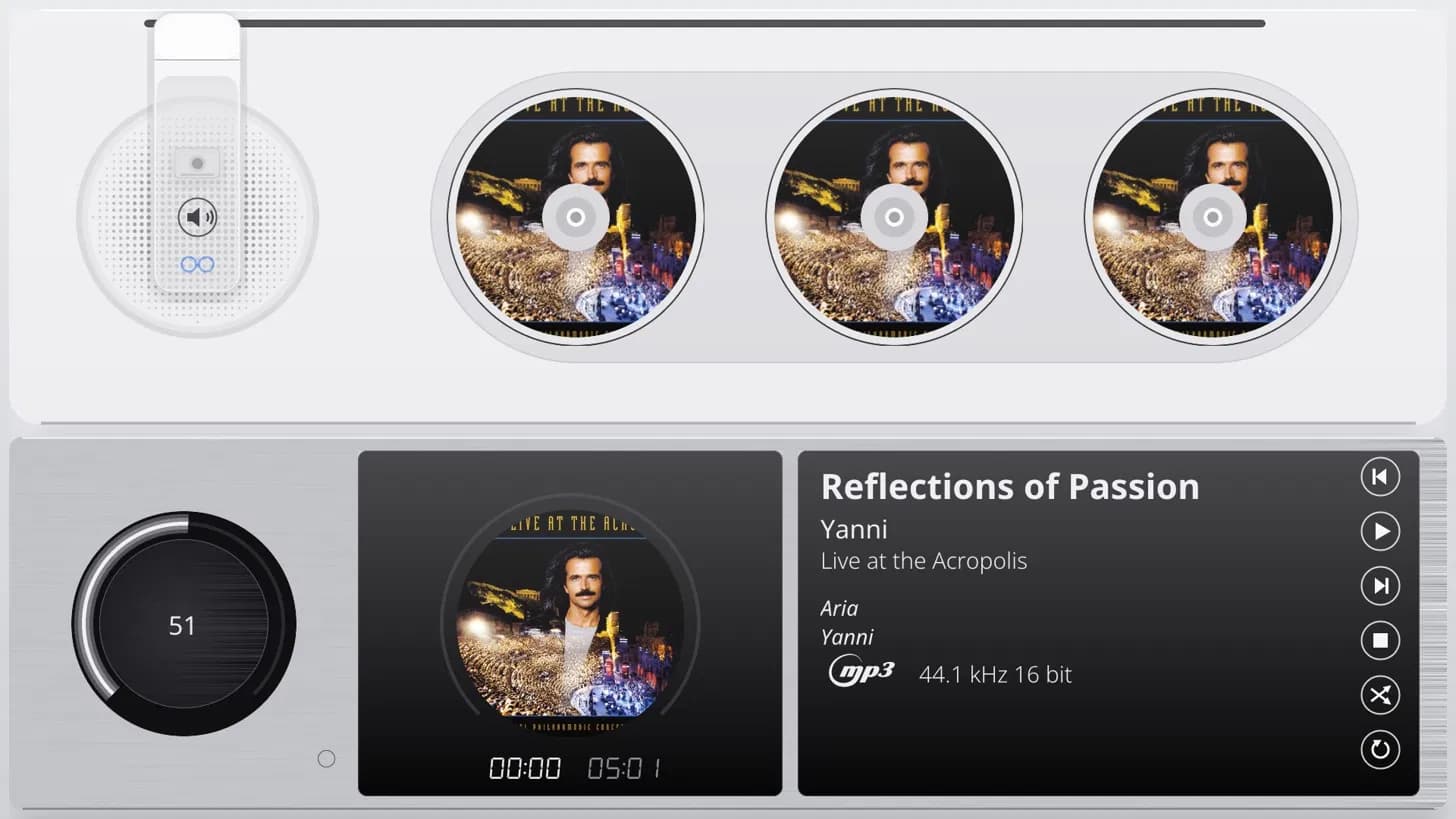
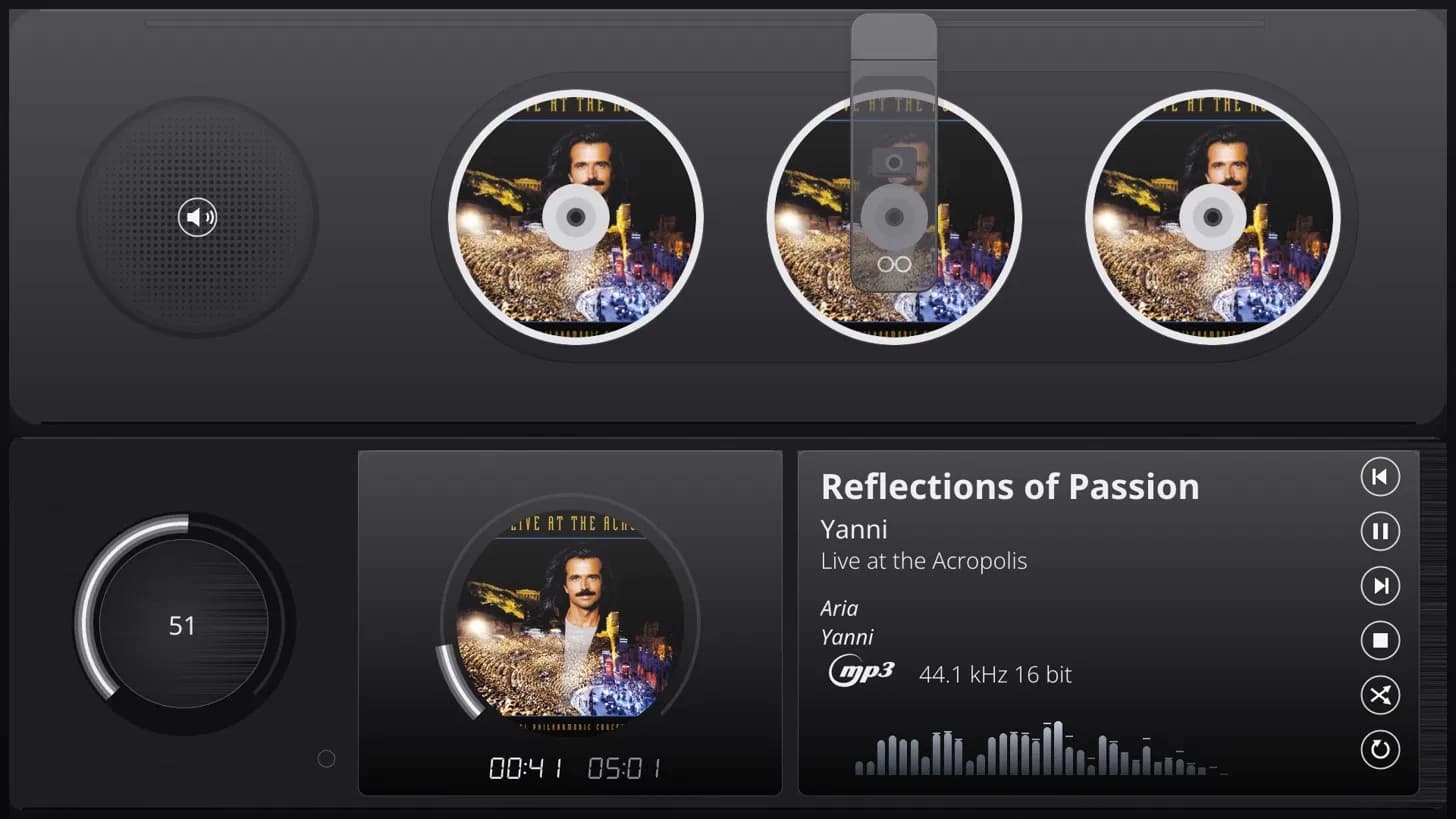
What you are looking at is a CD changer. Not a picture of one - a Glass theme. The album art becomes the disc label, the magazine along the top holds the discs, and the drawer below carries the one now playing, with a ring around it keeping time against the clock underneath. Next to it: a volume dial, title, artist and album, format and sample rate, the transport buttons, and a modest spectrum running along the bottom. Dark and light, because the ward has opinions about wallpaper.
For the record, this patient did not come out of a single night shift. The anaesthetist’s log puts it at fifty cups of coffee, and that is the conservative reading - the machine stopped counting somewhere after thirty and has been sulking ever since.
No price tag, before anyone reaches for a wallet: Glass stays free. But a surgeon who has been awake this long does notice who keeps the coffee machine running.
The plan from here:
If the ward shows interest, and a little support, I will record a functional teaser so you can watch it move instead of taking my word for it.
Designers: if this gives you ideas for your own decks, racks or changers, the clinic would like to hear them.
For those who would like to keep the machine out of retirement:
Status report from reception: the coffee machine is still running, on fumes. The donation jar has been inspected. Infection control has never been happier.
The clinic’s rule for experimental procedures is simple. The surgeon has done his part, the teasers are on the table, and the next move belongs to the ward. If you want this changer out of the back room and onto the shelf, now is the time to say so.
The crystal ball remains in for repairs: no dates, no promises.
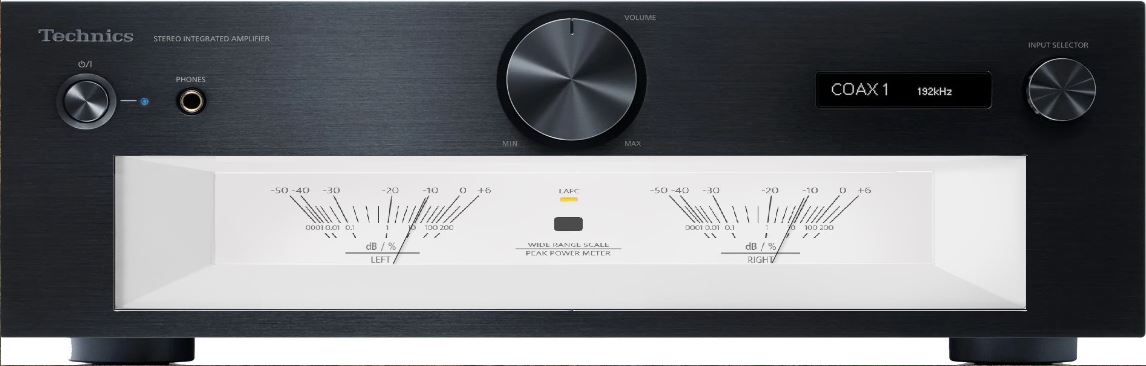
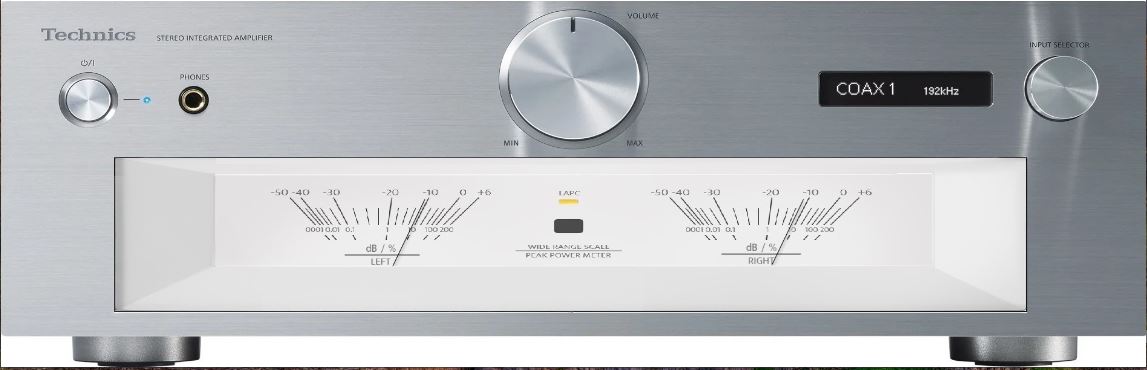
The puzzle is missing just one piece: a visual theme creation tool that allows users to build new themes by dragging with the mouse, edit the theme structure, and preview the output.
Foobar2000 has a plugin called foo_vis_vumeter, and its developer created a small tool for theme creation; the two themes below are ones I have created:
I’ve been a Volumio end user for years, and I regularly read the forums to keep up with discussions, updates, and new developments. First of all, I’d like to say that Volumio is a fantastic product, supported by an amazing team and community of volunteers who generously give their time and expertise.
My current setup consists of a Raspberry Pi 5 running Volumio, which I access from my PC via a web browser. The Pi is connected to a DAC, amplifier, and speakers, and the whole system works brilliantly for my needs.
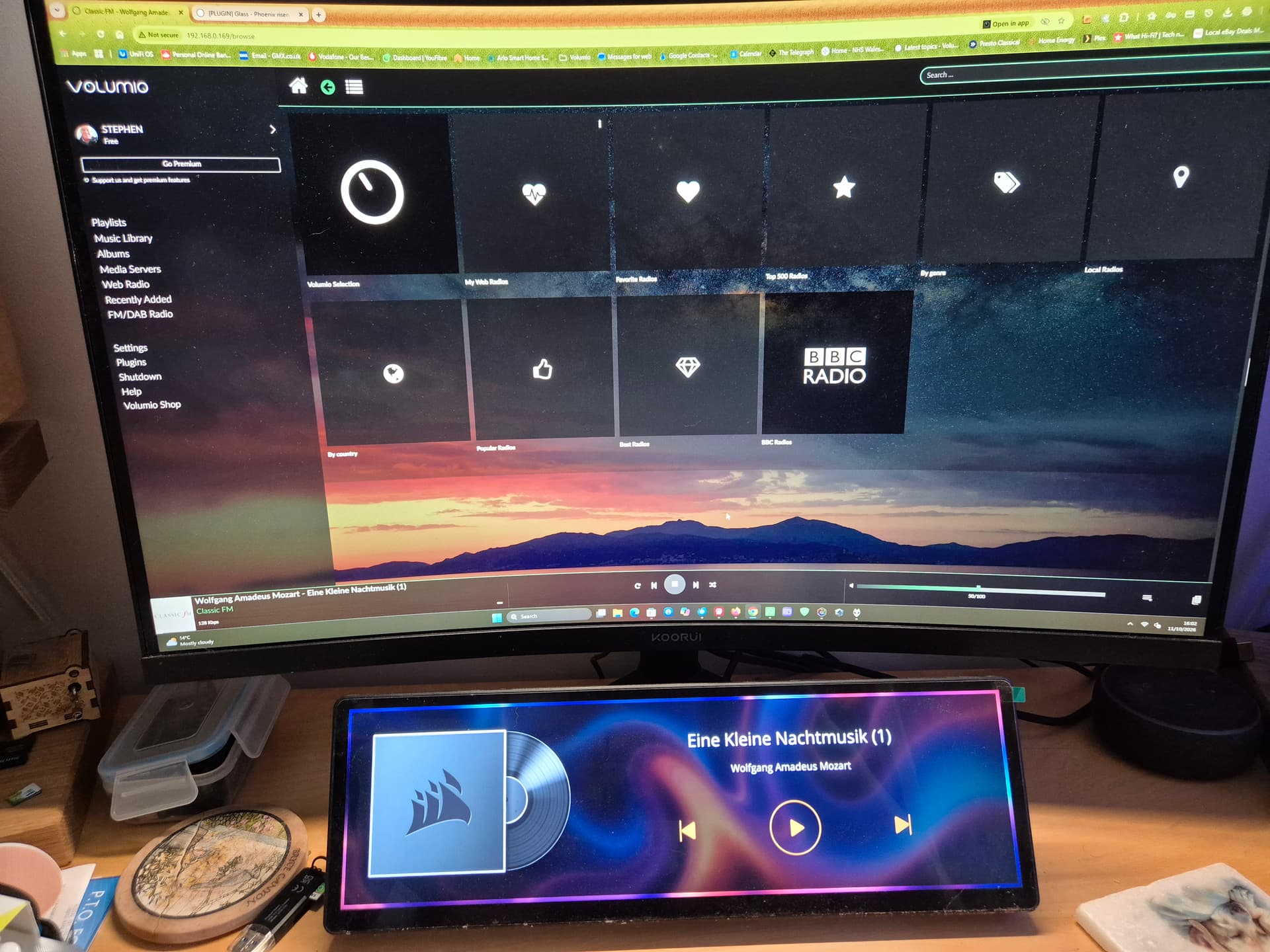
I also use a Corsair Xeneon Edge as a secondary display (see attached photo). What I’d really like to do is keep my PC and main monitor dedicated to normal computer use, while using the Xeneon Edge to display Volumio’s Glass interface, particularly the VU meters.
I’ve experimented with a few options, and the closest I’ve come is using the “Web Widget” feature. However, when I enter my Volumio URL, I receive the error message:
ERR_CONNECTION_REFUSED
I’m not sure whether this is a limitation of the widget, a network issue, or something else entirely.
Has anyone managed to get Volumio Glass or the VU meters running on a Corsair Xeneon Edge, or does anyone have any suggestions on how I might achieve this?
Any help or advice would be greatly appreciated.
P.S. Searching the forum for “Corsair Xeneon Edge” returns no results, so I’m hoping someone here may have come across a similar setup.
Welcome to the ward. A tidy screen, that Xeneon Edge - and no, the clinic has none on the bench either, so what follows is based on what Glass does, not on that panel.
Where the screen is plugged in decides the road.
Plugged into the Pi, with an X server running (Touch Display plugin)
Glass settings > Display > Displayport:
[screenshot]
Display=0 is the player’s own screen. If the meters do not land on the Xeneon, try Display=1. Leave “No screen of its own” alone: that one opens no window at all, on purpose.
Plugged into the PC, as its second monitor
Then the PC is the remote display, and the Pi only feeds it:
Glass Remote for Windows (10 or later, 64 bit): glass-<version>-windows-x64.zip from the releases, unpacked, then in PowerShell:
Open Glass Remote Settings from the Start menu, add the player, and in the Display panel pick full screen and, under Screen, the Xeneon. Allow glass through Windows Defender Firewall on private networks when it asks. Your main monitor stays yours.
Or Anymote, nothing installed, any browser: http://<player-ip>:5582/anymote
About the Web Widget: ERR_CONNECTION_REFUSED means nothing answered at the address and port the widget asked. The Volumio URL is Volumio’s interface anyway, not Glass; Glass’s own page is the Anymote address above. Whether the widget is happy with it is a question for Corsair - worth a try, no promises.
To be sure
If neither road gets you there, post 2 is the admission desk: the report from the player, and the hardware block filled in, the Xeneon included.
Music to the surgeon’s ears. Or rather, the opposite of music, which is the point.
To most people a log is hundred lines of timestamps, port numbers and a daemon announcing that it has started, again. Better than any sleeping pill. To the clinic it is the patient’s chart: every line where the patient says exactly where it hurts, and not one of them argues. A screenshot shows the symptom; the log shows the cause, quietly, in order, with the time attached.
So yes - logs, logs and more logs. The report on the player’s Status tab gathers the boring lines for you and packs them properly, and “Copy for the forum” does the rest. If a remote is involved, its own Report panel adds the other half.
Proceed at your own pace. The ward will be here, reading timestamps and feeling remarkably relaxed.
I am currently preparing the materials.
Based on Steve’s usage setup, the best solution is to connect the Corsair Xeneon Edge to the computer as a second monitor and install Glass-evo remote; this will easily fulfill his requirements.