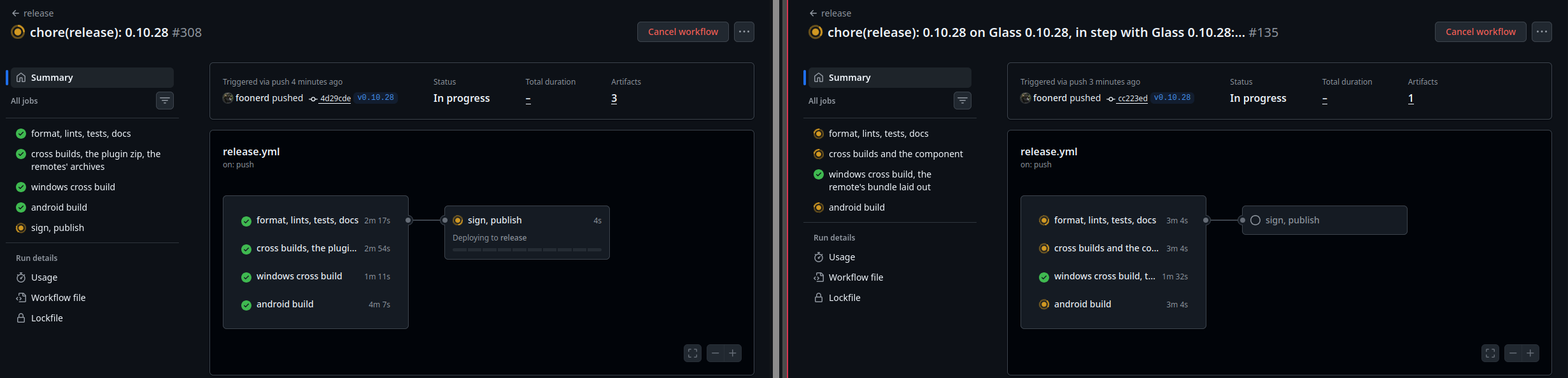
No bug. Your two screenshots show the installer doing exactly what it is told, and telling you what it needs.
Since 0.10.0, Glass and glass-evo share one version and go in as a pair: each Glass names the glass-evo it works with. You gave the zips one at a time, so each was refused on its own:
The Glass zip alone: “This Glass needs a newer glass-evo: give its zip with the Glass zip.”
The glass-evo zip alone, with the old Glass still in: “This glass-evo needs a later Glass.”
Removing glass-evo first only works because there is then no pair to check. There is no need for it.
The way it is built, on the System tab under Install from a file:
Choose the Glass zip: glass-.zip
Choose the glass-evo zip: glass-evo-.zip, the same version
Install the files, once, with both chosen
The Manager checks both, brings glass-evo up to what the new Glass needs, then installs Glass. The confirmation even says so before you press it: “A Glass that needs a newer glass-evo takes the glass-evo zip given with it, or is refused.” The Manager page on the wiki, under Install from a file, says the same.
The glass-evo message saying “upgrade Glass first” without mentioning the pair is fair criticism. It sends a literal reader round in a circle. The wording is on the operating list.
One more thing, for the ward as a whole: a report goes by post 2 - steps, versions and the Status tab report, as text. Two screenshots answered this one. The next one may not be so lucky.
This is really awesome, I’m glad to see that the meter plugin has moved from Python and gained a load of performance in the process. I do have a quick (maybe not) question though… Is there a way to either:
A - Use Glass-Evo but disable on screen buttons
B - Use plain Glass and have it always display, rather than be a screensaver
I ask as I have a non-touch LCD so the buttons are of no use, and with a Glass theme I can display everything I want to see plus some neat visualizations. In fact I can display it better using Glass than the plain Touch Screen plugin could so I have no desire for the default display to show.
Patient discharged, with a clean bill of health on both counts:
Two zips, one Install the files: done.
Frosted glass behind the meter: working, and your photo shows it better than the changelog ever could. A strip theme with the album art blurred in the bars above and below is exactly what the switch was made for.
For the rest of the ward: the switch is Blurred album art behind the theme, in the plugin’s Display settings or on the Manager’s Screen tab, from 0.10.6 on both. It is off unless you turn it on. It only shows where the theme leaves the screen bare, so a theme that fills the screen looks the same either way.
Welcome to the clinic. Quick question, quick answer, and for once the dream was already on the operating table when it walked in.
A - glass-evo without the on-screen buttons. That is the one, and it is in 0.10.23, building as I type. On the Manager’s Screen tab, in the look panel’s Buttons section, there is a new switch: Show the buttons.
It is on by default, as before, so nobody’s touch screen loses its controls on upgrade.
Turn it off and the bar of controls and its sheet are gone from the screen, and the face takes no touch. The clock, the date and the forecast stay.
Volumio’s own interface and the remotes still drive the player as they do now.
A remote display keeps its own say: “Controls on this remote” on its settings page - as the player’s look says, shown, or hidden.
Upgrade Glass and glass-evo together, both 0.10.23.
B - plain Glass always on. Plain Glass is a screensaver by design: it is a window over the kiosk’s Chromium, and the kiosk owns the screen. The always-on Glass you are describing is glass-evo: it takes the screen from the kiosk, with no X and no browser underneath, so the meters are what the screen is for rather than what it shows while nobody is looking. As a bonus, no Chromium is running behind it either.
So A gives you B: glass-evo on the screen, buttons off.
Three days, twenty-four releases. The theatre lights have not been switched off since the CD changer left the ward, and the surgeon has stopped counting cups. Glass 0.10.24 and glass-evo 0.10.24 are out.
The short version: glass-evo’s face is no longer just a pretty clock with a play button. It has become a front end for the player.
The face learns to run the player (glass-evo)
From the More sheet, wherever the face is drawn - the player’s own screen, the Face tab, Anymote and the remotes alike:
The queue. A Queue tile opens the player’s queue over the theme: the playing track marked, every row wearing its cover. Tap a row to play from there, drag to scroll, swipe a row to its bin to take it out, or clear the whole queue from the header (it asks once - the clinic does not do accidental amputations).
Browsing. The library, playlists and radios as tiles of glass, with search on a keyboard the face draws itself. Every row carries the player’s three verbs: clear and play, add and play, add to queue. A track without a cover of its own wears its album’s.
Favourites. A heart, lit when the playing track is one of the player’s favourites. Press it to add the track or take it out; a radio goes to the radio favourites.
The shape of it is yours. The Manager’s Screen tab, look panel, Lists: by the screen (a sheet on a wide screen, the whole screen on a portrait one), always a sheet, a drawer at the right, or the whole screen.
The screen
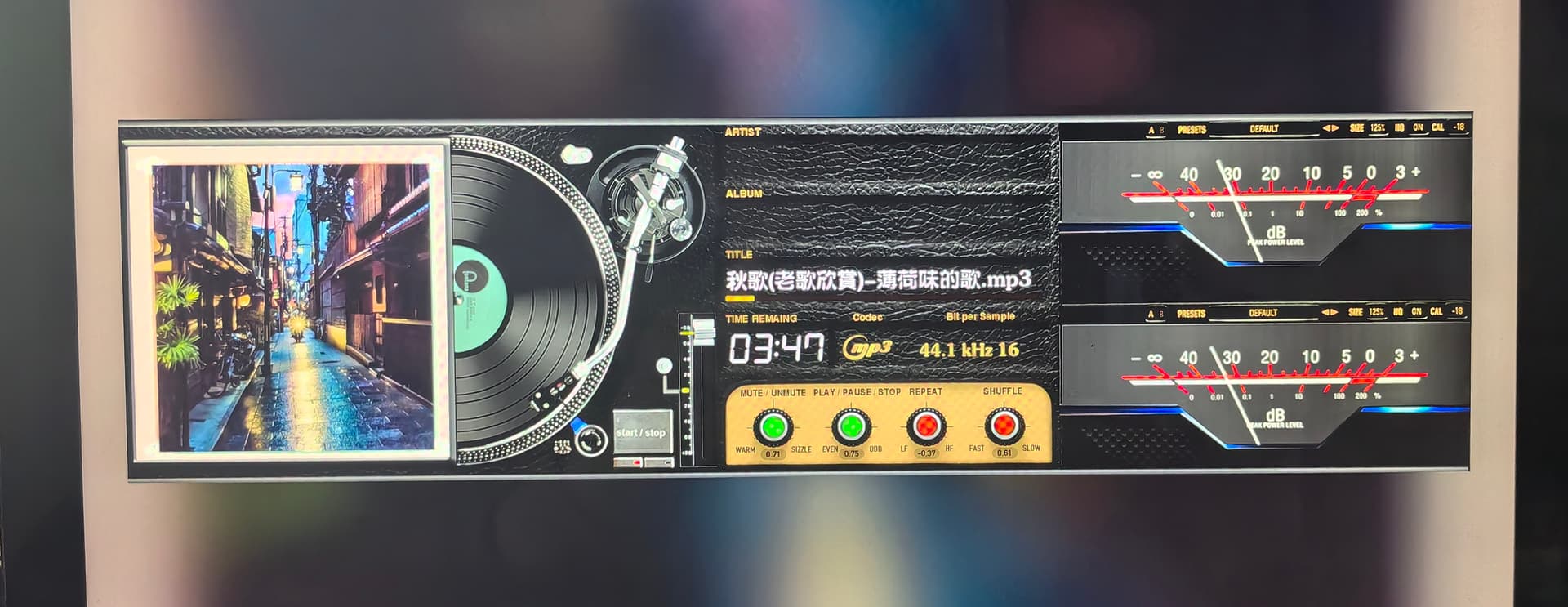
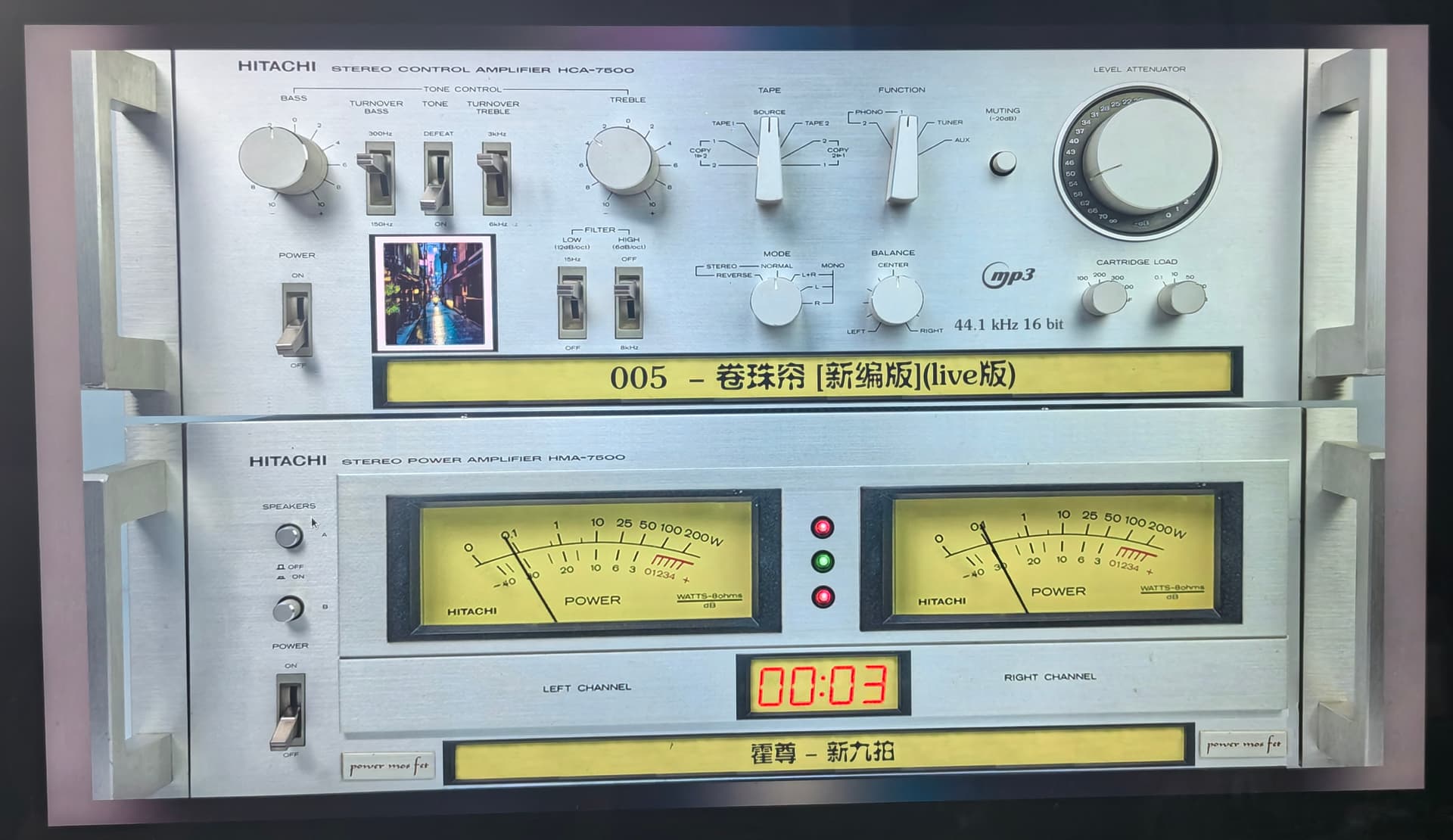
Blurred album art behind the theme. A theme smaller than the screen no longer sits in a dark frame: the art fills the rest, blurred and dimmed. It is off unless you turn it on - plugin settings, Display, or the Manager’s Screen tab. It is made once per track at a quarter of the screen’s size, so a change of track costs a few milliseconds. @Lee.Yan has already called it frosted glass, and the clinic will not argue with that.
The panel switched off and on, and its brightness set, while Glass or glass-evo draws on it: from the Manager’s Screen tab, Volumio’s glass_screen endpoint, an IR remote, a script or Home Assistant. A backlight where there is one, else the connector’s power, else X’s screen saver. Run here on a Pi 5 with a backlight panel and on x86 with X. An HDMI screen on a Pi and the first Touch Display have not been on the bench: reports welcome, as text.
A look may show no buttons. Look panel, Buttons, Show the buttons: off for a screen no finger reaches, the clock, the date and the forecast staying. It is on by default, so no touch screen loses its controls on upgrade. A remote keeps its own say on its settings page.
The CD changer
The mechanism carries on across a meter change instead of starting over from the park, and the laser comes back wherever the read was lost. @Gelo5, your changers are safe to switch.
When something goes wrong
Find a problem names the system’s own faults with their cures: Mesa packages out of step, a Pi 5 whose GPU driver is not loaded, a display user without the render group. These are not Glass’s faults, but the clinic got tired of diagnosing them by hand.
It now knows the screen’s power, the backdrop, the look’s buttons, what the player offers to browse, and the last install - including one refused because only one of the pair was given.
Install from a file: choose both zips, install them together. Glass and glass-evo go in as a pair. The messages used to send a literal reader round in a circle; now they say so plainly.
Getting it
Glass Manager > System tab: the update brings Glass and glass-evo up together. From files: both zips, one press of Install the files.
The coffee jar at reception remains in immaculate condition. The clinic operates regardless - stubbornness is cheaper than coffee. For those who would like to keep the machine running:
Something not right? Post 2, as always: the report from the Status tab, as text. Text can be read aloud, searched and quoted; a picture of text shuts out exactly the person who might fix your problem.
The 2027 weekend stays in the diary. Somebody has to keep the surgeon from operating on himself, and you are doing a fine job of keeping him in theatre instead.
Both dreams went under the knife today. Glass 0.10.28 and glass-evo 0.10.28, upgraded together as always.
1 - The buttons leave the idle screen too.
Manager > Screen tab, look panel, Buttons: “While the player stands still, the bar” - stays (as before) or leaves.
On leave, the bar goes by itself six seconds after the last touch while nothing plays, as it already does while music plays.
A touch on the picture brings it back.
For those who keep their looks by hand, the key is buttons.idle, stay or leave.
2 - The panel dims while nothing plays.
Manager > Screen tab, the power row: Dim while nothing plays, off unless you turn it on, with Brightness when idle beside Brightness at play.
The backlight drops to the idle level when the clock comes after a stop - at once or after the persist period, as the look’s “When the player stops” says - and goes back to the brightness at play when the music starts.
It needs a panel with a backlight, which your Display 2 has. Only the player’s own panel dims, never a remote’s.
The glass_screen endpoint takes dim and idleBrightness as well, so the IR remote, a script or Home Assistant can set them.
The Status tab’s Panel row says when the panel dims and when it is dimmed.
One stitch from 0.10.26 to 0.10.27, before you ask: the Brightness slider showed the backlight as it stood, so while dimmed the two sliders seemed to move together. It now holds the brightness at play and says so.
Another stitch from 0.10.27 to 0.10.28, before you ask: the Brightness change was plain brutal and rough. With gentle incisions, now is smooth.
Report back as text - the clinic likes to hear the patient breathing.
Hi @nerd
The surgeon has outdone himself; the operating theatre is spotless and the patient is jumping jack flash. Just tested both and they work exactly/better than hoped. Thank you so much!
First, thank you for your incredible work on Glass —the UI and functionality are absolutely fantastic!
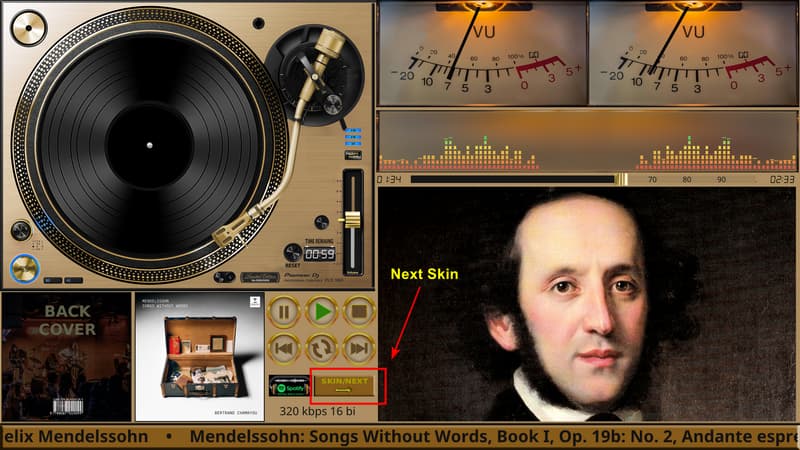
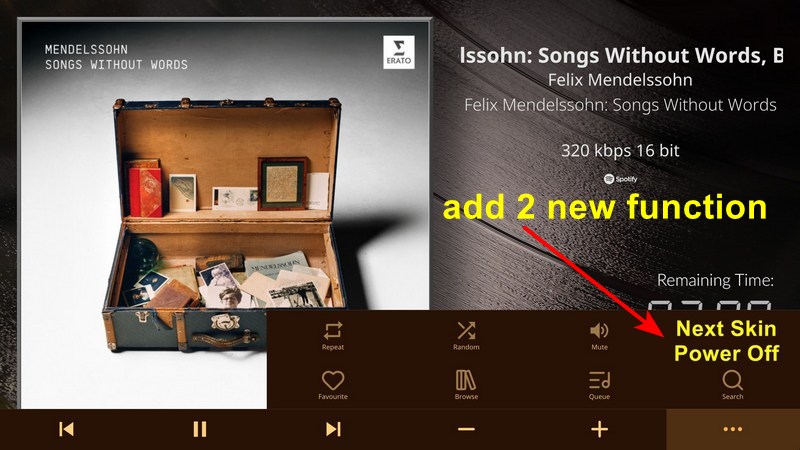
I have a small feature suggestion regarding the touch controls. Some Glass themes (skins) include a dedicated “SKIN/NEXT” touch button on the canvas to quickly switch to the next theme. However, for themes that do not have this built-in icon, switching skins requires opening the Manager interface.
Would it be possible to consider adding two buttons to the overlay control panel (the menu that pops up when tapping the three dots ... in the bottom right corner)?
Next Skin / Next Theme: Allows users to cycle to the next installed skin directly from the touch interface, especially useful for themes without a dedicated “Next Skin” touch element.
Power Off: A quick shortcut to power off / shutdown the system directly from the overlay menu.
I’m running Volumio 4 on a Raspberry Pi 4, and I’m having trouble installing Glass.
My system reports:
OS: Raspbian GNU/Linux 12 (Bookworm)
Architecture: armhf
Kernel architecture: armv7l
I ran the official installation command:
curl -fsSL https://raw.githubusercontent.com/foonerd/glass/main/get-glass.sh | sh
The download and signature verification completed successfully, but the installation failed at the stage where the plugin installs its utilities.
The Volumio log shows:
ERROR: Could not detect the Volumio architecture
I also noticed that /etc/os-release does not contain the VOLUMIO_ARCH, VOLUMIO_VARIANT, or VOLUMIO_HARDWARE variables that the installation script appears to look for.
Could this be an issue with how the installer detects the architecture on my Volumio 4 installation? Is there a recommended workaround?
I’d prefer not to reinstall Volumio, as my current audio, NAS, and touchscreen configuration is working.
Welcome to the clinic, and thank you for a report with the error’s own words in it. That alone puts you ahead of half the waiting room.
You have read the installer correctly. Glass asks the player what it is the same way Volumio’s own plugin manager and updater do: from the VOLUMIO_ARCH, VOLUMIO_VARIANT and VOLUMIO_HARDWARE lines that a Volumio image writes into /etc/os-release. A Volumio 4 player on a Pi 4 carries them. Yours does not, and without them Glass cannot tell which of its binaries to install, so it refuses and leaves nothing behind.
So the question is not the installer but the player: why does a Volumio 4 player no longer describe itself as one? Before the surgeon picks up a scalpel, the clinic needs the chart:
Volumio version, exactly as Settings > System shows it.
How this player came to be: flashed from a Volumio 4 image, upgraded from Volumio 3, or anything done by hand over SSH since - apt upgrade, apt dist-upgrade, packages installed from outside Volumio.
The output of these two, pasted as text:
ls -l /etc/os-release
cat /etc/os-release
The system log: open http://volumio.local/dev, press Send Log, and paste the link it gives you.
As for a workaround: not yet. Writing the missing lines in by hand would get Glass installed, but it would also bury whatever removed them, and Volumio’s plugin manager and updater read the same file. Find the cause first, then decide. Your audio, NAS and touchscreen setup is safe while we look.
Two dreams, one operation, and the surgeon threw in a third while the patient was still under. Glass 0.10.32 and glass-evo 0.10.32, upgraded together.
All of it lives on the More sheet, the one behind the three dots - on the player’s own screen, the Face tab, Anymote and the remotes alike.
1 - Themes from the face. A new row at the top of the More sheet:
Previous and Next theme, applied at once, in the Manager’s order - so a theme without its own SKIN/NEXT button is one tap from the next.
Themes: the bonus. A gallery of your installed themes over the one on show, with the Manager’s own previews, three to a row, the current one framed. Open a theme to see its variants; Apply theme sets it as the Manager has it, a tapped variant sets that variant alone.
2 - Power from the face. A fourth tile in the modes row, Power, opens a page with Power off and Reboot, plus Standby where the board has it. Each goes through Volumio’s own action, plugins’ shutdown hooks first, exactly as Volumio’s own menu does.
One touch powers nothing off - a sleeve brushing the screen should not end the evening. Look panel, Buttons, Power asks chooses how:
a second screen, a large Power off and a Cancel that cancels by itself after eight seconds - the default, or
I’ve tested Glass 0.10.33 / glass-evo 0.10.33, and everything works brilliantly!
Themes & Gallery: Switching themes from the More sheet is smooth and convenient, and the live previews look fantastic!
Power Menu: Power off and Reboot work seamlessly. The confirmation design (second screen or holding for 2 seconds) is super clever—it completely prevents any accidental power-offs!
Everything is working perfectly with no issues. Thank you so much for bringing these features to life so quickly!
Ohh i love this, i didnt even know i needed it until now.
I read the report card, but i hope a simple question will be allowed on the side.
I am more a hardware guy so software totaly goes over my head.
Is it not advised to run the needles at 60fps?
I have a Raspberry Pi 5 8gb
But even with less hardware is the whole chain of software events so taxing for such a simple render?