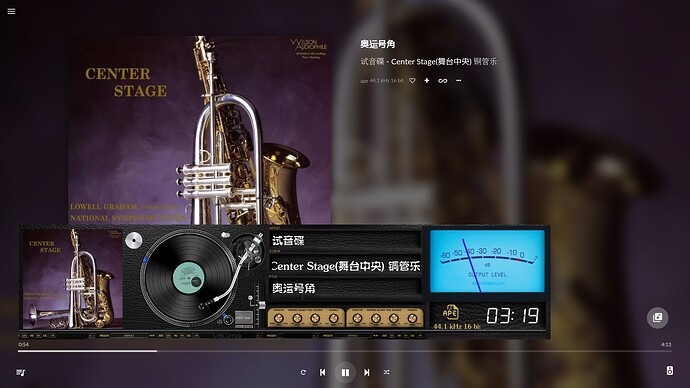
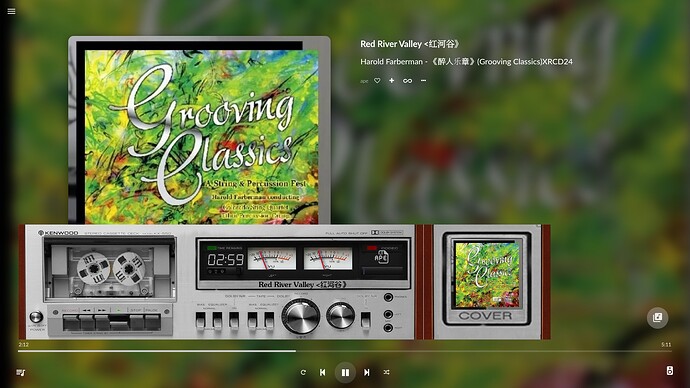
[PLUGIN] Glass - Phoenix risen from the PeppyMeter Screensaver ashes

Install Glass-Android

What are the system requirements for the glass Android APK? Are there different versions of the APK—such as ARMv7, ARMv8, x86, or universal? Today, I tried installing glass-evo-0.10.1-android.apk on an Android tablet, but I received a “Parse error.” The tablet has an x86 CPU and runs Android 6.1.

Of course, this isn’t strictly necessary. x86 tablets can certainly run Windows, meaning the Windows version of Glass-remote can be used on them.

@nerd

Hey @Lee.Yan,

One APK for every supported device; there are no separate downloads per CPU. Inside it: builds for arm64-v8a, armeabi-v7a and x86_64. It needs Android 7.0 or later. This is in wiki for quite some time already.

Your tablet misses on both counts:

  • On Android 6 the installer rejects the APK at its very first check, the Android version it declares, before it ever looks at the CPU. That is the “Parse error” you saw.
  • An x86 tablet of that era most likely runs 32-bit Android, and there is no 32-bit x86 build in the APK, so it would have nothing to run even on a newer Android.

Two ways that work today, nothing to wait for:

  • Anymote in the tablet’s browser, nothing to install: http://<player-ip>:5582/anymote
  • Windows on the tablet, as you say yourself, with Glass Remote for Windows - provided it is Windows 10 or later, 64 bit. The Windows remote has no 32-bit build either, and many tablets of that era shipped with 32-bit Windows.

Could the clinic build a 32-bit x86 Android 6 version? It could. Not this week, for sure. Is there a queue of patients with ten-year-old Intel tablets at the door? Not so far. So that one goes on the dream list.

Kind Regards,

This tablet is an x64 device with 8GB of RAM; its hardware performance is solid, and it came with a dual-boot setup out of the box, though the Android system can no longer be upgraded. Its UEFI natively supports a dual-boot menu, making it very convenient to use for booting Volumio. I successfully configured the touchscreen and built-in audio for Volumio 3, and the setup process went just as smoothly for Volumio 4. I subsequently purchased five more tablets of the same model specifically to run Volumio.

The model is the Teclast Tbook 16 Power; when running stock Volumio, however, the touchscreen and sound card do not work.

You don’t need to put any effort into supporting outdated systems like 32-bit architectures or Android 6.

Fortunately, the system still works well for installing and running Pydroid 3 smoothly.

Glass-Android runs very smoothly even on a decade-old phone.

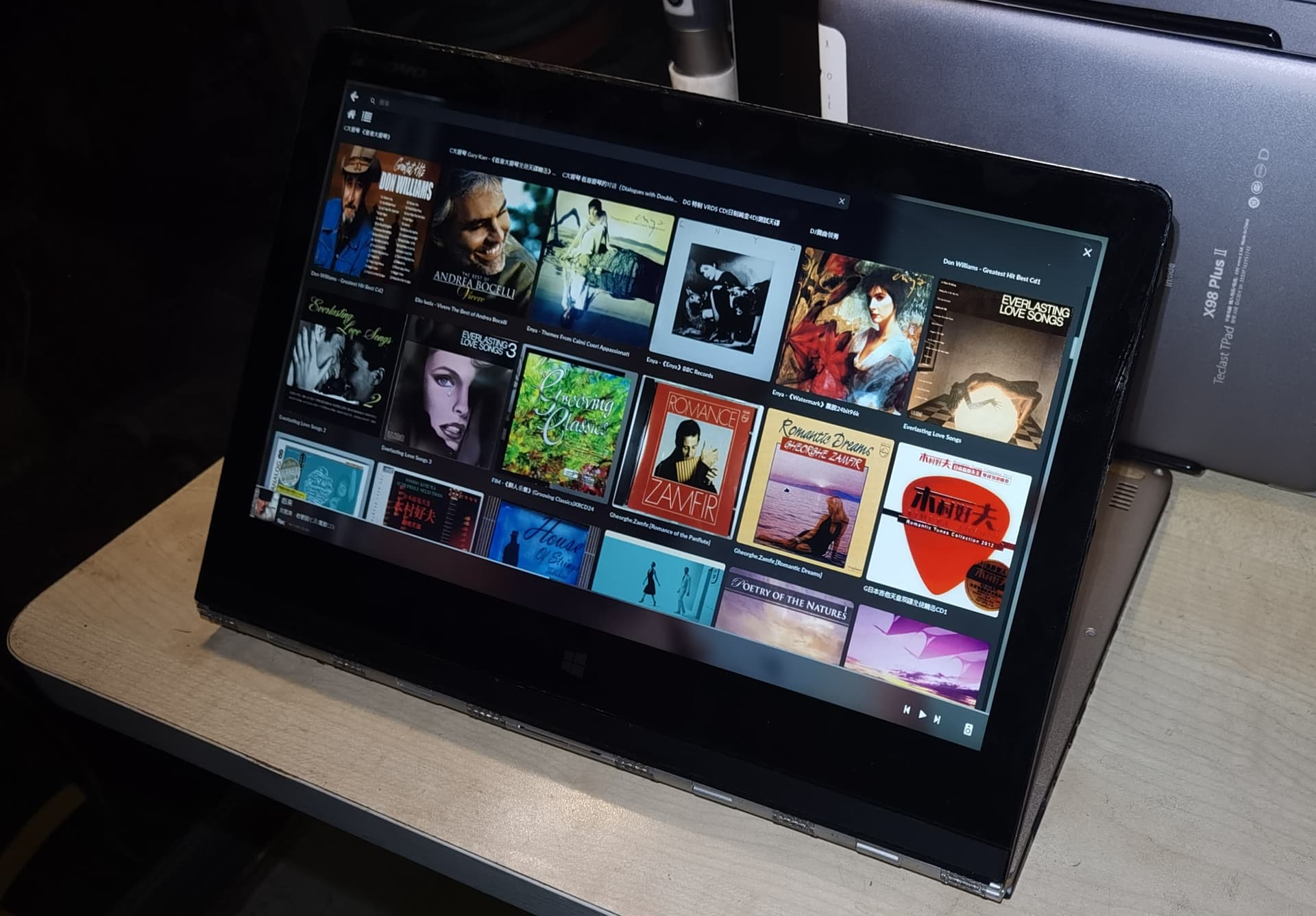
I am currently running Volumio on a Lenovo Yoga 3 Pro 1370, and it works almost perfectly; there is native touchscreen support, and a range of display resolution settings are available, from 3200x1800 down to 1920x1200.


I just noticed that Glass comes with its own background? The Glass interface completely covers the Volumio interface.
I have Volumio set to a resolution of 2048x1152 and the PeppyMeter theme to 1920x1080; previously, there used to be a blurred background border around the theme interface that looked really nice, but now it’s gone.
5712e81b8cdcb261a554a1aa5bcd1c770239e6fa_2_690x388
daca04498c40c29927784a91f42246dcd28cb154_2_690x388
That visual effect is missing.The Glass interface completely covers the Volumio interface.

Hey @Lee.Yan,

Apples and pears.

That “blurred background border” was never a feature, of PeppyMeter or of anything else. PeppyMeter opened a window only as large as the theme. On a 2048x1152 screen a 1920x1080 theme left a strip uncovered, and through that strip you saw what lay underneath: Volumio’s own interface, whose background is a blurred copy of the album art. Nobody drew that border. It was a gap.

Glass is not PeppyMeter. Its display takes the whole screen, by design, and what a theme does not cover takes the background colour. Nothing is missing, and nothing was taken away.

If you want the screen filled the way you like it, the tools are already there:

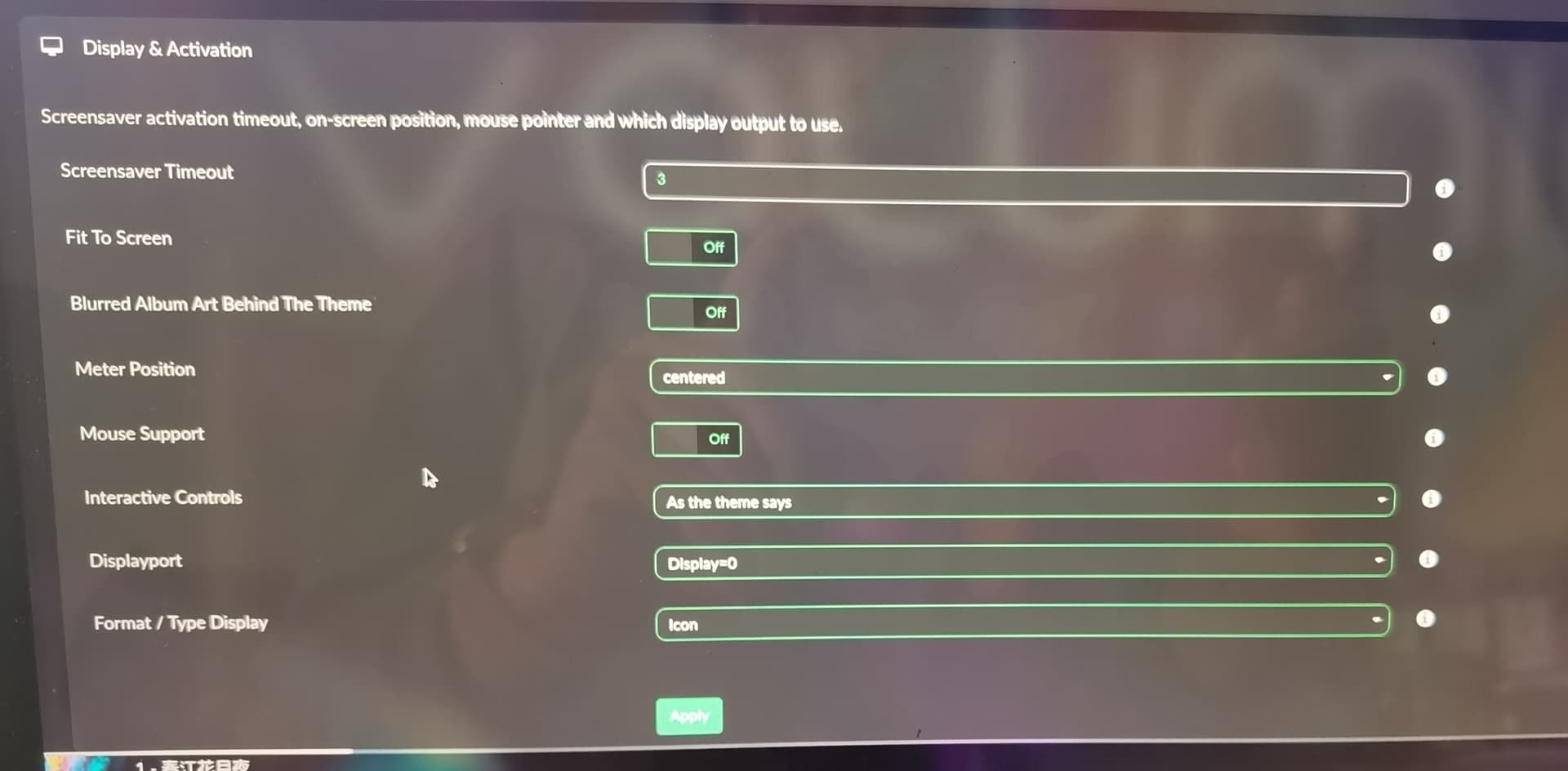
  • Fit to screen, in the Display section of the settings: the theme scaled to your screen, its shape kept.
  • A theme drawn for your screen, or one cut to its size with the Tailor.
  • The theme’s own screen.bgr: a full-screen picture behind a meter smaller than the screen. If a theme wants a border, the theme draws it.

If this is a new feature request - make it apparent please.

Kind Regards,

Actually, my request is quite simple.
Just add a display mode under “Fit to screen” where the black background matches the theme’s size and position exactly; that would do the trick.
That would achieve the effect I’m looking for.
It would prevent the screen from looking jarring, especially when the theme size is smaller than the screen size.
The “Meter position” (X and Y coordinates) would then actually be meaningful.
The blurred image border I mentioned doesn’t require any special processing by the Glass program itself.
If you try using a 1920x515 theme on a 1920x1080 screen, for instance, it doesn’t look very aesthetically pleasing.

Hey @Lee.Yan,

Then let us be precise about what draws what, because that is the whole answer.

With the kiosk on the screen (Touch Display plugin)

  • An X server runs, and Chromium on top of it draws Volumio’s interface. That is where your blurred album art comes from: it is Volumio’s page, drawn by Chromium.
  • Glass is the screensaver: its own window, over Chromium, for as long as the music plays and nobody touches the screen.
  • PeppyMeter opened a window only as big as its theme. The “border” you liked was simply Chromium visible through the gap. Nobody designed it; it was the X server leaving the rest of the screen to whatever lay underneath.

With glass-evo on the screen

  • No X server, no Chromium. Glass draws straight to the screen (KMS/DRM), and the whole screen is one picture: the theme, glass-evo’s clock and controls, and nothing underneath. There is no Volumio page left to show through, because there is no browser running. Also, navigation is available directly, bypassing any proximity bloatware.
  • That is the point of it. glass-evo is a lightweight render for the player’s own screen, not a replacement for the Chromium kiosk; on a Pi 5 the same theme and music run in roughly 300 MB less than with the kiosk.

So a theme-sized window would only work with the kiosk on the screen, and only by keeping X and a full browser running underneath, just to paint a border. I am not going to keep that weight alive for that. The direction is the other way.

For a theme smaller than the screen, the tools are already there:

  • Fit to screen: the theme scaled to the screen, its shape kept.
  • screen.bgr: a full-screen picture of the theme’s own behind a smaller meter. A 1920x515 strip on a 1920x1080 screen is exactly what it is for - the theme decides what fills the rest.
  • A theme for the screen’s size, or one cut to it with the Tailor.

Kind Regards,

I hadn’t considered the implementation details of your “Glass” feature. I assumed it simply involved adding a drawing layer—on which the animation would run—to overlay the Volumio interface.

I am aware that the blurred background is generated by Volumio.

Hi @nerd
I have a non-urgent new feature request. When using Glass-evo, the Touch Display and Now Playing plugins are disabled, a good thing. However, that means that previous options to dim or turn off the screen are also unavailable. One thing I particularly miss is the ability to switch off the screen (and USB ports) via an IR remote command. This used this script:

#!/bin/bash

# Set XAUTHORITY and DISPLAY environment variables
export XAUTHORITY=~volumio/.Xauthority
export DISPLAY=:0
# Run the xset q command to get DPMS information
output=$(xset q)

# Check each line of the output for DPMS status
if [[ $output == *"Monitor is On"* ]]; then
    echo "Monitor is ON => Turning OFF"
    xset dpms force off
    uhubctl -l 3 -a 0
elif [[ $output == *"Monitor is Off"* ]]; then
    echo "Monitor is OFF => Turning ON!"
    xset dpms force on
    uhubctl -l 3 -a 1
else
    echo "Unable to determine monitor status"
fi

Is there a different command/script that could be run to turn the screen off when Glass-evo is in charge?

Hey @Lee.Yan,

You wanted the blurred border back. The clinic did not keep a browser running to get it - Glass now paints it itself.

Glass 0.10.4: blurred album art behind the theme

Where the theme does not cover the screen, Glass fills the rest with the album art, blurred and dimmed, the way Volumio’s own page shows it behind its controls - instead of the dark colour.

  • Where: the plugin’s settings, Display section, right under Fit to screen: Blurred album art behind the theme. The same switch is on the Manager’s Screen tab.
  • Off unless you turn it on.
  • Nothing the theme paints changes. A theme’s own screen picture and everything over it stay as they are, so a theme that fills the screen looks the same either way. With no cover playing, the colour stays.
  • Cheap: the picture is made once per track at a quarter of the screen’s size. A change of track costs a few milliseconds, a frame costs nothing.

Your 1920x515 strip on the 1920x1080 screen is the test case: turn the switch on, play something with a cover, and see whether it gives you the look you had.

Report back as text - what you saw, and on which screen and theme.

Kind Regards,

I am currently writing a reply to you as well.
There is a very simple way to achieve the effect I’m looking for:
When Glass starts, take a screenshot of the screen to use as the background for Glass. There is no need for Volumio to show any activity until Glass is closed. I thought of this yesterday; it creates no logical conflicts, and the implementation doesn’t consume any dynamic resources.

I will test version 0.10.4 right away.

Saving the ‘Blurred Album Art Behind The Theme’ setting fails. Even after enabling and applying it, the setting reverts to ‘Off’ when reopened.
The ‘Glass’ border appears gray.

Hey @Lee.Yan,

The switch works on the clinic’s own patients, so before anyone picks up a scalpel, the clinic needs to know exactly what you did, step by step.

  • Where you turned it on: the plugin’s settings (Display section), or the Manager’s Screen tab
  • Which Apply you pressed, and whether you changed or applied anything else on that page, or anywhere else, before you looked again
  • How you reopened it, and where you saw it Off
  • What was playing, and whether it had a cover

Then the report, the way the clinic takes them: the Manager’s Status tab, Find a problem, then Make a report under the findings. Press Start, turn the switch on again with the same steps, look again, finish the report and use Copy for the forum. Paste it here as text. The steps above go in your own words at the top.

A gray border with the switch Off is the theme’s own screen colour, so that part follows from the first. One patient, one chart.

Kind Regards,


When music is playing, the Glass cover art displays correctly, with a gray border.
10.15.1.txt (3.4 KB)

There is a term in Chinese: xīnxīn xiāngyìn—a meeting of hearts, a profound mutual understanding.
I also realized long ago that you, too, are a perfectionist—someone who strives for absolute flawlessness in every detail.

Hey @Lee.Yan,

Thank you for the report. They took the surgeon straight to the cause, and you get credit for a genuine catch: the switch sat on the Display page, but that page’s Apply never sent it. The plugin read nothing, wrote the dark colour back, and the page reopened showing Off. The Manager’s Screen tab saved it correctly, which is why it passed in the clinic. As a bonus, an Apply of any other Display setting quietly turned off a backdrop set on the Manager. Your gray border was simply that dark colour, with the switch never on.

Glass 0.10.6 carries the fix:

  • The switch is sent with the Display page’s Apply, so it saves and stays On when you reopen the page.
  • A page that does not send the switch leaves the setting as it stands, so an Apply elsewhere no longer turns it off.
  • Find a problem on the Status tab now tells you, for a theme that leaves part of the screen bare, whether the blurred art is on or the switch is off, and where it is.

Upgrade Glass and glass-evo together (0.10.6 needs glass-evo 0.10.6), turn the switch on, Apply, and play something with a cover. Your 1920x1080 theme on the 2048x1152 screen leaves a margin all round, so that is where the blur should show.

Report back as text. If it still misbehaves, the Status tab report, as before.

Kind Regards,

Feature active! Is the background using the album cover?

Hey @SimonE,

Your dream has been through surgery. The best I can do is expose on/off, plus brightness where the panel has a backlight, through an extended API. Your IR remote, a script, Home Assistant or the Manager’s Screen tab can then switch the panel. It came in 0.10.5; get 0.10.6, the current one.

Why your script went quiet: with glass-evo holding the screen there is no Touch Display plugin, so no X server on a Pi, so xset is talking to an empty room. Hence “Unable to determine monitor status”.

What “off” means. Glass uses the strongest switch the panel offers, in this order:

  • backlight: a panel with a kernel backlight, such as the official Pi touch displays. Properly out, no backlight power drawn.
  • dpms: an HDMI screen and friends. The connector goes to standby (KMS/DRM on a Pi, X on x86).
  • dark: nothing to switch. The screen shows black and nothing is drawn, and the Manager owns up that it is dark, not off.

Off holds through playback. Music does not wake a panel you switched off by hand; only the API, the Manager or a touch does. The state survives a restart of the display, and a reboot starts with the panel on. Only the player’s own screen is switched; remotes, the Face tab and Anymote are left alone.

The state:

curl -s 'http://localhost:3000/api/v1/pluginEndpoint?endpoint=glass_screen'

Switch it with on, off or toggle:

curl -s -X POST -H 'Content-Type: application/json' -d '{"endpoint":"glass_screen","data":{"power":"toggle"}}' http://localhost:3000/api/v1/pluginEndpoint

Brightness, backlight panels only, up to the maxBrightness the state reports:

curl -s -X POST -H 'Content-Type: application/json' -d '{"endpoint":"glass_screen","data":{"brightness":120}}' http://localhost:3000/api/v1/pluginEndpoint

From another machine, put the player’s address in place of localhost.

Your script, with xset swapped for the endpoint. The USB ports stay yours:

#!/bin/bash
API=http://localhost:3000/api/v1/pluginEndpoint
state=$(curl -s "$API?endpoint=glass_screen")

if [[ $state == *'"power":"on"'* ]]; then
    echo "Screen is ON => Turning OFF"
    curl -s -X POST -H 'Content-Type: application/json' -d '{"endpoint":"glass_screen","data":{"power":"off"}}' "$API"
    uhubctl -l 3 -a 0
elif [[ $state == *'"power":"off"'* ]]; then
    echo "Screen is OFF => Turning ON!"
    curl -s -X POST -H 'Content-Type: application/json' -d '{"endpoint":"glass_screen","data":{"power":"on"}}' "$API"
    uhubctl -l 3 -a 1
else
    echo "Unable to determine screen status"
fi

If the screen is all you want, toggle does it alone and the script shrinks to one curl line. The wiki also has a lircrc example, a Home Assistant rest_command and the Manager’s own route:

Now the small print. The clinic does not keep every screen ever made in the cupboard. This has run on a Pi 5 with the Touch Display 2 (backlight) and on x86 with X (dpms). HDMI on a Pi and the first Touch Display have not been run here. The logic says they should work, but the crystal ball is still in for repairs. If your panel does not do what is written above, the Screen tab shows which means it used. Report it as post 2 asks, full log included, and the patient gets seen.

Kind Regards,
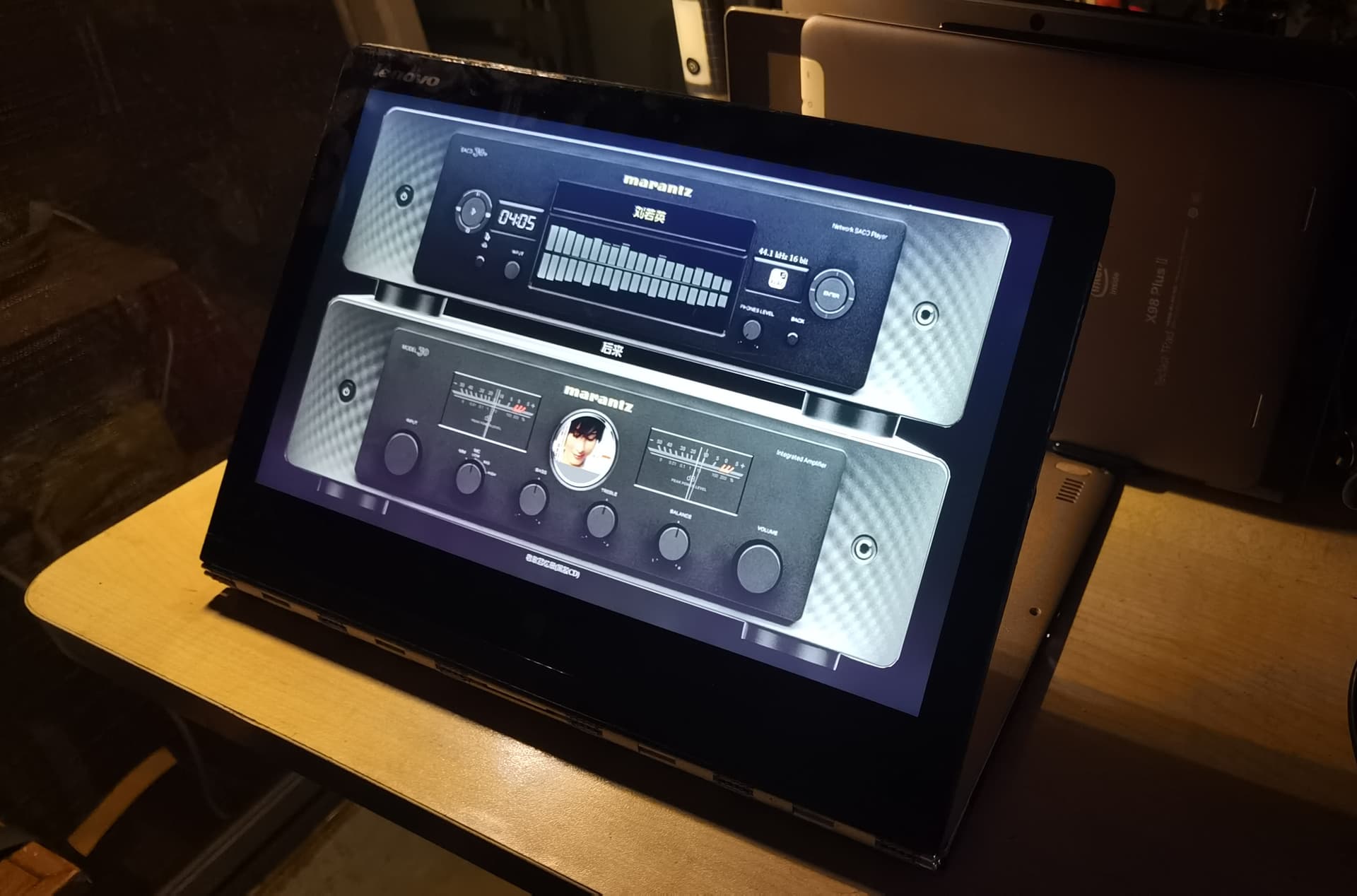
1 Like

Amazing! Thank you!

Not only a custom script, but also a new control section in the Screen tab!

Glass upgrade via a ZIP

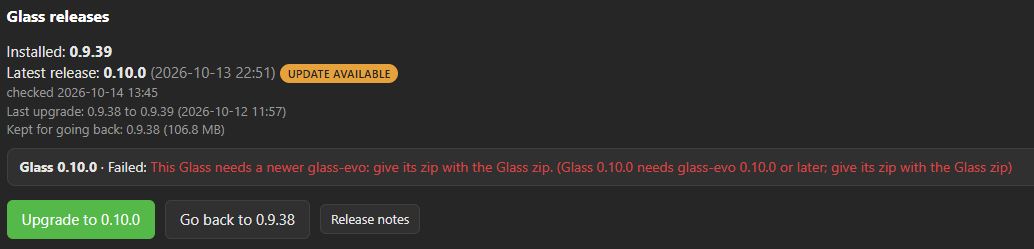
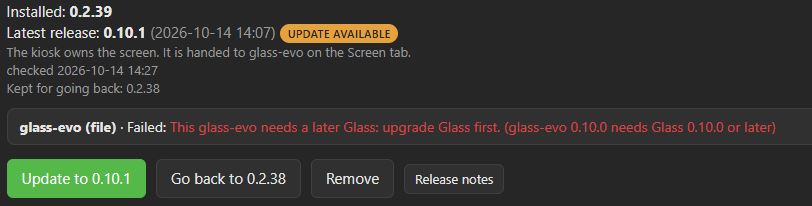
Starting with version 0.10.0, upgrading Glass via a ZIP file results in an error and the upgrade fails. This occurs regardless of whether Glass or Glass-evo is upgraded first.
The only way I have been able to complete the upgrade is by first removing Glass-evo, performing the Glass upgrade, and then reinstalling Glass-evo.
This same issue occurs across all 0.10.x versions.


@nerd