Both methods you outlined can be easily implemented, and there is no longer any risk of error.
Success!!
I plugged in the Xenon Edge as a second monitor, and I installed Glass-evo mode.
Right now, the VU meters aren’t responding, but everything else is working like a dream.
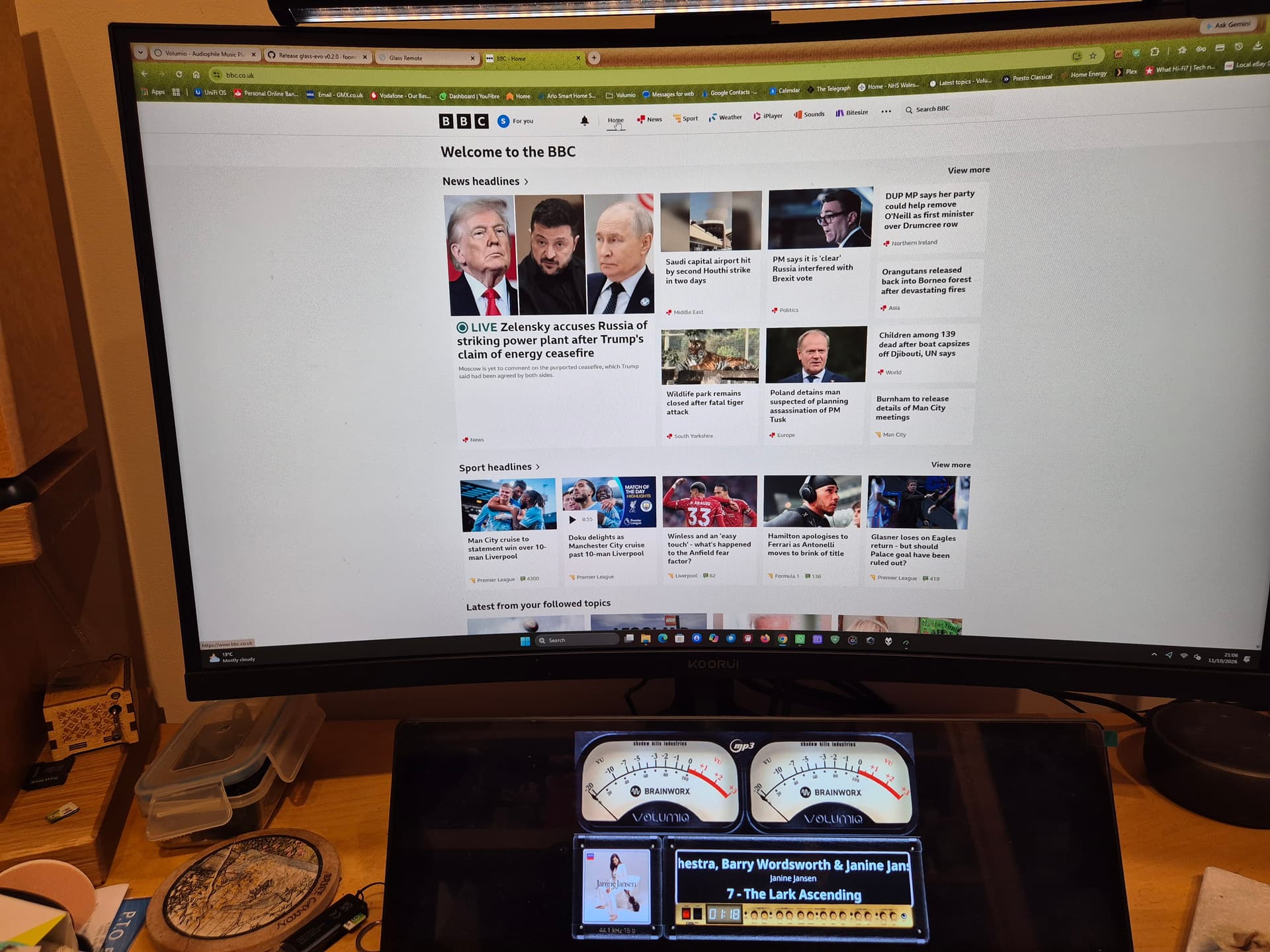
PS VU Meters now working
Everything works – HP laptop, Intel N3060, 2 GB RAM, 11.6-inch touch display.
Tidal - Internet Radio and connected via USB to the DAC of a Rotel A12
A 10-year-old laptop has been given a new lease on life. It runs for 3 hours on the original battery alone.
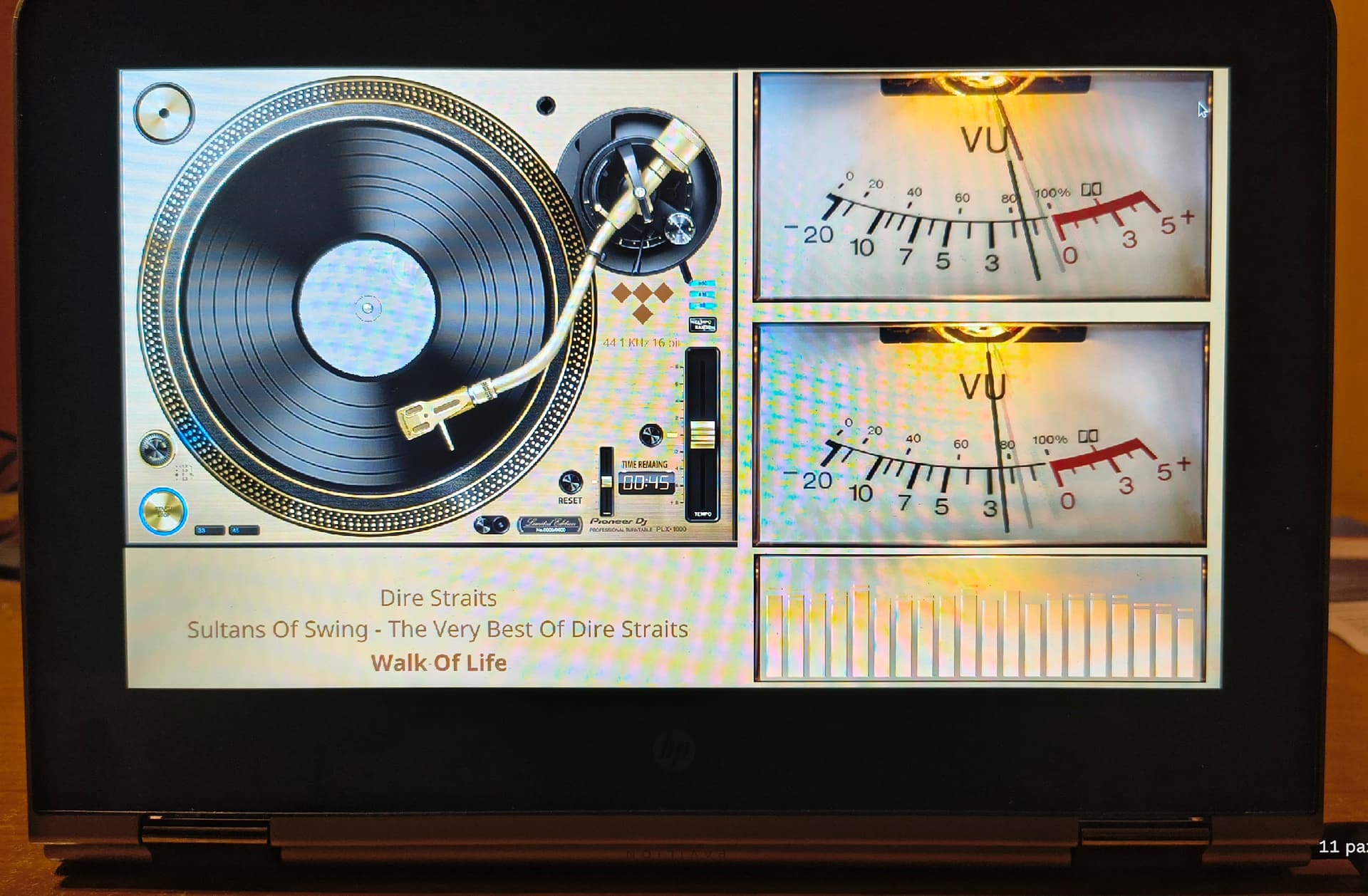
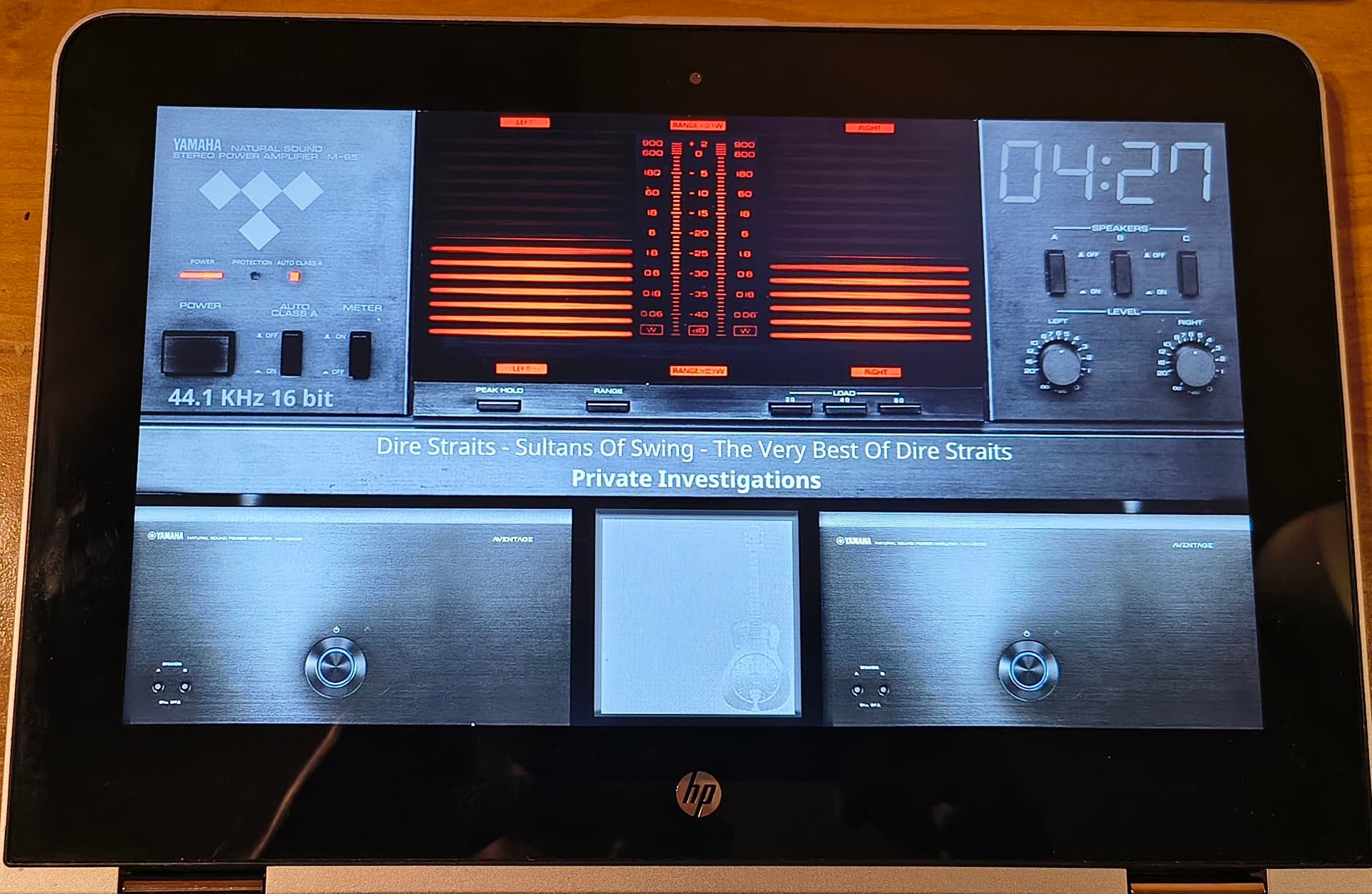
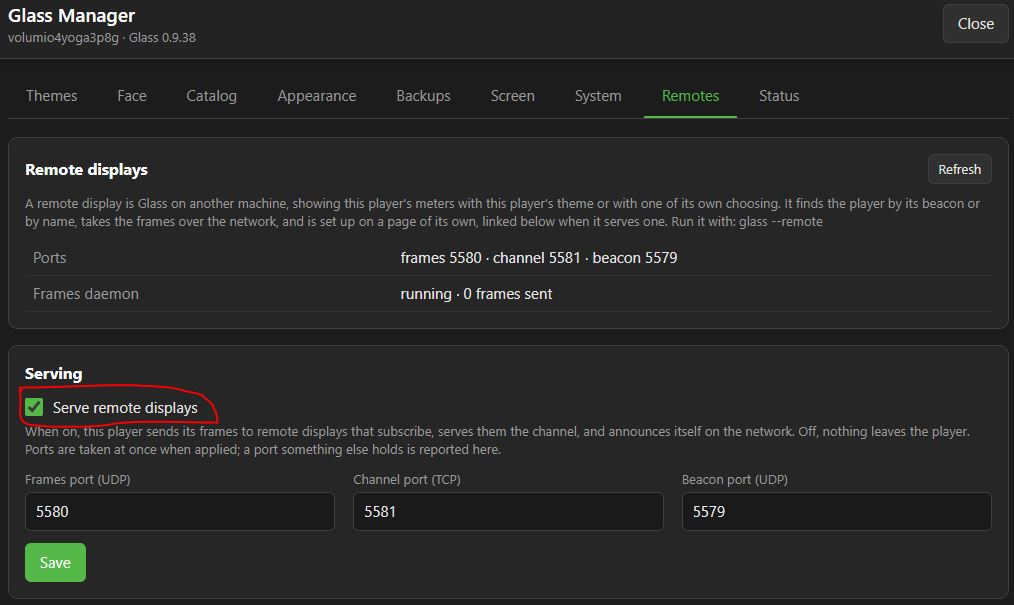
Hi,
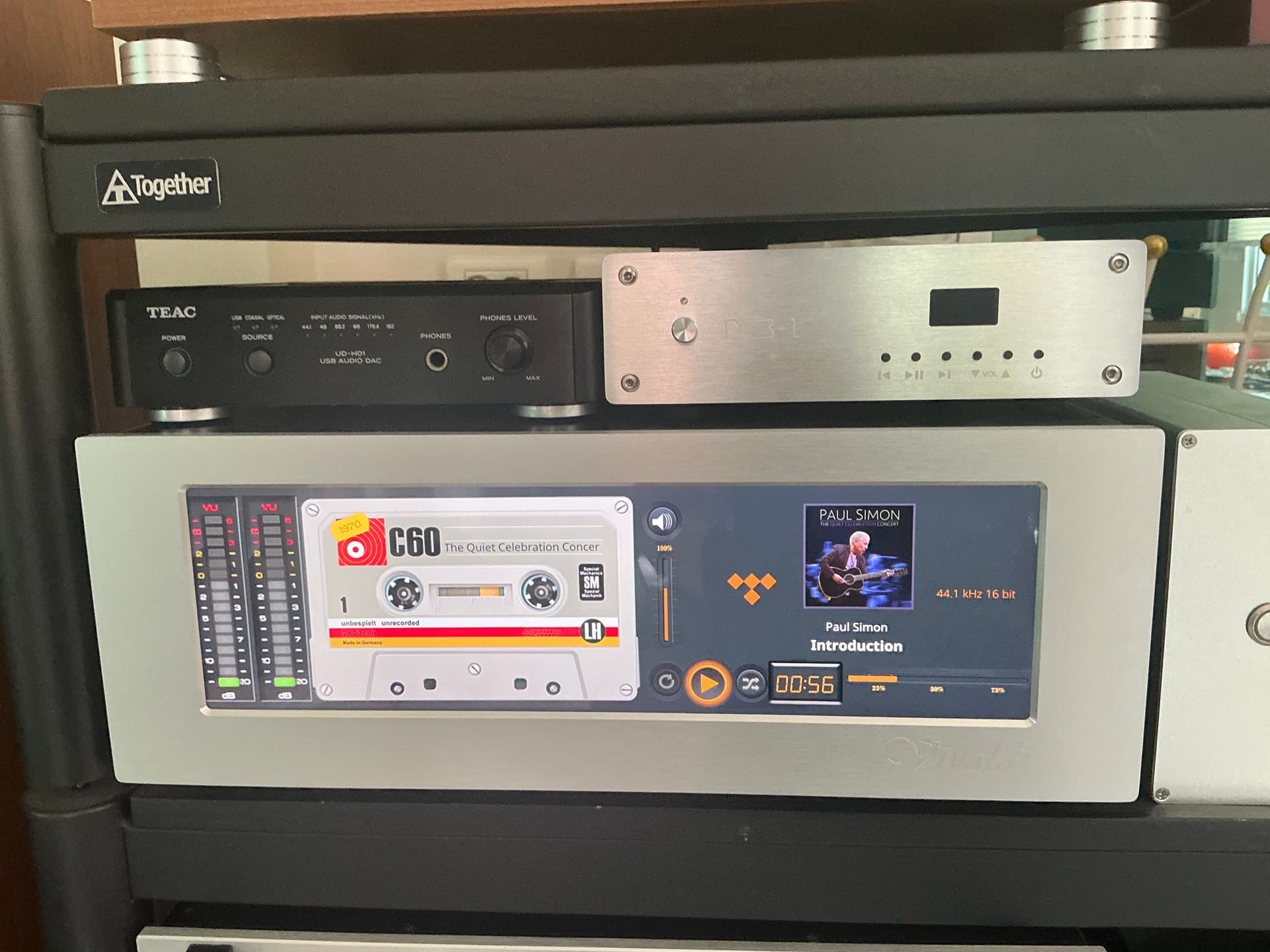
Recently , I updated my volumio to latest version and installed peppymeter plugin . I noticed Glass plugin announcement on the plugin setting screen. I checked for a couple of minutes and didn’t hesitate to install new Glass plugin. I am very satisfied with this new plugin. It works flawlessly on my player. I usually use iPad for volumio control. The Anymote feature is incredible!!! I can split 3 screens for volumio , meter and Tidal .
This is my current system
0.9.38 (arm) · build ebdfadd
Volumio 4.119 · pi · Raspberry Pi 5 Model B Rev 1.0
Memory 3.90 GB · 821.0 MB in use · 3.10 GB available
Other plugins Now Playing 1.0.6 (user_interface) · on
Tidal Connect (Docker) 0.1.0 (music_service) · on
Touch Display 3.6.0 (user_interface) · on
Screen: 14 inch HDMI touch 3840x100 but I set to 1920x550
Theme 1920x550
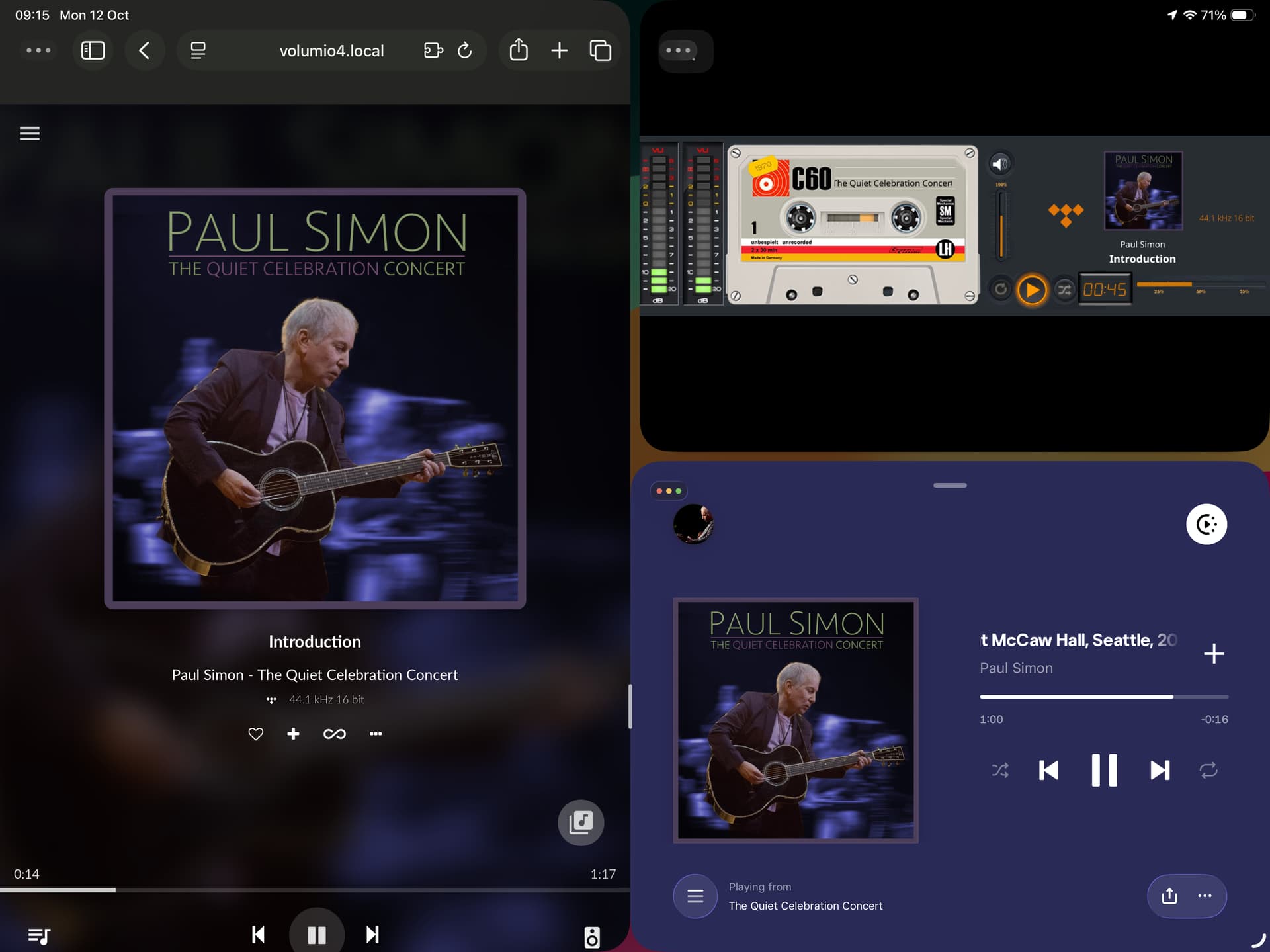
Can iPad and iPhone only be accessed through the web page? I tried it but it can’t be displayed in full screen?
Hey @Fire,
Yes, on an iPad or an iPhone it is the web page. Glass Remote comes for Linux, Windows and Android; there is no app for iOS. The page for that job is Anymote: the same face as the Manager’s Face tab, on a page of its own, made for exactly this.
The address
http://<player-ip>:5582/anymote
<player-ip>is your player’s address, the one you use for Volumio’s own page (http://<player>.local:5582/anymoteworks too where.localnames resolve).5582is the Manager’s port, unless you changed it on the settings page.- Not the Manager page itself and not the Face tab: those carry the Manager’s menus around the picture.
/anymoteis the picture alone.
Full screen on iPhone and iPad
Safari on an iPhone will not let a web page take the whole screen by itself; Apple keeps that for video. The way round it is to keep Anymote as an app:
- Open the address above in Safari.
- Tap the Share button, then Add to Home Screen, then Add.
- Open Anymote from the new icon on the home screen, not from Safari.
From the icon it opens full screen, without Safari’s bars, every time. Turn the device to landscape for the meters.
On an iPad, a tap on the meters (or the “Full screen” button at the top right) may also take the screen inside Safari, but the home screen icon is the one that sticks.
If it still shows Safari’s bars after that, post 2 has the report and the hardware block: model of the iPhone or iPad and the iOS version in it, please.
Kind Regards,
Thank you for your reply. I would also like to ask, after I downloaded glass-evo-0.2.39.zip, how do I install it on the volumio system? After decompression, I only see the files and no programs are installed.
Before the surgeon scrubs in, a question for the admissions desk: is this a report of a problem with the wiki?
Installing glass-evo is described there, step by step, with pictures:
- Glass wiki, Manager page, System tab: glass-evo, and Install from a file
https://github.com/foonerd/glass/wiki/Manager - glass-evo wiki
Home · foonerd/glass-evo Wiki · GitHub
I can read the instructions clearly from here. If they do not work for you, tell me which step, what you did and what you saw, and the wiki gets fixed for everyone. If they do work, you will not need me at all - which is the whole point of having them.
And if something goes wrong along the way, post 2 is the admission desk:
Kind Regards,
Ran into that old problem again—it’s so frustrating, isn’t it?
Perhaps no one knows your Glass better than I do.
Glass v0.9.44 Eco v0.2.44
I think Evo is not working as intended on my screen (Raspberry Pi Display-2 7"). In the Screen tab it says:
The kiosk owns the screen: it is the player’s interface, Glass a screensaver over it.
glass-evo: installed 0.2.44
glass-evo took the screen on 13/10/2026, 11:04:14; it turned off: Now Playing, Touch Display, getty@tty1. Given back on 13/10/2026, 11:04:25.
glass-evo could not start, so the screen went back to the kiosk. (exit 1 glass: SDL error: Can’t load EGL/GL library on window creation.)
This player cannot draw on its screen without the kiosk as it is now, so glass-evo would not start: EGL gave no display for /dev/dri/card0 (EGL_SUCCESS); the EGL vendor library libEGL_mesa.so.0 would not load: libgallium-24.2.8-1~bpo12+rpt4.so: cannot open shared object file: No such file or directory
The graphics libraries are the system’s, not Glass’s; the kiosk shows without them where they fail. The wiki’s Troubleshooting page has what to look at. Where this was seen, a fresh Volumio image repaired it.
I tried clicking on “Try Glass on Evo Screen Anyway”, but that disables Glass,
Logs:
Glass report: Something else
What I did and what I saw: Evo is not holding the screen (Pi Display-2):
This player cannot draw on its screen without the kiosk as it is now, so glass-evo would not start: EGL gave no display for /dev/dri/card0 (EGL_SUCCESS); the EGL vendor library libEGL_mesa.so.0 would not load: libgallium-24.2.8-1~bpo12+rpt4.so: cannot open shared object file: No such file or directory
Reproduced between Oct 13 11:27:30 and Oct 13 11:28:47 by the player’s clock, as in the log, with Glass logging at verbose (its level is verbose otherwise).
System log: http://logs.volumio.org/volumio/Ops6noc.html
Diagnosis
Something else: the checks found no cause
Worth knowing: Glass’s last warnings in the journal:
2026-10-13T11:24:44+0200 sibermusic volumio[1675]: error: glass: the display did not run: exit 1 glass: SDL error: Can’t load EGL/GL library on window creation.
2026-10-13T11:24:44+0200 sibermusic volumio[1675]: warn: glass: screen owner: glass-evo cannot hold the screen (face-failed: exit 1 glass: SDL error: Can’t load EGL/GL library on window creation.); the kiosk gets it back
2026-10-13T11:24:44+0200 sibermusic volumio[1675]: warn: glass: the display died 0 s after launch; next attempt in 1 s
Checked: Glass 0.9.44 is the latest release.
Checked: glass-evo 0.2.44 is installed and works with this Glass.
sibermusic · Glass 0.9.44
Player
Glass: 0.9.44 (arm) · build f311f70
Volumio: 4.225 · pi · Raspberry Pi 5 Model B Rev 1.0 · backend up 12.9 h
Memory: 3.90 GB · 772.0 MB in use · 3.15 GB available
Other plugins: FusionDsp 3.1.6 (audio_interface) · on · in the audio path
Backup & Restore Data 1.7.4 (system_controller) · on
Bandcamp Discover 2.3.1 (music_service) · on
IR Remote Controller 3.4.13 (system_hardware) · on
Now Playing 1.1.1 (user_interface) · on
Raspberry Pi EEPROM Config 1.0.5 (system_controller) · on
Raspberry Pi EEPROM Firmware Updater 1.0.7 (system_controller) · on
System information 3.1.1 (user_interface) · on
Touch Display 3.6.0 (user_interface) · on
Addresses: hidden until revealed
Manager: http://sibermusic.local:5582/ · up 772 min
Anymote: http://sibermusic.local:5582/anymote
PeppyMeter Screensaver enabled: no
Screen
Display: not showing · DISPLAY=:0 · opens after 1 s
Screen: screen 1280x720 · theme 1280x720 · mouse on
Drawn on: not on the screen now, next on X · the screen is the kiosk’s
Screen owner: The kiosk owns the screen: it is the player’s interface, Glass a screensaver over it. · glass-evo: installed 0.2.44 · glass-evo took the screen on 13/10/2026, 11:24:34; it turned off: Now Playing, Touch Display, getty@tty1. Given back on 13/10/2026, 11:24:46. · glass-evo could not start, so the screen went back to the kiosk. (exit 1 glass: SDL error: Can’t load EGL/GL library on window creation.) · Face size: normal
Kiosk: Kiosk service: active · X server: up · Touch Display plugin: on (angle 90) · Display Configuration plugin: off
Graphics: drawing on the screen itself does not work: EGL gave no display for /dev/dri/card0 (EGL_SUCCESS); the EGL vendor library libEGL_mesa.so.0 would not load: libgallium-24.2.8-1~bpo12+rpt4.so: cannot open shared object file: No such file or directory · the kiosk’s X server draws in software (eglGetDisplay() failed) · Mesa 24.2.8-1~bpo12+rpt4
Screen settings: rotation 0 · pointer auto (hidden now)
Touch mapping: As the panel reports
Panels: DSI-2: connected, 720×1280, portrait by nature
Inputs: Touch: Goodix Capacitive TouchScreen (event1) · Mice: none · Keyboards: none
Backlight: 11-0045: 28 / 31
Interactive controls: As the theme says
Performance: Custom · 30 fps · governor on · Raspberry Pi 5 Model B Rev 1.0
glass-evo
Component: 0.2.44 · needs Glass 0.9.44 · this Glass works with 0.2.44 · 0.2.38 kept for going back
Screen: the kiosk owns the screen · held on the screen itself (KMS/DRM)
Display: not running
Face tab and Anymote: the Glass interface while glass-evo holds the player’s screen · Glass’s module · 0 pages watching
Look: built in
Picture when nothing plays: none, the theme shows
When the player stops: The clock at once
Face size: Normal
Forecast: off
Audio
Audio path: the tap heads the ALSA chain · output volumio
Player: pause · mpd · Nina Winder-Lind - You’re not an Angel · tidal 44.1 kHz 24 bit
Audio rings: none
Channel: 0 displays connected
Themes
Theme on show: 1280x720_g5_705_meters · One meter: 94G5_MNN8 · now 94G5_MNN8
Theme folders: 5 themes in /data/INTERNAL/glass/templates · 1 spectrum twins in /data/INTERNAL/glass/templates_spectrum
Fonts: Light: Built in · Regular: Built in · Bold: Built in · Italic: Built in · Clock digits: Built in · 0 uploaded
Network share: themes readable over the network, not editable
Car Dash: off
Artist fanart: off · 0 artists cached
Catalog: 191 themes · catalog changed 2026-10-07 19:31 · 2 installed from it
Theme’s own files: 75 named · 75 found
Network and remotes
Remote displays: Remote displays are off on this player.
Connected: No remote display is connected.
Face and Anymote
Face: 0 pages watching · no frames from the daemon
Housekeeping
Logging: verbose · display, manager, settings
Last upgrade: 0.9.41 · 0.9.44 · 2026-10-12 22:36
Releases offered: released ones only
Newest backup: before-0.9.44 · 2026-10-12 22:36
Internal storage: 545.24 GB free
Recent problems: 2026-10-13T11:24:44+0200 sibermusic volumio[1675]: error: glass: the display did not run: exit 1 glass: SDL error: Can’t load EGL/GL library on window creation.
2026-10-13T11:24:44+0200 sibermusic volumio[1675]: warn: glass: screen owner: glass-evo cannot hold the screen (face-failed: exit 1 glass: SDL error: Can’t load EGL/GL library on window creation.); the kiosk gets it back
2026-10-13T11:24:44+0200 sibermusic volumio[1675]: warn: glass: the display died 0 s after launch; next attempt in 1 s
Hey @SimonE,
A model admission: versions, the report, the system log, and the reason in the loader’s own words. Thank you.
What it says
The line that matters:
the EGL vendor library libEGL_mesa.so.0 would not load: libgallium-24.2.8-1~bpo12+rpt4.so: cannot open shared object file
The system’s EGL library asks for a graphics library of an exact version, and that version is not on the player. The two are out of step: the graphics libraries on this player are older than what the rest expects. That is why the kiosk’s own X server draws in software (eglGetDisplay() failed), and why glass-evo, which needs the GPU through those same libraries, cannot start. Glass did what it should: it checked, said why, and gave the screen back to the kiosk.
This is not Glass, and not your Display 2. It is a known one: a player that came up to 4.x through a long run of updates, one after another, can end up with system libraries left behind on the way. A fresh system does not have them.
The cure: factory reset
That puts a clean, consistent system in place, and is what has repaired it where it was seen.
- Before you start, keep what you want to keep, off the player: on the Glass Manager’s Backups tab, make a backup and download it as a zip to your computer; copy any themes of your own; and your Backup & Restore Data plugin for Volumio’s own settings.
- Volumio: Settings > System > Factory Reset.
- Bring the player up to date, install Glass, restore your backups.
- Glass Manager > Screen tab > Use glass-evo on the screen.
If you would rather not reset
Then let us look at what is actually installed before anything is touched. On the player, over SSH:
dpkg -l | grep -E "mesa|libgallium|libegl|libgbm" ; ls -l /usr/lib/*/libgallium*
Post the output as text. If it shows a single package left behind, it may be possible to bring just that one up to date; but that is surgery on the system’s own libraries, so no promises until the output is in.
Kind Regards,
I’d rather not!
text output:
/usr/lib//libgallium
ii libegl-mesa0:armhf 24.2.8-1~bpo12+rpt4 a rmhf free implementation of the EGL API – Mesa vendor library
ii libegl1:armhf 1.6.0-1 a rmhf Vendor neutral GL dispatch library – EGL support
ii libgbm1:armhf 24.2.8-1~bpo12+rpt4 a rmhf generic buffer management API – runtime
ii libgl1-mesa-dri:armhf 24.2.8-1~bpo12+rpt4 a rmhf free implementation of the OpenGL API – DRI modules
ii libglapi-mesa:armhf 24.2.8-1~bpo12+rpt4 a rmhf free implementation of the GL API – shared library
ii libglu1-mesa:armhf 9.0.2-1.1 a rmhf Mesa OpenGL utility library (GLU)
ii libglx-mesa0:armhf 24.2.8-1~bpo12+rpt4 a rmhf free implementation of the OpenGL API – GLX vendor library
ii mesa-libgallium:armhf 24.2.8-1~bpo12+rpt4 a rmhf shared infrastructure for Mesa drivers
-rw-r–r-- 1 root root 30096688 Jul 1 16:39 /usr/lib/arm-linux-gnueabihf/libgal lium-24.2.8-1~bpo12+rpt5.so
Hey @SimonE,
Fair enough, no reset for now. Your output, next to the same command on a clean player of mine on the same Volumio 4.225:
| your 4.225 player | clean 4.225 | |
|---|---|---|
| Mesa packages, as dpkg records them | all rpt4 | all rpt5 |
| libgallium file actually on disk | rpt5 | rpt5 (the same file, same size) |
| what libEGL_mesa asks for | rpt4 | rpt5 |
So Volumio 4.225 itself is fine. Your player holds the new libgallium (rpt5) from the current image, but an older libEGL_mesa and older package records (rpt4) from before. The old EGL library asks for a libgallium that is no longer there, and the GPU is out of reach for everything above it: the kiosk falls back to drawing in software, and glass-evo cannot start at all. That is the known path problem of a player brought up through updates one after another: old pieces stay behind while the image moves on.
Where the old pieces live
Volumio’s system is the image, read only, with a writable layer on top (/mnt/ext/dyn). A file written into that layer hides the image’s own copy, whatever the image says. My suspicion is that rpt4 copies are sitting there. One command to see:
for f in /static/usr/lib/arm-linux-gnueabihf/libEGL_mesa.so.0 /usr/lib/arm-linux-gnueabihf/libEGL_mesa.so.0; do echo "$f: $(grep -ao 'libgallium-[0-9a-z.~+_-]*\.so' "$f" | head -1)"; done
Post the output as text.
- If it lists
libEGL_mesa(or other Mesa libraries) with avar/lib/dpkg/status: confirmed. The correct files are already on your player, in the image, just hidden behind the old ones. - If it lists nothing: my suspicion is wrong, and we look further.
The cure, either way
A factory reset clears that writable layer, and with it everything left behind; that is why it has repaired this wherever it was seen. If the output confirms the suspicion and you still would rather not reset, we can talk about taking the old copies out by hand - but that is surgery on a running system’s own libraries, so the output first, and no promises.
Kind Regards,
Hey @SimonE
First a correction from the surgeon: I’ve been thinking (I know, I know).
Your dpkg output is what matters, and it points at the time the Touch Display plugin was installed: the Mesa packages it brought along for its X server are from then (rpt4), and the libgallium on your player has moved to rpt5 since. Old and new do not fit, so nothing reaches the GPU. A fresh install of the plugin should bring the current set with it.
The path, in this order
- Now Playing plugin: hand the kiosk back to the Touch Display plugin.
- Disable both plugins, Now Playing and Touch Display.
- Uninstall the Touch Display plugin.
- Reboot.
- Install the Touch Display plugin afresh, enable it, set your rotation and the rest of its settings again.
- Reboot.
- Enable Now Playing again, if you use it. A question while we are here: what do you use it for alongside Glass?
- Glass Manager > Screen tab > Use glass-evo on the screen.
Before you start
Note down your Touch Display settings (rotation 90 for your Display 2, and anything else you changed); they go with the uninstall.
Afterwards
Run the same command again and post the output as text:
dpkg -l | grep -E "mesa|libgallium|libegl|libgbm" ; ls -l /usr/lib/*/libgallium*
All at rpt5 and glass-evo on the screen: discharged. Anything else: the report from the Status tab, and we look again.
Kind Regards,
I rebooted at step 4, but then at step 5 and the install failed. I think me installing alpha Volumio is probably to blame. I think I should take your original advice and Factory Reset. Here’s the plugin failed error:
Downloading plugin at https://plugins.volumio.workers.dev/pluginsv2/downloadLatest/touch_display/volumio/bookworm/armhf
END DOWNLOAD: https://plugins.volumio.workers.dev/pluginsv2/downloadLatest/touch_display/volumio/bookworm/armhf
Creating install location
Unpacking plugin
Checking that the plugin is suitable for this version of Volumio The plugin can be used with this version of Volumio
Checking for duplicate plugin
Copying plugin to location
Installing necessary utilities
Re-synchronizing package index files from their sources
Hit:1 Index of /debian bookworm InRelease
Hit:2 Index of /raspbian/ bookworm InRelease
Reading package lists…
Reading package lists…
Building dependency tree…
Reading state information…
You might want to run ‘apt --fix-broken install’ to correct these.
The following packages have unmet dependencies:
libpython3.11 : Depends: libpython3.11-stdlib (= 3.11.2-6+deb12u8) but 3.11.2-6+deb12u6 is installed
libpython3.11-stdlib : Depends: libpython3.11-minimal (= 3.11.2-6+deb12u6) but 3.11.2-6+deb12u8 is installed
python3.11 : Depends: libpython3.11-stdlib (= 3.11.2-6+deb12u8) but 3.11.2-6+deb12u6 is installed
Running apt-get -y install failed
Plugin failed to install!
Cleaning up…
Removing dependencies
Reading package lists…
Building dependency tree…
Reading state information…
You might want to run ‘apt --fix-broken install’ to correct these.
The following packages have unmet dependencies:
libpython3.11 : Depends: libpython3.11-stdlib (= 3.11.2-6+deb12u8) but 3.11.2-6+deb12u6 is to be installed
libpython3.11-stdlib : Depends: libpython3.11-minimal (= 3.11.2-6+deb12u6) but 3.11.2-6+deb12u8 is to be installed
python3.11 : Depends: libpython3.11-stdlib (= 3.11.2-6+deb12u8) but 3.11.2-6+deb12u6 is to be installed
Reading package lists…
Building dependency tree…
Reading state information…
You might want to run ‘apt --fix-broken install’ to correct these.
The following packages have unmet dependencies:
libpython3.11 : Depends: libpython3.11-stdlib (= 3.11.2-6+deb12u8) but 3.11.2-6+deb12u6 is to be installed
libpython3.11-stdlib : Depends: libpython3.11-minimal (= 3.11.2-6+deb12u6) but 3.11.2-6+deb12u8 is to be installed
python3.11 : Depends: libpython3.11-stdlib (= 3.11.2-6+deb12u8) but 3.11.2-6+deb12u6 is to be installed
Reading package lists…
Building dependency tree…
Reading state information…
You might want to run ‘apt --fix-broken install’ to correct these.
The following packages have unmet dependencies:
libpython3.11 : Depends: libpython3.11-stdlib (= 3.11.2-6+deb12u8) but 3.11.2-6+deb12u6 is to be installed
libpython3.11-stdlib : Depends: libpython3.11-minimal (= 3.11.2-6+deb12u6) but 3.11.2-6+deb12u8 is to be installed
python3.11 : Depends: libpython3.11-stdlib (= 3.11.2-6+deb12u8) but 3.11.2-6+deb12u6 is to be installed
Reading package lists…
Building dependency tree…
Reading state information…
You might want to run ‘apt --fix-broken install’ to correct these.
The following packages have unmet dependencies:
libpython3.11 : Depends: libpython3.11-stdlib (= 3.11.2-6+deb12u8) but 3.11.2-6+deb12u6 is to be installed
libpython3.11-stdlib : Depends: libpython3.11-minimal (= 3.11.2-6+deb12u6) but 3.11.2-6+deb12u8 is to be installed
python3.11 : Depends: libpython3.11-stdlib (= 3.11.2-6+deb12u8) but 3.11.2-6+deb12u6 is to be installed
Reading package lists…
Building dependency tree…
Reading state information…
You might want to run ‘apt --fix-broken install’ to correct these.
The following packages have unmet dependencies:
libpython3.11 : Depends: libpython3.11-stdlib (= 3.11.2-6+deb12u8) but 3.11.2-6+deb12u6 is to be installed
libpython3.11-stdlib : Depends: libpython3.11-minimal (= 3.11.2-6+deb12u6) but 3.11.2-6+deb12u8 is to be installed
python3.11 : Depends: libpython3.11-stdlib (= 3.11.2-6+deb12u8) but 3.11.2-6+deb12u6 is to be installed
Reading package lists…
Building dependency tree…
Reading state information…
You might want to run ‘apt --fix-broken install’ to correct these.
The following packages have unmet dependencies:
libpython3.11 : Depends: libpython3.11-stdlib (= 3.11.2-6+deb12u8) but 3.11.2-6+deb12u6 is to be installed
libpython3.11-stdlib : Depends: libpython3.11-minimal (= 3.11.2-6+deb12u6) but 3.11.2-6+deb12u8 is to be installed
python3.11 : Depends: libpython3.11-stdlib (= 3.11.2-6+deb12u8) but 3.11.2-6+deb12u6 is to be installed
(Reading database … 47287 files and directories currently installed.)
Removing chromium (1:151.0.7922.108-1~deb12u1+rpt1) …
Purging configuration files for chromium (1:151.0.7922.108-1~deb12u1+rpt1) …
Processing triggers for man-db (2.11.2-2) …
Processing triggers for hicolor-icon-theme (0.17-2) …
Reading package lists…
Building dependency tree…
Reading state information…
You might want to run ‘apt --fix-broken install’ to correct these.
The following packages have unmet dependencies:
libpython3.11 : Depends: libpython3.11-stdlib (= 3.11.2-6+deb12u8) but 3.11.2-6+deb12u6 is to be installed
libpython3.11-stdlib : Depends: libpython3.11-minimal (= 3.11.2-6+deb12u6) but 3.11.2-6+deb12u8 is to be installed
python3.11 : Depends: libpython3.11-stdlib (= 3.11.2-6+deb12u8) but 3.11.2-6+deb12u6 is to be installed
Reading package lists…
Building dependency tree…
Reading state information…
You might want to run ‘apt --fix-broken install’ to correct these.
The following packages have unmet dependencies:
libpython3.11 : Depends: libpython3.11-stdlib (= 3.11.2-6+deb12u8) but 3.11.2-6+deb12u6 is to be installed
libpython3.11-stdlib : Depends: libpython3.11-minimal (= 3.11.2-6+deb12u6) but 3.11.2-6+deb12u8 is to be installed
python3.11 : Depends: libpython3.11-stdlib (= 3.11.2-6+deb12u8) but 3.11.2-6+deb12u6 is to be installed
xorg : Depends: xinit but it is not going to be installed
Reading package lists…
Building dependency tree…
Reading state information…
You might want to run ‘apt --fix-broken install’ to correct these.
The following packages have unmet dependencies:
libpython3.11 : Depends: libpython3.11-stdlib (= 3.11.2-6+deb12u8) but 3.11.2-6+deb12u6 is to be installed
libpython3.11-stdlib : Depends: libpython3.11-minimal (= 3.11.2-6+deb12u6) but 3.11.2-6+deb12u8 is to be installed
python3.11 : Depends: libpython3.11-stdlib (= 3.11.2-6+deb12u8) but 3.11.2-6+deb12u6 is to be installed
xorg : Depends: x11-utils but it is not going to be installed
Deleting /opt/volumiokiosk.sh
Deleting /data/volumiokiosk
Deleting /data/volumiokioskextensions
Deleting /lib/systemd/system/volumio-kiosk.service
Removing DRI permission udev rules
Removing volumio user from video and render groups
Removing user volumio from group video
Removing user volumio from group render
Removing Mesa shader cache directory
Done
An error occurred while installing the plugin Error
Hey @SimonE,
Hold the factory reset - this one is known, and it has a cure.
The plugin install itself was fine. It fell over at the system’s package manager:
libpython3.11-stdlib : Depends: libpython3.11-minimal (= 3.11.2-6+deb12u6) but 3.11.2-6+deb12u8 is installed
Python’s own packages are caught halfway between two versions, and apt refuses to install anything until that is sorted. It is a known one on Volumio 4: with FusionDsp installed first, plugins installed after it that need Python fail exactly like this - the Touch Display plugin among them. Not your alpha, not Glass, not your Display 2. The Volumio team knows about it.
The cure, over SSH, in this order
- Put the stuck Python package in place:
sudo dpkg -i --force-overwrite /var/cache/apt/archives/libpython3.11-stdlib_3.11.2-6+deb12u8_armhf.deb
- Let apt finish what it started:
sudo apt install -f
If step 1 says the file does not exist, stop there and post what it says, as text.
Then carry on where you stopped
- Install the Touch Display plugin, enable it, set rotation 90 and the rest again, reboot.
- Enable Now Playing again if you use it.
- Glass Manager > Screen tab > Use glass-evo on the screen.
And once more, the check from before, so we see the Mesa packages came in fresh:
dpkg -l | grep -E "mesa|libgallium|libegl|libgbm" ; ls -l /usr/lib/*/libgallium*
All at rpt5 and glass-evo on the screen: discharged. Anything else: the report from the Status tab, as text.
Kind Regards,
The Touch plugin installed sucessfully. The same error in the Glass screen tab though.
volumio@sibermusic:~$ dpkg -l | grep -E “mesa|libgallium|libegl|libgbm” ; ls -l /usr/lib//libgallium
ii libegl-mesa0:armhf 24.2.8-1~bpo12+rpt4 armhf free implementation of the EGL API – Mesa vendor library
ii libegl1:armhf 1.6.0-1 armhf Vendor neutral GL dispatch library – EGL support
ii libgbm1:armhf 24.2.8-1~bpo12+rpt4 armhf generic buffer management API – runtime
ii libgl1-mesa-dri:armhf 24.2.8-1~bpo12+rpt4 armhf free implementation of the OpenGL API – DRI modules
ii libglapi-mesa:armhf 24.2.8-1~bpo12+rpt4 armhf free implementation of the GL API – shared library
ii libglu1-mesa:armhf 9.0.2-1.1 armhf Mesa OpenGL utility library (GLU)
ii libglx-mesa0:armhf 24.2.8-1~bpo12+rpt4 armhf free implementation of the OpenGL API – GLX vendor library
ii mesa-libgallium:armhf 24.2.8-1~bpo12+rpt4 armhf shared infrastructure for Mesa drivers
-rw-r–r-- 1 root root 30096688 Jul 1 16:39 /usr/lib/arm-linux-gnueabihf/libgallium-24.2.8-1~bpo12+rpt5.so
Glass log text:
sibermusic · Glass 0.9.44
Player
Glass: 0.9.44 (arm) · build f311f70
Volumio: 4.225 · pi · Raspberry Pi 5 Model B Rev 1.0 · backend up 27 min
Memory: 3.90 GB · 858.0 MB in use · 3.07 GB available
Other plugins: FusionDsp 3.1.6 (audio_interface) · on · in the audio path
Backup & Restore Data 1.7.4 (system_controller) · on
Bandcamp Discover 2.3.1 (music_service) · on
IR Remote Controller 3.4.13 (system_hardware) · on
Now Playing 1.1.1 (user_interface) · on
Raspberry Pi EEPROM Config 1.0.5 (system_controller) · on
Raspberry Pi EEPROM Firmware Updater 1.0.7 (system_controller) · on
System information 3.1.1 (user_interface) · on
Touch Display 3.6.0 (user_interface) · on
Addresses: hidden until revealed
Manager: http://sibermusic.local:5582/ · up 27 min
Anymote: http://sibermusic.local:5582/anymote
PeppyMeter Screensaver enabled: no
Screen
Display: showing · DISPLAY=:0 · opens after 1 s
Screen: screen 1280x720 · theme 1280x720 · mouse on · since 2026-10-13 13:44
Drawn on: X (opengl) · the screen is the kiosk’s
Screen owner: The kiosk owns the screen: it is the player’s interface, Glass a screensaver over it. · glass-evo: installed 0.2.44 · glass-evo took the screen on 13/10/2026, 13:44:34; it turned off: Now Playing, Touch Display, getty@tty1. Given back on 13/10/2026, 13:44:46. · glass-evo could not start, so the screen went back to the kiosk. (exit 1 glass: Failed to get evdev touchscreen name) · Face size: normal
Kiosk: Kiosk service: active · X server: up · Touch Display plugin: on (angle 90) · Display Configuration plugin: off
Graphics: drawing on the screen itself does not work: /dev/dri/card0 could not be opened: Permission denied (os error 13) · the kiosk’s X server draws in software (eglGetDisplay() failed) · Mesa 24.2.8-1~bpo12+rpt4
Screen settings: rotation 0 · pointer auto (hidden now)
Touch mapping: As the panel reports
Panels: DSI-2: connected, 720×1280, portrait by nature
Inputs: Touch: Goodix Capacitive TouchScreen (event1) · Mice: none · Keyboards: none
Backlight: 11-0045: 28 / 31
Interactive controls: As the theme says
Performance: Custom · 30 fps · governor on · Raspberry Pi 5 Model B Rev 1.0
glass-evo
Component: 0.2.44 · needs Glass 0.9.44 · this Glass works with 0.2.44 · 0.2.38 kept for going back
Screen: the kiosk owns the screen · held on the screen itself (KMS/DRM)
Display: Glass’s own binary · since 2026-10-13 13:44 · component installed 2026-10-12 22:36
Face tab and Anymote: the Glass interface while glass-evo holds the player’s screen · Glass’s module · 0 pages watching
Look: built in
Picture when nothing plays: none, the theme shows
When the player stops: The clock at once
Face size: Normal
Forecast: off
Audio
Audio path: the tap heads the ALSA chain · output volumio
Player: play · tidal · Nina Winder-Lind - The Spirit Is Carnal · measured · tidal 44.1 kHz 24 bit
Audio rings: glasstap.glass.2413.0 (44100 Hz, 2 ch, live)
Channel: 1 displays connected
Themes
Theme on show: 1280x720_g5_705_meters · One meter: 94G5_MNN8 · now 94G5_MNN8
Theme folders: 5 themes in /data/INTERNAL/glass/templates · 1 spectrum twins in /data/INTERNAL/glass/templates_spectrum
Fonts: Light: Built in · Regular: Built in · Bold: Built in · Italic: Built in · Clock digits: Built in · 0 uploaded
Network share: themes readable over the network, not editable
Car Dash: off
Artist fanart: off · 0 artists cached
Catalog: 191 themes · catalog changed 2026-10-07 19:31 · 2 installed from it
Theme’s own files: 75 named · 75 found
Network and remotes
Remote displays: Remote displays are off on this player.
Connected: No remote display is connected.
Face and Anymote
Face: 0 pages watching · no frames from the daemon
Housekeeping
Logging: verbose · display, manager, settings
Last upgrade: 0.9.41 · 0.9.44 · 2026-10-12 22:36
Releases offered: released ones only
Newest backup: before-0.9.44 · 2026-10-12 22:36
Internal storage: 546.19 GB free
Recent problems: 2026-10-13T13:44:43+0200 sibermusic volumio[1402]: error: glass: the display did not run: exit 1 glass: Failed to get evdev touchscreen name
2026-10-13T13:44:43+0200 sibermusic volumio[1402]: warn: glass: screen owner: glass-evo cannot hold the screen (face-failed: exit 1 glass: Failed to get evdev touchscreen name); the kiosk gets it back
2026-10-13T13:44:43+0200 sibermusic volumio[1402]: warn: glass: the display died 0 s after launch; next attempt in 1 s
Diagnosis
Something else: the checks found no cause
Worth knowing: Glass’s last warnings in the journal:
2026-10-13T13:44:43+0200 sibermusic volumio[1402]: error: glass: the display did not run: exit 1 glass: Failed to get evdev touchscreen name
2026-10-13T13:44:43+0200 sibermusic volumio[1402]: warn: glass: screen owner: glass-evo cannot hold the screen (face-failed: exit 1 glass: Failed to get evdev touchscreen name); the kiosk gets it back
2026-10-13T13:44:43+0200 sibermusic volumio[1402]: warn: glass: the display died 0 s after launch; next attempt in 1 s
Checked: Glass 0.9.44 is the latest release.
Checked: glass-evo 0.2.44 is installed and works with this Glass.
Hey @SimonE,
Good news first: the Touch Display plugin is back in, so the Python knot is untied. And your report shows the patient has moved on - a different complaint now:
/dev/dri/card0 could not be opened: Permission denied (os error 13)
exit 1 glass: Failed to get evdev touchscreen name
Glass is no longer allowed to open the screen’s graphics device, nor to read the touch panel. When the first install failed, its cleanup removed exactly those rights: “Removing DRI permission udev rules”, “Removing volumio user from video and render groups”. The new install has evidently not put all of them back.
Your Mesa packages are also still at rpt4: the plugin found them installed and left them as they were. That one comes after the permissions; one step at a time.
One command, please, over SSH, and post the output as text:
id volumio; ls -l /dev/dri/ /dev/input/event*; ls -l /etc/udev/rules.d/ | grep -i touch; dpkg -S /usr/lib/arm-linux-gnueabihf/libgallium-24.2.8-1~bpo12+rpt5.so; grep -ao 'libgallium-[0-9a-z.~+_-]*\.so' /usr/lib/arm-linux-gnueabihf/libEGL_mesa.so.0 | head -1
It shows which groups the volumio user is in, who may open the graphics and touch devices, whether the Touch Display plugin’s rule is in place, and where the two graphics libraries stand. Compared with a working player, that tells us exactly what is missing - and then the fix, in one go.
Kind Regards,
Thanks for your tenacity as always!
volumio@sibermusic:~$ id volumio; ls -l /dev/dri/ /dev/input/event*; ls -l /etc/ udev/rules.d/ | grep -i touch; dpkg -S /usr/lib/arm-linux-gnueabihf/libgallium-2 4.2.8-1~bpo12+rpt5.so; grep -ao ‘libgallium-[0-9a-z.~+_-]*.so’ /usr/lib/arm-lin ux-gnueabihf/libEGL_mesa.so.0 | head -1
uid=1000(volumio) gid=1000(volumio) groups=1000(volumio),4(adm),7(lp),20(dialout ),24(cdrom),25(floppy),27(sudo),29(audio),30(dip),44(video),46(plugdev),102(netd ev),103(input),106(render),108(i2c),994(gpio),993(spi)
crw-rw---- 1 root input 13, 64 Oct 13 13:40 /dev/input/event0
crw-rw---- 1 root input 13, 65 Oct 13 13:40 /dev/input/event1
crw-rw---- 1 root input 13, 66 Oct 13 13:40 /dev/input/event2
/dev/dri/:
total 0
drwxr-xr-x 2 root root 60 Oct 13 13:40 by-path
crw-rw---- 1 root video 226, 0 Oct 13 13:40 card0
-rw-r–r-- 1 root root 110 Oct 13 13:40 99-touch_display-dri.rules
mesa-libgallium:armhf: /usr/lib/arm-linux-gnueabihf/libgallium-24.2.8-1~bpo12+rp t5.so
libgallium-24.2.8-1~bpo12+rpt4.so