Hi guys, thanks a lot for taking the time to share your feedback about the app! Saving space on the screen by hiding that top bar is a great suggestion, and we agree it would improve the overall experience for those that have just one device.
We’ve added it to our product roadmap and will definitely consider it for a future release. While we can’t promise a timeline yet, feedback like yours plays a big role in helping us prioritize what comes next.
Please keep the ideas coming, we really appreciate it!
Hi, thanks for taking that into consideration, I think it would be a move in the right direction which would be appriceated by many of us.
Also, if device selector is on your persistent list, there’s plenty of space in the area next to the queue button, it could happily sit there without eating our precious playlist space. Something like this:
Lately, I have problems connecting from my Andriod devices to Volumio. Volumio is up and running, and I can access it via volumio.local in my internet browser from my laptop. It is even playing music.
When I open the Volumio app on my two Android devices (Samsung smartphone and Samsung tablet), it shows my Volumio as being “online”. There is also a yellow warning banner on top about Bluetooth being turned off on my device, but I have never used Bluetooth for the connection, always my local WLAN network.
When I click on the Volumio device in the app which shows as being online, it tries to connect but then I get an error message “unable to connect, please make sure you are close to your device” or something like that.
I did exactly that, logged in again into my Volumio account (which worked), it did show my “Volumio-2” player like before as online, but when I try to connect, it fails again.
Before I did that, I restarted my Volumio player, and I can see it and use it via my laptop.
Edit: I have a second Volumio player (Rasberry Pi) which I just started, and I can access it via laptop (internet browser). After I started the player, it shows up automatically on my Android device in the Volumio app. I click “Connect”, and then it shows the second player as “Online” just like my other player. When I click on it, the same thing happens “Failed to connect”.
hey hello
both player are not connecting to your app by wlan? i thing its a broadcast theme. next step, restart your router. The local setting on your players is ok?
see you
sincerely pb
I can go on my Android device, call up my internet browser and enter http://volumio-2.local, and I get to see Volumio like on my laptop (which is also connected to the same network via WLAN).
I am sure it has nothing to do with the router. The last time I had issues, it was also something with the Volumio app, but it took a while to figure it out.
There was a recent change, when all of a sudden, this yellow warning bar came up in the Volumio app related to Bluetooth, but I have never used Bluetooth with Volumio, so perhaps some change was made which affected the connection to WLAN in the network.
Hi, have you tried to connect to Volumio with Bluetooth ON (on your phone)?
1.) Turn Bluetooth on your phone and try to connect
2.) Pair it with Volumio if asked
3.) If you successfully got into Volumio interface, turn off BT
4.) Exit app and now try to connect WITHOUT Bluetooth on
Does it work now? If so, then it is indeed bug inside app, not you and as I recall, there were others affected by this bug before.
On my Windows 11 laptop, I am not aware of any Volumio app for PC. I have only ever used internet browser to controil Volumio on all of my computers.
On both my Android devices, no VPN installed (I know what VPN stands for but I never used one)
I have also app version 6.260729.1, but I just see that there appears to be a newer version which I will install shortly.
On both devices, Samsung S23 Ultra and Samsung Tab A10.5? I guess I can try that.
No antivir software installed on these devices
I am not sure what you mean by Volumio system settings, there aren’t many settings in the app, but I do run the app on two different Android devices, and it stopped working on both devices at the same time
Not sure what makes you think that. As already mentioned, about a year ago, after an app update, there were issues with the app, it wouldn’t work. It took a while to figure it out, but you were able to fix it eventually. Why would the same issue appear on two completely different devices, after an update of the Volumio app on both devices, and everything works flawlessly via browser on 5 different devices.
Volumio Version: 4.119
App version: 6.260805.0
Hardware: Huawei P20 phone
DAC: Hifiberry HD+
Phone: Huawei P20
EMUI 12
App: 6.260805.0
Volumio OS 4.119 (latest)
Phone Browser works perfectly
Another Android phone works fine
Only the Settings icon and volume slider are non-responsive
Have cleared cache, Have uninstalled/reinstalled. Restarted phone etc
I come back to share my experience with Volumio in disconnected mode.
I recently upgraded the Volumio iOS app and I’m disappointed because the UX for
offline usage as changed and I find the experience annoying:
Each time I connect on my device Host Spot I have to click the button to continue “without internet”
Then I have a yellow banner saying that I’m disconnected without beeing able to close it.
I would be happy to be able to use my device with the previous UX as I cant’t/don’t want
to connect it all the time.
As a fallback solution I switched back to the webUI that as none of these problems.
I hope that you would take my return into account.
Thanks for developing Volumio
First of all, thank you for the great work on the system. I am a daily user of the Volumio Android app, but I have a small feature request that would significantly improve the mobile experience.
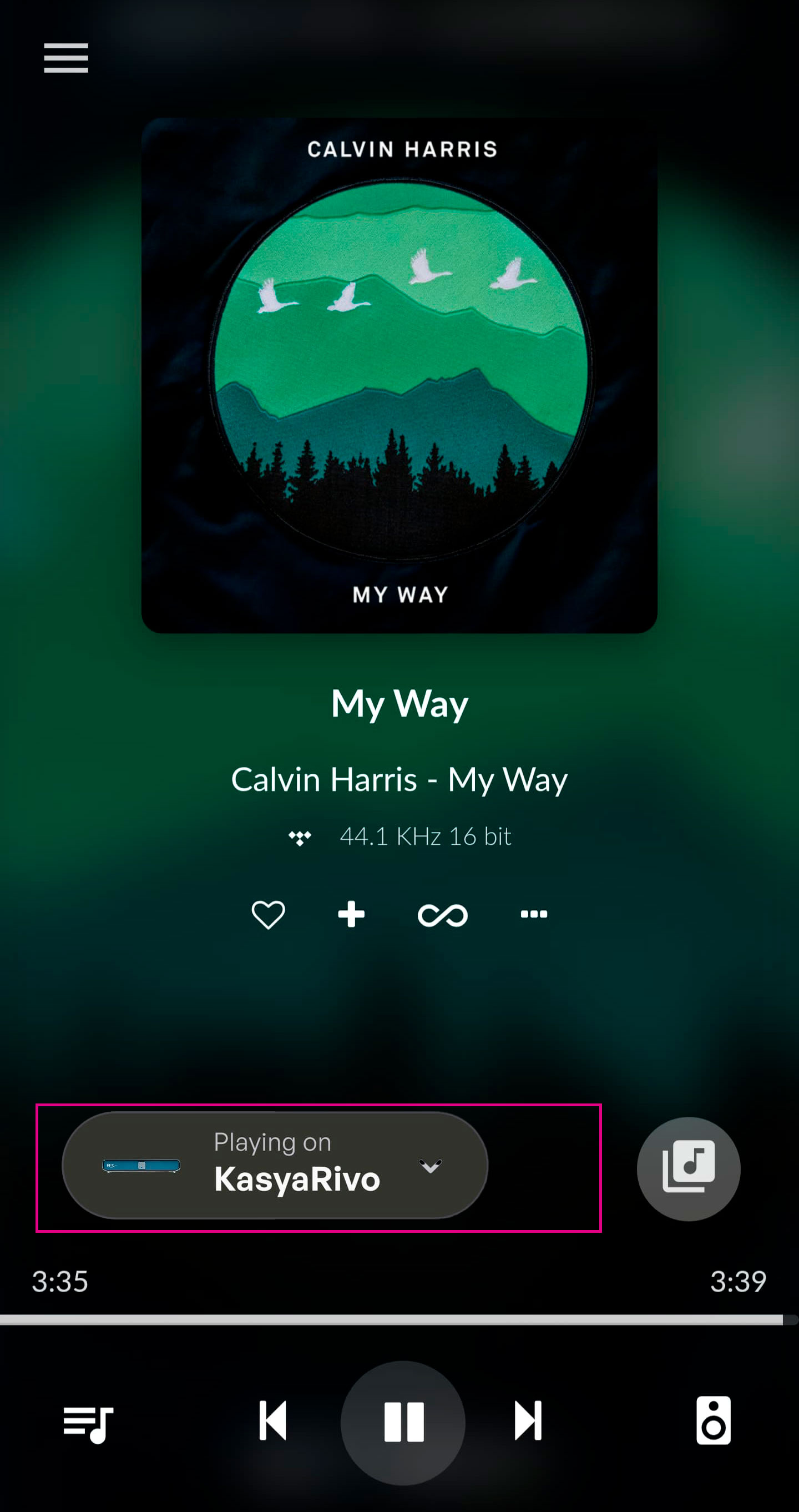
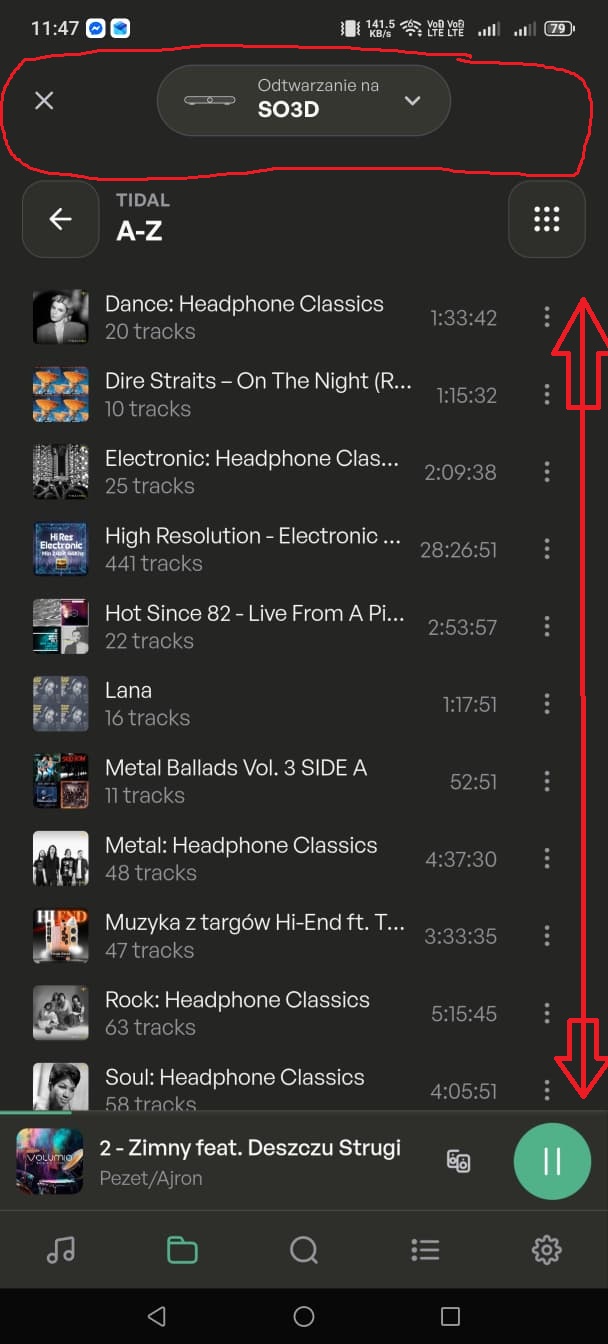
Currently, the dedicated app displays the player name (e.g., “Playing on…”) persistently at the top of the screen. Since I almost always know which device I am controlling, this header is unnecessary for 99.9% of my usage and only takes up valuable screen space.
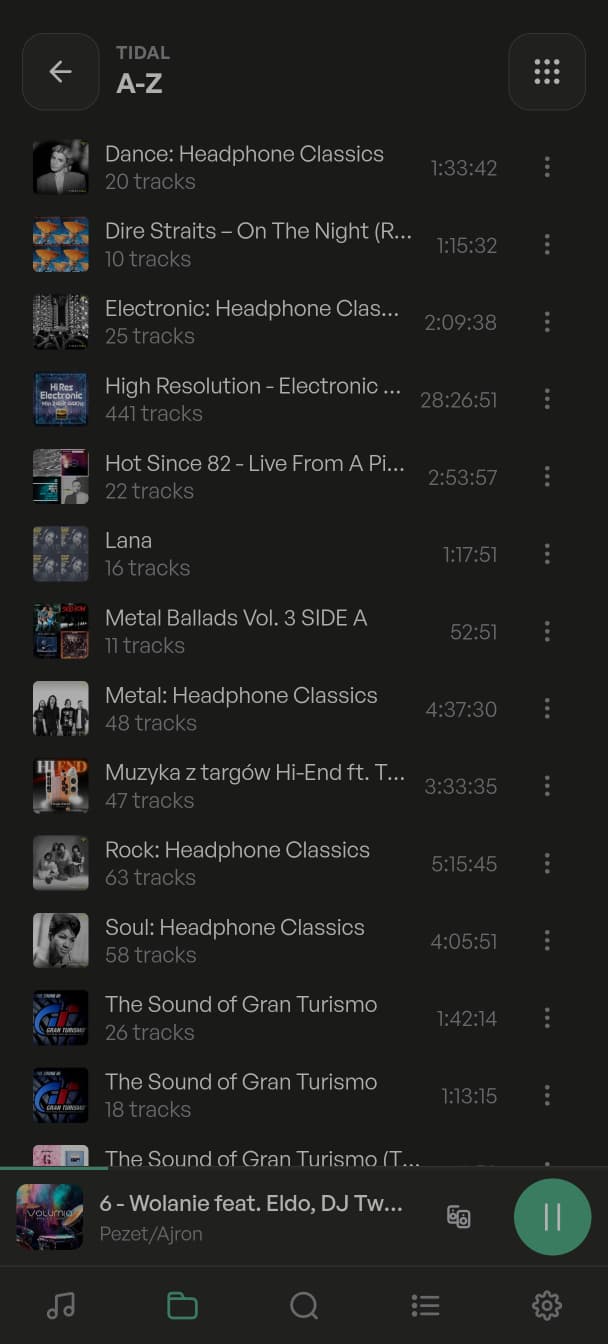
When I access Volumio through a mobile web browser, I get a much better experience because I can use full-screen mode. This hides the top header and gives me much more vertical workspace to browse my Tidal tracks and playlists.
Would it be possible to add a full-screen option to the dedicated Android app in a future update, or at least provide a toggle in the settings to hide the player name header?
I have attached two screenshots to illustrate the difference:
1jpg: Shows the dedicated Android app with the player name banner taking up space at the top.
2.jpg: Shows the mobile web browser view, which is much cleaner and utilizes the screen space far better without that header.
That header with the device playing is good if you’re doing something like an update of the music library on multiple volumio devices. You can exit the one you’ve done and connect to the next in the list and so on.
Probably not a common use case, but I appreciate it.