Music > Artist Won't Display Artist Images

Raspberry Pi 5 operating a modern Player Piano with mono audio accompaniment.

Have written, run and verified the code to automatically produce and update an SSD with my library customized specifically for Volumio as my cataloging and metadata use proved incompatible. This involves custom artwork for EVERY album/folder and EVERY AlbumArtist all stored as 300x300px .jpg images.

Files are in both .OGG and .MP3 formats with the .MP3 tags encoded with ID3v2.3

The only metadata present is: Title, Track Number, Genre, Album Artist, Album, Composer, Artist

Organization Scheme: Music > Artist > Album Each “Artist” folder has an image currently named “Artists.jpg” (I’ve tried “Folder.jpg” and “Artist.jpg” also). “Loose” songs not associated with any album are included in the “Artist” folder as well as the folders for entire albums. Each “Album” folder contains an image named “Folder.jpg” and the associated songs.

Volumio scans very rapidly and reports with verified accurately: 2,774 artists; 606 albums, 20809 tracks and 1969:13:15 running time. It has been running for about 9 hours now so surely any sort of “other” indexing is complete…

Problem: Artist images refuse to display in Music > Artist

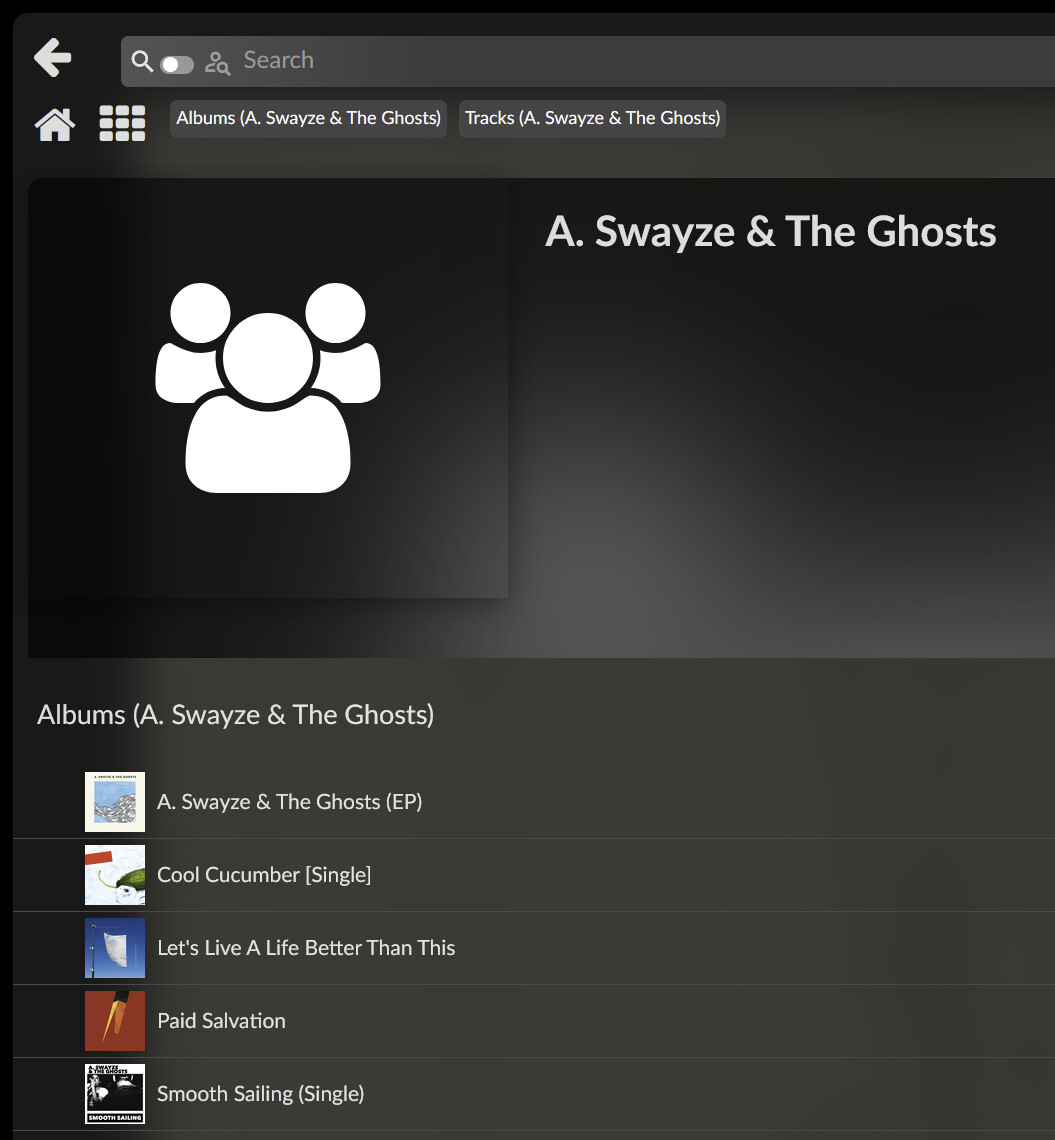
When I go to the Music > Library and navigate to the attached SSD everything there displays perfectly with both large and small artist and album images as appropriate. This includes the Artist folders which contain both Albums as sub-folders and “loose” songs in the Artist folder itself.

Using SSH to navigate to root/data/albumart finds the “metadata,” “personal” and “web” folder all empty. The “folder” subfolder however follows a path to the SSD that finds a folder for every AlbumArtist that contains subfolder for each associated album each with a file named “extralarge.jpeg” There is no similar .jpeg file in the Album Artist folder where I would expect them to appear. This is true for the AlbumArtist folders that contain only album subfolders as well as those with “loose” songs and albums.

I originally indexed with Web Art turned “off.” I turned it “on” a few hours ago. No change after it claimed to be reindexed and a restart.

I’ve pored through searches both here and via google and find numerous mentions and threads of this problem–it seems to be rather recent like 2022–but nothing I try makes any difference.

I’m open to any suggestions. I can now easily create a new full library–even if it takes nearly 5 hours for a complete “one keypress” rebuild. I can varying organization, image names, metadata element, mp3 tag encoding, etc. easily as I coded with changes and versatility in mind.

Have I perhaps overloaded Volumio with so many (2,774) artists? Note these are NOT “AlbumArtists” of which there are about 800.

Has my handing of “loose” songs by placing them in the “Artist” folder in the structure caused this problem? The only other way to organize is to make an Album folder with the same name and same AlbumArtist as the Artist folder containing it. Something told me that was begging for trouble.
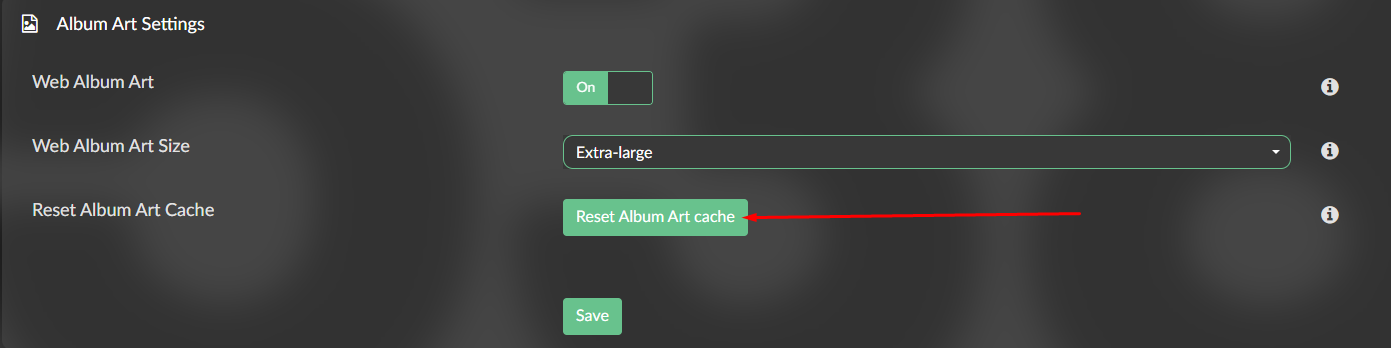
if you added or modified images, you need to refresh the cache.
Go to Sources => Reset Album Art Cache

This should do the trick. Since web folder is empty it suggest no Artist image was missed. You might also try to refresh your browser cache.

Thanks, but I’ve tried that before to no effect.

This time however I have one Artist image appearing, Aretha Franklin, but I verified that it’s not “my” image–wrong pose and missing the watermark of the artist’s name that I included in each image. “My” image of her still appears in Music > Library

For some reason Volumio [seems] to utterly refuse to use user-supplied artist art for its internal catalog.

I’m going to do another full reset and the rebuild the library from scratch with the “Web Art” option turned on.

Maybe something promising. I did a full system reset and changed the name of the artist art back to “Folder.jpg” and have “Art Discovery” turned on.

The catalog process is going far, far SLOWER (a good thing–fingers crossed) and when I go to Music all it displays is all of MY artist art. Nothing else–just extra-large icons of MY supplied artist images.

No go.

Aretha Franklin (not my image) remains the only artist displayed in Music > Artists :frowning:

I again reset the album art cache and restarted after it nearly instantly said “Rebuilt” or whatever to find no change.

Hello all,
I’ve had occassion to rebuild my Volumio setup recently.
I cleaned up some issues with files and tagging, then had problems with the disk rescanning/updating.
I ended up formatting my external USB drive and copying the music files and directories back on from a backup.
Even after this, Volumio seemed to have cached the old contents (partial contents), so I did a factory reset of the installation, then configured again from scratch.

I now have everything working normally again, but the artist images are not appearing (actually, one is). Is there some sort of outage with last.fm or wherever those images are drawn from?

At this moment there is indeed an issue, informed @volumio
https://status.volumio.com/

Thanks for the heads-up guys. We are aware of the issue and trying to solve it. It’s an upstream API issue and so far we have not found a solution…

Will keep you posted

My user-supplied artist art still refuses to display as well.

We solved it. Please let us know how are the artist showing, if you have some artists not showing album art, please paste here the artists names that are not showing

On first clearance of the image cache, volumio started to look for images, casued volumio to crash (restart). Even scrolling with the mouse caused a crash.
After a reboot everything runs stable. Even magic happens almost everything was found. This was never the case before.

Well Done!!!

Missing or strange:
image
image
image
image
image

Mine is now repopulating after a restart. Thank you :slight_smile:

We solved it. Please let us know how are the artist showing, if you have some artists not showing album art, please paste here the artists names that are not showing

Dare I say that you partly solved it?

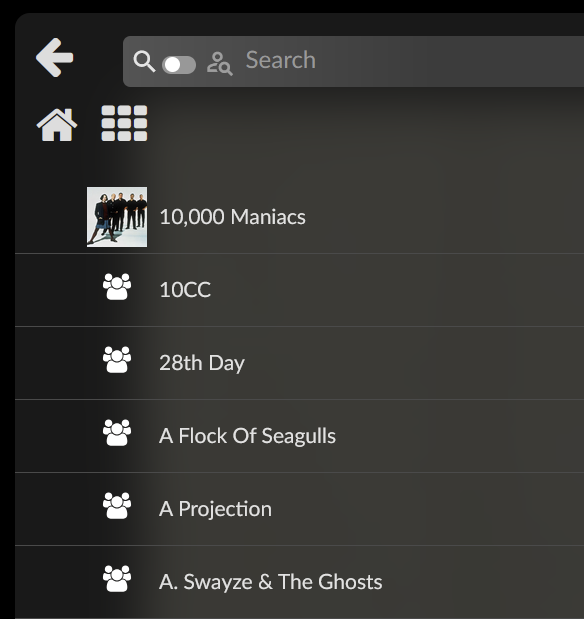
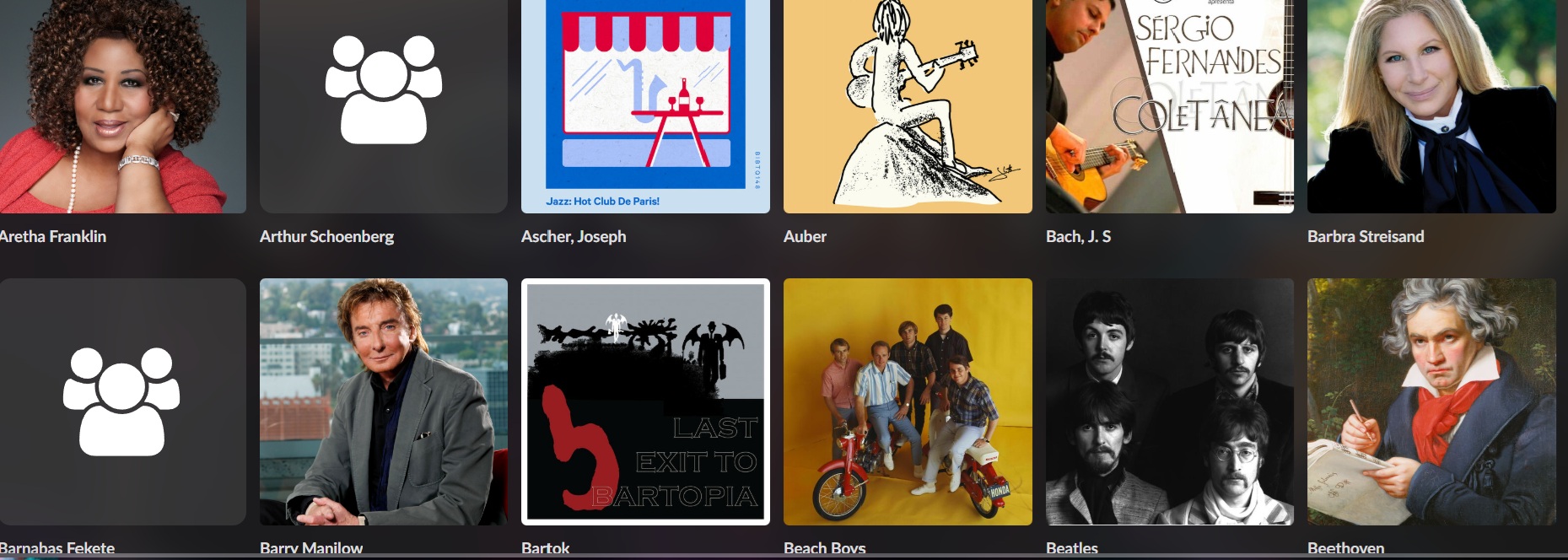
Artist art now displays but only what is found from the web. My supplied artist images (named “Artists.jpg”) and placed in each Artist folder that contains only the image and “album” subfolders still refuse to display. I also get some very strange and obviously wildly incorrect artist art such as:

Note strange finds in the above for Ascher, Joseph; Auber; Bach, J. S; Bartok

Also notice that “Bach, J. S” does not have a period after the “S” because Windows will not allow a folder name that ends with a period and filenames like “Bach, J. S…jpg” (note the two periods in a row) are also disallowed.

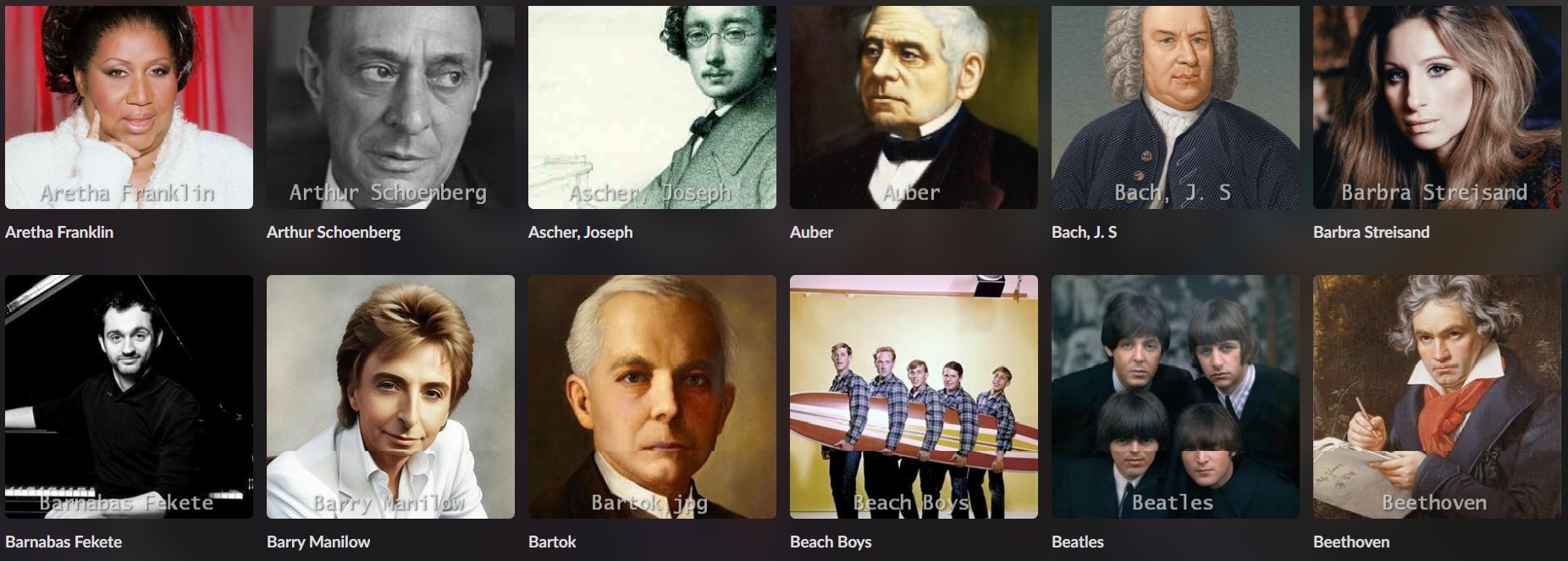
My supplied artist images continue to display perfectly in Music > Library

Here’s the same grouping of artists from Music > Library

If you wonder about the mixed naming conventions it’s how I differentiate [overwhelming] pre-20th Century “classical” composers from composers of “popular” music [overwhelmingly] of the 20th and 21st centuries. Lacking ambiguity, “classical” artists are identified only by their surnames with a comma and initials or given name(s) added when confusion with other composers is possible.

I was used to seeing the anonymous icon for smaller Australian bands that probably aren’t know to last.fm or whoever supplies the band images.
image

But since your fix of the no artist images issue, I have a new anonymous images in addition to the traditional one.
image

List of bands/artists without proper artist images as of 09/10/2025;
Befour Three O’Clock
Eternal Smoko
Haunted Attics
House Deposit
House Of Light
James Freud
Johhny Thunders / Silvain Silvain - collaborative album Sad Vacation
Londonbeat
Loose Tooth
Playlist Venkova - English translation of the band name is Venkova’s Playlist
The Spazzys
The Triffids - Has a blank white square

Band with incorrect artist image, not sure how this could be solved though
Deo - a German 80s band of the NDW movement/genre, shows a dark-skinned male person
image
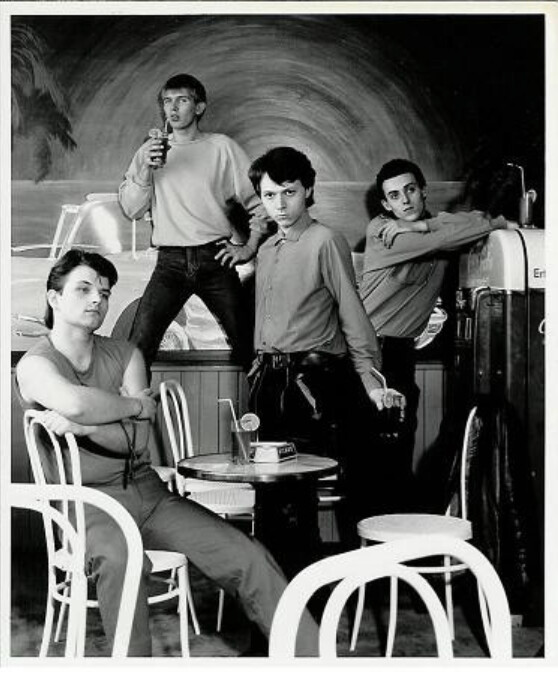
This what they really looked like


Source of image: https://www.discogs.com/artist/310097-Deo?

Apart from these things it is the best it has ever looked, well done.