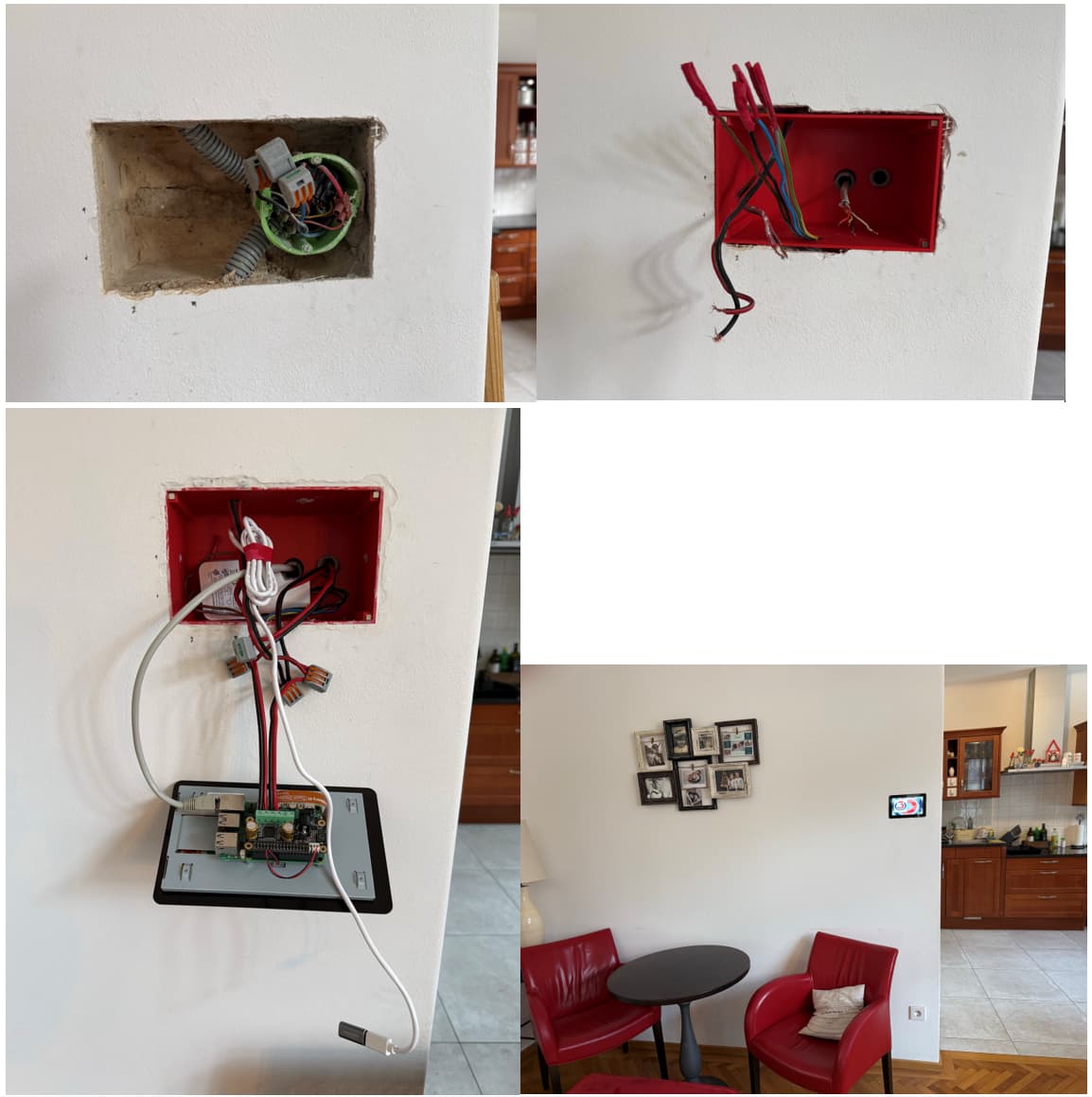
I replaced my old analog in-wall radio with a Volumio client:
Raspberry Pi 5 + Raspberry Pi 7" display + innomaker Pro Amp
Big Self-printed in-wall enclosure with magnetic mount (ask me for the STL - not able to upload her)
Power supply via an original Raspberry Pi power adapter in the cable socket
My existing ceiling speakers are still in use
8 Likes
Very nicely done. Question for you: I also have the official RPi 7" touchscreen and I can’t get it calibrated properly. I’ve tried everything I’ve found online. When I touch a button on the screen, it registers about 5mm to the right of the actual point. Did you have to do anything to get yours calibrated?
SimonE
April 29, 2026, 7:32am
3
Hey @jammerx19
THANK YOU VERY MUCH!!! That did the trick. I had not seen this anywhere when I was searching for a solution.
1 Like