Hi @Michal_Tamas , I have one more request: could you add genre filtering to the “Qobuz - New Releases” tab? The Manifest skin has this option and I use it a lot. Thanks in advance 
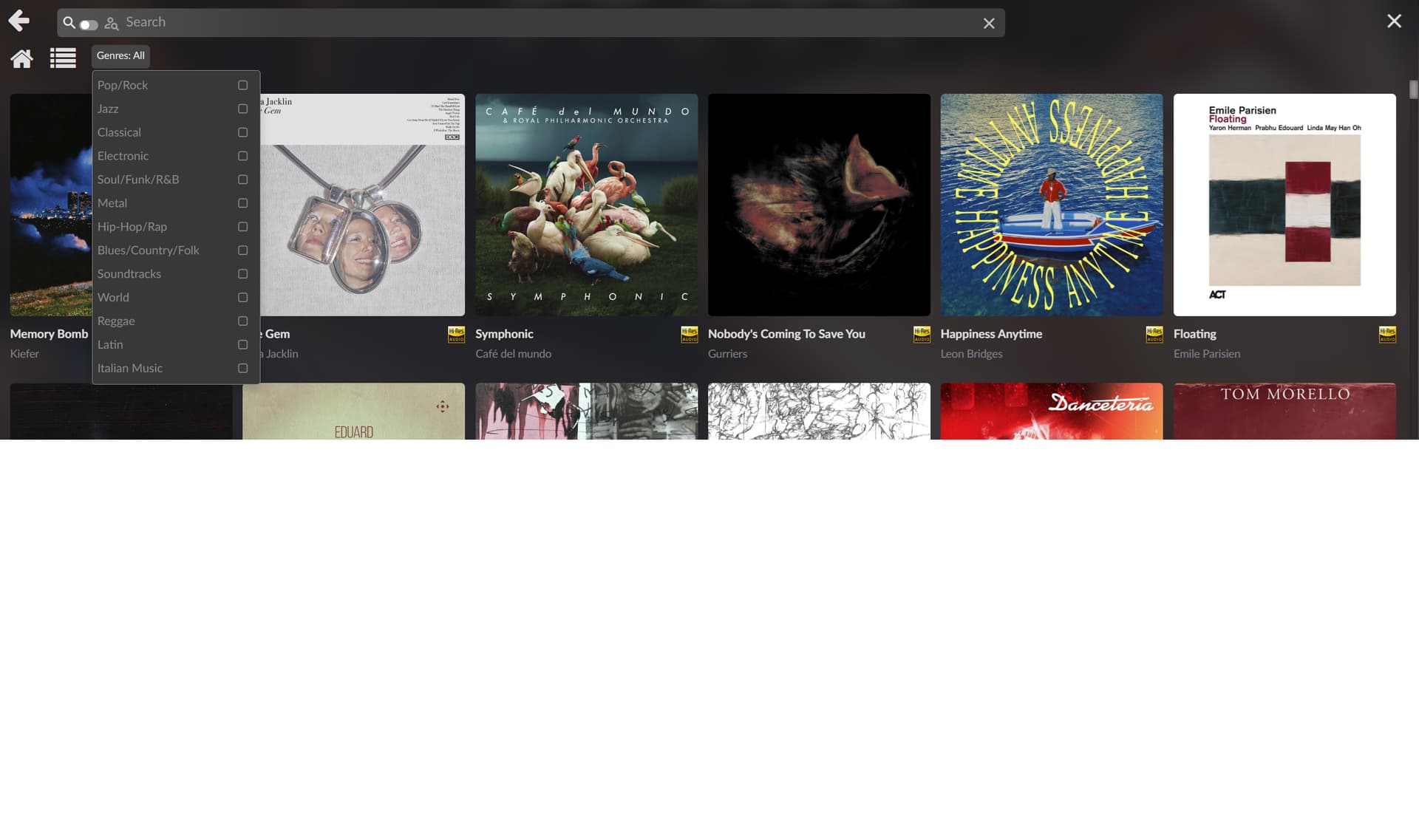
Hi @elvis_detox, thanks for the request! Genre filtering is in Artwork One 3.0.4. On Qobuz New Releases there’s now a Genres menu beside the page title where you can tick one or more genres, plus a Sort menu when Qobuz offers one.
To update, run this over SSH on the player:
curl -fsSL https://raw.githubusercontent.com/michaltamas/volumio-artwork-one/main/scripts/install.sh | bash
One note: I don’t have a Qobuz subscription, so I built it to the same format Volumio’s own interfaces use but couldn’t try it against Qobuz itself. If anything looks off, a screenshot would help a lot. Thanks!

The genre selection works, the only thing is that the button isn’t on the same line. I’ve attached a screenshot. There’s one more thing to fix: in the Qobuz section, when I hover over a thumbnail and click it, the album doesn’t start playing. Instead, it gets added to favorites.

Dont know if this is specificly from the theme or the Android app.
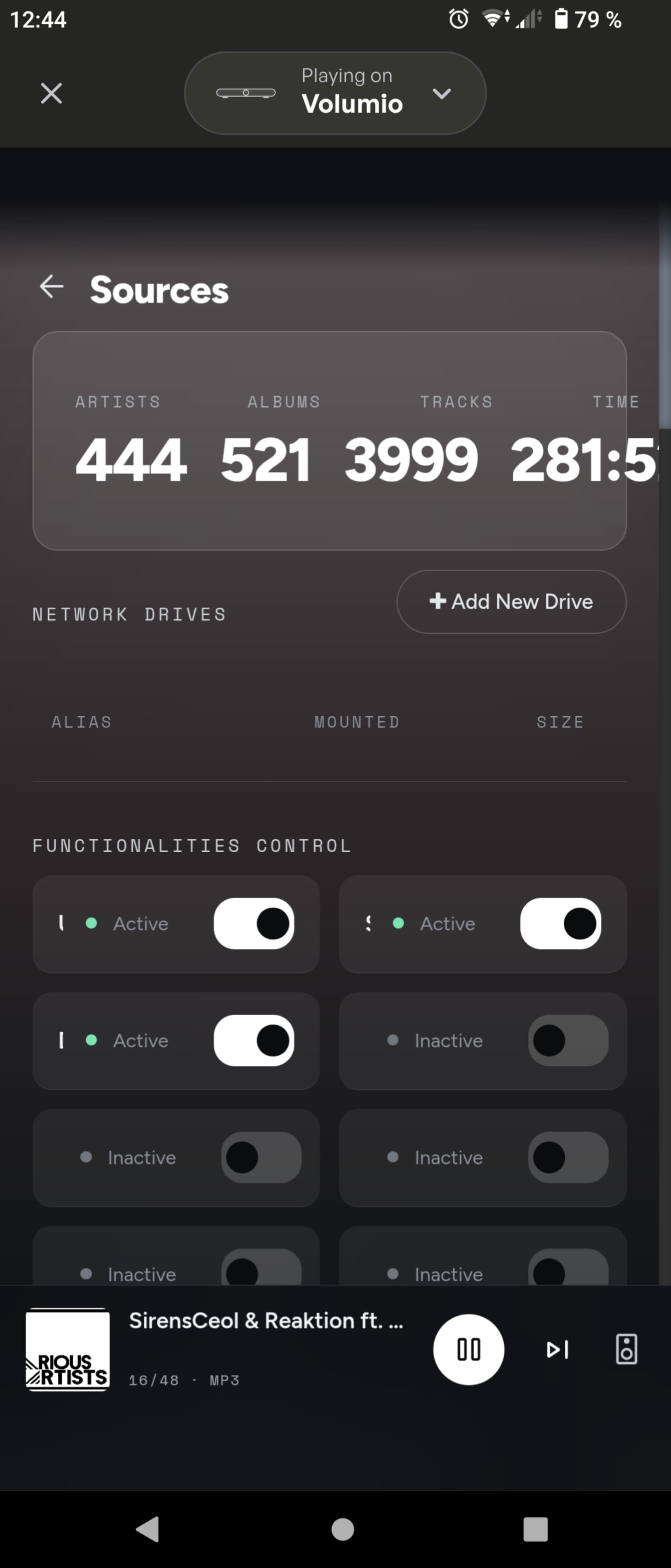
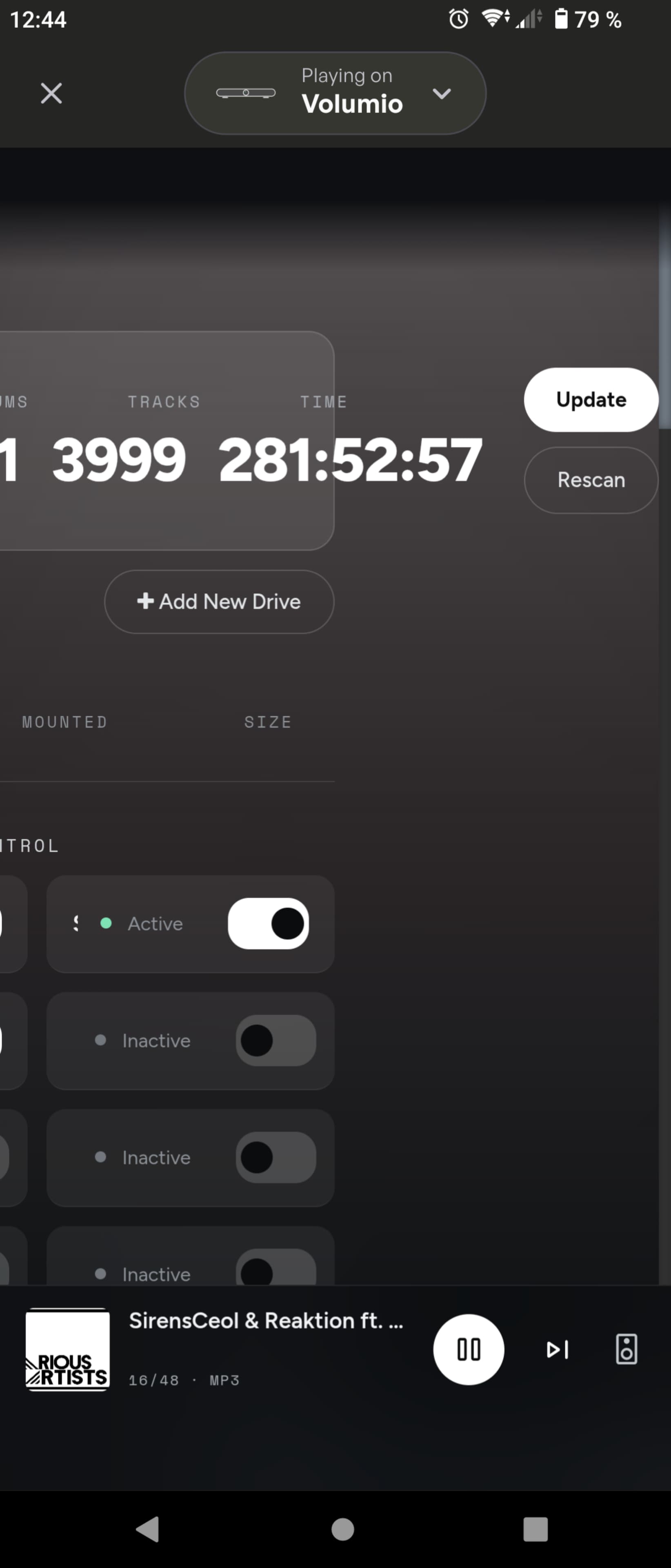
But on my phone atleast the buttons for scan and update library is off to the side and you need to slide the whole page over to see them.
Would be better if they where under.
Hi @elvis_detox and @Marius_Rimstad, thank you both for testing and for the feedback. Both issues should be fixed in Artwork One 3.0.5:
To update, run this over SSH on the player, then reload the page:
curl -fsSL https://raw.githubusercontent.com/michaltamas/volumio-artwork-one/main/scripts/install.sh | bash
If anything still looks wrong afterwards, a screenshot would help a lot. Thanks!
1 Like
You’ve solved my problems. Thank you so much!
1 Like
Tested 
I love the quick fixes. Just makes me even more eager to build onto the volumio platform.
Thank you.
1 Like
feedback time again,
Uppdated and i think i am now on the latest build. I also have a companion pluggin 2.0.1
However.
The user interface is now realy sluggish, also in the android app. Reverting to manifest theme fixes this.
also settings for now playing pluggin only results in a black page with theme active, once again fixed by reverting theme.
Companion settings just show a screen asking where settings are located nothing else, is this correct?
Epic! Wow. Thank you so much for this. Mighty Volumio, in gorgeous. Click flow/UX is just wow. Have installed it on Pi 3, 4, 5, even on a Pi 3 rev 1 it runs smooth like butter. And even on Volumio 3  .
.
Whole new chapter begins.
Thank you again, epic work.
PS: Had only one bug, which is Radio Stations, it does not find what it finds under Manifest (search doesn’t find 1live and Bayern3). Other than that, worked beautifully on desktop, iPad and iPhone.
Hi @LOVEANDFURY and @Marius_Rimstad, thank you both for testing and for the kind words and reports. Artwork One 3.0.6 is out with:
• Faster interface. The blur under the page header was drawn twelve times on every scroll. It’s one layer now, so scrolling needs about a quarter of the drawing work. @Marius_Rimstad, I’d love to hear whether it feels better on your Android.
• Web Radio search finds stations (Bayern 3, 1LIVE) from the radio pages.
• Plugin settings no longer show a black page: there’s a loading indicator, and a message if the plugin doesn’t answer. If you still see a problem on the Now Playing settings page, please tell me what the message says.
The companion plugin page is correct as it is: it only points to Settings → Appearance, where its settings live.
To update, run on the player and reload the page:
curl -fsSL https://raw.githubusercontent.com/michaltamas/volumio-artwork-one/main/scripts/install.sh | bash
Wow. Unreal. So excited that I deleted my own post 
Performance is back to what seems normal.
But i can still not get access to now playing.
And it seems to be the only pluggin with this issue.
Well that i have.
Artwork One 3.1.0 is out
Thanks everyone for the testing so far.
- Plugin updates where you can see them: a count on the Plugins entry in Settings, Check for updates, and an Update to x.y.z button on each plugin that has a newer version in the store.
- Search finds tracks in your playlists, and album and playlist pages have a filter field.
- Tooltips on every icon button (hover, or long-press on a phone), and a long title slides across so you can read all of it.
- For the player’s own display (HDMI / touch screen), under Appearance → Ambient display: the ambient screen can now be shown always (a touch brings the interface back for a minute), and you can set a larger Now Playing text size and hide the volume control on that display. The companion plugin updates to 2.1.0 for this.
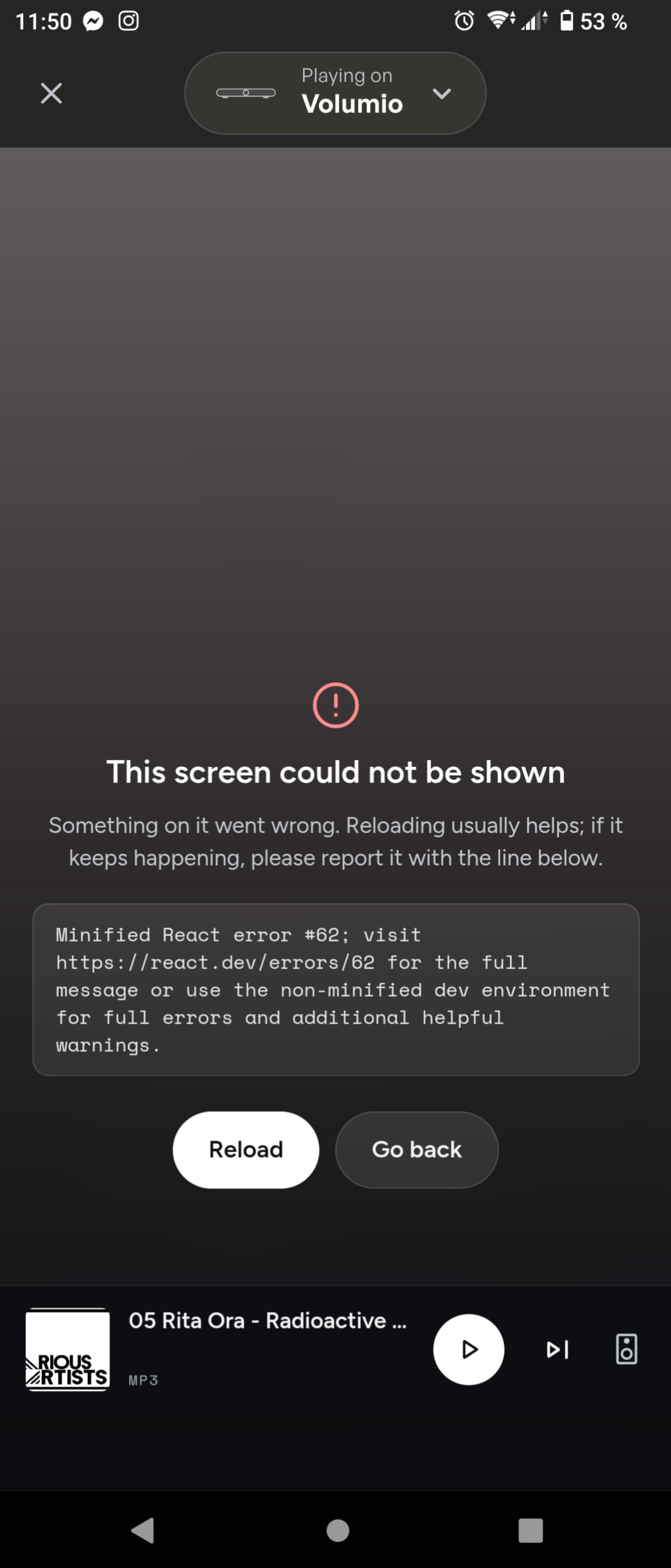
- Fix for @Marius_Rimstad’s Now Playing settings page: Now Playing 1.1 puts a CSS string on some of its fields, which Artwork One choked on (that’s the “error #62” from your screenshot — thanks, that was exactly what I needed). Settings pages open again.
Update, over SSH on the player, then reload the page:
curl -fsSL https://raw.githubusercontent.com/michaltamas/volumio-artwork-one/main/scripts/install.sh | bash
Full list in the changelog.
2 Likes
Mint! One small error, it writes version 2.1.0 in the Plugins List.
Thank you again,
Greetings from Berlin
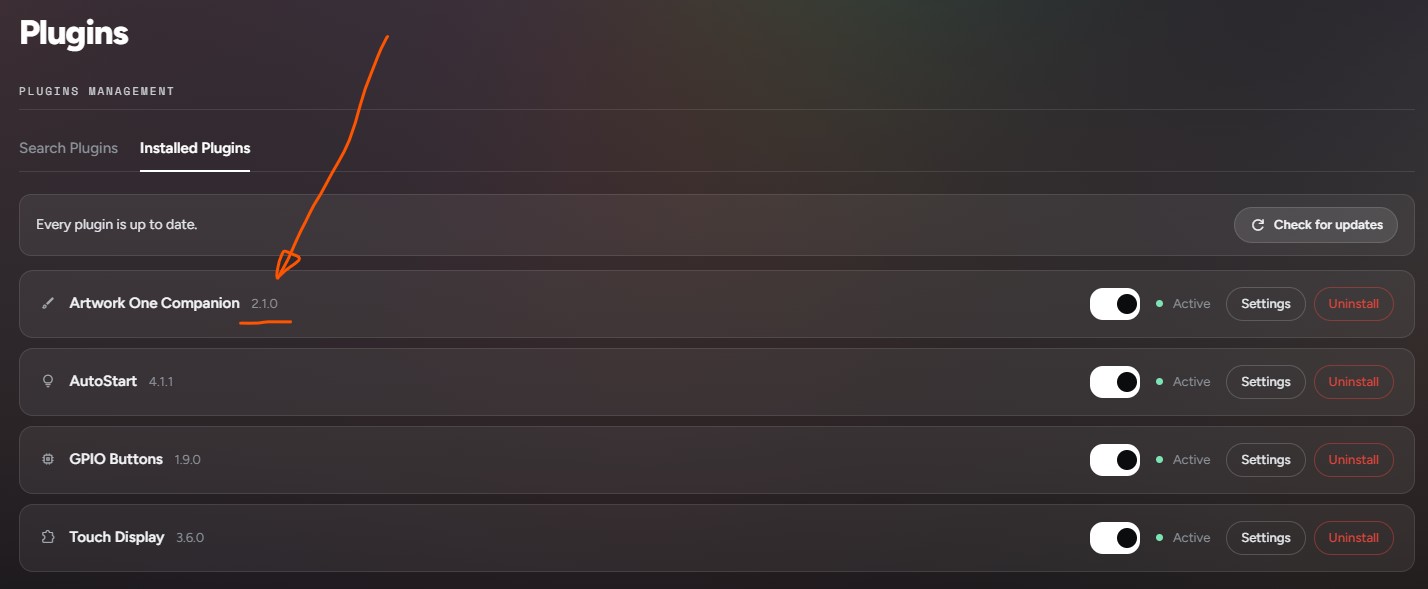
oh, I just now understand that this is intentional. Aha
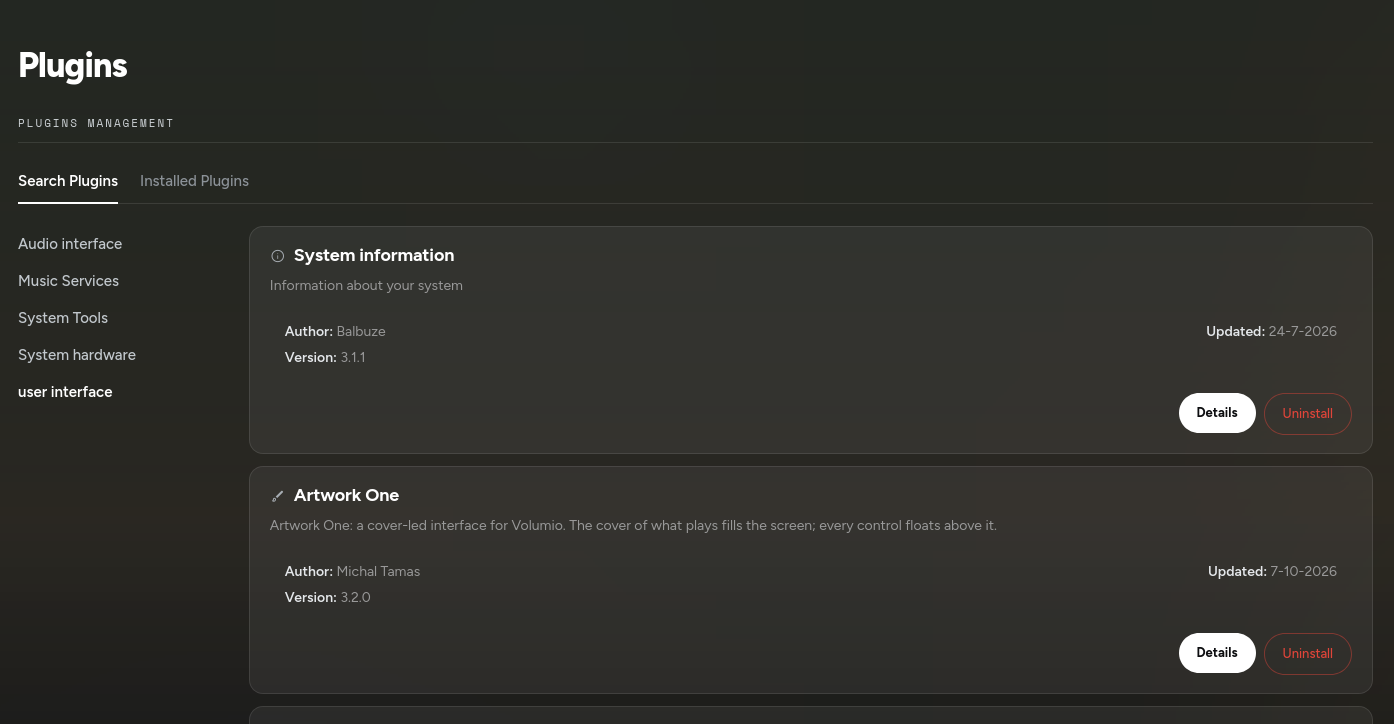
@balbuze Done. Artwork One is now a proper Volumio plugin: user_interface/artwork_one, everything in the plugin folder, install.sh downloads and builds nothing, settings and the interface registration handled in onStart/onStop, tested through volumio plugin install / update / uninstall on a Pi.
Submitted with volumio plugin submit (3.2.0, beta) and the PR is open: Artwork One 3.2.0 - a cover-led interface for Volumio (new plugin) by michaltamas · Pull Request #248 · volumio/volumio-plugins-sources-bookworm · GitHub
One thing worth knowing for review: the plugin removes its own entry from the interface list on stop and switches the player back to Manifest first, since the core has no way to unregister a third-party UI. After an update it comes back as the active interface on the next Volumio start.
The script install keeps working and now installs the same plugin. Thanks for the push to do it properly.
1 Like
Hello!
Thank you for your work. I’ll have a look ASAP  .
.
1 Like